











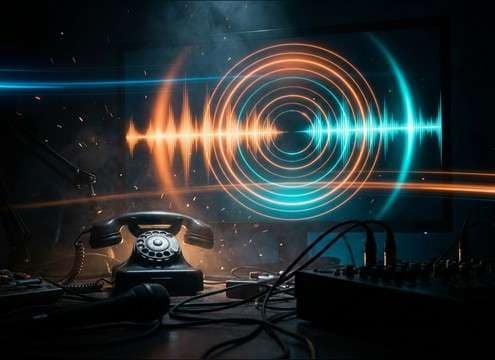
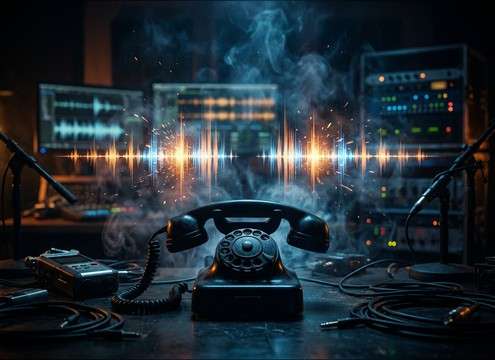

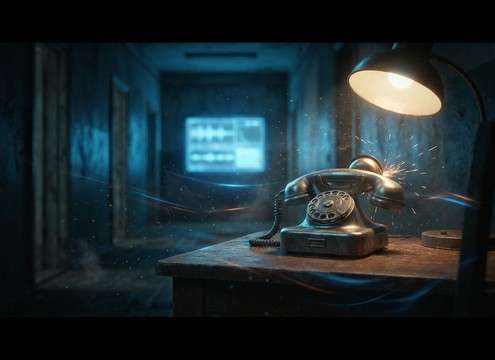
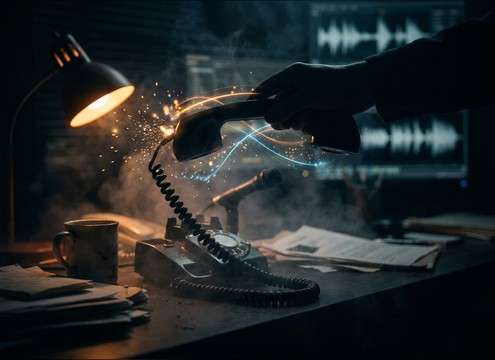
Popular Telephone Sound Effects Library

Pick a ready-made ring, tone, or handset action, or copy a prompt to regenerate the same idea with a different cadence, distance, or room reflection for your scene.

How to Generate Your Own
Telephone Sound Effects

Cannot find the perfect telephone sound effect you need? Generate custom AI telephone audio effortlessly. Describe the style, such as short clean cue, cinematic hit, subtle background layer, branded UI alert, and Media.io AI builds tailored telephone sound effects instantly. No audio editing experience needed. Turn your concept into a royalty-free, high-quality downloadable WAV telephone clip in under 60 seconds.

1

Describe the phone sound

Type a prompt for the exact telephone moment you need, like rotary bell ring, busy signal, dial tone, or a handset pick-up and hang-up.

2

Choose duration and variations

Select 5s, 10s, or 20s, then set how many options you want so you can compare different cadences, tones, and room feel.

3

Generate and preview

Click Generate to create options, then preview each result and keep the version with the cleanest transient, best timing, and least unwanted noise.

4

Download WAV and use

Download your selected WAV file and drop it into call scenes, app UI mocks, audio drama moments, podcasts, videos, or commercial projects.

What Can You Use These Telephone Sound Effects For?

Creators in every field are using our royalty-free audio to set the perfect mood.

Telephone ringing sound effect synced to an on-screen call scene

On-screen call ring

Sync ring cadence to the cut, then swap close vs distant perspective to match camera placement.

Busy signal telephone tone used for a comedic failed call

Busy line gag

Use a tight busy signal with clean gaps so dialogue and music can sit around the beeps without masking.

Telephone dial tone sound effect for a transition beat

Dial tone transition

Cut from pick-up click into a steady dial tone to sell the moment before a voiceover or narration begins.

Old rotary phone ringing sound effect for a vintage scene

Retro rotary prop

Choose a metallic bell ring and add a longer room tail for period scenes set in a hallway or kitchen.

Telephone handset hang up sound effect in an office foley moment

Office desk foley

Layer handset clacks and button taps to reinforce desk action without relying on production audio.

Telephone ring sound effect used in a tense horror phone scene

Horror phone moment

Generate a harsher, more piercing ring with extra midrange bite and longer decay to increase tension.

Telephone line tone sound effect for an IVR or hold sequence

IVR and hold

Use subtle line hiss and controlled stereo width so the tone feels like it comes through a handset or speakerphone.

Smartphone call UI using short ringtone sound effects

App call UI

Create short ringtone chirps for prototypes, with consistent loudness and a clean tail for looping and A B tests.

Why Choose Media.io for Telephone Sound Generator?

See exactly why creators, developers and studios choose our AI audio generator over all others.

Prompt control for telephone ring cadence timing

Telephone cadence control

Prompt exact ring patterns, pause timing, and repetition so your phone SFX matches the shot and pacing.

Telephone sound generator distance and room tone control

Scene-matched space

Generate close, across-the-room, or hallway-like versions by describing distance and room tone in your prompt.

Telephone handset click with clean transient for editing

Clean transients for edits

Get pick-up and hang-up clicks with sharp attacks and trimmed tails for easy sync and tight cuts.

Batch variations generated for telephone sound effects

Multiple variations fast

Create several options per prompt, then choose the best tone, brightness, and decay without searching endless libraries.

Download telephone sound effects as WAV for immediate use

WAV-ready downloads

Export a WAV you can drop into your timeline immediately, then reuse the same prompt to keep continuity across scenes.

Reusable prompts for a telephone sound generator

Prompt library you can reuse

Save prompts for different eras and devices, like rotary bells, desk phones, or smartphone chirps, and regenerate on demand.

How to Pick or Prompt Believable Telephone Sounds

Telephone audio is all about timing and context: the ring cadence sells the device, while line noise and room reflections sell the space. Use the library to grab a ready-made ring, busy signal, or handset action, or generate a custom take by prompting the device type, distance, and how sharp you want the transient and tail to be.

Match the device and era

Start by deciding what the viewer should recognize: rotary bell, desk landline, or modern smartphone. The harmonic content and attack shape differ a lot, and a mismatched ring can break the illusion faster than any visual prop.

  • Use words like rotary bell, landline ringer, smartphone chirp, or cordless base
  • Ask for metallic resonance vs plastic click to control texture
  • Specify clean tone vs gritty line hiss if you want a broadcast or lo-fi feel

Get the ring cadence right

Cadence is what editors notice when syncing. A ring that is too continuous, too slow, or oddly spaced will feel artificial. Prompt the pattern, pauses, and whether it should end abruptly or decay naturally.

  • Call out pattern: two short rings, long pause, repeat
  • Request sharp start with short decay for tight cuts, or longer tail for dramatic beats
  • For busy signals, specify precise beep timing and clean gaps

Place the phone in the room

A phone on a desk sounds different than a phone in a hallway or behind a door. Distance changes high-end rolloff, and the room adds reflections that can help the sound sit in the scene without extra reverb.

  • Add distance cues: close-mic, across the room, muffled through wall
  • Mention space: small office, tiled hallway, living room with soft furnishings
  • Ask for narrow stereo for realism, or wider stereo for stylized montage

Avoid common telephone SFX mistakes

Telephone sounds often fail because they are too loud, too clean, or the transitions are unnatural. Keep click sounds short, avoid harsh clipping, and make sure tones feel steady rather than warbling unless the story calls for it.

  • Avoid exaggerated distortion unless you want a horror or glitch effect
  • Do not over-lengthen tails on handset clicks; keep them tight and realistic
  • Keep dial tones steady in pitch to prevent distracting wobble under dialogue

Frequently Asked Questions About
Telephone Sound Effects

Everything you need to know before downloading or generating your first sound.

What types of telephone sound effects can I download here?

You can grab common call elements like classic rings, rotary bell rings, smartphone chirps, dial tone, busy signal, off-hook tone, and handset pick-up or hang-up clicks. Use the ready items, or generate a custom version by describing device type, cadence, and distance.

Can I download telephone sounds as WAV and use them commercially?

Yes. You can preview and download WAV outputs and use them in commercial projects such as films, ads, apps, and client edits. If you have a strict compliance workflow, review your project requirements before publishing.

How do I make the ring feel like it is in another room?

Choose or generate a distant version by prompting muffled high end, softer attack, and noticeable room reflections. If you are editing, lower the level slightly and leave a bit of tail so the space reads naturally.

Which duration should I pick for a phone ring or busy signal?

Use 5s for a single ring moment or quick busy beeps, 10s for ring then pick-up transitions, and 20s for a complete call beat. If your scene needs looping, keep the cadence consistent so edits can repeat cleanly.

Are these telephone sound effects free to download?

Yes. You can preview and download the AI-generated telephone sound effects as WAV files and use them in personal or commercial projects.

Can I copy the prompt used for each sound?

Yes. Open any sound row to view the prompt, copy it, adjust the wording and generate a custom variation that better matches your scene.

Related Free Sound
Effect Categories

Explore other AI-generated sound libraries from Media.io

sound

Rain Sound Effects

10+ free sounds
sound

Thunder Sound Effects

10+ free sounds
sound

Farts Sound Effects

10+ free sounds
sound

Car Crash Sounds

10+ free sounds
sound

Explosion Sound Effects

10+ free sounds
sound

Gunshot Sound Effects

10+ free sounds
sound

Pistol Sound Effects

10+ free sounds
sound

AI Horror Sound Effects

10+ free sounds
sound

AI Forest Sound Effects

10+ free sounds
sound

AI Dog Whistle Sound

10+ free sounds
sound

AI Ding Sound

10+ free sounds
sound

Phone Ring Sound

10+ free sounds
media.io

AI Video Generator star

Easily generate videos from text or images

Generate
