












Popular Button Sound Effects Library

Pick a ready-to-use click, press, or confirmation tone, or copy the prompt to regenerate variations that match your UI pacing, material feel, and mix density.

How to Generate Your Own
Button Sound Effects

Cannot find the perfect button sound effect you need? Generate custom AI button audio effortlessly. Describe the style, such as short clean cue, cinematic hit, subtle background layer, branded UI alert, and Media.io AI builds tailored button sound effects instantly. No audio editing experience needed. Turn your concept into a royalty-free, high-quality downloadable WAV button clip in under 60 seconds.

1

Describe the press

Type or paste a prompt describing your button sound: tap vs click, soft vs punchy, mechanical vs touchscreen, and whether you want a confirm or error tone.

2

Choose length and variations

Set the duration to 5s, 10s, or 20s, then pick how many variations you want to generate so you can audition different textures quickly.

3

Generate and preview

Click Generate, listen to each result, and keep the version with the best transient, tail length, and loudness for your interface timing.

4

Download WAV and use

Download your WAV file and drop it into apps, UI prototypes, games, videos, podcasts, or commercial projects as interaction feedback.

What Can You Use These Button Sound Effects For?

Creators in every field are using our royalty-free audio to set the perfect mood.

Button tap sound used in a mobile app interface

Mobile app microinteractions

Add clear tap feedback for toggles, segmented controls, and bottom-nav actions without overpowering voiceover.

Menu navigation using button click sound effects

Console and PC

Match click brightness and tail length to menu speed so rapid navigation stays readable and not fatiguing.

Arcade button press sound for a retro cabinet

Arcade cabinet buttons

Use chunkier presses with a plastic thump to sell physical controls, credit buttons, and start prompts.

Elevator panel button click sound in a hallway setting

Elevator and kiosk

Create glossy panel clicks with subtle room reflections for public-space UI like ticketing, kiosks, and elevators.

Smart home control using confirmation button sounds

Smart home confirmations

Design short confirm beeps and softer ticks for lights, thermostats, and voice-assistant companion screens.

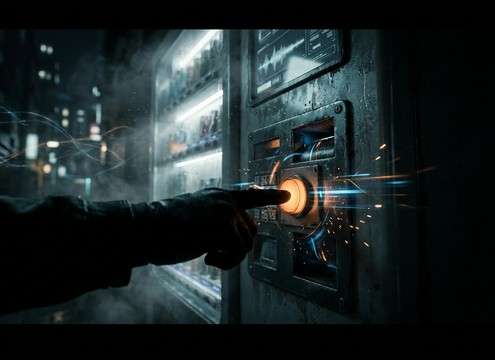
Vending machine keypad button press sound effect

Vending machine interactions

Use heavier presses and slightly noisy mechanics for product selection buttons and service-mode keypads.

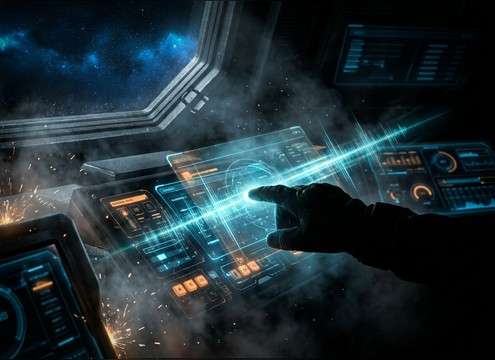
Sci-fi cockpit interface with futuristic button clicks

Sci-fi cockpit UI

Generate synthetic clicks with brighter transients and wider stereo for holographic panels and ship controls.

Accessible UI using distinct confirm and error button sounds

Accessibility feedback cues

Create distinct confirm vs error clicks with different pitch and attack so actions are recognizable even at low volume.

Why Choose Media.io for Button Sound Generator?

See exactly why creators, developers and studios choose our AI audio generator over all others.

Prompt box for generating button click sounds

Button Sound Generator with prompt control

Steer material feel and intent in text: plastic click, rubber dome, glass tap, confirm, cancel, or error.

Multiple button sound variations lined up for comparison

Fast variations for UI consistency

Generate multiple options to keep a consistent family of clicks across primary, secondary, and destructive actions.

Timeline showing button click aligned to a UI animation

Tight timing for microinteractions

Dial in short attack and controlled decay so sounds land on-frame and do not smear into the next interaction.

Waveform of a clean UI click with low background noise

Mix-friendly noise floor

Aim for clean, low-hiss results that sit under narration and do not add unwanted room tone to dry UI scenes.

In-browser preview player for button sound effects

Preview before you download

Audition transients, brightness, and stereo width in-browser, then keep the click that reads best on small speakers.

WAV download icon for a generated button sound

Export-ready WAV for production

Download WAV files that drop straight into app builds, prototypes, or edits without extra conversions.

How to Pick or Prompt Button Clicks That Feel Right

Button sounds succeed when they communicate action and state instantly. Use the library to find a close match, then prompt variations that fit your UI speed, surface material, and how dense the rest of the mix is. For example, a glass tap for a phone screen needs a shorter tail than a mechanical press on a kiosk, and confirm vs error should differ in pitch and bite.

Match the action type: tap, press, toggle

Describe the interaction first. A quick tap wants an ultra-fast transient, while a longer press can carry a slightly heavier body. Toggles often read best with a two-part motion: down click then release.

  • For taps, ask for very fast attack and near-zero sustain
  • For presses, add a small low-mid thump and slightly longer decay
  • For toggles, prompt two events or a subtle release click

Choose a material that matches the UI surface

Material language guides texture. Plastic feels snappy and bright, rubber feels muted, metal feels tighter and more pointed, and glass taps can be thin with minimal low-end. Keep the tone consistent across your interface so it feels designed, not random.

  • Plastic: crisp high-end, short tail, light grit
  • Rubber: rounded transient, reduced brightness, softer impact
  • Metal or glass: sharper bite, cleaner edges, minimal low-end

Control tail and space so it does not smear

UI clicks are usually dry. If you need environment, keep reflections subtle and short so the sound remains readable in fast navigation. For public-space panels, a faint hallway reflection can help sell location without turning into reverb wash.

  • Ask for dry close-mic clicks for menus and app flows
  • If adding space, keep reflections short and quiet
  • Avoid long decays that overlap rapid button repeats

Separate confirm vs error without being annoying

State sounds should be distinct at low volume. Confirm can be brighter and smoother, while error can be drier with a pitch dip or a harsher transient. Keep dynamics controlled so frequent UI use does not fatigue the listener.

  • Confirm: clean tone, smooth release, consistent loudness
  • Error: tighter click, more bite, subtle downward pitch cue
  • Avoid overly loud spikes that clip or mask dialogue

Frequently Asked Questions About
Button Sound Effects

Everything you need to know before downloading or generating your first sound.

Can I download button sound effects for commercial use?

Yes. You can preview and download button sounds from this page and use them in commercial projects. Always review the license notes shown in the download flow to confirm your specific use case.

Do these button sounds download as WAV files?

Downloads are provided as WAV so you can place them directly into app builds, prototypes, and editing timelines without extra conversion.

How do I make a button click feel softer or more tactile with AI prompts?

Use prompt words that control the transient and texture. Try terms like soft, muted, rubber, rounded attack, low brightness, and short decay for gentle taps, or tactile switch, plastic click, snappy transient, and tight tail for a more mechanical feel.

What duration should I choose for UI button sounds: 5s, 10s, or 20s?

Use 5s for single clicks, confirms, and errors. Use 10s when you want repeated presses with consistent spacing. Use 20s for loopable menu navigation beds where you need steady rhythm and seamless looping.

Are these button sound effects free to download?

Yes. You can preview and download the AI-generated button sound effects as WAV files and use them in personal or commercial projects.

Can I copy the prompt used for each sound?

Yes. Open any sound row to view the prompt, copy it, adjust the wording and generate a custom variation that better matches your scene.

Related Free Sound
Effect Categories

Explore other AI-generated sound libraries from Media.io

sound

Rain Sound Effects

10+ free sounds
sound

Thunder Sound Effects

10+ free sounds
sound

Farts Sound Effects

10+ free sounds
sound

Car Crash Sounds

10+ free sounds
sound

Explosion Sound Effects

10+ free sounds
sound

Gunshot Sound Effects

10+ free sounds
sound

Pistol Sound Effects

10+ free sounds
sound

AI Horror Sound Effects

10+ free sounds
sound

AI Forest Sound Effects

10+ free sounds
sound

AI Dog Whistle Sound

10+ free sounds
sound

AI Ding Sound

10+ free sounds
sound

Phone Ring Sound

10+ free sounds
media.io

AI Video Generator star

Easily generate videos from text or images

Generate
