











Popular Glitch Sound Effects Library

Pick a ready-to-use glitch hit, dropout, or corrupted sweep, then copy the prompt to regenerate tighter transients, longer decay, or a different stereo wobble for your exact timing.

How to Generate Your Own
Glitch Sound Effects

Cannot find the perfect glitch sound effect you need? Generate custom AI glitch audio effortlessly. Describe the style, such as short clean cue, cinematic hit, subtle background layer, branded UI alert, and Media.io AI builds tailored glitch sound effects instantly. No audio editing experience needed. Turn your concept into a royalty-free, high-quality downloadable WAV glitch clip in under 60 seconds.

1

Describe the glitch

Type a prompt that explains the glitch action (dropout, stutter, datamosh smear, UI error) plus traits like pitch, texture, and tail length.

2

Pick duration and variations

Choose 5s, 10s, or 20s, then set how many options you want generated so you can quickly audition different rhythms and tones.

3

Generate and preview

Click Generate, listen to each result, and keep the version with the cleanest transient, best stereo width, and least unwanted hiss.

4

Download WAV and use

Download the WAV file and drop it into your timeline for app UI, stream overlays, trailers, audio drama, or commercial projects.

What Can You Use These Glitch Sound Effects For?

Creators in every field are using our royalty-free audio to set the perfect mood.

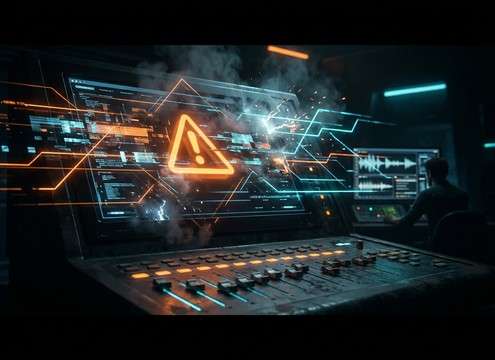
Glitch UI error sound effect for warning dialog

UI error

Short, dry glitches that read instantly without masking button clicks or voice prompts.

Glitch stinger for cyberpunk scene transition

Cyberpunk transition stingers

Hard-hit bursts for smash cuts, title cards, and scene breaks with a tight tail.

Datamosh style glitch sound to match corrupted footage

Datamosh and corrupted

Smears and jitter that match frame tearing, compression artifacts, and jumpy motion edits.

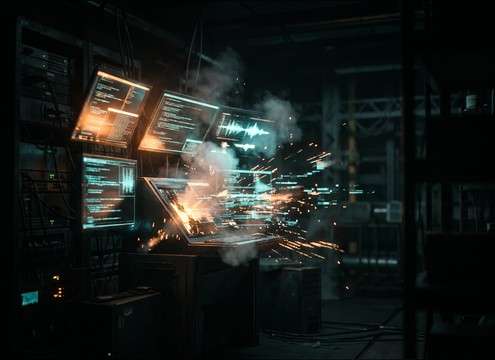
Hacker terminal glitch sound for on-screen code reveal

Hacker terminal reveals

Rapid click-stutters and chirps for typing overlays, access granted, or intrusion cues.

Sci-fi device malfunction glitch sound effect

Sci-fi device malfunction

Electrical-digital hybrid glitches that suggest failing circuits without sounding like thunder.

Glitch sound for stream overlay scene switch

Stream overlay

Clean, loudness-friendly hits that cut through music beds for quick overlay swaps.

Glitch accent for trailer cutdown impact frame

Trailer riser cutdowns

Micro-glitch accents to punctuate impact frames, reverse cuts, and end tags.

Glitch feedback sound for game menu denied action

Game loot

Short glitches for denied actions, corrupted items, cursed loot, or broken menus.

Why Choose Media.io for Glitch Sound Generator?

See exactly why creators, developers and studios choose our AI audio generator over all others.

Prompt controls for glitch stutter density and pitch

Prompt control for stutter and tone

Dial in bitcrush amount, click density, pitch wobble, and tail length so the glitch lands on your exact frame.

Multiple generated glitch variations to audition

Glitch Sound Generator variations

Generate multiple takes from one idea and pick the cleanest transient or the dirtiest corruption, depending on the scene.

Preview glitch sounds to match edit timing

Fast preview for timing checks

Audition options quickly to see whether the hit reads as a UI error, a transition stinger, or a corrupted sweep.

WAV export for glitch sound effects

WAV downloads that cut cleanly

Export WAV so you can trim, fade, and layer glitches without extra conversion steps in your editor or DAW.

Royalty-free glitch assets with regeneration option

Royalty-free resource workflow

Start from downloadable assets, then regenerate custom alternates when you need a different rhythm or less masking noise.

Duration options 5s 10s 20s for glitch cues

Duration choices for real cues

Use 5s for UI hits, 10s for transition builds, and 20s for loopable corruption beds and background interference.

How to Pick or Prompt Better Glitch Sound Effects

Glitch is usually about readability: the listener should instantly hear error, corruption, or digital tearing without mistaking it for static or an explosion. Use the library when you want a proven hit, then prompt new versions by specifying the glitch type (dropout, stutter, smear), the tone range (thin, mid-grit, low-end thump), and how the tail should end (hard stop, short fade, loopable).

Name the glitch action, not just the vibe

Prompts that describe the motion of the sound create more usable results than vague terms. Decide whether you need choppy gating, packet loss gaps, or a continuous datamosh smear that feels like video frames dragging.

  • Use verbs: stutter, skip, tear, smear, drop out, buffer
  • Specify rhythm: single hit, triple stutter, rapid flicker, half-second gaps
  • Call out ending: hard cut, short tail, or loopable finish

Control pitch, grit, and stereo behavior

Glitches can be needle-thin and bright for UI, or thicker and mid-heavy for dramatic transitions. Stereo movement is powerful, but too much width can feel messy in a mix.

  • Pitch: high chirps for UI, mid-range crunch for corruption, light sub thump for impact
  • Texture: bitcrush, aliasing, granular crackle, digital hiss (keep it intentional)
  • Stereo: narrow for precise UI, gentle jitter for motion, wide only for big transitions

Match the tail to the cut

The tail decides whether your glitch reads as a button response, a scene break, or a background layer. Avoid long noisy decays when you need clarity under dialog or narration.

  • For UI: fast transient and very short decay to avoid masking clicks or voice prompts
  • For transitions: short tail plus a tiny reverse or ramp can help lead into the next shot
  • For beds: smoother, loopable noise with consistent level and no sudden pops

Avoid common glitch prompt mistakes

Many unusable glitches happen because the prompt combines incompatible traits. Keep the intent clear, then regenerate variations rather than overstuffing one request.

  • Do not ask for huge reverb if you need a clean UI error
  • Avoid stacking too many ideas: pick either stutter clicks or smear drift first
  • If it sounds like radio static, request cleaner transients and less broadband hiss

Frequently Asked Questions About
Glitch Sound Effects

Everything you need to know before downloading or generating your first sound.

Can I use these glitch sound effects for commercial projects and free downloads?

You can preview and download the sounds from this page and use them in commercial work as allowed by the license shown in the product. If a project needs a safer fit, generate a fresh variation and keep your exported WAV with the project files for reference.

Do you provide glitch sounds as WAV files?

Yes. After you generate or choose an item, you can download a WAV file so it is easy to edit, trim, and layer in your timeline without additional conversion.

Which duration should I pick: 5s, 10s, or 20s?

Use 5s for UI errors, quick stingers, and button feedback. Choose 10s when you need a transition that breathes. Pick 20s for loopable corruption beds, interference layers, or longer on-screen glitch sequences.

How do I make a glitch sound loop cleanly?

Generate a 20s bed with a steady texture and ask for a loopable ending. After download, trim on a zero crossing and add a short fade-in and fade-out to remove clicks at the loop point.

Are these glitch sound effects free to download?

Yes. You can preview and download the AI-generated glitch sound effects as WAV files and use them in personal or commercial projects.

Can I copy the prompt used for each sound?

Yes. Open any sound row to view the prompt, copy it, adjust the wording and generate a custom variation that better matches your scene.

Related Free Sound
Effect Categories

Explore other AI-generated sound libraries from Media.io

sound

Rain Sound Effects

10+ free sounds
sound

Thunder Sound Effects

10+ free sounds
sound

Farts Sound Effects

10+ free sounds
sound

Car Crash Sounds

10+ free sounds
sound

Explosion Sound Effects

10+ free sounds
sound

Gunshot Sound Effects

10+ free sounds
sound

Pistol Sound Effects

10+ free sounds
sound

AI Horror Sound Effects

10+ free sounds
sound

AI Forest Sound Effects

10+ free sounds
sound

AI Dog Whistle Sound

10+ free sounds
sound

AI Ding Sound

10+ free sounds
sound

Phone Ring Sound

10+ free sounds
media.io

AI Video Generator star

Easily generate videos from text or images

Generate
