














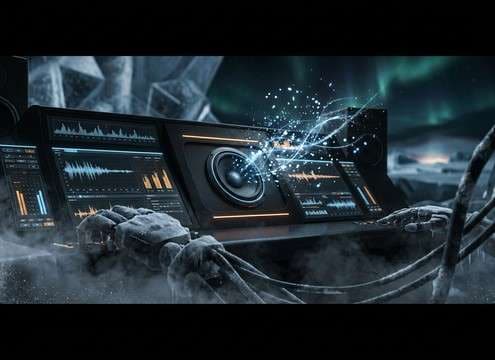
Popular Penguin Sound Effects Library

These picks cover the most-requested penguin moments—short vocalizations for character beats, tight foley for waddles on snow or ice, plus ambience you can layer under an Antarctic scene. Each clip is designed to cut cleanly (controlled attack and tail) and can be regenerated with a prompt if you need a different distance, texture, or room tone.

How to Generate Your Own
Penguin Sound Effects

Can't find what you're looking for? Easily create custom AI sounds. Simply describe your needs, and our AI will craft the perfect sound effect for you — no audio production skills required. Go from a blank idea to a downloadable WAV in under a minute.

1

Describe the penguin sound

Type a prompt for the exact moment you need—squawk, bray, waddling steps on snow, or a colony bed—and mention distance or environment if it matters.

2

Choose length and versions

Pick a duration (5s, 10s, or 20s) and select how many variations you want so you can compare different takes quickly.

3

Generate and preview

Click Generate, then listen to each result. Keep the one with the right attack, tail, and background tone for your scene.

4

Download WAV and use

Download your chosen WAV file and drop it into your timeline for videos, games, apps, podcasts, or commercial projects.

What Can You Use These Penguin Sound Effects For?

Creators in every field are using our royalty-free audio to set the perfect mood.

Editor syncing penguin calls to Antarctic wildlife footage

Antarctic documentary cutaways

Replace noisy production audio with clean penguin calls that match close or distant camera framing, without losing the cold outdoor feel.

Animated penguin reacting with a short squeak sound

Kids animation character

Use short squeaks and chirps with tight decay to hit facial expressions, blinks, and quick comedic beats.

Penguin waddling on ice with synced footsteps foley

Waddle and slip

Add snow crunch steps, ice slaps, and tiny slide sounds to sell movement when the character's feet are mostly off-screen.

Interactive kiosk playing a penguin call sound

Museum or zoo

Trigger short, clean vocalizations on button press; choose lower masking versions that stay intelligible over crowd noise.

Game scene of icy landscape with ambient penguin colony audio

Polar game level

Layer colony beds with wind to make a habitat feel alive; regenerate variants to avoid repetition across loops and zones.

Mobile app soundboard button labeled penguin call

Nature app sound

Create consistent 5-second clips with similar loudness and minimal tails so taps feel responsive and not muddy.

Audio drama timeline with penguin shoreline ambience under narration

Audio drama shoreline

Place distant calls behind narration; keep stereo width and room tone stable so dialogue stays clear.

Promo video timeline using a penguin squawk as a stinger

Winter ads

Use a single signature squawk or chirp as a branded stinger; tune distance and brightness to fit the music bed.

Why Choose Media.io for Penguin Generator?

See exactly why creators, developers and studios choose our AI audio generator over all others.

Previewing multiple penguin sound clips before downloading

Instant preview and selection

Listen before you commit so you can pick the take with the right transient, decay, and background tone for your cut.

Typing a prompt to customize penguin calls and footsteps

Prompt-based customization

Ask for close-mic squawks, distant colony calls, or footsteps on snow vs ice, then regenerate until it matches your scene.

Duration options showing 5s 10s and 20s for penguin SFX

5s, 10s, and 20s durations

Choose short lengths for reactions and UI triggers, or longer clips for ambience beds without wasting timeline space.

Downloading a WAV penguin sound effect file

Clean, export-ready WAV

Download WAV for straightforward editing, trimming, and syncing in most NLEs and DAWs.

Regenerating alternate penguin sound variations

Fast regeneration for alternates

Quickly produce new takes when you need a softer call, less wind, a tighter tail, or a different pitch feel.

Browsing a penguin sound effects library grid

Library-first browsing

Start with curated, scene-ready penguin moments, then switch to AI generation only when you need something more specific.

Prompting Guide: Penguin Calls, Waddles, and Colony Beds

Penguin audio can sound fake fast if the pitch is too cartoony or the background tone doesn't match a cold outdoor space. Use prompts that specify the action (call vs steps), the perspective (close vs distant), and the environment (open ice, rocky shore, near water). Then choose the clip whose attack and tail fit your edit so it cuts cleanly without adding mushy reverb.

Choose the vocal type and intent

Start by naming the kind of sound you want: a short squawk for a reaction, a lower bray for agitation, or soft chatter for a background bed. "Emotion" words help the generator shape pitch motion and texture without turning it into a toy squeak.

  • Use clear verbs: squawk, bray, chirp, chatter
  • Add intent: curious, alert, annoyed, calling to group
  • Avoid vague prompts like "penguin noise" when timing matters

Set distance and space so it sits in the mix

Perspective is the difference between a usable foreground call and a believable background layer. Close sounds should be dry with crisp transients; distant sounds should be softer with more air and less detail. If you need "cold space," request light wind tone rather than long echo.

  • Close: dry, crisp attack, minimal tail
  • Distant: softened transients, lighter detail, more air
  • If dialogue is present, keep tails short and midrange controlled

Add movement details for realism

For visuals, a penguin scene often needs more than vocals. Ask for waddling footsteps on compact snow, brief ice slaps, or a small water entry with bubbles. Movement foley should have tight, repeatable transients so you can sync to steps without smearing.

  • Footsteps: crunchy snow vs slick ice makes a big difference
  • Slaps: fast attack, short ringing decay (ice) is most readable
  • Water entry: small splash plus bubble trail sells the moment

Make ambience loop-friendly

For colony or shoreline beds, stability is the goal: steady noise floor, consistent stereo width, and no single call that spikes too loud. If you plan to loop, choose takes with smooth endings and minimal abrupt cutoffs.

  • Ask for "consistent bed" and "no sudden loud calls"
  • Prefer gentle wind texture over heavy gusts that pump levels
  • If looping, pick the clip with the most even tail behavior

Frequently Asked Questions About
Penguin Sound Effects

Everything you need to know before downloading or generating your first sound.

Can I download these penguin sounds for commercial use?

You can preview and download the available penguin clips as WAV and use them in commercial projects where the Media.io license for downloaded audio applies. If your project has strict broadcast or app-store requirements, review the license terms in your account or download page before publishing.

What's the difference between a penguin squawk, chirp, and bray?

A squawk is usually a short, punchy call with a bright attack (good for reactions). Chirps tend to be lighter and more rhythmic (useful for "happy" character beats). A bray is often lower and rougher with a longer decay, which reads as warning, agitation, or crowd energy.

How do I make the sound feel close-mic vs distant?

For close-mic, prompt for "dry, crisp attack, minimal tail, low background noise." For distance, ask for "softened transients, airy wind bed, reduced detail." Then choose the take whose room tone and stereo width match your camera framing.

Are penguin footsteps better as snow crunch or ice taps?

Snow crunch works best when the scene shows powdery or compact snow and you need clear step transients. Ice taps or slips fit glossy surfaces and comedic slides, but can get clicky—pick a version with a tight tail so it doesn't distract from dialogue or music.

Are these penguin sound effects free to download?

Yes. You can preview and download the AI-generated penguin sound effects as WAV files and use them in personal or commercial projects.

Can I copy the prompt used for each sound?

Yes. Open any sound row to view the prompt, copy it, adjust the wording and generate a custom variation that better matches your scene.

Related Free Sound
Effect Categories

Explore other AI-generated sound libraries from Media.io

sound

Rain Sound Effects

10+ free sounds
sound

Thunder Sound Effects

10+ free sounds
sound

Farts Sound Effects

10+ free sounds
sound

Car Crash Sounds

10+ free sounds
sound

Explosion Sound Effects

10+ free sounds
sound

Gunshot Sound Effects

10+ free sounds
sound

Pistol Sound Effects

10+ free sounds
sound

AI Horror Sound Effects

10+ free sounds
sound

AI Forest Sound Effects

10+ free sounds
sound

AI Dog Whistle Sound

10+ free sounds
sound

AI Ding Sound

10+ free sounds
sound

Phone Ring Sound

10+ free sounds
media.io

AI Video Generator star

Easily generate videos from text or images

Generate
