











Popular Click Sound Effects Library

These clicks are designed for real interfaces and on-screen actions: short attacks, controlled decay, and tones that cut through dialogue without being harsh. Copy a prompt to regenerate a tighter transient, a softer tap, or a more mechanical texture to match your button animation timing.

How to Generate Your Own
Click Sound Effects

Cannot find the perfect click sound effect you need? Generate custom AI click audio effortlessly. Describe the style, such as short clean cue, cinematic hit, subtle background layer, branded UI alert, and Media.io AI builds tailored click sound effects instantly. No audio editing experience needed. Turn your concept into a royalty-free, high-quality downloadable WAV click clip in under 60 seconds.

1

Describe the click

Type or paste a prompt describing the click you want, like mouse double-click, soft touchscreen tap, or mechanical switch snap, plus traits like dry, bright, or muted.

2

Pick duration and takes

Choose 5s, 10s, or 20s and set how many variations you want to generate so you can audition multiple click styles quickly.

3

Generate and preview

Click Generate, then listen to each result and compare transient sharpness, tail length, and tone to find the one that matches your UI animation.

4

Download WAV and use

Download your preferred version as a WAV file and drop it into app prototypes, product videos, tutorials, games, podcasts, or commercial projects.

What Can You Use These Click Sound Effects For?

Creators in every field are using our royalty-free audio to set the perfect mood.

UI button click sound for mobile app interactions

App button feedback

Add clear confirm and cancel clicks that match tap animations and keep loudness consistent across screens.

Menu click sound effects for game navigation

Game menus and

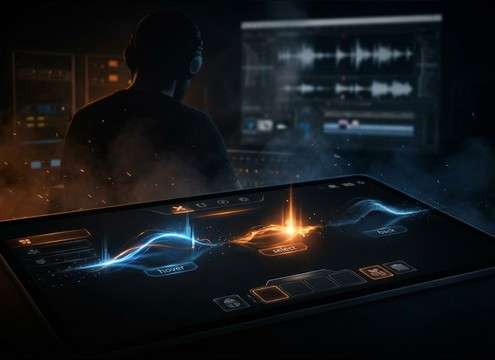
Differentiate hover, select, and back actions with distinct pitch and decay so navigation feels responsive.

Mouse click sound for screen recording tutorials

Tutorial cursor recordings

Replace noisy screen-capture clicks with clean transients that stay audible under voiceover.

Physical button click sound for device demo videos

Hardware product demos

Sync physical button presses and toggle switches to close-up shots without harsh high-end spikes.

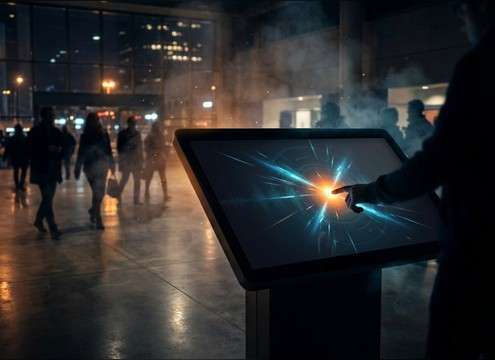
Kiosk interface click sound for public touchscreens

Interactive kiosk UX

Use slightly louder, thicker clicks that cut through ambient room noise in public installations.

Click SFX for UX prototype previews

Prototype and wireframe

Quickly generate multiple click flavors to match different UI themes, from minimal to gamey.

Soft click sound for accessibility feedback

Accessibility cues

Choose softer taps with low masking so repeated clicks do not fatigue listeners during frequent actions.

Mechanical click sound effects for rhythmic montage edits

Mechanical montage edits

Cut tight switch and button clicks into rhythmic sequences for keyboard builds, gear reviews, and unboxings.

Why Choose Media.io for Click Sound Generator?

See exactly why creators, developers and studios choose our AI audio generator over all others.

Prompt control in a click sound generator

Prompt control for UI actions

Media.io for Click Sound Generator lets you specify action types like tap, mouse click, double-click, or toggle so the sound matches what viewers see.

Regenerating click variations for better transient fit

Regenerate until it fits

Create multiple variations quickly and pick the click with the right transient bite, brightness, and tail length for your interface timing.

Choosing 5s 10s or 20s duration for click sounds

Duration options built for SFX

Generate in 5s, 10s, or 20s so you can grab a single click, a short set of options, or a navigation sequence without extra trimming.

Previewing click sound effects before downloading

Preview before you download

Audition results in the browser to compare tone, stereo width, and decay, then keep only the best version for your project.

Clean click sound with short tail for mixing

Mix-friendly, clean results

Generate clicks that avoid long reverb or excessive rumble, helping them sit under dialogue and music without masking.

Downloading WAV click sound effects for production

Fast WAV export workflow

Download WAV files ready for editors and engines, making it easy to drop clicks into UI prototypes, videos, or interactive builds.

Practical Guide to Choosing and Prompting Click Sounds

Clicks are tiny, but they define how responsive an interface feels. The best results come from describing the action (tap vs switch), the tone (bright vs muted), and the space (dry vs small room). Use the tips below to pick a download that already fits, or to write prompts that regenerate the same click in multiple flavors for a consistent UI sound set.

Name the action, not just the sound

Start by stating what is causing the click. A touchscreen tap is usually softer with less mechanical texture, while a mouse button or toggle has a more defined attack and often a tiny release component. Clear action words make generations more repeatable across a whole UI pack.

  • Use terms like touchscreen tap, mouse button, rotary encoder click, or toggle switch
  • Specify single click vs double-click vs a short navigation sequence
  • Mention close-miked and dry if you want minimal room tone

Control brightness and pitch for comfort

UI clicks should be audible without feeling sharp. Bright clicks cut through, but too much high-end can fatigue listeners, especially when the click repeats often. Ask for a darker or lower-pitched click for back, cancel, or secondary actions.

  • Ask for bright and crisp for confirm, or muted and warm for secondary clicks
  • Request low masking and no harsh highs when the click repeats frequently
  • Keep tails short to avoid smearing rapid navigation

Decide how much space you want

Most interface clicks are best kept dry, but a tiny room reflection can help physical button foley feel real in product videos. If the scene is clearly in a space (desk setup, workshop), a subtle tail can be more believable than a fully anechoic click.

  • Dry and centered for app UI and screen recordings
  • Small room tone for device demos and physical button shots
  • Narrow stereo width for precision; wider only if your UI style is playful

Avoid common click mistakes

The wrong click is usually too long, too loud, or too bright. A click that rings out or carries noise between hits can clutter a mix and distract from narration. When generating, explicitly ask for minimal tail, clean gaps, and stable loudness.

  • Avoid long reverb tails that blur fast menu navigation
  • Avoid inconsistent peaks that make repeated clicks feel jittery
  • Avoid hissy or scratchy textures unless you want deliberate foley grit

Frequently Asked Questions About
Click Sound Effects

Everything you need to know before downloading or generating your first sound.

Are these click sound effects royalty-free for commercial projects?

The library is designed for royalty-free use and quick production workflows. Always check the license details shown in the product at download time to confirm it fits your specific commercial use case.

What is the difference between a UI click and a mouse click sound?

A UI click is typically a polished, minimal sound with a controlled transient and very short tail so it stays readable under voiceover. A mouse click is more physical: sharper attack, more mechanical texture, and often a tiny release component.

Can I download WAV files and edit them for timing?

Yes. Download the WAV and then trim the start to tighten the transient, or fade the tail to remove extra decay. For rapid UI actions, keeping the click short helps prevent overlap and masking.

Which duration should I generate: 5s, 10s, or 20s?

Use 5s for single clicks or a few options to cut from. Choose 10s when you want a short run of repeated clicks to match navigation. Use 20s for longer menu movement or when you want more variety in one render.

Are these click sound effects free to download?

Yes. You can preview and download the AI-generated click sound effects as WAV files and use them in personal or commercial projects.

Can I copy the prompt used for each sound?

Yes. Open any sound row to view the prompt, copy it, adjust the wording and generate a custom variation that better matches your scene.

Related Free Sound
Effect Categories

Explore other AI-generated sound libraries from Media.io

sound

Rain Sound Effects

10+ free sounds
sound

Thunder Sound Effects

10+ free sounds
sound

Farts Sound Effects

10+ free sounds
sound

Car Crash Sounds

10+ free sounds
sound

Explosion Sound Effects

10+ free sounds
sound

Gunshot Sound Effects

10+ free sounds
sound

Pistol Sound Effects

10+ free sounds
sound

AI Horror Sound Effects

10+ free sounds
sound

AI Forest Sound Effects

10+ free sounds
sound

AI Dog Whistle Sound

10+ free sounds
sound

AI Ding Sound

10+ free sounds
sound

Phone Ring Sound

10+ free sounds
media.io

AI Video Generator star

Easily generate videos from text or images

Generate
