













Popular Correct-Buzzer Sound Effects Library

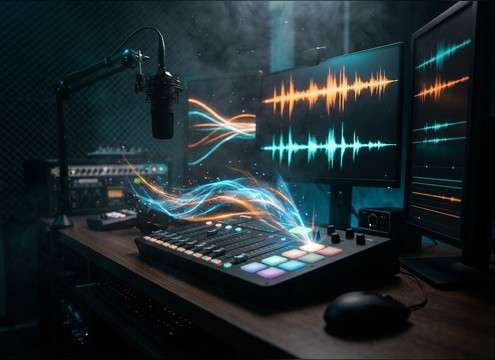
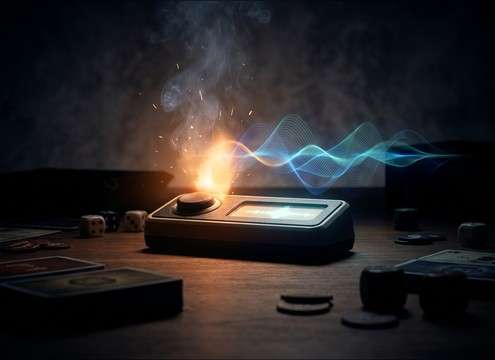
These ready-to-use correct buzzers are tuned for fast feedback: clean attacks, clear pitch, and tails that do not step on voice or music. Copy a prompt to generate a close match, then tweak brightness, stereo width, or room tone for your exact quiz pacing.

How to Generate Your Own
Correct-Buzzer Sound Effects

Cannot find the perfect correct-buzzer sound effect you need? Generate custom AI correct-buzzer audio effortlessly. Describe the style, such as short clean cue, cinematic hit, subtle background layer, branded UI alert, and Media.io AI builds tailored correct-buzzer sound effects instantly. No audio editing experience needed. Turn your concept into a royalty-free, high-quality downloadable WAV correct-buzzer clip in under 60 seconds.

1

Describe the correct buzzer

Type a prompt that states the vibe (game show, arcade, classroom), the tone (bright, soft, retro), and any details like mono vs stereo or a short vs ringing tail.

2

Pick duration and variations

Choose 5s, 10s, or 20s, then set how many versions you want so you can compare different pitches, attacks, and decays.

3

Generate and preview

Click Generate, listen to each result, and keep the one that matches your timing and loudness for correct-answer feedback.

4

Download WAV and use

Download the WAV file and drop it into quiz videos, mobile apps, livestream overlays, interactive training, or commercial projects.

What Can You Use These Correct-Buzzer Sound Effects For?

Creators in every field are using our royalty-free audio to set the perfect mood.

Correct buzzer sound in a mobile quiz app UI

Quiz app right-answer

Use short, clean transients that confirm a tap without masking the next question narration.

Correct buzzer stinger for a game show style video

Game show stingers

Pick glossy chimes with a controlled tail that lands on the cut and reads as broadcast-style confirmation.

Correct answer buzzer used in a classroom quiz game

Classroom review games

Choose softer confirmations that stay audible over chatter and do not feel harsh over speakers.

Arcade correct buzzer sound for scoring

Arcade cabinet scoring

Go for crunchy retro pings that cut through coin sounds and button clicks without adding low-end mud.

Correct buzzer alert used in a livestream overlay

Livestream overlays and

Use tight, consistent-level buzzers so your correct alert is clear but does not spike the stream mix.

Correct buzzer sound for a stadium trivia screen

Sports trivia and

Pick wider stereo beeps with slight room reflections to match arena visuals and scoreboard motion.

Correct answer sound effect in an e-learning module

Interactive training modules

Select low-masking confirms that reinforce correct choices while keeping voiceover intelligible.

Correct buzzer sound for a board game companion app

Board game companion

Use quick, friendly confirmations that feel tactile and do not linger between turns.

Why Choose Media.io for Correct-Buzzer Sound Generator?

See exactly why creators, developers and studios choose our AI audio generator over all others.

Prompting a correct buzzer sound generator

Correct Buzzer Sound Generator prompts

Describe tone, pitch, and texture in plain language, then regenerate until the correct cue matches your show or UI.

Previewing correct buzzer sound effects

Fast preview before download

Audition attacks and decay lengths quickly so you can pick a sound that lands on your exact beat.

Choosing duration for a correct buzzer sound

Duration control for timing

Choose 5s, 10s, or 20s to fit quick taps, multi-hit confirmations, or longer win moments.

Multiple variations of correct buzzer sounds

Variations for consistent UX

Generate multiple takes with similar loudness and character to keep your feedback system coherent across levels.

Correct buzzer sound with a clean tail

Clean tails and low masking

Target minimal room tone or a subtle reflection so the sound reads clearly without muddying dialogue or music.

Downloading correct buzzer sounds as WAV

WAV export for production

Download WAV files that drop straight into timelines, soundboards, and app builds with no extra conversion steps.

How to Pick or Prompt a Correct Buzzer That Feels Right

A correct buzzer is not just any beep. It has to read instantly, feel positive, and leave space for the next line of dialogue or the next question. Use the library when you need something ready now, or use prompts to dial in attack sharpness, pitch range, and tail length so the confirmation lands exactly on your edit.

Start with the reaction time: attack and length

Correct cues work best with a fast transient and a short, tidy decay. If the sound lingers, it can blur into the next prompt or button press. For rapid-fire quizzes, prioritize short envelopes; for round wins, allow a slightly longer tail or a small rise.

  • Use words like sharp transient, snappy attack, instant onset
  • Specify tail length: very short tail, 0.3s decay, gentle fade-out
  • For fast pacing, avoid long ringing tones that overlap narration

Choose a tone that matches your world (TV, arcade, classroom)

The same correct event can sound different depending on context. TV game show chimes are glossy and confident, arcade confirms are crunchy and playful, and classroom-friendly cues are softer and less piercing. Prompt the style first, then refine brightness and texture.

  • TV style: polished chime, bright but smooth, broadcast feel
  • Arcade style: 8-bit, bitcrushed, stepped pitch, playful
  • Classroom style: soft confirm, low harshness, minimal highs

Control space: dry UI vs subtle room reflections

Most UI confirmations should be dry and centered so they stay clear on phones. If your scene is on a stage, in a hall, or on a scoreboard, a hint of room reflection can make the correct buzzer feel placed in the environment. Keep reverb short so it does not wash out.

  • Dry UI: no reverb, mono or narrow stereo, clean room tone
  • Scene placed: subtle reflections, short reverb, moderate stereo width
  • Avoid big reverbs that smear the cue and spike perceived loudness

Make it mix-friendly: loudness and frequency focus

Correct buzzers need to cut through without being painful. Aim for a clear mid-high presence and controlled low-end so it does not fight music beds or voice. If your project already has lots of high-frequency UI clicks, try a slightly lower, rounder confirm.

  • Ask for reduced low-end and controlled brightness to avoid harshness
  • If voiceover is present, avoid overly sharp 3-6 kHz spikes
  • For busy UIs, prompt a warmer pitch so cues stay distinct

Frequently Asked Questions About
Correct-Buzzer Sound Effects

Everything you need to know before downloading or generating your first sound.

What makes a correct buzzer sound different from a wrong buzzer?

Correct buzzers usually feel higher, brighter, and more stable in pitch, with a clean transient and a short, pleasant decay. Wrong buzzers often use lower tones, harsher timbres, or downward motion to signal failure.

Can I download these correct-buzzer sound effects for commercial use?

Yes. You can preview and download royalty-free audio suitable for commercial projects. If you have a specific licensing requirement for a client or platform, verify it against the license details shown at download time.

Do downloads come as WAV, and can I trim them?

You can download as WAV and edit like any other SFX. Trimming is common: keep the transient intact, then shorten the tail so the confirmation does not overlap the next line or button press.

How do I choose between a 5s, 10s, or 20s correct buzzer?

Use 5s for single-hit UI confirms and quick quiz pacing, 10s for multi-hit confirmation sequences, and 20s for round-win moments where you want a longer celebratory tail or short fanfare.

Are these correct-buzzer sound effects free to download?

Yes. You can preview and download the AI-generated correct-buzzer sound effects as WAV files and use them in personal or commercial projects.

Can I copy the prompt used for each sound?

Yes. Open any sound row to view the prompt, copy it, adjust the wording and generate a custom variation that better matches your scene.

Related Free Sound
Effect Categories

Explore other AI-generated sound libraries from Media.io

sound

Rain Sound Effects

10+ free sounds
sound

Thunder Sound Effects

10+ free sounds
sound

Farts Sound Effects

10+ free sounds
sound

Car Crash Sounds

10+ free sounds
sound

Explosion Sound Effects

10+ free sounds
sound

Gunshot Sound Effects

10+ free sounds
sound

Pistol Sound Effects

10+ free sounds
sound

AI Horror Sound Effects

10+ free sounds
sound

AI Forest Sound Effects

10+ free sounds
sound

AI Dog Whistle Sound

10+ free sounds
sound

AI Ding Sound

10+ free sounds
sound

Phone Ring Sound

10+ free sounds
media.io

AI Video Generator star

Easily generate videos from text or images

Generate
