













Popular Walking Sound Effects Library

Ten scene-ready walking clips with distinct surfaces and perspectives. Use them as-is, or copy the prompts to generate custom takes with different pace, distance, and room character.

How to Generate Your Own
Walking Sound Effects

Can't find what you're looking for? Easily create custom AI sounds. Simply describe your needs, and our AI will craft the perfect sound effect for you — no audio production skills required. Go from a blank idea to a downloadable WAV in under a minute.

1

Describe the footsteps

Type or paste a prompt for the walking sound you need (shoe type, surface, pace, and whether it's close or distant).

2

Pick duration & variations

Choose 5s, 10s, or 20s and set how many versions to generate so you can audition different takes quickly.

3

Generate and preview

Click Generate, listen to each result, and keep the take that best matches your scene timing and texture.

4

Download WAV and use

Export the selected clip as a WAV file and drop it into your video, game scene, app interaction, podcast story, or commercial project.

What Can You Use These Walking Sound Effects For?

Creators in every field are using our royalty-free audio to set the perfect mood.

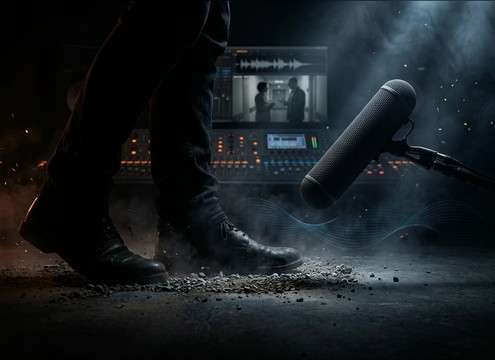
Editor replacing production audio with clean walking footsteps

Foley replacement for

Swap noisy production footsteps with controlled heel-toe detail that sits under dialogue without distracting reverb.

Footsteps approaching then stopping at a doorway

Character entrances and

Match the cut with a short approach, stop, and turn—using pace and distance changes to sell blocking.

Game patrol footsteps loop in a hallway

Stealth and patrol

Build consistent patrol rhythms for guards by choosing loop-friendly step spacing and low masking textures.

Footsteps in stairwell with echo tail

Stairwell tension beats

Use reflective stairwell tails to imply danger off-screen and make vertical movement feel enclosed.

Close-up of heels clicking on tile floor

Footwear reveal moments

Heels on tile, boots on concrete, or sneakers on linoleum can instantly telegraph a character type before they're seen.

Animated character walk cycle synced with footsteps

Animation and stop-motion

Add believable weight changes by selecting step impact strength and consistent timing for each stride.

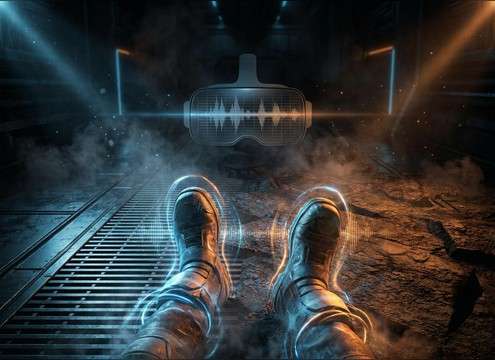
First-person VR walking audio switching between surfaces

VR first-person movement

Keep immersion by choosing close, dry steps with minimal tail, then swap surface variants as the player moves.

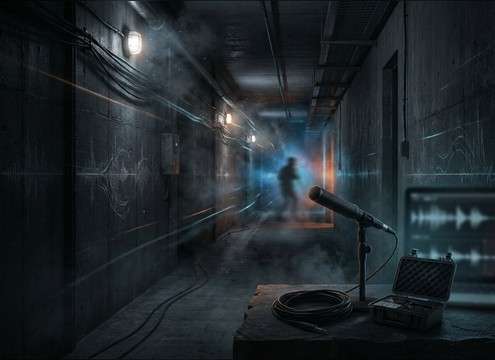
Distant footsteps moving down a long corridor

Off-screen hallway movement

Distant corridor steps with stronger room reflections help sell space and direction without showing the walker.

Why Choose Media.io for Walking Generator?

See exactly why creators, developers and studios choose our AI audio generator over all others.

Prompt choosing walking surface types for footsteps

Surface control in prompts

Specify concrete, tile, wood, carpet, gravel, wet pavement, or stairs to get the right transient texture and debris detail.

Different shoes producing distinct walking sounds

Footwear and weight options

Dial in sneakers, boots, heels, or barefoot, plus heavier or lighter steps to match character presence.

Footsteps sounding close versus distant in a room

Distance and room character

Generate close-mic dryness or distant footsteps with more reflections, room tone, and longer decay.

Loopable walking waveform with steady rhythm

Loop-friendly takes

Create steady, even strides that repeat cleanly for patrols, crowd beds, or continuous walking shots.

Regenerating multiple walking variations quickly

Fast regeneration for alt takes

If timing is off, regenerate instantly with a new pace or stride density to match your edit.

Downloading WAV footsteps for editing timeline

WAV download for editing

Export WAV for easy trimming, crossfades, and syncing in your DAW or NLE without extra conversions.

Prompting Footstep Walking Sounds That Match the Scene

Walking audio is all about texture and timing: the same stride feels completely different depending on surface, footwear, and how much room you hear around it. Use the tips below to choose the right library clip fast, or write a prompt that generates a take with the exact transient snap and decay you need.

Start with the surface, not the mood

Surface choice drives the most obvious details: tile and concrete emphasize sharp attacks, wood adds squeaks and warmth, carpet softens the top end, and gravel introduces debris crunch. If your clip feels "wrong," it's usually the surface texture, not the volume.

  • Use "tile click" for bright, defined transients
  • Use "wood floorboards" for squeak and midrange body
  • Use "loose gravel" for crunchy, irregular debris detail

Define footwear and gait rhythm

Footwear changes the tonal center (heel clicks vs padded thumps), while gait sets the spacing you'll sync to picture. Include pace and stride consistency so the result locks to the cut without sounding rushed or floaty.

  • Add "high heels" for tight, bright clicks and short ring
  • Add "work boots" for heavier low-end impacts
  • Add "steady walk at 110 BPM" (or similar) for predictable step spacing

Pick perspective: close, medium, or distant

Perspective determines how much high-end detail survives and how much room you hear. Close steps are dry and crisp; distant steps lose attack and gain reflections and tail. Choose perspective based on camera distance and whether footsteps should lead attention or stay subtle.

  • Use "close mic, dry room" when footsteps must read clearly
  • Use "medium distance with light room tone" for natural scenes
  • Use "distant corridor, longer tail" for off-screen movement

Make it edit-ready: tails, gaps, and loops

For walking beds, you want consistent cadence and minimal tail buildup; for dramatic passes, you want a natural decay and sometimes a pass-by movement. Avoid clips with inconsistent stride gaps unless you're matching specific blocking on screen.

  • Ask for "loopable, consistent stride spacing" for patrols
  • Ask for "short decay, minimal reverb" to prevent tail stacking
  • Ask for "approach then recede" when the character crosses frame

Frequently Asked Questions About
Walking Sound Effects

Everything you need to know before downloading or generating your first sound.

How do I choose the right walking sound for my character?

Match three things first: footwear (heels/boots/sneakers/barefoot), surface (tile/wood/carpet/gravel), and pace (slow walk vs brisk walk vs jog). If it still feels off, adjust perspective—close steps need clearer transients; distant steps should have less high-end and more room reflections.

Can I download these walking sounds as WAV and use them commercially?

Yes—preview the clip, then download the WAV for your project. If you need a different take (pace, surface, distance), regenerate a new variation with a revised prompt and use the version that best fits your scene.

Why do my footsteps sound too "clicky" or too "thuddy" in the mix?

"Clicky" usually means too much high-end transient detail (common with heels on tile). "Thuddy" often means heavy low-end impacts (boots on concrete). Try choosing a softer surface/footwear combo, or regenerate with a prompt like "softer transients" or "lighter steps" to reduce the attack.

What duration should I pick—5s, 10s, or 20s?

Use 5s for quick inserts (a few steps, a stop, a turn), 10s for a short approach or pass-by, and 20s for longer hallway/stairwell movement where you want consistent cadence and a stable room tone.

Are these walking sound effects free to download?

Yes. You can preview and download the AI-generated walking sound effects as WAV files and use them in personal or commercial projects.

Can I copy the prompt used for each sound?

Yes. Open any sound row to view the prompt, copy it, adjust the wording and generate a custom variation that better matches your scene.

Related Free Sound
Effect Categories

Explore other AI-generated sound libraries from Media.io

sound

Rain Sound Effects

10+ free sounds
sound

Thunder Sound Effects

10+ free sounds
sound

Farts Sound Effects

10+ free sounds
sound

Car Crash Sounds

10+ free sounds
sound

Explosion Sound Effects

10+ free sounds
sound

Gunshot Sound Effects

10+ free sounds
sound

Pistol Sound Effects

10+ free sounds
sound

AI Horror Sound Effects

10+ free sounds
sound

AI Forest Sound Effects

10+ free sounds
sound

AI Dog Whistle Sound

10+ free sounds
sound

AI Ding Sound

10+ free sounds
sound

Phone Ring Sound

10+ free sounds
media.io

AI Video Generator star

Easily generate videos from text or images

Generate
