












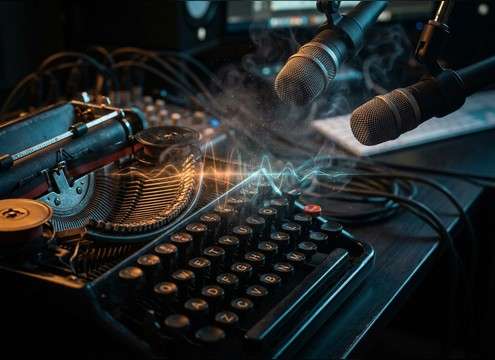
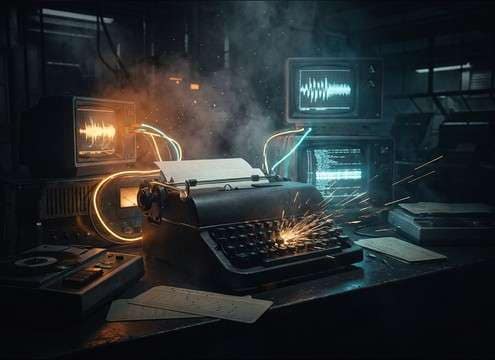
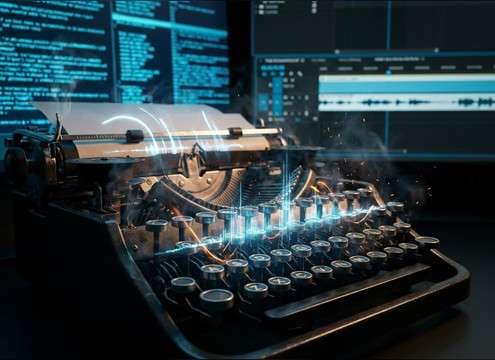
Popular Typewriter Sound Effects Library

Pick a ready-to-use clip for a quick edit, or copy the prompt to generate a tighter transient, a louder carriage return, or a more distant room sound. Each option below is tuned for recognizable mechanical texture, believable cadence, and mix-friendly noise levels.

How to Generate Your Own
Typewriter Sound Effects

Cannot find the perfect typewriter sound effect you need? Generate custom AI typewriter audio effortlessly. Describe the style, such as short clean cue, cinematic hit, subtle background layer, branded UI alert, and Media.io AI builds tailored typewriter sound effects instantly. No audio editing experience needed. Turn your concept into a royalty-free, high-quality downloadable WAV typewriter clip in under 60 seconds.

1

Describe the typing

Type or paste a prompt for the exact typewriter moment you need, like fast dictation, hesitant pecks, or a clear carriage return bell.

2

Pick length and takes

Choose 5s, 10s, or 20s and set how many variations you want so you can audition different speeds and textures.

3

Generate and preview

Click Generate, then play the results to compare transients, tail length, and room tone before selecting your favorite.

4

Download WAV and use

Download the WAV file and drop it into videos, apps, games, audio drama, podcasts, or commercial projects as needed.

What Can You Use These Typewriter Sound Effects For?

Creators in every field are using our royalty-free audio to set the perfect mood.

Typewriter typing sound for a period drama desk scene

Period drama desk

Match close-up shots of hands on keys with tight transients, then switch to a roomier take for wide shots.

Typewriter SFX for detective montage voiceover

Detective montage narration

Add steady typing under voiceover as a narrative motor, with a controlled tail that does not mask dialogue.

Soft typewriter clicks for office paperwork scene

Courtroom or office

Use softer, quieter clicks for administrative moments where the typing should feel present but not aggressive.

Rhythmic typewriter typing for opening title sequence

Opening title card

Cut to the beat using short 5-second bursts, then regenerate variations until the cadence fits your edit.

Distant typewriter ambience for audio drama letter writing

Audio drama letter

Choose a more distant perspective with room tone to place the listener in the space, not inside the mechanism.

Close-mic typewriter ASMR mechanical clicks

ASMR mechanical textures

Pick clean, detailed clicks with minimal noise and a consistent stereo image for intimate headphone listening.

Typewriter clacks for retro terminal UI feedback

Retro terminal or

Swap modern keyboard taps for typewriter clacks to signal vintage tech, then keep the tail short for UI clarity.

Typewriter typing bed for writing tutorial video

Writing tutorials and

Layer a light typing bed under on-screen text to reinforce the act of composing without overpowering music.

Why Choose Media.io for Typewriter Sound Generator?

See exactly why creators, developers and studios choose our AI audio generator over all others.

Prompt controls for typewriter typing cadence

Prompt control for cadence

Media.io for Typewriter Sound Generator lets you specify slow pecking, steady prose, or frantic bursts so the rhythm matches the scene.

Typewriter bell and carriage return variations

Bell and carriage options

Generate versions with a bell ding, carriage slide, or no bell at all, so you can sync the mechanical actions to picture cuts.

Typewriter distance and room tone customization

Distance and room tone tuning

Dial in close-mic detail or a distant room perspective, including how much ambience and tail you want behind each clack.

Preview and regenerate typewriter sound effects

Preview-first library workflow

Audition ready-made clips fast, then regenerate on demand when you need a different intensity, texture, or stereo width.

Mix-friendly typewriter transients and clean attacks

Mix-friendly transient shaping

Create takes that are crisp without being harsh, with cleaner attacks and less masking so dialogue and music stay intelligible.

WAV download for typewriter sound effects

Downloadable WAV outputs

Export WAV files that drop straight into your timeline, with consistent loudness and clean starts for easy editing.

How to Pick and Prompt Typewriter Sounds That Cut Cleanly

Typewriter SFX can feel wrong when the cadence, bell timing, or room tail does not match the shot. Use the tips below to choose a ready clip or write a prompt that produces the right mechanical texture, perspective, and edit-friendly timing for your scene.

Match cadence to the character

The typing rhythm tells a story: confident, hesitant, frantic, or meticulous. Prompt for pacing and pauses so the pattern supports the performance instead of sounding like a generic loop.

  • Prompt for speed: slow pecking, steady prose, rapid burst
  • Add intention: occasional pauses, backspaces, or a hard stop
  • Avoid perfectly even tapping if the scene is emotional or tense

Decide on bell and carriage timing

The bell ding and carriage return are the most recognizable cues. Use them as edit points, but only if the on-screen action suggests a line ending or a deliberate return.

  • Request a single bell ding at the end of a phrase, not constant bells
  • Choose carriage-only when the camera focuses on movement, not typing
  • Avoid bell dings under dialogue punchlines unless it is motivated

Choose perspective: close vs room

Close-mic takes emphasize transients and detail; distant takes add reflections and a softer attack. Pick the perspective that matches the camera distance and the space you are trying to convey.

  • Close perspective: crisp clicks, short tail, less room tone
  • Room perspective: softer transients, audible ambience, longer decay
  • Avoid big reverb tails that make the typewriter sound like a weapon

Keep edits clean and loopable

Typewriter audio often needs tight cuts. Favor clips with clean starts, manageable noise floors, and consistent loudness so you can repeat or trim without obvious seams.

  • Pick versions with minimal pre-noise and no clipped transients
  • Use shorter tails when you need quick cuts between shots
  • Avoid random loud key spikes if you plan to loop the pattern

Frequently Asked Questions About
Typewriter Sound Effects

Everything you need to know before downloading or generating your first sound.

Can I use these typewriter sounds in commercial projects?

The clips on this page are provided as royalty-free downloads for typical creator use. If you have a specific licensing or brand clearance requirement, preview the sound and confirm it fits your project policy before publishing.

Do downloads come as WAV files?

Yes. After you preview or generate a variation, you can download a WAV file so it is easy to cut, fade, and sync in your editor.

How do I choose between bell dings and no-bell typing?

Use no-bell typing for continuous writing beds under narration, and choose a bell or carriage return when you need a clear punctuation moment for a cut, line ending, or comedic beat.

How can I make a typewriter clip loop without clicks?

Pick a version with consistent cadence and minimal tail, then loop on a beat where the transient pattern repeats. Add short fades at the loop point and avoid looping across a bell ding or carriage return.

Are these typewriter sound effects free to download?

Yes. You can preview and download the AI-generated typewriter sound effects as WAV files and use them in personal or commercial projects.

Can I copy the prompt used for each sound?

Yes. Open any sound row to view the prompt, copy it, adjust the wording and generate a custom variation that better matches your scene.

Related Free Sound
Effect Categories

Explore other AI-generated sound libraries from Media.io

sound

Rain Sound Effects

10+ free sounds
sound

Thunder Sound Effects

10+ free sounds
sound

Farts Sound Effects

10+ free sounds
sound

Car Crash Sounds

10+ free sounds
sound

Explosion Sound Effects

10+ free sounds
sound

Gunshot Sound Effects

10+ free sounds
sound

Pistol Sound Effects

10+ free sounds
sound

AI Horror Sound Effects

10+ free sounds
sound

AI Forest Sound Effects

10+ free sounds
sound

AI Dog Whistle Sound

10+ free sounds
sound

AI Ding Sound

10+ free sounds
sound

Phone Ring Sound

10+ free sounds
media.io

AI Video Generator star

Easily generate videos from text or images

Generate
