











Popular Monster-Roar Sound Effects Library

Pick a ready-to-use roar for jump cuts, reveals, and creature POV shots, or copy the prompt to regenerate tighter attacks, longer decays, and different distances.

How to Generate Your Own
Monster-Roar Sound Effects

Cannot find the perfect monster-roar sound effect you need? Generate custom AI monster-roar audio effortlessly. Describe the style, such as short clean cue, cinematic hit, subtle background layer, branded UI alert, and Media.io AI builds tailored monster-roar sound effects instantly. No audio editing experience needed. Turn your concept into a royalty-free, high-quality downloadable WAV monster-roar clip in under 60 seconds.

1

Describe the roar

Type a prompt for the creature, intensity, and space, like close snarling ogre, distant canyon call, or cave echo titan.

2

Pick length and takes

Choose 5s, 10s, or 20s, then set how many variations you want to generate for quick A/B options.

3

Generate and preview

Click Generate, listen to each result, and keep the version with the best attack, tail, and perceived size for your scene.

4

Download WAV and use

Download the WAV file and drop it into trailers, shorts, game scenes, apps, podcasts, or commercial edits with your preferred workflow.

What Can You Use These Monster-Roar Sound Effects For?

Creators in every field are using our royalty-free audio to set the perfect mood.

Monster roar synced to a trailer reveal cut

Trailer creature reveal

Hit the cut with a short, high-impact roar that has a clean transient and a tail long enough to carry into the next shot.

Boss monster entrance roar sound effect

Boss entrance stinger

Trigger a bigger-than-life titan roar with heavy low-end so the entrance feels physical without needing extra layers.

Echoing monster roar for a cave chase scene

Cave chase sequence

Use an echoing roar with wide reflections to sell an underground tunnel or cavern space during fast pursuit shots.

Distant monster roar implying an off-screen threat

Off-screen threat

Choose a distant call with softened attack and long decay so the creature feels far away but approaching.

Monster POV breath then roar sound design moment

Creature POV breathing

Start with inhale texture and breath noise before the roar to make a first-person monster moment feel intimate and tense.

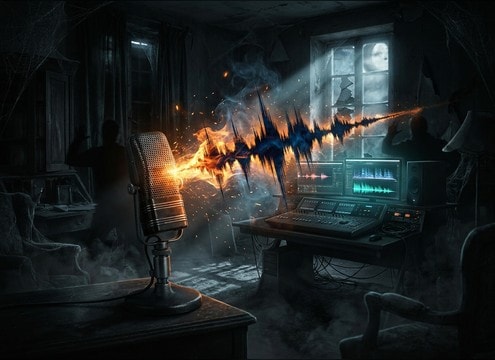
Haunted house cue using a monster roar effect

Haunted house room

Fire a short roar cue that cuts through chatter with strong midrange bite and controlled tail to avoid muddying the room mix.

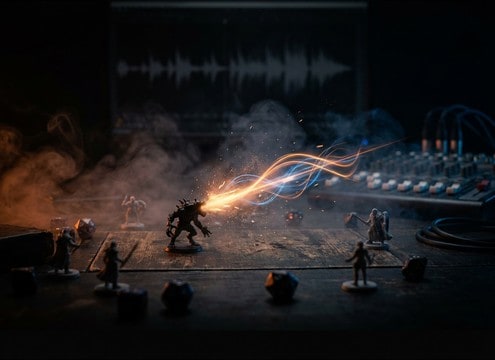
RPG session monster reveal roar sound cue

Tabletop RPG scene

Drop a 5-second roar between narration beats to punctuate a monster reveal without overpowering dialogue at the table.

Short monster roar used as a logo tag sting

Creature logo tag

End a cold open with a stylized roar that has a tidy fade so it lands like an audio tag instead of a long ambience.

Why Choose Media.io for Monster-Roar Sound Generator?

See exactly why creators, developers and studios choose our AI audio generator over all others.

Text prompts for a monster roar sound generator

Monster Roar Sound Generator prompts

Dial in size, aggression, and environment in plain text, then regenerate until the roar matches your cut and character.

Previewing monster roar audio variations

Instant preview before download

Audition roars quickly and pick the one with the right attack and tail length for your scene timing.

Selecting duration for monster roar generation

Scene-fit duration control

Choose 5s, 10s, or 20s so your roar lands as a punchy stinger or a longer sustain without extra trimming.

Multiple monster roar takes generated at once

Variation batches for choices

Generate multiple takes at once to compare pitch, texture, and distance, then keep the cleanest version.

WAV download for monster roar sound effects

Mix-friendly, editable WAV

Download WAV so you can EQ harshness, tame low-end, or add space in your editor without quality loss.

Sound library paired with AI custom generation

One place for library plus AI

Start with ready-made popular roars, then copy a prompt to create custom alternates when you need a new flavor fast.

How to Prompt Monster Roars That Match the Scene

A good monster roar is mostly about perceived size, distance, and space. Use your prompt to control the first transient (bite), the body (throat texture and pitch), and the tail (decay and reflections). The tips below help you choose the right library clip or write a prompt that generates a roar that lands on the frame and leaves room for music and dialogue.

Decide the creature scale first

If the monster is huge, you need slower attack and heavier low-end so it feels massive. Smaller creatures often read better with a faster transient, more midrange grit, and less sub energy.

  • Use words like titan, colossal, massive, or towering for deeper pitch and longer sustain
  • Use words like goblin, mutant, or feral for quicker attack and more bite
  • Ask for controlled low-end if the roar fights your music or impacts

Set distance and perspective

Close roars should feel dry and detailed, while distant calls need softened transients and more air. Distance also changes stereo width: close can be more centered, far can feel narrower with environment doing the work.

  • Add close-mic, right next to camera, or intimate for presence and texture
  • Add distant, far away, or across the valley for softened attack and longer decay
  • Mention off-screen if you want less detail but stronger space cues

Name the environment for the tail

Most of the realism comes from the tail. A cave wants long reflections and echo, a forest wants softer diffusion, and an interior corridor wants distinct slapback. Tell the generator where the roar happens.

  • Cave, tunnel, or cavern for echo and long reverb decay
  • Canyon or valley for spacious reflections and airy tail
  • Small room or corridor for tighter reflections and shorter tail

Avoid common roar problems

Roars can get unusable when they are too noisy, too long, or too bright. Ask for clarity and a clean ending so you can place it precisely in an edit.

  • Request clean tail fade to avoid abrupt cuts and clicks
  • Request no distortion or no clipping if the roar sounds crushed
  • Avoid overly wide stereo if you need the roar to sit under dialogue

Frequently Asked Questions About
Monster-Roar Sound Effects

Everything you need to know before downloading or generating your first sound.

Can I download these monster roars for commercial use?

Yes. You can preview, generate, and download monster roar clips that are intended to be royalty-free for commercial projects. If you have a specific licensing requirement for a client or platform, review the license details shown in the product before publishing.

Do you offer WAV downloads for monster roar sound effects?

Yes. After you generate or choose a roar, you can download it as a WAV file so it stays editable for EQ, compression, and time trimming in your editor.

How do I choose between a close roar and a distant roar?

Pick close for on-screen mouth action or POV shots because it has more texture and a sharper attack. Pick distant for establishing shots or off-screen threats, where a softer transient and longer decay sells scale and space.

Which duration should I generate: 5s, 10s, or 20s?

Use 5s for stingers, reveals, and quick cut hits. Use 10s for a two-beat roar or a sustained intimidation moment. Use 20s when you need an evolving roar that can carry through a longer shot, then fade cleanly.

Are these monster-roar sound effects free to download?

Yes. You can preview and download the AI-generated monster-roar sound effects as WAV files and use them in personal or commercial projects.

Can I copy the prompt used for each sound?

Yes. Open any sound row to view the prompt, copy it, adjust the wording and generate a custom variation that better matches your scene.

Related Free Sound
Effect Categories

Explore other AI-generated sound libraries from Media.io

sound

Rain Sound Effects

10+ free sounds
sound

Thunder Sound Effects

10+ free sounds
sound

Farts Sound Effects

10+ free sounds
sound

Car Crash Sounds

10+ free sounds
sound

Explosion Sound Effects

10+ free sounds
sound

Gunshot Sound Effects

10+ free sounds
sound

Pistol Sound Effects

10+ free sounds
sound

AI Horror Sound Effects

10+ free sounds
sound

AI Forest Sound Effects

10+ free sounds
sound

AI Dog Whistle Sound

10+ free sounds
sound

AI Ding Sound

10+ free sounds
sound

Phone Ring Sound

10+ free sounds
media.io

AI Video Generator star

Easily generate videos from text or images

Generate
