












Popular Auto-Horn Sound Effects Library

These ready-to-use horn clips cover common driving moments: polite taps, sustained warning honks, distant street perspective, and echoey tunnel cues. Copy a prompt to make a new version with different distance, tone, or rhythm, then keep the take with the cleanest transient and most believable tail for your scene.

How to Generate Your Own
Auto-Horn Sound Effects

Cannot find the perfect auto-horn sound effect you need? Generate custom AI auto-horn audio effortlessly. Describe the style, such as short clean cue, cinematic hit, subtle background layer, branded UI alert, and Media.io AI builds tailored auto-horn sound effects instantly. No audio editing experience needed. Turn your concept into a royalty-free, high-quality downloadable WAV auto-horn clip in under 60 seconds.

1

Write a horn prompt

Type what you need: single beep vs long honk, polite vs angry, close mic vs distant street, and any space like tunnel or garage.

2

Choose duration and takes

Select 5s, 10s, or 20s and set how many variations to generate so you can compare timing and tone quickly.

3

Generate and preview

Click Generate, listen to each result, and keep the version with the right attack, decay, and distance for your scene.

4

Download WAV and use

Export the chosen clip as a WAV file and drop it into videos, driving apps, audio drama scenes, gameplay moments, or commercial projects.

What Can You Use These Auto-Horn Sound Effects For?

Creators in every field are using our royalty-free audio to set the perfect mood.

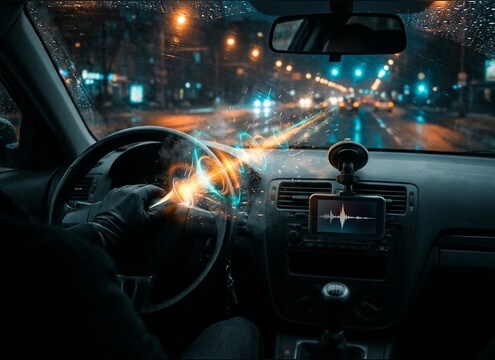
Auto horn sound effect for dashcam traffic moment

Dashcam reenactments

Replace weak on-camera audio with a close honk or a distant beep that matches the road perspective and timing.

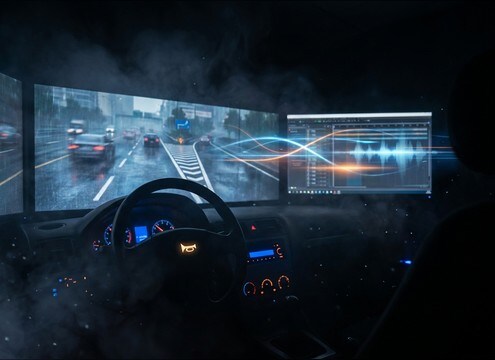
Car horn beeps used in driving instruction video

Driving school lessons

Add polite reminder taps and safe warning honks to illustrate right-of-way, merging, and hazard awareness without overpowering narration.

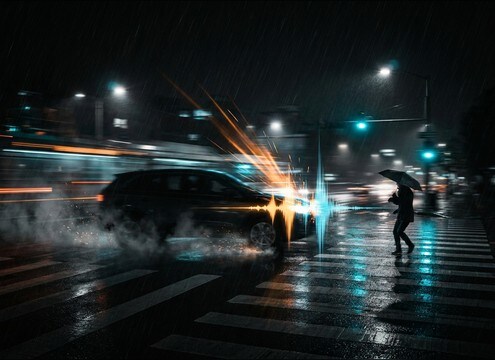
Horn sound effect for pedestrian safety PSA scene

Traffic safety PSAs

Emphasize near-miss moments at crosswalks with controlled transients and short decay to keep dialog intelligible.

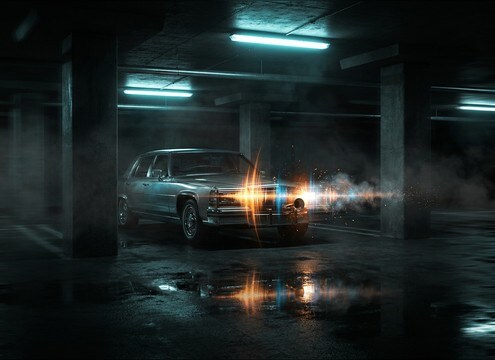
Parking garage horn echo sound effect

Parking garage skits

Use a boxier, reflective garage horn to sell the location, then cut cleanly with a short tail for comedic timing.

Distant street horns ambience for city montage

City montage edits

Layer distant horns as a light bed behind street visuals, keeping stereo width natural and masking low.

Auto horn sounds used in audio drama street scene

Radio drama street

Support narration with believable distance cues: close honks for near cars, softened beeps for background traffic.

Short car horn honk for dealership promo video

Car dealership promos

Punch up quick exterior shots with a clean, short honk that does not clip and leaves space for voiceover.

Short horn beep sound for driving game interaction

Mobile driving games

Trigger UI-like horn taps with tight attacks and consistent loudness so player feedback stays snappy.

Why Choose Media.io for Auto-Horn Sound Generator?

See exactly why creators, developers and studios choose our AI audio generator over all others.

Preview auto horn SFX before downloading

Preview first, then commit

Audition close, distant, and echoey horn options quickly so you do not waste time downloading the wrong take for your cut.

Text prompt controls for horn tone and intent

Prompt control for tone and intent

Describe polite taps, urgent warnings, or comedic beeps, and steer the result with details like brightness, grit, and tail length.

Auto horn variations by distance and environment

Scene-fit distance and space

Ask for street reflections, tunnel bounce, or interior muffling to match the camera position without hunting through multiple libraries.

Regenerate horn sounds to match edit timing

Regenerate to match timing

If a honk lands late or feels too long, regenerate with a tighter attack, shorter decay, or a different tap pattern until it hits the beat.

Download horn sound effects as WAV

Export-ready WAV output

Download high-quality WAV files that drop into your timeline cleanly, making it easier to align transients with cuts and actions.

Trim and fade a horn clip for clean transitions

Fast cleanup for clean edits

After generating, you can quickly trim heads and tails and add simple fades so the horn starts and ends cleanly in context.

A Practical Guide to Auto Horn SFX That Sound Believable

Auto horns are easy to overdo: the wrong tone, distance, or decay can feel fake or distracting. Use this checklist to choose the right clip from the library or to write a prompt that generates a horn with the correct intent, perspective, and space for your scene, from polite nudges in traffic to urgent warnings at a junction.

Pick the right horn character

Start by deciding what kind of vehicle and horn behavior you need. A compact car beep reads different than a larger sedan honk, and a vintage-sounding horn can instantly change the vibe. Specify timbre (bright vs nasal), intensity, and whether the horn is steady or slightly wobbly.

  • Use "short beep" for quick reminders, not "long honk"
  • Call out texture: clean, slightly raspy, or buzzy
  • If needed, mention vehicle flavor: small car, sedan, taxi

Match distance, angle, and space

Horn perspective sells the shot. Close horns have sharp transients and little air loss, while distant horns soften and pick up room tone. Locations matter too: tunnels add bounce, garages add boxy reflections, and inside-car perspective sounds filtered and enclosed.

  • Close: crisp attack and short, controlled decay
  • Distant: softened transient with subtle reflections
  • Specify environment: open street, tunnel, parking garage, inside cabin

Control rhythm and meaning

The pattern communicates intent. A single tap can be polite, repeated taps can feel impatient, and one sustained blast can signal danger. When prompting, include the spacing, number of taps, and how hard the horn is pressed so the timing reads naturally on screen.

  • Polite: one or two quick taps with clear gaps
  • Impatient: several short beeps with uneven spacing
  • Urgent: a sustained honk that holds level without pumping

Avoid common horn SFX mistakes

Most horn clips fail because they are too loud, too long, or too wet with reverb. Keep the tail appropriate for the space, avoid harsh clipping, and watch masking against dialog. If the horn feels synthetic, regenerate with a more natural decay and less exaggerated stereo width.

  • Avoid clipped peaks and harsh top-end fizz
  • Do not add a long tail to an outdoor street horn
  • Keep stereo width realistic so it does not swallow the mix

Frequently Asked Questions About
Auto-Horn Sound Effects

Everything you need to know before downloading or generating your first sound.

Can I use these auto-horn sound effects in commercial projects?

Media.io provides royalty-free downloads for many sound effects, but usage can vary by asset. Check the license note shown on the download screen for the clip you choose before publishing ads, apps, or client work.

Do you offer WAV downloads for horn clips?

Yes. After you preview a result, you can download the selected horn as a WAV file, which is ideal for editing because it preserves transients and avoids extra compression artifacts.

How do I make a horn sound like it is inside the car?

Choose or generate an inside-cabin perspective: ask for muffled high end, stronger mids, and subtle interior resonance. In your edit, a gentle low-pass filter and a short fade-out can help it sit behind dialog.

What is the best duration to pick: 5s, 10s, or 20s?

Use 5s for single honks or quick double taps, 10s for a short sequence of beeps with pauses, and 20s for a background traffic horn bed where spacing and ambience matter.

Are these auto-horn sound effects free to download?

Yes. You can preview and download the AI-generated auto-horn sound effects as WAV files and use them in personal or commercial projects.

Can I copy the prompt used for each sound?

Yes. Open any sound row to view the prompt, copy it, adjust the wording and generate a custom variation that better matches your scene.

Related Free Sound
Effect Categories

Explore other AI-generated sound libraries from Media.io

sound

Rain Sound Effects

10+ free sounds
sound

Thunder Sound Effects

10+ free sounds
sound

Farts Sound Effects

10+ free sounds
sound

Car Crash Sounds

10+ free sounds
sound

Explosion Sound Effects

10+ free sounds
sound

Gunshot Sound Effects

10+ free sounds
sound

Pistol Sound Effects

10+ free sounds
sound

AI Horror Sound Effects

10+ free sounds
sound

AI Forest Sound Effects

10+ free sounds
sound

AI Dog Whistle Sound

10+ free sounds
sound

AI Ding Sound

10+ free sounds
sound

Phone Ring Sound

10+ free sounds
media.io

AI Video Generator star

Easily generate videos from text or images

Generate
