













Popular Sirens Sound Effects Library

These ready-to-use siren assets are tuned for common edit problems: matching distance, keeping a clean tail, and avoiding harsh clipping when the scene gets loud. Copy a prompt to regenerate the same idea with different tone color, modulation speed, or stereo movement.

How to Generate Your Own
Sirens Sound Effects

Can't find what you're looking for? Easily create custom AI sounds. Simply describe your needs, and our AI will craft the perfect sound effect for you — no audio production skills required. Go from a blank idea to a downloadable WAV in under a minute.

1

Describe the siren tone

Type a prompt for the siren type and feel you need—police wail, ambulance hi-lo, distant street siren, tunnel echo, or a passing Doppler.

2

Pick length and variants

Choose 5s, 10s, or 20s, then set how many variations you want so you can audition different modulation speeds and intensity.

3

Generate and preview

Click Generate, listen to each result, and keep the one that matches your scene timing and the tail length you need.

4

Download WAV and use

Download the WAV file and drop it into your timeline for videos, games, apps, podcasts, or commercial projects.

What Can You Use These Sirens Sound Effects For?

Creators in every field are using our royalty-free audio to set the perfect mood.

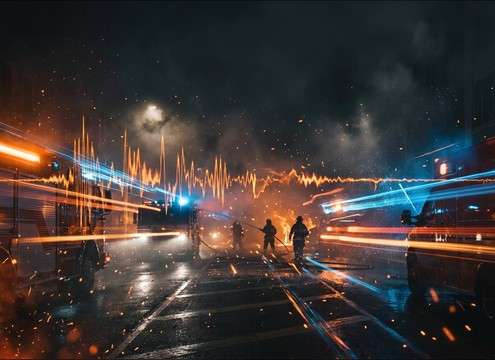
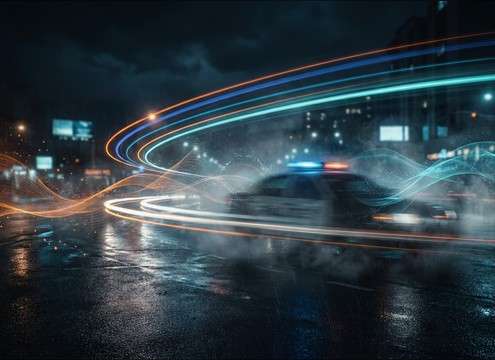
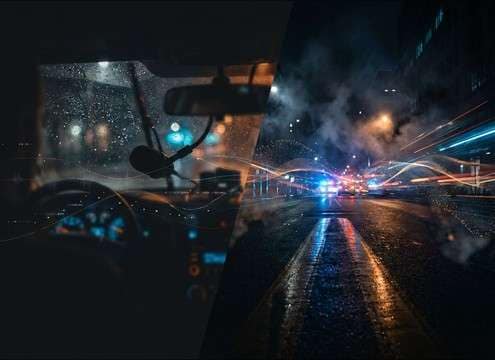
Police car chase scene needing synced siren audio

Police chase cutaways

Swap weak production audio for a tight wail or yelp that lands exactly on the on-screen light flashes without muddying dialogue.

Ambulance pulling up with realistic hi-lo siren sound

Ambulance arrival in

Use hi-lo tones with a controlled tail so the siren reads clearly while leaving room for crowd shouts and hospital ambience.

Fire truck approaching on a city street with siren

Fire engine street

Pick a lower, thicker siren that masks less than a harsh alarm while still feeling heavy and close to camera.

Night city ambience with distant siren in the background

Distant city night

Layer far-off sirens as background storytelling—filtered highs, reduced transients, and soft reflections for believable distance.

Emergency vehicle siren echoing inside a tunnel

Tunnel or underpass

Choose a version with strong slapback and longer decay to sell concrete reflections without adding extra reverb plugins.

Tornado warning broadcast needing outdoor siren audio

Severe weather alerts

Use outdoor warning sirens with slower modulation and a longer tail for evacuation graphics and storm coverage transitions.

Harbor scene with low warning siren sound

Maritime harbor warnings

Add low harbor siren or fog-alarm pulses for dock scenes, ship departures, or coastal emergency announcements.

Sci-fi corridor with alarm lights and stylized siren audio

Sci-fi facility alarm

Generate a stylized, non-real-world alarm based on siren motion—useful for evacuation lights, lockdown doors, and reactor alerts.

Why Choose Media.io for Sirens Generator?

See exactly why creators, developers and studios choose our AI audio generator over all others.

Previewing siren audio waveform and play controls

Instant preview before export

Audition each siren clip in-browser to check tone, modulation rate, and tail length before you download.

Prompt box showing close vs distant siren settings

Prompt control for distance

Write prompts like "distant" or "close" to shape filtering, transient bite, and perceived space without manual EQ first.

Duration options for 5s 10s and 20s sound effects

Choose 5s, 10s, or 20s

Match the clip to your cut: quick 5-second hits, 10-second warning beds, or 20-second loops for longer scenes.

Regenerating multiple siren variations from the same prompt

Regenerate for a better take

If a tone is too sharp or too soft, regenerate new versions to find a cleaner transient, smoother decay, or different motion.

Downloading WAV siren sound effect file

Clean WAV downloads

Export WAV so the siren keeps detail in the highs and remains easy to mix under dialogue and city beds.

Siren loudness and intensity selection for an edit

Scene-safe intensity options

Create versions that read on small speakers without harsh clipping—useful when your edit already has impacts and music.

How to Pick (or Prompt) the Right Siren for Your Scene

Siren choices are mostly about recognition and perspective: the audience should instantly know what vehicle or warning it is, and how far away it feels. Use the tips below to choose a downloadable clip or write a prompt that gets the modulation, stereo movement, and decay you need—without turning the siren into painful, spiky noise in the mix.

Start with the correct siren type

Different sirens communicate different stakes. A police yelp reads as pursuit and urgency; an ambulance hi-lo suggests medical response; an air-raid style alarm feels like a broad public warning.

  • Police: wail for sustained tension, yelp for fast escalation
  • Ambulance: smoother modulation often sits better under dialogue
  • Warning sirens: longer sustain and slower motion feel "public"

Match perspective: close, distant, or passing

Perspective is the difference between "in the scene" and "background story." Close sirens need crisp transients; distant sirens need filtered highs and softer reflections. Passing sirens should include audible Doppler pitch movement.

  • Close: brighter tone, stronger attack, shorter controlled tail
  • Distant: reduced highs, softer attack, more air and space cues
  • Passing: clear pitch shift plus left-right movement if desired

Choose the right space and tail

The environment changes the decay. Streets often have short reflections; tunnels and underpasses create longer, obvious echoes. Pick a tail that complements your ambience bed instead of fighting it.

  • Street: tight reflections that clear quickly for edits with dialogue
  • Tunnel: longer decay and slapback that sells concrete surfaces
  • Open outdoor: less echo, more airy bed and gentler fades

Avoid harshness and masking

Sirens can easily pierce or overload a mix. If your scene has music, impacts, or narration, choose a version with a smoother top-end and a cleaner decay so it stays readable without dominating.

  • Prefer clean transients over distorted peaks
  • If it hurts at low volume, it will be worse in the final mix
  • Use shorter tails when the next cut needs space

Frequently Asked Questions About
Sirens Sound Effects

Everything you need to know before downloading or generating your first sound.

Can I download these siren sounds and use them commercially?

You can preview and download the sounds from this page, and you can also generate new variations with prompts. For commercial use, check the license notes shown in the download flow for your specific asset and follow any listed requirements.

What's the difference between police wail, yelp, and hi-lo sirens?

A wail is a longer, sweeping tone that sustains tension; a yelp is a faster, more staccato pattern that signals urgency or pursuit; hi-lo alternates two tones and is commonly associated with ambulance-style warning cues in many regions.

How do I make a siren sound distant instead of right next to the camera?

Choose or prompt for "distant" perspective, then specify filtered highs, softer transients, and subtle reflections. Avoid bright, razor-sharp attacks and keep the stereo image less detailed so it feels farther away.

Are the downloads WAV, and can I edit them after?

Yes—download the WAV file, then trim, fade, or place it under your ambience. If you need a different timing or modulation speed, regenerate a new version that better matches the cut.

Are these sirens sound effects free to download?

Yes. You can preview and download the AI-generated sirens sound effects as WAV files and use them in personal or commercial projects.

Can I copy the prompt used for each sound?

Yes. Open any sound row to view the prompt, copy it, adjust the wording and generate a custom variation that better matches your scene.

Related Free Sound
Effect Categories

Explore other AI-generated sound libraries from Media.io

sound

Rain Sound Effects

10+ free sounds
sound

Thunder Sound Effects

10+ free sounds
sound

Farts Sound Effects

10+ free sounds
sound

Car Crash Sounds

10+ free sounds
sound

Explosion Sound Effects

10+ free sounds
sound

Gunshot Sound Effects

10+ free sounds
sound

Pistol Sound Effects

10+ free sounds
sound

AI Horror Sound Effects

10+ free sounds
sound

AI Forest Sound Effects

10+ free sounds
sound

AI Dog Whistle Sound

10+ free sounds
sound

AI Ding Sound

10+ free sounds
sound

Phone Ring Sound

10+ free sounds
media.io

AI Video Generator star

Easily generate videos from text or images

Generate
