











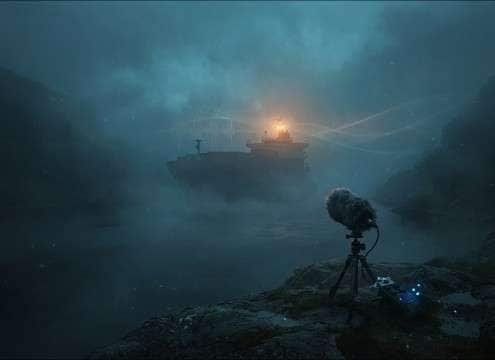

Popular Ship-Horn Sound Effects Library

Pick a horn by perspective and space: close deck blasts for impact, distant foghorn calls for atmosphere, or echo-heavy harbor hits that sell scale. Each prompt below is ready to copy and tweak for pitch, length, reflections, and stereo width.

How to Generate Your Own
Ship-Horn Sound Effects

Can't find what you're looking for? Easily create custom AI sounds. Simply describe your needs, and our AI will craft the perfect sound effect for you — no audio production skills required. Go from a blank idea to a downloadable WAV in under a minute.

1

Write your horn prompt

Type a clear description of the ship horn you need—tone (deep/bright), distance (close/distant), and whether you want echo or a clean tail.

2

Choose length and takes

Select 5s, 10s, or 20s, then set how many variations you want generated so you can audition different horn characters quickly.

3

Generate and preview

Click Generate, listen to each result, and keep the version with the best timing, pitch, and decay for your scene.

4

Download WAV and use

Download the WAV file and drop it into your timeline for films, maritime radio scenes, apps, games, podcasts, or commercial projects.

What Can You Use These Ship-Horn Sound Effects For?

Creators in every field are using our royalty-free audio to set the perfect mood.

Distant ship horn over foggy water scene

Foggy channel establishing

Use a distant foghorn with softened highs and long decay to suggest low visibility and scale without overpowering wind and water.

Ship horn cue for docking arrival sequence

Port arrival

Choose a close or mid-distance horn with clear attack so the cue lands on the cut as the vessel enters frame.

Short ship horn under coast guard radio audio

Coast guard radio

Pair a short warning blast with minimal echo so it sits cleanly under VHF chatter and narration.

Cruise terminal ambience with distant ship horns

Cruise terminal ambience

Add sparse horn calls inside a wider harbor bed to make crowd noise and PA announcements feel located near water.

Passing ship horn transition between waterfront shots

Boat traffic transition

A passing horn with slight Doppler sells movement between shoreline shots and bridges the edit smoothly.

Tug horn UI sound for harbor navigation app

Harbor map UI

A compact tug-style toot works as a playful confirmation sound while keeping low-end controlled for small speakers.

Ship horn signals used in safety training module

Maritime safety training

Use double blasts or patterned calls to illustrate signaling rules, leaving enough tail space so captions remain readable.

Stage cue ship horn for theater sound operator

Theatrical stage cue

A deep single blast with a smooth tail can be triggered as a scene change cue without harsh transients causing feedback.

Why Choose Media.io for Ship-Horn Generator?

See exactly why creators, developers and studios choose our AI audio generator over all others.

Prompt settings for close vs distant ship horn sound

Prompt control for distance

Ask for close, mid, or far perspectives so the horn matches the camera position and the amount of air loss you want.

Ship horn decay and echo control for scene matching

Tail and echo shaping

Specify short fades, long decays, or pronounced harbor reflections to fit tight edits or open establishing shots.

Ship horn pitch and timbre variations preview

Pitch and tone options

Dial in deep foghorn weight, brighter tug toots, or a midrange warning call to avoid masking music and dialogue.

Regenerating multiple ship horn takes from one prompt

Regenerate alternate takes

Keep your wording and rerun generations to audition new horn characters without restarting your setup.

Clean ship horn waveform ready for mixing

Mix-friendly clean outputs

Create cleaner horns with minimal background noise when you need precise placement, EQ, or reverb added later in your session.

WAV download button for ship horn sound effect

Fast WAV export workflow

Preview instantly, then download WAV so your horn cue is ready to drop into a timeline or soundboard without conversion steps.

How to Choose the Right Ship Horn for Your Scene

Ship horns can read as "massive vessel," "small tug," or "far offshore" depending on pitch, attack, and how the tail interacts with the environment. Use the tips below to pick a ready-made clip or write a prompt that nails distance, reflections, and timing on the cut.

Pick the horn type and cadence

Start with the story function: a single blast for arrival, short warning toots for maneuvering, or patterned calls for signals. Cadence matters as much as timbre—especially when the horn is the beat that drives the edit.

  • Single long blast: authority and scale for arrivals
  • Two short blasts: signal-like clarity for instructions
  • Compact tug toot: lighter tone for small craft moments

Match camera distance with tone loss

Distance changes more than volume. Far horns lose high frequencies, soften the transient, and feel narrower or more diffuse. Close horns stay bright and defined, so they cut through sea ambience and crowd beds.

  • Close: crisp onset, wider stereo body, less air absorption
  • Mid: balanced presence with light ambience and reflections
  • Distant: softened attack, rolled-off highs, gentler tail

Choose the right space: open water vs harbor

A harbor adds early reflections and a longer, more complex decay, while open water reads cleaner and emptier. If your visual shows docks, cranes, or buildings, an echo tail helps the horn feel "placed."

  • Harbor: audible reflections and longer decay support scale
  • Open water: cleaner tail keeps the scene spacious
  • Industrial shoreline: brighter reflections help definition

Edit for timing without losing realism

Horns often have long tails. When you need a tight cut, choose a shorter-decay version or prompt for a quicker fade, then keep a natural release so the sound doesn't end abruptly.

  • Ask for a short tail when dialogue or PA announcements follow
  • Trim after the main body, but preserve a gentle fade-out
  • Avoid over-compressing; it can exaggerate harsh mids

Frequently Asked Questions About
Ship-Horn Sound Effects

Everything you need to know before downloading or generating your first sound.

Can I download these ship horn sounds as WAV and use them commercially?

Yes—after previewing, you can export the selected result as a WAV file and use it in commercial projects. If you have a specific licensing requirement for a client or platform, confirm it against the terms shown in your Media.io workspace.

What's the difference between a ship horn and a foghorn in edits?

In practice, "foghorn" usually implies a slower, heavier call with more sustained low-end and a longer perceived tail, often used at a distance. A "ship horn" can be closer, brighter, and more direct, with a clearer transient that reads as an on-camera action.

How do I make the horn feel far away without just turning it down?

Prompt for distance plus tone loss: a softer attack, reduced high frequencies, and light atmospheric absorption. Adding gentle reflections (harbor) or a cleaner tail (open water) will sell the location better than volume alone.

Which horn option works best under dialogue or narration?

Choose a short warning-style blast or prompt for a controlled decay with minimal echo. Keeping the tail short reduces masking in the midrange where speech intelligibility lives.

Are these ship-horn sound effects free to download?

Yes. You can preview and download the AI-generated ship-horn sound effects as WAV files and use them in personal or commercial projects.

Can I copy the prompt used for each sound?

Yes. Open any sound row to view the prompt, copy it, adjust the wording and generate a custom variation that better matches your scene.

Related Free Sound
Effect Categories

Explore other AI-generated sound libraries from Media.io

sound

Rain Sound Effects

10+ free sounds
sound

Thunder Sound Effects

10+ free sounds
sound

Farts Sound Effects

10+ free sounds
sound

Car Crash Sounds

10+ free sounds
sound

Explosion Sound Effects

10+ free sounds
sound

Gunshot Sound Effects

10+ free sounds
sound

Pistol Sound Effects

10+ free sounds
sound

AI Horror Sound Effects

10+ free sounds
sound

AI Forest Sound Effects

10+ free sounds
sound

AI Dog Whistle Sound

10+ free sounds
sound

AI Ding Sound

10+ free sounds
sound

Phone Ring Sound

10+ free sounds
media.io

AI Video Generator star

Easily generate videos from text or images

Generate
