











Popular Race Car Sound Effects Library

Pick a ready-made clip for instant use, or copy the prompt to generate a tighter pass-by, a cleaner idle, or a more aggressive exhaust tone that matches your scene timing.

How to Generate Your Own
Race Car Sound Effects

Cannot find the perfect race car sound effect you need? Generate custom AI race car audio effortlessly. Describe the style, such as short clean cue, cinematic hit, subtle background layer, branded UI alert, and Media.io AI builds tailored race car sound effects instantly. No audio editing experience needed. Turn your concept into a royalty-free, high-quality downloadable WAV race car clip in under 60 seconds.

1

Describe the car sound

Type or paste a prompt for what you need, such as a close pit idle, a fast doppler flyby, or a tunnel pass with a long tail.

2

Choose time and variants

Set the duration to 5s, 10s, or 20s, then select how many variations you want so you can audition different intensities or distances.

3

Generate and preview

Click Generate, listen to each result, and keep the version with the best transient, tail length, and perspective for your cut.

4

Download WAV and use

Download the WAV file and drop it into race edits, onboard videos, game scenes, trailers, apps, podcasts, or commercial projects.

What Can You Use These Race Car Sound Effects For?

Creators in every field are using our royalty-free audio to set the perfect mood.

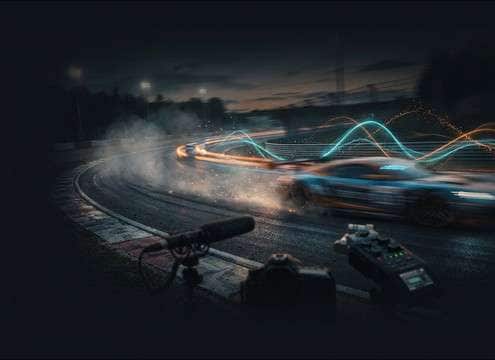
Race car flyby sound for overtake highlight edit

Overtake highlight reels

Swap in clean pass-bys that match each camera angle, from tight curbside shots to longer telephoto fly-throughs with a readable tail.

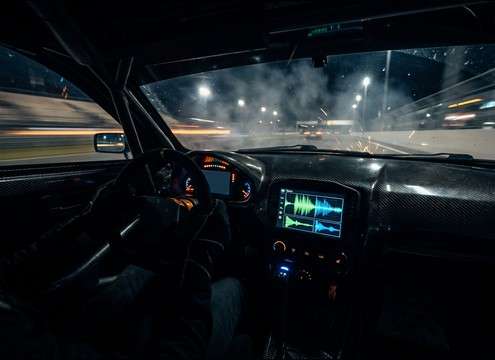
Onboard cockpit race car engine sound effects

Onboard cockpit sequences

Choose close engine and gearbox textures with controlled stereo width so dialogue, radio chatter, or HUD beeps stay intelligible.

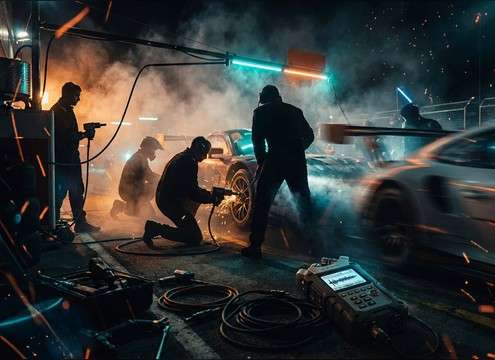
Pit lane idle and throttle blip sound effects

Pit stop scene

Use stable pit-lane idles and short throttle blips to bridge jump cuts without sudden room-tone shifts.

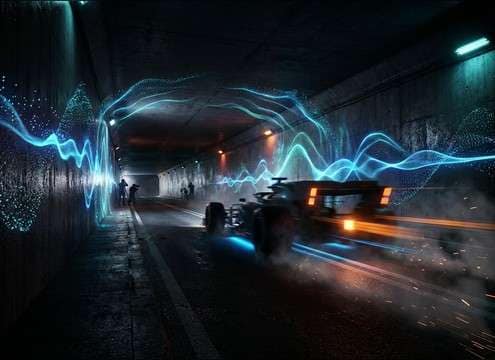
Race car tunnel pass sound with reverb tail

Tunnel and underpass

Pick versions with stronger early reflections and longer decay to sell speed when the car disappears off frame.

Sim racing trailer using limiter and downshift SFX

Sim racing trailers

Layer limiter hits, downshift blips, and turbo pops to punctuate quick cuts, menu reveals, and logo stings.

Track day promo with race track ambience bed

Track day promos

Add mid-distance pack ambience beds to create continuity between shots, then accent hero moments with a single close flyby.

Broadcast bumper sound with short race car rev

Broadcast-style bumpers

Use short, punchy revs with tight transients so the sound reads on small speakers and does not smear into VO.

Garage dyno race car rev sound effect

Garage dyno reveals

Pick close, dry rev builds with minimal reflections to match indoor footage, then regenerate variants to fit exact timing.

Why Choose Media.io for Race Car Sound Generator?

See exactly why creators, developers and studios choose our AI audio generator over all others.

Text prompt controls for race car sound generator

Race Car Sound Generator prompt control

Write prompts for pass-by direction, speed, throttle behavior, and camera distance, then regenerate until the motion and tone match the shot.

Preview race car SFX library before download

Preview-first SFX library

Audition ready-to-use clips before generating anything, so you can grab a mix-ready flyby or idle fast when the edit is due.

Duration selection 5s 10s 20s for race car sounds

Selectable durations for edits

Choose 5s for stings, 10s for a full pass, or 20s for track ambience beds without stretching artifacts.

Download race car sound effects as WAV

WAV downloads for clean sync

Export WAV for reliable timeline alignment, predictable fades, and less compression damage when you stack multiple engine layers.

Multiple variations of the same race car sound prompt

Variations to match each angle

Generate multiple takes of the same idea so close, medium, and distant shots can share a consistent engine character without sounding duplicated.

Intensity control for race car engine SFX

Scene-ready intensity options

Dial in subtle warm-up laps, aggressive full-throttle runs, or gritty limiter moments with prompts that specify texture and dynamics.

How to Pick or Prompt Race Car Sounds That Cut Through

Race footage changes fast: one shot wants a tight curbside doppler, the next needs a distant pack bed, then a tunnel pass with a longer tail. Use the library when you only need a clean clip, and use AI prompts when you must match speed, perspective, or timing. The tips below help you describe engine behavior and space clearly so the result lands in the mix with minimal cleanup.

Choose perspective and motion

Start by describing where the listener is and how the car moves. Pass-bys need a clear pitch sweep and a believable fade, while onboards want steadier tone and less doppler.

  • Use words like close, mid-distance, or distant to control air rolloff
  • Specify direction: left to right, approaching then receding, or overhead bridge
  • Ask for a longer tail when the car exits frame instead of an abrupt stop

Describe throttle, shifts, and limiter behavior

Race cars are defined by transients: shift clunks, throttle blips, and limiter stutters. Naming the action makes the generator output more cuttable moments.

  • For braking shots, request downshift blips and short engine unloads
  • For starts, request a launch with a brief tire chirp and one clear upshift
  • For dramatic punch-ins, request a short limiter hit with gritty texture

Match the environment and reflections

Space changes the tail and stereo image. A tunnel exaggerates reflections, while an open track has a drier fade and more wind-like air movement.

  • Use tunnel, underpass, or concrete walls to get stronger early reflections
  • For open-air trackside, request a dry ambience with minimal reverb
  • For garage or dyno shots, request short room reflections and less wide stereo

Avoid common prompt mistakes

Small wording issues can produce unrealistic results or sounds that fight your dialogue and music. Keep prompts concrete and avoid conflicting instructions.

  • Do not ask for both distant and extremely loud in the same take
  • Avoid vague words like epic; describe speed, distance, and tail instead
  • If you need a clean cut, request minimal crowd and minimal wind noise

Frequently Asked Questions About
Race Car Sound Effects

Everything you need to know before downloading or generating your first sound.

What types of race car sounds are included here?

You can preview and generate flybys with doppler, pit-lane idles, launches, downshift blips, limiter hits, turbo flutter, tire scrub, and longer tunnel or track ambience beds.

Can I download and use these race car sound effects commercially for free?

Media.io provides royalty-free downloads for many sound assets and generated results, but your allowed usage depends on the license shown at download time. Check the on-page license notice for your project before publishing ads, client work, or monetized videos.

Are the downloads WAV files, and can I edit them?

Yes, you can download WAV and edit like any other SFX: trim the attack, add fades, time-align to the cut, or EQ harsh highs if the engine whine masks speech.

Which duration should I choose: 5s, 10s, or 20s?

Use 5s for a single rev, shift, or quick flyby accent. Use 10s when you need a full approach and pass with a natural tail. Use 20s for track ambience beds or repeated pass-bys that bridge multiple shots.

Are these race car sound effects free to download?

Yes. You can preview and download the AI-generated race car sound effects as WAV files and use them in personal or commercial projects.

Can I copy the prompt used for each sound?

Yes. Open any sound row to view the prompt, copy it, adjust the wording and generate a custom variation that better matches your scene.

Related Free Sound
Effect Categories

Explore other AI-generated sound libraries from Media.io

sound

Rain Sound Effects

10+ free sounds
sound

Thunder Sound Effects

10+ free sounds
sound

Farts Sound Effects

10+ free sounds
sound

Car Crash Sounds

10+ free sounds
sound

Explosion Sound Effects

10+ free sounds
sound

Gunshot Sound Effects

10+ free sounds
sound

Pistol Sound Effects

10+ free sounds
sound

AI Horror Sound Effects

10+ free sounds
sound

AI Forest Sound Effects

10+ free sounds
sound

AI Dog Whistle Sound

10+ free sounds
sound

AI Ding Sound

10+ free sounds
sound

Phone Ring Sound

10+ free sounds
media.io

AI Video Generator star

Easily generate videos from text or images

Generate
