












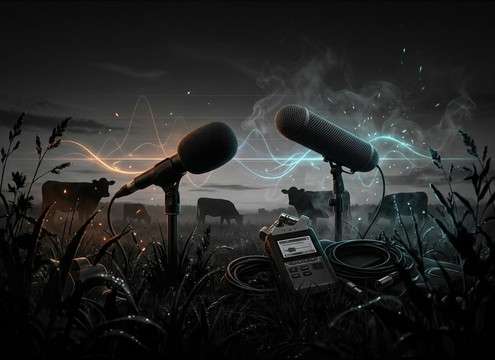

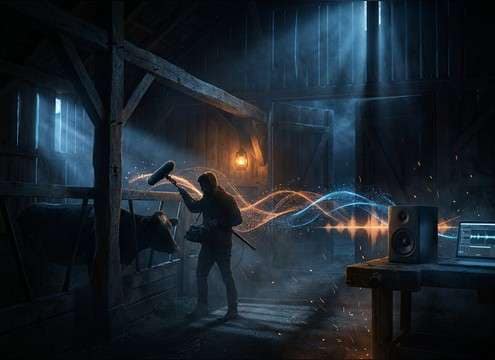
Popular Moo Sound Effects Library

Pick a ready-to-use moo, or copy a prompt and regenerate a new take with different distance, pitch, and barn or outdoor space.

How to Generate Your Own
Moo Sound Effects

Cannot find the perfect moo sound effect you need? Generate custom AI moo audio effortlessly. Describe the style, such as short clean cue, cinematic hit, subtle background layer, branded UI alert, and Media.io AI builds tailored moo sound effects instantly. No audio editing experience needed. Turn your concept into a royalty-free, high-quality downloadable WAV moo clip in under 60 seconds.

1

Describe the moo

Type a prompt for the exact cow moo you need, like close mic, distant field, calf, angry, or cartoon, plus any barn or outdoor space details.

2

Pick duration and takes

Choose 5s, 10s, or 20s, then set how many variations you want so you can audition different pitch, intensity, and tail length.

3

Generate and preview

Click Generate, listen to each result, and keep the one that matches your scene timing and tone the best.

4

Download WAV and use

Export the selected clip as a WAV file and drop it into videos, games, apps, podcasts, or commercial projects.

What Can You Use These Moo Sound Effects For?

Creators in every field are using our royalty-free audio to set the perfect mood.

Cow moo sound effect for a farm sunrise video intro

Farm intro shots

Add a close barn moo under sunrise b-roll to replace weak production audio without fighting wind noise.

Moo sound effects for classroom animal learning audio

Kids animal lessons

Use clean, short moos with tight tails that leave space for narration and on-screen captions.

Comedic moo sound effect synced to a cartoon scene

Cartoon punchlines

Drop in a bright comedic moo with a sharp transient to hit a visual gag on a single frame cut.

Distant cow moo sound effect for an audio drama countryside scene

Rural audio drama

Choose distant pasture moos with air loss and longer decay to sell wide exterior scenes between dialogue lines.

Realistic cow moo sound effect for documentary cutaway footage

Documentary cutaways

Match perspective changes by swapping close, medium, and far moos so the room tone and reflections stay believable.

Loopable pasture moo ambience for an open world game

Pasture game ambience

Build a loopable 20-second bed with spaced moos that does not mask footsteps or UI clicks.

Short moo sound effect used as a ringtone or notification

Phone alerts and

Make a short, dry moo with minimal ambience so it stays punchy on small speakers.

Barn echo moo sound effect for a scene transition

Barn scene transitions

Use a barn-echo moo as an audio bridge to smooth hard cuts between interior shots.

Why Choose Media.io for Moo Sound Generator?

See exactly why creators, developers and studios choose our AI audio generator over all others.

Prompt controls for a moo sound generator

Moo Sound Generator with prompt control

Specify cow age, emotion, and style (realistic or cartoon) to get a moo that fits the scene, not a random clip.

Distance options for generating moo sound effects

Moo Sound Generator by distance

Dial in close, medium, or distant perspective so the transient, air loss, and tail length match the camera framing.

Space and ambience settings for cow moo sounds

Moo Sound Generator with space options

Create moos that feel like barn interiors, open fields, or covered sheds by adjusting the sense of reflections and room tone.

Multiple generated variations of moo sound effects

Instant variations for casting

Generate multiple takes at once to audition different pitch contour, intensity, and timing without re-recording.

Audio preview player for moo sound effects

Preview-first workflow

Listen before you download so you can quickly reject clips with the wrong texture, tail, or stereo width.

WAV download of a generated moo sound effect

Download-ready WAV export

Export a clean WAV you can trim, loop, or place under dialogue, then reuse across episodes or levels.

How to Pick the Right Moo for Your Scene

A moo can read as cute, annoying, lonely, or huge depending on pitch, timing, and space. Use these quick checks to choose a ready clip or write a better prompt for a custom variation that lands on the cut and sits in your mix.

Match emotion and pitch contour

Editors usually need one of three reads: neutral farm realism, attention-seeking calf calls, or an exaggerated comedic moo. Ask for pitch movement (flat vs bending) and texture (smooth vs raspy) so the performance feels intentional rather than generic.

  • Neutral: steady pitch, smooth attack, natural tail
  • Calf: higher pitch, shorter decay, lighter low end
  • Angry: harder transient, raspier texture, stronger low-mid energy

Choose perspective: close, medium, distant

Perspective is what makes a moo believable in a shot. Close moos feel dry and present, while distant moos lose highs and carry longer tails. If your scene changes framing, switch perspective instead of boosting volume.

  • Close: minimal room tone, focused center image
  • Distant: air loss, softer transient, longer decay
  • Barn interior: audible reflections and a clearer tail

Control tail and room tone for cleaner edits

The tail is what often clashes with narration or music. A tight tail is easier to cut, while a longer tail sells space. Pick the tail based on how quickly your next line or shot starts, and avoid clips with noisy floors if you need repeated placements.

  • Short tail for punchlines and quick cuts
  • Long tail for wide exterior establishing shots
  • Lower room tone when the clip must sit under dialogue

Make it loop-friendly when needed

If you are building a pasture bed, look for consistent noise floor and spacing. A loopable ambience should avoid abrupt endings and leave gaps so it does not mask footsteps, cloth, or UI elements.

  • Ask for smooth fade-ready ends and stable ambience
  • Space moos to leave room for other foley
  • Avoid constant loud moos that dominate the soundscape

Frequently Asked Questions About
Moo Sound Effects

Everything you need to know before downloading or generating your first sound.

Can I download moo sound effects for commercial use?

Yes. The clips on this page are royalty-free to download, and you can use them in commercial projects. If you have a specific licensing requirement for your client or platform, review the license details shown at download.

Do these moo sounds download as WAV files?

Yes. After you preview a clip (or generate a new one), you can export and download it as a WAV so it is easy to edit, trim, and sync in most editors.

How do I choose between a close moo and a distant moo?

Choose close moos for on-camera cows or tight shots because they have a clearer transient and less room tone. Choose distant moos for wide fields because they usually have softer highs, more air, and a longer tail that suggests distance.

What is the best duration to generate: 5s, 10s, or 20s?

Use 5s for single reactions, gags, or quick cutaways. Use 10s for sustained calls you might trim. Use 20s when you want spaced moos that can act like a loopable pasture bed under a scene.

Are these moo sound effects free to download?

Yes. You can preview and download the AI-generated moo sound effects as WAV files and use them in personal or commercial projects.

Can I copy the prompt used for each sound?

Yes. Open any sound row to view the prompt, copy it, adjust the wording and generate a custom variation that better matches your scene.

Related Free Sound
Effect Categories

Explore other AI-generated sound libraries from Media.io

sound

Rain Sound Effects

10+ free sounds
sound

Thunder Sound Effects

10+ free sounds
sound

Farts Sound Effects

10+ free sounds
sound

Car Crash Sounds

10+ free sounds
sound

Explosion Sound Effects

10+ free sounds
sound

Gunshot Sound Effects

10+ free sounds
sound

Pistol Sound Effects

10+ free sounds
sound

AI Horror Sound Effects

10+ free sounds
sound

AI Forest Sound Effects

10+ free sounds
sound

AI Dog Whistle Sound

10+ free sounds
sound

AI Ding Sound

10+ free sounds
sound

Phone Ring Sound

10+ free sounds
media.io

AI Video Generator star

Easily generate videos from text or images

Generate
