













Popular Goofy Sound Effects Library

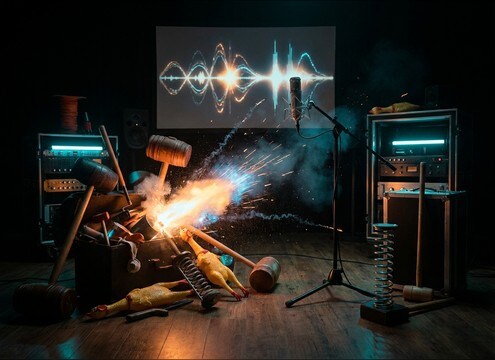
Grab quick gag-stingers with clear attacks, readable tails, and minimal noise so they cut through dialogue and music. Copy a prompt to generate a close match, then re-roll for a cleaner transient, a wider stereo whoosh, or a shorter decay.

How to Generate Your Own
Goofy Sound Effects

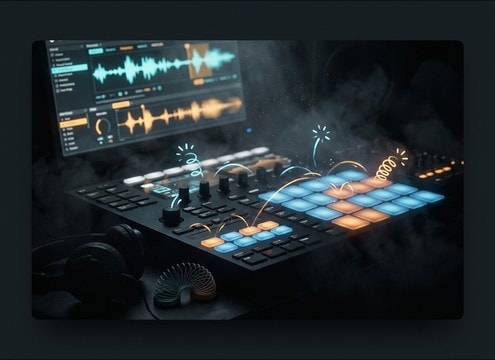
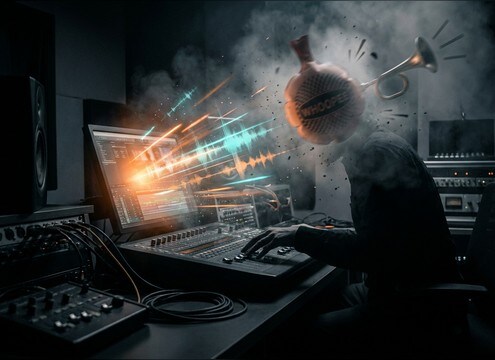
Cannot find the perfect goofy sound effect you need? Generate custom AI goofy audio effortlessly. Describe the style, such as short clean cue, cinematic hit, subtle background layer, branded UI alert, and Media.io AI builds tailored goofy sound effects instantly. No audio editing experience needed. Turn your concept into a royalty-free, high-quality downloadable WAV goofy clip in under 60 seconds.

1

Describe the gag sound

Type a prompt for your goofy moment, like rubber boing, clown honk, squeaky tumble, or a splat with a sticky tail. Add details like dry vs roomy, bright vs muffled, or wide vs mono.

2

Pick duration and takes

Choose 5s, 10s, or 20s, then set how many variations you want so you can audition different pitches, tails, and intensity levels.

3

Generate and preview

Click Generate, listen to each result, and keep the one that matches your cut. If it is too sharp, too long, or too loud, adjust the prompt and regenerate.

4

Download WAV and use

Download the WAV file and drop it into cartoons, meme edits, streamer alerts, mobile UI, podcasts, or commercial projects where you need a clean comedic hit.

What Can You Use These Goofy Sound Effects For?

Creators in every field are using our royalty-free audio to set the perfect mood.

Goofy sound effect accent for an animated punchline

Animated punchlines

Accent a character blink, slip, bonk, or pose change with a tight transient and a tail that ends before the next line.

Cartoon tumble and bounce goofy SFX for slapstick scenes

Slapstick falls and

Build short rolling sequences that read as motion, with consistent loudness and light room tone to avoid sounding pasted on.

Soft goofy sound effects for kids storybook narration

Kids storybook videos

Use softer bloops and bubbly blips that stay bright but not piercing, so narration remains clear.

Goofy UI button sounds with short decay and clean attack

Comedic UI and

Turn taps into playful beeps, boings, and blips that feel responsive, short, and loop-safe for repeated presses.

Goofy honk and splat for prank reveal edits

Prank reveals and

Hit the moment with a honk or splat that peaks quickly, then drops fast to keep the cut snappy.

Goofy pickup sound effects for retro cartoon games

Retro cartoon game

Generate short, bright pickups with minimal noise and a consistent tonal center so multiple items match.

Goofy stinger sound effects for streamer alerts

Streamer alerts and

Create a recognizable signature gag sound with controlled peaks that will not clip over music beds.

Goofy foley sounds for comedy audio drama scenes

Comedy audio drama

Swap flat production noises for exaggerated foley like toy springs, squeaks, and whooshes that read clearly without heavy reverb.

Why Choose Media.io for Goofy Sound Generator?

See exactly why creators, developers and studios choose our AI audio generator over all others.

Prompt controls in a goofy sound generator

Goofy Sound Generator prompt control

Write exactly what you need: boing vs honk, sharp vs soft transient, short vs long tail, dry vs small-room tone, and regenerate until it lands.

Previewing multiple goofy SFX variations

Fast preview, faster picks

Audition multiple comedic options quickly so you can match the timing of a blink, bonk, stumble, or punchline cut.

Selecting 5s 10s and 20s durations for goofy sound effects

Duration options that fit edits

Choose 5s hits, 10s actions, or 20s gag sequences without trimming huge files down for simple moments.

Batch variations from the Goofy Sound Generator

Variation sets for consistency

Generate several takes with the same style so repeated gags feel consistent across a scene while still avoiding obvious repetition.

Clean transient goofy sound effects for mixing

Mix-friendly, clean outputs

Get results with controlled peaks, minimal hiss, and clear transients so your goofy hits stay readable under dialogue and music.

Downloading goofy sound effects as WAV

Download-ready WAV workflow

Export WAV files you can drop into your timeline right away, whether you are cutting cartoons, UI prototypes, or short-form comedy.

How to Prompt Goofy SFX That Actually Feel Funny

Goofy effects work when the sound is exaggerated but still readable: a clear attack, a recognizable pitch motion, and a tail that does not smear the next beat. Use prompts to call out the gag type (boing, splat, honk, slide), the timing feel (snap vs slow), and the space (dry vs tiny room) so the result matches your animation or cut.

Match the gag timing to the cut

Decide if you need a single hit, a short motion, or a mini-sequence. For comedy, too long a decay can kill the next punchline, while too short can feel weightless.

  • Use words like snap, tight, quick cutoff, or short tail for hard edits
  • Ask for a two-part hit (attack + bounce) when a character impacts then rebounds
  • For multi-beat moments, request spaced beats with consistent loudness

Specify the pitch motion and texture

Most cartoon-goofy sounds are defined by pitch: boings bend, whistles glide, honks wobble. Texture tells the listener what the joke is made of: rubber, plastic, toy metal, or goo.

  • Call out pitch shape: rising then falling, glissando up, wobble vibrato
  • Name the material: rubbery, squeaky toy, metallic spring, wet splat
  • Control brightness: nasal, bright, muffled, or glossy high end

Choose dryness, room tone, and stereo width

Goofy effects usually sit best as dry or lightly roomy so they stay forward and readable. Stereo width can make whooshes feel bigger, but too wide can distract from center dialogue.

  • Ask for dry close-mic for UI and tight punchlines
  • Use small room, short reflection when you want a grounded scene feel
  • Request wide stereo only for motion whooshes, keep hits more centered

Avoid common cartoon SFX mistakes

Overly harsh highs, long reverb, or uncontrolled peaks can make a gag sound cheap or painful. Keep it clean, controlled, and sized to the moment.

  • Avoid long reverb tails unless the scene is intentionally surreal
  • Ask for controlled peaks, no clipping, and minimal hiss for repeat plays
  • Skip overly dense layers that mask dialogue, especially on honks and splats

Frequently Asked Questions About
Goofy Sound Effects

Everything you need to know before downloading or generating your first sound.

What are the most useful goofy sound effects for cartoon gags?

Start with a small core set: a rubber boing (impact or bounce), a slide whistle (rise or fall), a clown honk (surprise), a wet splat (messy hit), and a short whoosh (movement). Then generate variations by prompt for different pitch ranges and tail lengths so the same gag can repeat without sounding identical.

Can I download goofy sound effects for free and use them commercially?

Media.io lets you preview and download royalty-free sound effects, and you can also generate custom variations with prompts. For commercial publishing, confirm the current license details shown in the product before release if you need formal clearance documentation.

Do these goofy sound effects download as WAV?

Yes. After you generate or pick a sound from the page, download the WAV so you can edit it precisely, keep transients clean, and avoid extra compression artifacts in your timeline.

How do I make a goofy sound fit a very specific action timing?

Generate at 5s for single hits, 10s for short actions, or 20s for multi-beat gags, then trim to frame. If the attack is late or the tail is too long, regenerate with prompt phrases like immediate attack, shorter decay, or tighter cutoff.

Are these goofy sound effects free to download?

Yes. You can preview and download the AI-generated goofy sound effects as WAV files and use them in personal or commercial projects.

Can I copy the prompt used for each sound?

Yes. Open any sound row to view the prompt, copy it, adjust the wording and generate a custom variation that better matches your scene.

Related Free Sound
Effect Categories

Explore other AI-generated sound libraries from Media.io

sound

Rain Sound Effects

10+ free sounds
sound

Thunder Sound Effects

10+ free sounds
sound

Farts Sound Effects

10+ free sounds
sound

Car Crash Sounds

10+ free sounds
sound

Explosion Sound Effects

10+ free sounds
sound

Gunshot Sound Effects

10+ free sounds
sound

Pistol Sound Effects

10+ free sounds
sound

AI Horror Sound Effects

10+ free sounds
sound

AI Forest Sound Effects

10+ free sounds
sound

AI Dog Whistle Sound

10+ free sounds
sound

AI Ding Sound

10+ free sounds
sound

Phone Ring Sound

10+ free sounds
media.io

AI Video Generator star

Easily generate videos from text or images

Generate
