











Popular Classroom-Bell Sound Effects Library

Start with ready-to-use bell cues for class change, announcements, and hallway transitions. Each card has a distinct transient, tail, and space so you can choose clean, distant, or PA-colored rings, then regenerate similar variations with new prompts if needed.

How to Generate Your Own
Classroom-Bell Sound Effects

Cannot find the perfect classroom-bell sound effect you need? Generate custom AI classroom-bell audio effortlessly. Describe the style, such as bright UI ding, soft reminder bell, classroom chime, success alert, and Media.io AI builds tailored classroom-bell sound effects instantly. No audio editing experience needed. Turn your concept into a royalty-free, high-quality downloadable WAV classroom-bell clip in under 60 seconds.

1

Describe the bell

Type a prompt for the exact bell you need, like a single chime, double ring, or a distant hallway bell with PA coloration.

2

Choose length and takes

Set 5s, 10s, or 20s, then choose how many variations to generate so you can quickly audition different intensities and spaces.

3

Generate and preview

Click Generate, listen to each result, and keep the version with the best transient, decay, and room tone for your scene.

4

Download WAV and use

Export the chosen sound as a WAV file and drop it into school videos, classroom apps, audio dramas, or commercial projects.

What Can You Use These Classroom-Bell Sound Effects For?

Creators in every field are using our royalty-free audio to set the perfect mood.

Period change edit using a classroom bell sound cue

Period change transitions

Cut between scenes with a bell that hits the right timing, from quick single rings to a longer passing-period pattern.

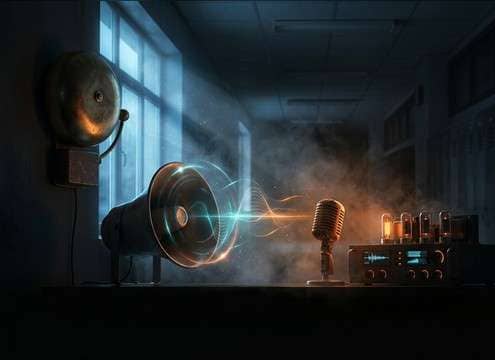
Distant school hallway bell with room reflections

Hallway establishing shots

Sell distance with a softer transient and corridor reflections while dialogue stays readable under the ring.

Virtual classroom attention bell sound effect

Virtual class management

Use a short, non-harsh chime to signal start, stop, or attention in remote lessons without fatiguing students.

Quiz timer ending with a clean classroom bell

Quiz and activity

Trigger a clean bell at the end of timed exercises, with controlled decay so it does not mask instructions.

Intercom style classroom bell before announcements

Morning announcements cues

Pair a PA-tinted bell with announcement VO to mimic school intercom systems and keep levels consistent.

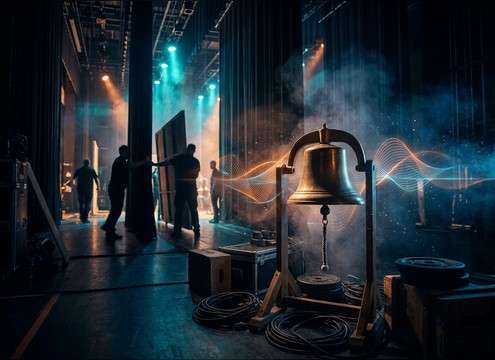
Theater scene change using a school bell sound

School play scene

Add a believable bell for backstage blackouts and scene swaps, choosing short tails to avoid muddy reverbs.

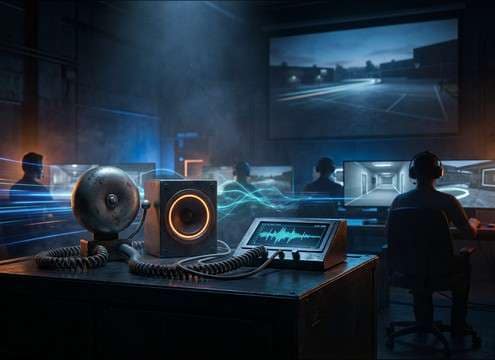
Training simulation with close and distant school bell sounds

Training simulations

Build classroom or campus simulations with multiple bell perspectives: close classroom, distant hallway, outdoor recess.

Education app UI alert inspired by a classroom bell

UI alerts for

Create a bell-like alert that feels academic, keeping transients crisp and the tail short for repeated notifications.

Why Choose Media.io for Classroom-Bell Sound Generator?

See exactly why creators, developers and studios choose our AI audio generator over all others.

Prompt controls for classroom vs hallway bell ambience

Prompt control by setting

The Classroom Bell Sound Generator lets you specify classroom, hallway, or outdoor recess so the room tone and reflections match the scene.

Regenerating alternate bell rings with similar character

Regenerate close variations

Keep the same idea but refresh the take to get a cleaner transient, a shorter tail, or a slightly different pitch center.

Choosing bell duration for different timeline needs

Duration matched to edits

Pick 5s, 10s, or 20s so your bell fits a quick cut, a timer cue, or a full passing-period sequence.

Previewing bell sound effects before exporting

Preview-first workflow

Audition results before download to avoid surprises like overly long decay, harsh highs, or an unrealistic room bed.

Bell sound designed to sit under dialogue

Mix-friendly clarity

Generate bells that sit above dialogue: controlled low-end, consistent loudness, and tails that do not smear into the next line.

WAV export option for generated classroom bell audio

Download-ready WAV export

Export WAV for straightforward import into editors, DAWs, and interactive timelines without extra transcoding steps.

How to Prompt Classroom Bells That Fit the Scene

Classroom bells are all about pattern and space. A close bell needs a crisp transient and controlled decay, while a hallway bell needs distance cues like softened highs and stronger reflections. Use the prompts below to lock in the bell type, the environment, and the tail length so the ring reads as a real school moment, not a generic chime.

Choose the bell style and pattern

Start by naming the behavior: single chime, double ring, or a repeating passing-period pattern. This helps the generator shape spacing and decay so it feels like a real schedule cue.

  • Use phrases like "single chime" or "double ring" to define hits
  • Specify repetition like "three rings with short pauses" for sequences
  • Call out brightness or pitch, like "bright metal" vs "lower, heavier bell"

Match perspective and room tone

Distance is the main difference between a bell heard inside the classroom and one heard from the corridor. Ask for the amount of reflections and room bed you want so the bell sits naturally in your shot.

  • For close perspective: "dry, minimal room tone, centered mono"
  • For hallway: "corridor reflections, softer transient, wider stereo"
  • For intercom: "band-limited, slight compression, narrow stereo"

Control tail length so it does not mask dialogue

Bells can ring longer than your edit needs. Tell the generator how tight the decay should be and whether you want a clean stop or a natural fade, especially for voice-over or classroom instruction.

  • Ask for "short decay" when the bell is just a cue
  • Use "natural decay, not too long" for realism without wash
  • If layering under VO, request "low masking, no harsh highs"

Avoid common artifacts in school bell prompts

A believable school bell is usually free of extra foley unless you explicitly need it. Remove accidental context like crowds, footsteps, or music beds unless the scene calls for them.

  • Add negatives like "no kids shouting" and "no footsteps"
  • Avoid overly cinematic verbs like "epic" that can distort timbre
  • If you need ambience, request it separately: "subtle room tone only"

Frequently Asked Questions About
Classroom-Bell Sound Effects

Everything you need to know before downloading or generating your first sound.

Can I download these classroom bell sounds as WAV files?

Yes. After you preview a result, you can export the selected bell as a WAV file so it is easy to place on a timeline and keep quality consistent during edits.

How do I pick between a close classroom bell and a distant hallway bell?

Listen for transient sharpness and how much room reflection you hear. Close bells have a crisp attack and less room tone, while hallway bells have softer highs, longer perceived decay, and more reflected tail.

What prompt details help match a real school schedule bell?

Include the pattern and spacing (single chime, double ring, repeating rings), the space (classroom, corridor, outdoor), and tail length (short decay vs longer ring). Those three details usually produce the most believable results.

Are the downloads royalty-free for commercial use?

Media.io provides royalty-free audio downloads for common production needs. Always review the current license terms shown in the product before publishing ads, client work, or monetized content.

Are these classroom-bell sound effects free to download?

Yes. You can preview and download the AI-generated classroom-bell sound effects as WAV files and use them in personal or commercial projects.

Can I copy the prompt used for each sound?

Yes. Open any sound row to view the prompt, copy it, adjust the wording and generate a custom variation that better matches your scene.

Related Free Sound
Effect Categories

Explore other AI-generated sound libraries from Media.io

sound

Rain Sound Effects

10+ free sounds
sound

Thunder Sound Effects

10+ free sounds
sound

Farts Sound Effects

10+ free sounds
sound

Car Crash Sounds

10+ free sounds
sound

Explosion Sound Effects

10+ free sounds
sound

Gunshot Sound Effects

10+ free sounds
sound

Pistol Sound Effects

10+ free sounds
sound

AI Horror Sound Effects

10+ free sounds
sound

AI Forest Sound Effects

10+ free sounds
sound

AI Dog Whistle Sound

10+ free sounds
sound

AI Ding Sound

10+ free sounds
sound

Phone Ring Sound

10+ free sounds
media.io

AI Video Generator star

Easily generate videos from text or images

Generate
