












Popular Bells Sound Effects Library

Pick a bell that fits your scene timing and space: clean single hits for UI, longer ringing for classrooms, or roomy tolls that sit behind dialogue. Copy a prompt to regenerate the same idea with a different pitch, decay length, or distance.

How to Generate Your Own
Bells Sound Effects

Cannot find the perfect bells sound effect you need? Generate custom AI bells audio effortlessly. Describe the style, such as bright UI ding, soft reminder bell, classroom chime, success alert, and Media.io AI builds tailored bells sound effects instantly. No audio editing experience needed. Turn your concept into a royalty-free, high-quality downloadable WAV bells clip in under 60 seconds.

1

Describe the bell

Type a prompt for the exact bell you need, like bike bell ding, door chime hit, school bell ring, or distant church toll, and mention tone or space.

2

Choose length and takes

Set 5s, 10s, or 20s, then pick how many variations you want so you can compare different pitches, decays, and intensity.

3

Generate and preview

Click Generate, listen to each result, and keep the version with the cleanest transient and the tail length that fits your cut.

4

Download WAV and use

Export the chosen sound as a WAV file and place it into videos, apps, games, podcasts, or commercial projects with consistent quality.

What Can You Use These Bells Sound Effects For?

Creators in every field are using our royalty-free audio to set the perfect mood.

Bell ping for mobile UI notification

UI and app

Fast bell pings for confirmations, achievements, and menu focus changes that stay clear over voice and music.

Door chime sound effect for storefront entry

Door entry and

Single chime hits or short clusters for storefront doors, reception entries, and scene transitions into interior spaces.

Distant church bell toll over town ambience

Church and town

Distant tolls with outdoor diffusion for establishing shots, time-of-day cues, and location storytelling.

School bell ringing in hallway scene

School transitions and

Clean school bell rings that signal period changes, hallways, or announcements without messy noise floors.

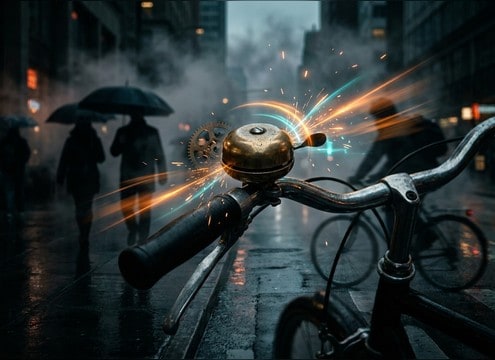
Bicycle bell ding for street foley

Bike and pedestrian

Bike bell dings with a tiny mechanical click for cycling scenes, commute montages, and street safety moments.

Sleigh bells jingle for holiday video

Holiday and winter

Sleigh bell jingles for seasonal intros, gift reveals, and winter travel visuals with bright sparkle.

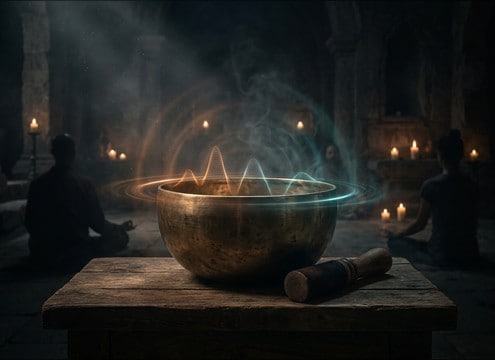
Soft meditation bell strike with long decay

Meditation and ritual

Soft bell strikes for breathing timers, yoga transitions, and calm pacing where the decay matters.

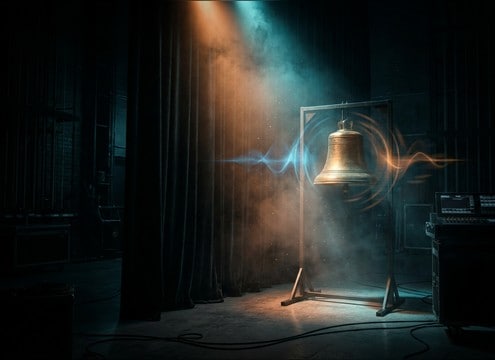
Cue bell hit for live show timing

Stage and show

Clear cue bells for curtain calls, round starts, or attention resets that cut through room tone.

Why Choose Media.io for Bells Sound Generator?

See exactly why creators, developers and studios choose our AI audio generator over all others.

Prompt controls for bell pitch and brightness

Scene-matched bell tone

Use the Bells Sound Generator to steer pitch, brightness, and strike hardness so your bell reads as desk bell, handbell, or heavy toll.

Waveform with short and long bell decay options

Control decay and tail

Make short UI pings or long ringing tails by describing decay length and cutoff behavior, then regenerate until it fits your edit.

Close vs distant bell perspective comparison

Distance and room flavor

Prompt for close-mic dryness or distant outdoor diffusion to avoid mismatched reflections that break the illusion in a scene.

Audio preview list for bell sound effects

Preview before download

Audition options quickly and keep only the bell with the cleanest transient and least unwanted noise or metallic harshness.

WAV download button for bell SFX

WAV exports for editing

Download WAV for easy trimming, fades, and sync to on-screen actions like button taps, door opens, or classroom cuts.

Multiple bell variations generated from one prompt

Variations in one prompt

Request multiple takes in different intensities so you can pick a subtle bell for background or a strong hit that cuts through a mix.

How to Choose and Prompt Bells Sound Effects That Fit the Scene

Bell sounds can feel cheap fast if the attack is too clicky, the pitch is wrong, or the tail does not match the space. When browsing clips or writing a prompt, decide what the bell is (desk bell, bike bell, chime bar, church bell), how close the listener is, and how long the ring should live in the cut. Use the tips below to get a bell that reads instantly and stays mix-friendly.

Start with the bell type and mechanism

Different bells have different transients and harmonic signatures. A bike bell has a mechanical click and bright ring, a handbell has a smooth sustain, and a church bell has heavy low-mid bloom. Naming the mechanism helps the generator avoid generic metallic pings.

  • Use nouns like desk bell, handbell, sleigh bells, church bell, or door chime
  • Mention strike style: tap, single hit, double hit, or gentle swing
  • Call out material character: bright brass, darker bronze, or thin metal chime

Match distance and space to picture

A bell tail that implies a hallway will not fit an open street. Decide whether you want close and dry (minimal reflections) or distant and washed (air and diffusion). For establishing shots, the room tone around the bell is often as important as the pitch.

  • Close: dry, minimal room tone, tight stereo image
  • Medium: light reflections, moderate decay, wider stereo
  • Distant: softer attack, longer tail, outdoor diffusion or large hall bloom

Control decay for timing and readability

Bell sustain can mask dialogue or crowd a cut. For UI cues, keep the decay short and clean. For ritual or time cues, let the tail breathe, but avoid harsh overtones that sound brittle when repeated.

  • For UI: short decay, clean cutoff, no hiss or hum
  • For scenes: medium decay that sits under ambience without ringing forever
  • For dramatic tolls: long decay with a smooth fade, not a noisy wash

Avoid common bell SFX mistakes

The biggest giveaways are clipping, overly synthetic pitch, and tails that jump in level. If a bell feels sharp or painful, reduce brightness and request a smoother overtone balance. If it feels small, ask for more body and a slower, heavier strike response.

  • Avoid: distorted peaks, harsh metallic fizz, or buzzing tails
  • Avoid: reverb that sounds like a different room than the scene
  • Fix: prompt for smoother harmonics, less brightness, and a cleaner noise floor

Frequently Asked Questions About
Bells Sound Effects

Everything you need to know before downloading or generating your first sound.

Can I download bell sounds as WAV files and use them commercially?

Yes. You can preview results, then download WAV files for use in commercial projects like apps, videos, and client edits. Always review the license shown in your Media.io workflow for your specific use.

How do I prompt a church bell that sounds far away instead of close?

Mention distance and environment directly, for example: distant church bell toll, outdoor air, soft attack, long decay, light ambience. If it still feels close, ask for less high-end and more diffusion so the transient is not too sharp.

What is the best bell duration to pick: 5s, 10s, or 20s?

Use 5s for UI pings, bike dings, and quick door chimes. Choose 10s for school bell rings that need a full sustain. Pick 20s for temple or ceremonial beds where you want repeated pulses and a stable tail you can fade under a scene.

How can I make a bell sound sit better under dialogue?

Choose a clip with a shorter tail and less harsh top-end. In your editor, trim the sustain, add a quick fade-out, and reduce the 2 kHz to 6 kHz range if the bell masks consonants. A slightly narrower stereo width can also keep it from fighting center dialogue.

Are these bells sound effects free to download?

Yes. You can preview and download the AI-generated bells sound effects as WAV files and use them in personal or commercial projects.

Can I copy the prompt used for each sound?

Yes. Open any sound row to view the prompt, copy it, adjust the wording and generate a custom variation that better matches your scene.

Related Free Sound
Effect Categories

Explore other AI-generated sound libraries from Media.io

sound

Rain Sound Effects

10+ free sounds
sound

Thunder Sound Effects

10+ free sounds
sound

Farts Sound Effects

10+ free sounds
sound

Car Crash Sounds

10+ free sounds
sound

Explosion Sound Effects

10+ free sounds
sound

Gunshot Sound Effects

10+ free sounds
sound

Pistol Sound Effects

10+ free sounds
sound

AI Horror Sound Effects

10+ free sounds
sound

AI Forest Sound Effects

10+ free sounds
sound

AI Dog Whistle Sound

10+ free sounds
sound

AI Ding Sound

10+ free sounds
sound

Phone Ring Sound

10+ free sounds
media.io

AI Video Generator star

Easily generate videos from text or images

Generate
