











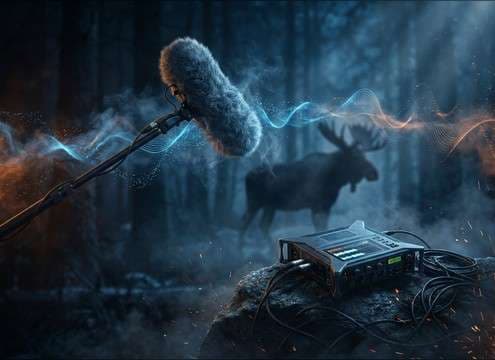
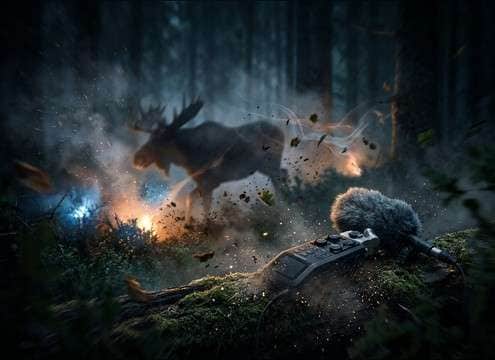
Popular Moose Sound Effects Library

These ready-to-use picks focus on distinct moose vocal colors and movement textures, with clear transients, natural decay, and controllable distance via prompts.

How to Generate Your Own
Moose Sound Effects

Cannot find the perfect moose sound effect you need? Generate custom AI moose audio effortlessly. Describe the style, such as short clean cue, cinematic hit, subtle background layer, branded UI alert, and Media.io AI builds tailored moose sound effects instantly. No audio editing experience needed. Turn your concept into a royalty-free, high-quality downloadable WAV moose clip in under 60 seconds.

1

Describe the moose sound

Type or paste a prompt like bull bellow, cow call, snort, antler rattle, or muddy steps. Add distance, intensity, and environment keywords.

2

Pick length and takes

Choose 5s, 10s, or 20s, then set how many variations you want so you can compare multiple calls or footsteps quickly.

3

Generate and preview

Click Generate, listen to each result, and keep the version with the right attack, tail length, and background cleanliness for your scene.

4

Download WAV and use

Download your selected WAV file and drop it into video timelines, wildlife scenes, apps, podcasts, trailers, or commercial projects.

What Can You Use These Moose Sound Effects For?

Creators in every field are using our royalty-free audio to set the perfect mood.

Moose call sound effect for wildlife documentary scene

Wildlife documentary cutaways

Swap weak location audio with a clean bellow or grunt that matches camera distance and outdoor air.

Moose sound effects for forest encounter gameplay

Forest encounter game

Trigger snorts and breath huffs as threat cues, then use hoof steps to sell movement off-screen.

Distant moose bellow in an outdoor audio drama

Outdoor survival audio

Place a distant bellow behind dialogue to suggest nearby wildlife without masking voices.

Funny moose snort sound effect for a reaction beat

Comedic wilderness reaction

Use an abrupt snort blast with a tight tail to punctuate a reveal or awkward silence.

Moose cow call sound effect for park visitor center display

National park visitor

Add gentle cow calls as educational audio stingers that feel authentic and non-threatening.

Moose rut bellow sound effect for a montage

Cinematic rut season

Build intensity with a rut sequence that has a strong transient and controlled decay between phrases.

Moose footsteps and antler foley for close-up nature footage

Nature scene Foley

Layer antler rattle or wet hoof steps under visuals to improve realism when the animal is on-screen.

Loopable moose ambience for an AR trail exhibit

AR trail or

Use short, loop-friendly presence beds so playback stays stable without noticeable seams.

Why Choose Media.io for Moose Sound Generator?

See exactly why creators, developers and studios choose our AI audio generator over all others.

Prompt controls for generating moose vocal sound effects

Moose Sound Generator with prompt control

Regenerate bellows, grunts, and snorts by distance, intensity, and background cleanliness to match the cut.

Preview moose sound effects before downloading

Preview-first resource workflow

Audition clips quickly and pick the take with the best transient and tail before downloading.

Duration options for moose sound effects clips

Scene-matched durations

Choose 5s, 10s, or 20s lengths so calls land on a beat, a reaction, or a longer establishing shot.

WAV download for moose sound effects

Clean WAV downloads

Export WAV for easy editing, trimming, and layering under forest ambience or dialogue.

Multiple variations of moose sound effects

Variation sets for realism

Generate multiple takes to avoid repetition when the animal calls several times across a sequence.

Organized moose sound effects library labels

Useful metadata-style labeling

Find the right sound faster with clear naming around call type, perspective, and texture.

How to Choose and Prompt Moose Sounds That Fit the Scene

Moose audio sells scale and distance. When you pick a clip or write a prompt, focus on the call type (bellow, grunt, snort), the perspective (close, medium, distant), and whether you need clean isolation or a little forest air. Small wording changes like short tail vs longer decay can make a bellow feel like it happened beside the camera or across a lake.

Pick the right vocal type

Bull bellows read powerful and attention-grabbing, while grunts and breath huffs feel intimate. Snorts work best as sudden reactions or threat cues.

  • Use bellow for dominance or rut season moments
  • Use grunt for low-key presence or off-screen movement
  • Use snort for startled beats with a sharp transient

Control distance and tail

Distance is more than volume. A close call has clearer texture and less room tone, while distant calls lose highs and carry a longer, softer tail.

  • Prompt close perspective for crisp detail and tight decay
  • Prompt distant perspective for rolled-off highs and more air
  • Ask for short tail when you need the call to end cleanly under dialogue

Decide on background texture

Some scenes need isolation, others need believable outdoor air. Avoid heavy wind beds that fight your ambience layers or make loops obvious.

  • Request clean noise floor for educational narration and VO
  • Allow light forest air when the shot is wide and quiet
  • Avoid strong birds or gusts if you plan to layer your own ambience

Avoid common moose SFX pitfalls

Moose calls can easily sound too aggressive, too long, or too reverberant. Keep timing natural and match the animal size without turning it into a monster roar.

  • Avoid excessive reverb that feels like an indoor recording
  • Avoid exaggerated low-end rumble that reads as creature SFX
  • Avoid repetitive identical calls; use variations for realism

Frequently Asked Questions About
Moose Sound Effects

Everything you need to know before downloading or generating your first sound.

How do I make a moose bellow sound close vs distant?

For close, prompt for close perspective, clear throat texture, and short tail. For distant, ask for far perspective, softened highs, more outdoor air, and a longer, gentler decay.

Can I download moose sound effects as WAV and edit them?

Yes. Download the WAV, then trim the head for a tighter attack, fade the end to control the tail, and roll off low rumble if it masks dialogue or music.

What moose sounds work best for footsteps or movement cues?

Use wet hoof steps for muddy ground, drier thumps for packed dirt, and add a short breath huff as a sync cue when the animal turns or stops.

How do I keep moose ambience loop-friendly?

Choose or generate a stable bed with minimal sudden peaks, then use a short fade in and fade out. Prompts that mention loop-friendly tail and steady noise floor help avoid noticeable seams.

Are these moose sound effects free to download?

Yes. You can preview and download the AI-generated moose sound effects as WAV files and use them in personal or commercial projects.

Can I copy the prompt used for each sound?

Yes. Open any sound row to view the prompt, copy it, adjust the wording and generate a custom variation that better matches your scene.

Related Free Sound
Effect Categories

Explore other AI-generated sound libraries from Media.io

sound

Rain Sound Effects

10+ free sounds
sound

Thunder Sound Effects

10+ free sounds
sound

Farts Sound Effects

10+ free sounds
sound

Car Crash Sounds

10+ free sounds
sound

Explosion Sound Effects

10+ free sounds
sound

Gunshot Sound Effects

10+ free sounds
sound

Pistol Sound Effects

10+ free sounds
sound

AI Horror Sound Effects

10+ free sounds
sound

AI Forest Sound Effects

10+ free sounds
sound

AI Dog Whistle Sound

10+ free sounds
sound

AI Ding Sound

10+ free sounds
sound

Phone Ring Sound

10+ free sounds
media.io

AI Video Generator star

Easily generate videos from text or images

Generate
