












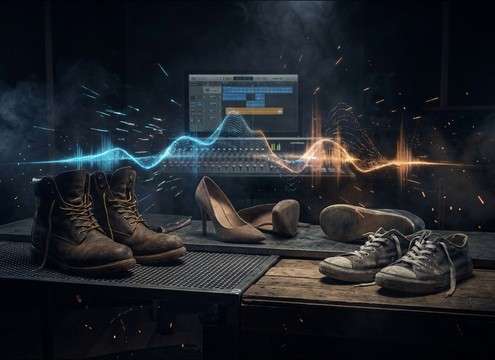


Popular Footstep Sound Effects Library

Pick a ready-made take when you just need believable steps now, or copy a prompt and regenerate versions that match your character, surface, and camera distance.

How to Generate Your Own
Footstep Sound Effects

Can't find what you're looking for? Easily create custom AI sounds. Simply describe your needs, and our AI will craft the perfect sound effect for you — no audio production skills required. Go from a blank idea to a downloadable WAV in under a minute.

1

Describe the footsteps

Type a prompt for surface, footwear, pace, and perspective (for example: boots on gravel, close mic, slow walk).

2

Pick duration & variants

Choose 5s, 10s, or 20s, then set how many variations you want to generate in one run.

3

Generate and preview

Click Generate, listen to each result, and keep the take with the right rhythm, texture, and tail.

4

Download WAV and use

Export your selected version as a WAV file and drop it into videos, games, apps, podcasts, or commercial projects.

What Can You Use These Footstep Sound Effects For?

Creators in every field are using our royalty-free audio to set the perfect mood.

Replacing production audio with clean walking footsteps in a dialogue scene

ADR walk replacement

Replace noisy production footsteps with clean heel-toe hits that match the actor's stride and camera distance.

First-person hallway walk with rhythmic footsteps and room reflections

POV corridor movement

Sell first-person motion using centered steps, consistent cadence, and a controlled hallway tail.

Quiet stealth footsteps approaching a door in a dark interior

Stealth approach beats

Use quiet carpet or soft-soled steps to build tension without masking whispers or breathing.

Creaky wooden stair footsteps for a suspense scene

Staircase suspense

Add creaks and uneven timing for suspenseful climbs, landings, and pause moments on steps.

Running footsteps on gravel during an outdoor chase sequence

Outdoor chase inserts

Cut in gravel, dirt, or snow impacts for sprint inserts that read clearly even under music.

Different characters walking with distinct shoe types and footstep textures

Character footwear identity

Differentiate characters with distinct textures: heels, boots, sneakers, or heavy work shoes.

Layered background footsteps for a hallway crowd pass-by

Crowd pass-by layers

Layer multiple light steps with varied distance and stereo width to suggest a passing group.

Short footstep cues used as interaction feedback in an app scene

UI/notification movement cues

Use short step accents as movement confirmations in interactive stories or app scenes.

Why Choose Media.io for Footstep Generator?

See exactly why creators, developers and studios choose our AI audio generator over all others.

Prompt controls for choosing footstep surface texture

Surface-specific prompts

Dial in wood, tile, concrete, gravel, snow, mud, or carpet so the texture matches what's on screen.

Distance control for close vs distant footsteps with different room tails

Distance and space control

Generate close Foley or distant passes with more room tone and a longer tail for believable perspective.

Cadence options for walking and running footstep patterns

Cadence that matches blocking

Set slow walk, brisk walk, run, stop-start, or approach-and-pass patterns to fit the edit.

Clean transient footsteps for precise editing and syncing

Cleaner transients for cutting

Get steps with defined attacks that cut through dialogue, then trim and place them quickly on frame.

Multiple footstep variations generated for quick selection

Batch variations in one click

Generate multiple takes at once to pick the best rhythm, intensity, and decay without hunting libraries.

WAV download output for footstep sound effects

Download-ready WAV output

Export WAV for immediate use in your timeline, game engine, or sound library workflow.

How to Choose and Prompt Footsteps That Match the Shot

Footsteps feel "wrong" when the surface, pacing, or space doesn't match the picture. Use the library to grab an instant fit, or generate custom takes by prompting for what the camera would hear: footwear, material, stride pattern, and how reflective the location is. The tips below help you get steps that sync faster and sit naturally under dialogue and music.

Match the surface texture first

Viewers forgive slightly different shoes, but they notice the wrong ground. Pick the material that produces the right transient and debris: tile slap, wood knock, gravel crunch, or snow crumble.

  • Say the surface explicitly: "ceramic tile," "old wood boards," "loose gravel," "dry snow"
  • Add texture words: "gritty," "dusty," "wet," "crunchy," "damped"
  • Avoid mixed materials in one prompt unless the shot changes ground

Set footwear, weight, and stride

Footwear changes the attack and low-end. Heels give a sharp click, boots add thump, sneakers add soft rubber and occasional squeak. Stride length and intent set the rhythm your edit needs.

  • Use cues like "light steps," "heavy steps," "careful tiptoe," or "urgent run"
  • Specify heel-toe vs flat: "distinct heel attack," "soft sole impact"
  • If syncing is hard, request "steady cadence" or "stop-start pauses"

Choose perspective: close Foley vs distant pass

Camera distance and location shape the tail. Close steps should be tight with minimal ambience; distant steps should lose high-end and gain room tone and reflections.

  • Prompt distance: "close mic," "mid distance," or "distant down the hall"
  • Name the space: "narrow hallway," "small room," "open outdoors"
  • For distant takes, ask for "longer decay tail" and "subtle stereo width"

Edit quickly: timing, gaps, and consistency

Even a perfect step sounds fake if it's late, too loud, or inconsistent across cuts. Pick takes with predictable transients, then nudge and trim to match foot contact and pace changes.

  • Align the strongest transient to heel strike or sole contact on frame
  • Keep loudness consistent across angles; swap to softer variants for wider shots
  • Avoid overlong tails that smear into dialogue—choose drier steps when needed

Frequently Asked Questions About
Footstep Sound Effects

Everything you need to know before downloading or generating your first sound.

Can I download these footsteps as WAV, and are they OK for commercial use?

You can export the selected footstep clips as WAV for your project. For commercial use suitability and any attribution requirements, follow the license and usage notes shown in the download flow in Media.io for the specific asset you export.

How do I pick the right footsteps for wood vs tile vs gravel?

Start with the surface that matches the shot because it drives the transient and texture: tile has sharp slaps and reflections, wood has warmer knocks and occasional creaks, and gravel has crunchy debris scatter. If your scene is outdoors, keep the tail short and rely on texture rather than room reflections.

What should I include in an AI footstep prompt to get a usable result?

Include four details: surface (wood/tile/concrete/snow), footwear (boots/heels/sneakers), pace (slow walk/brisk walk/run), and perspective (close mic/distant hallway). If you need it to cut cleanly, add "clean attack" and "low noise floor"; if it needs space, add "room tone" and "short/long decay."

How do I sync footsteps to a walking shot without it feeling off-beat?

Choose a take with consistent cadence and clearly defined attacks, then place each transient on the exact foot contact frames. If the actor speeds up or pauses, switch to a different variation for that moment instead of time-stretching heavily, which can smear the texture.

Are these footstep sound effects free to download?

Yes. You can preview and download the AI-generated footstep sound effects as WAV files and use them in personal or commercial projects.

Can I copy the prompt used for each sound?

Yes. Open any sound row to view the prompt, copy it, adjust the wording and generate a custom variation that better matches your scene.

Related Free Sound
Effect Categories

Explore other AI-generated sound libraries from Media.io

sound

Rain Sound Effects

10+ free sounds
sound

Thunder Sound Effects

10+ free sounds
sound

Farts Sound Effects

10+ free sounds
sound

Car Crash Sounds

10+ free sounds
sound

Explosion Sound Effects

10+ free sounds
sound

Gunshot Sound Effects

10+ free sounds
sound

Pistol Sound Effects

10+ free sounds
sound

AI Horror Sound Effects

10+ free sounds
sound

AI Forest Sound Effects

10+ free sounds
sound

AI Dog Whistle Sound

10+ free sounds
sound

AI Ding Sound

10+ free sounds
sound

Phone Ring Sound

10+ free sounds
media.io

AI Video Generator star

Easily generate videos from text or images

Generate
