












Popular Doorbell Sound Effects Library

Pick a ready-made chime, buzzer, or intercom ring, or copy the prompt to regenerate the same idea with different pitch, spacing, and room feel.

How to Generate Your Own
Doorbell Sound Effects

Cannot find the perfect doorbell sound effect you need? Generate custom AI doorbell audio effortlessly. Describe the style, such as bright UI ding, soft reminder bell, classroom chime, success alert, and Media.io AI builds tailored doorbell sound effects instantly. No audio editing experience needed. Turn your concept into a royalty-free, high-quality downloadable WAV doorbell clip in under 60 seconds.

1

Describe the doorbell

Type a prompt for the chime you need, like two-tone ding-dong, digital wireless melody, or a harsh apartment buzzer, plus any space notes.

2

Pick length and takes

Choose 5s, 10s, or 20s and select how many variations you want so you can quickly compare different rhythms and tones.

3

Generate and audition

Click Generate, preview each result, and keep the version with the cleanest transient, the right tail length, and the best timing for your cut.

4

Download WAV and use

Download the WAV file and drop it into your video timeline, app prototype, audio drama scene, or commercial project without extra conversion steps.

What Can You Use These Doorbell Sound Effects For?

Creators in every field are using our royalty-free audio to set the perfect mood.

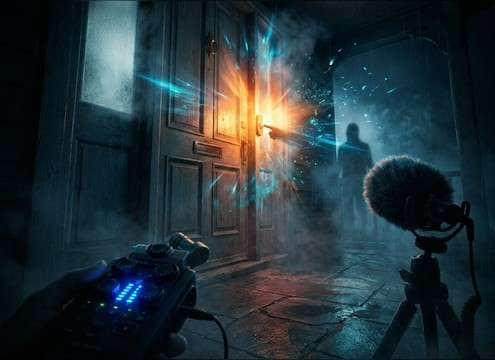
Doorbell sound synced to a front door scene cut

Scene cut-ins

Hit the exact moment someone arrives, with a chime that matches the room size and distance in the shot.

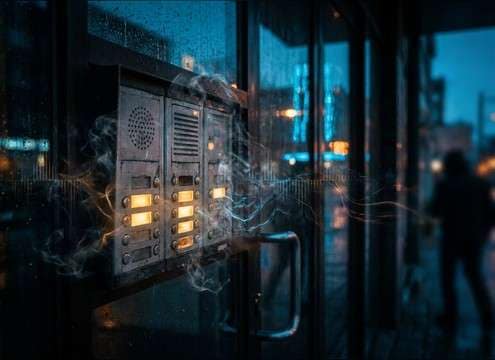
Intercom door buzzer sound for apartment entry scene

Apartment intercom

Use buzzer and ring patterns that feel like shared-building hardware, including short pauses and light handset noise.

Smart home doorbell notification sound in an app demo

Smart doorbell notifications

Add clean, low-mask pings that read instantly during UI walkthroughs and do not fight voiceover.

Doorbell interrupting a comedic moment

Comedy timing

Choose a slightly too-loud ding or a long chime tail to underline a punchline or a sudden visit.

Distant doorbell sound in a suspense hallway scene

Horror tension

Swap in a dull, distant chime with extra room tone so the doorbell feels unsettling rather than cheerful.

Single ding bell sound for a shop counter moment

Retail counter

Use short single-hit dings that signal attention without sounding like a phone notification.

Doorbell sound for security camera style footage

Security camera reenactments

Pair a realistic chime with the perspective of a foyer or hallway to match door-cam visuals.

Doorbell sound effect placed under dialogue in audio drama

Audio drama entrances

Pick chimes with clear attack and controlled decay so dialogue remains intelligible when the doorbell hits.

Why Choose Media.io for Doorbell Sound Generator?

See exactly why creators, developers and studios choose our AI audio generator over all others.

Prompt field controlling doorbell chime style

Prompt control for chime type

Media.io for Doorbell Sound Generator lets you specify ding-dong vs single ding, digital melody vs buzzer, and how many repeats you want.

Doorbell sound generator with distance options

Scene-matched space and distance

Ask for close mic, hallway distance, or a small-room ring so the tail and reflections fit what viewers see.

Multiple doorbell variations listed for audition

Fast variations for timing

Generate multiple takes to find the best rhythm and pause length for your exact cut, entrance, or notification cadence.

Previewing doorbell sound effect before download

Preview before you download

Audition each result and keep only the clean version with the right transient and decay, without committing to a full export.

WAV doorbell sound effect ready for editing

WAV output for clean edits

Download WAV so you can trim, fade, EQ, or duck under dialogue without added artifacts from extra conversions.

Consistent doorbell sound set created from prompts

Made for repeated use

Create a consistent doorbell identity across episodes or app screens by reusing and tweaking prompts for a cohesive sound set.

How to Pick and Prompt Doorbell Sounds That Fit the Scene

Doorbells are short, attention-grabbing transients, so the wrong pitch or tail can feel fake fast. When browsing clips or writing a prompt, focus on the chime pattern, how present the room is, and whether you need a clean UI-style ping or a physical bell with mechanical texture. Use the tips below to get a doorbell that reads instantly and sits well under dialogue.

Choose the chime pattern first

Most edits need a clear signal: single ding, two-tone ding-dong, or a repeating intercom pattern. Lock the rhythm before you worry about tone, so the sound lands exactly where the character reacts.

  • For realistic homes, try: two-tone ding-dong with a short second note
  • For apartment entries, try: repeating buzzer bursts with small pauses
  • For product demos, try: single ping with a tight stop

Match the space using tail and room tone

A doorbell in a foyer behaves differently than one heard from a kitchen. If the picture shows distance, ask for softer highs and more reflections. If the shot is close, keep the tail controlled and the noise floor low.

  • Close perspective: crisp attack, short decay, minimal ambience
  • Hallway distance: slightly muffled, longer tail, audible room tone
  • Hard surfaces: brighter reflections and a clearer ring-out

Decide between mechanical and digital texture

Wired bells and older chimes often have a little mechanism click or strike noise. Smart doorbells can lean more like a UI sound with cleaner envelopes. Pick the texture that matches the prop on screen.

  • Vintage doorbell: add striker click or coil buzz detail
  • Wireless chime: cleaner harmonics and a controlled stereo image
  • Intercom: slight hiss and hardware grit, not glossy

Avoid the common doorbell giveaways

Doorbells fail when they are too long, too wet with reverb, or pitched like a phone notification. Keep the transient clear, the tail believable, and the level easy to duck under speech.

  • Avoid overly musical melodies unless the scene calls for it
  • Avoid huge reverb tails that do not match the room
  • Avoid heavy low-end rumble that masks dialogue

Frequently Asked Questions About
Doorbell Sound Effects

Everything you need to know before downloading or generating your first sound.

Can I download doorbell sounds as WAV files?

Yes. After you preview a clip or generate a variation, you can download it as a WAV so it stays easy to trim, fade, and level-match in your editor.

Which doorbell sound fits an apartment intercom scene?

Look for a repeating ring or buzzer pattern with short pauses, a slightly gritty midrange texture, and a quick cutoff. If it sounds too clean or melodic, it will read like a smart home chime instead of shared-building hardware.

How do I choose between close and distant doorbell takes?

Close takes have a sharper transient and less room tone, so they feel like you are near the door. Distant takes should soften the highs and add a longer tail or hallway reflections so the sound feels like it is coming from another room.

What prompt details help generate a believable ding-dong?

Specify the chime pattern (two notes), the pitch range (bright or warm), the tail length (short or medium decay), and the space (dry, small room, or hallway distance). If needed, add a note like "no background noise" for a cleaner result.

Are these doorbell sound effects free to download?

Yes. You can preview and download the AI-generated doorbell sound effects as WAV files and use them in personal or commercial projects.

Can I copy the prompt used for each sound?

Yes. Open any sound row to view the prompt, copy it, adjust the wording and generate a custom variation that better matches your scene.

Related Free Sound
Effect Categories

Explore other AI-generated sound libraries from Media.io

sound

Rain Sound Effects

10+ free sounds
sound

Thunder Sound Effects

10+ free sounds
sound

Farts Sound Effects

10+ free sounds
sound

Car Crash Sounds

10+ free sounds
sound

Explosion Sound Effects

10+ free sounds
sound

Gunshot Sound Effects

10+ free sounds
sound

Pistol Sound Effects

10+ free sounds
sound

AI Horror Sound Effects

10+ free sounds
sound

AI Forest Sound Effects

10+ free sounds
sound

AI Dog Whistle Sound

10+ free sounds
sound

AI Ding Sound

10+ free sounds
sound

Phone Ring Sound

10+ free sounds
media.io

AI Video Generator star

Easily generate videos from text or images

Generate
