











Popular Keyboard Sound Effects Library

Pick a ready-to-use typing clip, or copy a prompt to generate a new take with different cadence, switch feel, and room tone. Each item below is tuned to be easy to place on UI shots, screen recordings, and dialogue scenes without harsh masking.

How to Generate Your Own
Keyboard Sound Effects

Cannot find the perfect keyboard sound effect you need? Generate custom AI keyboard audio effortlessly. Describe the style, such as short clean cue, cinematic hit, subtle background layer, branded UI alert, and Media.io AI builds tailored keyboard sound effects instantly. No audio editing experience needed. Turn your concept into a royalty-free, high-quality downloadable WAV keyboard clip in under 60 seconds.

1

Describe the keystrokes

Type a prompt for the keyboard you want: mechanical vs laptop, fast vs slow cadence, close vs distant perspective, and how clean the background should be.

2

Pick length and takes

Choose 5s, 10s, or 20s, then set how many variations you want so you can quickly compare different rhythms and textures.

3

Generate and preview

Click Generate, listen to each result, and keep the version with the best attack, tail, and room tone for your scene.

4

Download WAV and place

Download your WAV file and drop it into videos, apps, games, podcasts, or commercial projects, then trim or loop it to match the edit.

What Can You Use These Keyboard Sound Effects For?

Creators in every field are using our royalty-free audio to set the perfect mood.

Keyboard click sound for app UI keypress feedback

UI keypress feedback

Add short, consistent clicks for on-screen keyboards, login fields, and settings screens without harsh high-end spikes.

Fast typing keyboard sound for coding montage

Coding montage scenes

Match rapid typing bursts to quick cuts, with crisp transients that read as energetic without overpowering music.

Background office keyboard typing sound under dialogue

Office dialogue texture

Layer low-intensity typing behind conversations using softer attacks and light room tone so it stays believable and unobtrusive.

Laptop keyboard typing sound for tutorial screen recording

Screen recording tutorials

Use clean laptop taps to reinforce shortcuts and commands, keeping the noise floor low for voiceover clarity.

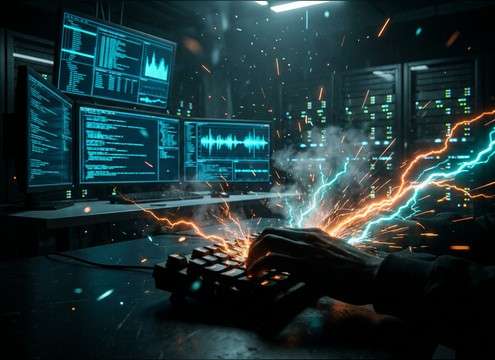
Intense mechanical keyboard sound for hacker terminal scene

Hacker terminal moments

Swap in aggressive mechanical clacks for tense terminal typing, then regenerate takes until the cadence matches the on-screen action.

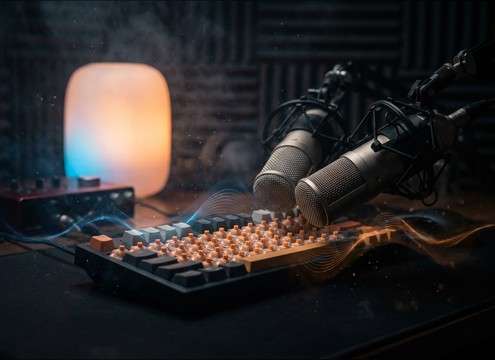
Close mic ASMR keyboard typing sound effect

ASMR typing content

Choose close-mic textures with controlled decay and wide stereo detail for satisfying, intimate keystrokes.

Typing indicator keyboard sound for game chat

In-game chat typing

Use short loops or bursts to indicate players typing in chat, with light dynamics so it does not mask voice comms.

Keyboard enter key and typing sound for device login

Device setup

Pair enter key confirms and short typing sequences with product setup screens for a tactile, responsive feel.

Why Choose Media.io for Keyboard Sound Generator?

See exactly why creators, developers and studios choose our AI audio generator over all others.

Prompt controls for mechanical and laptop keyboard sounds

Prompt control for keyboard feel

Steer the Keyboard Sound Generator with plain language: switch style, key weight, typing speed, and how bright or muted the clicks should be.

Crisp transient keyboard clicks with low noise

Clean attacks that read on screen

Generate keystrokes with crisp transients and a controlled noise floor, so the sound stays clear even under narration or music.

Adjust typing cadence by regenerating variations

Cadence matching in seconds

Regenerate until the rhythm fits your edit, from sparse command taps to dense typing runs, without manually cutting dozens of hits.

Close vs distant keyboard typing sound perspective

Perspective and room tone options

Dial in close-mic detail for UI, or add distance and subtle reflections for scenes set in offices, bedrooms, or open rooms.

Preview and download keyboard sound effects as WAV

Preview first, then download WAV

Audition results quickly, keep the best take, and export a WAV you can drop straight into your timeline or sound library.

Royalty-free keyboard typing sound downloads

Royalty-free clips for real projects

Grab ready-to-use keyboard sounds for content creation and production workflows, then generate alternates when you need a different texture.

How to Prompt Keyboard Clicks That Fit the Cut

Keyboard SFX can either sell the action or turn into distracting tick noise. Use the library items when you need instant results, or write prompts that specify keyboard type, cadence, perspective, and how much tail you want. The goal is simple: clear attacks for visibility, controlled decay for mix, and a pace that matches what the viewer sees.

Choose the keyboard type and tone

Start by naming the physical feel you want. Mechanical boards tend to have brighter clicks and a thicker clack, while laptops read as softer taps with less low-end. Adding one tonal adjective helps the generator avoid harshness or dullness.

  • Use terms like clicky, tactile, or muted to steer brightness
  • Call out plastic clack vs soft tap to control texture
  • Ask for low background noise if it must sit under voice

Set pace and intention

Typing is storytelling: a few deliberate taps feels like entering a password, while a dense run feels like coding or frantic searching. Specify pace and spacing so the rhythm matches the on-screen hands or cursor movement.

  • Specify slow, steady, rapid burst, or frantic mashing
  • Mention occasional enter key or spacebar accents when needed
  • Ask for consistent dynamics if you plan to loop it

Control distance and tail

Perspective changes everything. Close-mic typing emphasizes detail and stereo width, while distant typing smooths transients and adds room tone. Tell the generator how present the sound should be and how long the decay can linger.

  • Close mic for UI and screen recordings where clarity matters
  • Distant room perspective for dialogue scenes and wide shots
  • Request short tight tail to avoid clutter between lines

Avoid common keyboard SFX mistakes

The biggest issues are brittle highs, uneven spikes, and backgrounds that draw attention. A small tweak in the prompt usually fixes it faster than post-processing.

  • Avoid overly sharp highs if it will stack with sibilant dialogue
  • Avoid random loud hits when you need predictable rhythm
  • Avoid heavy room echo unless the scene clearly shows the space

Frequently Asked Questions About
Keyboard Sound Effects

Everything you need to know before downloading or generating your first sound.

Can I download and use these keyboard sounds in commercial projects?

The clips on this page are intended to be royalty-free for downloads and usable in commercial workflows. If you have a specific distribution scenario, review the license details shown in your Media.io workspace before publishing.

How do I get a softer laptop typing sound instead of loud mechanical clacks?

In your prompt, specify laptop or chiclet keyboard, soft taps, muted highs, and very low room tone. If the attack still feels too sharp, regenerate with terms like rounded transient or gentle click.

What should I prompt for a believable typing loop?

Ask for a steady cadence designed as a loop, consistent dynamics, minimal random spikes, and subtle room tone. Then choose 10 seconds or 20 seconds so you have enough variation to loop cleanly in your editor.

My typing SFX masks dialogue. What is the quickest fix?

Pick a quieter take with softer transients and shorter decay, then lower it a few dB and trim gaps around spoken lines. If you regenerate, request low presence, reduced high-end, and a tight tail to keep it out of the dialogue range.

Are these keyboard sound effects free to download?

Yes. You can preview and download the AI-generated keyboard sound effects as WAV files and use them in personal or commercial projects.

Can I copy the prompt used for each sound?

Yes. Open any sound row to view the prompt, copy it, adjust the wording and generate a custom variation that better matches your scene.

Related Free Sound
Effect Categories

Explore other AI-generated sound libraries from Media.io

sound

Rain Sound Effects

10+ free sounds
sound

Thunder Sound Effects

10+ free sounds
sound

Farts Sound Effects

10+ free sounds
sound

Car Crash Sounds

10+ free sounds
sound

Explosion Sound Effects

10+ free sounds
sound

Gunshot Sound Effects

10+ free sounds
sound

Pistol Sound Effects

10+ free sounds
sound

AI Horror Sound Effects

10+ free sounds
sound

AI Forest Sound Effects

10+ free sounds
sound

AI Dog Whistle Sound

10+ free sounds
sound

AI Ding Sound

10+ free sounds
sound

Phone Ring Sound

10+ free sounds
media.io

AI Video Generator star

Easily generate videos from text or images

Generate
