















Popular Foley Sound Effects Library

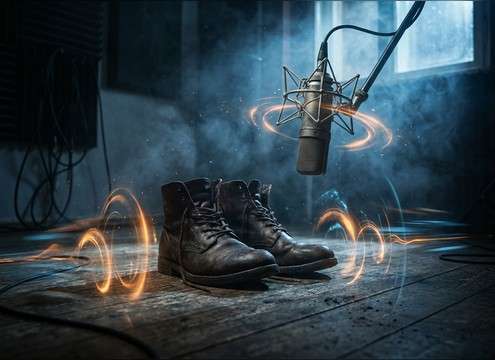
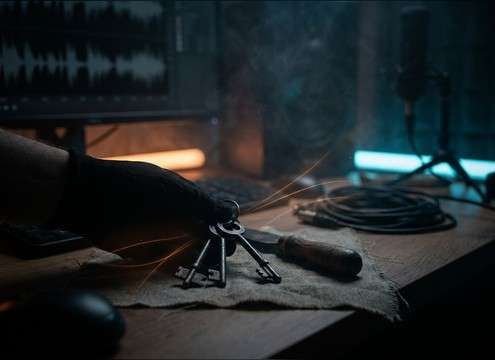
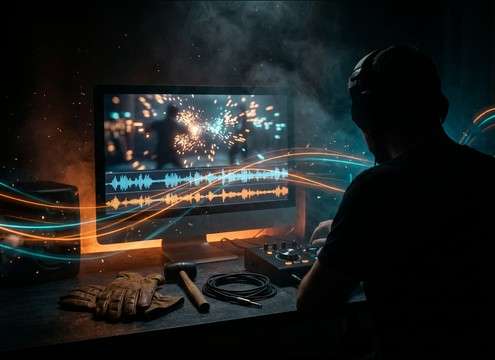
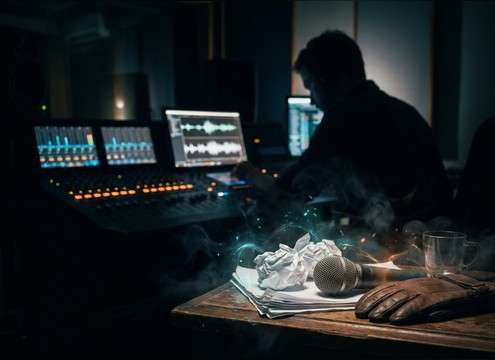
These ready-to-use foley picks focus on tactile detail: clear attack, believable handling noise, and tails that won't swamp dialogue. Copy a prompt to generate near-mic "dry" takes, widen stereo for a bigger room, or request softer transients for delicate on-screen actions.

How to Generate Your Own
Foley Sound Effects

Can't find what you're looking for? Easily create custom AI sounds. Simply describe your needs, and our AI will craft the perfect sound effect for you — no audio production skills required. Go from a blank idea to a downloadable WAV in under a minute.

1

Describe the action

Type a clear prompt for the foley you need (object, surface, intensity, and whether it should feel close and dry or slightly roomy).

2

Pick length and takes

Choose 5s, 10s, or 20s, then set how many variations you want so you can audition different textures quickly.

3

Generate and preview

Click Generate, listen to each result, and keep the version with the best attack, tail, and noise level for your scene.

4

Download WAV to use

Export the chosen sound as a WAV file and drop it into your timeline for videos, apps, games, podcasts, or commercial projects.

What Can You Use These Foley Sound Effects For?

Creators in every field are using our royalty-free audio to set the perfect mood.

Foley footsteps placed under a dialogue scene on a timeline

Footsteps under dialogue

Add believable shoe and floor detail that stays out of the way of speech by choosing lighter transients and shorter tails.

Close-up prop handling foley for a product close-up

Prop handling

Match hand movements in tight shots—keys, wallets, mugs, tools—by generating close-mic, low-room versions that cut through quietly.

Cloth rustle foley synced to a character turning

Cloth movement

Sell character motion with jacket swishes, denim creaks, and fabric rub that follows body turns without sounding like wind noise.

Animated character action with synced foley hits

Animation action sync

Create frame-accurate hits, taps, and grabs with exaggerated attack or tighter decay to fit stylized motion.

Audio repair workflow replacing missing handling sounds

ADR and production-audio

Replace missing on-set details (paper, chair shifts, hand movements) with clean foley that matches the scene's space.

App interface with tactile click and tap foley layers

UI that feels

Use subtle tactile foley (soft taps, small clicks, fabric touches) to make interface moments feel human and grounded.

VR hand interaction with object grab and drop foley

VR interaction cues

Reinforce grabs, inventory moves, and object drops with perspective-specific foley that reads instantly without being loud.

ASMR crafting scene with quiet paper and brush foley

ASMR craft textures

Generate gentle handling sounds—paper folds, brush strokes, packaging—optimized for low hiss and controlled dynamics.

Why Choose Media.io for Foley Generator?

See exactly why creators, developers and studios choose our AI audio generator over all others.

Text prompt selecting material details for foley generation

Prompt control for materials

Specify leather vs plastic, ceramic vs glass, or denim vs cotton to shape texture and brightness without hunting in huge libraries.

Perspective choices for close and room foley sound

Scene-matched perspective

Ask for close-mic dry takes or slightly distant room tone so the foley sits where the camera feels, not where the mic happened to be.

Regenerate button creating alternate foley takes

Fast re-roll for alternates

Regenerate quickly when a take is too sharp, too soft, or too noisy—keep the timing idea while changing the character of the sound.

Waveform with clear transient used for sync edits

Clean transients for sync

Get crisp start points that line up with picture edits, making it easier to cut footsteps, taps, and set-downs frame-accurately.

WAV download icon next to a foley clip

WAV export for editing

Download WAV files that are ready for trimming, fading, and layering in your DAW or NLE without extra conversion steps.

Duration selector showing 5s 10s and 20s options

Short durations that fit cuts

Generate 5s, 10s, or 20s clips so you can fill quick actions or longer movement passes without over-recording silence.

How to Choose and Prompt Foley That Syncs to Picture

Foley lives in the tiny details: what the object is, what it touches, and how close the listener feels. Use the library when you need something immediately, then refine with AI prompts by stating the action (drop, grab, slide), the surface/material, and the desired dryness or room tone. The goal is a readable transient for sync and a tail that matches the space without masking dialogue.

Name the object and surface

Foley changes dramatically with material and contact point. A "mug set-down" can be ceramic on stone, glass on wood, or metal on laminate—each has a different pitch, impact weight, and ring.

  • Include both object and surface: "ceramic mug on granite" beats "mug sound."
  • Call out size/weight: small, heavy, hollow, padded, rigid.
  • If you want no ring, say "damped" or "muted impact."

Control transient and tail

For editorial, the attack is what sells sync, while the tail decides whether the sound feels close, roomy, or washed out. Prompting these details helps the foley sit under speech and music.

  • Ask for a "crisp transient" for taps, clicks, and grabs that must hit the frame.
  • Choose tail length: "short dry tail" for tight cuts, "longer decay" for lingering actions.
  • Mention reflections when needed: "small room reflections" vs "no reverb."

Build believable movement passes

When a character moves, the sound is rarely one event—there's cloth, foot contact, and small prop bumps. A single cohesive pass can feel more real than many isolated one-shots.

  • Combine elements in one prompt: footsteps + cloth rustle + occasional bag bump.
  • Specify steadiness: "consistent pace" or "stop-start with pauses."
  • Keep noise controlled: request "low hiss" and "no heavy low-end rumble."

Avoid common foley pitfalls

The wrong foley draws attention fast. Overly wide stereo, excessive room tone, or exaggerated high-end can make a scene feel fake even if the timing is correct.

  • Avoid overly loud handling noise that masks dialogue consonants.
  • Skip long reverbs unless the scene is clearly in a big space.
  • Don't stack unrelated textures; keep materials consistent with what's on screen.

Frequently Asked Questions About
Foley Sound Effects

Everything you need to know before downloading or generating your first sound.

What counts as a foley sound effect vs a regular SFX?

Foley is performance-based sound: footsteps, cloth movement, and object handling that follows on-screen action. "Regular" SFX often covers designed or event sounds (impacts, whooshes, explosions). On this page, most clips are close, tactile actions meant to sync tightly to picture.

How do I prompt for more "close-mic" foley?

Add cues like "close-up," "dry," "minimal room tone," and "tight transient." If it still feels distant, regenerate and ask for a shorter tail or less ambience so the action reads right at the camera.

Can I download these foley sounds for free and use them commercially?

You can preview and download files from the page; usage rights depend on the license shown in Media.io at the time you export or download. Check the license/usage notice in your download flow before publishing a commercial project.

Are the downloads WAV, and can I edit them?

Yes—export as WAV so you can trim, fade, time-stretch lightly, or layer multiple takes in your editor or DAW. For the cleanest results, cut on zero crossings and use short fades to prevent clicks.

Are these foley sound effects free to download?

Yes. You can preview and download the AI-generated foley sound effects as WAV files and use them in personal or commercial projects.

Can I copy the prompt used for each sound?

Yes. Open any sound row to view the prompt, copy it, adjust the wording and generate a custom variation that better matches your scene.

Related Free Sound
Effect Categories

Explore other AI-generated sound libraries from Media.io

sound

Rain Sound Effects

10+ free sounds
sound

Thunder Sound Effects

10+ free sounds
sound

Farts Sound Effects

10+ free sounds
sound

Car Crash Sounds

10+ free sounds
sound

Explosion Sound Effects

10+ free sounds
sound

Gunshot Sound Effects

10+ free sounds
sound

Pistol Sound Effects

10+ free sounds
sound

AI Horror Sound Effects

10+ free sounds
sound

AI Forest Sound Effects

10+ free sounds
sound

AI Dog Whistle Sound

10+ free sounds
sound

AI Ding Sound

10+ free sounds
sound

Phone Ring Sound

10+ free sounds
media.io

AI Video Generator star

Easily generate videos from text or images

Generate
