












Popular Drop Sound Effects Library

These ready-to-use drops cover common props and surfaces, from tight close-mic thuds to ringing metal hits. Copy any prompt to generate new takes with different bounce, tail length, or room tone.

How to Generate Your Own
Drop Sound Effects

Cannot find the perfect drop sound effect you need? Generate custom AI drop audio effortlessly. Describe the style, such as short clean cue, cinematic hit, subtle background layer, branded UI alert, and Media.io AI builds tailored drop sound effects instantly. No audio editing experience needed. Turn your concept into a royalty-free, high-quality downloadable WAV drop clip in under 60 seconds.

1

Describe the drop

Type a prompt for the object, surface, and perspective, like phone on wood, keys on tile, or a distant drop in a hall.

2

Pick length and takes

Choose 5s, 10s, or 20s, then set how many variations you want so you can compare different impacts and tails.

3

Generate and preview

Click Generate, listen to each result, and keep the version with the right transient, bounce, and room tone for your scene.

4

Download WAV and use

Export the selected clip as a WAV file and drop it into your timeline for videos, games, apps, podcasts, or commercial projects.

What Can You Use These Drop Sound Effects For?

Creators in every field are using our royalty-free audio to set the perfect mood.

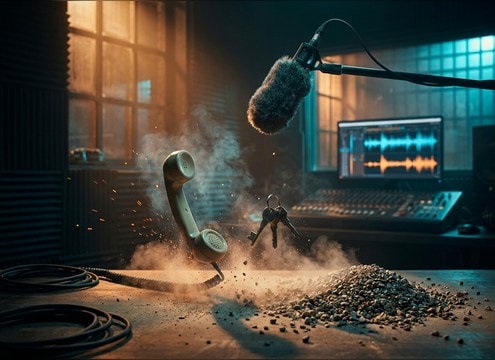
Foley editor syncing a phone drop to picture

Prop drops for

Match on-screen action like a phone slipping off a table, a glass set-down gone wrong, or keys tossed onto a counter.

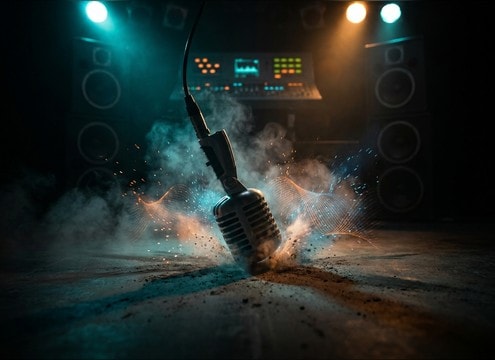
Mic drop sound timed to a punchline edit

Comedic mic drop

Add a punchy mic drop with a tight thud and controlled tail to land jokes, punchlines, or reaction cuts.

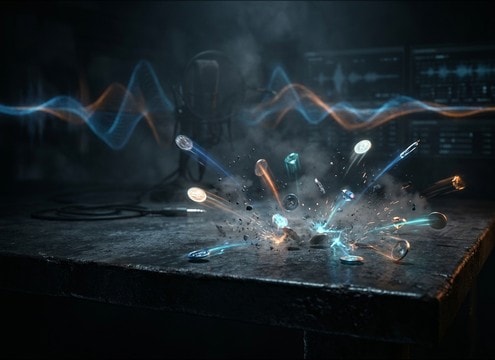
Game loot drop sound with a bright ping

Loot and pickup

Use short coin, gem, or item drops with clean transients so they read clearly over music and UI without masking dialogue.

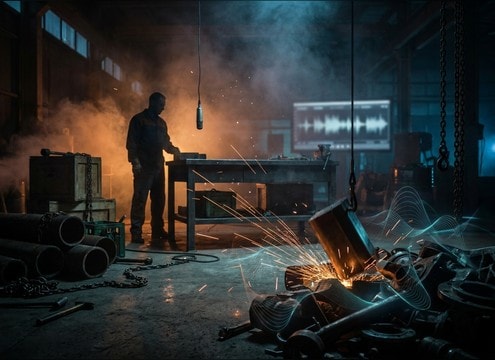
Metal part drop in a warehouse scene

Warehouse and workshop

Sell industrial scenes with metal parts dropping, pipe clanks, and heavier box slams that carry believable room reflections.

Product demo with a small accessory drop on desk

Tabletop product demos

Accentuate handling moments like placing accessories, dropping a cap, or a gadget bumping the desk for tactile realism.

Close-mic ASMR style key drop sound

ASMR object handling

Choose quieter drops with soft attacks and minimal room tone for close, intimate recordings that do not feel boomy.

Stop-motion scene with a tiny object drop accent

Stop-motion and clay

Pick slightly exaggerated impacts with fast decay so tiny movements still feel weighty and readable frame to frame.

App UI placing a tile with a short drop tap sound

UI drag-and-drop feedback

Use micro drop taps for placing cards, tiles, or files, keeping the transient crisp and the tail short for fast interfaces.

Why Choose Media.io for Drop Sound Generator?

See exactly why creators, developers and studios choose our AI audio generator over all others.

Prompt fields controlling drop material and surface

Drop Sound Generator prompt control

Describe object, surface, and distance to steer the attack, bounce count, and tail length without hunting through endless folders.

Audio preview list of drop impacts

Preview-first library workflow

Audition ready-made drops quickly, then regenerate variations when the cut needs a tighter transient or less room tone.

Icons representing plastic, metal, glass, and wood

Material and weight variations

Switch between plastic thuds, metal rings, glass clinks, or heavy slams so the texture matches what is on screen.

Distance slider affecting room reflections

Distance and space shaping

Create close, dry hits or more distant drops with reflections, helping your effects sit naturally in small rooms or large halls.

Grid of generated audio variations

Multiple takes in one click

Generate several options at once and pick the cleanest timing, stereo width, and decay for the moment you are cutting.

WAV download button next to a drop sound

Download-ready WAV for editing

Export WAV files that are easy to trim, fade, or layer under dialogue and music with predictable starts and ends.

How to Get the Right Drop Sound: Material, Surface, and Tail

A convincing drop is mostly about three choices: what fell (material and weight), what it hit (surface hardness), and how the space reacts (room tone and decay). Use the library to find a close match fast, then refine with prompts to control bounce count, brightness, and tail length so the impact lands exactly on the frame.

Start with the object and its weight

Heavier items read as lower and slower, with thicker low-mids and less ping. Small metal items have sharper transients and more ring. When prompting, name the object and add one weight cue so the attack and body feel right.

  • Use weight words: light, heavy, chunky, dense
  • Call out material: plastic, metal, glass, ceramic, wood
  • Specify if it is hollow or solid to shape resonance

Match the surface hardness and bounce

Surface changes the amount of click, snap, and bounce. Tile and concrete produce brighter transients; carpet and fabric soften the attack and shorten the tail. If your shot shows multiple bounces, prompt for a small scatter or a couple of rebounds.

  • Hard surfaces: tile, concrete, stone, metal sheet
  • Soft surfaces: carpet, couch, backpack, clothing
  • Add bounce detail: single hit, two bounces, scattered pieces

Control room tone, decay, and stereo width

A drop recorded close will feel dry and direct, while a hallway or warehouse adds reflections and longer decay. Choose a tail that does not step on dialogue. For wider scenes, ask for wider stereo or more reflections; for tight edits, keep it centered and short.

  • Close-mic: minimal room tone, tight decay
  • Large space: longer reflections, softer high end at distance
  • Keep tails short for fast cuts and UI timing

Common mistakes to avoid

Drop sounds often fail because they are too loud, too bright, or have a tail that keeps ringing into the next shot. Avoid unnatural distortion and overly busy debris unless the object truly scatters. When in doubt, choose a cleaner transient and shorten the tail with a tighter prompt.

  • Avoid excessive ring on non-metal objects
  • Do not let tails overlap dialogue or the next action
  • Skip clipped or distorted impacts unless it is intentional

Frequently Asked Questions About
Drop Sound Effects

Everything you need to know before downloading or generating your first sound.

What is the difference between a thud drop and a clang drop?

A thud is a softer, low-mid impact with a short decay (typical for plastic, wood, or padded surfaces). A clang has a sharper transient with a ringing tail and stronger resonance (typical for metal on hard surfaces). Pick based on material and how long you want the ring to linger in the scene.

How do I choose close vs distant drop sound effects?

Close drops have a crisp attack, less room tone, and a tighter tail, so they sync well to small on-screen actions. Distant drops soften the transient, add reflections, and extend the decay. If your shot is wide or in a large space, choose distant or prompt for more ambience and less high end.

Can I download these drop sound effects for commercial use?

Yes, you can preview and download the sounds as royalty-free assets for commercial projects. If you have a specific licensing requirement (like attribution or platform restrictions), review the license details shown in the download flow for your account.

Do you provide WAV downloads, and can I trim them easily?

You can download WAV files. For clean edits, trim just before the transient, add a tiny fade-in to prevent clicks, and fade out the tail so it does not overlap the next cut.

Are these drop sound effects free to download?

Yes. You can preview and download the AI-generated drop sound effects as WAV files and use them in personal or commercial projects.

Can I copy the prompt used for each sound?

Yes. Open any sound row to view the prompt, copy it, adjust the wording and generate a custom variation that better matches your scene.

Related Free Sound
Effect Categories

Explore other AI-generated sound libraries from Media.io

sound

Rain Sound Effects

10+ free sounds
sound

Thunder Sound Effects

10+ free sounds
sound

Farts Sound Effects

10+ free sounds
sound

Car Crash Sounds

10+ free sounds
sound

Explosion Sound Effects

10+ free sounds
sound

Gunshot Sound Effects

10+ free sounds
sound

Pistol Sound Effects

10+ free sounds
sound

AI Horror Sound Effects

10+ free sounds
sound

AI Forest Sound Effects

10+ free sounds
sound

AI Dog Whistle Sound

10+ free sounds
sound

AI Ding Sound

10+ free sounds
sound

Phone Ring Sound

10+ free sounds
media.io

AI Video Generator star

Easily generate videos from text or images

Generate
