













Popular Crowd Sound Effects Library

Pick a crowd reaction that matches your shot size—close applause, mid-room audience response, or distant stadium wash. Copy a prompt to regenerate cleaner takes, adjust how "full" the crowd feels, and choose a tail that won't fight dialogue or music.

How to Generate Your Own
Crowd Sound Effects

Can't find what you're looking for? Easily create custom AI sounds. Simply describe your needs, and our AI will craft the perfect sound effect for you — no audio production skills required. Go from a blank idea to a downloadable WAV in under a minute.

1

Write your crowd prompt

Type what you need (applause, chant, roar, murmur), plus details like intensity, distance, and indoor/outdoor space.

2

Pick length and variations

Choose 5s, 10s, or 20s and set how many versions you want so you can audition different crowd sizes and tails.

3

Generate and preview

Click Generate, listen to each result, and keep the take with the right energy, stereo width, and decay for your cut.

4

Download WAV and use

Download the WAV file and drop it into your timeline for videos, apps, games, podcasts, or commercial projects.

What Can You Use These Crowd Sound Effects For?

Creators in every field are using our royalty-free audio to set the perfect mood.

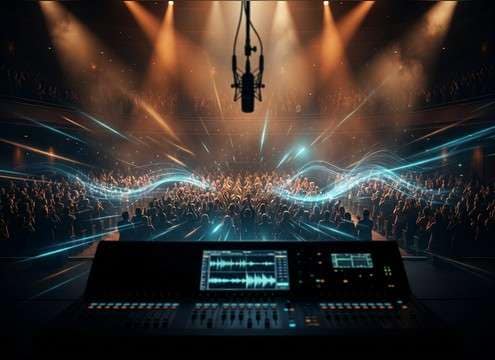
Crowd roar sound effect for a stadium goal scene

Stadium goal moment

Hit the exact frame of a score with a fast-attack cheer and a tail long enough to sell the wide shot.

Audience applause crowd sound for an awards stage

Awards show applause

Swap thin production audio with clean applause that has controlled reflections and no distracting whistles.

Studio audience crowd reaction sound for a sitcom cut

Sitcom studio audience

Add short claps, chuckles, and reaction bursts that sit under dialogue without heavy masking.

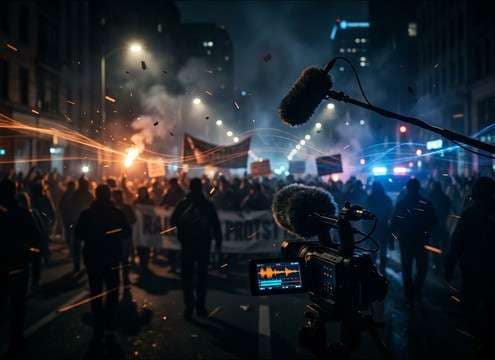
Distant rally crowd ambience for documentary scenes

Rally and protest

Build believable street energy with distant chants, megaphone-like tone hints, and a steady ambience layer.

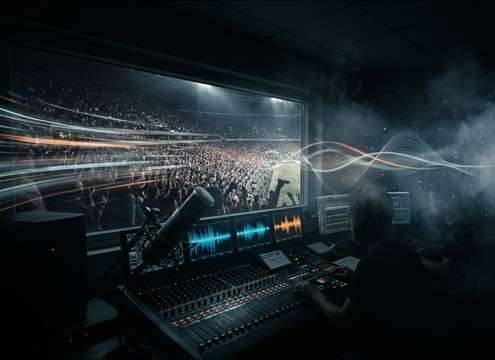
Sports crowd ambience bed for broadcast transitions

Sports broadcast transitions

Use mid-distance crowd wash as a consistent bed between commentary lines and highlight packages.

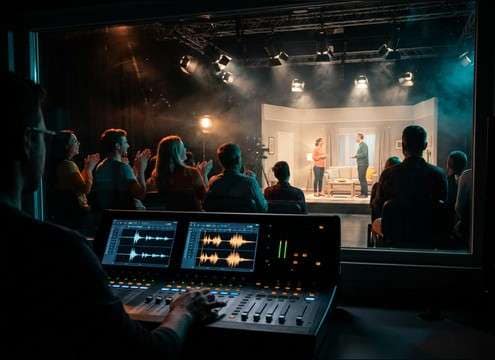
Theater audience crowd reaction sound effect

Theater audience reactions

Choose polite claps, big ovations, or quick gasps with room tone that matches a seated hall space.

Theme park crowd murmur ambience loop

Theme park ambience

Create a family-friendly crowd murmur that loops cleanly and keeps peaks low for long scenes.

Rising crowd cheer sound for trailer build

Trailer hype swells

Use rising cheers as a build layer under music, then cut to a punchy roar for the title reveal.

Why Choose Media.io for Crowd Generator?

See exactly why creators, developers and studios choose our AI audio generator over all others.

Prompt controls for crowd size and density

Prompt control for crowd size

Specify "small room," "packed arena," or "distant street" to steer density, loudness, and texture.

Distance options for close versus distant crowd sound

Distance and perspective shaping

Ask for close, mid, or far perspectives to adjust transients, detail, and perceived space.

Crowd sound decay and tail control

Tail and decay matching

Generate short or long tails so your applause or roar ends cleanly on a cut or plays under a scene.

Stereo width control for crowd ambience

Stereo width options

Dial in narrow mono-like beds for dialogue scenes or wide images for stadium and hall shots.

Regenerate crowd sounds to get alternate takes

Fast regeneration for alternates

Regenerate quickly to avoid repeating patterns and find a take with cleaner peaks or smoother motion.

Preview crowd sound effects before download

Preview-first workflow

Listen before downloading so the crowd energy, tone, and room feel fit your scene immediately.

How to Choose or Prompt the Right Crowd Sound

Crowds can read as "fake" fast if the energy level, distance, and tail don't match the camera and the space. Use the tips below to pick a clip from the library or write a prompt that produces the right density and motion—without harsh peaks that fight dialogue or music.

Match the crowd energy to the action

Start by deciding whether you need a steady bed (murmur/ambience) or a punctuated event (cheer, clap burst, gasp). Event reactions usually need a defined attack; ambience needs even motion and fewer spikes.

  • Use "murmur" or "low crowd bed" for continuous backgrounds
  • Use "big cheer" or "standing ovation" for moment-driven cuts
  • Add "no whistles, no vuvuzelas" if you want a cleaner tone

Set distance, space, and reflections

Perspective is the difference between "on the field" and "from the hallway." Close crowds have more transient detail; distant crowds smear and soften. Indoor spaces add early reflections and audible room tone.

  • Try "close mic, crisp claps, short room" for tight shots
  • Try "mid-distance, hall reflections" for theater and awards
  • Try "distant wash, softened highs" for exterior wide shots

Choose tails that cut cleanly

A long decay can feel cinematic, but it can also step on the next line of dialogue. For applause and cheers, decide if you need a fast stop, a natural fade, or a sustained bed you can crossfade.

  • Ask for "short decay" when you need a quick button ending
  • Ask for "natural long tail" when the shot holds on the crowd
  • For looping beds, request "loop-friendly start and end"

Avoid common crowd SFX giveaways

Crowd recordings often fail because they're too bright, too repetitive, or have a single standout voice. If your mix already has narration or music, you'll usually want smoother mids and controlled peaks.

  • Avoid "individual shouts clearly audible" unless it's story-driven
  • Avoid harsh high-end if it makes sibilance in the mix
  • Avoid overly constant maximum loudness; add "natural variation"

Frequently Asked Questions About
Crowd Sound Effects

Everything you need to know before downloading or generating your first sound.

What types of crowd sounds are included here?

You can generate or pick crowd murmurs, applause bursts, rising cheers, chants, gasps, indoor audience reactions, and distant stadium or rally ambience—each suited to different camera distances and scene pacing.

How do I make a crowd sound distant instead of close?

In your prompt, specify "distant" or "far away," reduce detail ("softened transients"), and add space cues like "outdoor wash" or "hall reflections." If it still feels close, regenerate with narrower stereo and less high-end presence.

Which duration should I choose: 5s, 10s, or 20s?

Use 5s for quick reactions (gasp, clap burst, short cheer), 10s for a build or longer applause moment, and 20s for continuous crowd beds you can loop or crossfade under a full scene.

Can I download crowd sound effects for commercial use?

Yes—download the WAV from Media.io and use it in commercial projects when your intended use fits the license shown in the product. If you need a specific clearance scenario, check the license details before publishing.

Are these crowd sound effects free to download?

Yes. You can preview and download the AI-generated crowd sound effects as WAV files and use them in personal or commercial projects.

Can I copy the prompt used for each sound?

Yes. Open any sound row to view the prompt, copy it, adjust the wording and generate a custom variation that better matches your scene.

Related Free Sound
Effect Categories

Explore other AI-generated sound libraries from Media.io

sound

Rain Sound Effects

10+ free sounds
sound

Thunder Sound Effects

10+ free sounds
sound

Farts Sound Effects

10+ free sounds
sound

Car Crash Sounds

10+ free sounds
sound

Explosion Sound Effects

10+ free sounds
sound

Gunshot Sound Effects

10+ free sounds
sound

Pistol Sound Effects

10+ free sounds
sound

AI Horror Sound Effects

10+ free sounds
sound

AI Forest Sound Effects

10+ free sounds
sound

AI Dog Whistle Sound

10+ free sounds
sound

AI Ding Sound

10+ free sounds
sound

Phone Ring Sound

10+ free sounds
media.io

AI Video Generator star

Easily generate videos from text or images

Generate
