











Popular Camera Shutter Sound Effects Library

These presets focus on the details editors notice: click attack, mechanical body noise, tail length, and how much room reflection sits behind the transient. Copy a prompt to regenerate similar takes, or tweak it to match your scene (close-up, distant, quiet museum, or energetic shoot).

How to Generate Your Own
Camera Shutter Sound Effects

Can't find what you're looking for? Easily create custom AI sounds. Simply describe your needs, and our AI will craft the perfect sound effect for you — no audio production skills required. Go from a blank idea to a downloadable WAV in under a minute.

1

Describe the shutter

Type a prompt describing the camera style (DSLR, mirrorless, film), distance, and room feel you want for the shutter sound.

2

Choose length and takes

Select 5s, 10s, or 20s, then set how many variations you want to generate in one run.

3

Generate and preview

Click Generate, listen to each result, and keep the take with the best transient, tail, and ambience for your cut.

4

Download WAV and use

Download the WAV file and drop it into photo montages, on-screen camera scenes, apps, podcasts, or commercial projects.

What Can You Use These Camera Shutter Sound Effects For?

Creators in every field are using our royalty-free audio to set the perfect mood.

Camera shutter sound timed to photo montage cuts

Photo montage beats

Place single clicks on cut points or transitions so each image change feels intentional, not silent.

BTS video with added camera shutter foley

Behind-the-scenes shoots

Add realistic shutter clicks to BTS footage when production audio is muffled or missing.

Actor holding a camera with synced shutter sound

On-screen camera props

Match a character's camera action with a close or distant shutter depending on the framing.

Runway scene with burst camera shutter clicks

Fashion runway capture

Use burst sequences to sell the feel of press photographers without overwhelming dialogue.

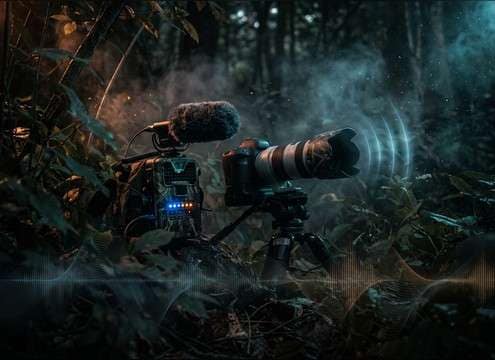
Wildlife scene with subtle camera shutter sound

Wildlife documentary snaps

Choose restrained clicks with minimal handling noise to keep nature ambience believable.

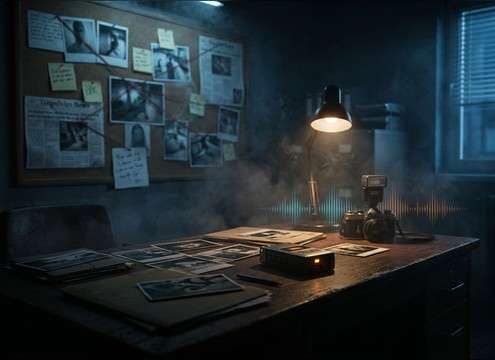
Evidence photo insert with neutral shutter click

True-crime evidence photos

A controlled, dry shutter click can underscore still-photo inserts without sounding cinematic.

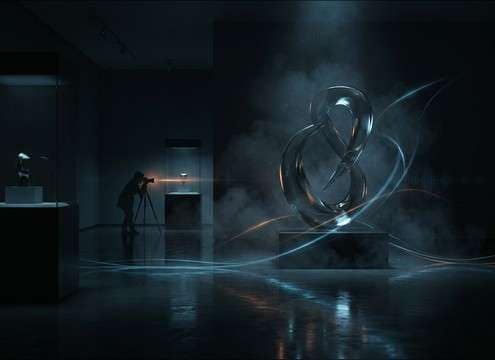
Quiet gallery scene with soft camera shutter

Museum or gallery

Pick quieter shutter styles with short tails so the room feels calm and reflective.

Mobile camera app capture click sound

Camera app interactions

Use a clean, short click for capture feedback that won't mask UI taps and notification tones.

Why Choose Media.io for Camera Shutter Generator?

See exactly why creators, developers and studios choose our AI audio generator over all others.

Prompt settings for different camera shutter types

Camera-type prompt control

Ask for DSLR mirror slap, mirrorless softness, or film-mechanism character so the click matches what viewers expect.

Duration selector for camera shutter sound generation

Duration options for edits

Generate quick 5-second single shots, 10-second sequences, or 20-second set beds without stretching audio.

Regenerating camera shutter sounds to adjust attack and tail

Regenerate for a tighter click

If the transient is too sharp or the tail is too roomy, regenerate with a revised prompt and compare versions fast.

Previewing multiple shutter sound options

Preview-first selection

Audition results before downloading so you can pick the take that sits best under dialogue or music.

Exporting a camera shutter sound effect as WAV

Clean WAV export

Download a WAV file that's easy to place, trim, and fade in your timeline or audio editor.

Multiple variations of camera shutter sounds for different scenes

Variation-friendly workflow

Create several takes from one idea (close, distant, burst) so every on-screen photo action has its own matching click.

How to Pick the Right Camera Shutter for Your Scene

A good shutter sound is mostly about the transient (the "click"), the mechanical character (mirror slap or soft actuation), and how much space you hear after it. Use the tips below to choose from the library or to write a prompt that generates a shutter that feels synced to the camera on screen.

Match the camera style viewers expect

Different camera types imply different mechanics. A DSLR often reads as a firmer click with a bit of body, while mirrorless and phone captures can be cleaner and shorter. If the sound doesn't match the prop, it feels fake even when perfectly synced.

  • Use "DSLR" when you want a stronger snap and a touch of mirror character
  • Use "mirrorless soft shutter" for a quieter, less metallic click
  • Use "film camera" for springy texture or a hint of winding

Choose distance by framing

Close-ups can handle a louder, more detailed transient. Wider shots usually need a softer click with more air, otherwise the shutter feels too close to the mic. Distance also affects how much room reflection you should hear.

  • Close framing: sharp attack, short tail, minimal room tone
  • Medium distance: slightly softer transient with a small reflection
  • Across the room: reduced high-end, more space, less mechanical detail

Decide between single clicks and bursts

A single shutter is ideal for a deliberate photo moment, while bursts suggest action or paparazzi energy. For bursts, consistency matters: uneven levels or random timing can distract from the visuals.

  • Single click: place exactly on the on-screen press or flash frame
  • Burst mode: keep clicks evenly spaced and avoid overly long tails
  • Shoot sequences: add light room tone so repeated clicks don't feel sterile

Avoid common "stock shutter" problems

Shutter sounds often fail because they're too loud, too roomy, or have extra junk noise that fights dialogue. When prompting, be explicit about what you don't want so the result stays mix-ready.

  • Avoid harsh clipping or exaggerated high-end that pierces music beds
  • Avoid long reverb tails unless the scene is clearly in a big space
  • Avoid unrelated noises like beeps, voices, or camera strap hits

Frequently Asked Questions About
Camera Shutter Sound Effects

Everything you need to know before downloading or generating your first sound.

Can I download these camera shutter sounds as WAV files?

Yes. After you preview a sound (or generate a new variation), you can download the result as a WAV file so it's easy to trim, fade, and sync to your edits.

How do I choose between a DSLR shutter and a mirrorless shutter sound?

Pick DSLR when you want a firmer click with a bit of mechanical body (often reads as "pro camera"). Pick mirrorless when the scene needs a softer, shorter transient that won't pull attention from dialogue or a quiet environment.

What's the best way to sync a shutter click to a photo montage?

Place the transient right on the cut or on the frame where the photo "locks" into place, then shorten the tail with a quick fade if it overlaps the next beat. If you need multiple clicks, use a consistent level so the montage rhythm stays steady.

Can I use these sounds in commercial projects, and do I need attribution?

Media.io provides usage guidance within the product for downloaded and generated audio. Check the license notice shown at download time for commercial use suitability and whether attribution is required for your specific file.

Are these camera shutter sound effects free to download?

Yes. You can preview and download the AI-generated camera shutter sound effects as WAV files and use them in personal or commercial projects.

Can I copy the prompt used for each sound?

Yes. Open any sound row to view the prompt, copy it, adjust the wording and generate a custom variation that better matches your scene.

Related Free Sound
Effect Categories

Explore other AI-generated sound libraries from Media.io

sound

Rain Sound Effects

10+ free sounds
sound

Thunder Sound Effects

10+ free sounds
sound

Farts Sound Effects

10+ free sounds
sound

Car Crash Sounds

10+ free sounds
sound

Explosion Sound Effects

10+ free sounds
sound

Gunshot Sound Effects

10+ free sounds
sound

Pistol Sound Effects

10+ free sounds
sound

AI Horror Sound Effects

10+ free sounds
sound

AI Forest Sound Effects

10+ free sounds
sound

AI Dog Whistle Sound

10+ free sounds
sound

AI Ding Sound

10+ free sounds
sound

Phone Ring Sound

10+ free sounds
media.io

AI Video Generator star

Easily generate videos from text or images

Generate
