
















Popular Fox Sound Effects Library

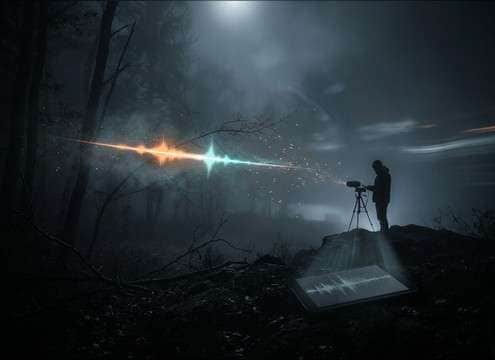
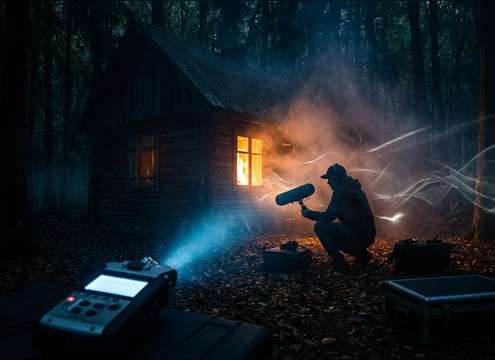
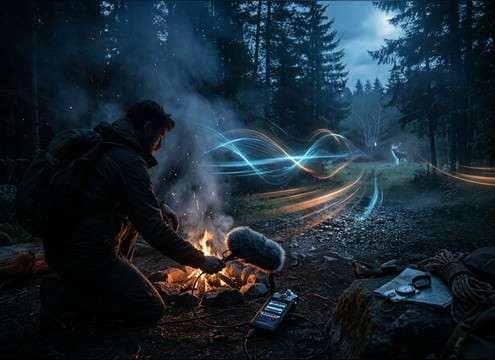
Pick a fox vocal that matches the shot: tight close-up yips for quick reaction cuts, barky calls with midrange bite for tense beats, or distant cries with more room tone for wide night exteriors. Each option below is designed to be easy to place in a mix, with notes on transient clarity, tail length, and how strongly it will mask dialogue or ambience.

How to Generate Your Own
Fox Sound Effects

Can't find what you're looking for? Easily create custom AI sounds. Simply describe your needs, and our AI will craft the perfect sound effect for you — no audio production skills required. Go from a blank idea to a downloadable WAV in under a minute.

1

Describe the fox call

Type or paste a prompt for the exact vocal you need—yip, bark, scream-like call, close-up or distant, and the environment (forest, field, near a cabin).

2

Pick duration & variations

Choose 5s, 10s, or 20s, then set how many versions you want generated so you can audition different intensities and tails.

3

Generate and preview

Click Generate, listen to each result, and keep the take with the right transient, decay, and perceived distance for your cut.

4

Download WAV and use

Download the WAV file and drop it into your timeline, game engine, app, podcast, or commercial project as needed.

What Can You Use These Fox Sound Effects For?

Creators in every field are using our royalty-free audio to set the perfect mood.

Fox call sound effect used as a night forest audio drama cue

Night-forest audio drama

Use a scream-like call with a longer tail to sell isolation, then switch to a distant version for the next scene transition.

Fox vocal sound effect synced to wildlife documentary fox footage

Wildlife documentary B-roll

Match perspective to the lens: close yips for tight shots, airy distant calls for wide landscapes with more room tone.

Animated fox character with playful fox sound effects

Fairy-tale animation characters

Pick playful chatter or a soft whine to avoid harsh transients while keeping the character readable under music.

Stealth game forest scene using a fox bark as an alert cue

Stealth game patrol

Trigger short barks as AI-alert cues that cut through foliage ambience without needing extra high-end boost.

Cabin exterior at dawn using an establishing fox ambience bed

Cabin-in-the-woods establishing shots

Use a 20-second bed with intermittent calls and gentle outdoor tail to set location without overpowering dialogue.

Museum kiosk buttons triggering different fox call sound effects

Nature museum kiosk

Map different call types to buttons (yip, bark, distant call) so visitors can compare tone and distance instantly.

Survival training video with distant fox call layered under wind

Outdoor survival training

Add a distant call as a realism layer behind footsteps and wind, keeping masking strength low for narration clarity.

AR fox sticker using short yip sound effect on tap

Pet-themed AR filters

Use cute whines and short yips with tight decay so the sound feels snappy and doesn't smear across quick taps.

Why Choose Media.io for Fox Generator?

See exactly why creators, developers and studios choose our AI audio generator over all others.

Text prompt controls for selecting fox call type

Prompt control for call type

Specify yip vs bark vs scream-like call, plus intensity and cadence, so the result matches the story beat.

Controls and prompts for near vs distant fox sound perspective

Distance and space shaping

Generate close, mid, or far perspectives by describing ambience and tail length instead of hunting for multiple recordings.

Duration picker showing 5s 10s and 20s for fox SFX

Scene-length options

Choose 5s for hits, 10s for sequences, or 20s for establishing beds without trimming every time.

Multiple generated fox sound variations ready to preview

Regenerate alternate takes

Create several variations quickly to audition different textures—clean, gritty, airy, or more breath-forward.

Audio preview player for fox sound effect clips

Preview before download

Listen first to confirm transient sharpness and tail behavior, then keep only the take that fits your cut.

Downloaded WAV file of fox sound effect imported into an editor

WAV-ready for editing

Export WAV and drop it into your timeline for trimming, fades, EQ, or layering with wind and forest beds.

How to Pick or Prompt a Convincing Fox Call

Fox vocals are easy to mislabel (many "fox screams" online are too loud, too long, or too wet). Use the tips below to choose a clip that reads as fox quickly, and to write prompts that control call type, distance, and tail so it sits naturally over wind, leaves, and dialogue.

Start with the right call type

Decide what the moment needs: a quick yip for punctuation, a bark for tension/alert, or a scream-like call for unsettling night atmosphere. This single choice affects perceived realism more than any effect or EQ.

  • For quick reactions: ask for a "single sharp yip" with fast attack and short decay
  • For threat/alert: ask for a "raspy bark" with gritty midrange and tight tail
  • For horror-leaning beats: ask for a "night scream-style call" but keep it natural, not distorted

Control distance using transient and tail

Distance is mostly about how much transient detail you hear and how much ambience follows. A far call should have softer transients, less high-end detail, and more room tone, while a close call should be dry and upfront.

  • Close perspective: "dry, minimal reflections, clear transient"
  • Mid distance: "light outdoor reflections, modest stereo width"
  • Far distance: "softened attack, rolled-off highs, more ambient tail"

Match the environment so it doesn't feel pasted on

A fox call that's too reverby or too clean will pop out against your background bed. Prompt the space (forest, open field, near buildings) and keep tails believable for that setting.

  • Forest: "early reflections, scattered tail, subtle air movement"
  • Open field: "less reflection, more wind-adjacent room tone"
  • Near cabins/structures: "slight slap/short reflections, not a big hall reverb"

Common mistakes to avoid

Most unusable fox SFX fail because they're too long, too loud, or too ‘monster-like.' Keep it short, scene-specific, and avoid effects that scream "sound library."

  • Avoid heavy distortion, extreme pitch shifting, or cinematic booms under the call
  • Avoid long, wet reverb tails that smear over dialogue and ambience cuts
  • Avoid stacking multiple calls if you only need one clear sync point

Frequently Asked Questions About
Fox Sound Effects

Everything you need to know before downloading or generating your first sound.

What's the difference between a fox yip, bark, and "scream" sound?

For editing purposes: yips are short, high-energy punctuation with a quick transient; barks are throatier and more midrange-forward (often used as an alert cue); scream-like calls are longer with more decay and can read as eerie at night. Choose based on the scene's emotion and how much tail you can afford under dialogue.

How do I make a fox sound feel distant without turning it muddy?

Choose or generate a version with softened attack, slightly reduced high-end detail, and added outdoor room tone rather than simply lowering volume. Then add a gentle fade and keep the tail natural so it blends with wind/forest beds instead of sounding like a low-pass filter.

Can I download these sounds for free and use them commercially?

You can preview and download the clips as WAV from this page. For commercial use, confirm the current license/usage terms shown in Media.io at download time for your account and region, especially if you're publishing ads, apps, or client work.

Should I pick 5s, 10s, or 20s for a fox sound effect?

Use 5 seconds for single hits and quick reaction cuts, 10 seconds for a short sequence with pauses, and 20 seconds for establishing audio that needs breathing room. Longer durations are also helpful when you need natural room tone around the call for smoother transitions.

Are these fox sound effects free to download?

Yes. You can preview and download the AI-generated fox sound effects as WAV files and use them in personal or commercial projects.

Can I copy the prompt used for each sound?

Yes. Open any sound row to view the prompt, copy it, adjust the wording and generate a custom variation that better matches your scene.

Related Free Sound
Effect Categories

Explore other AI-generated sound libraries from Media.io

sound

Rain Sound Effects

10+ free sounds
sound

Thunder Sound Effects

10+ free sounds
sound

Farts Sound Effects

10+ free sounds
sound

Car Crash Sounds

10+ free sounds
sound

Explosion Sound Effects

10+ free sounds
sound

Gunshot Sound Effects

10+ free sounds
sound

Pistol Sound Effects

10+ free sounds
sound

AI Horror Sound Effects

10+ free sounds
sound

AI Forest Sound Effects

10+ free sounds
sound

AI Dog Whistle Sound

10+ free sounds
sound

AI Ding Sound

10+ free sounds
sound

Phone Ring Sound

10+ free sounds
media.io

AI Video Generator star

Easily generate videos from text or images

Generate
