Precise Character Lip Sync from Audio
Our AI analyzes voice data to match mouth movements perfectly with speech, ensuring realistic cartoon lip sync and anime dubbing without manual keyframing.
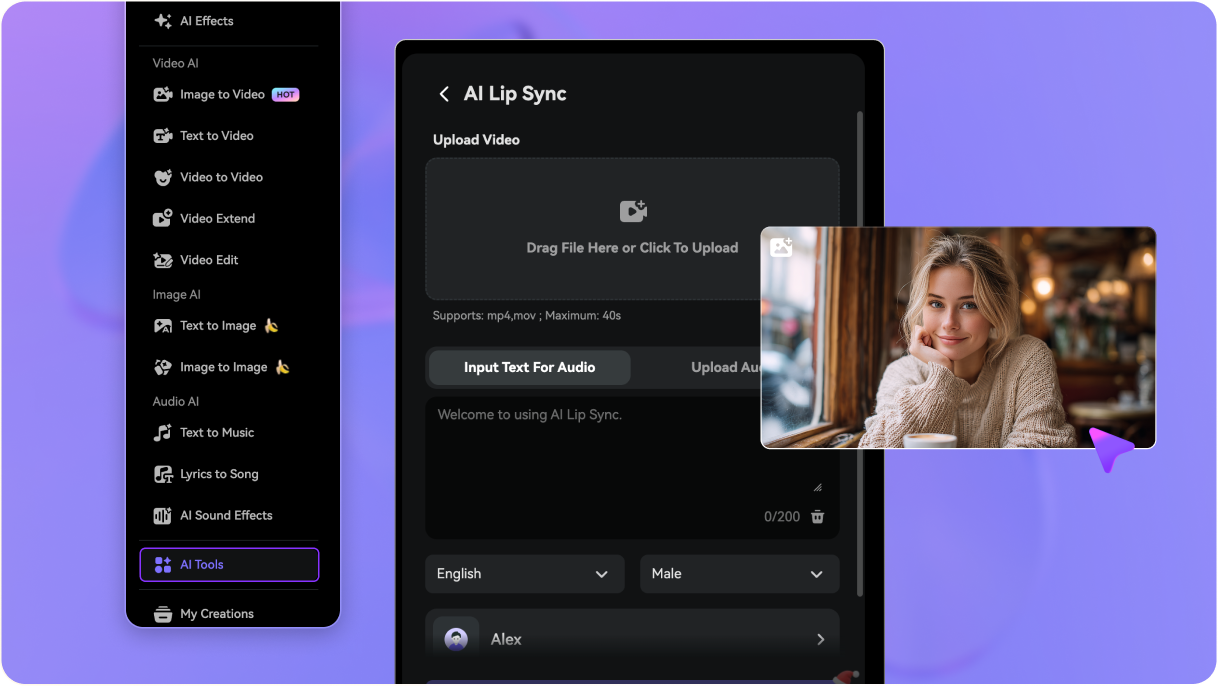
Need faster lip sync animation without manual mouth keyframes? Upload a character video and sync mouth movement to speech in minutes—perfect for cartoons, anime, 2D animation lip sync, and 3D character videos.
Free credits on signup/login.







Our AI analyzes voice data to match mouth movements perfectly with speech, ensuring realistic cartoon lip sync and anime dubbing without manual keyframing.
Whether you are animating a flat illustration or a realistic avatar, apply effortless 2D animation lip sync or 3D animation lip sync styles instantly.
Skip the tedious frame-by-frame process. Upload a vocal track and a portrait to get professional lip sync animation ready for social media or projects in seconds.
Generate your talking heads fully online. Download your character lip sync videos in high definition without watermarks—perfect for YouTube, TikTok, or presentations.
Use a cartoon, anime, 2D, or 3D character clip where the face is visible. Front-facing shots with a clear mouth area make lip sync animation look more natural.
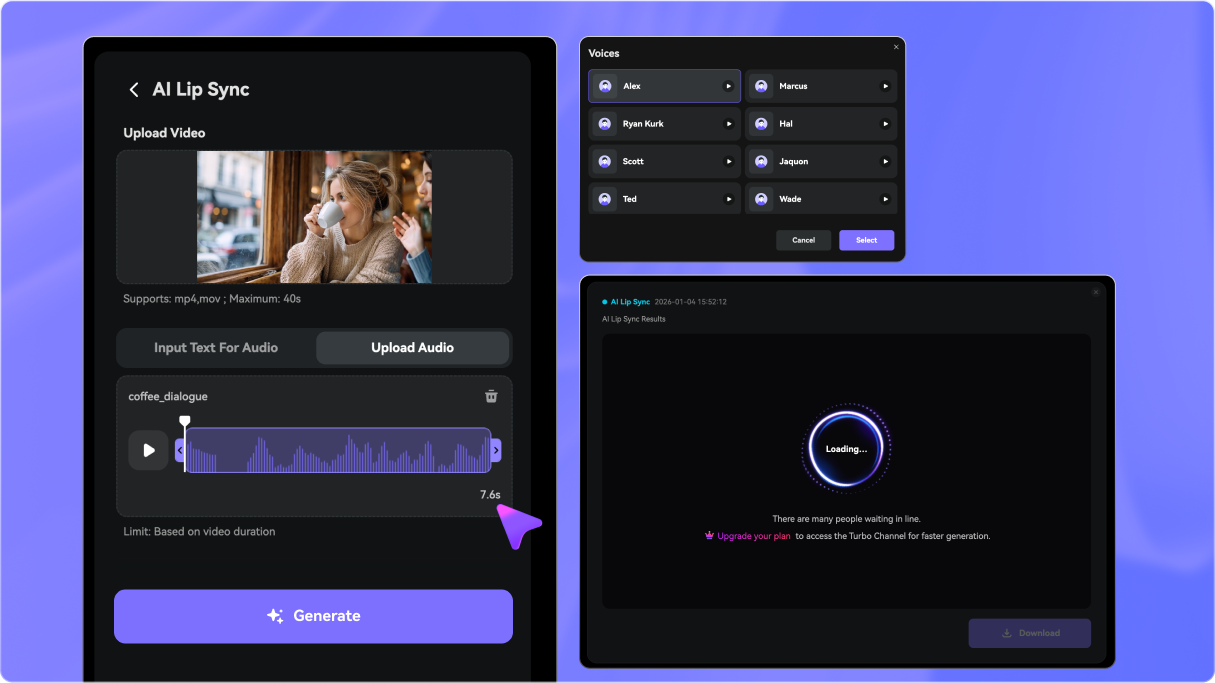
Upload a voice track, record dialogue, or type a script and generate speech. This is ideal for animating mouths for short stories, skits, explainers, and character scenes.
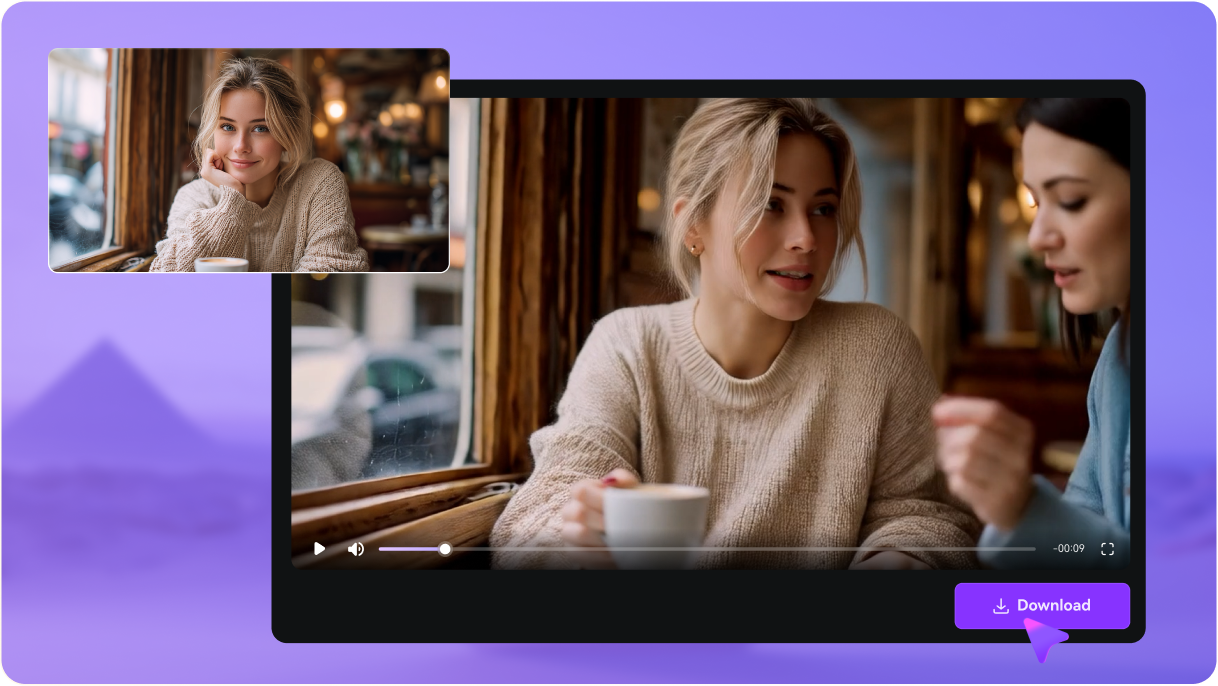
Click Generate to sync mouth movement to the audio, then download the video to use in your animation workflow or post online.

Freelance Animator

“A game-changer for my workflow.” I used to spend hours keyframing mouths. Now I get perfect cartoon lip sync instantly. It allows me to focus on the creative acting rather than the technical syncing.

Digital Marketer
“Engaging ads made simple.” We needed to make our mascot talk for a campaign. The 3D animation lip sync quality was incredibly realistic and helped us boost our ad engagement significantly.

YouTuber
“Perfect for VTubing content.” I wanted a quick way to create shorts with my avatar. The character lip sync from audio feature allows me to upload my voiceovers and get a video in minutes.

Indie Game Dev
“Affordable and high quality.” Animation is usually expensive. This tool handles 2D animation lip sync so well that I use it for all the NPC dialogues in my latest mobile game project.


 4.7 (162,357 Votes)






