














AI Image Enhancer:
Upscale & Restore Photos to 8K Online Free
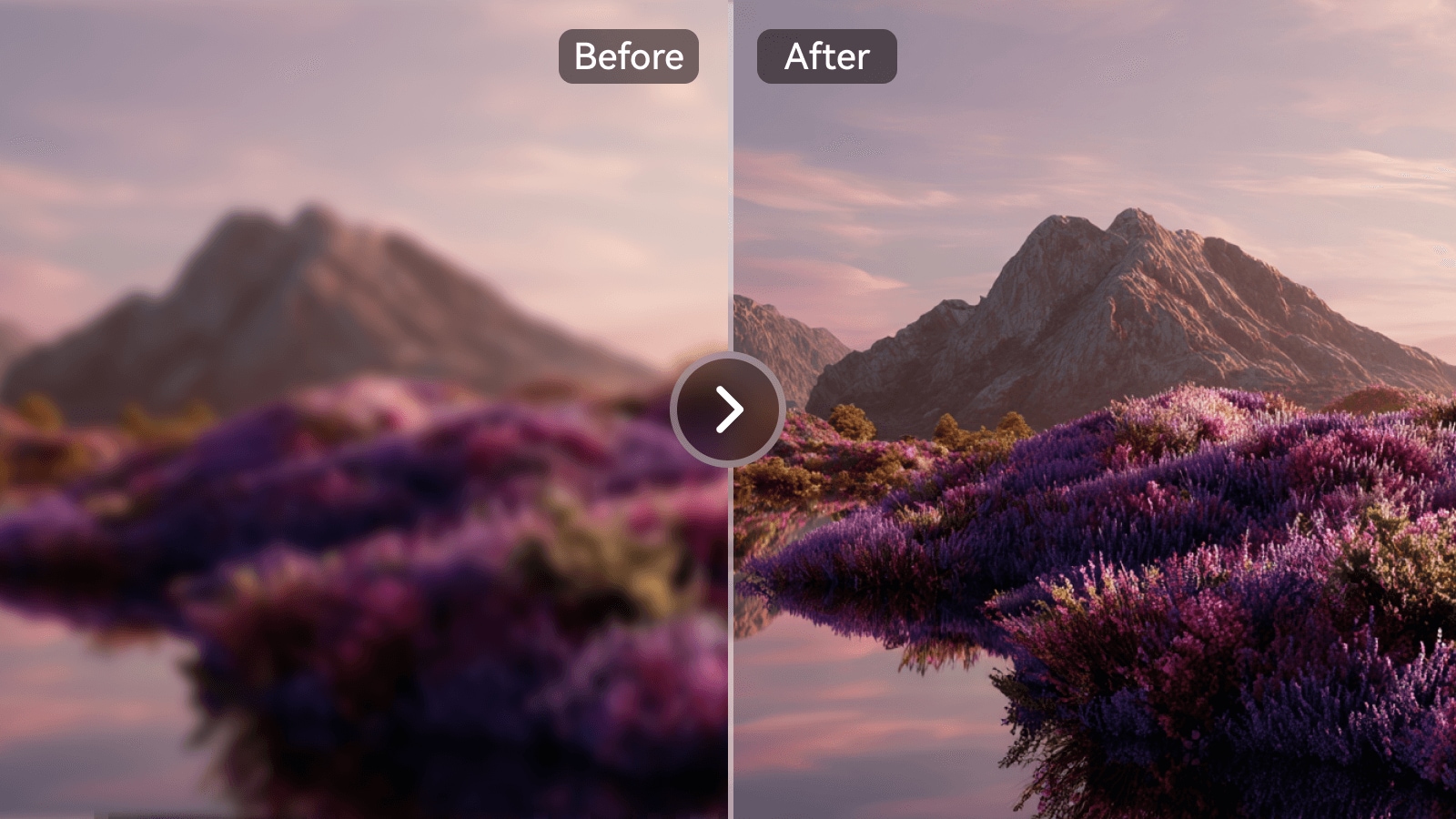
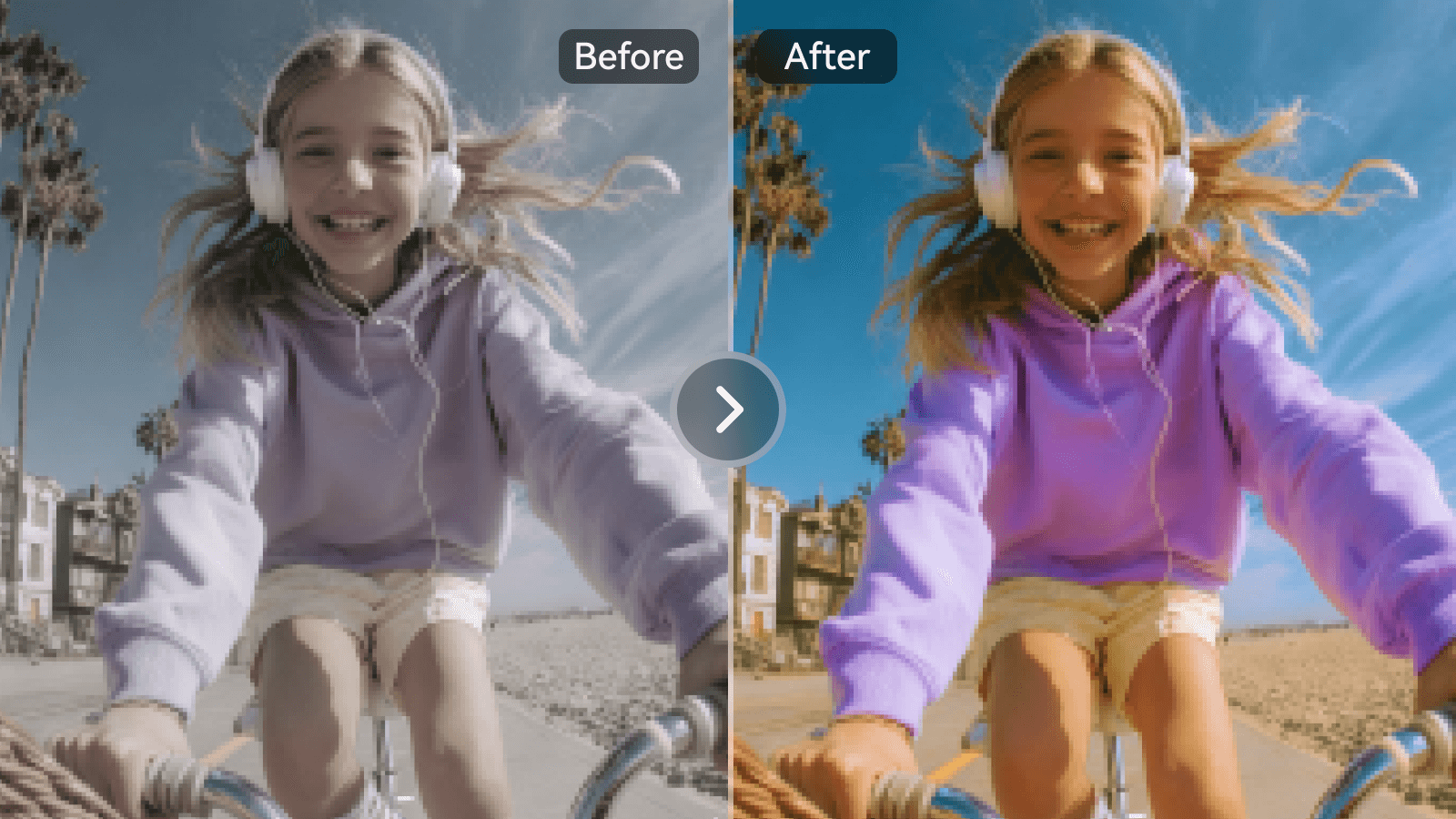
Sharpen blurry photos, upscale images up to 8×, restore old pictures, and fix colors in one click. Media.io's online AI image enhancer combines 5 specialized AI modes for portraits, product photos, old memories, AI-generated art, and everyday images — all online, no download required.
How to Enhance Image Quality with AI Online in 3 Steps
No editing skills required. Upload, choose your AI mode, download — that's it.
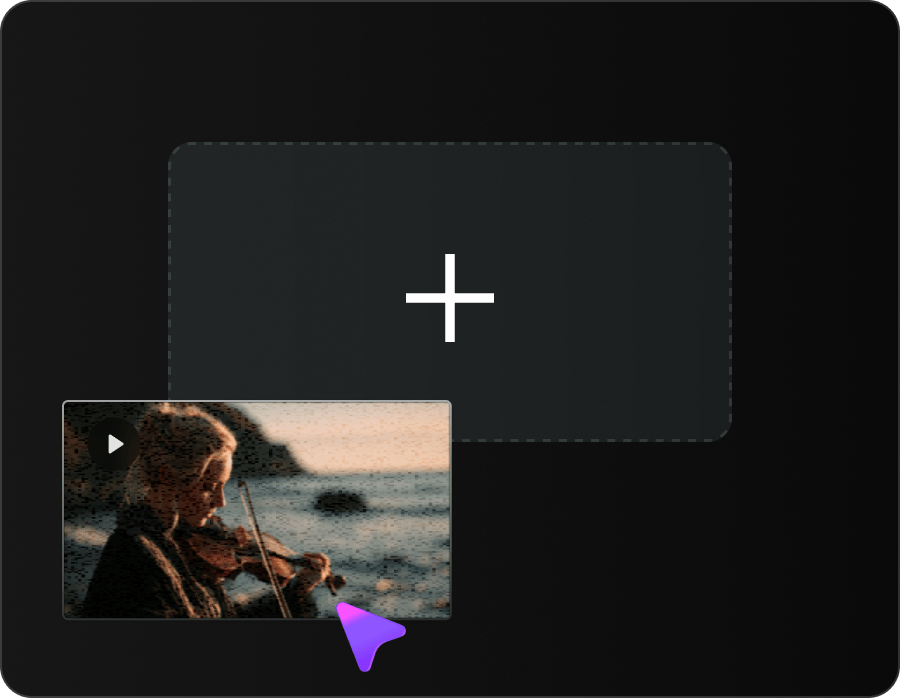
Upload Your Image
Drag & drop your image into Media.io AI Image Enhancer. Supports JPG, JPEG, PNG, WebP, and BMP.
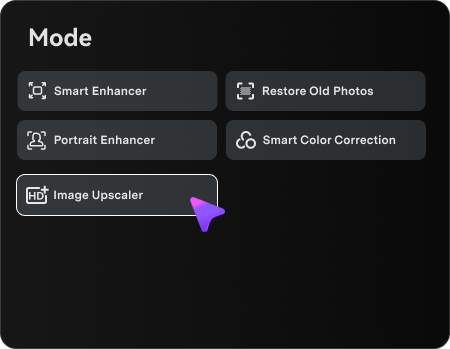
Choose an AI Enhancement Mode
Pick from Smart Enhancer (Lite/Pro), Portrait Enhancer, Restore Old Photos, Color Correction, or Image Upscaler. Media.io online AI image enhancer analyzes your photo automatically and applies the selected enhancement without complex manual editing.
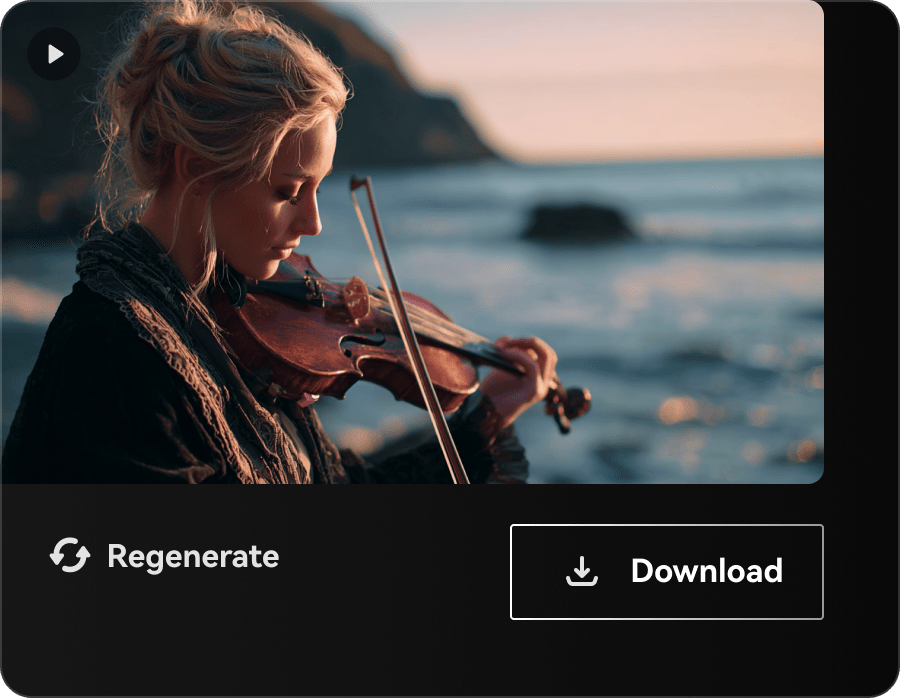
Download Enhanced Image
Preview the result and download your enhanced image, ready for social media, e-commerce, print, portfolios, or personal use.
5 AI Enhancement Modes, One Image Enhancer
Every image is different. Media.io's free AI image quality enhancer brings Smart Enhancer, Portrait Enhancer, Old Photo Restoration, Color Correction, and Image Upscaling into one browser workflow, so you can choose the right AI mode for each photo.
Smart Enhancer — Fix Blurry & Low-Quality Photos in One Click
Smart Enhancer detects blur, noise, and low-resolution detail automatically, then applies the right combination of sharpening and reconstruction in a single pass. Use Lite mode for fast everyday fixes or Pro mode when you want finer detail for print, e-commerce, and professional visuals.
- Detect blur, noise, and low-resolution issues automatically
- Choose Lite for speed or Pro for higher-detail recovery
- Sharpen textures and edges without complex manual sliders
- Improve everyday photos, product shots, screenshots, and more
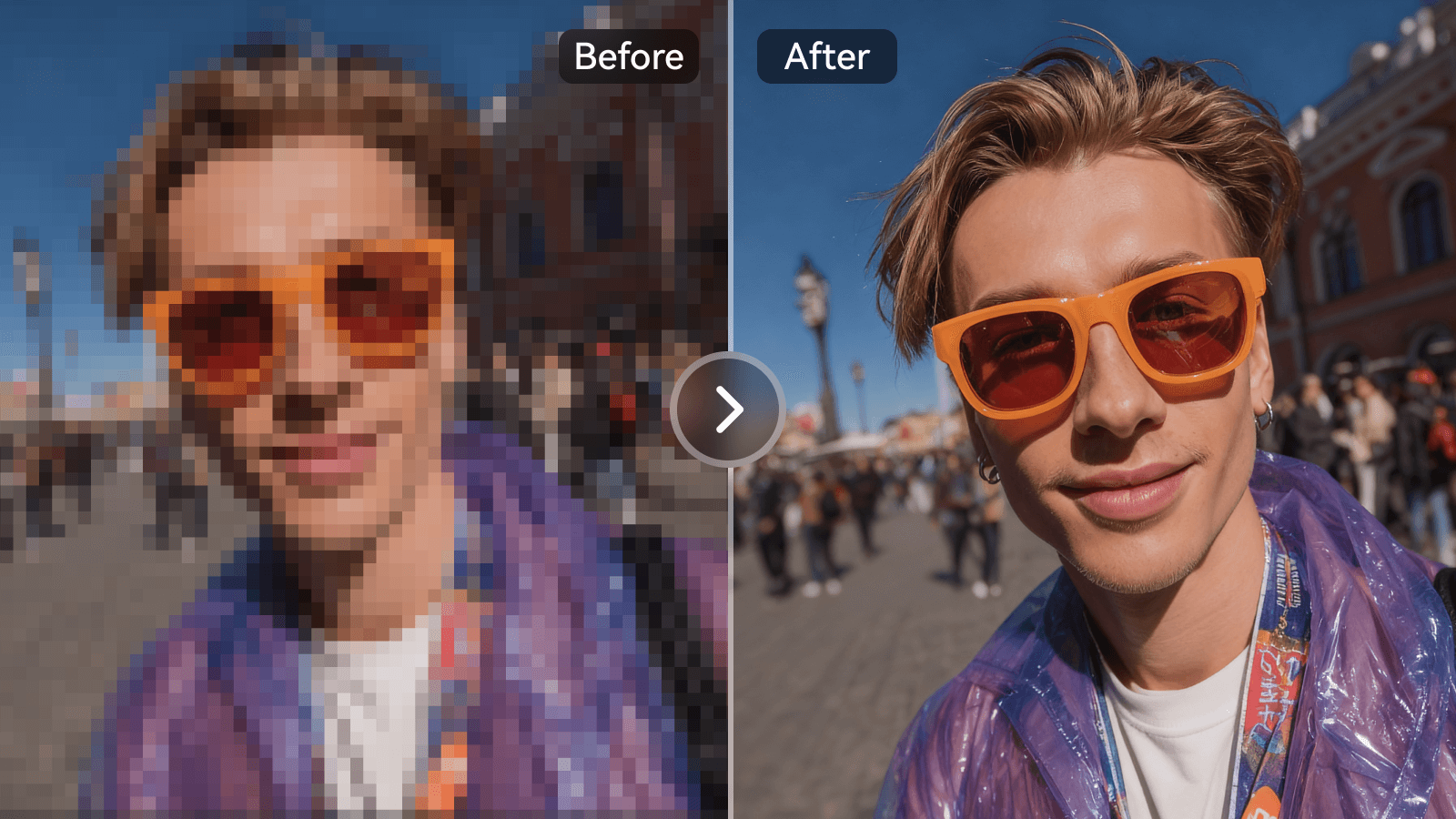
Portrait Enhancer — Sharpen Faces, Keep Skin Natural
Refine soft or blurry portraits with a face-focused AI photo enhancer. Media.io sharpens eyes, hair, facial contours, and fine detail while preserving natural skin texture, helping selfies, wedding photos, family pictures, and ID photos look clearer without an over-smoothed AI finish.
- Sharpen eyes, hair, and facial features automatically
- Preserve natural pores, texture, and skin detail
- Keep facial identity and proportions consistent
- Enhance single portraits and multi-person photos
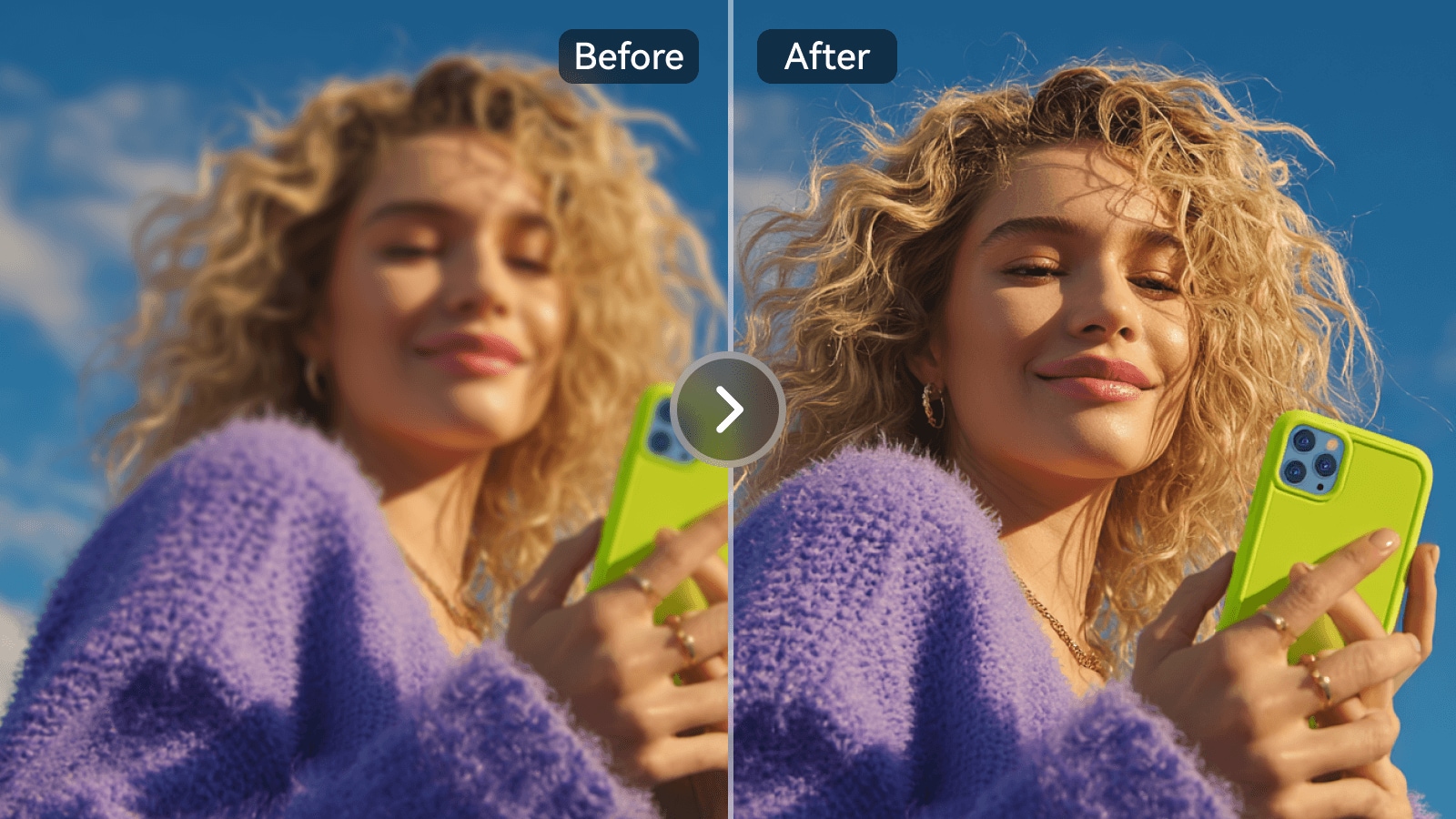
Restore Old Photos & Revive Faded Colors
Bring old family pictures and damaged prints back to life. Media.io can repair scratches, creases, dust marks, fading, and yellowing, then use Color Correction to rebalance white balance, exposure, and saturation while preserving the original photo's character.
- Repair scratches, creases, dust marks, and age-related damage
- Recover faded facial and background detail
- Correct fading, yellowing, exposure, and white balance
- Prepare restored photos for sharing, archiving, or reprinting
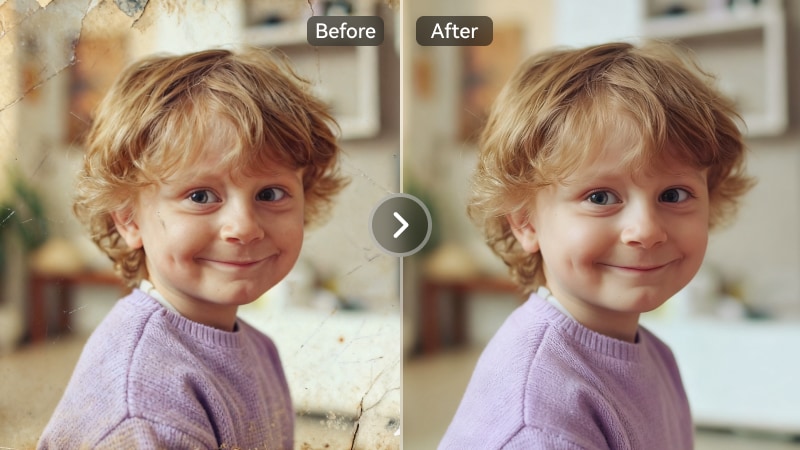
Image Upscaler — Enlarge Photos 2×, 4×, or 8× to 8K
Enlarge low-resolution images without simple pixel stretching. Media.io uses AI reconstruction to increase image resolution by 2×, 4×, or 8×, making photos, product visuals, posters, thumbnails, and AI-generated artwork clearer for high-resolution digital or print use.
- Choose 2×, 4×, or 8× upscaling for different output needs
- Reconstruct fine detail instead of only stretching pixels
- Preserve composition and visual style in AI-generated artwork
- Reach up to 8K output for print and large-format use
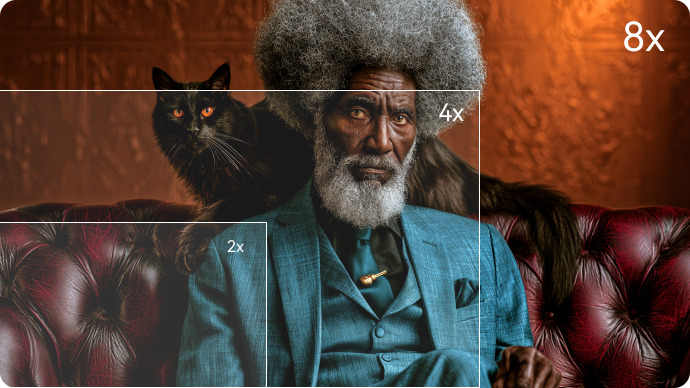
Built for Every Image Enhancement Scenario
Whether you're a creator, seller, family archivist, or AI artist, Media.io's AI Image Enhancer covers the photo enhancement scenarios that matter most.
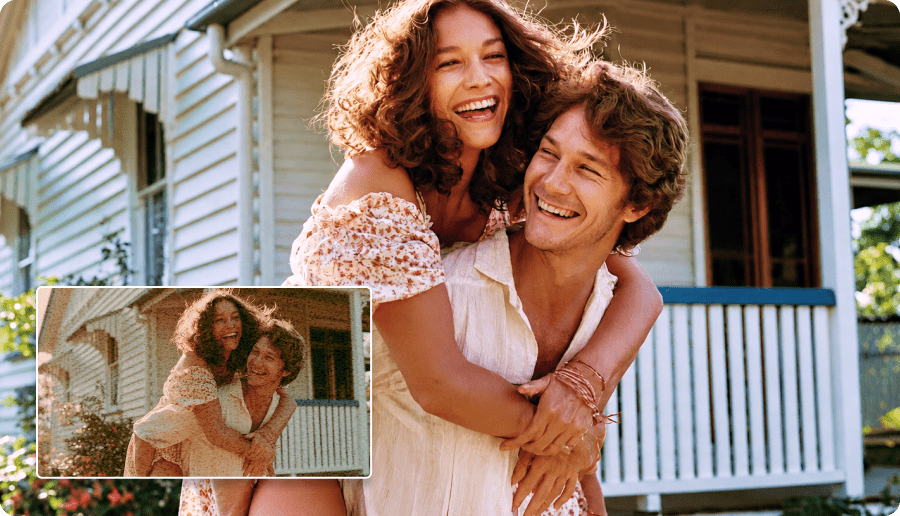
Sharpen People & Portrait Photos Naturally
Sharpen facial detail, restore skin texture, and rescue soft people photos without making faces look artificial. Portrait Enhancer is built for selfies, wedding photography, family pictures, profile images, and ID photos.
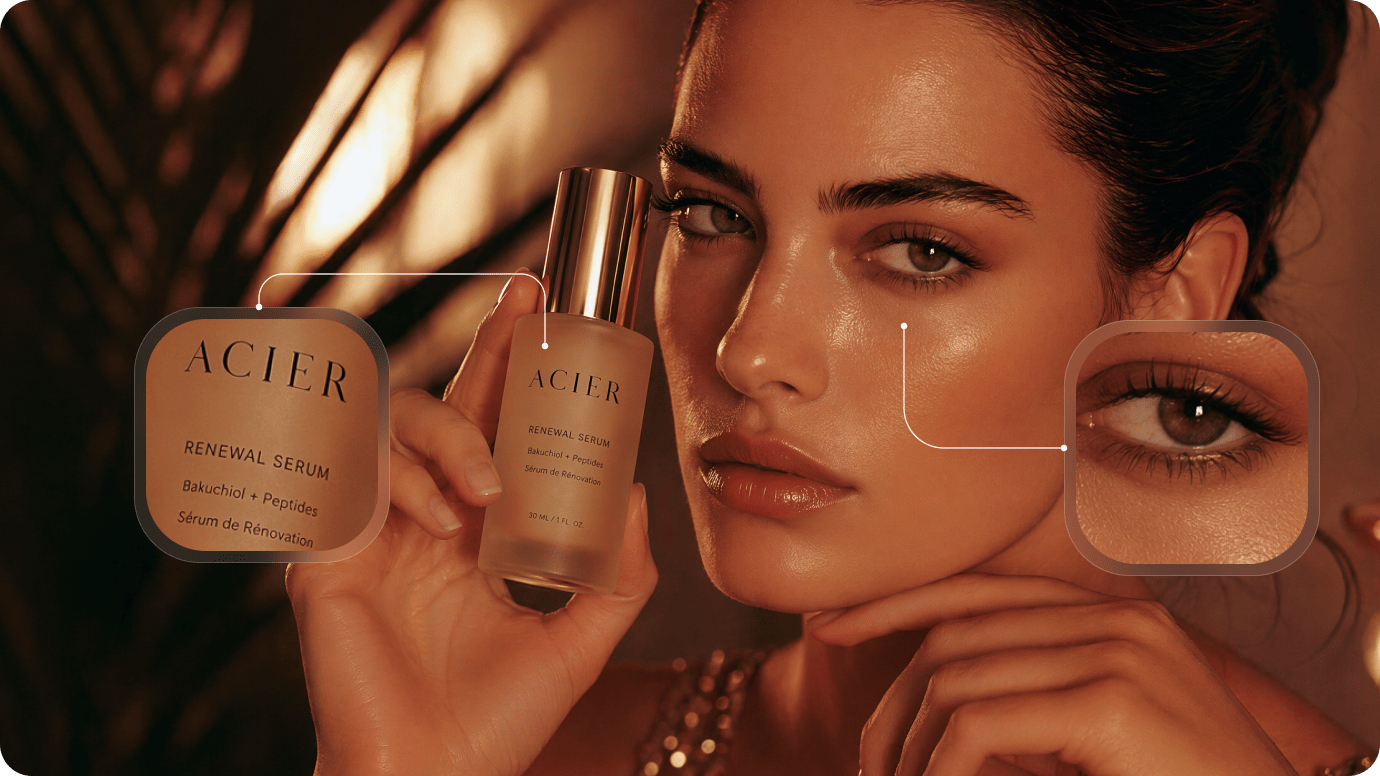
Improve E-commerce & Product Photos
Turn ordinary phone product shots into clearer store-ready visuals. Improve textures, color, and resolution for marketplace listings, fashion lookbooks, food photography, real estate images, and digital ads.
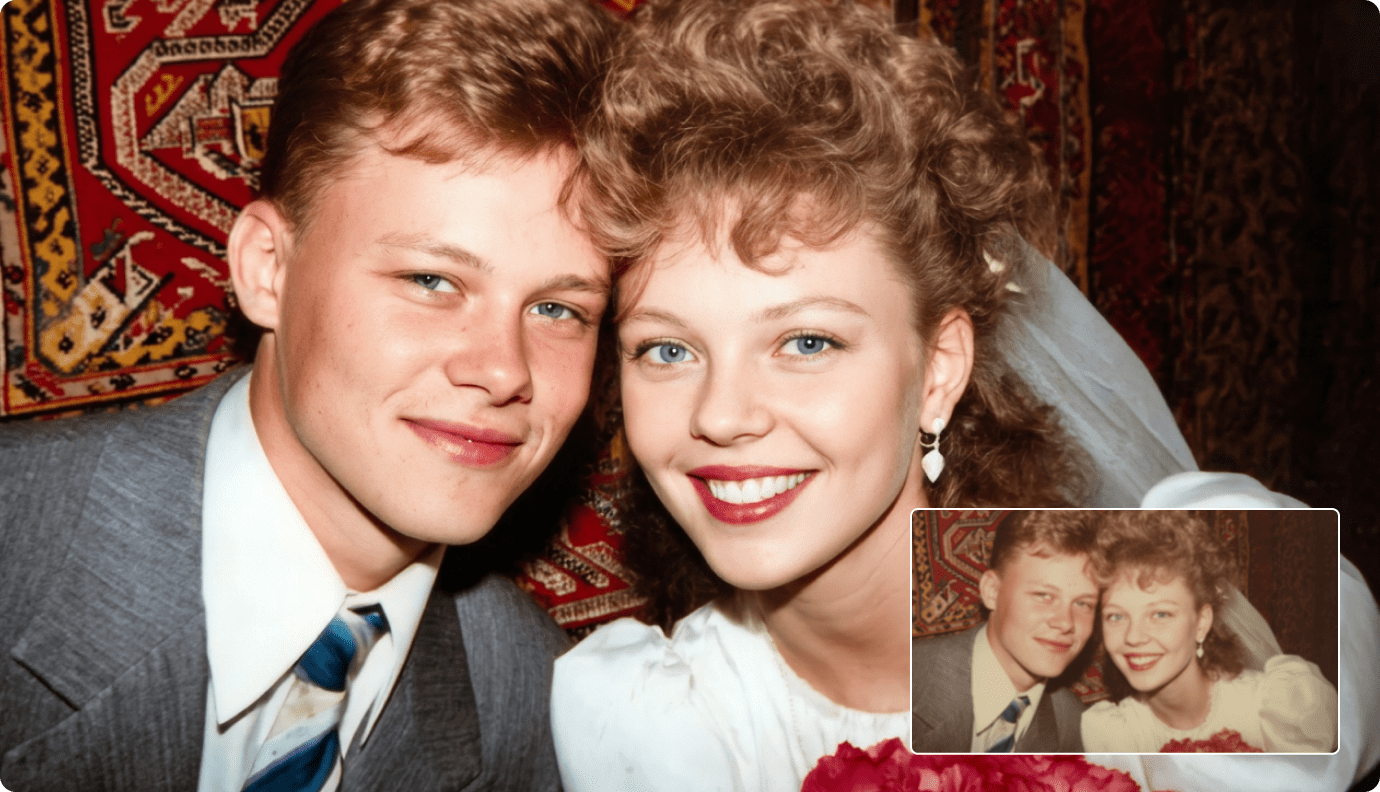
Restore Old Photos & Family Memories
Repair scratches, reduce fading, restore missing clarity, and revive color in decades-old prints. Use Restore Old Photos with Color Correction to preserve family memories, vintage photographs, and historical images.
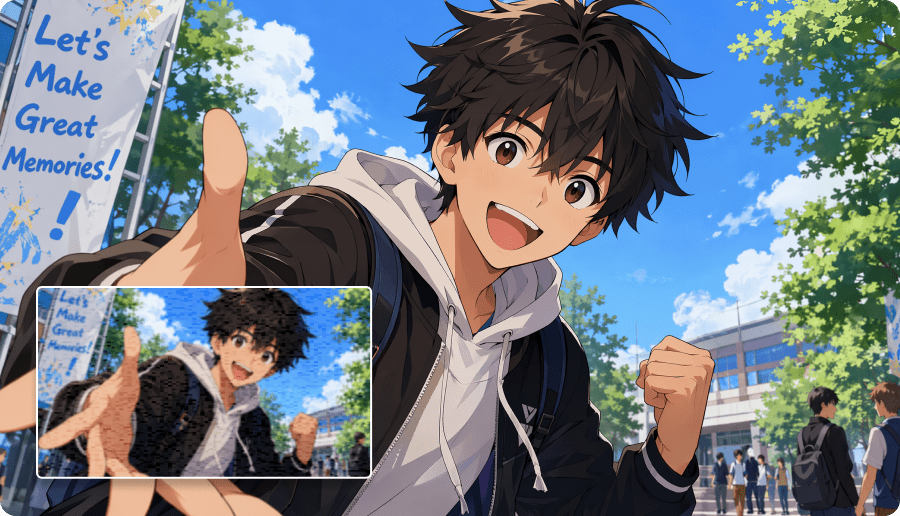
Upscale AI Art & Illustration to 8K
Upscale Midjourney, DALL·E, Stable Diffusion, anime, digital illustrations, and concept art for higher-resolution use. Preserve the original composition and visual style while preparing artwork for print or large displays.
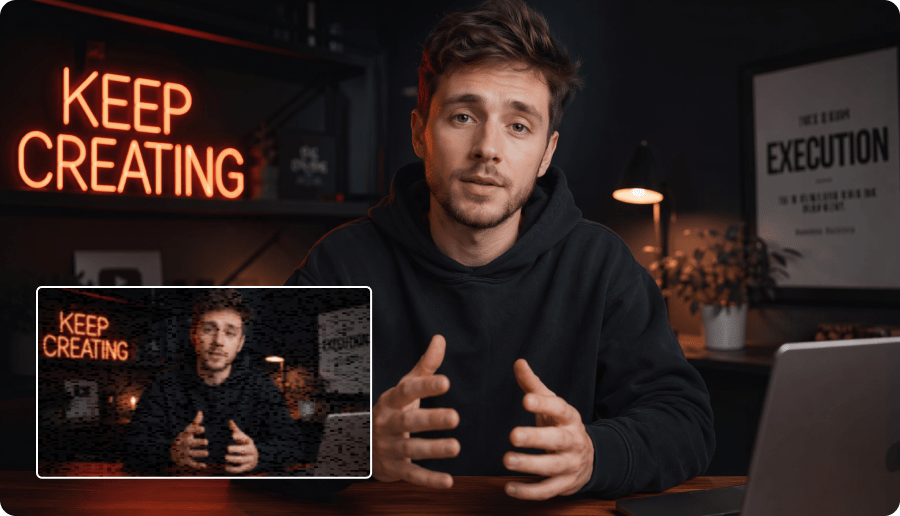
Enhance Social Media & Creator Images
Prepare clearer visuals for Instagram, TikTok, Pinterest, YouTube thumbnails, blogs, and campaigns. Sharpen snapshots, enhance screenshots, upscale thumbnails, and improve everyday creator assets in a few clicks.
Why Choose Media.io Online AI Image Enhancer
Media.io combines multiple specialized enhancement models with a simple browser workflow. Here are the reasons people use Media.io to improve image quality online.
5 AI Modes in One Tool
Use Smart Enhancer, Portrait Enhancer, Restore Old Photos, Color Correction, and Image Upscaler in one browser-based workflow.
Natural-Looking Photo Enhancement
Improve faces, textures, colors, and clarity while preserving natural detail instead of creating an over-smoothed, artificial look.
Flexible 2×, 4× & 8× Upscaling
Choose the enlargement level that fits your workflow and upscale low-resolution photos for web, e-commerce, print, or large-format use.
100% Online Image Enhancer
No software installation. Enhance images directly in your browser across desktop, tablet, and mobile devices.
Loved by 160,000+ Creators, Sellers & Families
Real stories from people using Media.io's AI image enhancement tools.


"I used Portrait Enhancer on our engagement photos and the skin texture stayed completely natural. No plastic look — just sharper eyes and hair. Exactly what I needed."

"My Etsy product photos went from average to professional using Smart Enhancer Pro. The clearer textures and higher-resolution detail make every listing look much more polished."

"Restore Old Photos brought my grandmother's 1950s wedding pictures back to life. The scratches were reduced, faces looked clearer, and the faded colors finally felt vivid again."

"I upscale my AI-generated artwork before printing. Media.io keeps the composition and style intact while giving me the extra resolution I need for larger formats."

"I upscale my AI-generated artwork before printing. Media.io keeps the composition and style intact while giving me the extra resolution I need for larger formats."

"Smart Enhancer Lite is my go-to for quick social posts, while Pro works better when I need extra detail. Having both in one tool makes the workflow much simpler."
FAQs About AI Image Enhancer
What is an AI image enhancer?
An AI image enhancer is an online tool that uses deep learning to sharpen blurry photos, improve clarity, upscale resolution, restore old pictures, and correct image quality automatically without complex manual editing.
What are the 5 enhancement modes in Media.io?
Media.io includes Smart Enhancer (Lite/Pro), Portrait Enhancer, Restore Old Photos, Color Correction, and Image Upscaler. Each mode is optimized for a different image problem, from everyday blur and portraits to damaged photos and high-resolution enlargement.
Can I enhance old family photos with AI?
Yes. Use Restore Old Photos to repair scratches, creases, dust, fading, and age-related damage. You can then apply Color Correction for faded or yellowed images and Portrait Enhancer when facial detail needs extra clarity.
How much can I upscale an image with Media.io?
Media.io Image Upscaler supports 2×, 4×, and 8× enlargement. Choose a lower factor for web and social use or a higher factor when preparing product images, posters, AI-generated art, or photos for high-resolution display and print.
Is Media.io AI Image Enhancer free to use?
Yes. New users can use complimentary credits to try Media.io AI Image Enhancer. Credit usage can vary by enhancement type and output settings, especially when using higher-resolution upscaling or more advanced enhancement modes.
What's the difference between an AI image upscaler and an AI image enhancer?
An AI image upscaler mainly increases image resolution. An AI image enhancer is broader: it can also sharpen detail, improve portraits, reduce quality issues, restore damaged photos, and correct colors. Media.io combines both capabilities through specialized AI modes.
How does Media.io AI Image Enhancer work?
Media.io uses its proprietary 8K+ AI Engine, trained on millions of image pairs, to analyze each photo and reconstruct new detail rather than simply stretch existing pixels. The engine combines semantic analysis, deep-learning reconstruction, natural-look calibration, and mode-specific optimization for different image types.
What's the difference between Smart Enhancer Lite and Pro?
Smart Enhancer Lite is faster and suited for social media, casual photos, and quick fixes. Smart Enhancer Pro delivers deeper detail recovery and higher fidelity, making it more suitable for print, e-commerce, portfolio work, and images that will be displayed at larger sizes.
Which image formats does Media.io support?
Media.io AI Image Enhancer supports JPG, JPEG, PNG, WebP, and BMP for both upload and download. Transparency in PNG and WebP files is preserved through the enhancement process, with no forced format conversion.
Can Media.io enhance AI-generated images from Midjourney, DALL·E, or Stable Diffusion?
Yes. Use the 8× Image Upscaler for AI-generated art from Midjourney, DALL·E, and Stable Diffusion. Media.io is designed to preserve style, composition, and fine detail while making outputs suitable for print or large-format use.
Does the AI enhance faces without making them look fake?
Yes. Portrait Enhancer is tuned to preserve natural skin texture, avoid the waxy "AI plastic" look, and keep facial identity intact. It sharpens details such as eyes, eyelashes, and hair while retaining pores, natural shadows, and skin texture.
Can I use enhanced images commercially?
Yes. You retain full commercial rights to images you own, and Media.io's enhancement output is royalty-free for content you have permission to use. For copyrighted content you do not own, permission from the original rights holder is still required.
Is my uploaded image data safe?
Yes. According to the original page copy, uploads are encrypted in transit, are not used for AI training, and are automatically deleted after processing. Media.io also states that uploaded content is not shared with third parties.
Does Media.io leave a watermark on enhanced images?
No. The original page states that Media.io delivers watermark-free output on all plans, including the free tier. This applies across the supported enhancement modes and image formats.
How does Media.io compare with tools like Topaz Gigapixel, Picsart, or Canva?
Topaz Gigapixel is positioned as a paid desktop tool for professional photographers, while Picsart and Canva focus more broadly on design workflows. Media.io combines 5 specialized AI enhancement modes in a browser-based tool with up to 8× image upscaling and no software installation.
Discover More AI Tools with Media.io

 4.7 (162,357 Votes)