How to Make Gemini Not Change Your Face Proven Prompt Tips for Face Consistency
Gemini keeps changing your face when generating images? This is a common issue for LinkedIn headshots, resumes, and professional profile photos. Below are practical prompt tips to reduce facial changes — plus a reliable way to keep your original facial features consistent using a reference photo.
No downloads. Free credits on signup.







Why Gemini Keeps Changing Your Face
If Gemini keeps changing your face when generating images, you’re not doing anything wrong — it’s a common limitation of how Gemini’s image generation works.
Unlike tools designed for identity preservation, Gemini does not “lock” facial features. Each generation reinterprets the face from scratch, which often leads to noticeable differences — especially in professional or realistic photos.
Here’s what many users experience:
❌ Facial features change between generations (eyes, jawline, skin tone)
❌ The result looks like a different person each time
❌ Professional photos (LinkedIn, resumes, ID-style images) feel unreliable
❌ Prompt instructions like “keep the same face” only work inconsistently
Gemini prioritizes overall image quality and realism, not identity consistency. While this works well for creative visuals, it makes Gemini less suitable for scenarios where your face needs to stay accurate and recognizable.
Understanding this limitation is the first step — and knowing when to rely on prompt tips versus a face-preserving workflow can save you a lot of trial and error.

How to Make Gemini Not Change My Face (4 Practical Methods)
Gemini doesn’t guarantee facial consistency — but you can significantly reduce unwanted face changes with the right inputs and prompt structure. Below are three realistic methods, ranked from most basic to most effective.
✅ Method 1: Start With a Clear, High-Quality Reference Image
The reference image matters more than the prompt itself. Gemini relies heavily on visual input, so unclear or stylized photos increase the chance of face changes.
- Use a single, front-facing photo with neutral lighting
- Avoid heavy beauty filters, sunglasses, or extreme angles
- Choose a natural expression (no exaggerated smiles)
✅ Method 2: Use Face-Preservation Prompt Instructions
While Gemini cannot lock identity, clear instructions about what should not change can help reduce facial drift — especially for professional photos.
| Use Case | Example Prompt (Gemini-Friendly) | Before | After | |
|---|---|---|---|---|
|
LinkedIn Headshot
#linkedin
#professional
#headshot
|
Transform the uploaded photo into a professional LinkedIn-style headshot. Keep the person’s exact facial structure, natural expression, and realistic skin texture. Do not alter face shape, eyes, nose, or jawline. Use soft studio lighting and a neutral background. Change only the background and lighting, not the face. |

|

|
Create! |
|
Hairstyle Change Only
#hairstyle
#portrait
|
Keep the uploaded person’s exact face, facial proportions, skin texture, and expression. Do not change facial features. Change only the hairstyle to a short pixie cut. Maintain realistic lighting and a natural look. |

|
|
Create! |
✅ Method 3: Limit Changes Per Generation
The more elements you ask Gemini to change, the more likely the face will change too.
- Change one variable at a time (background, lighting, outfit)
- Avoid stacking style, pose, and lighting changes together
- Reuse the same reference image when regenerating
✅ Method 4: Use Media.io AI Character for Reliable Face Consistency
If you need your face to stay consistent across multiple generations (especially for LinkedIn headshots, resume photos, or professional portraits), a character-based workflow is more reliable than prompt-only fixes. Media.io’s AI Character is designed specifically for face consistency: upload your face once, then generate new images without re-uploading every time.


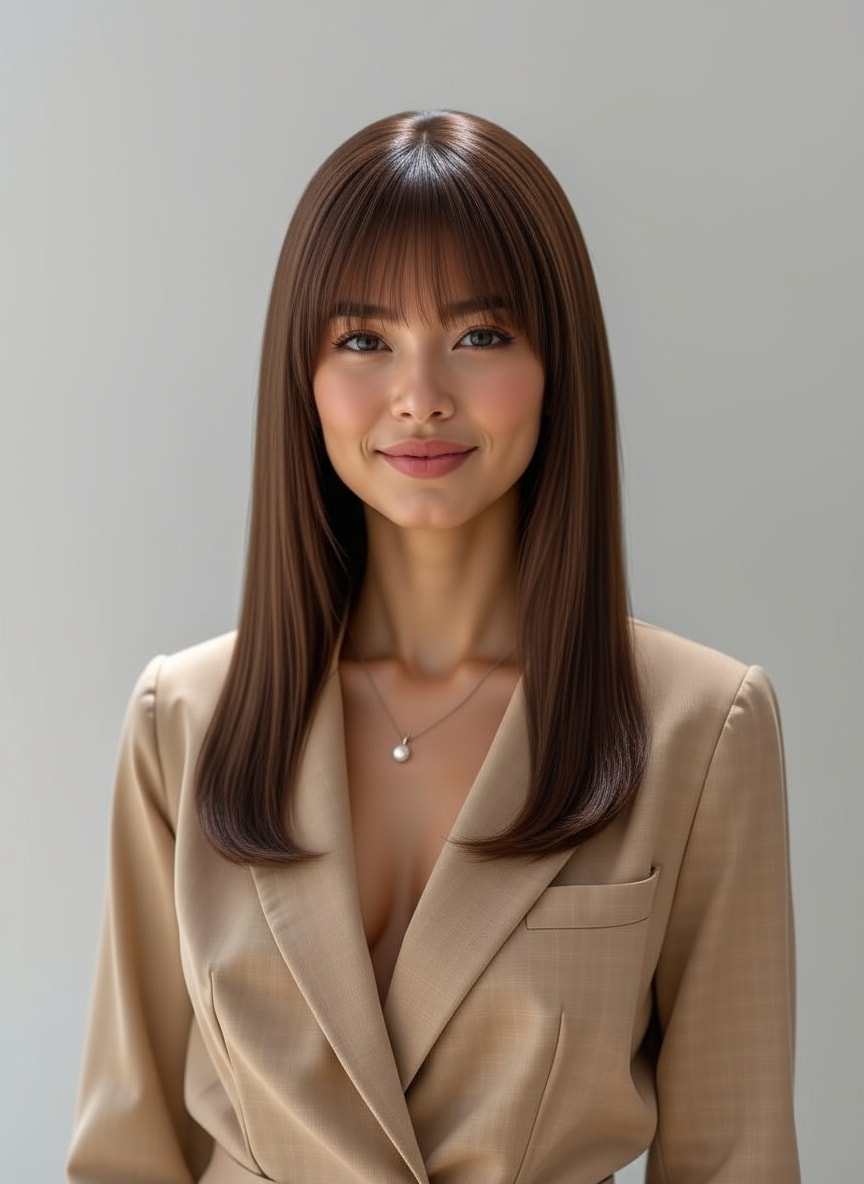
Headshot images made by Media.io AI Character.
- Open Media.io AI Character and upload a clear face photo.
- Choose a Style (Realistic / Cinematic / Anime). For formal images like LinkedIn or resume photos, select Realistic.
- Set the image ratio and generation number, then enter your prompt.
- Click Generate — your face stays consistent across prompts, without repeated uploads.
Tip: Use a well-lit, front-facing reference photo for the most stable results.

Explore the Hottest AI Features and Effects






FAQs about Gemini Face Consistency
1) Use a strong reference photo: front-facing, well-lit, high-resolution, minimal filters.
2) Be explicit about what must not change: tell Gemini to keep the same facial structure (face shape, eyes, nose, jawline) and to change only specific elements (background, lighting, outfit).
3) Limit changes per generation: big jumps in style/pose/lighting increase “face drift,” so adjust one variable at a time.
If you need consistent results across many images (e.g., the same face every time), consider using a workflow designed for face consistency rather than relying on prompt tips alone.



