













Popular Yay Sound Effects Library

Pick a ready-to-use yay for your exact moment: a tight, close-mic reaction for UI wins, a roomy crowd cheer for a reveal, or a softer yay that will not fight dialogue. Copy a prompt to regenerate alternate takes with different intensity, distance, and decay.

How to Generate Your Own
Yay Sound Effects

Cannot find the perfect yay sound effect you need? Generate custom AI yay audio effortlessly. Describe the style, such as short clean cue, cinematic hit, subtle background layer, branded UI alert, and Media.io AI builds tailored yay sound effects instantly. No audio editing experience needed. Turn your concept into a royalty-free, high-quality downloadable WAV yay clip in under 60 seconds.

1

Describe the yay

Type a prompt for the exact reaction you need, like single shout, kids cheer, or a small crowd with more room tone.

2

Pick length and takes

Choose 5s, 10s, or 20s, then set how many variations you want so you can audition different energy levels.

3

Generate and preview

Click Generate, listen to each result, and keep the version that matches your cut, distance, and intensity.

4

Download WAV and use

Export the WAV file and drop it into videos, games, streams, apps, podcasts, or commercial projects.

What Can You Use These Yay Sound Effects For?

Creators in every field are using our royalty-free audio to set the perfect mood.

Yay sound for game win screen stinger

Game win stingers

Add a tight, punchy yay after a level clear or achievement pop, with a short tail that does not smear into the next SFX.

Streamer using yay reaction sound on alert

Live stream chat

Trigger quick yays for donations, subs, and raid reactions, choosing dry close-mic takes that stay readable over music beds.

Kids unboxing video with yay cheer sound

Kids toy unbox

Use brighter, higher-pitch cheers for toy reveals and surprises, with controlled sibilance and minimal harshness.

Comedic yay sound used after punchline

Comedy punchlines

Drop in an exaggerated comedic yaaay to underline irony or a fake celebration, using a longer decay for comedic timing.

Event highlight montage with crowd yay

Event recap videos

Support highlight cuts with small crowd yays that feel live, with wider stereo and light reflections to match venue space.

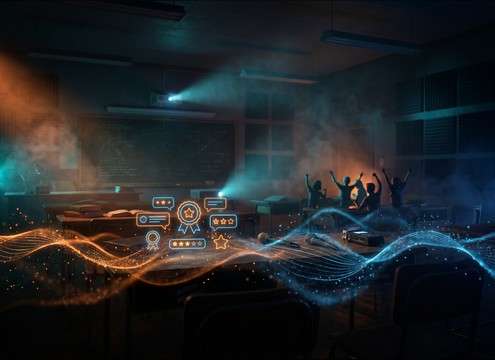
Classroom reward animation with soft yay sound

School reward moments

Add gentle group cheers for classroom points and badges, choosing low masking versions that will not fight narration.

Mobile app success screen with yay sound effect

App onboarding success

Confirm completed steps with a subtle yay that reads as positive without sounding childish, keeping peaks controlled for mobile.

Reveal moment edit timed with yay cheer

Proposal and reveal

Swap awkward production audio for a tasteful distant or close yay that matches camera distance and room ambience in the scene.

Why Choose Media.io for Yay Sound Generator?

See exactly why creators, developers and studios choose our AI audio generator over all others.

Prompt controls for yay intensity and delivery

Prompt control for tone

The Yay Sound Generator lets you steer delivery: single shout, group cheer, kidlike tone, or comedic exaggeration with one prompt tweak.

Close vs distant yay sound variations

Scene-fit distance options

Generate close-mic yays with minimal room tone or distant cheers with longer ambience so the reaction matches your camera perspective.

Preview multiple yay sound takes

Fast variation auditions

Create multiple takes in one run and quickly preview them to pick the best transient, loudness, and tail length for your cut.

Clean yay sound wave for mixing

Mix-friendly clarity

Get cleaner yays that sit over music and dialogue, with controllable brightness and less masking in the midrange when needed.

Duration choices for yay sound effects

Useful short durations

Choose 5s, 10s, or 20s outputs so your yay lands exactly on the beat or holds long enough for a crowd moment.

Download WAV yay sound effect

WAV export workflow

Download WAV files after previewing, then drop them into timelines, soundboards, and apps without extra conversion steps.

Prompting Yay Sounds That Match the Moment

A good yay is not just louder or happier. The best choice depends on who is reacting, how close the camera feels, and how long the celebration should sit before the next line or cut. Use the tips below to write prompts that consistently produce usable yays, and to pick the right asset from the library when you need something immediately.

Pick the performer and emotion

Start by specifying who is cheering and what kind of excitement it is. A confident victory yay reads differently than a shy, quiet yay, and a kid cheer carries a brighter tone that can feel wrong in corporate or cinematic edits.

  • Specify voice type: adult, teen, kid, or small group
  • Name the emotion: proud win, surprised delight, playful hype
  • Call out delivery: short shout, stretched yaaay, or rhythmic chant

Control distance, space, and width

Perspective makes a yay believable. A close-mic reaction should feel dry with minimal reflections, while a crowd moment usually needs stereo width and a touch of room tail so it does not sound pasted on.

  • Use terms like close-mic, off-screen, distant, or in-room
  • Ask for room tone or reflections if the scene is indoors
  • Request stereo width for crowd yays, mono-ish for tight UI cues

Match timing to the cut

Most yay moments are short and should get out of the way quickly. If your edit needs a beat of celebration, request a longer sustain or a repeated chant rather than stretching a short clip.

  • For quick wins, prefer fast attack and short decay tails
  • For reveals, request a longer tail or a brief crowd bed
  • Avoid overlong cheering if dialogue or the next SFX must read

Avoid common yay problems

A yay can sound harsh, clipped, or too generic. You can prevent this by requesting controlled loudness and cleaner texture, especially when the yay sits over music or UI sounds.

  • Ask for controlled peaks to avoid clipping and distortion
  • Reduce harshness by requesting less sibilance and smoother highs
  • If it feels fake, add light room tone or a second voice layer

Frequently Asked Questions About
Yay Sound Effects

Everything you need to know before downloading or generating your first sound.

Can I download and use these yay sound effects for commercial projects?

Yes. You can preview the clips, then download them for use in client work, monetized videos, apps, and other commercial projects. If you are unsure whether a specific project needs extra clearance, generate a new variation and keep documentation of your asset source.

Which yay should I use: single voice or crowd cheer?

Use a single close yay for UI confirmations, score pops, and quick reactions where clarity matters. Choose a crowd yay when the scene shows multiple people reacting, or when you need wider stereo and more room tail to sell a live moment.

How do I make the yay sound closer or farther away?

In your prompt, specify close-mic and dry for near perspective, or distant and off-screen for far perspective. Also request more room tone and a longer decay tail for distance, or a tighter transient and shorter tail for close placement.

Do you provide WAV files, and can I edit them?

You can download WAV and edit it like any other SFX. Common tweaks include trimming silence for tighter timing, lowering peaks, and applying gentle EQ if the yay is too bright over music.

Are these yay sound effects free to download?

Yes. You can preview and download the AI-generated yay sound effects as WAV files and use them in personal or commercial projects.

Can I copy the prompt used for each sound?

Yes. Open any sound row to view the prompt, copy it, adjust the wording and generate a custom variation that better matches your scene.

Related Free Sound
Effect Categories

Explore other AI-generated sound libraries from Media.io

sound

Rain Sound Effects

10+ free sounds
sound

Thunder Sound Effects

10+ free sounds
sound

Farts Sound Effects

10+ free sounds
sound

Car Crash Sounds

10+ free sounds
sound

Explosion Sound Effects

10+ free sounds
sound

Gunshot Sound Effects

10+ free sounds
sound

Pistol Sound Effects

10+ free sounds
sound

AI Horror Sound Effects

10+ free sounds
sound

AI Forest Sound Effects

10+ free sounds
sound

AI Dog Whistle Sound

10+ free sounds
sound

AI Ding Sound

10+ free sounds
sound

Phone Ring Sound

10+ free sounds
media.io

AI Video Generator star

Easily generate videos from text or images

Generate
