











Popular Dragon-Roar Sound Effects Library

These ready-to-use roars cover common edit needs: punchy close perspective for jump cuts, distant calls with air and roll-off, and cavern tails that fill a wide shot. Copy a prompt to generate a similar take, or download a clip and drop it under creature animation, trailer hits, or a fantasy scene transition.

How to Generate Your Own
Dragon-Roar Sound Effects

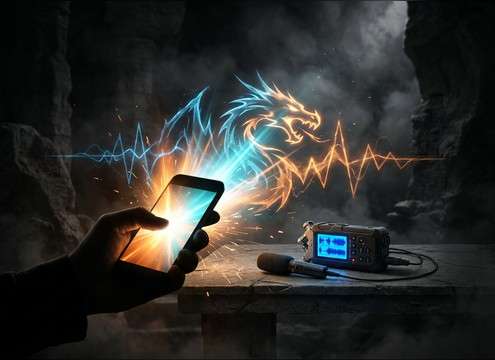
Cannot find the perfect dragon-roar sound effect you need? Generate custom AI dragon-roar audio effortlessly. Describe the style, such as short clean cue, cinematic hit, subtle background layer, branded UI alert, and Media.io AI builds tailored dragon-roar sound effects instantly. No audio editing experience needed. Turn your concept into a royalty-free, high-quality downloadable WAV dragon-roar clip in under 60 seconds.

1

Describe the roar

Type or paste a prompt that matches your scene, like close snarling, distant call, or cave echo, and include details like pitch, intensity, and tail length.

2

Pick duration and takes

Choose 5s, 10s, or 20s, then set how many variations you want so you can audition multiple roar options quickly.

3

Generate and preview

Click Generate, listen to each result, and compare timing, texture, and space until one fits your cut and creature scale.

4

Download WAV and use

Download the WAV file and drop it into your timeline for trailers, fantasy games, apps, audio drama, or commercial projects.

What Can You Use These Dragon-Roar Sound Effects For?

Creators in every field are using our royalty-free audio to set the perfect mood.

dragon roar sound effect synced to a trailer reveal cut

Trailer creature reveal

Hit a picture cut with a single impactful roar, then let the tail carry through the next shot for scale.

dragon boss entrance with close and distant roar layers

RPG boss intro

Use a close snarl for the first camera push-in, then switch to a wider roar as the arena opens up.

audio drama scene with a dragon roar behind dialogue

Audio drama intimidation

Choose a breathy, mid-forward roar that leaves room for dialogue while still feeling threatening.

tabletop RPG moment with a short dragon roar stinger

Tabletop session stinger

Trigger a short 5-second roar for dramatic reveals at the table without a long tail masking narration.

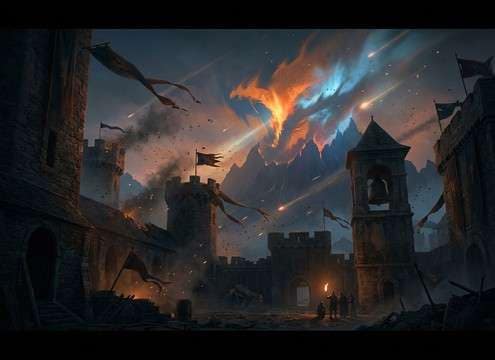
distant dragon roar in a castle courtyard ambience bed

Castle courtyard ambience

Place a distant mountain call behind wind and flags to suggest a nearby threat without overpowering the scene.

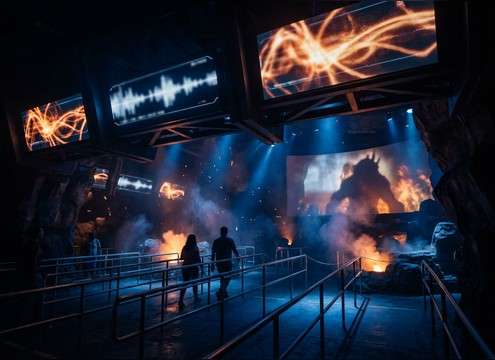
theme park queue screen using a cinematic dragon roar

Theme park queue

Use cinematic wide roars for big screen playback, keeping the transient clear for noisy environments.

mobile game combat moment with a tight dragon roar

Mobile fantasy combat

Pick a shorter, tighter roar that reads on small speakers and does not smear into UI sounds.

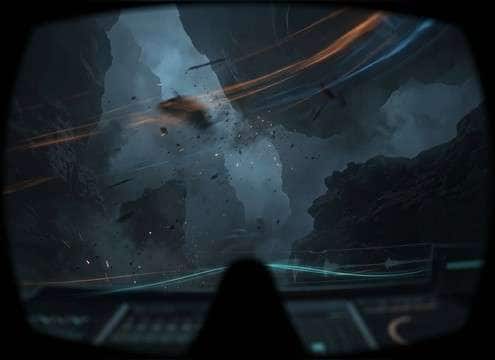
VR dragon flyover with wide stereo roar and distance cues

VR flyover scare

Choose a wide stereo roar with clear distance cues to sell overhead motion and scale in a headset.

Why Choose Media.io for Dragon-Roar Sound Generator?

See exactly why creators, developers and studios choose our AI audio generator over all others.

text prompt controls for dragon roar scale and intensity

Prompt control for scale

Media.io Dragon Roar Sound Generator lets you specify huge ancient beasts, young wyverns, or armored dragons by describing pitch, grit, and intensity in plain text.

dragon roar distance options close versus distant

Distance and space variations

Create close, mid, or far perspectives by prompting for dry room tone, outdoor air, or cavern reflections, then compare options side by side.

multiple generated dragon roar takes for quick audition

Fast audition, cleaner picks

Generate multiple takes per prompt so you can choose the best transient and tail length for your edit timing without hunting through unrelated creatures.

WAV download option for dragon roar sound effects

Downloadable WAV workflow

Export-ready WAV makes it easy to cut, fade, and place the roar under animation or picture without extra conversions.

dragon roar prompt requesting controlled dynamics and shorter decay

Mix-friendly dynamics

Ask for controlled peaks, shorter decay, or reduced low-end so the roar lands hard without swallowing impacts, music, or dialogue.

library preview plus AI generation for custom dragon roars

Library plus generator in one

Start from popular previewable roars, then regenerate custom versions when you need a tighter cut, different emotion, or a new environment tail.

How to Choose or Prompt a Dragon Roar That Fits the Shot

A dragon roar sells size and intent more than volume. When browsing clips or writing a prompt, focus on three things editors notice immediately: the attack (how fast it hits), the body (pitch and texture), and the tail (how long the space hangs around). Use the tips below to get a roar that matches your camera distance, environment, and moment in the scene.

Match intensity to the on-screen action

A roar for a reveal should have a strong transient and clear body, while a warning growl can be slower and more controlled. If your cut is tight, prefer shorter decay so the next sound cue stays readable.

  • For a jump cut: request a fast attack and a tight cutoff tail
  • For a hold on a wide shot: request a longer decay with stable low-end
  • For a wounded creature: request uneven dynamics and a raspier texture

Choose the right perspective: close vs distant

Close roars feel dry and detailed, with more throat grit and less room. Distant roars soften the transient, lose high frequencies, and carry more air and tail, which helps sell scale without dominating the foreground.

  • Close: minimal reverb, strong midrange bite, low room tone
  • Mid distance: moderate reflections, wider stereo, smoother transient
  • Far: filtered highs, outdoor air, longer tail with less definition

Specify the space so the tail makes sense

Environment is usually what makes a roar sound believable in context. A cavern roar needs obvious early reflections and a hollow ring, while an open valley call should feel airy with fewer tight reflections.

  • Cave: prompt for strong early reflections and hollow resonance
  • Castle hall: prompt for bright slapback and longer decay
  • Open mountains: prompt for airy distance and a softer, wider tail

Avoid common prompt mistakes

Overly vague prompts tend to produce roars that are either too wet, too distorted, or too long for edits. Be specific about timing and what you do not want so you get a mix-ready result faster.

  • Avoid: asking for maximum reverb if the scene is outdoors
  • Avoid: nonstop distortion that masks consonant-like attack detail
  • Avoid: long tails for dialogue scenes; request controlled decay instead

Frequently Asked Questions About
Dragon-Roar Sound Effects

Everything you need to know before downloading or generating your first sound.

Can I download dragon roars as WAV and use them in commercial projects?

You can download WAV files from this page and many assets are offered as royalty-free options. Always review the license note shown at download time to confirm it fits your commercial use case.

How do I pick a close vs distant dragon roar for my scene?

Choose close roars for tight framing and creature mouth detail (dry sound, sharper transient). Choose distant roars for wide shots and scale (softer attack, filtered highs, longer tail with more air).

What prompt works best for a cave dragon roar with echo?

Include the space and tail behavior: try wording like "dragon roar in a large cave, strong early reflections, hollow resonance, long reverb tail" and add your duration plus intensity (soft warning or full scream).

Should I use 5 seconds, 10 seconds, or 20 seconds for a dragon roar?

Use 5 seconds for stingers and quick reveals, 10 seconds for a two-stage roar or a beat with a pause, and 20 seconds for long build-ups where the tail needs to carry across multiple shots.

Are these dragon-roar sound effects free to download?

Yes. You can preview and download the AI-generated dragon-roar sound effects as WAV files and use them in personal or commercial projects.

Can I copy the prompt used for each sound?

Yes. Open any sound row to view the prompt, copy it, adjust the wording and generate a custom variation that better matches your scene.

Related Free Sound
Effect Categories

Explore other AI-generated sound libraries from Media.io

sound

Rain Sound Effects

10+ free sounds
sound

Thunder Sound Effects

10+ free sounds
sound

Farts Sound Effects

10+ free sounds
sound

Car Crash Sounds

10+ free sounds
sound

Explosion Sound Effects

10+ free sounds
sound

Gunshot Sound Effects

10+ free sounds
sound

Pistol Sound Effects

10+ free sounds
sound

AI Horror Sound Effects

10+ free sounds
sound

AI Forest Sound Effects

10+ free sounds
sound

AI Dog Whistle Sound

10+ free sounds
sound

AI Ding Sound

10+ free sounds
sound

Phone Ring Sound

10+ free sounds
media.io

AI Video Generator star

Easily generate videos from text or images

Generate
