











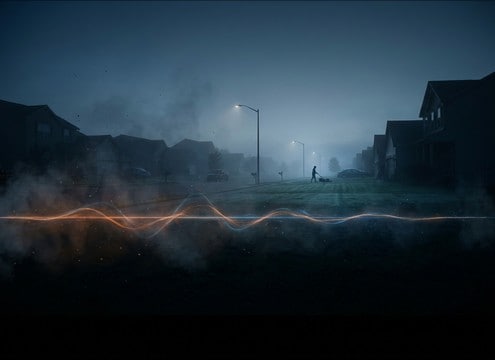

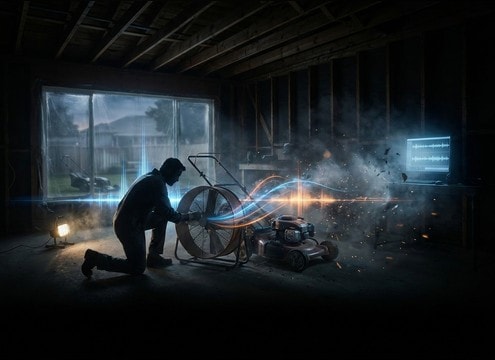




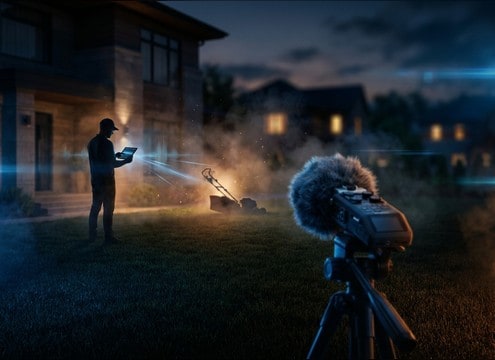
Popular Lawn-Mower Sound Effects Library

Pick a ready-to-use mower sound, or copy the prompt to generate a cleaner idle, a harsher cut tone, or a more distant backyard perspective that fits your scene.

How to Generate Your Own
Lawn-Mower Sound Effects

Cannot find the perfect lawn-mower sound effect you need? Generate custom AI lawn-mower audio effortlessly. Describe the style, such as short clean cue, cinematic hit, subtle background layer, branded UI alert, and Media.io AI builds tailored lawn-mower sound effects instantly. No audio editing experience needed. Turn your concept into a royalty-free, high-quality downloadable WAV lawn-mower clip in under 60 seconds.

1

Describe the mower sound

Type a prompt that matches your scene, like pull-start, steady idle, cutting thick grass, a passby, or a stall and restart. Add distance and environment if needed.

2

Choose length and variations

Set the duration to 5s, 10s, or 20s, then select how many variations you want so you can pick the best take for your cut.

3

Generate and preview

Click Generate, listen to each result, and keep the one with the right RPM feel, tail length, and background noise level.

4

Download WAV and use

Download the WAV file and drop it into yard scenes, home repair edits, game environments, apps, podcasts, or commercial projects.

What Can You Use These Lawn-Mower Sound Effects For?

Creators in every field are using our royalty-free audio to set the perfect mood.

Suburban street establishing shot with distant lawn mower ambience

Neighborhood establishing shots

Place a distant mower bed under birds and light traffic to sell a suburban morning without overpowering dialogue.

Gardening video B-roll with lawn mower cutting sound replacement

Backyard DIY and

Swap weak camera audio with a clean cutting tone or a short rev burst timed to B-roll of edging and trimming.

Renovation vlog transition using lawn mower shutdown sound

Home renovation scene

Use a spin-down or shutdown cue as a practical transition between outdoor work segments and indoor narration.

Comedy sketch backyard scene interrupted by loud lawn mower passby

Comedic interruption gags

Add a sudden passby sweep or a loud close-cut burst to interrupt a calm backyard conversation for contrast.

Audio drama scene set in a yard with lawn mower idle in the distance

Audio drama yard

Layer an idle loop under footsteps and fence creaks to place characters in a neighboring yard or driveway.

Mobile game garden level with loopable lawn mower ambience

Mobile game yard

Use short loopable beds as environmental audio for garden, farm, or suburban maps without harsh transients.

Safety training module using lawn mower start and stop sound cues

Safety training scenarios

Support mower safety modules with realistic start, run, and stop cues so learners recognize timing and hazard moments.

Real estate exterior walkthrough with subtle distant lawn mower sound

Real estate walkthrough

Fill outdoor gaps with controlled distant mower tone and room tone so the yard feels lived-in but not distracting.

Why Choose Media.io for Lawn-Mower Sound Generator?

See exactly why creators, developers and studios choose our AI audio generator over all others.

Prompt controls for a lawn-mower sound generator

Lawn-Mower Sound Generator controls

Guide the engine character with prompts for idle vs cutting, steady RPM vs rev bursts, and cleaner or grittier blade texture.

Previewing lawn mower audio clips waveform

Preview before you commit

Audition each clip for attack sharpness, tail length, and background room tone so it sits under dialogue and ambience.

Distance variations for lawn mower sound effects

Distance and space options

Generate close, mid, or distant perspectives with more or less outdoor reflections, avoiding a one-size-fits-all mower sound.

Regenerating alternate lawn mower sound variations

Regenerate quick alternates

If the mower masks your VO, regenerate a lighter midrange version or a narrower stereo bed while keeping the same timing.

WAV export option for lawn mower sound effects

WAV for clean editing

Export WAV so you can trim, fade, loop, and place the sound precisely on a cut without extra conversion steps.

Scene-ready lawn mower ambience bed in a timeline

Mix-friendly, scene-ready assets

Choose clips with controlled transients and consistent loudness so your yard bed feels continuous across multiple shots.

How to Prompt Lawn-Mower SFX That Match Your Scene

Lawn mowers are easy to spot when they feel wrong: the RPM drifts, the tail is too long, or the distance does not match the camera. Use prompts that specify the action (start, idle, cutting, passby, shutdown), the perspective (close vs across-the-fence), and the texture (clean engine tone vs gritty blade rasp). Then pick a 5s, 10s, or 20s length that fits the edit and loops cleanly.

Start, run, stop: name the action

Decide what the mower is doing on-screen. A pull-start has a sharp mechanical transient, while a cutting bed should be steadier with less obvious peaks. Shutdowns need a natural spin-down curve so the end does not feel abruptly muted.

  • Use action words: pull-start, idle, rev, cutting, stall, shutdown
  • Ask for clean transients on starts, smoother texture on beds
  • Request a clear end state: stops, returns to idle, or fades out

Match camera distance and masking

A close mower is mid-forward and aggressive, while a distant mower loses high end and gains ambience. If the mower is under speech, prompts should reduce harsh mids and keep the bed consistent so it does not pump against dialogue.

  • Specify distance: close mic, driveway distance, across the yard
  • Call out ambience: backyard room tone, light wind, open-air reflections
  • Mention masking needs: under dialogue, background only, not dominant

Control texture: engine tone vs blade rasp

The recognizable part is not just loudness, it is texture. Cutting grass adds a gritty, noisy layer that can sound like sandpaper if overdone. Prompts can target a smoother engine hum or a more pronounced cutting rasp depending on the shot.

  • Ask for blade texture only when needed: cutting thick grass, rough rasp
  • Request cleaner tone for narration: smoother engine, less grit
  • Describe stability: steady RPM, no random rev spikes

Pick duration for edits and loops

Short clips are best for cues, while longer beds help continuous scenes. If you plan to loop, ask for stable RPM and a loopable ending so the seam is less audible after crossfades.

  • Choose 5 seconds for starts, stalls, and short passbys
  • Choose 10 seconds for a usable run bed with light variation
  • Choose 20 seconds for continuous backyard ambience and looping

Frequently Asked Questions About
Lawn-Mower Sound Effects

Everything you need to know before downloading or generating your first sound.

Can I download lawn mower SFX as WAV and edit them?

Yes. Download the clip as a WAV file, then trim, add short fades, or loop it in your editor. For loops, crossfade the end into the start to hide any RPM seam.

How do I choose between idle, cutting, and passby mower sounds?

Use idle for background presence with fewer sharp transients, cutting when you need blade texture and stronger midrange, and passby when the mower moves through frame with stereo motion and mild Doppler.

What prompt details make an AI lawn mower sound feel realistic?

Include the action (pull-start, steady idle, cutting), the perspective (close vs distant), and two sound traits like steady RPM, short tail, reduced high end at distance, or loopable ending. This helps the generator produce a consistent bed instead of a random rev.

Which duration should I generate: 5s, 10s, or 20s?

Pick 5s for single events like start, rev, stall, or shutdown. Pick 10s for a flexible running bed. Pick 20s for continuous backyard scenes where you want fewer audible repeats.

Are these lawn-mower sound effects free to download?

Yes. You can preview and download the AI-generated lawn-mower sound effects as WAV files and use them in personal or commercial projects.

Can I copy the prompt used for each sound?

Yes. Open any sound row to view the prompt, copy it, adjust the wording and generate a custom variation that better matches your scene.

Related Free Sound
Effect Categories

Explore other AI-generated sound libraries from Media.io

sound

Rain Sound Effects

10+ free sounds
sound

Thunder Sound Effects

10+ free sounds
sound

Farts Sound Effects

10+ free sounds
sound

Car Crash Sounds

10+ free sounds
sound

Explosion Sound Effects

10+ free sounds
sound

Gunshot Sound Effects

10+ free sounds
sound

Pistol Sound Effects

10+ free sounds
sound

AI Horror Sound Effects

10+ free sounds
sound

AI Forest Sound Effects

10+ free sounds
sound

AI Dog Whistle Sound

10+ free sounds
sound

AI Ding Sound

10+ free sounds
sound

Phone Ring Sound

10+ free sounds
media.io

AI Video Generator star

Easily generate videos from text or images

Generate
