











Popular Basketball Sound Effects Library

Pick a ready-to-use clip, or copy its prompt to generate tighter transients, longer gym tails, or a more distant perspective. Each item is tuned for quick previewing and fast drop-in to edits.

How to Generate Your Own
Basketball Sound Effects

Cannot find the perfect basketball sound effect you need? Generate custom AI basketball audio effortlessly. Describe the style, such as short clean cue, cinematic hit, subtle background layer, branded UI alert, and Media.io AI builds tailored basketball sound effects instantly. No audio editing experience needed. Turn your concept into a royalty-free, high-quality downloadable WAV basketball clip in under 60 seconds.

1

Describe the play sound

Type a prompt for what you need, like a tight dribble, a clean swish, a rim rattle, or squeaks in a quiet gym.

2

Choose length and takes

Set 5s, 10s, or 20s, then choose how many variations to generate so you can audition different intensities.

3

Generate and preview

Click Generate, listen to each result, and keep the version with the right timing and space for your scene.

4

Download WAV and use

Download the WAV file and drop it into highlight edits, basketball games, sports bumpers, apps, podcasts, or commercial projects.

What Can You Use These Basketball Sound Effects For?

Creators in every field are using our royalty-free audio to set the perfect mood.

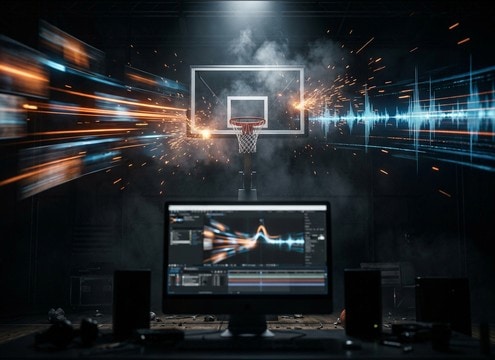
Basketball highlight reel timeline with swish and rim hit sound effects

Highlight reel beat

Sync a rim clang or clean swish to jump cuts, speed ramps, and scoreboard overlays without muddy tails.

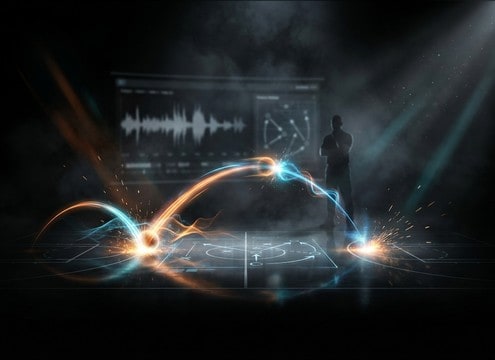
Coaching video with drawn play arrows and dribble sound effects

Play breakdown tutorials

Add isolated dribbles and pass thumps under diagrams so each move reads clearly without crowd masking.

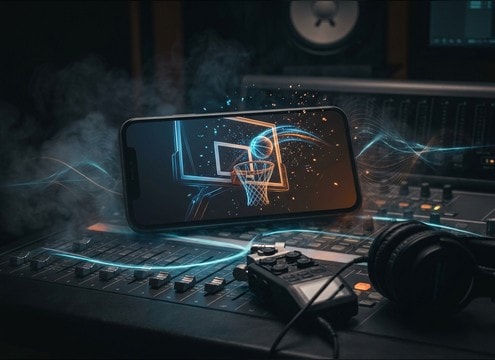
Basketball mobile game interface using swish and rim tick sounds

Mobile hoops UI

Use short swishes and soft backboard ticks as satisfying rewards for shots, streaks, and achievements.

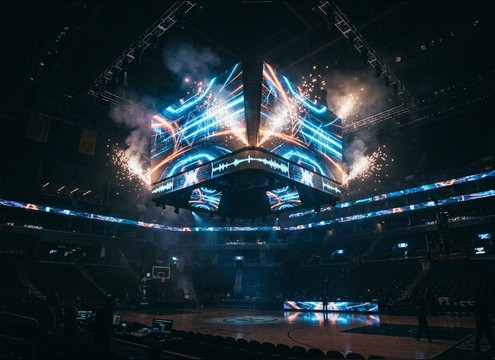
Stadium jumbotron animation with punchy basketball bounce stinger

Arena jumbotron stingers

Drop punchy bounces and squeak stops into hype animations where fast attack matters more than long decay.

Outdoor streetball court scene with distant bounce sound effects

Streetball documentary scenes

Choose outdoor court bounces and sneaker texture that match asphalt tone and distance for run-and-gun shots.

Sneaker commercial close-up with squeak stop sound effect

Sneaker brand product

Feature crisp squeaks and quick stops to spotlight traction and movement without overbearing room reflections.

Streaming overlay with basketball stat popups and swish sound cue

Esports style overlays

Trigger swish and rim hit cues for on-screen stats, player cards, and transitions in basketball-themed streams.

Training simulation audio panel with dribble and pass impact sounds

Referee training simulations

Build controlled gym scenes with consistent dribble spacing and clear ball-hand contact for timing practice.

Why Choose Media.io for Basketball Sound Generator?

See exactly why creators, developers and studios choose our AI audio generator over all others.

Text prompt box for a basketball sound generator

Basketball Sound Generator with prompt control

Write exactly what happens: single bounce, crossovers, clean swish, rim rattle, or a full free throw sequence.

Multiple generated basketball sound effect variations in a list

Basketball Sound Generator variations on demand

Regenerate multiple takes to get different punch, decay length, and realism without re-recording foley.

Duration selector showing 5s 10s and 20s for basketball sounds

Basketball Sound Generator timing that fits cuts

Pick 5s, 10s, or 20s so the action lands on the edit, from quick UI hits to longer practice beds.

Court distance slider concept for basketball sound perspective

Court space and distance options

Prompt for tight close-mic detail or a distant gym perspective with more room tone and wider reflections.

Audio preview player for basketball dribble and swish clips

Preview first, download later

Audition transients and tails in-browser before exporting, so you avoid clips that smear under music.

WAV export option for basketball sound effects

WAV files ready for your timeline

Export clean WAV audio you can trim, fade, and place under commentary, graphics, or slow-motion shots.

How to Pick and Prompt Basketball Sounds That Match the Shot

Basketball audio often fails because the action is right but the space is wrong: a swish that is too roomy, a dribble that has no punch, or squeaks that overpower the cut. Use these prompt and selection checks to get the right transient, tail, and perspective for your scene.

Start with the exact action

Name what the ball is doing and what should be excluded. A swish-only clip feels very different from a rim-out, and a catch thump is not the same as a bounce.

  • Specify the event: single dribble, crossover pattern, chest pass to hands, net swish, rim clang, backboard tick
  • Exclude clutter: no crowd, no music, no voice, no whistle, no extra bounces
  • Ask for clean dynamics: punchy attack, controlled decay, consistent loudness

Match perspective to the camera

A close shot needs crisp transients and less room, while a wide angle benefits from more reflections and stereo width. Pick or prompt the listening distance before you worry about style.

  • Close: tight attack, minimal room tone, centered image for quick edits
  • Mid-court: moderate gym reflections, natural tail, slightly wider stereo
  • Distant: softened transient, more wash and ambience, less low-end punch

Control the gym feel without mud

Hardwood gyms add a recognizable slap and tail, but too much reverb can smear under music beds or announcer VO. Keep tails intentional and short for fast cuts.

  • Prompt for reverb amount: light gym reverb, medium reflections, long ring-out only when needed
  • Use tail language: short decay for UI hits, medium tail for on-court realism
  • Avoid masking: request less low-mid buildup if your track already has bass

Common mistakes to avoid

If a clip sounds fake, it is usually because the texture and timing do not match: rubbery bounces, overly bright squeaks, or unrealistic silence around the action.

  • Do not over-stack events in 5 seconds; keep sequences simple and readable
  • Avoid exaggerated squeaks unless the shot is a close-up of footwork
  • Watch for unnatural silence; add subtle room tone for indoor realism

Frequently Asked Questions About
Basketball Sound Effects

Everything you need to know before downloading or generating your first sound.

Can I download these basketball sounds for commercial use?

Yes. You can preview and download the clips and use them in commercial projects like ads, branded highlight reels, and monetized content. Check the license notes shown in the downloader UI for your specific export.

Which basketball sound works best for slow motion highlights?

Choose sounds with a longer, smoother tail: a rim ring-out, a fuller net swish, or a distant bounce with more gym reflections. For very slow visuals, avoid ultra-short dribbles with a hard cutoff unless you plan to add a fade.

How do I make a dribble loop that does not click?

Start with a clip that has steady room tone and consistent bounce spacing. Trim at a zero crossing, add short fades on both ends, and keep the tail clean so the loop point does not introduce a pop or sudden reverb change.

Indoor gym vs outdoor court: what should I listen

Indoor clips usually have audible room tone and reflections with a clearer high-end slap. Outdoor courts feel drier with less tail and often a duller bounce. If your picture is outside, avoid long reverb and wide stereo reflections.

Are these basketball sound effects free to download?

Yes. You can preview and download the AI-generated basketball sound effects as WAV files and use them in personal or commercial projects.

Can I copy the prompt used for each sound?

Yes. Open any sound row to view the prompt, copy it, adjust the wording and generate a custom variation that better matches your scene.

Related Free Sound
Effect Categories

Explore other AI-generated sound libraries from Media.io

sound

Rain Sound Effects

10+ free sounds
sound

Thunder Sound Effects

10+ free sounds
sound

Farts Sound Effects

10+ free sounds
sound

Car Crash Sounds

10+ free sounds
sound

Explosion Sound Effects

10+ free sounds
sound

Gunshot Sound Effects

10+ free sounds
sound

Pistol Sound Effects

10+ free sounds
sound

AI Horror Sound Effects

10+ free sounds
sound

AI Forest Sound Effects

10+ free sounds
sound

AI Dog Whistle Sound

10+ free sounds
sound

AI Ding Sound

10+ free sounds
sound

Phone Ring Sound

10+ free sounds
media.io

AI Video Generator star

Easily generate videos from text or images

Generate
