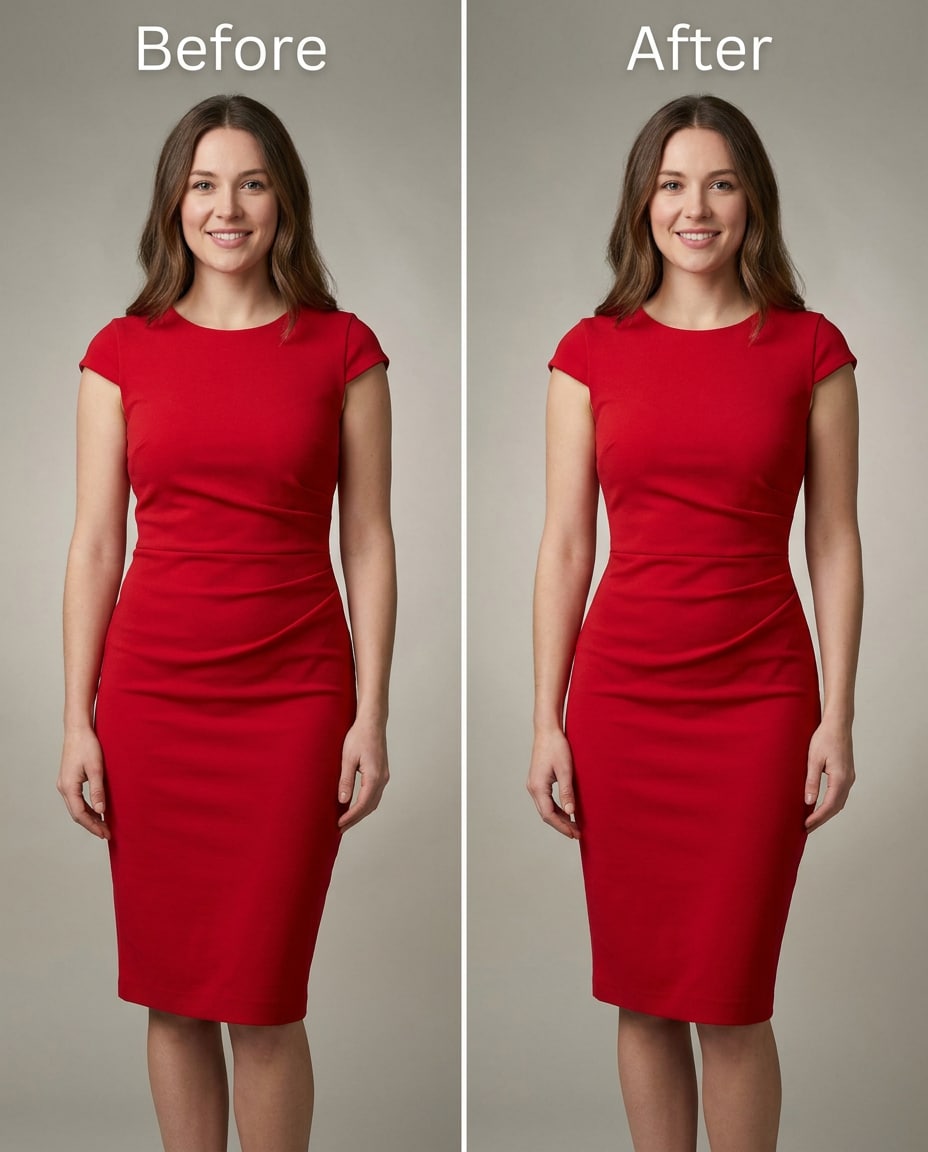
Red Dress Subtle Cinch
Slim the waist slightly for a natural hourglass shape, keeping the same face and same pose, with the same hairstyle and same skin tone, preserving dress seams and the original lighting and background details --ar 4:5
Sculpt your silhouette fast with the Gemini AI Slim Waist Prompt, then decide how far to push it from gentle to dramatic. You upload one photo, paste a single edit brief, and generate options that keep your face recognizable and your outfit believable. The goal isn't a plastic look; it's a controlled cinch that respects seams, shadows, and fabric stretch. Browse 25 prompts below and pick an intensity that fits the styling, pose, and camera angle you already have.
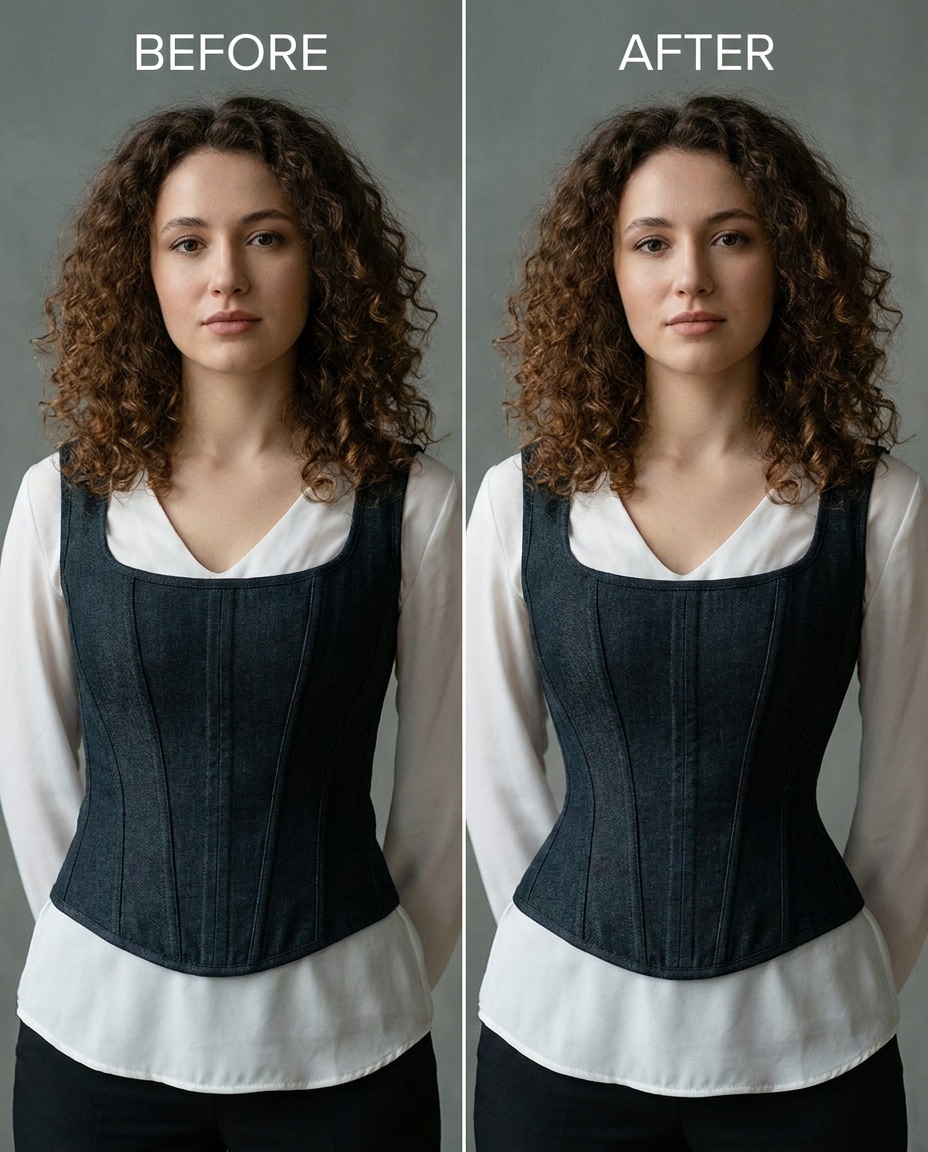
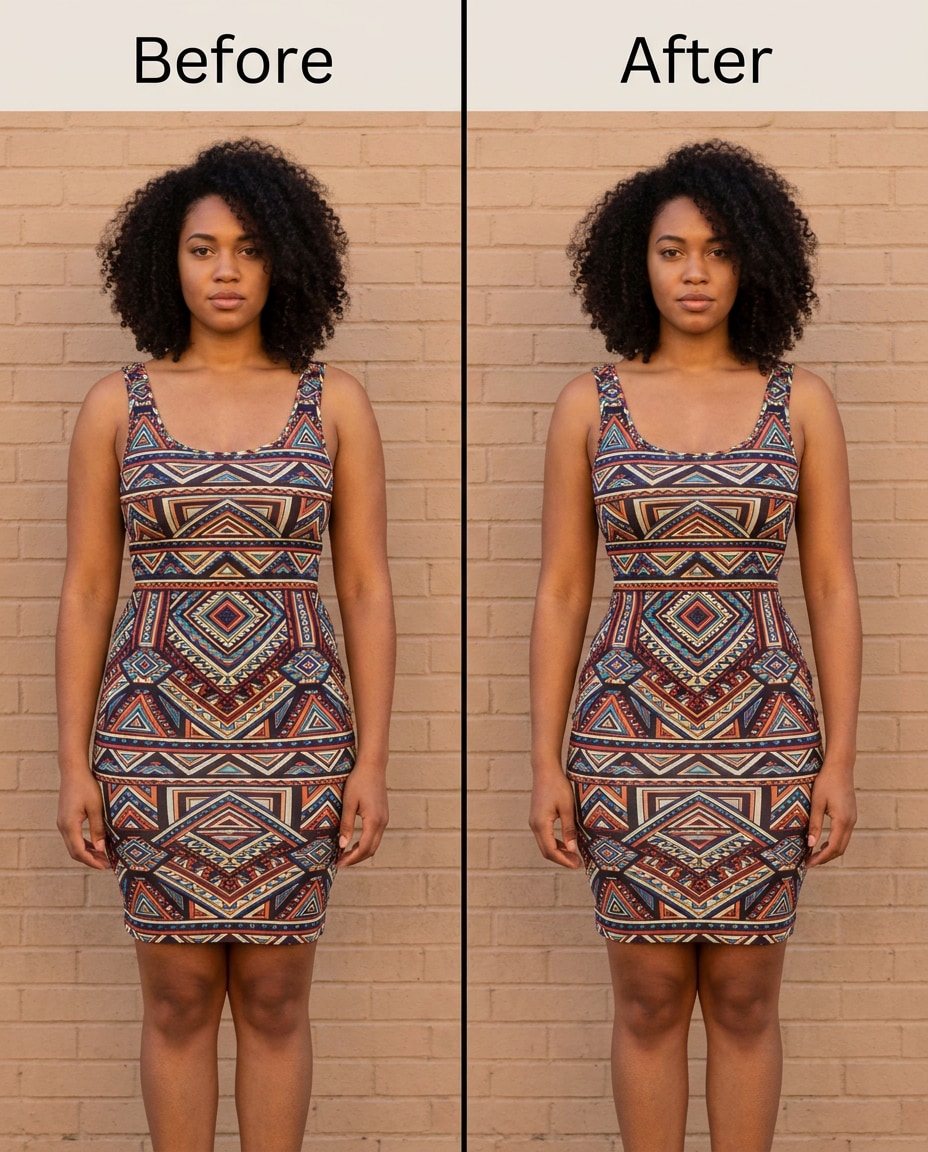
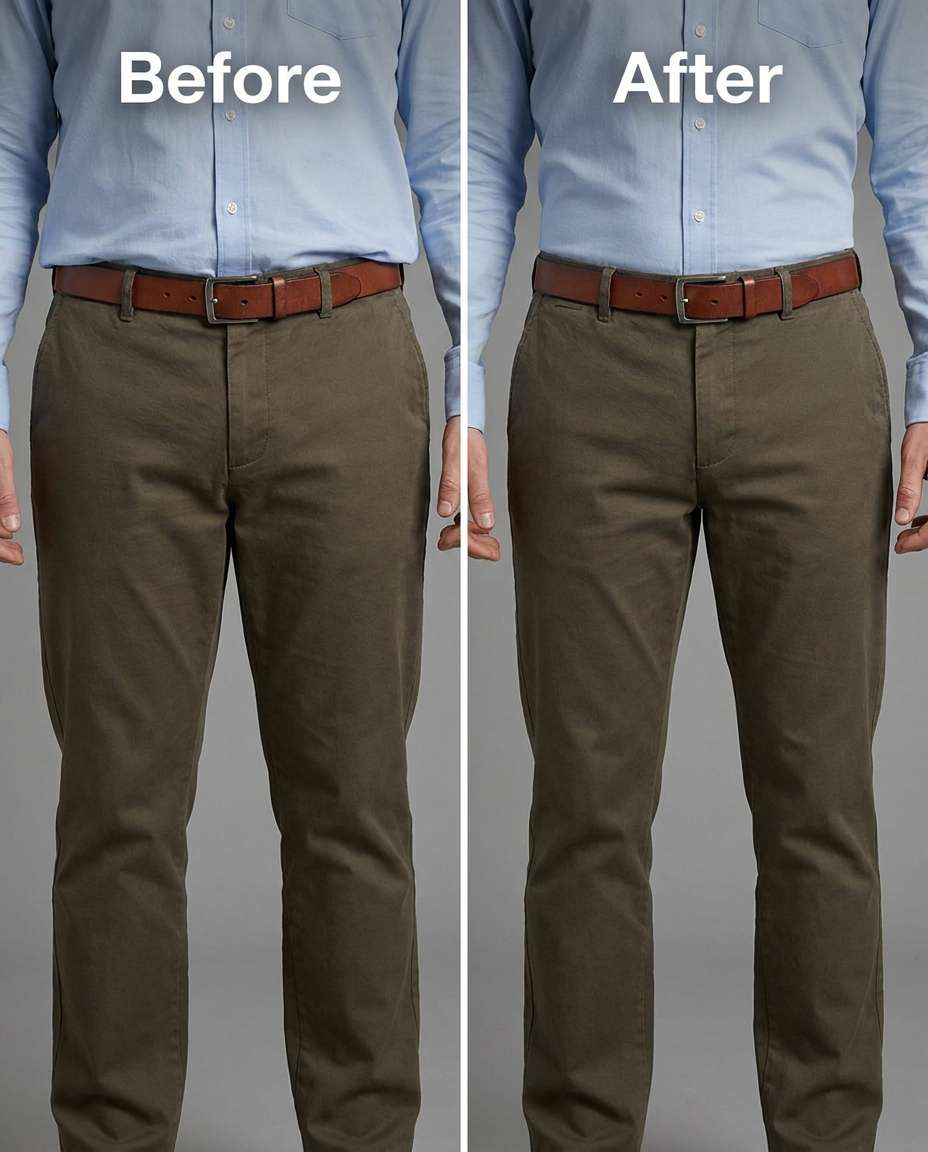
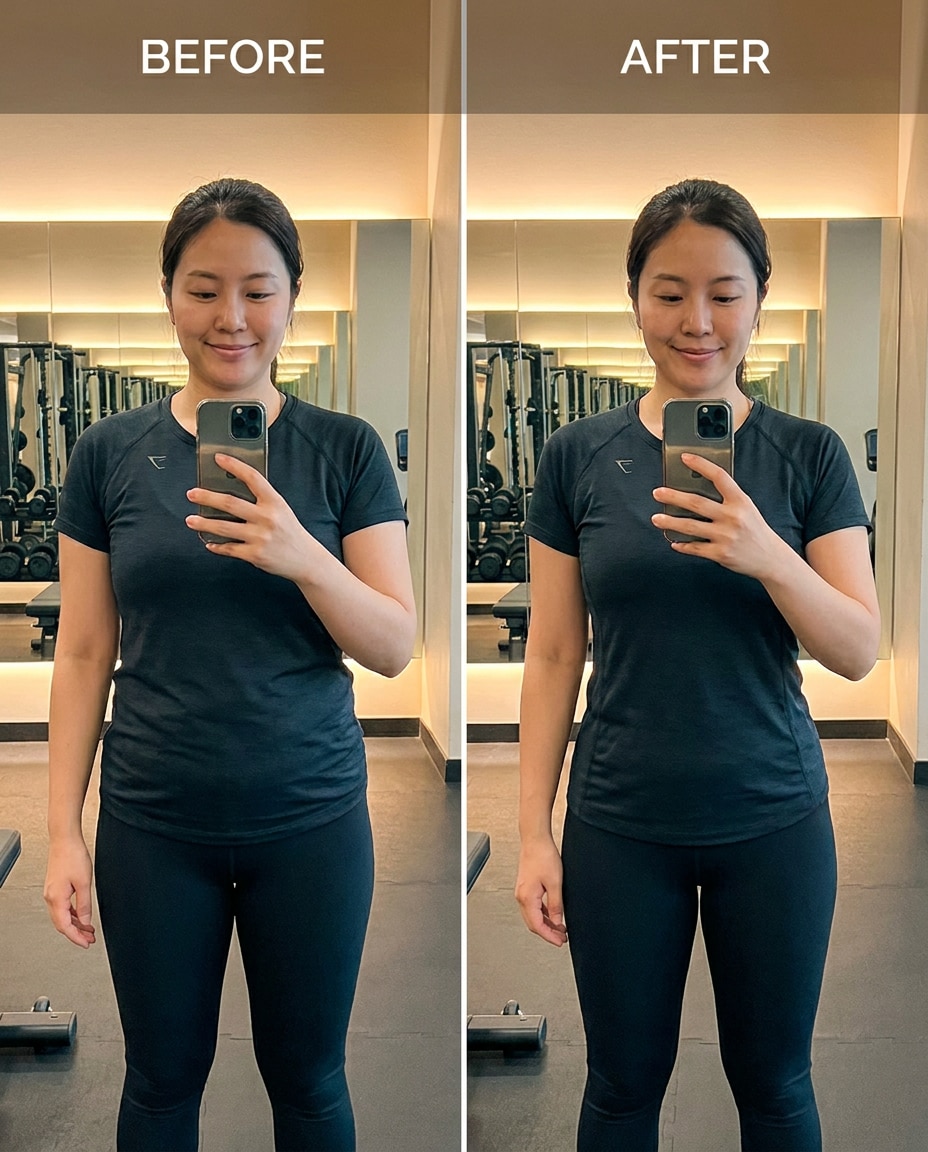
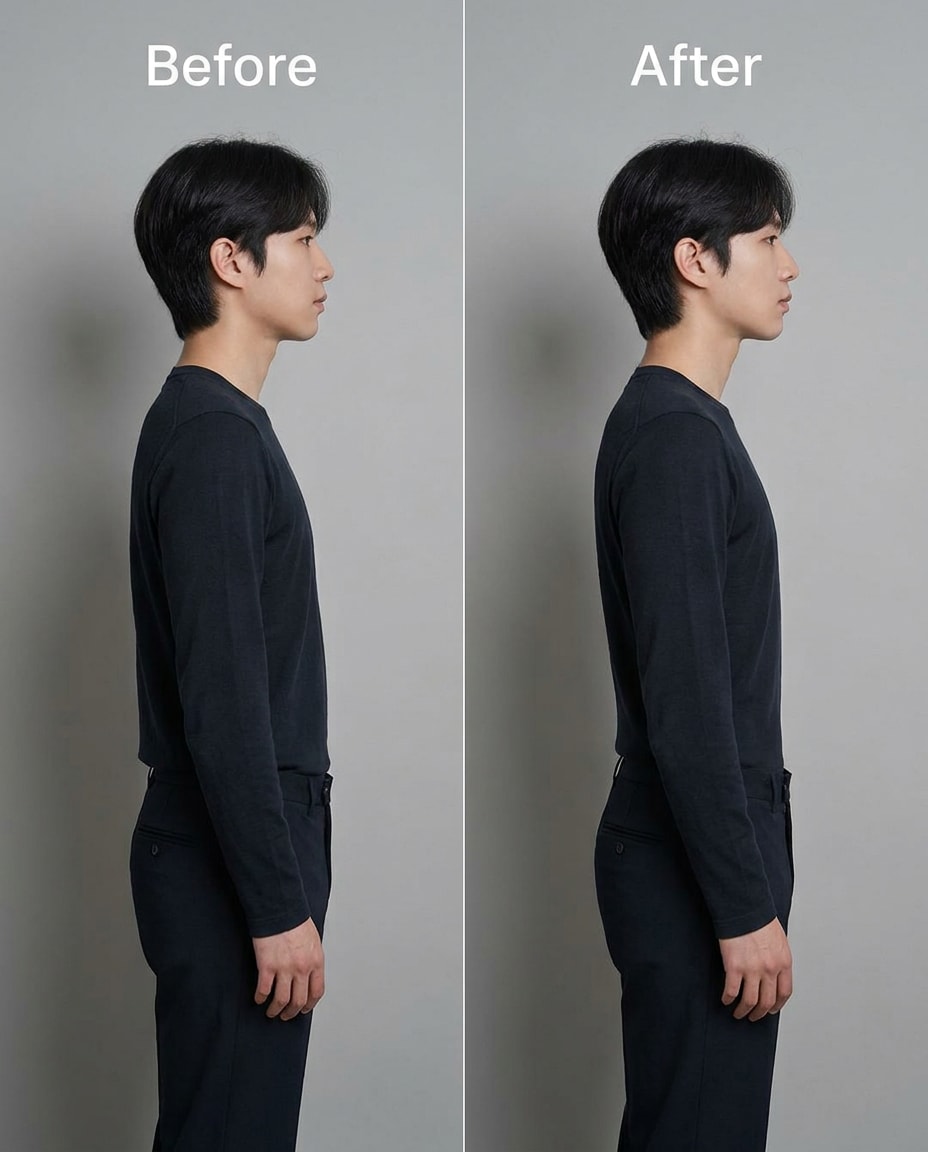
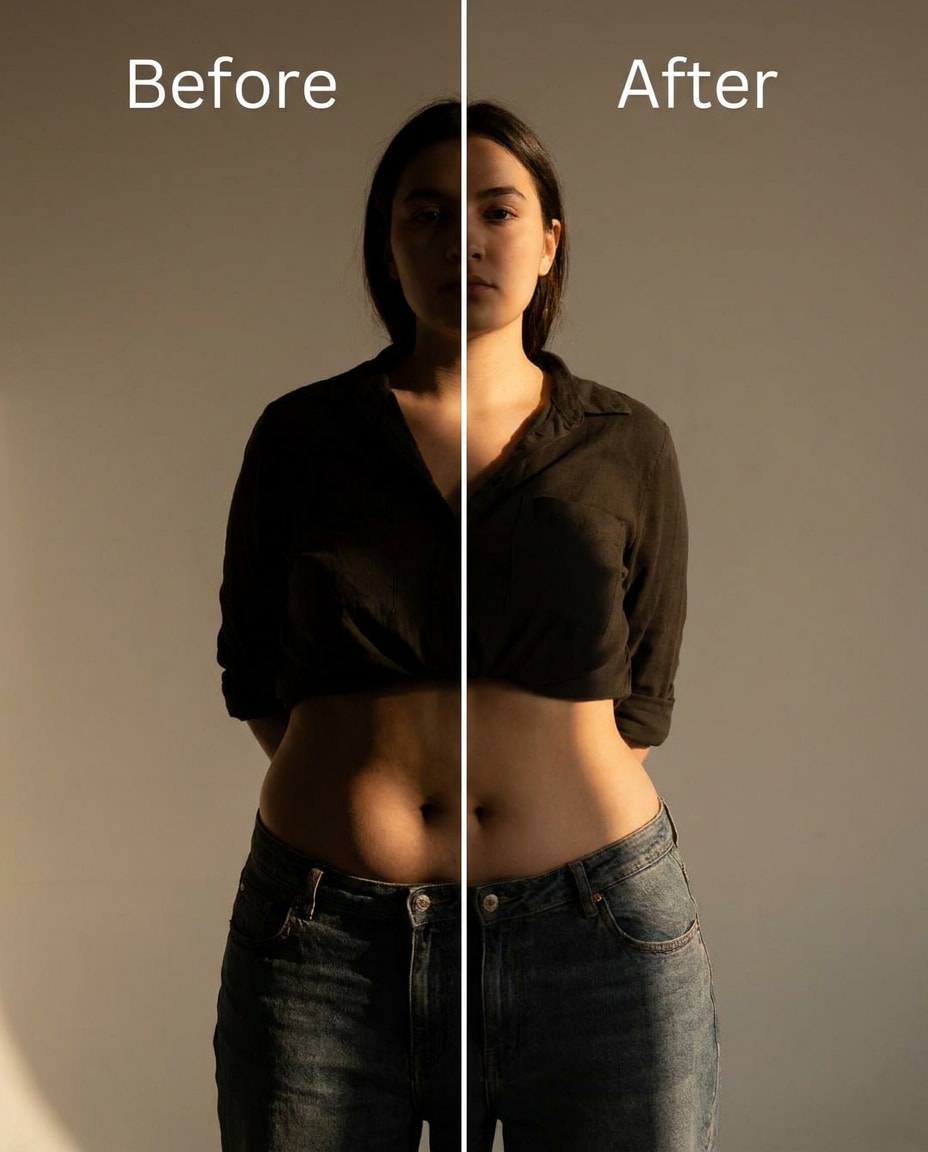
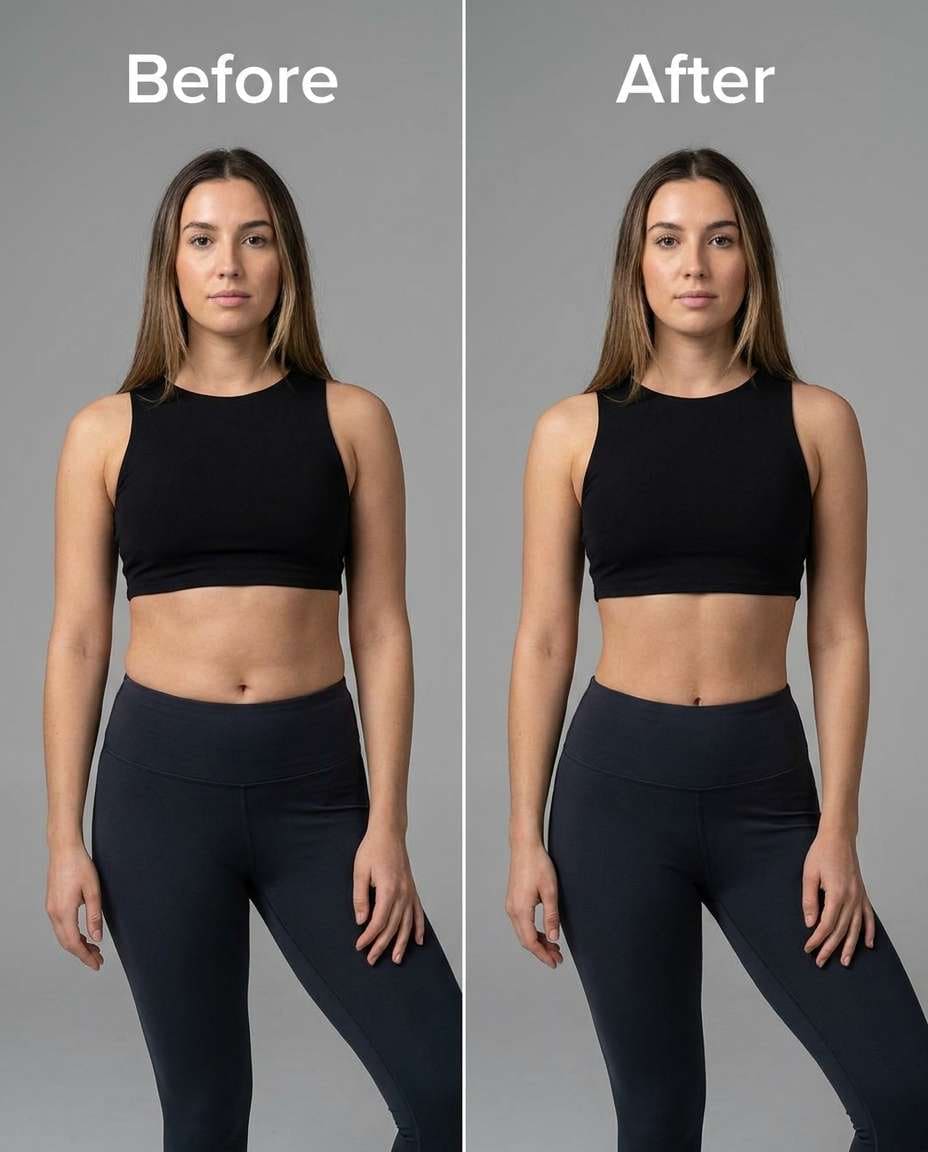
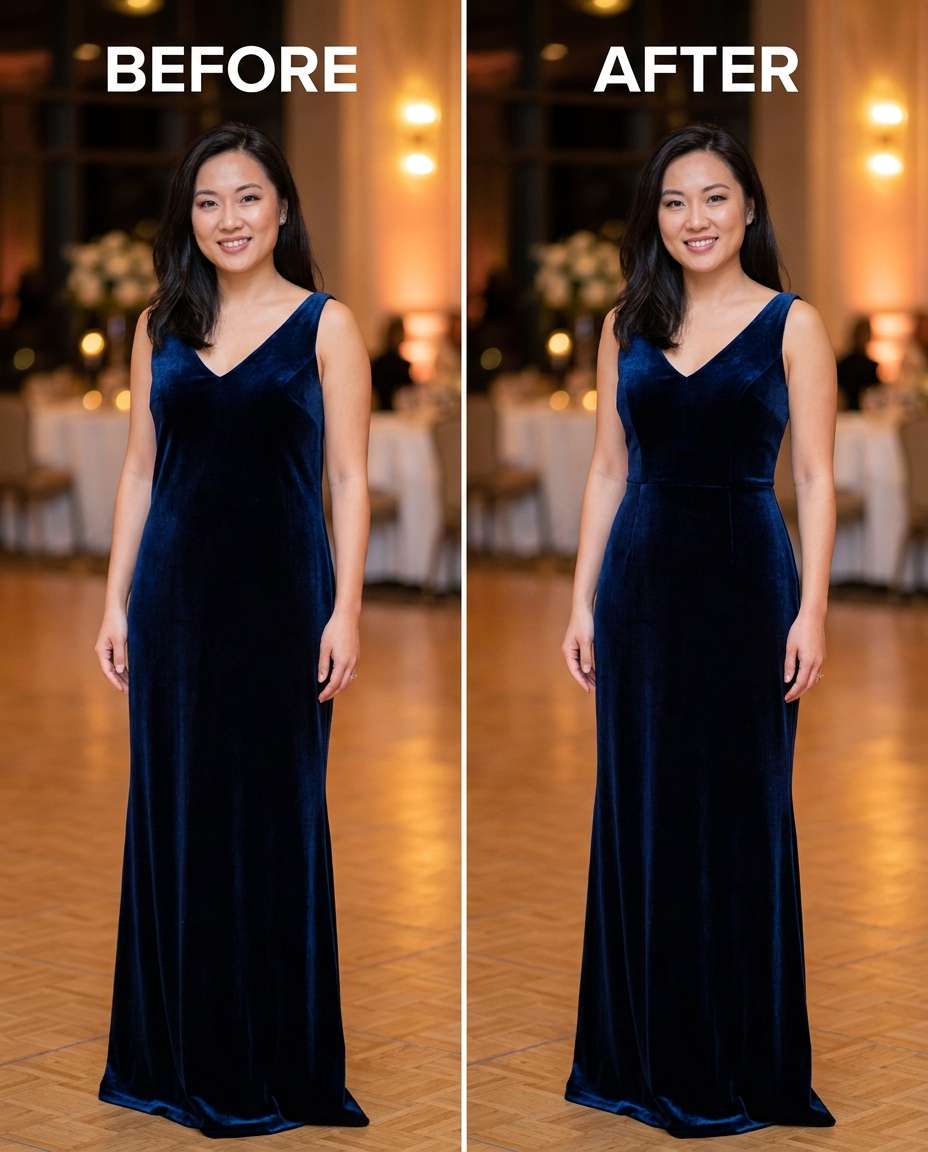
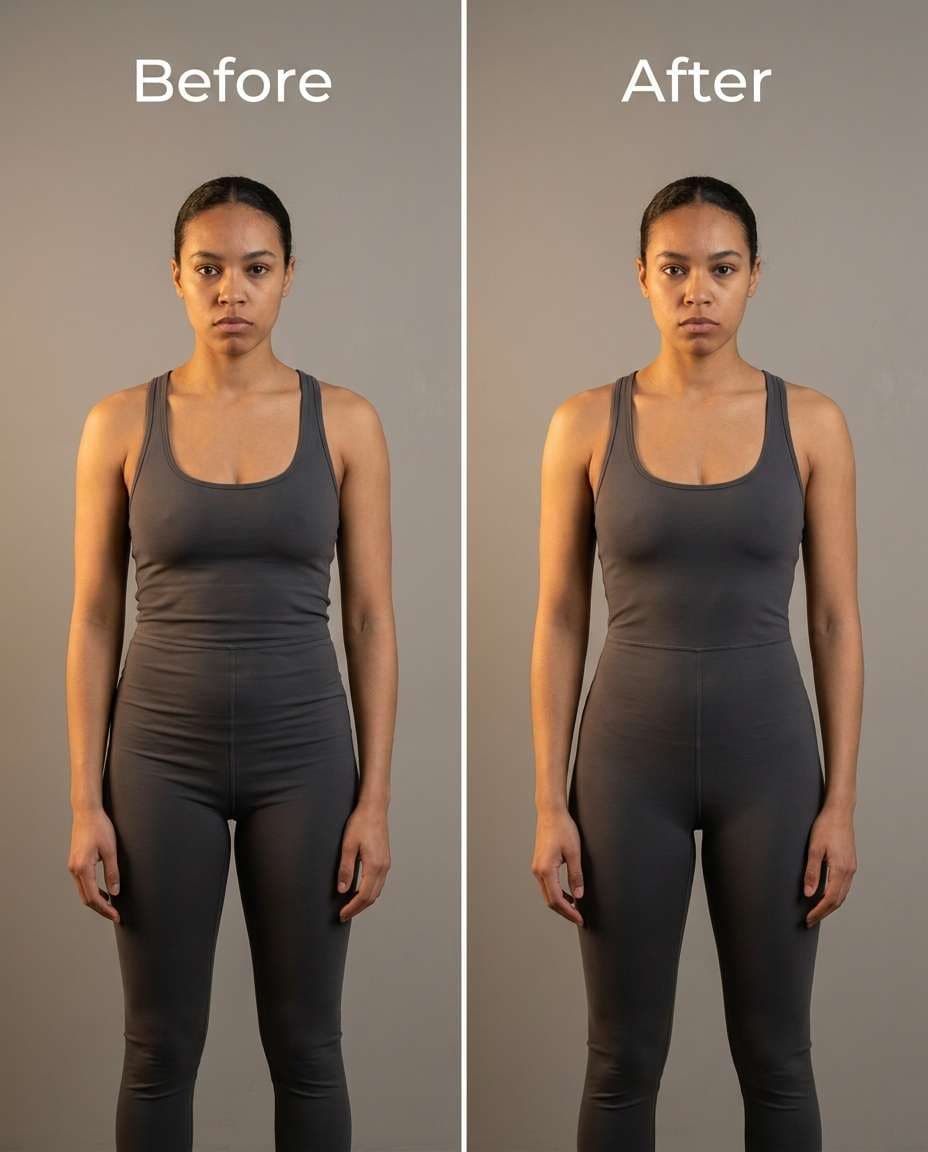
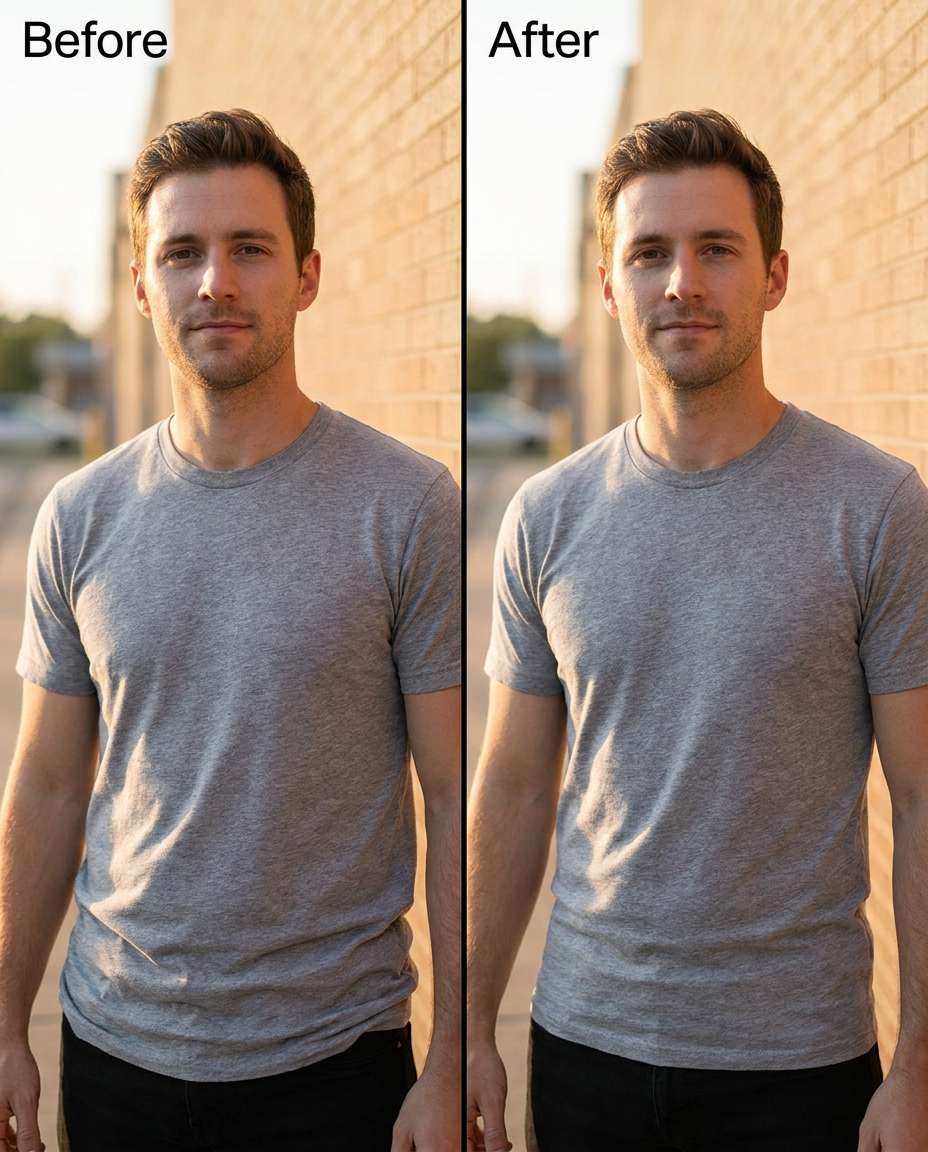
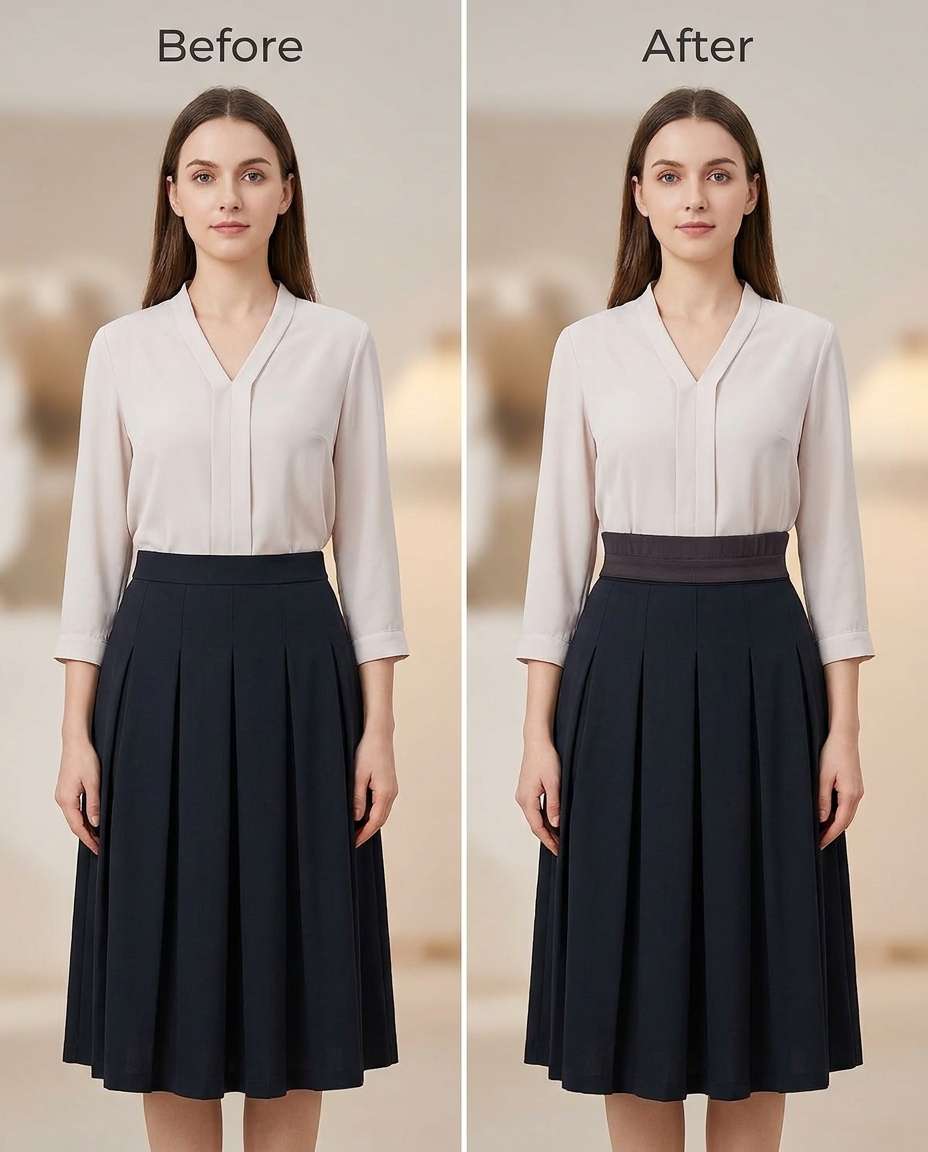
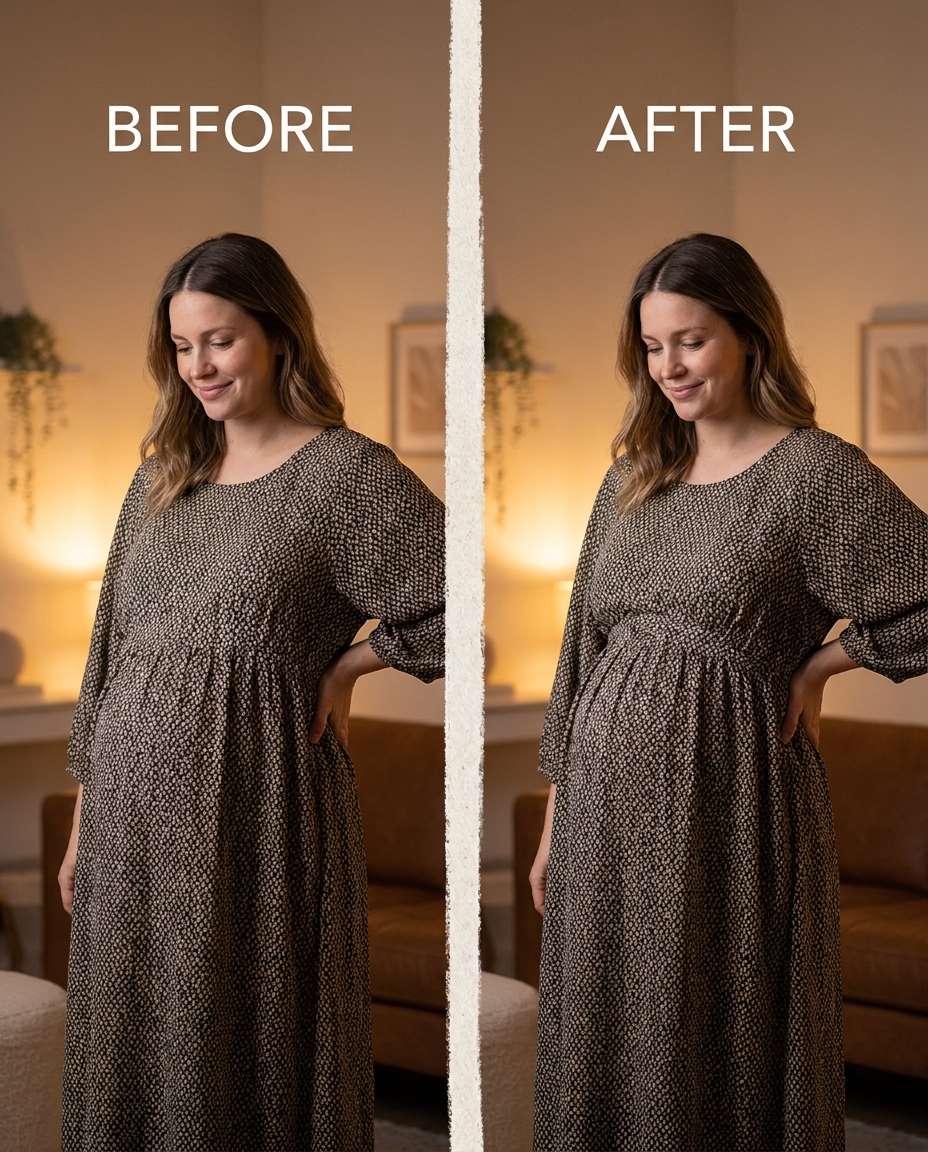
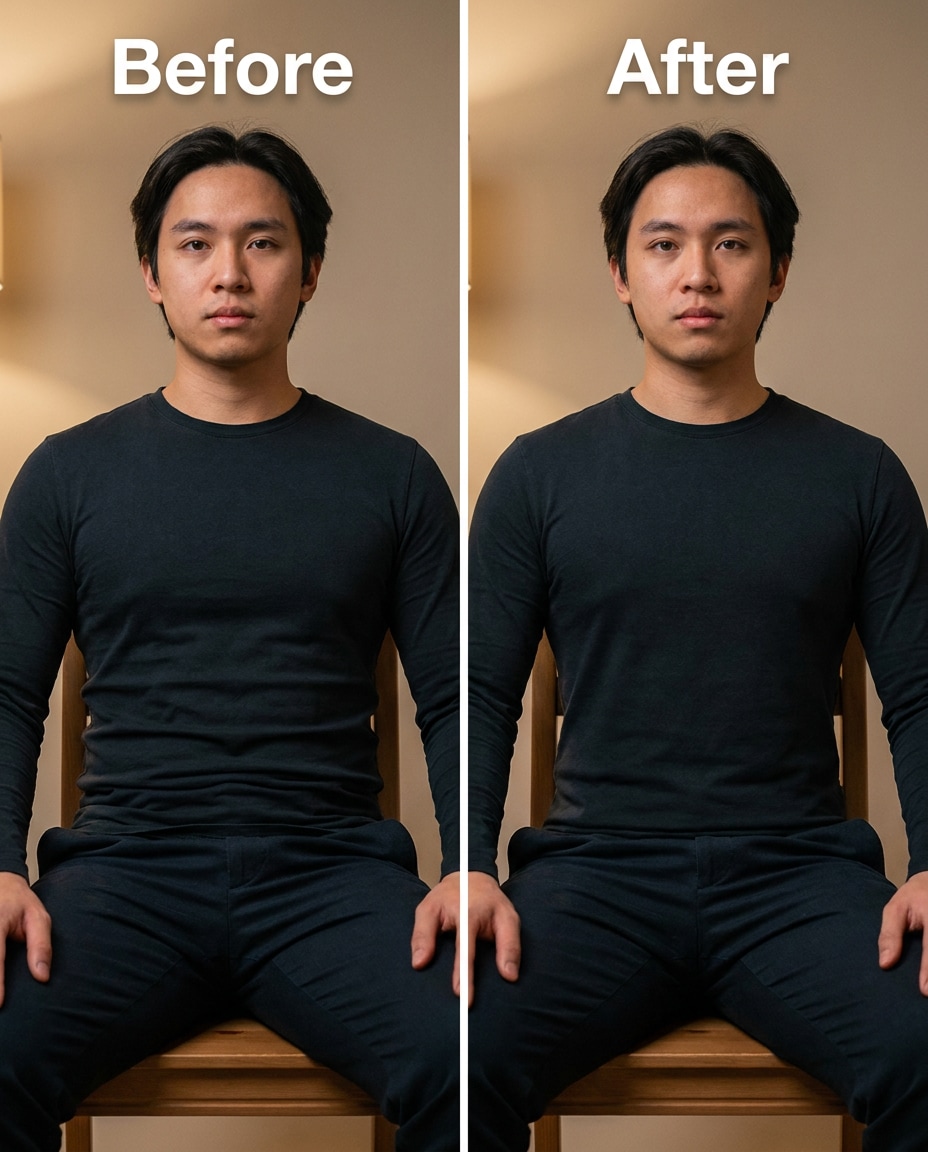
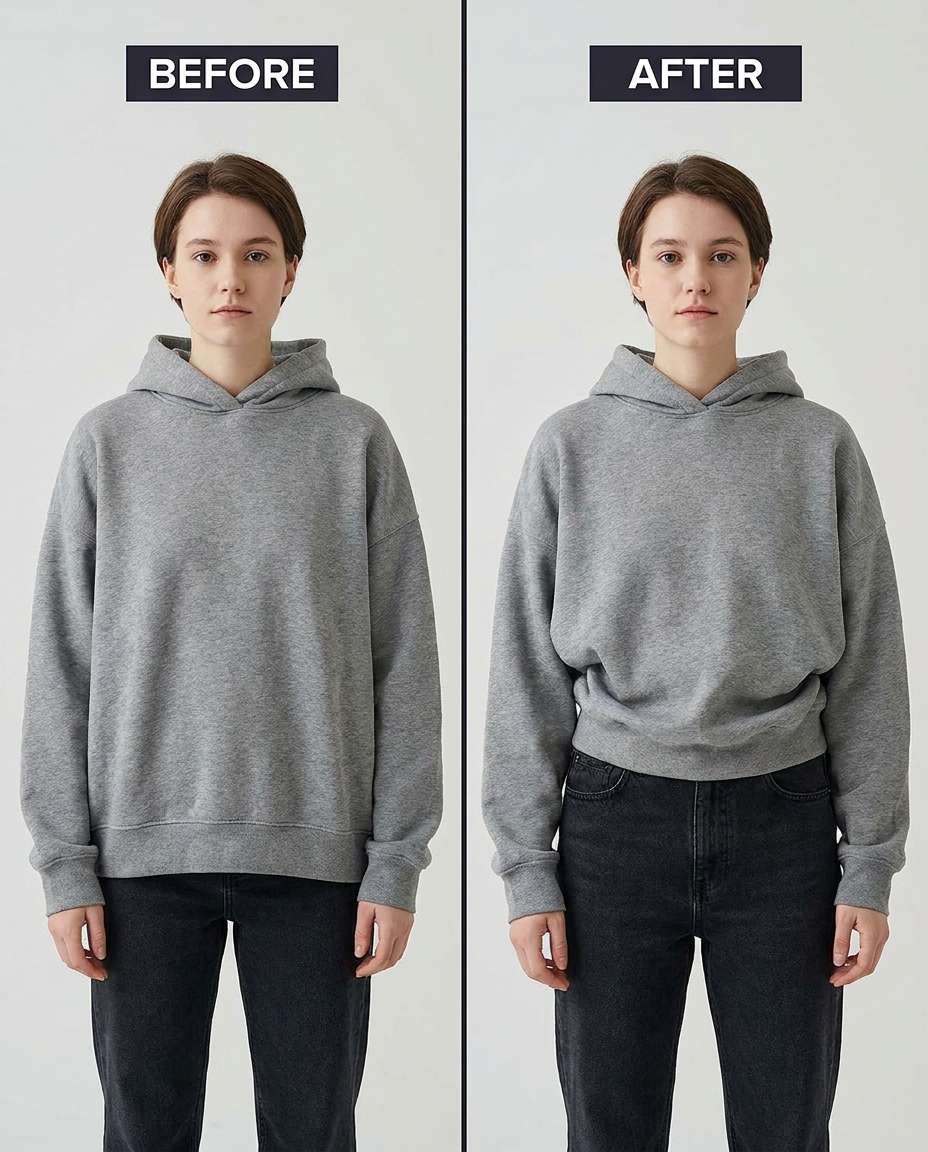
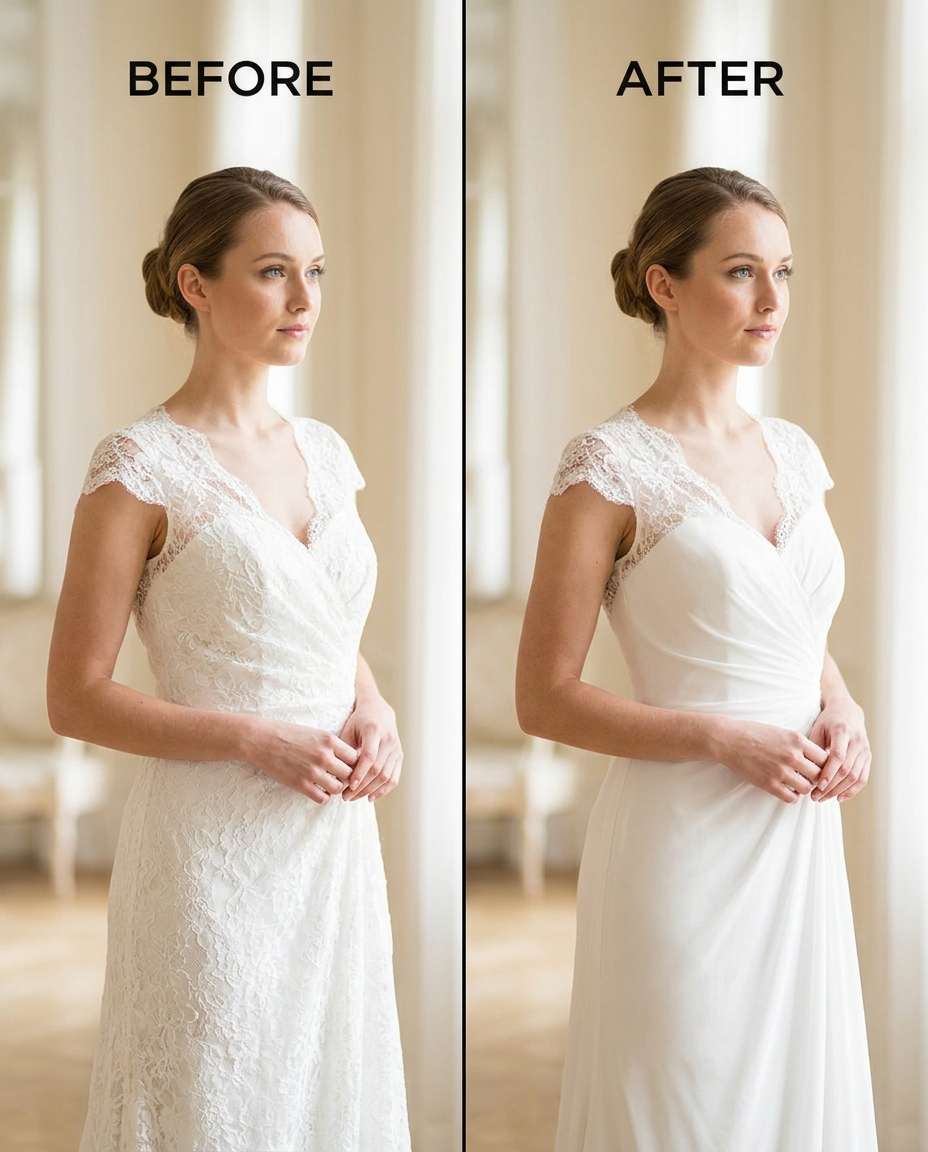
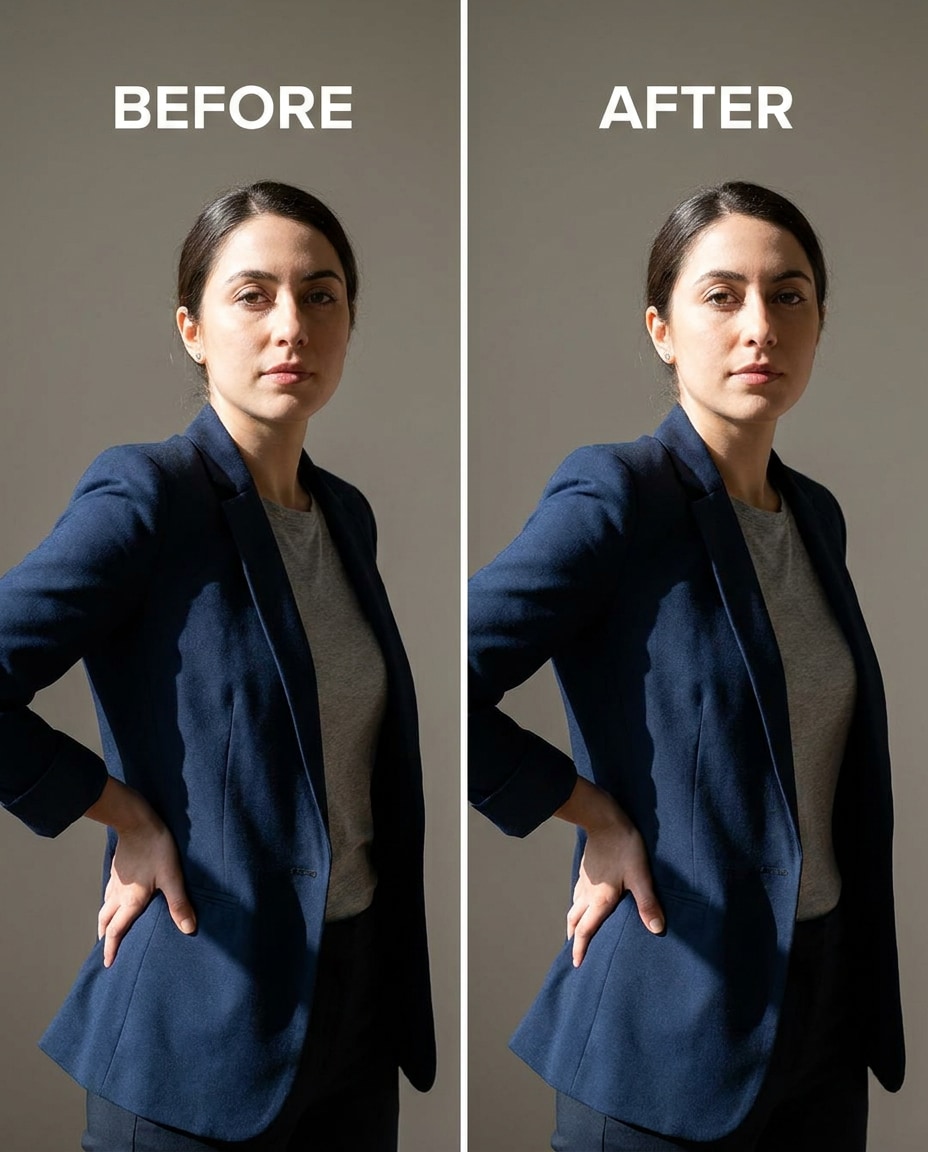
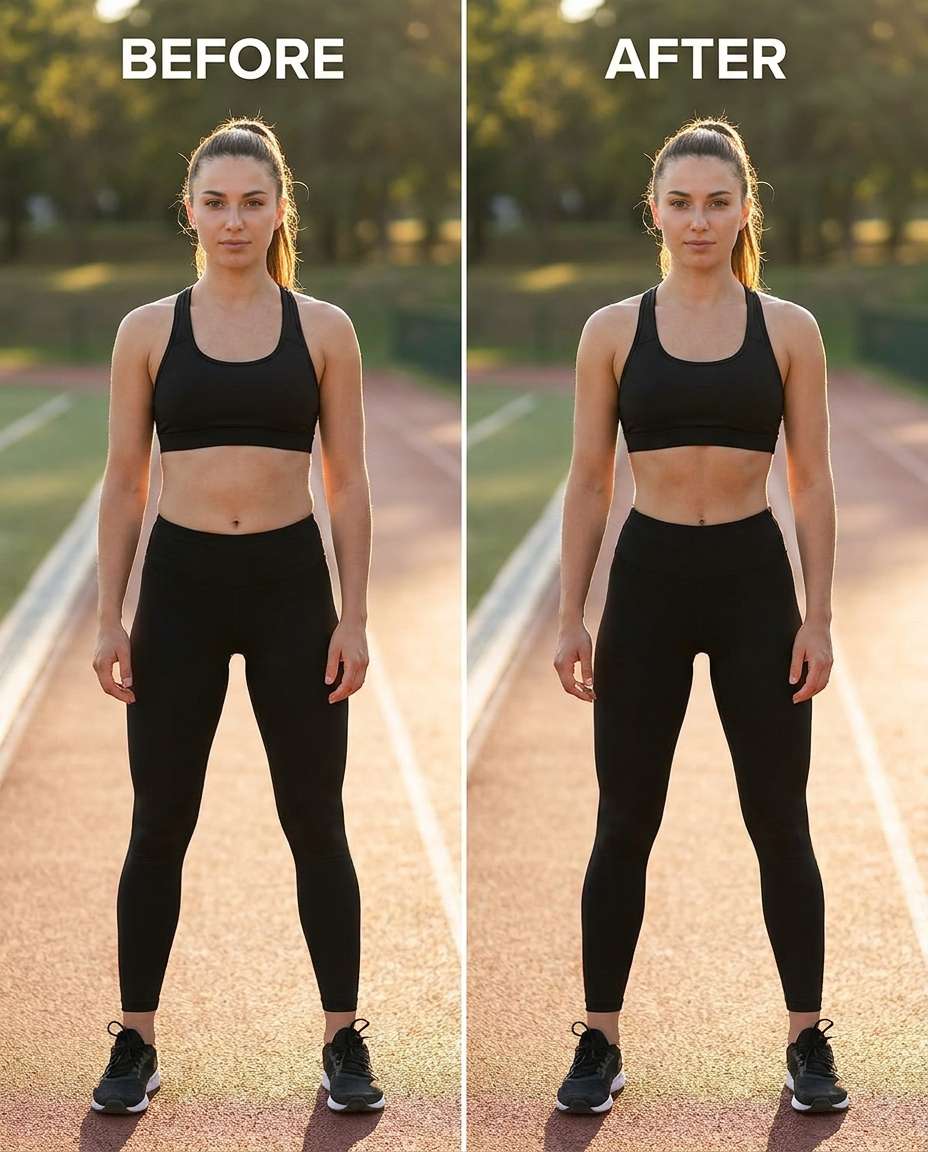
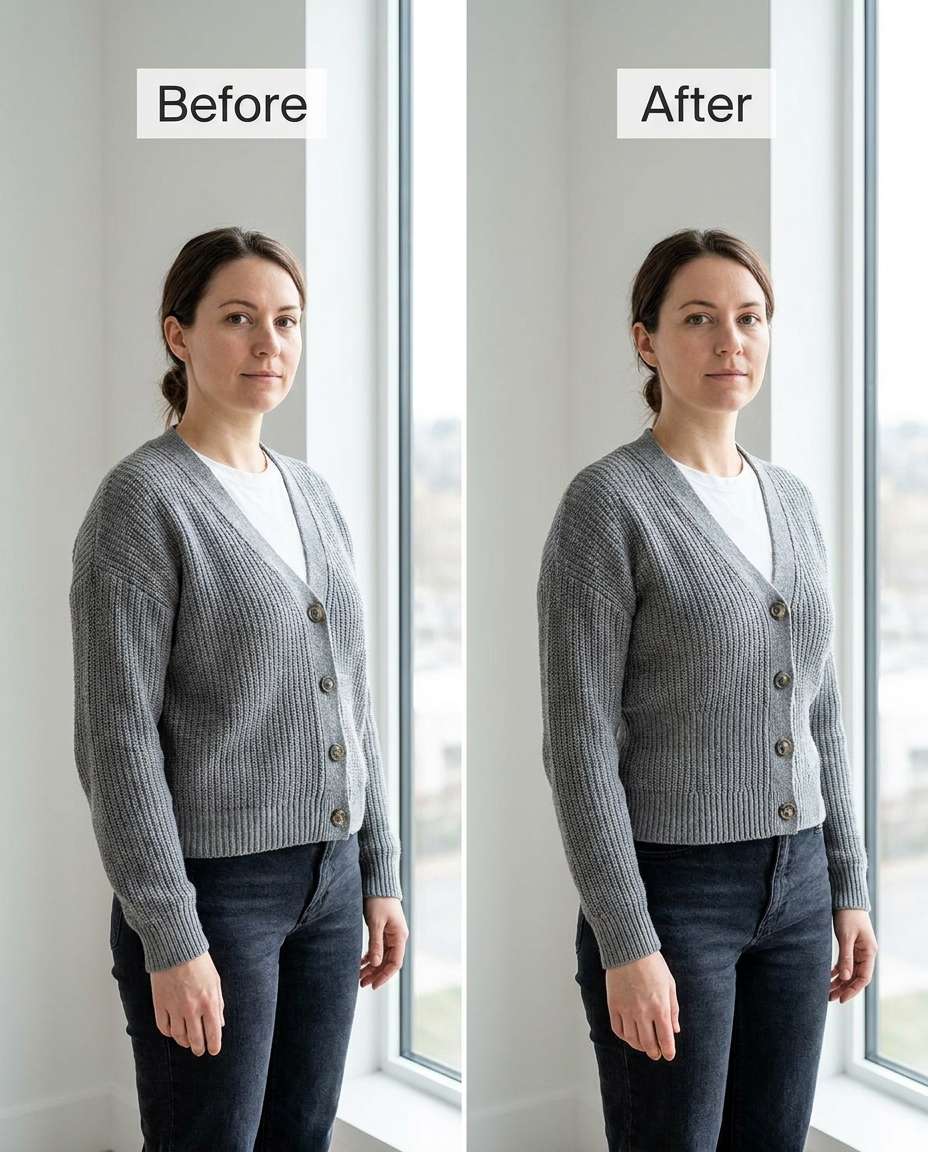
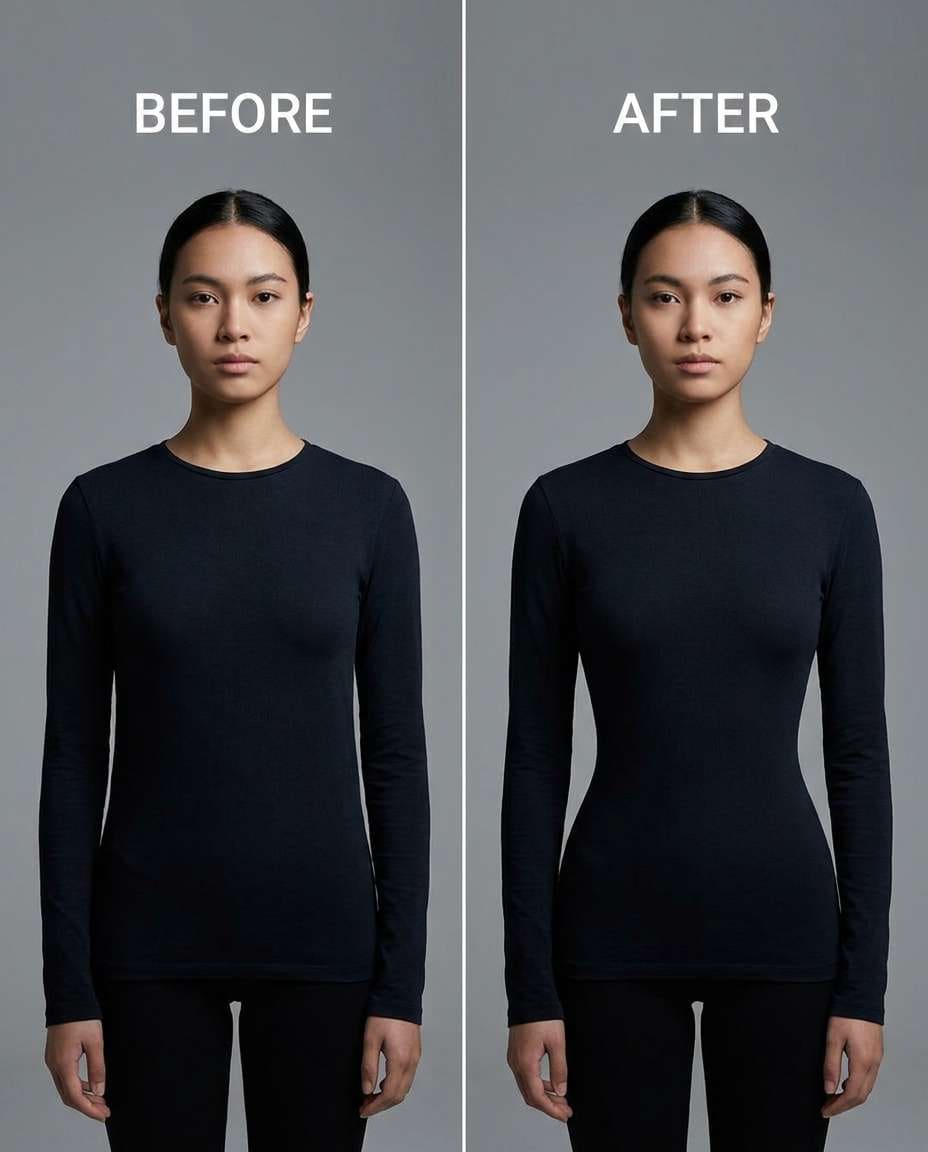
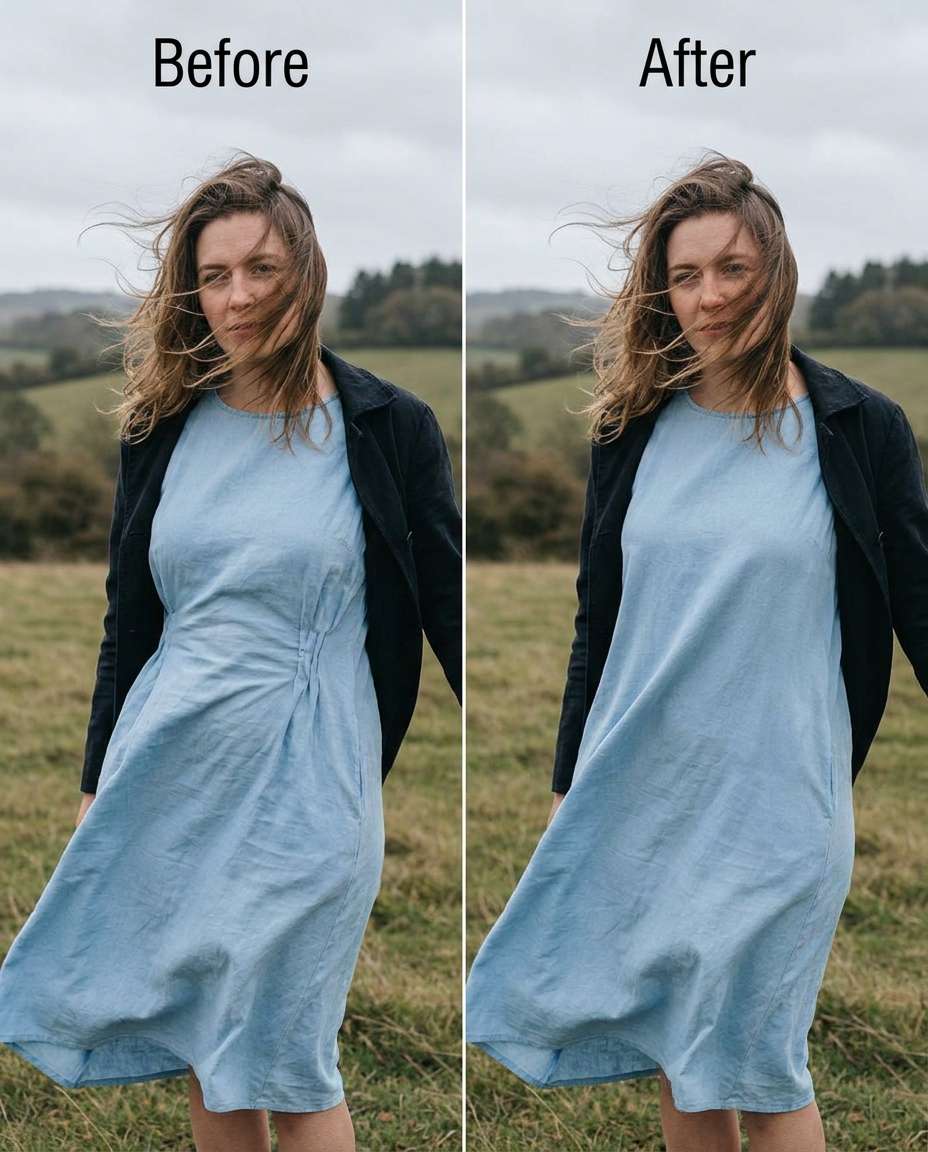
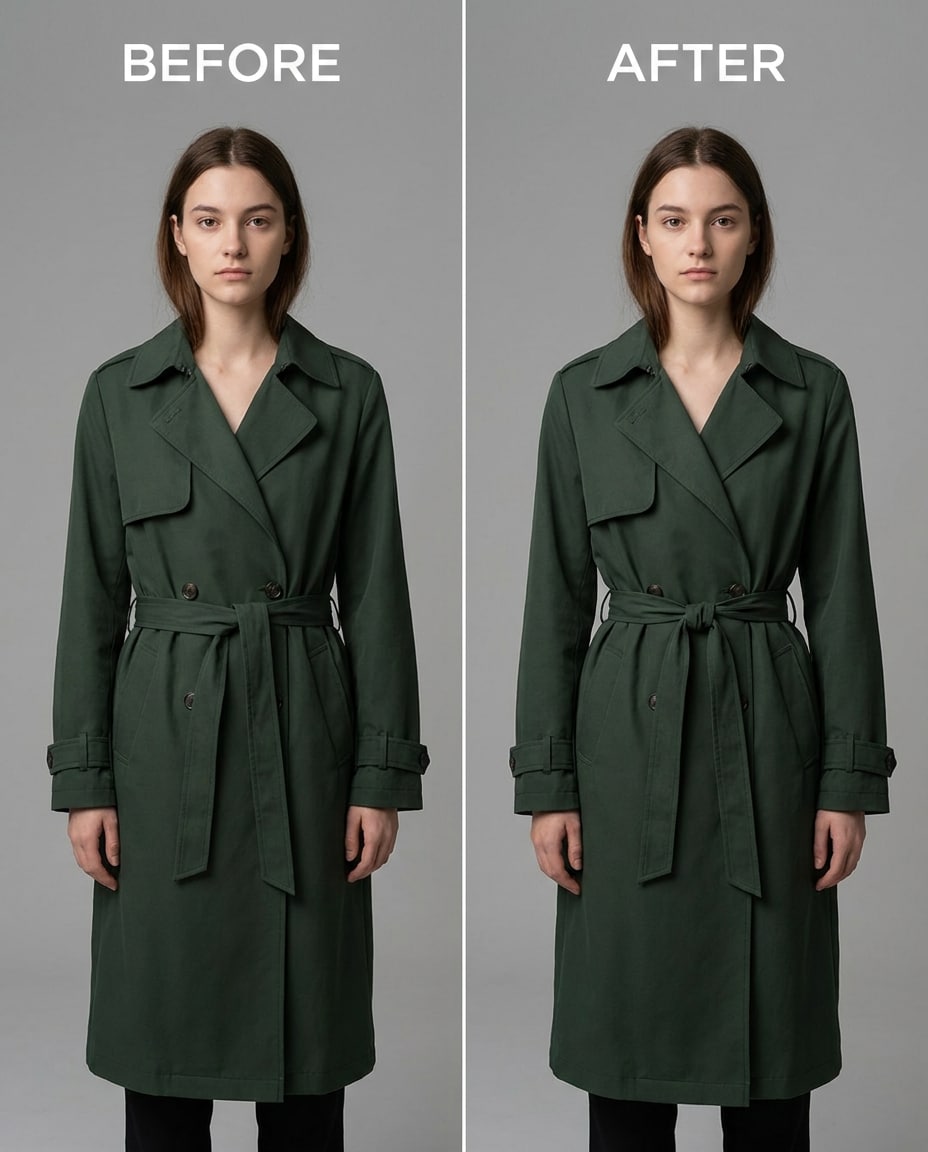
Stunning AI slim waist generated with Media.io - powered by Nano Banana Pro.
Media.io makes this kind of retouch straightforward: upload once, paste a prompt, and compare results until the shape looks right. Here's the quickest 3-step flow.
Go to Media.io and open the AI photo generator/editor for image-to-image edits. Choose a photo where the waist area is visible (full-body or 3/4 is ideal) so the tool can keep proportions consistent while editing.
Upload your photo, then paste one prompt card exactly as written and adjust wording only for the clothing (dress, jeans, swimsuit) and intensity. This works especially well for a Gemini AI waist slimming prompt for dress photos when seams and zippers need to stay clean.
Generate a few variations, zoom in on the waistline, belt area, and background edges, and pick the most natural result. Download the best version, or iterate by asking for a lighter or stronger cinch while keeping lighting and fabric texture intact.
Slim the waist slightly for a natural hourglass shape, keeping the same face and same pose, with the same hairstyle and same skin tone, preserving dress seams and the original lighting and background details --ar 4:5
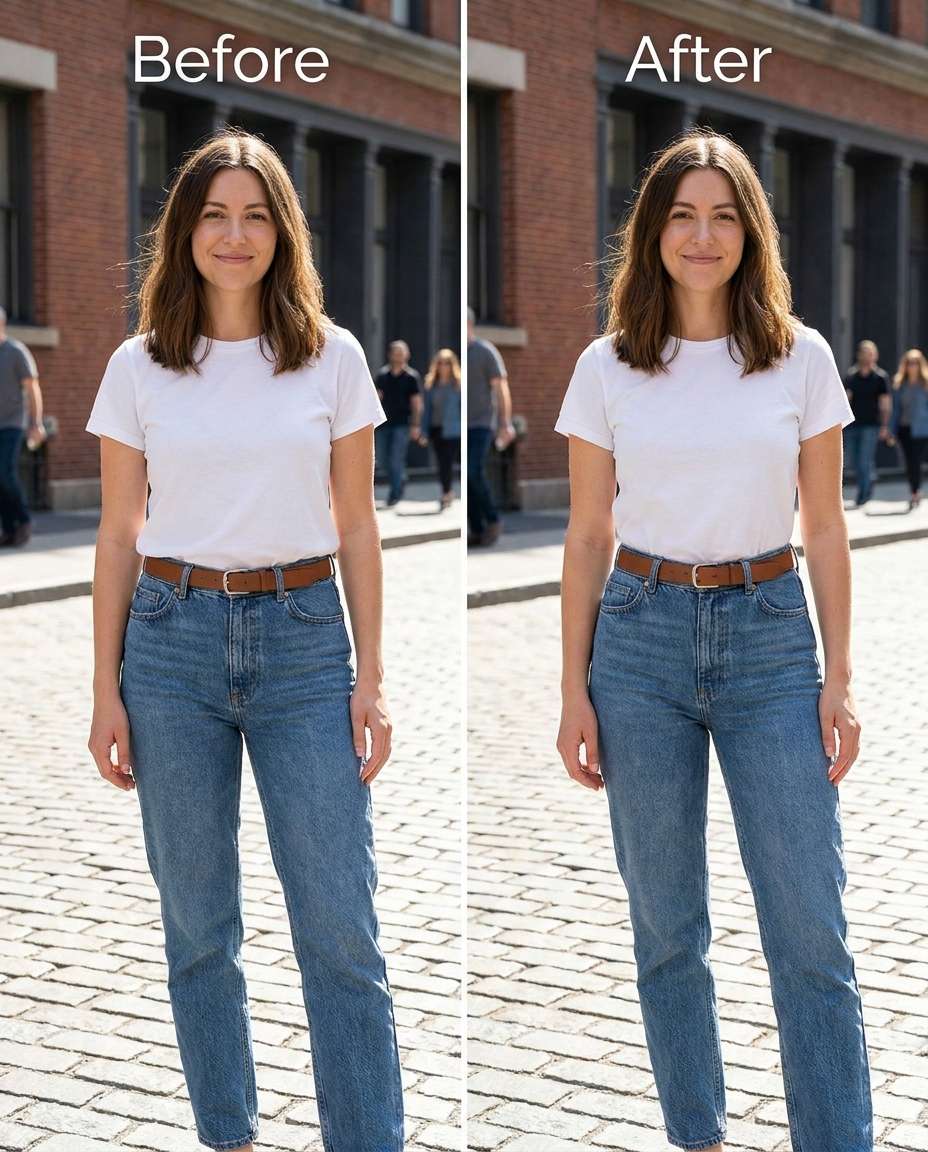
Refine the waist area to look a bit narrower in jeans, keeping the same face and same outfit details, with the same hairstyle and same body proportions overall, preserving denim texture, belt loops, and original background and lighting --ar 4:5
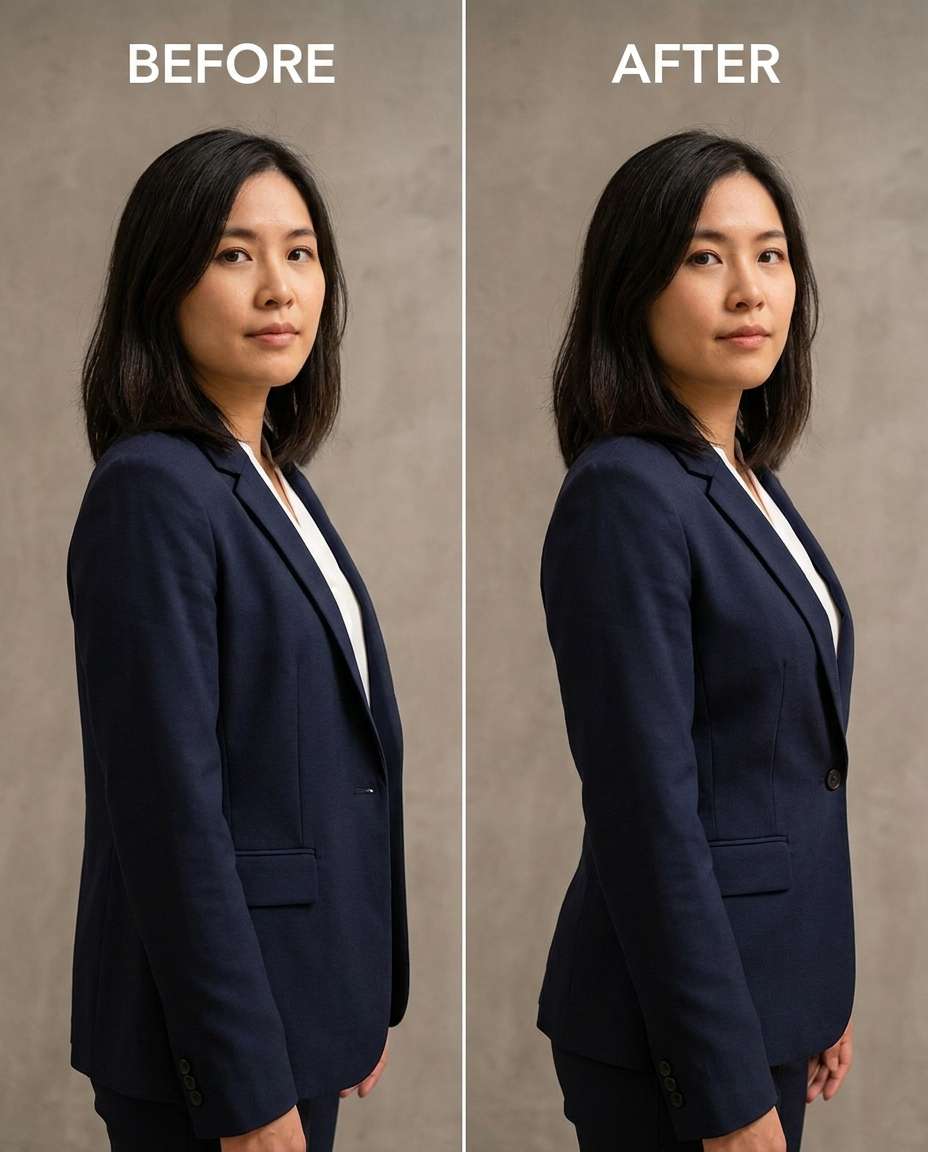
Sculpt a cleaner waist taper under a blazer, keeping the same face and same pose, with the same blazer buttons and lapel shape, preserving fabric texture, shadow direction, and the original lighting setup --ar 4:5
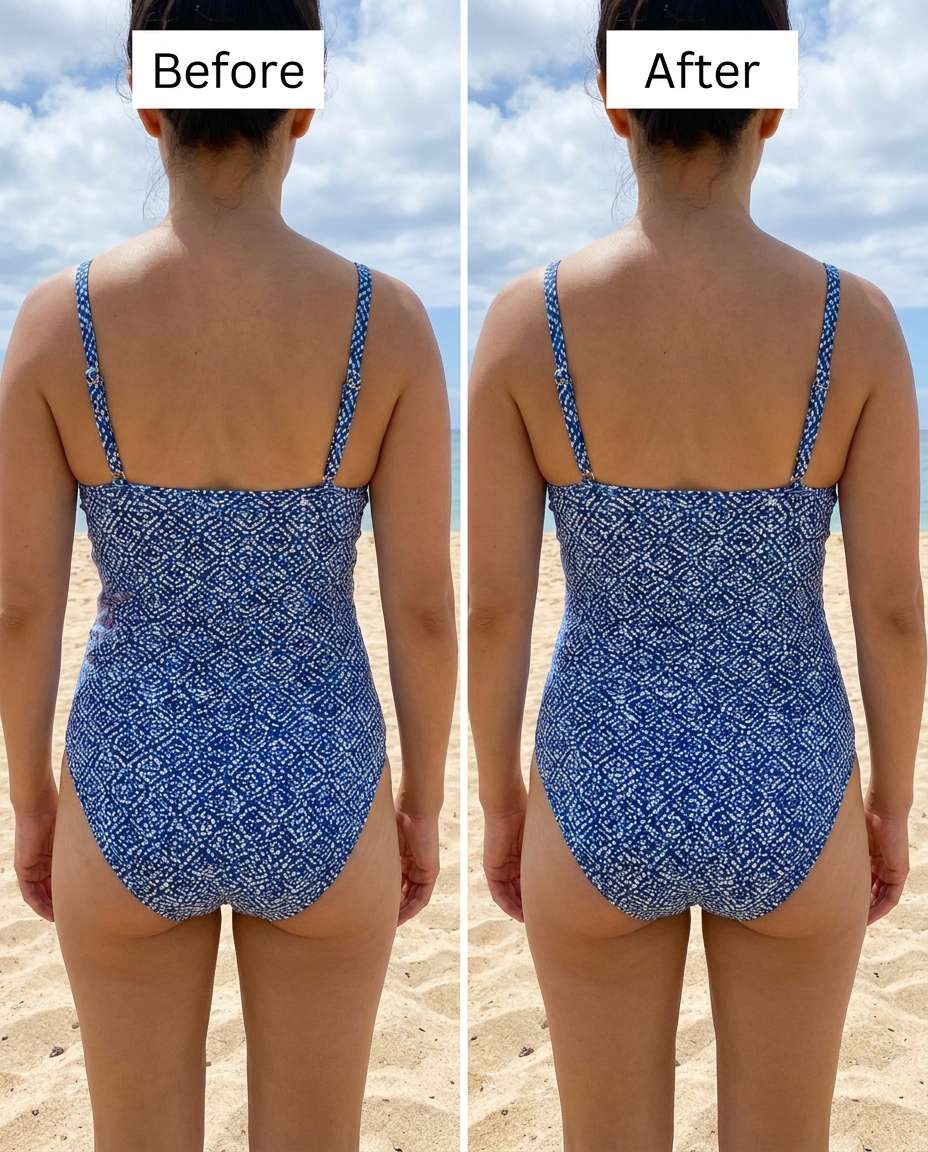
Smooth the waist and side area to reduce harsh bulges, keeping the same face and same hairstyle, with the same swimsuit pattern and same pose, preserving skin texture, water highlights, and the original background --ar 4:5
Cinch the waist to a noticeable but believable corset-like shape, keeping the same face and same outfit details, with the same pose and same hair, preserving corset laces, fabric texture, and original lighting and shadows --ar 4:5
Reshape the waistline to be slightly smaller while keeping curves balanced, keeping the same face and same skin tone, with the same dress pattern and same pose, preserving dress seams, fabric stretch, and the original background --ar 4:5
Adjust the waist to look slightly more tapered where the belt sits, keeping the same face and same pose, with the same belt buckle and same outfit details, preserving belt holes, leather texture, and original lighting --ar 4:5
Tighten the waistline subtly in leggings and a sports bra, keeping the same face and same hairstyle, with the same pose and same outfit logos, preserving fabric texture, edge lines, and the original background --ar 4:5
Tune the waist curve in a side-profile pose so it looks cleaner but realistic, keeping the same face and same pose angle, with the same hairstyle and same outfit fit, preserving original lighting, background edges, and shadow direction --ar 4:5
Soften harsh waist shadows while keeping the waist slightly slimmer, keeping the same face and same skin tone, with the same outfit and same pose, preserving natural skin texture, original lighting direction, and background details --ar 4:5
Slim the midsection and waist modestly in a crop top photo, keeping the same face and same hairstyle, with the same pose and same skin tone, preserving belly-button detail, fabric edges, and the original background and lighting --ar 4:5
Refine the waistline in a formal gown so it looks tailored, keeping the same face and same pose, with the same hairstyle and same gown embellishments, preserving beadwork alignment, seam lines, and original lighting and background --ar 4:5
Sculpt a slightly narrower waist in a jumpsuit while keeping proportions natural, keeping the same face and same outfit zipper and pockets, with the same pose and same hair, preserving fabric folds, original lighting, and background --ar 4:5
Smooth the waist transition under a t-shirt so it falls cleaner, keeping the same face and same pose, with the same t-shirt graphics and same hairstyle, preserving fabric drape, original lighting, and background details --ar 4:5
Cinch the waist gently above a high-waist skirt, keeping the same face and same skin tone, with the same skirt waistband details and same pose, preserving pleats, waistband stitching, and original lighting --ar 4:5
Reshape the waist area lightly for a flattering look without changing body identity, keeping the same face and same pose, with the same hairstyle and same outfit, preserving natural anatomy, fabric texture, and original lighting --ar 4:5
Adjust the waist area in a seated pose to reduce bunching and look slimmer, keeping the same face and same seated posture, with the same outfit folds and same hairstyle, preserving chair edges, background lines, and original lighting --ar 4:5
Tighten the waist silhouette under a hoodie without making it look sucked-in, keeping the same face and same pose, with the same hoodie logo and same hairstyle, preserving hoodie fabric texture, drawstrings, and original lighting --ar 4:5
Tune the waist fit in a wedding dress so it looks perfectly tailored, keeping the same face and same pose, with the same lace pattern and same hairstyle, preserving lace detail, seam lines, and original lighting and background --ar 4:5
Soften sharp waist angles into a smoother curve while keeping it slimmer, keeping the same face and same skin tone, with the same pose and same outfit details, preserving natural shadows, background edges, and original lighting direction --ar 4:5
Slim the waist more strongly for a fitness-style look, keeping the same face and same hairstyle, with the same pose and same outfit branding, preserving muscle definition, fabric texture, and the original lighting and background --ar 4:5
Refine the waist and midsection under a cardigan for a cleaner line, keeping the same face and same pose, with the same cardigan knit pattern and same hairstyle, preserving knit texture, button alignment, and original lighting --ar 4:5
Sculpt a classic waist taper in a studio portrait while keeping everything else unchanged, keeping the same face and same skin tone, with the same outfit and same pose, preserving studio backdrop gradients, original lighting ratios, and fabric texture --ar 4:5
Smooth the waist area where wind-blown fabric clings, keeping the same face and same pose, with the same outfit details and same hairstyle, preserving fabric weave, wind direction cues, and original background and lighting --ar 4:5
Cinch the waist at a coat belt for a sharper silhouette, keeping the same face and same hairstyle, with the same belt knot and same pose, preserving coat stitching, belt texture, and original lighting and background detail --ar 4:5
The most believable waist edits come from being specific about what changes and what must stay untouched. Ask for a controlled adjustment, then name the seams, textures, and lighting cues you want preserved so the shape looks real at full zoom.
Natural-looking edits that protect your identity and outfit, letting you tune the change from subtle to strong without distortion.

Keep the same face, hairstyle, and overall proportions while changing only the waist area. Media.io helps you steer edits toward believable results, so the final image still looks like you in the same moment, not a different person.

Waist shaping often breaks the details that make clothing look real. Use prompts that call out seam lines, zippers, pleats, lace, and fabric weave so the editor preserves structure instead of smearing or bending patterns.

A good cinch respects highlights and shadow direction. Media.io makes it easy to request lighting-preserved adjustments, which helps the waistline look naturally contoured under the same light source without creating weird bright patches.

Generate multiple variations, pick the most natural intensity, and download without a complex workflow. You can refine the same photo with small prompt tweaks until background edges, outfit fit, and body shape all look coherent.


Call out the exact details you want protected: "preserve outfit seams," "keep lace pattern aligned," and "don't bend stripes." Then add a background safeguard like "preserve straight lines behind the waist." Finally, request a subtle or moderate change first; smaller edits are much less likely to warp stitching and prints.
A 3/4 body photo with clear separation between torso and background is easiest to keep clean. Side poses can work too, but they're more sensitive to shadow changes. Avoid heavy motion blur around the waistline; sharp edges on clothing hems and belts help the result look tailored instead of liquified.
Yes—spell it out. Ask to keep hips, bust, shoulders, arms, and head size the same, and target only the waist taper or side curve. Adding "keep the same pose" also matters, because pose changes can look like body changes even when the waist edit itself is mild.
Upload a photo where the waist is visible, then use an edit brief that includes (1) the exact waist change, (2) at least two identity anchors like same face and same pose, and (3) at least one preservation anchor like original lighting or fabric texture. Generate a few versions and pick the most natural intensity.
Strong narrowing can pull nearby edges (door frames, tiles, railings) into a curve. Reduce intensity and add explicit constraints like "preserve background lines" and "no distortion around the waist edges." If the subject is close to a high-contrast background, generating an extra variation often resolves the warp.

Photographer


Ultra Realistic Results. I used these slim waist prompts to create visuals that looked like real photography. The lighting, textures, and colors felt incredibly natural.

Designer
Perfect Lighting & Detail. The prompts produced cinematic compositions and soft lighting, making every image feel like a professional shoot.

Creator
Perfect for Social Media. I used these prompts to create viral content. It's fast, easy, and consistently produces stunning visuals.


