24+ Gemini AI Body Slimming Prompts for Confident, Natural edits
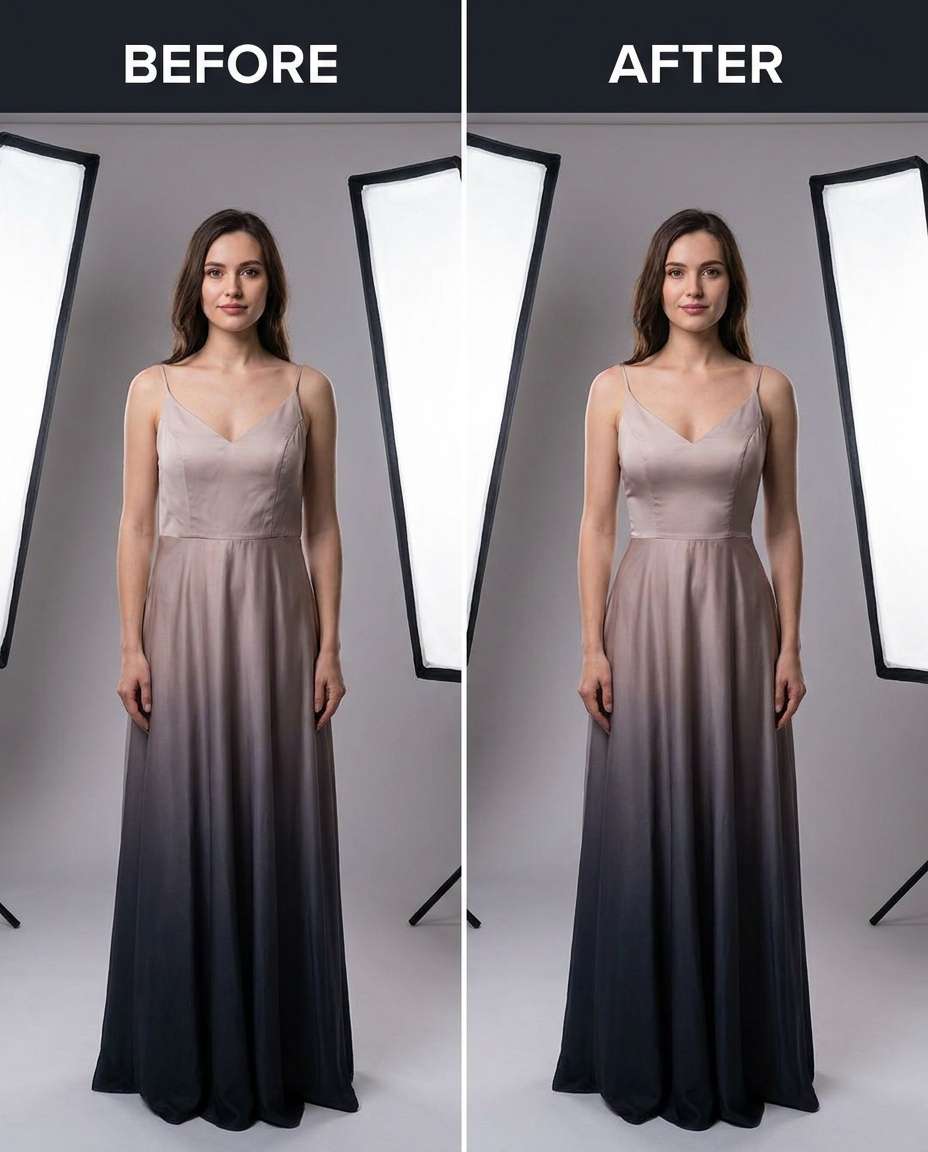
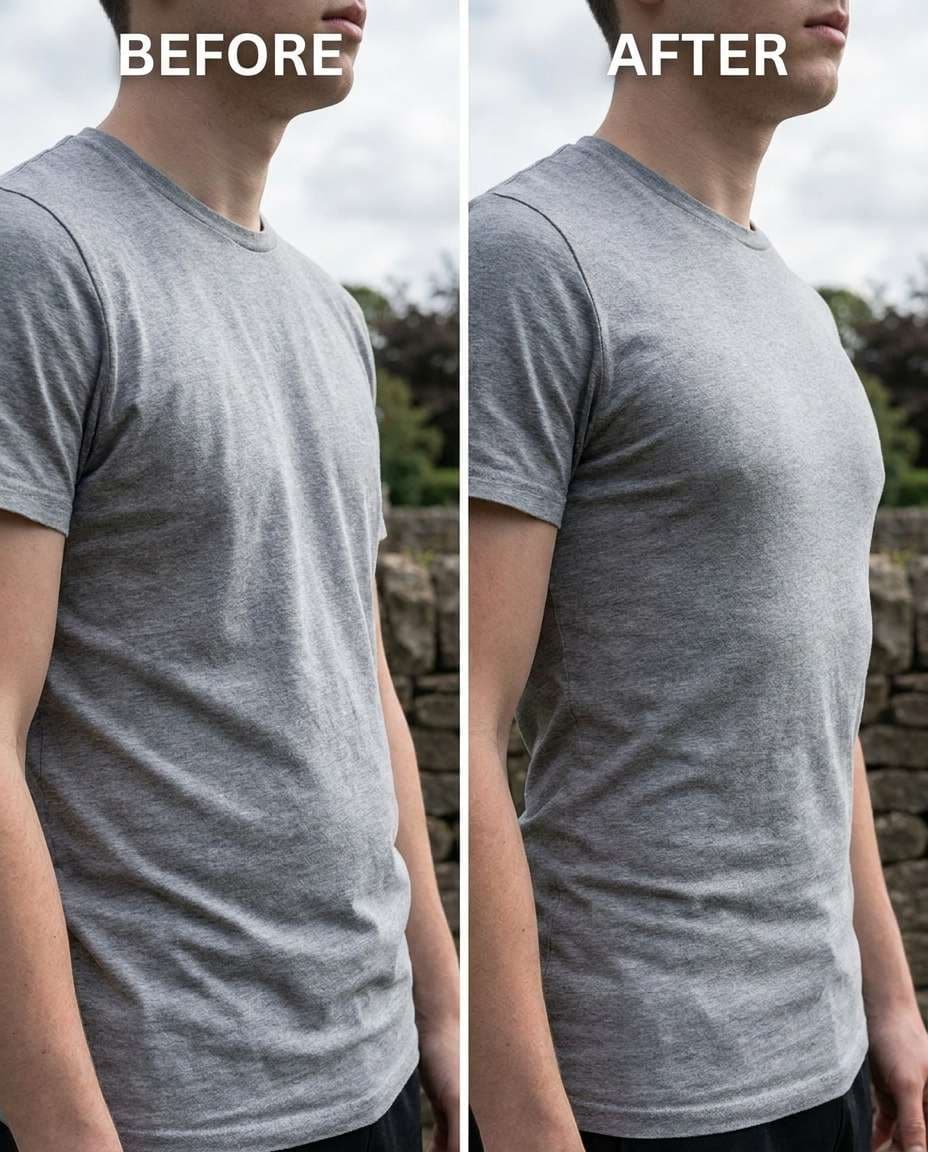
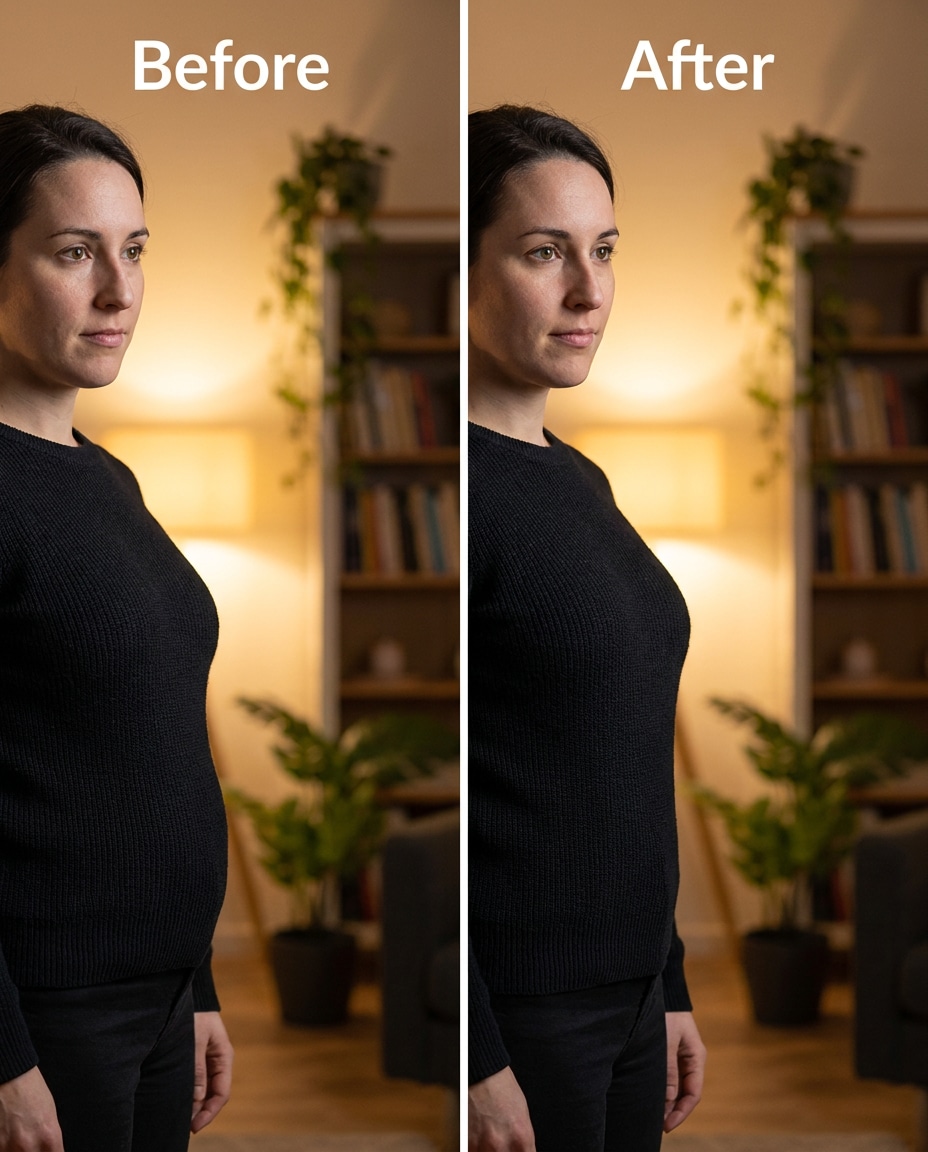
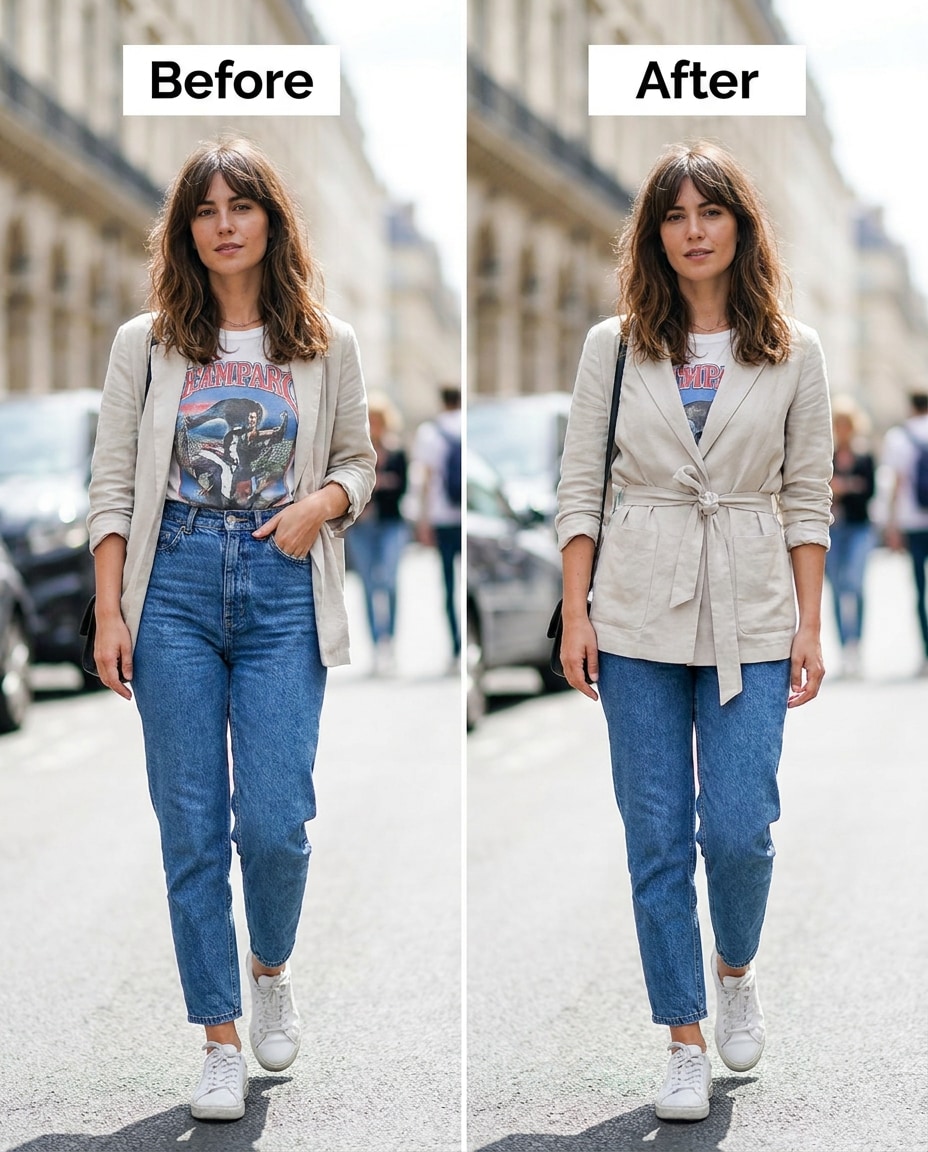
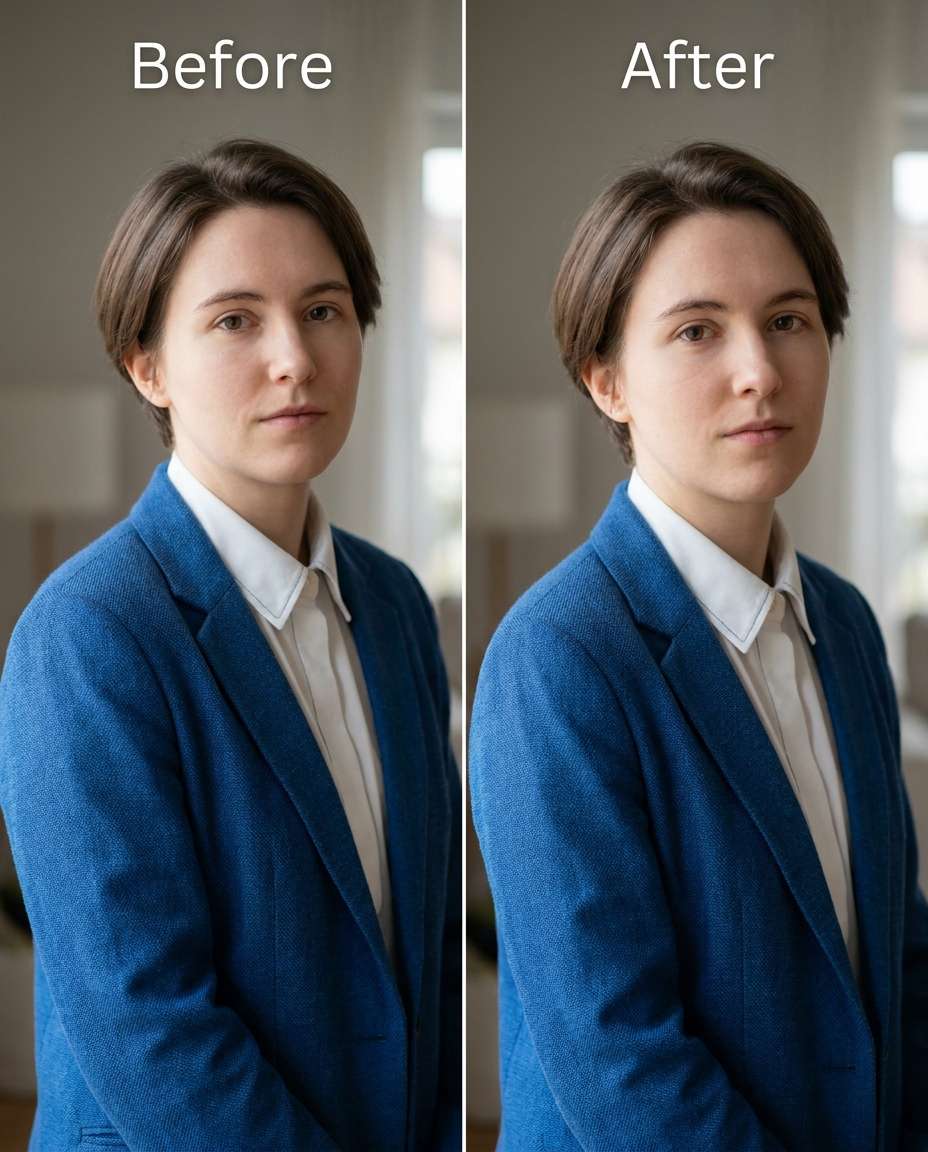
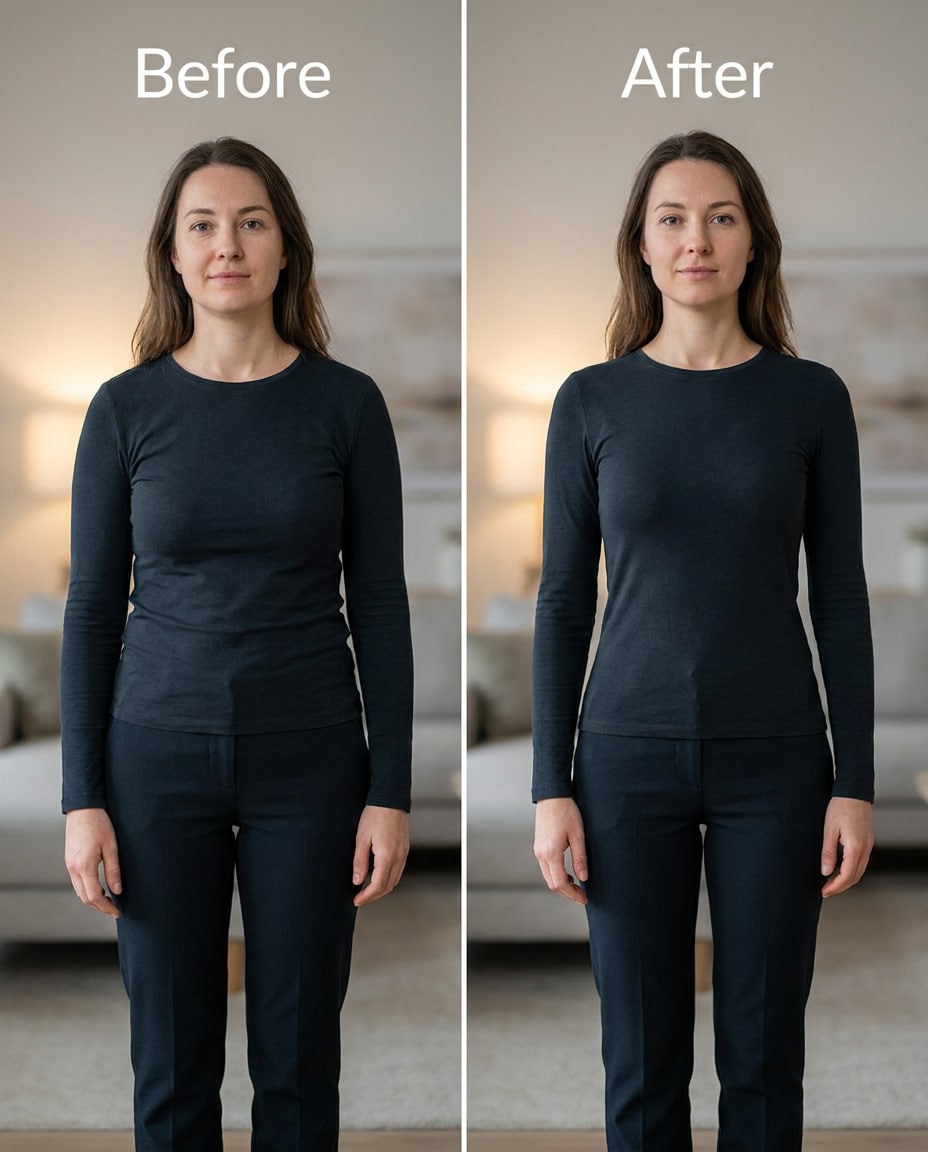
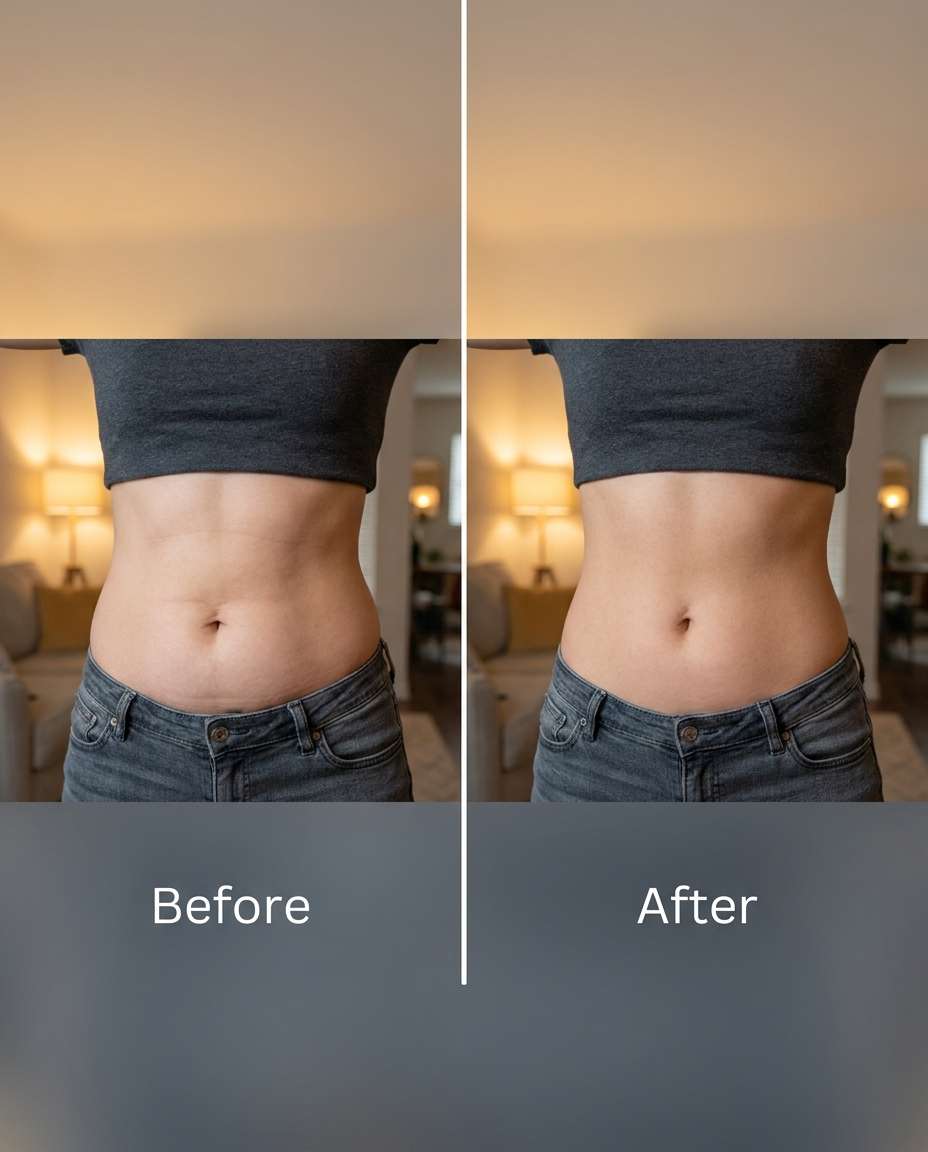
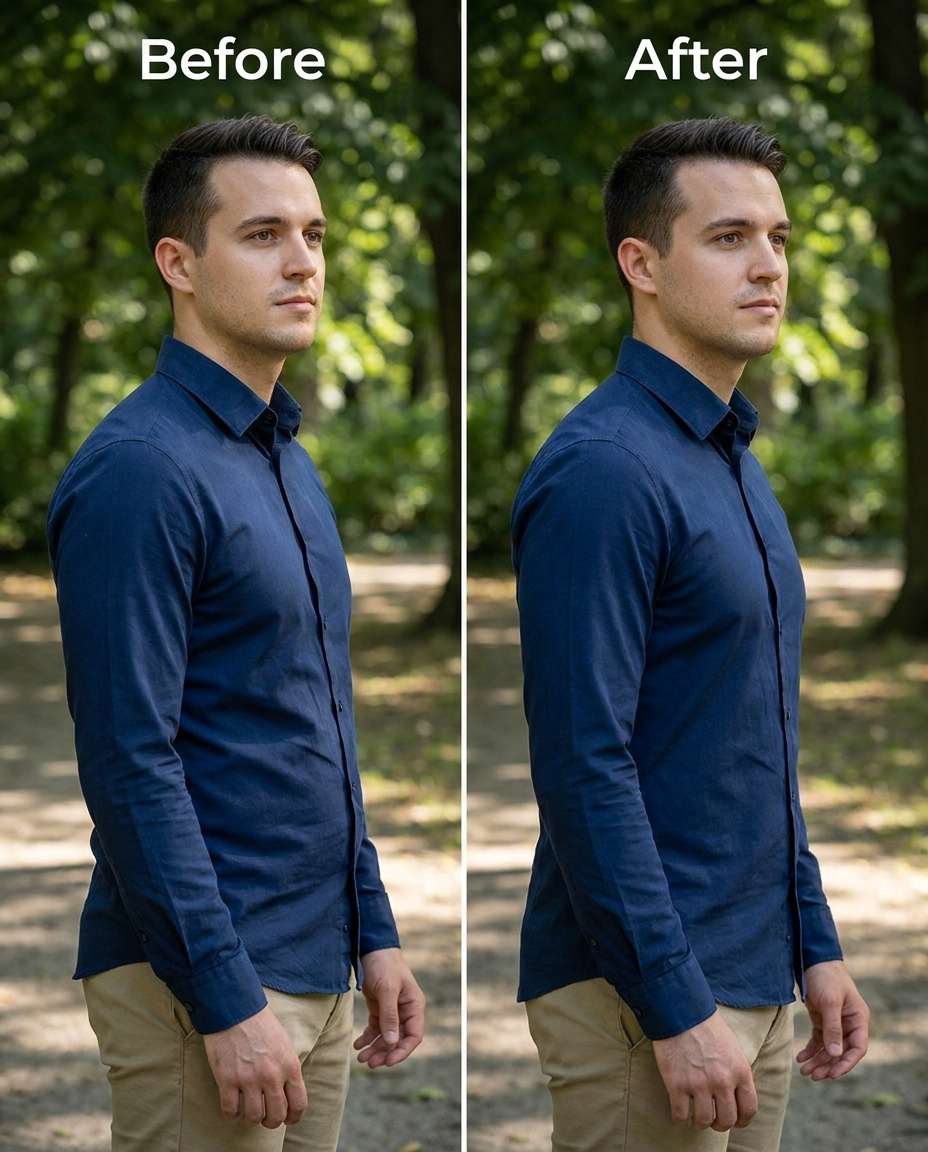
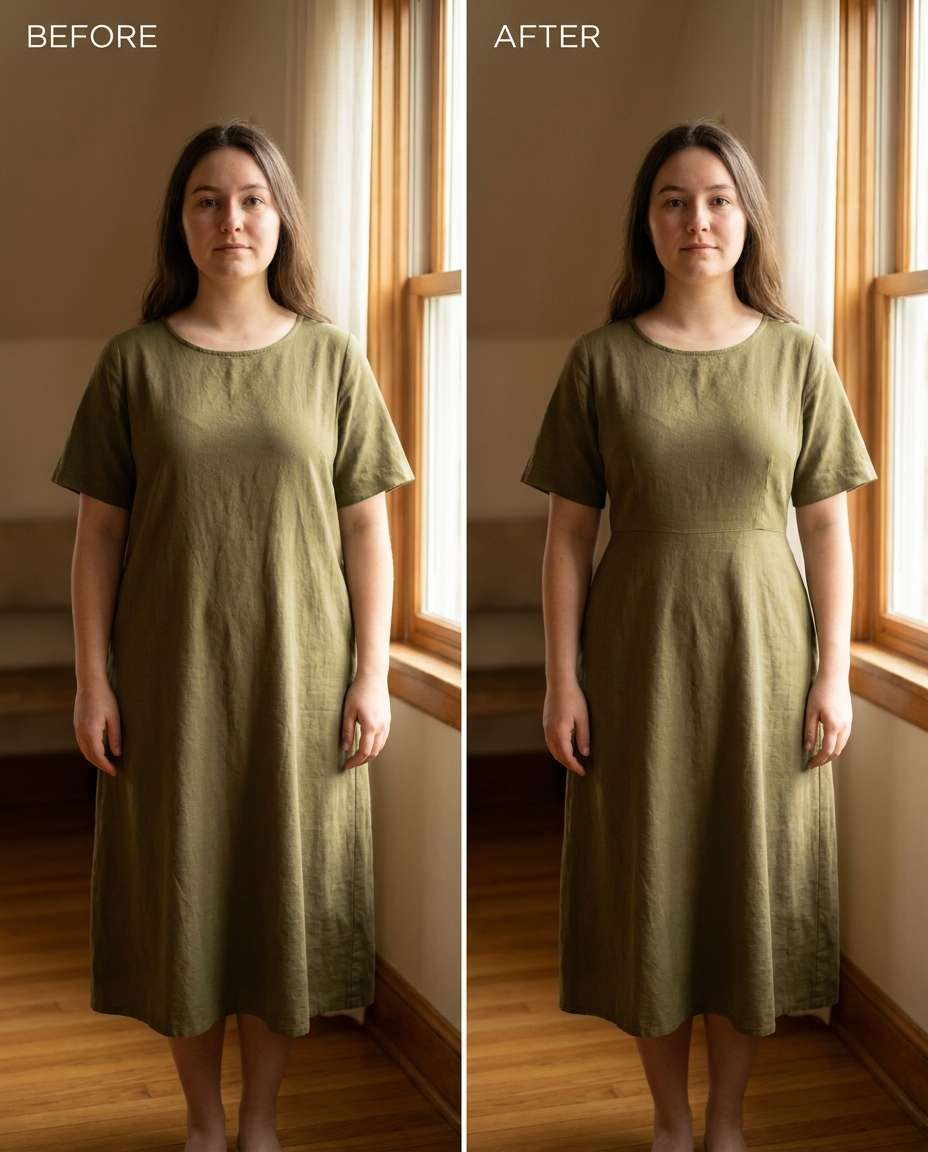
Sculpt with Gemini AI body slimming prompts and keep the photo looking like you, not a warped remake. Go subtle to strong while holding onto the same face, the same outfit fit, and the same lighting cues that make the shot feel real. You'll get 25 prompts to choose from, so you can upload one image, paste a single line, and generate a few tasteful options. Small tweaks are often enough; bolder cinches are there when you want them.
Stunning AI body slimming generated with Media.io - powered by
Nano Banana Pro.
How to Try Gemini AI Body Slimming Prompts in 3 Steps
In Media.io, you only need one good photo and one clear instruction. Follow these three steps to get natural, identity-consistent results fast.
1
Open Media.io AI Photo Generator
Go to Media.io and open the AI Photo Generator (image-to-image). Pick a portrait-friendly ratio and decide what you want to adjust first (waist, arms, legs, or posture) so your edit stays focused and believable.
2
Upload and paste a prompt
Upload your photo, then paste one prompt from the cards below. A phrase like "Gemini AI prompt to slim waist in photos" works best when you also mention what must stay the same (face, hairstyle, outfit seams, and lighting).
3
Generate, compare, download
Generate a few variations, then pick the one that looks natural at normal viewing distance. If fabric or background starts to bend, reduce intensity and re-run. Download the best result in high quality for sharing or printing.
Best Gemini AI Body Slimming Prompts Ideas & Examples
Natural Waist Tuck
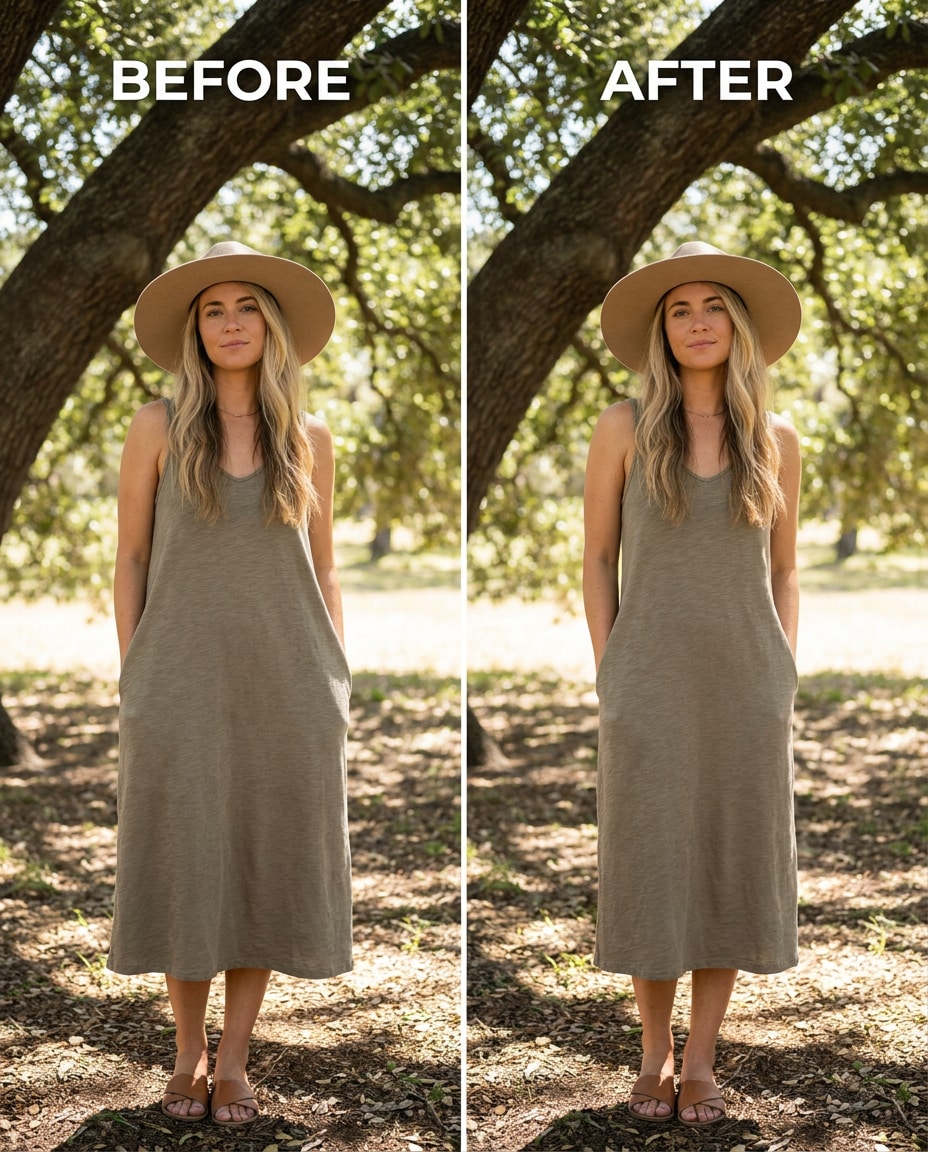
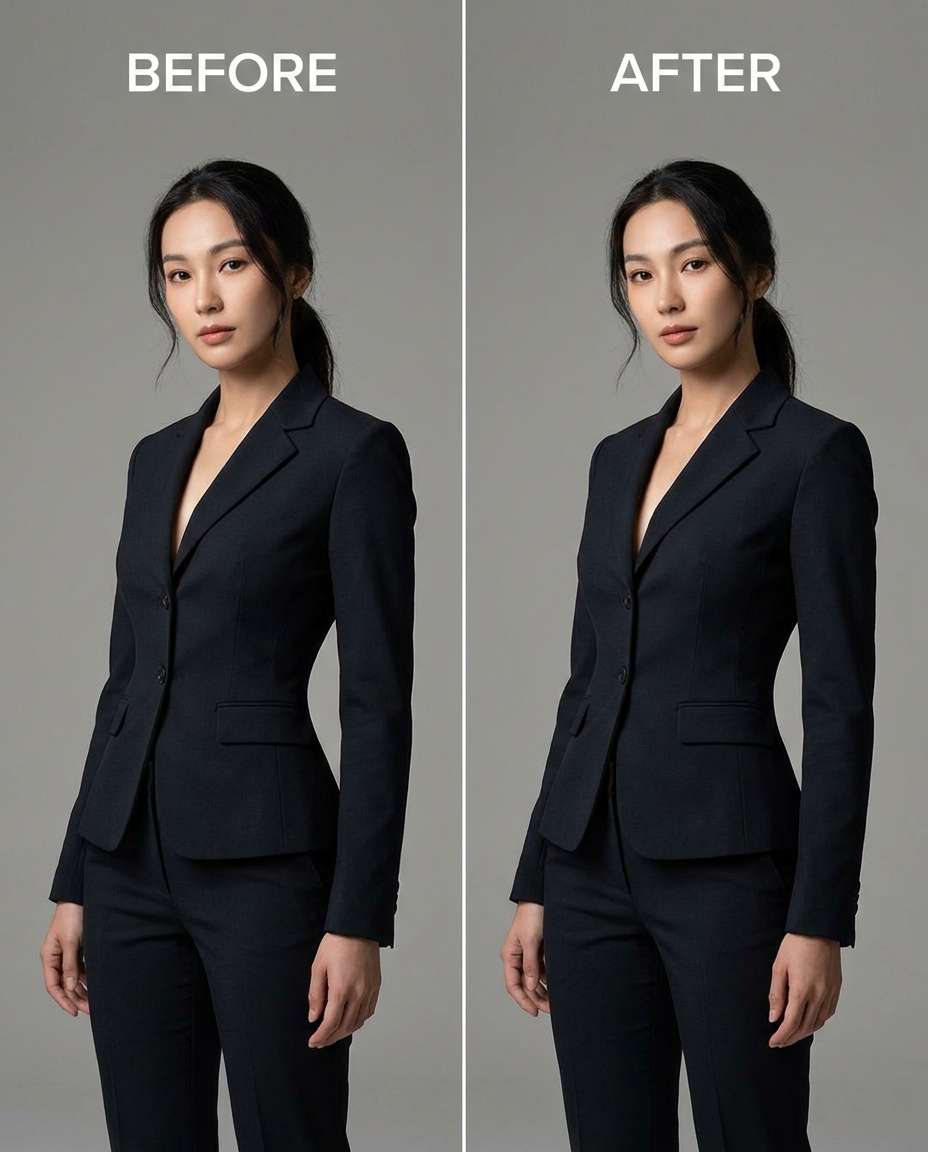
Slim the waist slightly for a natural hourglass while keeping the same face and same pose, with the same hairstyle and same skin tone; preserving outfit seams and fabric texture, and preserving original lighting and background details --ar 4:5
Dress Fit Refinement
Refine the midsection so a fitted dress looks tailored, keeping the same face and same outfit details with the same pose; preserving dress zipper lines, stitching, and fabric weave, and preserving original lighting and background --ar 4:5
Athletic Core Sculpt
Sculpt the torso for a fitter silhouette without adding fake abs, keeping the same face and same skin tone with the same hairstyle; preserving natural shadows, shirt texture, and background edges --ar 4:5
Belly Area Smooth
Smooth the lower-belly area so it looks flatter under the shirt, keeping the same face and same pose with the same outfit details; preserving fabric folds, hem lines, and original lighting direction --ar 4:5
Cinch High Waist Jeans
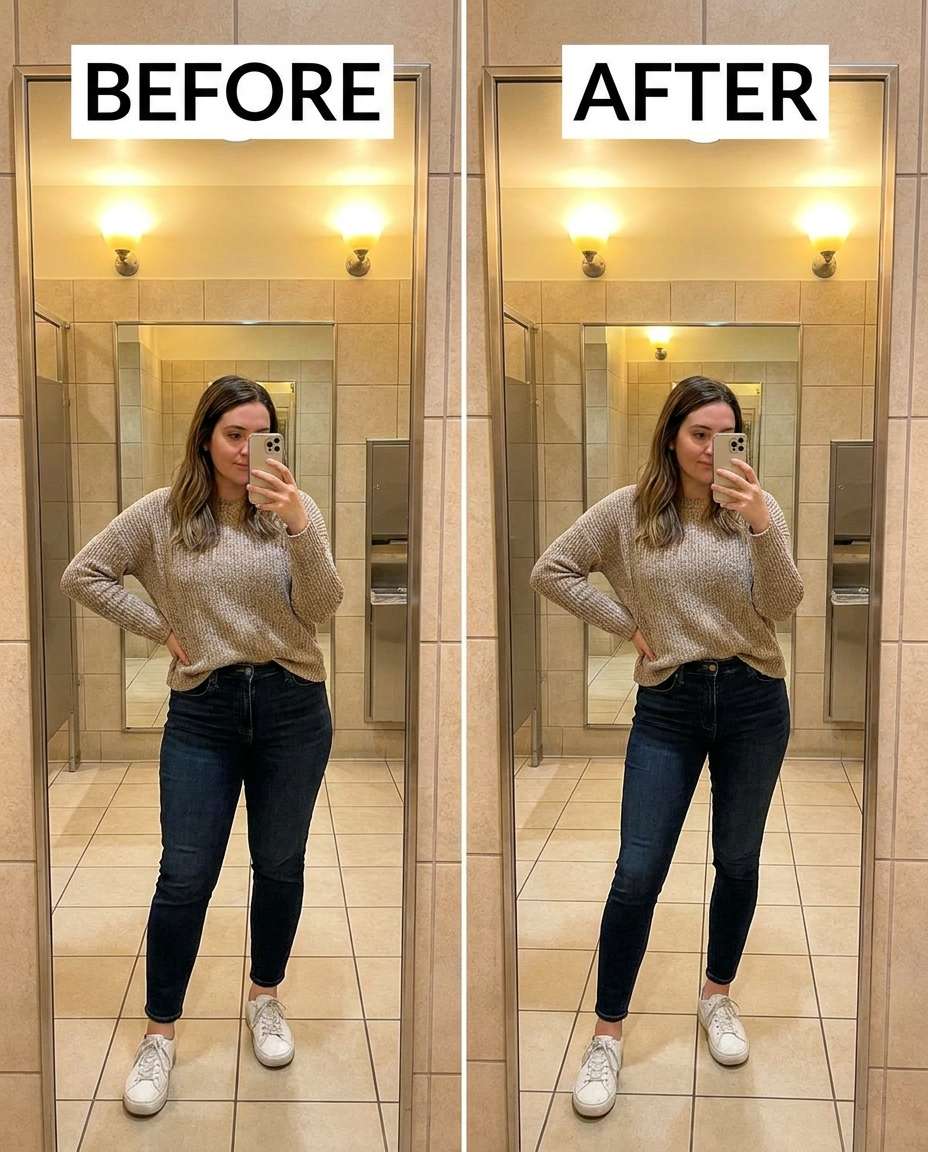
Cinch the waistline above high-waisted jeans for a cleaner curve, keeping the same face and same hairstyle with the same pose; preserving belt loops, zipper area, denim texture, and background lines --ar 4:5
Hip Curve Reshape
Reshape the hip line to look slightly narrower while keeping the same face and same skin tone with the same outfit details; preserving pocket stitching, fabric grain, and original lighting --ar 4:5
Leg Lengthen Adjust
Adjust leg proportions to look slightly longer and leaner without stretching the background, keeping the same face and same pose with the same outfit; preserving floor lines, wall edges, and original perspective cues --ar 4:5
Arm Width Tighten
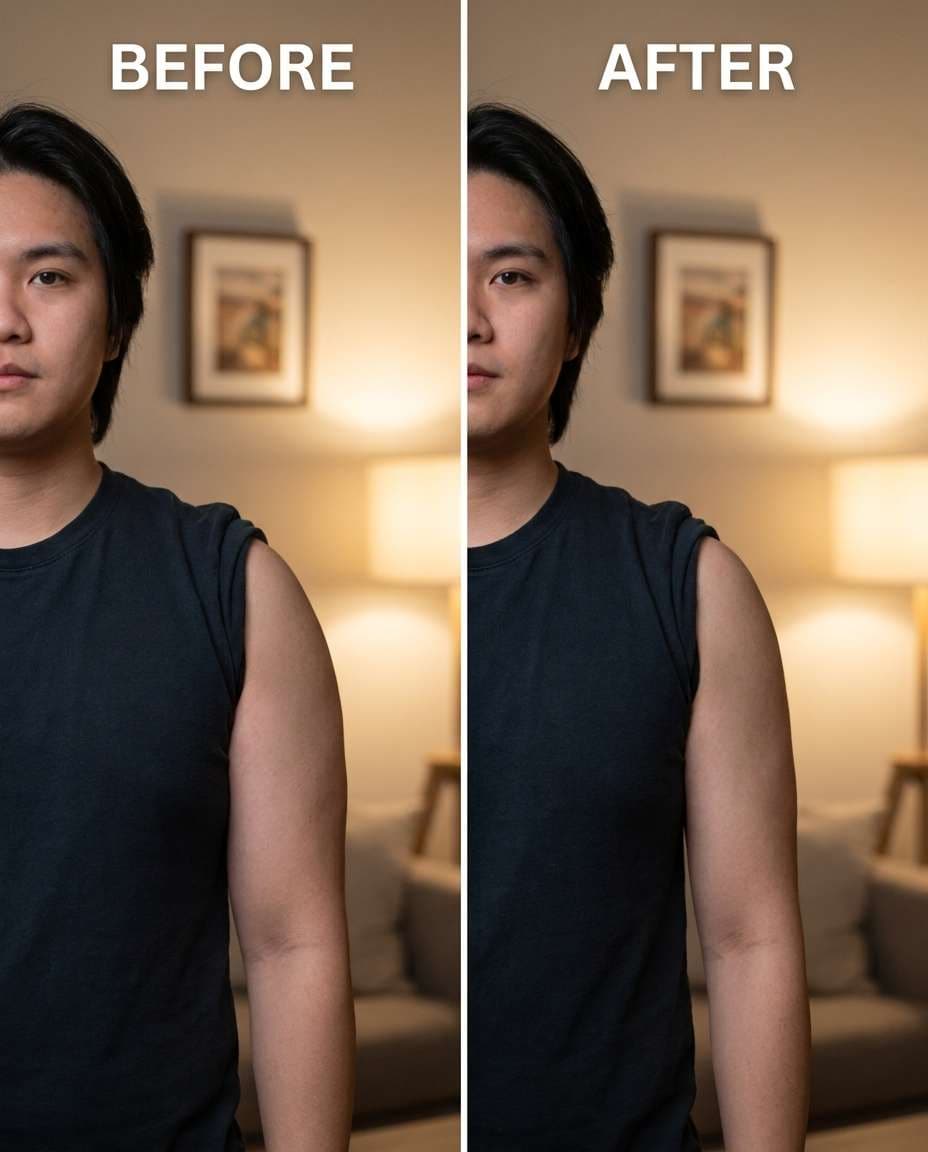
Tighten upper arms to look a bit slimmer while keeping the same face and same hairstyle with the same pose; preserving sleeve seams, skin texture, and original lighting and shadows --ar 4:5
Waist Intensity Tune
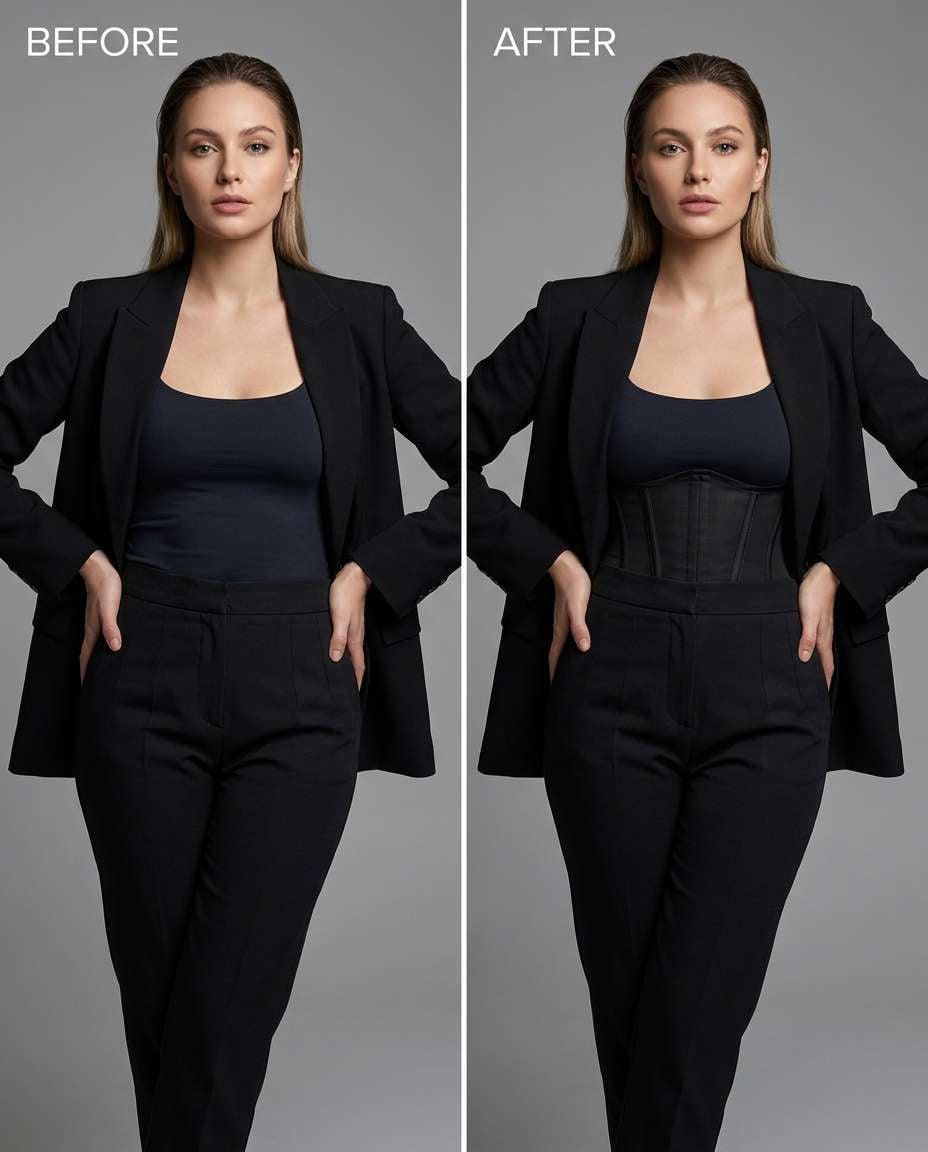
Tune the waist cinch to a medium strength while keeping the same face and same outfit details with the same pose; preserving corset laces or belt shape, fabric texture, and background details --ar 4:5
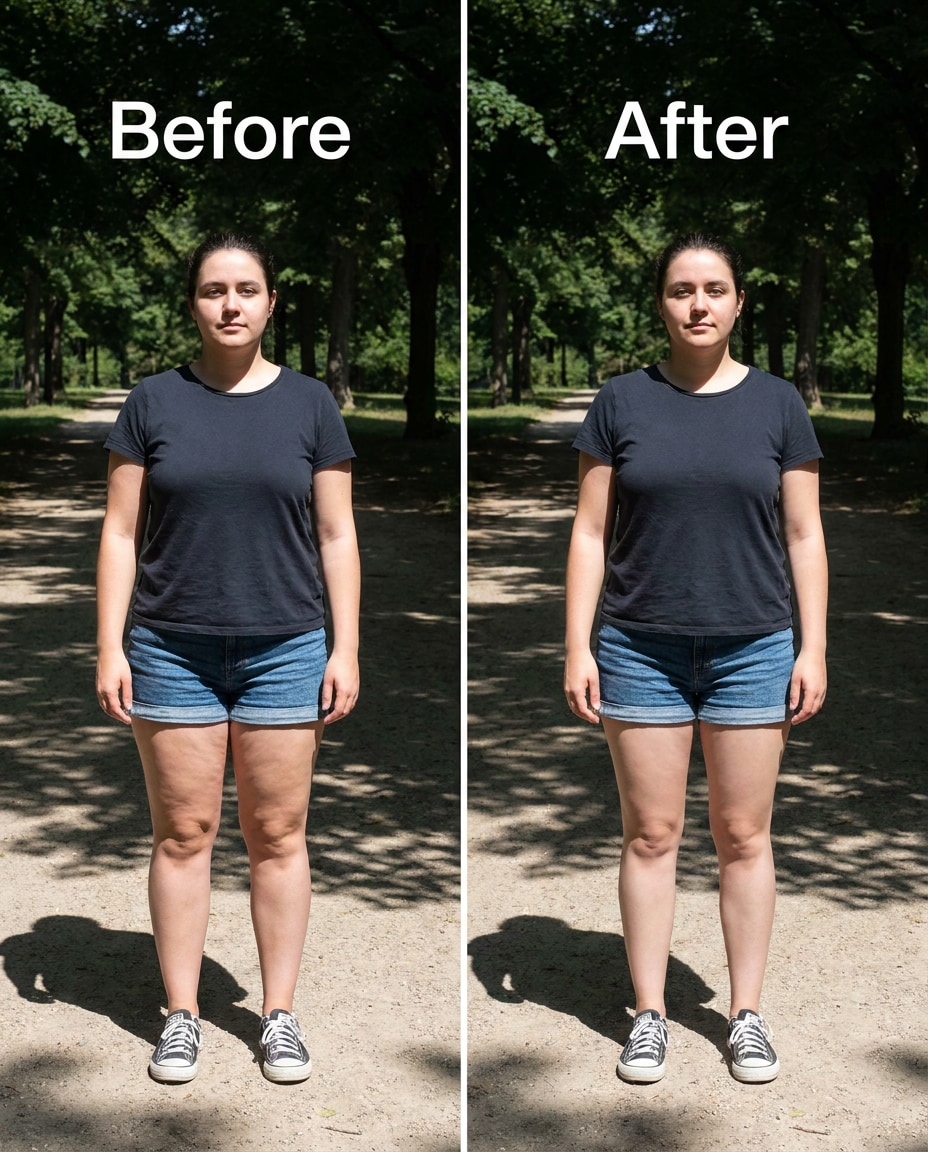
Thigh Contour Soften
Soften thigh bulk so the legs look sleeker in shorts, keeping the same face and same skin tone with the same pose; preserving skin texture, short hems, and original lighting and background edges --ar 4:5
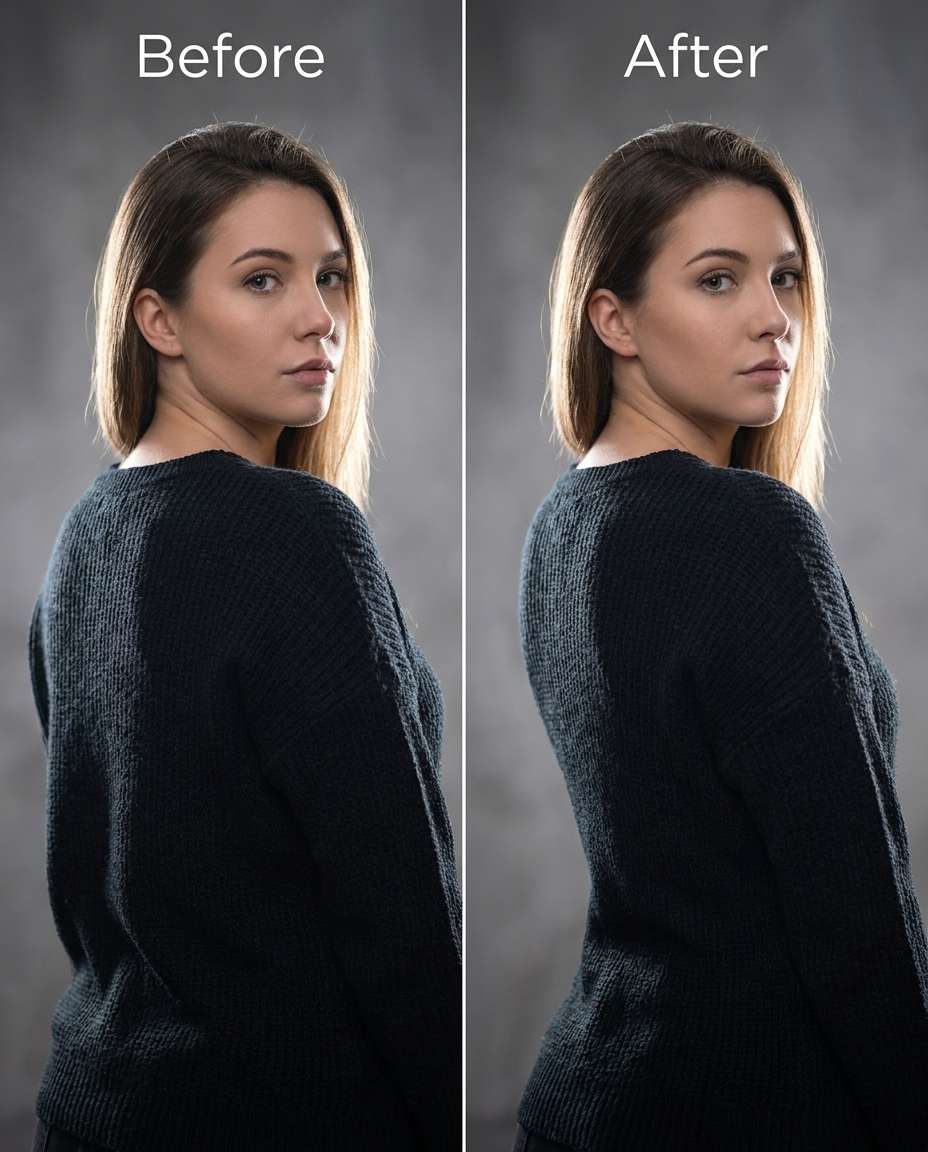
Subtle Back Slim
Slim the back and waist from a 3/4 angle while keeping the same face and same hairstyle with the same pose; preserving jacket seams, hair edges, and original lighting falloff --ar 4:5
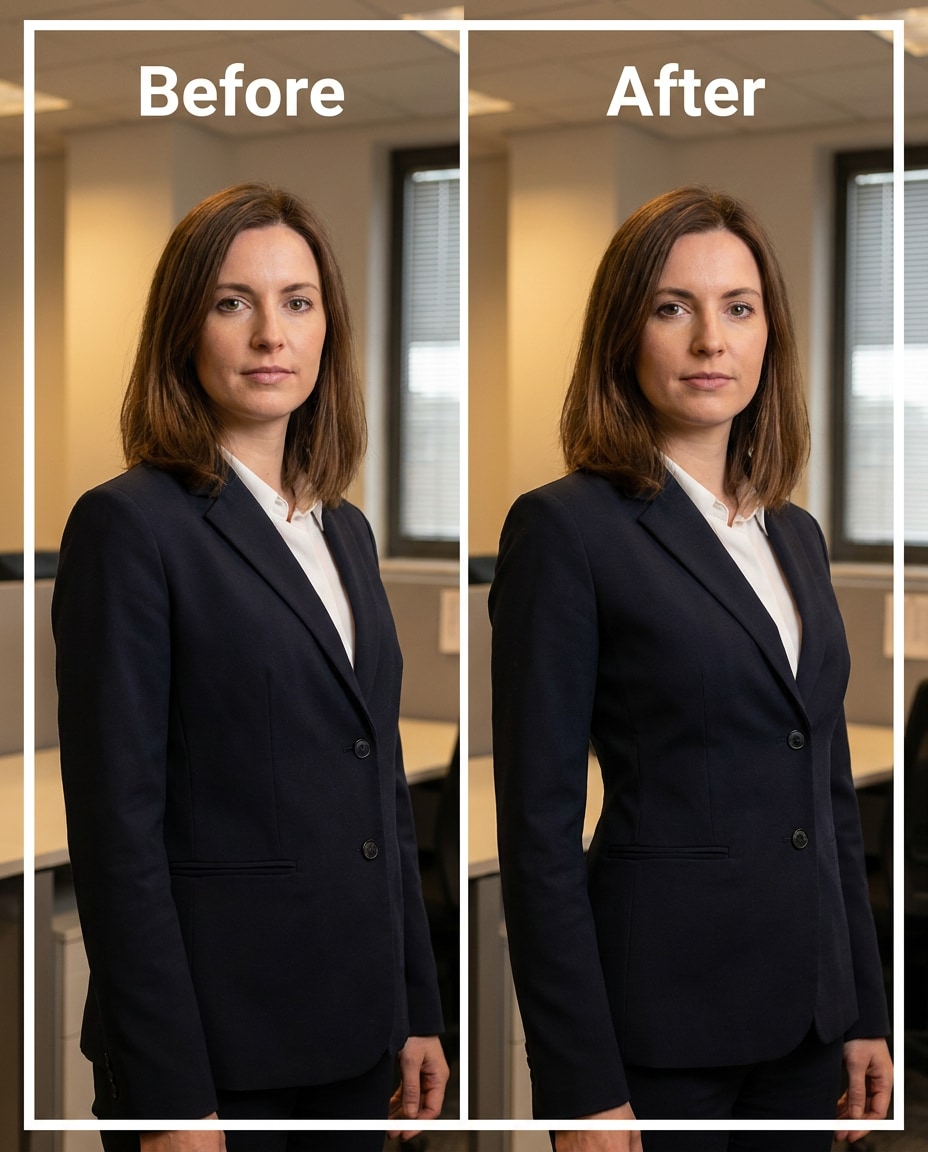
Blazer Fit Refine
Refine blazer fit so it drapes slimmer at the waist without pinching, keeping the same face and same pose with the same outfit details; preserving lapel shape, button alignment, fabric texture, and background lines --ar 4:5
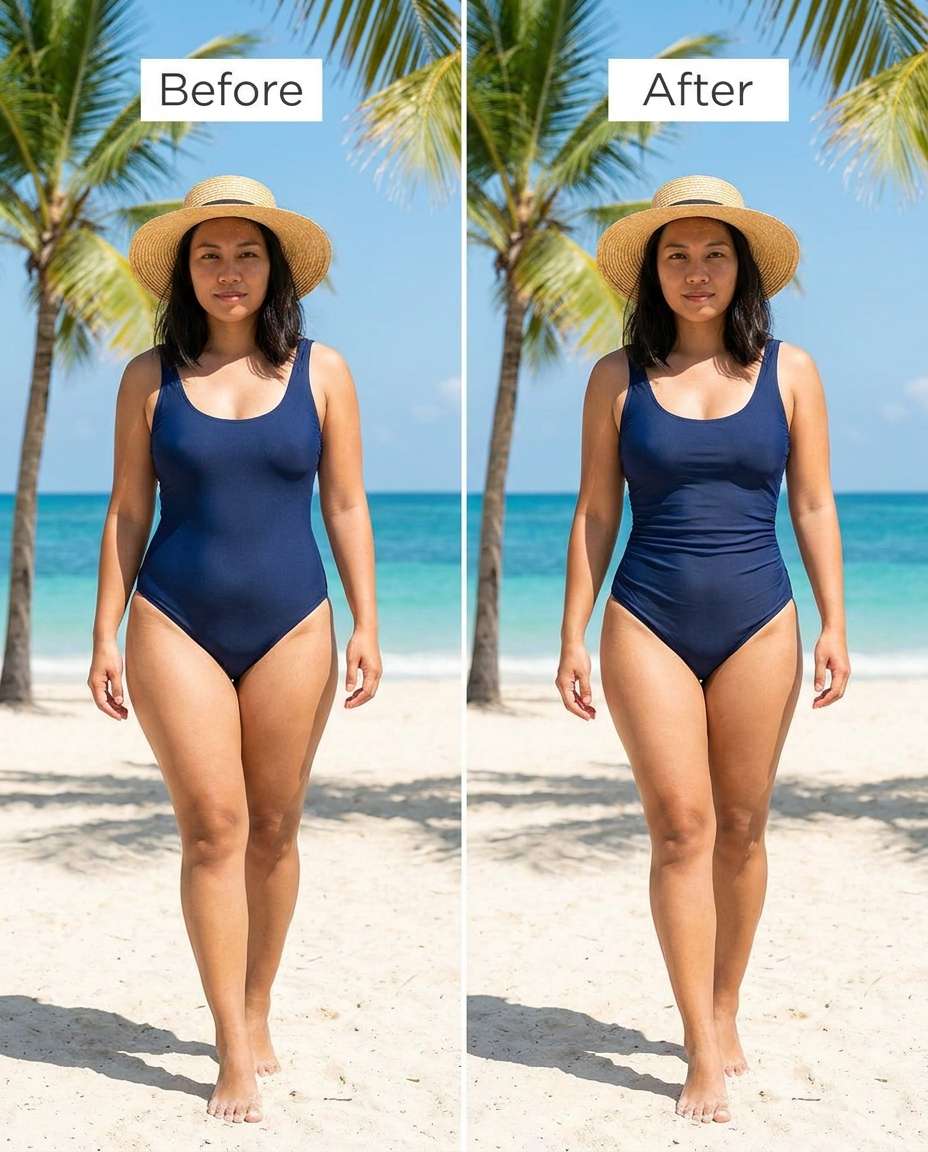
Swimwear Waist Sculpt
Sculpt a slightly slimmer waist in swimwear while keeping the same face and same skin tone with the same hairstyle; preserving natural skin texture, waterline reflections, and original lighting direction --ar 4:5
Neckline Tighten
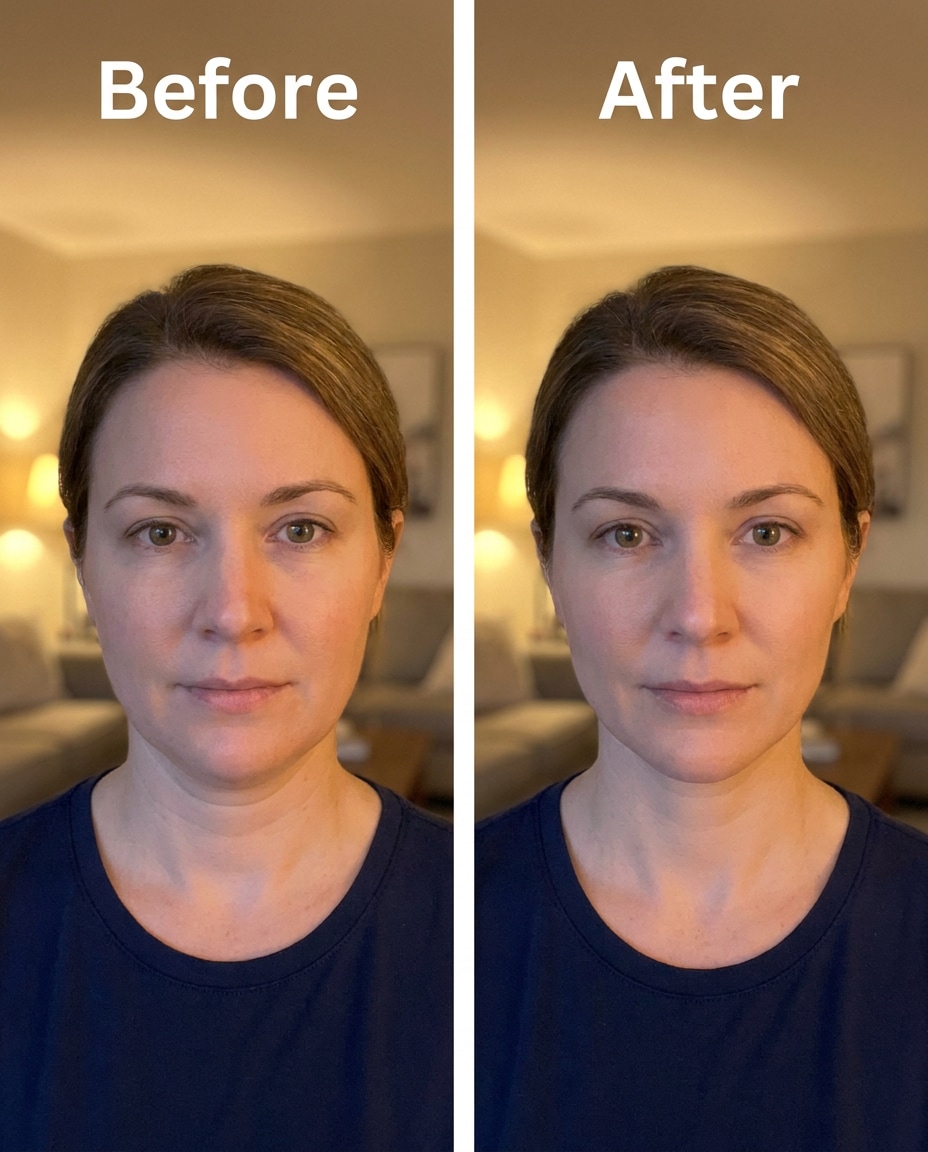
Tighten the neck and jawline slightly without changing facial features, keeping the same face and same hairstyle with the same skin tone; preserving original lighting, shadow direction, and background detail --ar 4:5
Shoulder Width Tune
Tune shoulder width to look a touch narrower while keeping the same face and same pose with the same outfit details; preserving collar shape, jacket seams, and original lighting and background geometry --ar 4:5
Waistline Soften
Soften a harsh waist pinch so the curve looks natural, keeping the same face and same hairstyle with the same pose; preserving fabric stretch marks, outfit seams, and original lighting and shadows --ar 4:5
Full Body Slim
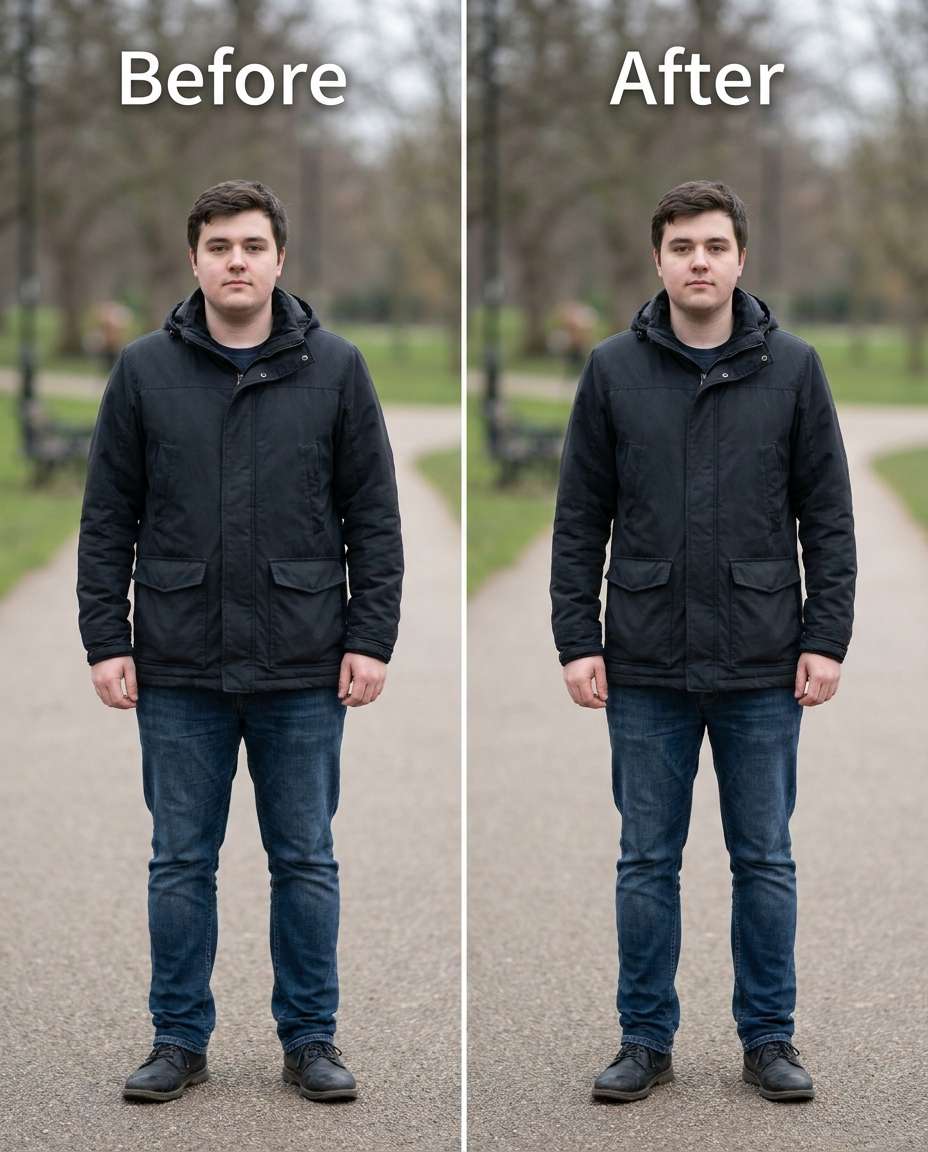
Slim the overall silhouette slightly from shoulders to calves, keeping the same face and same skin tone with the same outfit details; preserving background straight lines, original lighting, and fabric texture --ar 4:5
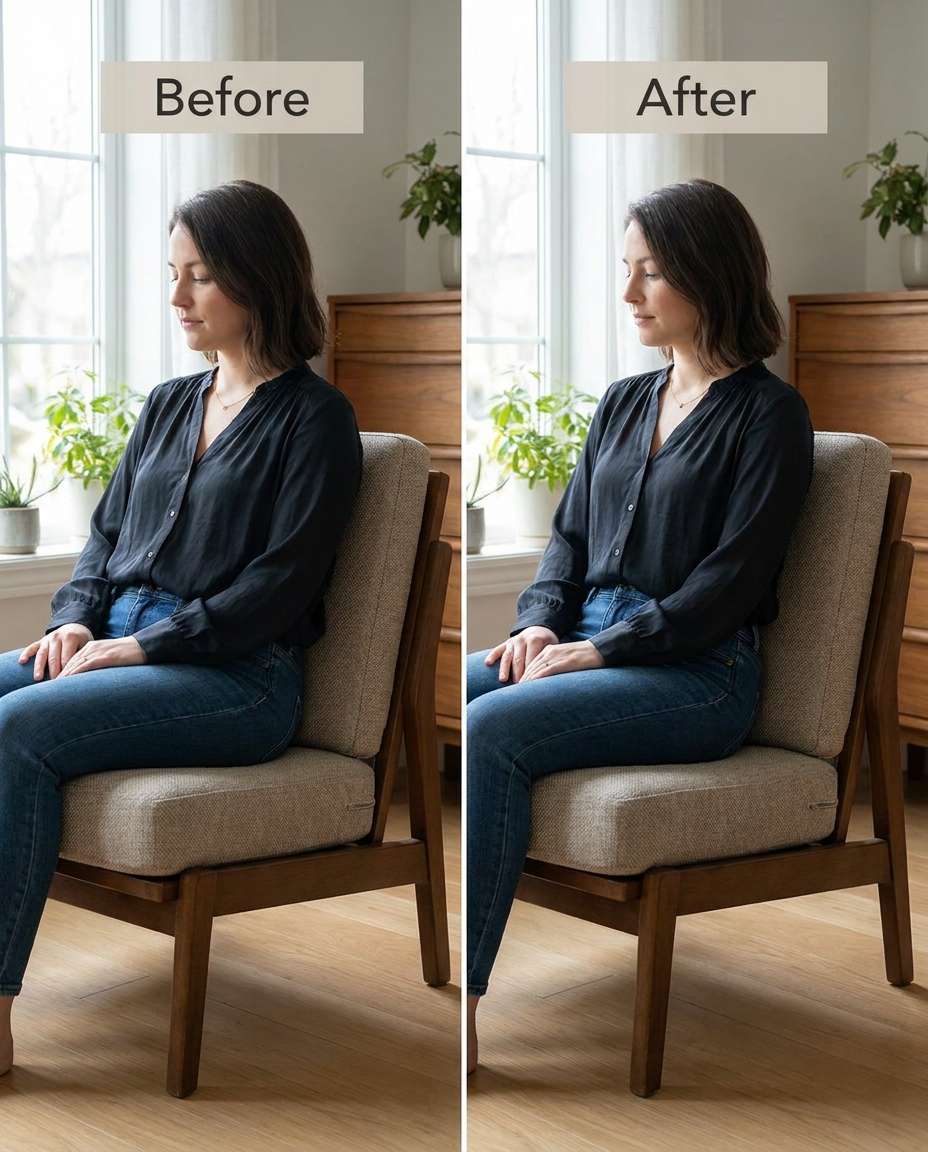
Seated Pose Refinement
Refine the waist and thigh shape in a seated pose without bending the chair, keeping the same face and same pose with the same outfit; preserving chair edges, floor lines, and original lighting --ar 4:5
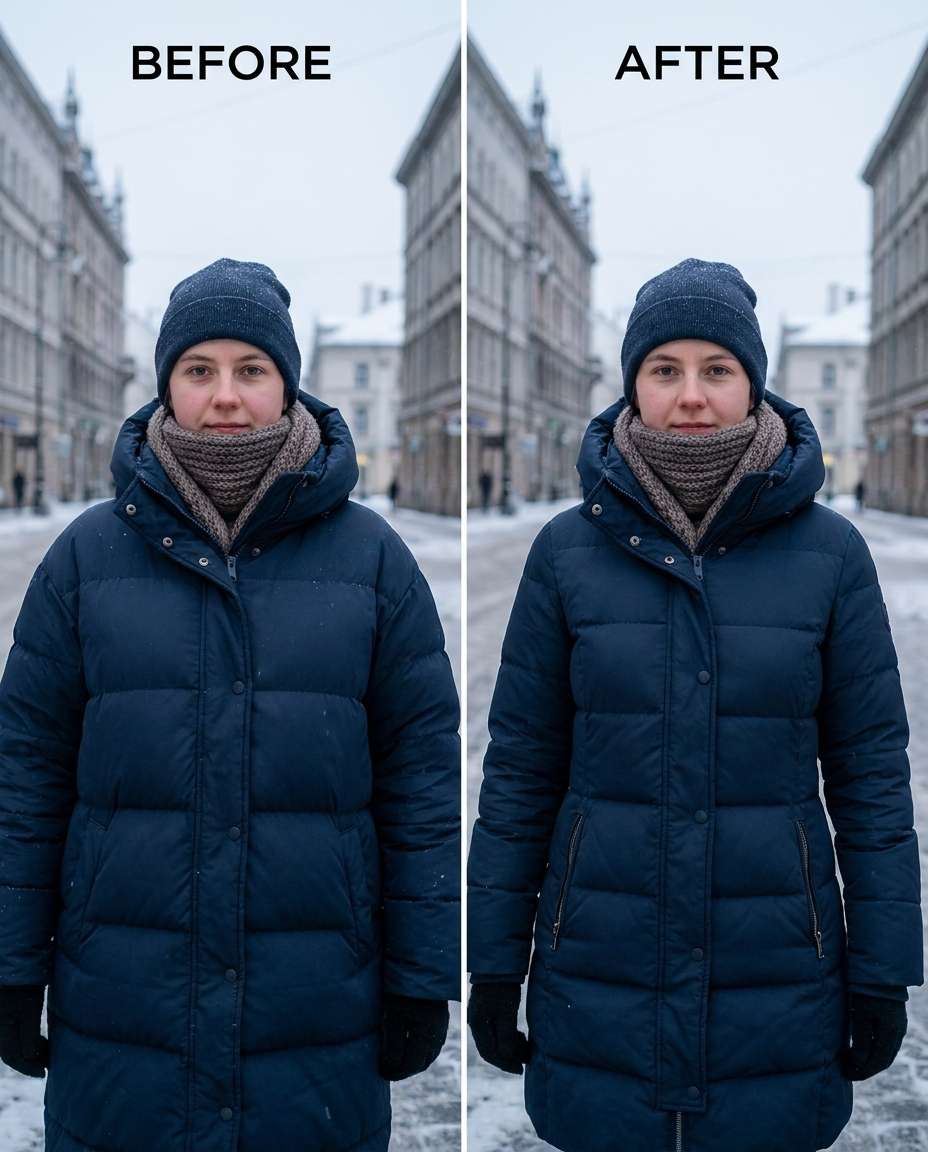
Coat Bulk Reduce
Sculpt a slimmer shape under a winter coat without changing coat structure, keeping the same face and same hairstyle with the same pose; preserving coat stitching, buttons, fabric texture, and background details --ar 4:5
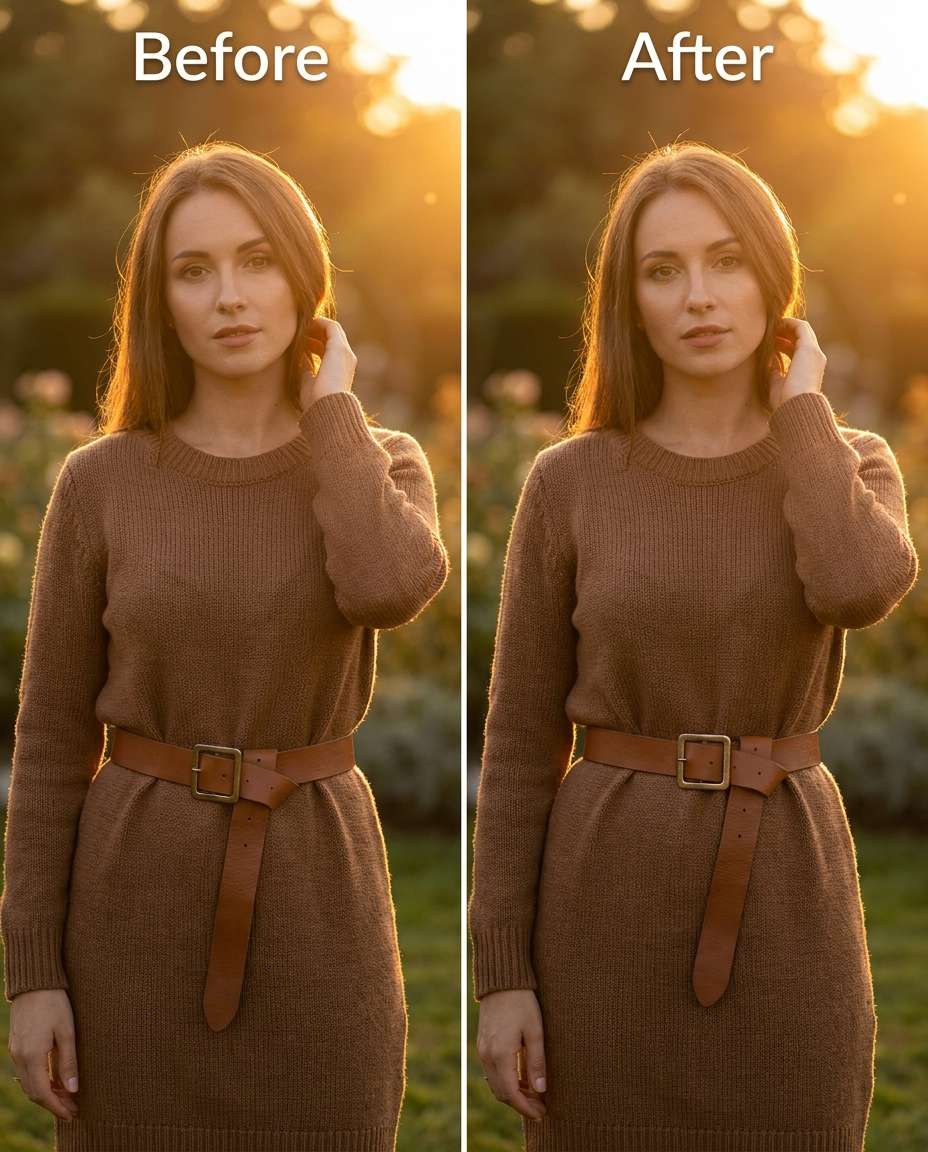
Cinch Waist Belt
Cinch the waist around a belt so it looks snug but realistic, keeping the same face and same outfit details with the same pose; preserving belt holes, buckle shape, fabric folds, and original lighting --ar 4:5
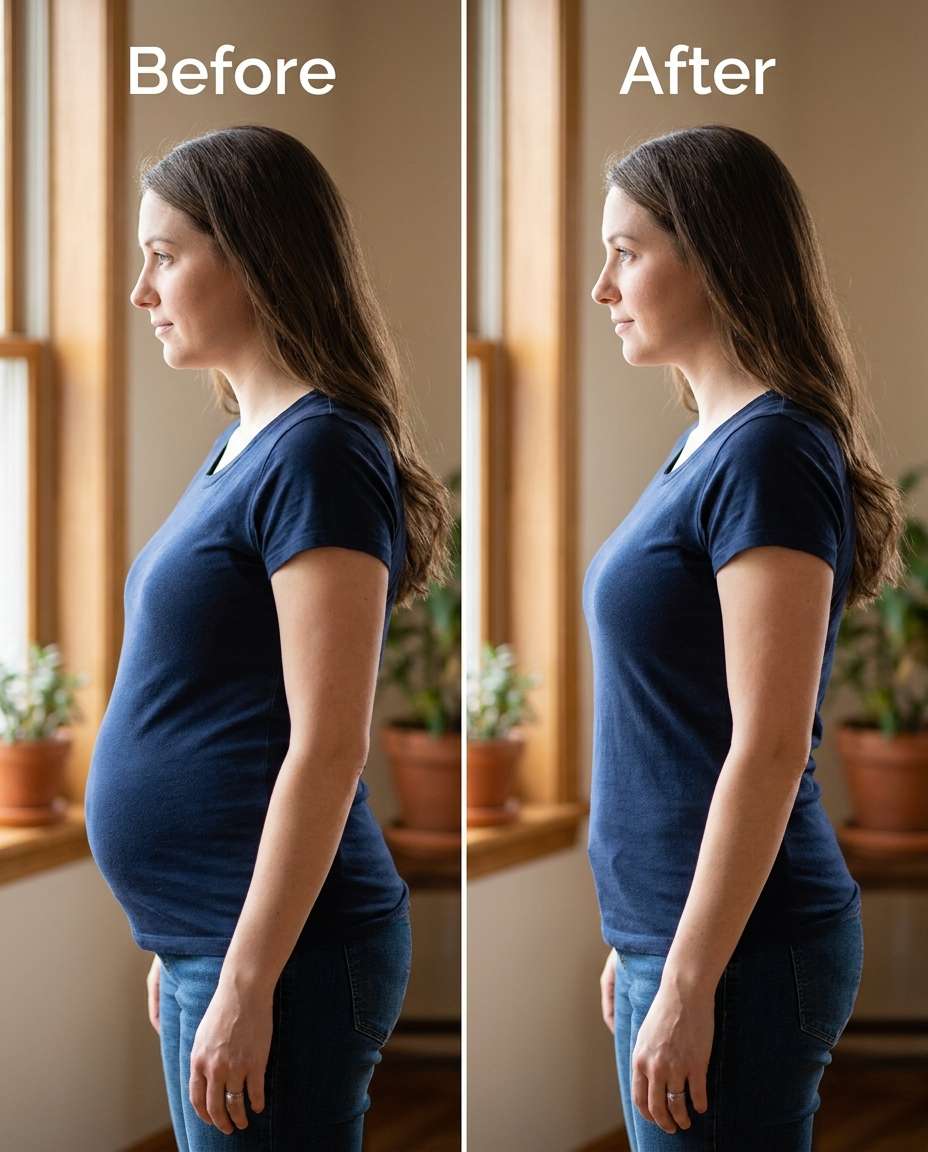
Reshape Side Profile
Reshape the side-profile belly to look flatter without changing the chest or hips, keeping the same face and same hairstyle with the same pose; preserving original lighting, shadow direction, and background edges --ar 4:5
Adjust Posture Slim
Adjust posture subtly for a taller, slimmer look while keeping the same face and same outfit details with the same hairstyle; preserving limb proportions, clothing seams, and background lines --ar 4:5
Tighten Midriff Creases
Tighten midriff creases and bulges under a crop top while keeping the same face and same skin tone with the same pose; preserving fabric ribbing, skin texture, and original lighting and shadows --ar 4:5
Smooth Love Handles
Smooth love-handle areas under a fitted shirt for a cleaner line, keeping the same face and same pose with the same outfit details; preserving shirt side seams, fabric stretch, and original lighting and background --ar 4:5
How to Write Better Gemini AI Body Slimming Prompts
The most believable body edits are specific, limited, and consistent with the photo's lighting. Aim for one targeted change per prompt, then adjust intensity rather than stacking multiple shape edits at once.
Recommend Prompts Formula
Target area (waist, thighs, arms, jawline)
Intensity (subtle, medium, strong but realistic)
Identity anchors (same face, same pose, same hairstyle, same skin tone)
What not to change (no face reshaping, no background warping)
Output framing (keep original crop and perspective)
Prompt Writing Tips
Mention the clothing item and the seam you want protected (zipper, buttons, belt, side seam).
Call out the lighting constraint (keep shadow direction and highlight placement consistent).
Ask for a natural silhouette instead of extreme pinching to avoid "rubber" distortions.
For mirror shots, explicitly preserve straight tile lines, door frames, and countertop edges.
If hands or arms are near the waist, tell the model to keep finger shape and spacing unchanged.
Generate 2-4 variations and pick the one that looks right at full-frame, not just zoomed in.
Why Choose Media.io for Gemini AI Body Slimming Prompts
Natural-looking edits that protect your identity and outfit, with tunable intensity from subtle to strong and minimal distortion.
Identity stays consistent
Media.io helps you keep the same face, hairstyle, skin tone, and pose while you adjust only the area you name. That makes results feel like a real retouch of your photo instead of a new person or a changed expression.
Seams and texture protected
Good slimming edits fail when zippers bend or fabric turns plastic. Use prompts that call out seams, stitching, and fabric weave, then let Media.io generate versions that preserve clothing structure and avoid wavy edges.
Tunable intensity control
Start gentle, then increase only if needed. Media.io makes it easy to re-run with a clearer intensity note (subtle, medium, stronger) so you can land on a realistic change that matches your outfit and the moment.
Fast iteration workflow
Upload once, paste a prompt, and generate multiple options to compare quickly. This speeds up decision-making: you can test waist-only vs. full-silhouette tweaks, keep the best-looking lighting match, and download the cleanest final.
FAQs About
Gemini AI Body Slimming Prompts
1. How do I use Gemini AI body slimming prompts without warping clothes?
In your prompt, name exactly what must be preserved: zipper line, buttons, belt buckle, side seams, and fabric texture. Also tell it to keep background lines straight and maintain original lighting. If you see bending near edges, reduce the strength (ask for "subtle") and regenerate rather than stacking multiple shape changes.
2. What should I include to keep my face and identity unchanged?
Add at least two identity anchors such as "keep the same face" and "keep the same pose," plus one more like "same hairstyle" or "same skin tone." Then specify the single target area (waist, thighs, arms). The more focused the instruction, the less likely the edit will drift into unwanted changes.
3. Why do backgrounds bend in slimming edits, and how can I prevent it?
Background bending usually happens when the model tries to "pull" pixels around the body. To prevent it, explicitly say "preserve background lines and details" and mention a few straight references (tile grout, door frame, horizon). Keeping the edit localized (one region only) also reduces distortion.
4. How can I make the result look natural instead of over-edited?
Ask for a modest intensity and request realistic shadows and contours. A good instruction is "slightly slimmer" rather than "dramatically thin," and "keep natural skin texture." Generate a few variations and pick the one that holds clothing structure, especially around seams and high-contrast edges.
5. Is it better to slim the whole body or just one area?
Most photos look more believable with a single targeted adjustment (waist-only, arms-only, or thighs-only). Full-body slimming can work, but it's easier to introduce perspective issues and background warping. Start with one area, then only broaden the scope if the overall proportions still feel off.
Why Creators Love Media.io's Gemini AI Body Slimming Prompts?
Alex M.
Photographer
Ultra Realistic Results.
I used these body slimming prompts to create visuals that looked like real photography. The lighting, textures, and colors felt incredibly natural.
Maya J.
Designer
Perfect Lighting & Detail.
The prompts produced cinematic compositions and soft lighting, making every image feel like a professional shoot.
Jordan P.
Creator
Perfect for Social Media.
I used these prompts to create viral content. It's fast, easy, and consistently produces stunning visuals.