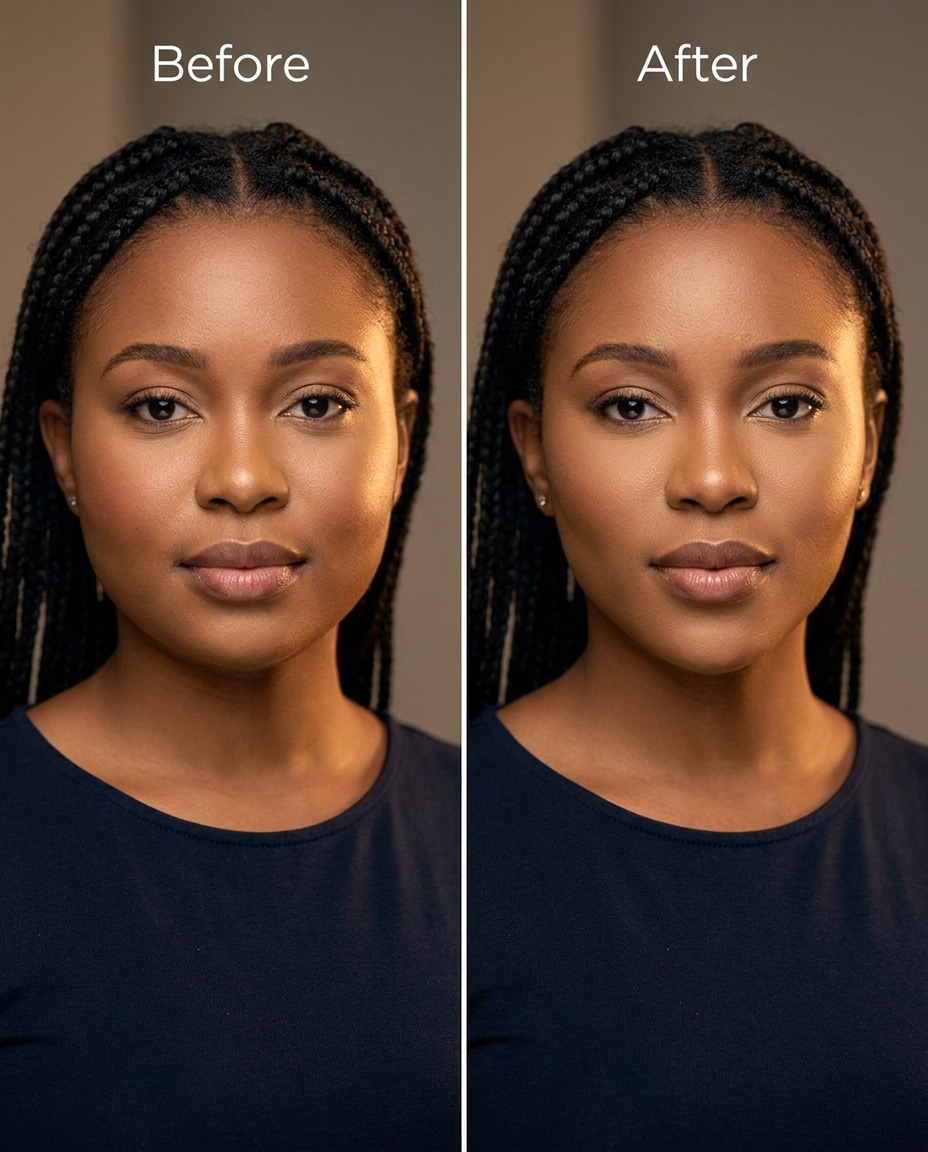
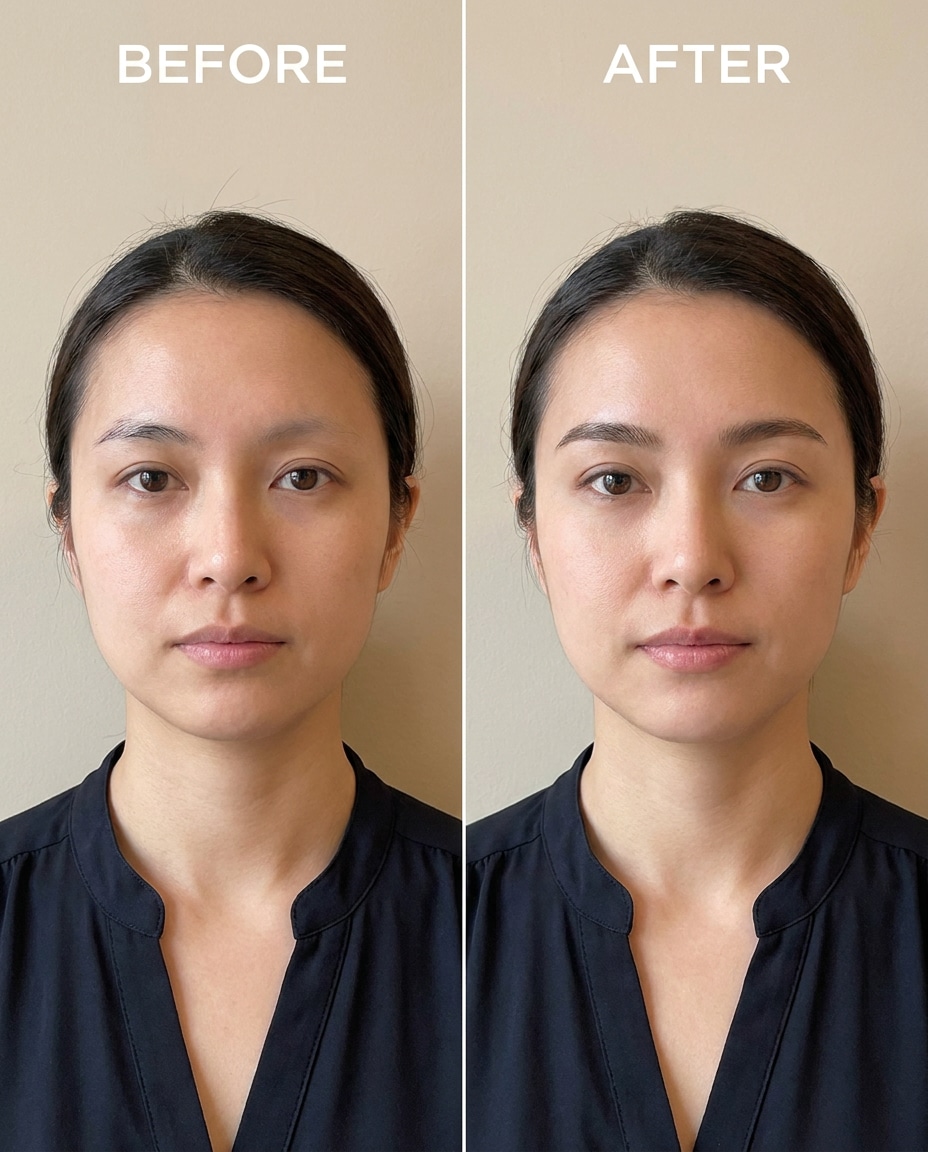
Subtle Cheek Slim
Slim the cheeks slightly for a more defined face shape, keeping the same face, same smile, and same hairstyle, preserving original lighting and background details, avoid warping earrings or jaw edges --ar 4:5
Refine your portrait fast with Gemini AI face enhancement prompts, but keep it believable. The goal isn't a new face; it's a cleaner, more confident version of the same moment, from gentle to dramatic. Upload one photo, paste a prompt, and decide exactly what gets improved (and what stays untouched). You'll get 25 prompts that focus on skin, eyes, teeth, and shaping without warping hairlines, outfits, or backgrounds. Pick a look you'd actually keep.
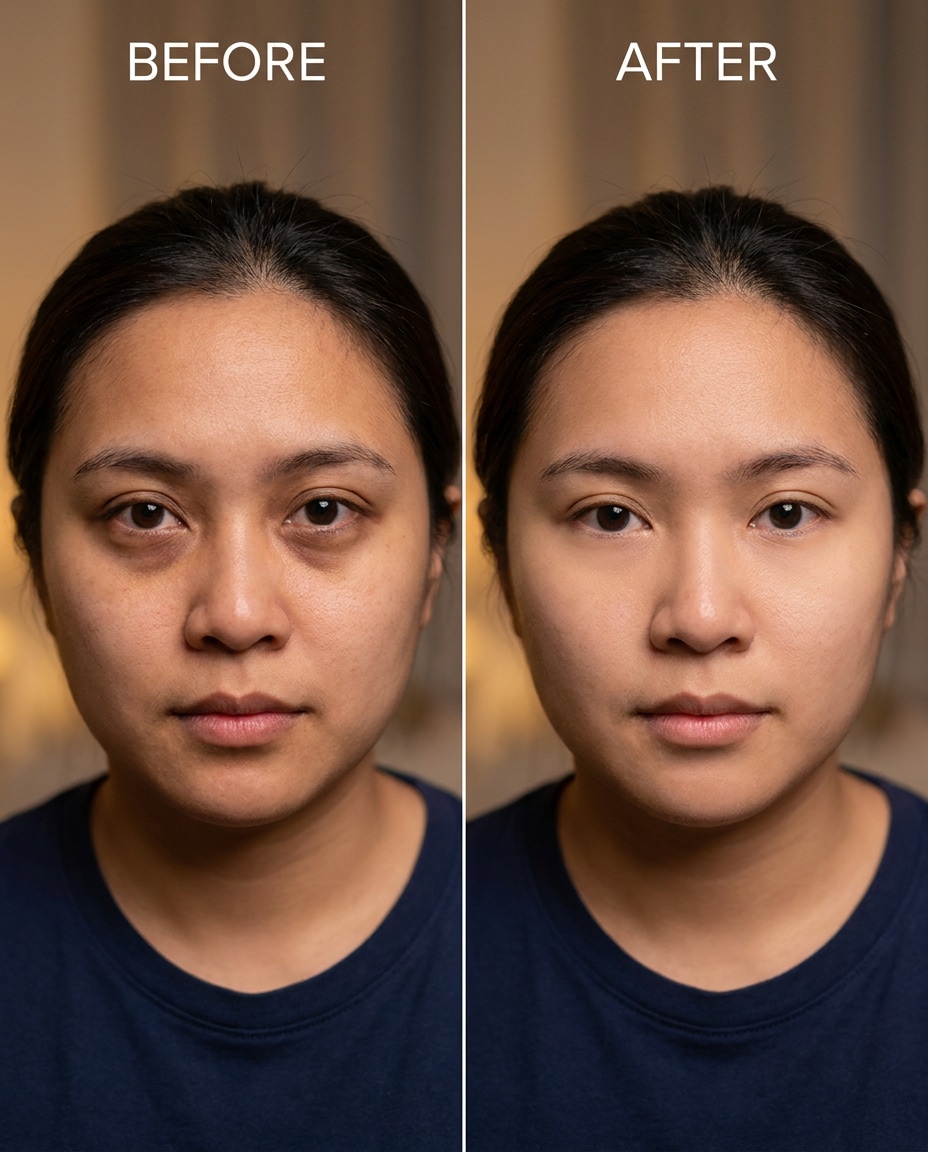
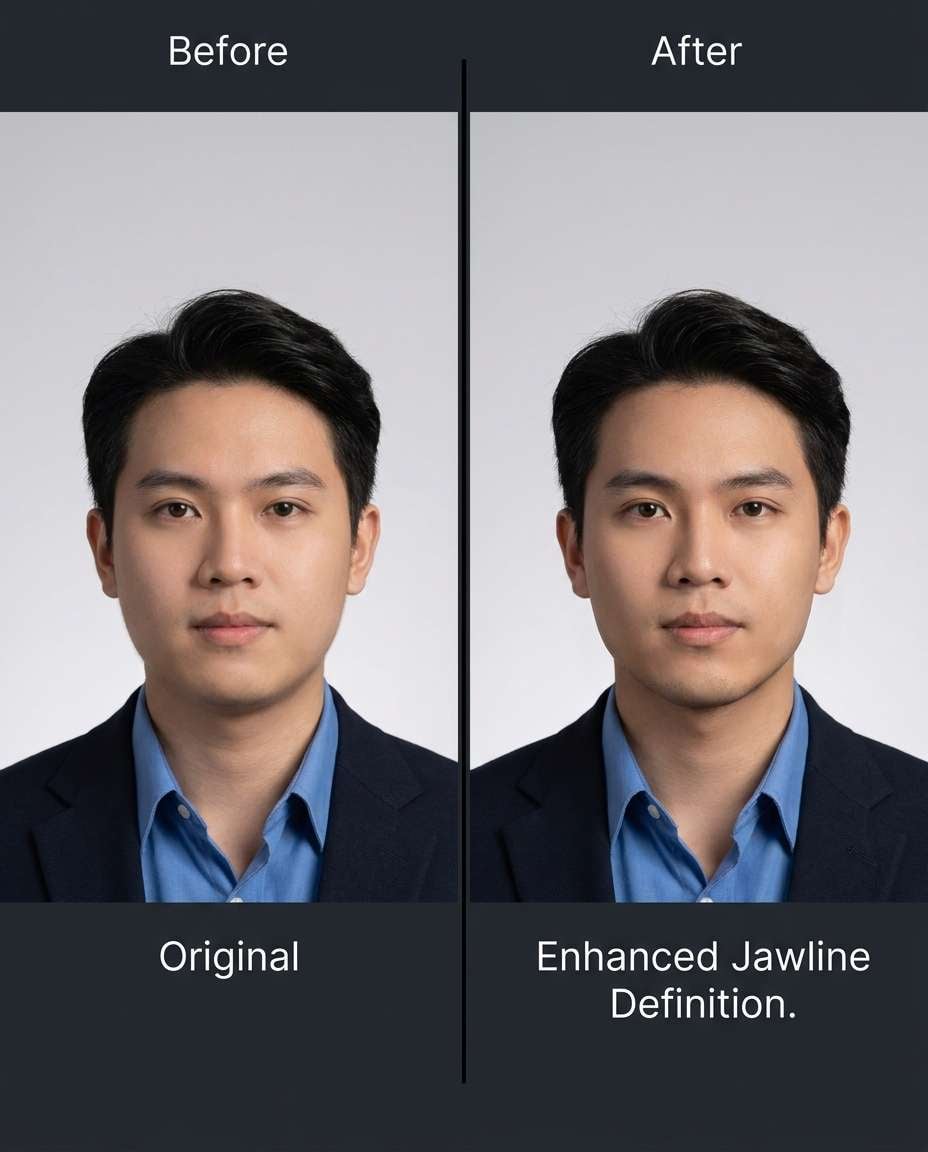
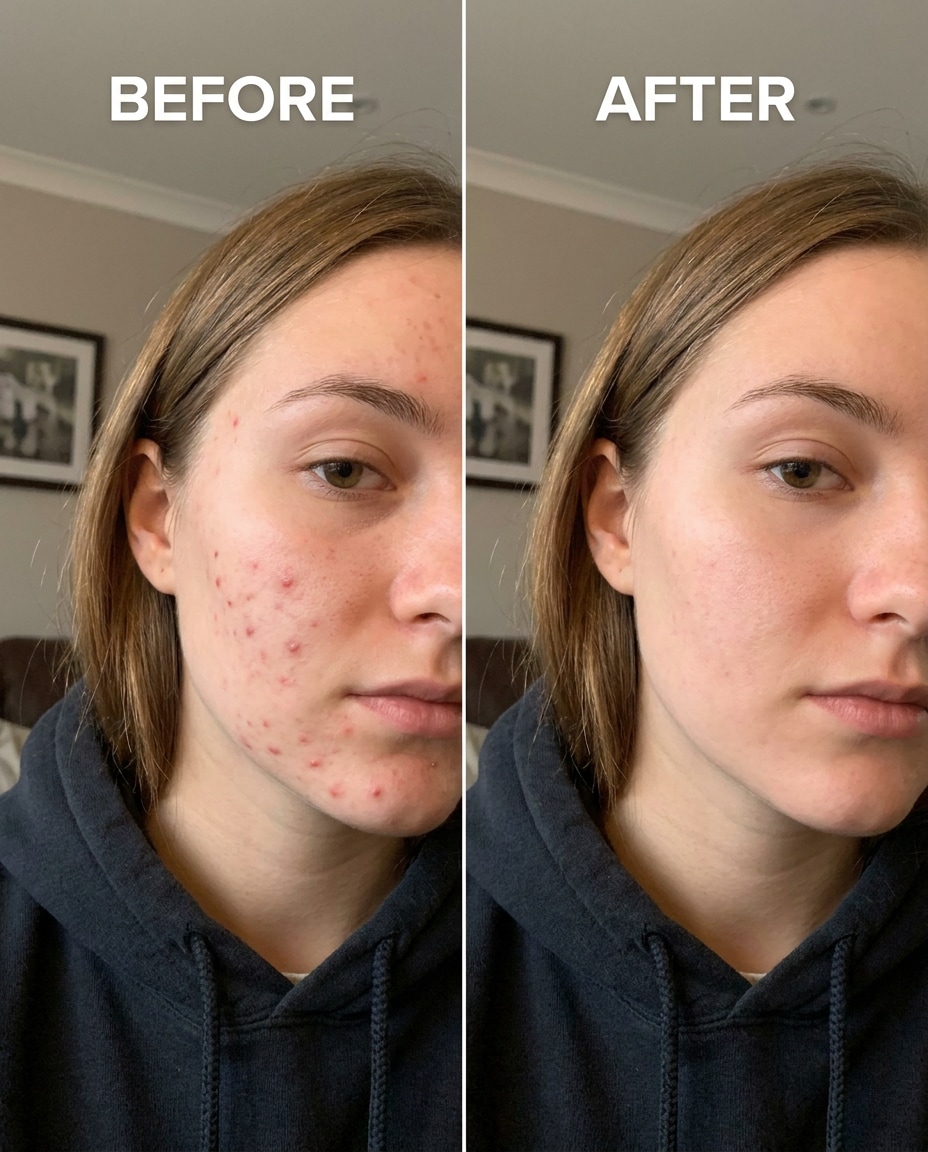
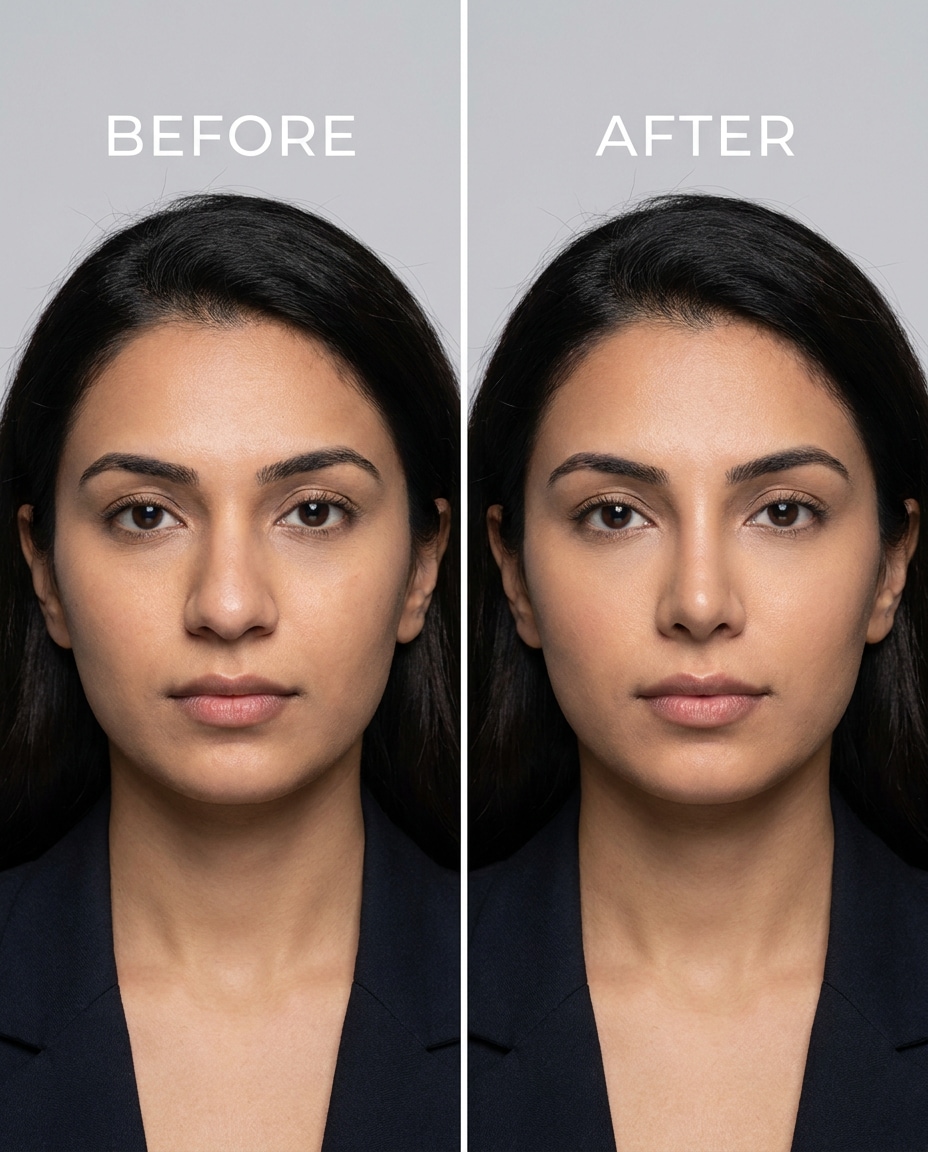
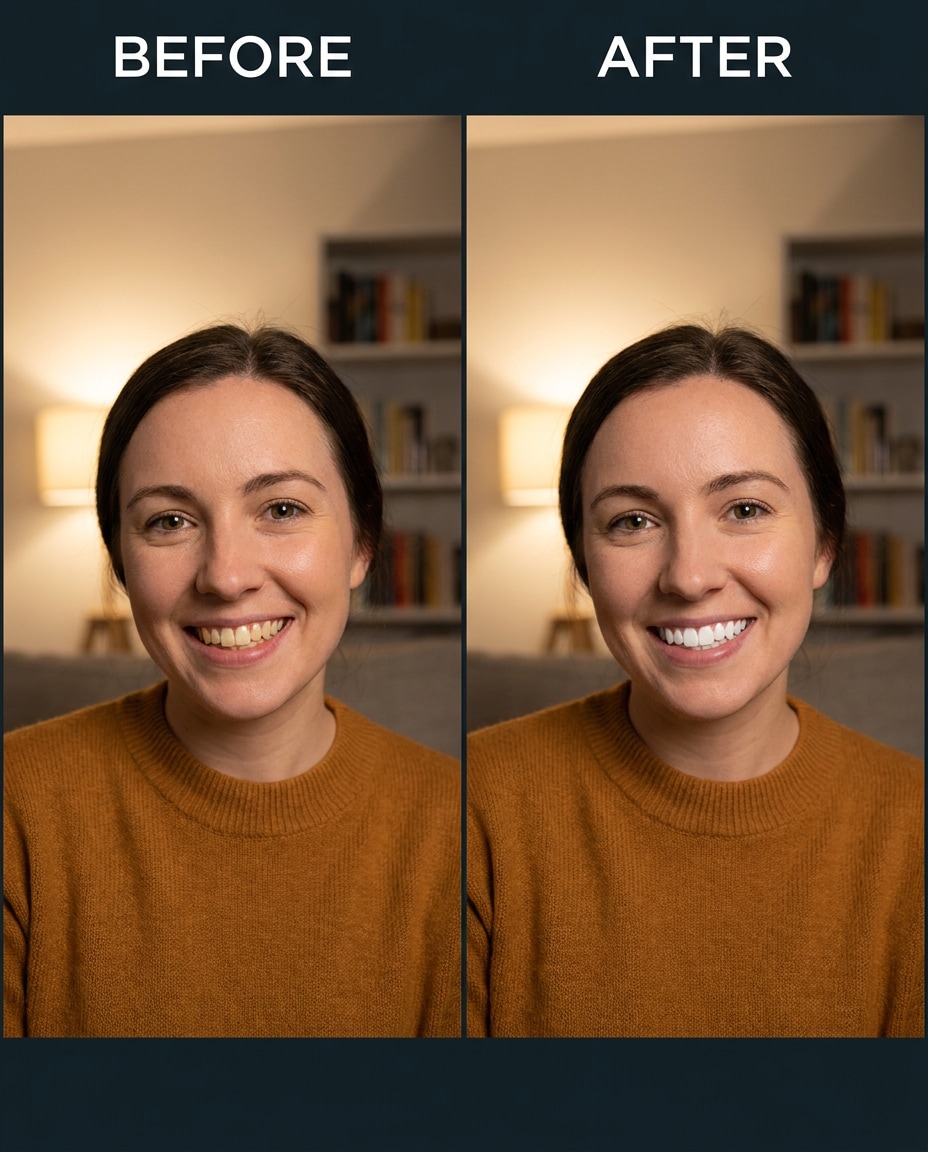
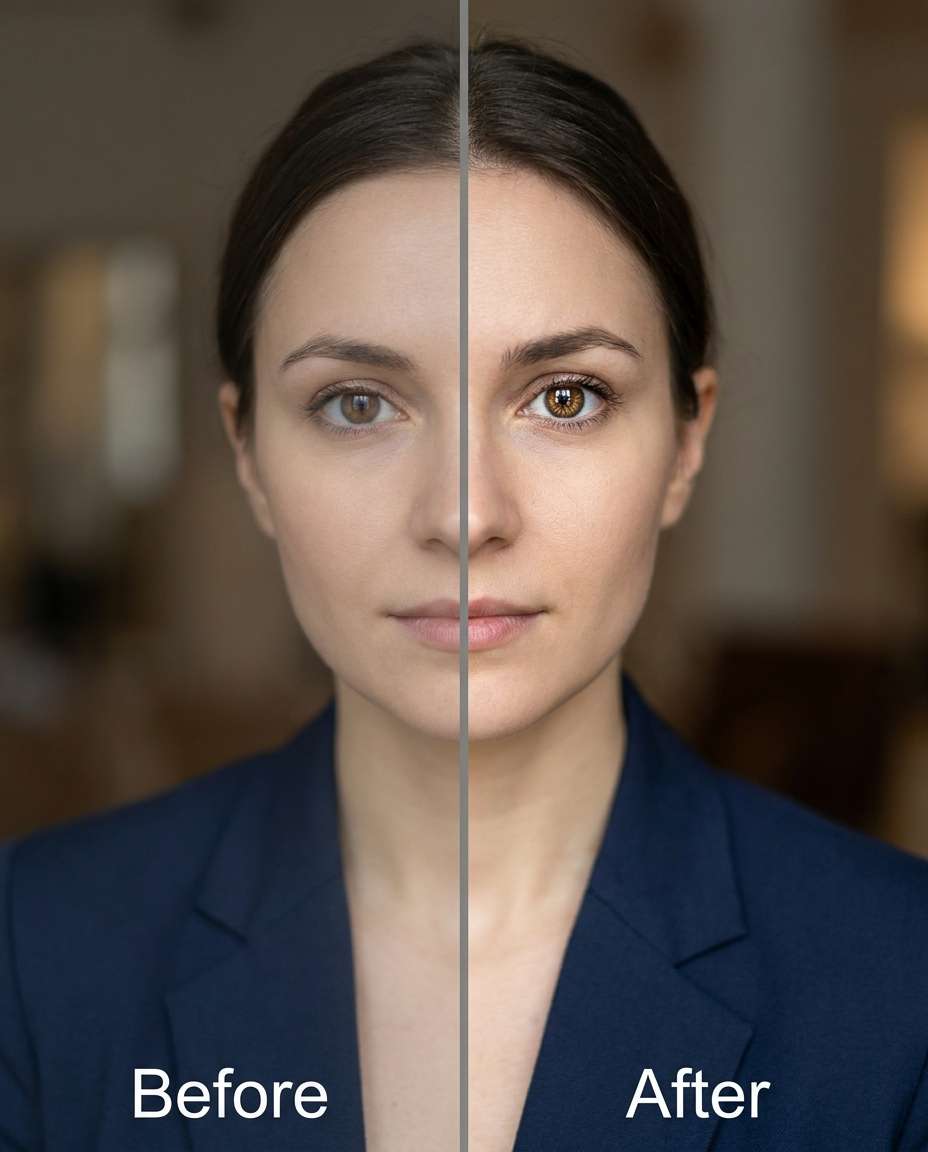
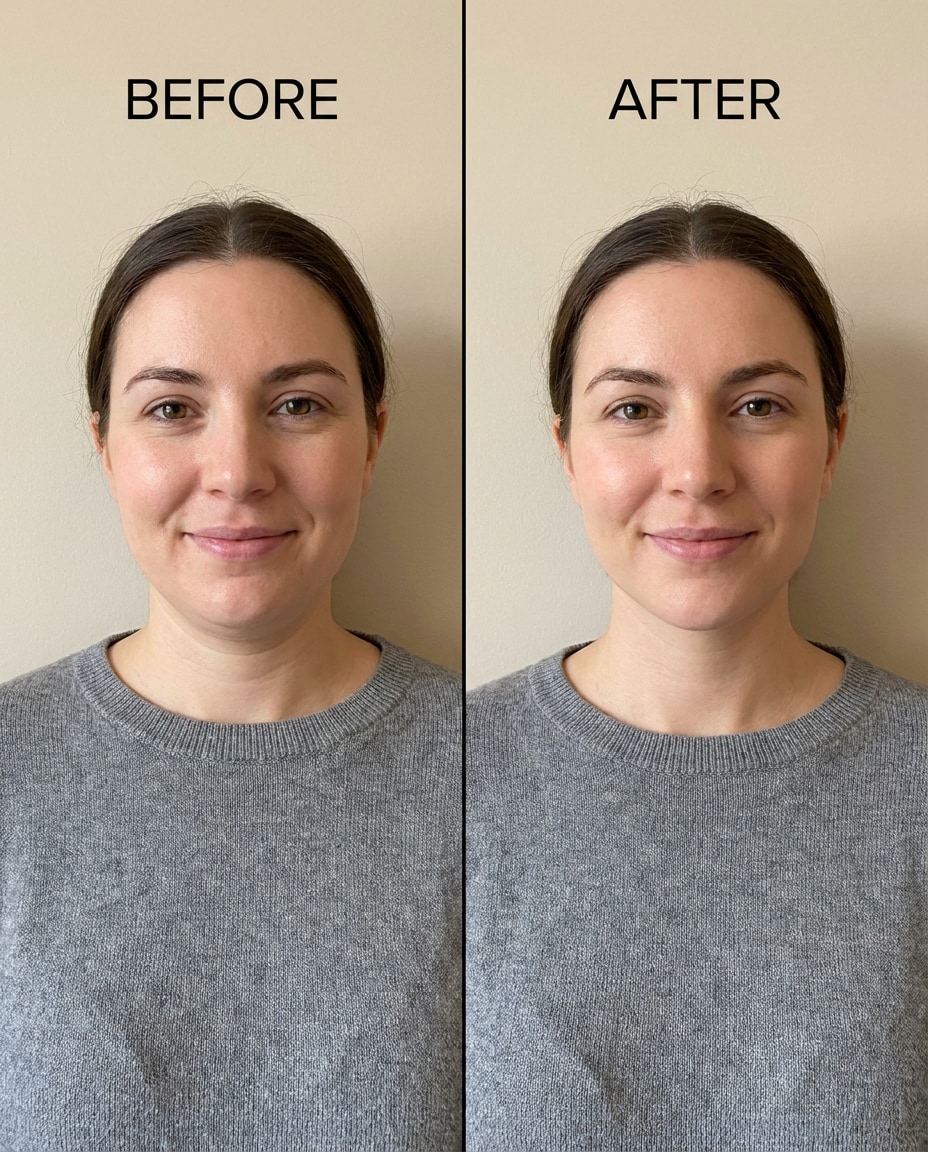
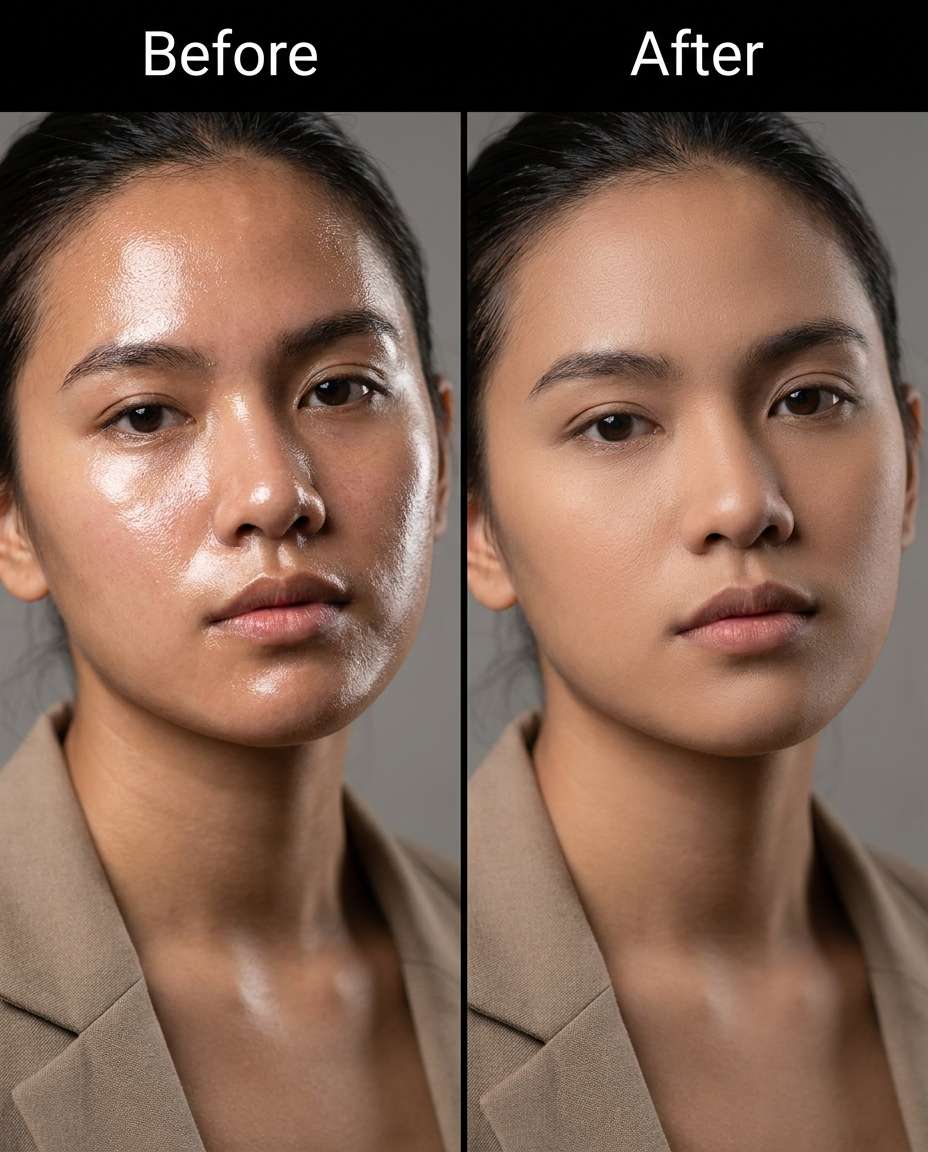
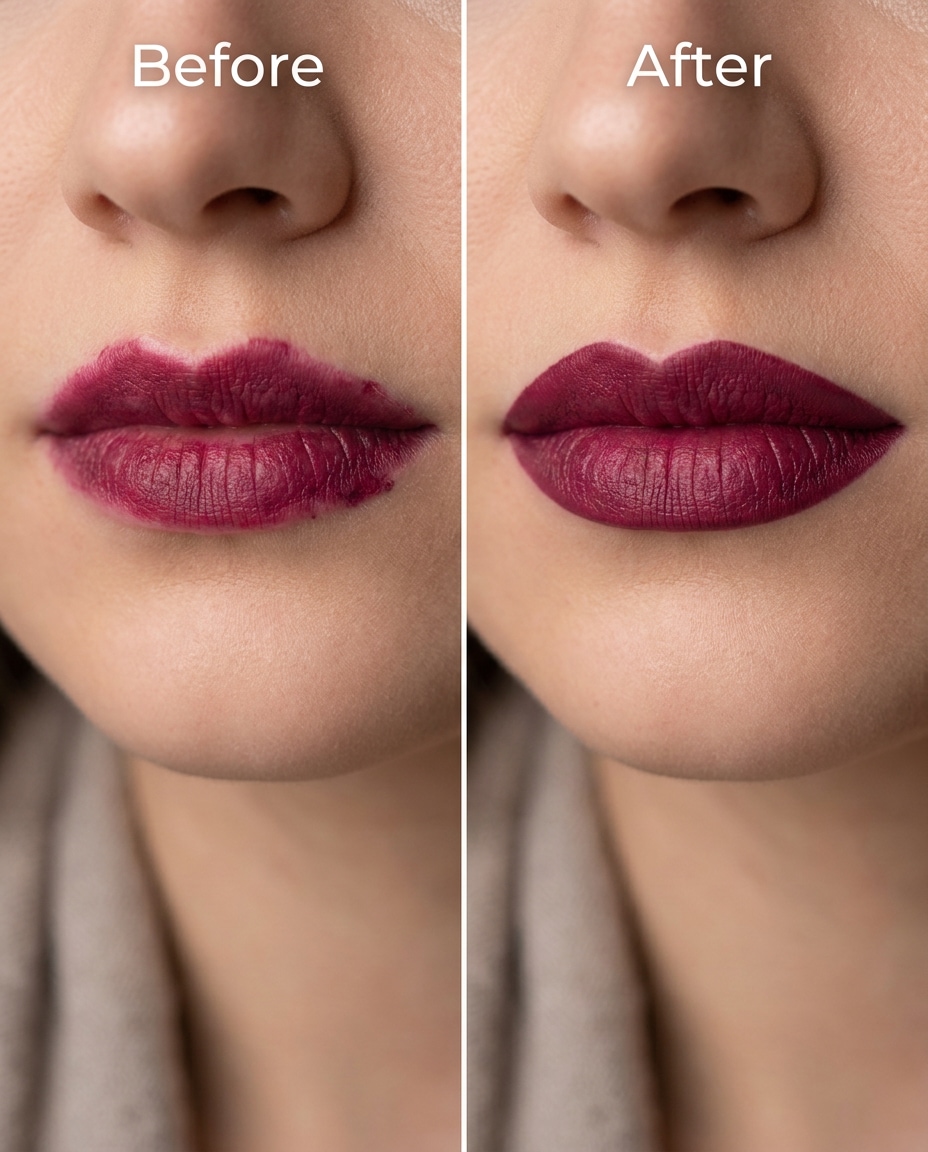
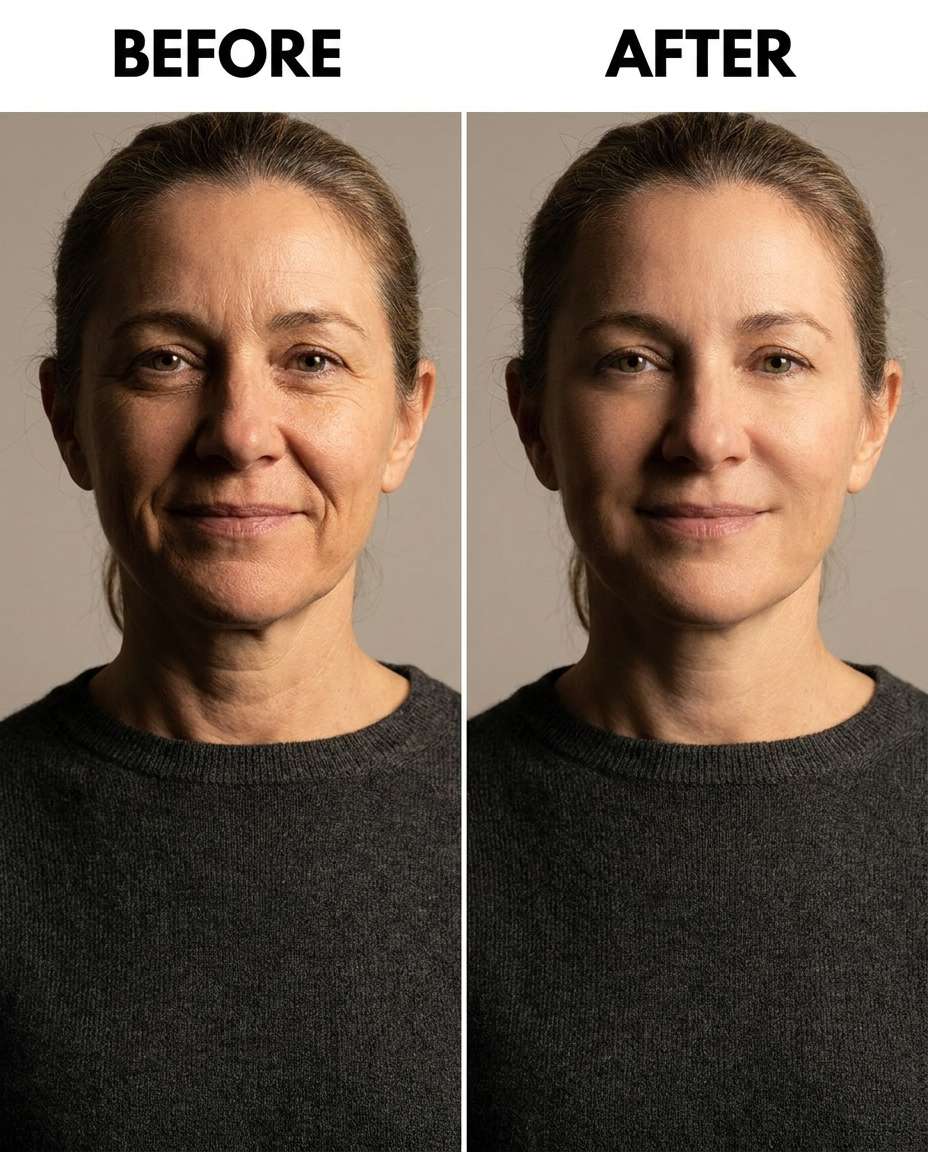
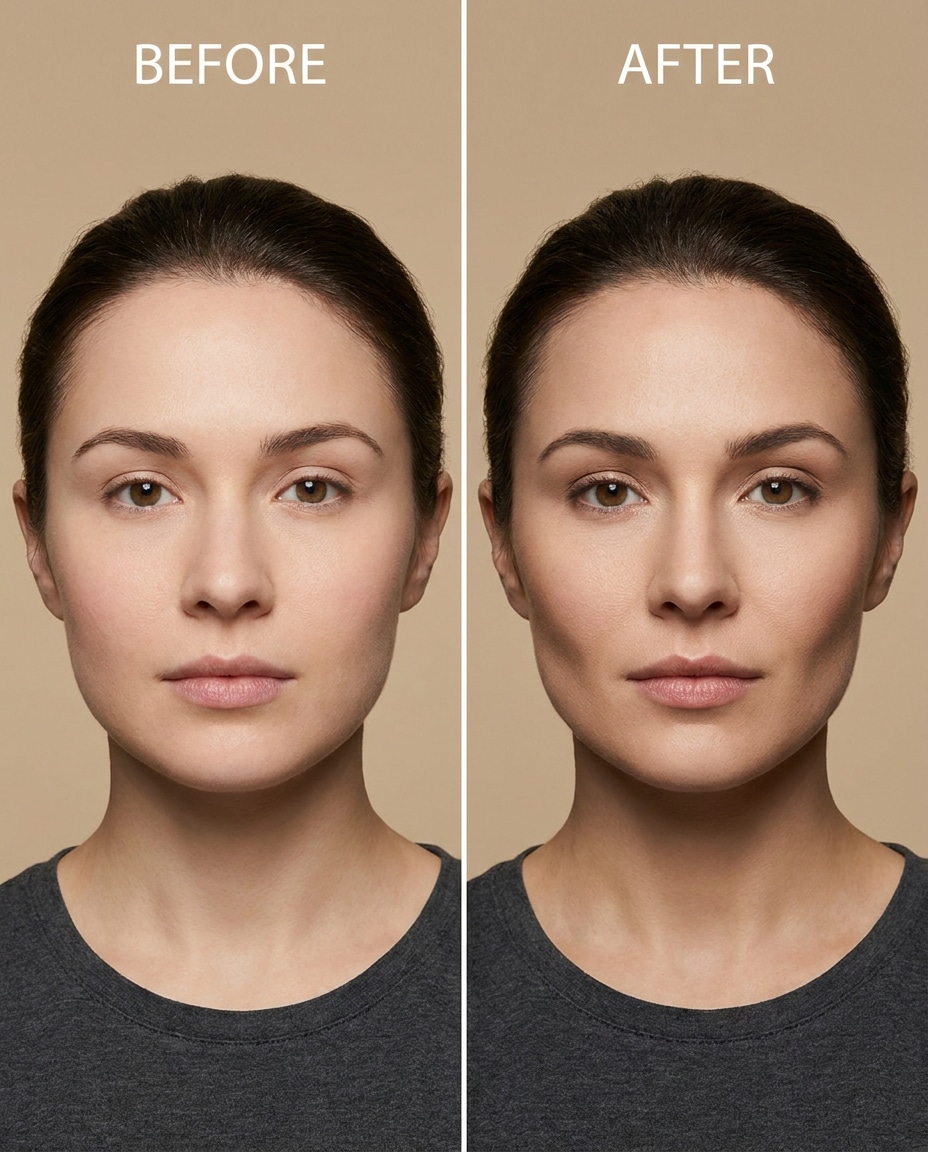
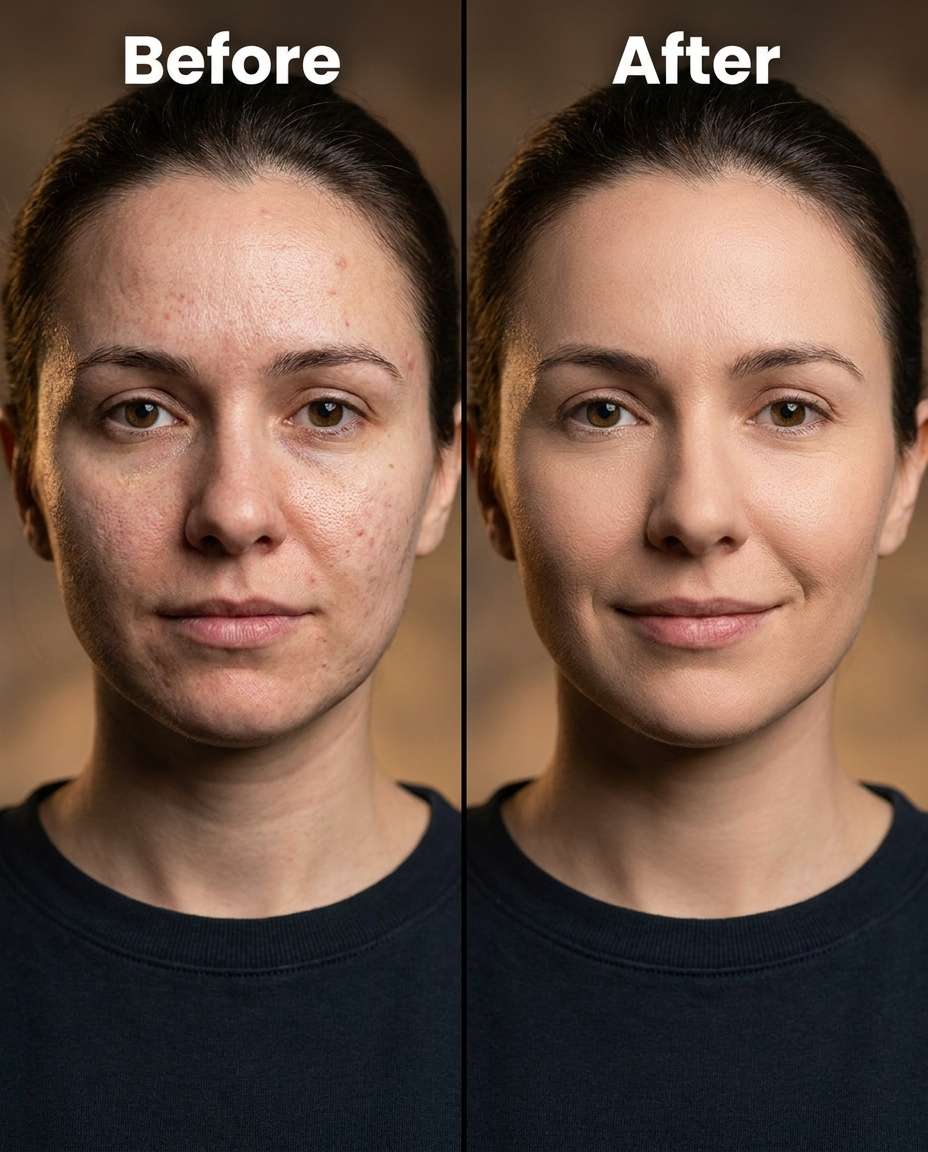
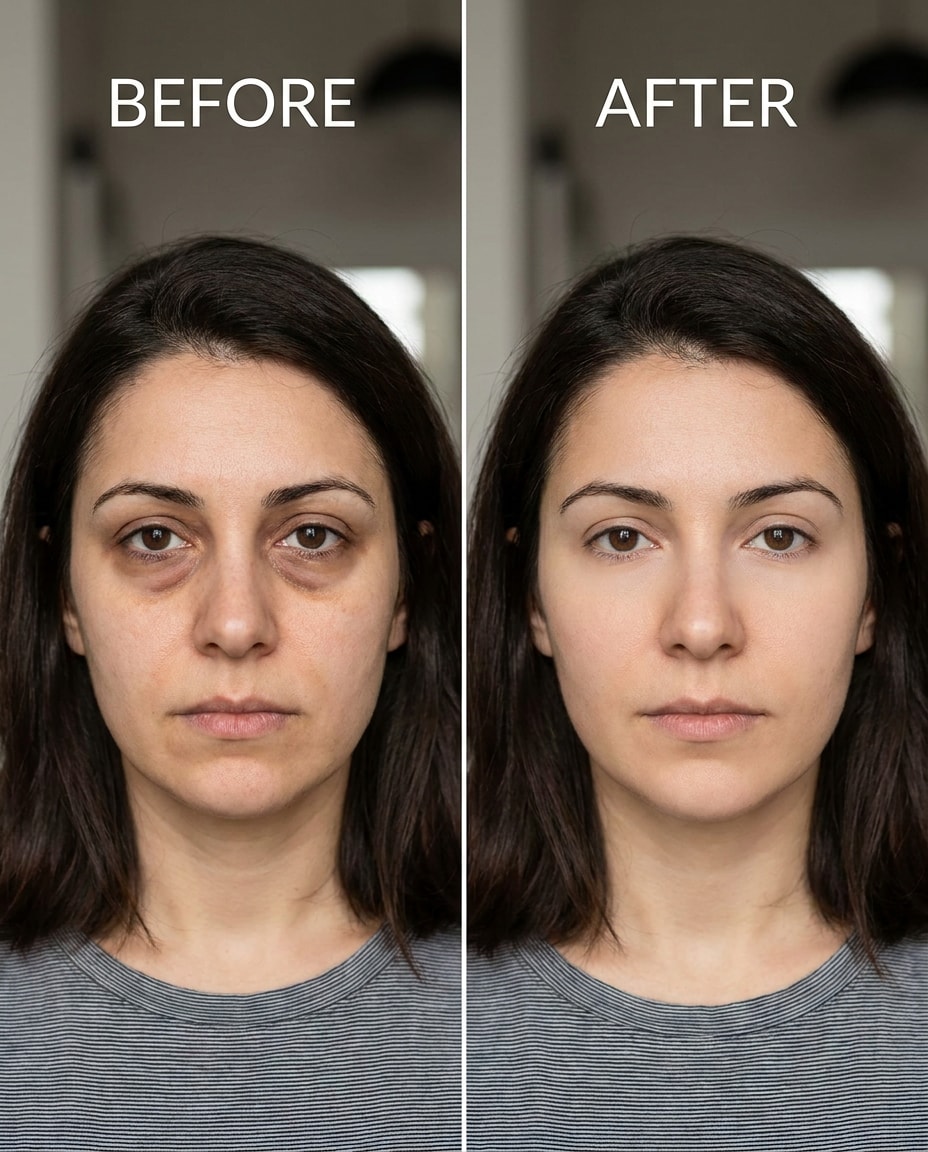
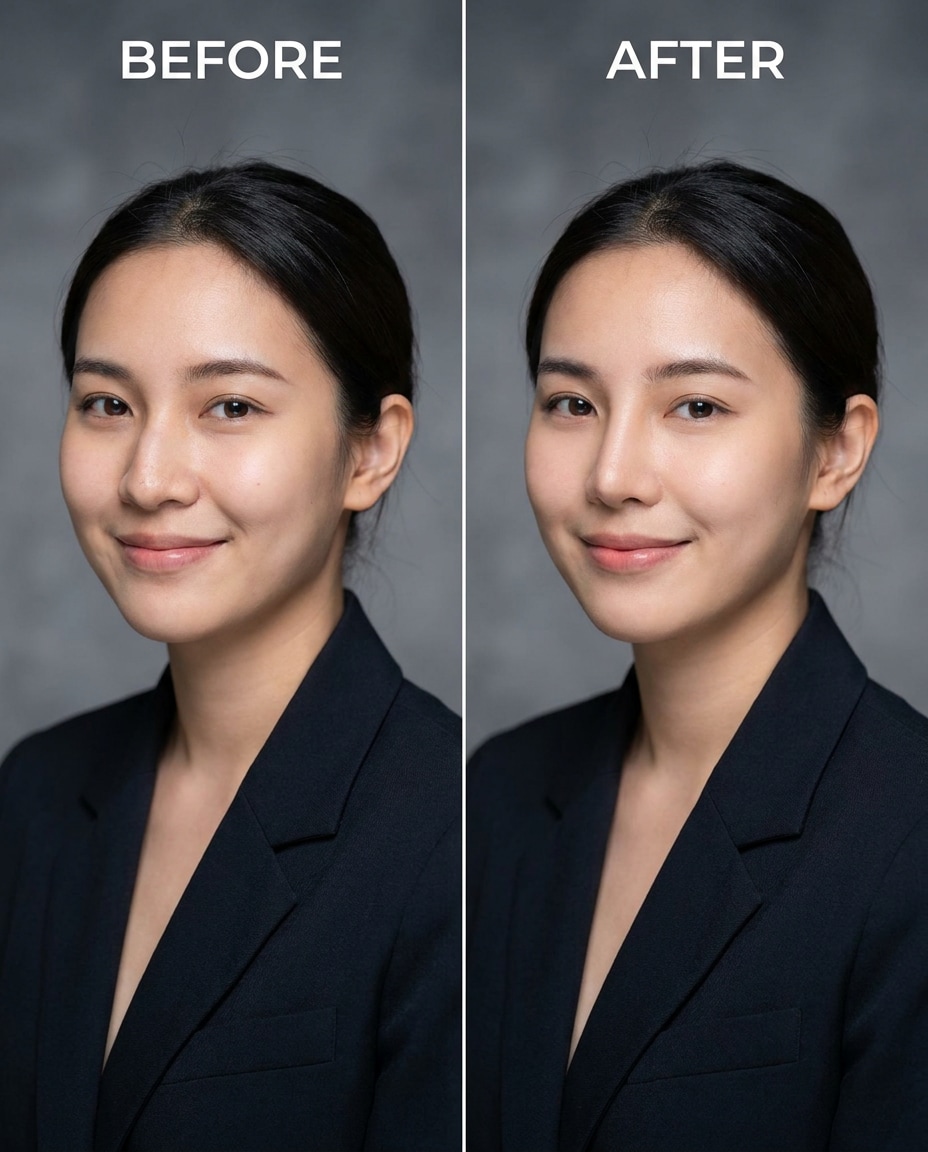
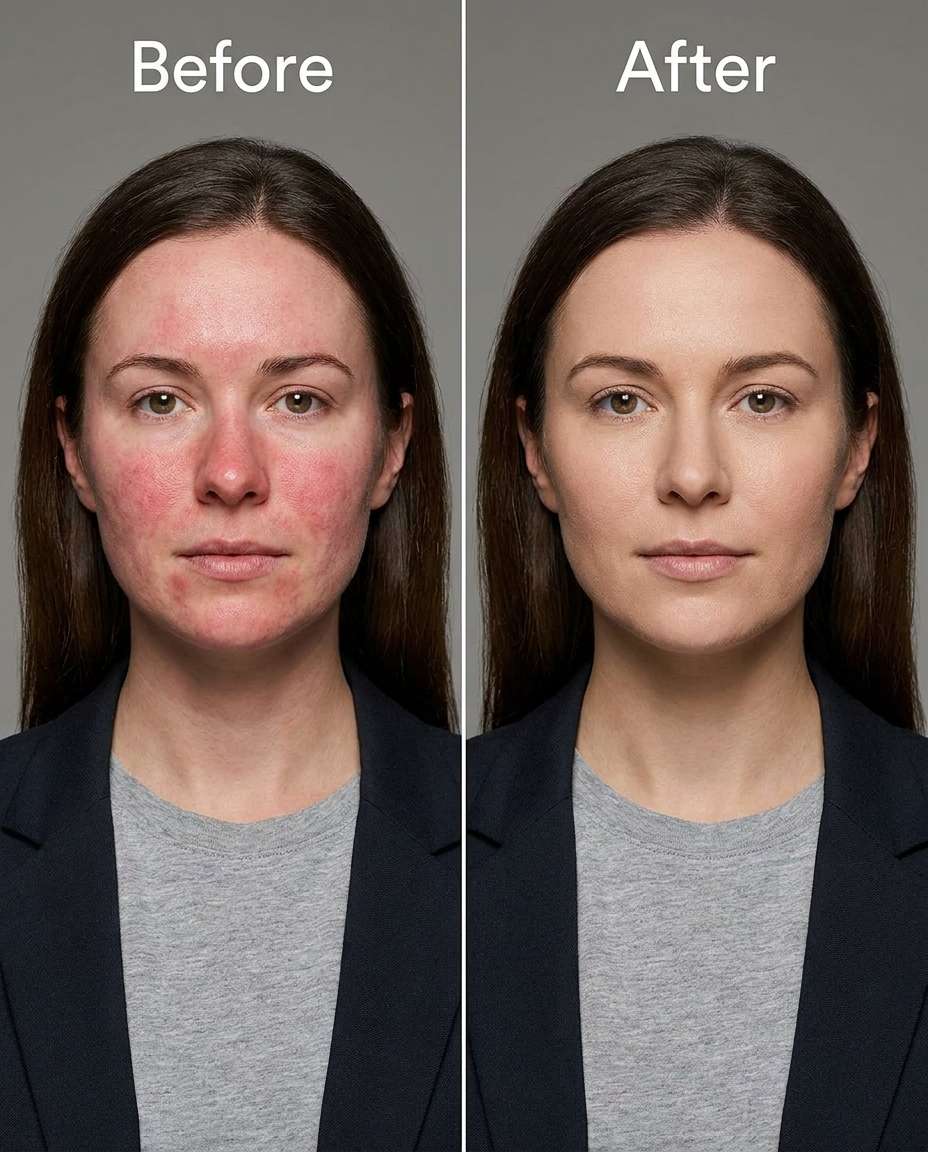
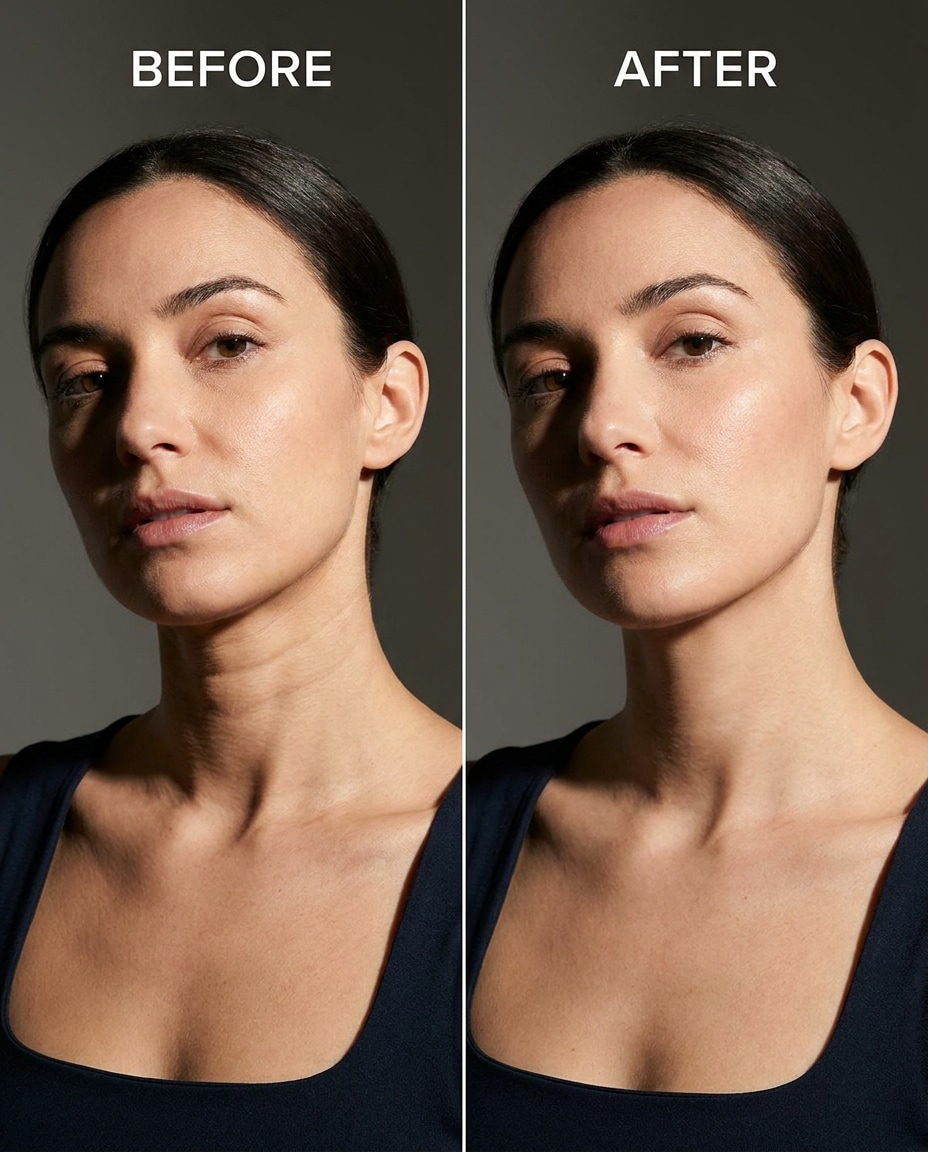
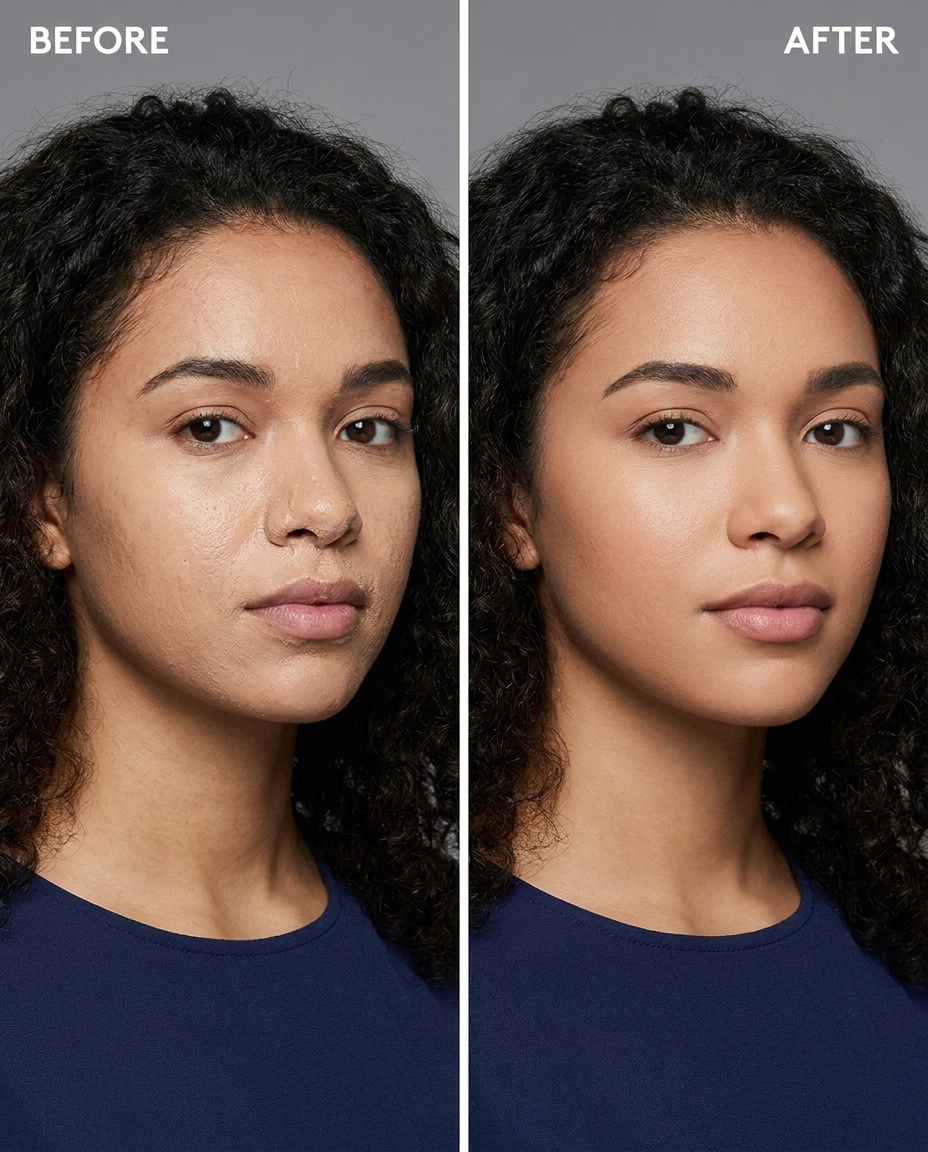
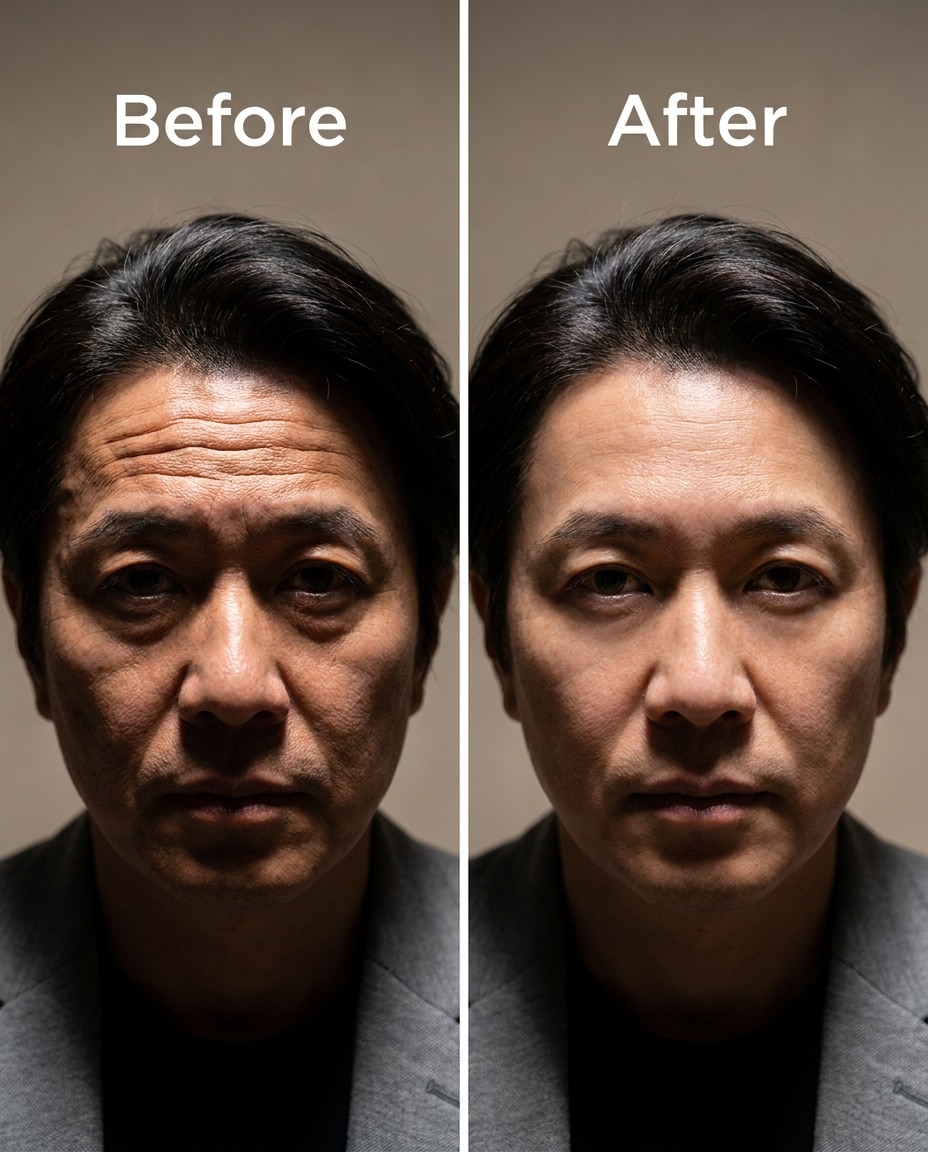
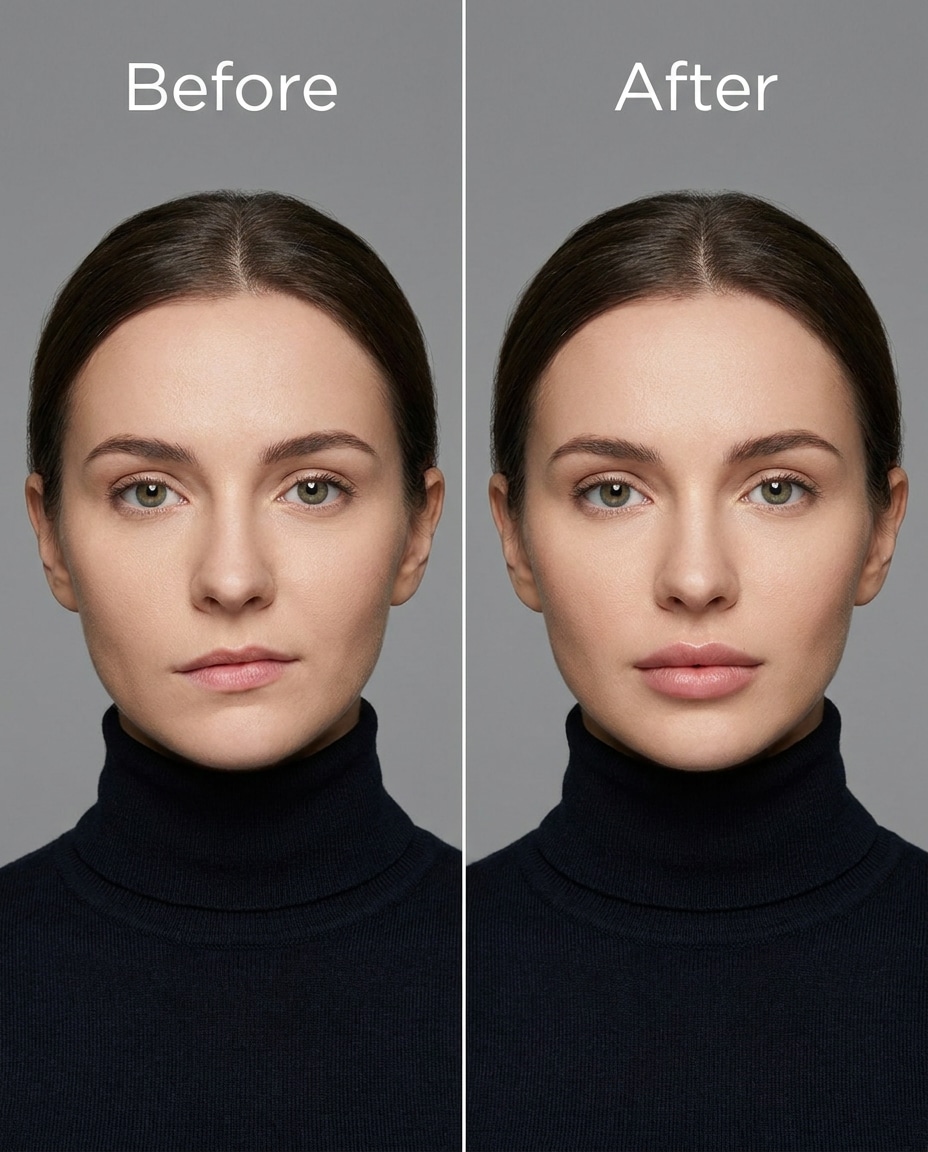
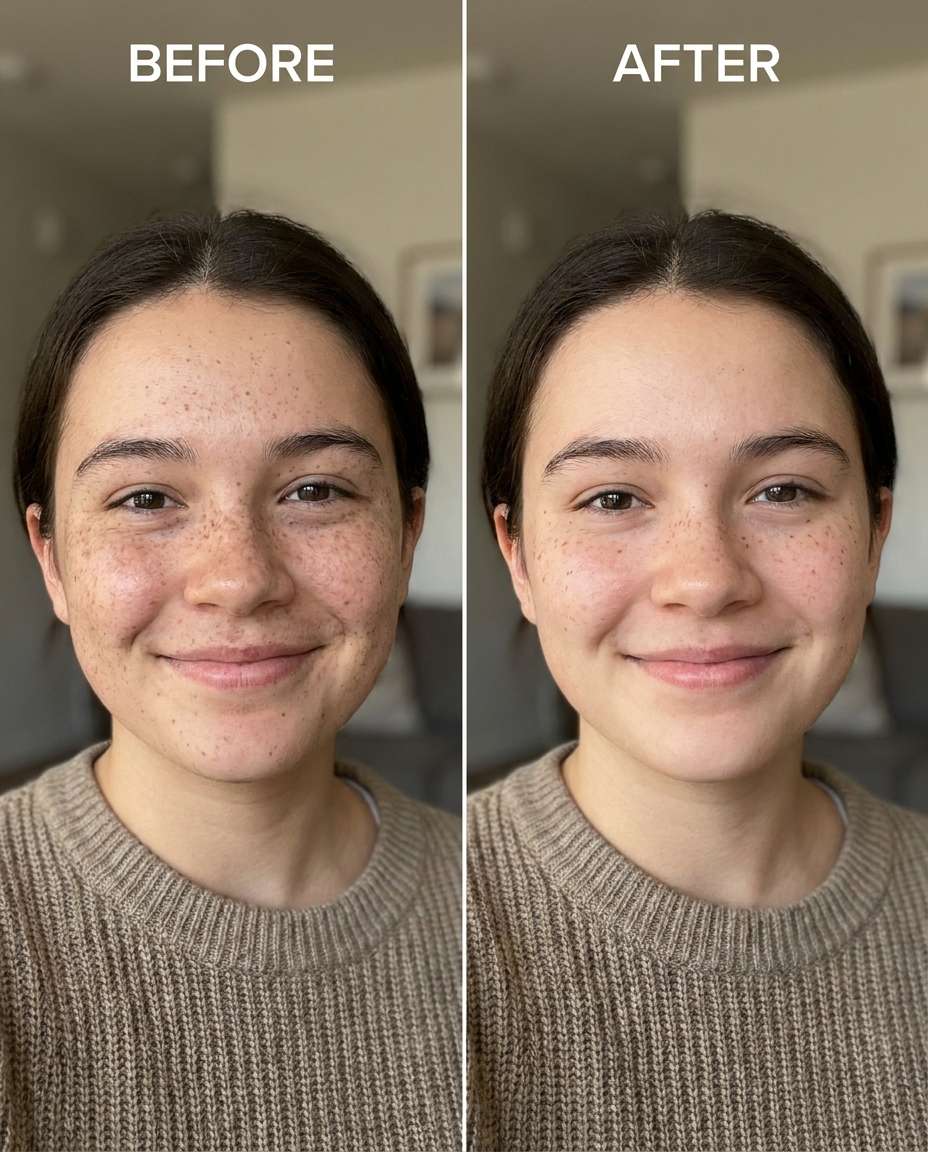
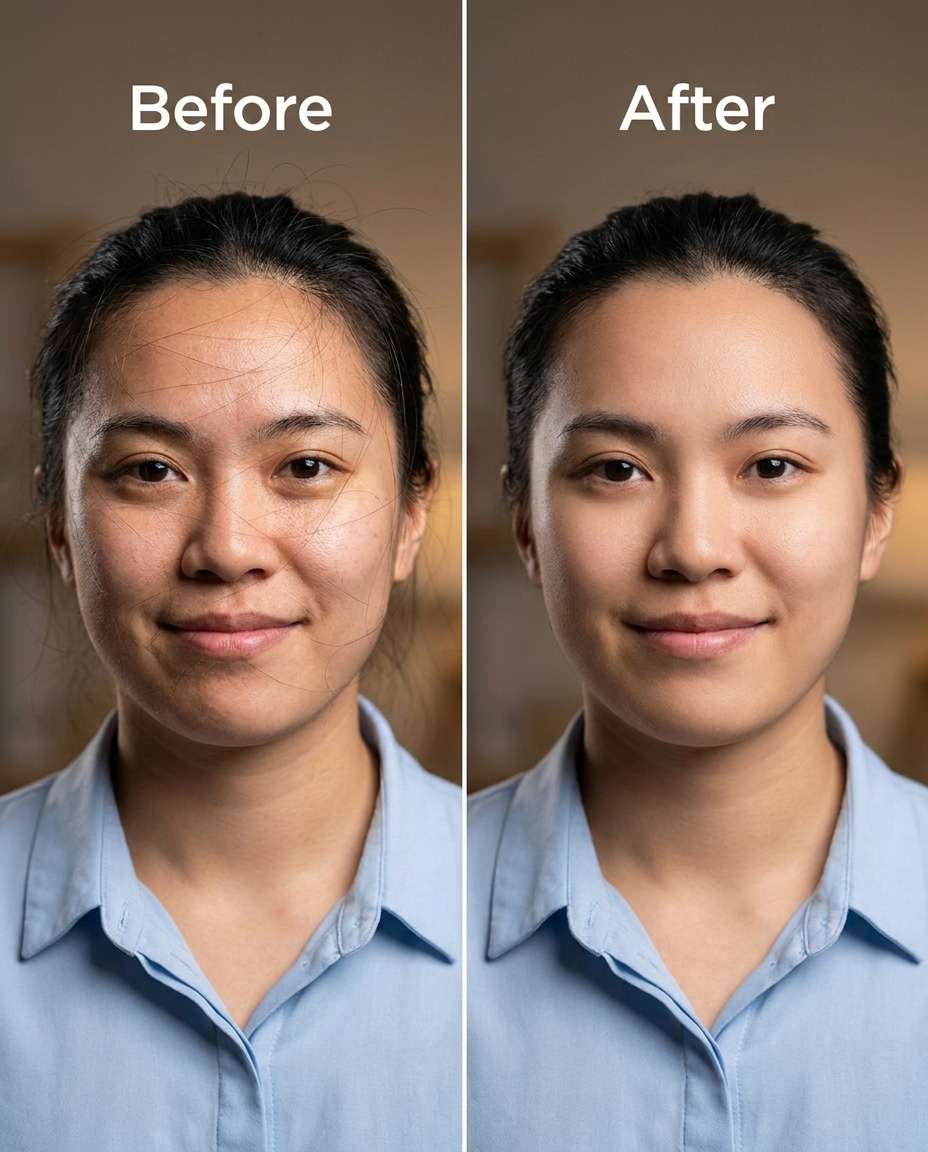
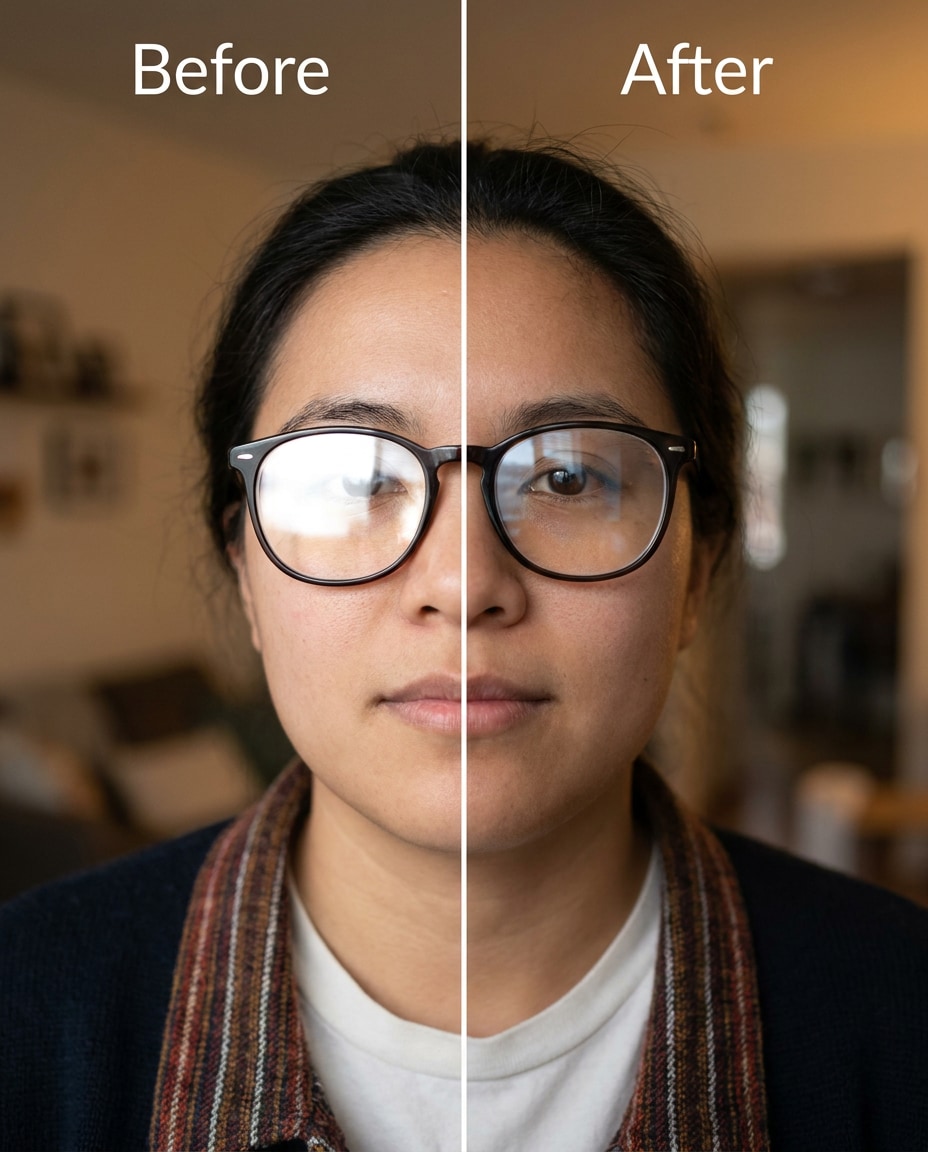
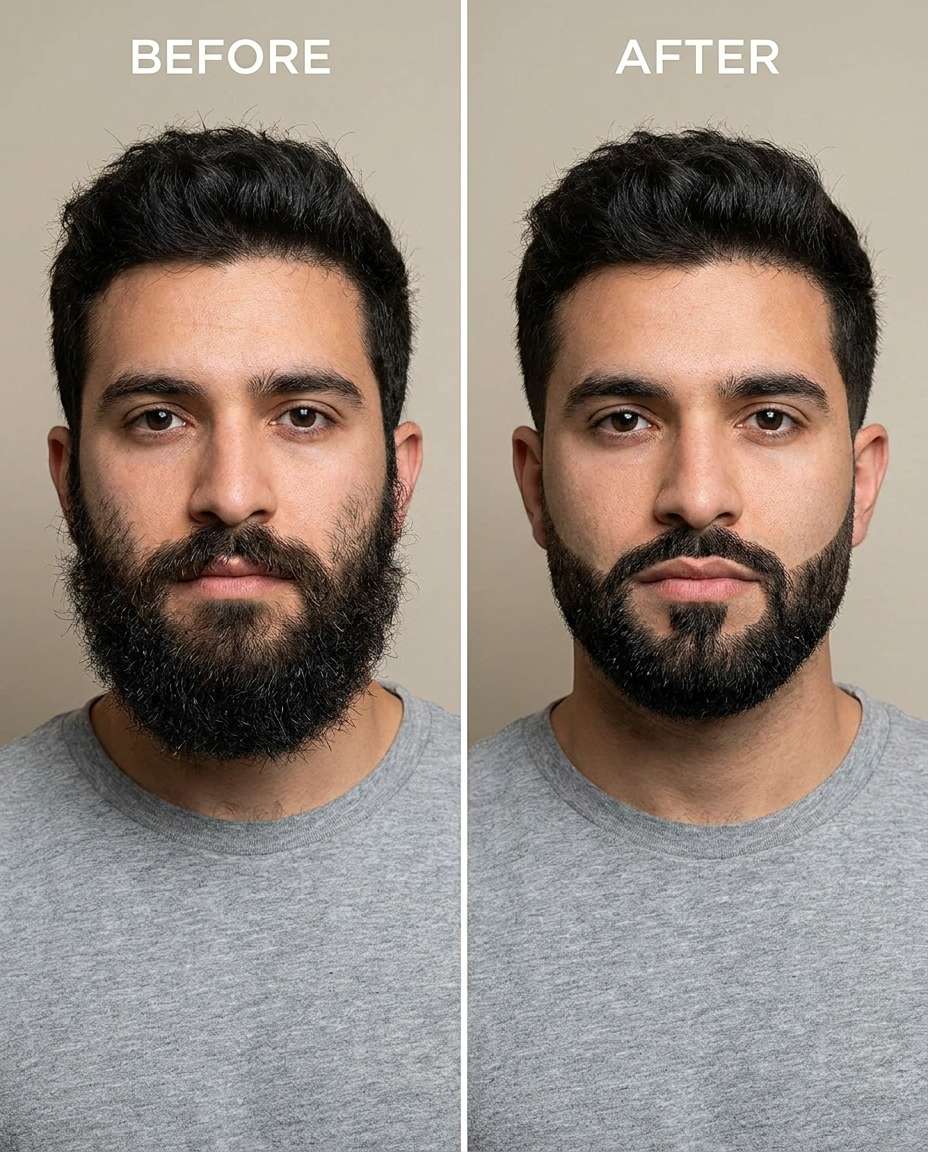
Stunning AI face enhancement generated with Media.io - powered by Nano Banana Pro.
Media.io makes this workflow simple: upload once, paste a prompt, and review results. Keep tweaking the wording until the retouch matches your comfort level.
Go to Media.io and open the AI photo generator for image-to-image edits. Choose a portrait-friendly size and make sure your original photo is clear enough to show skin texture, eye detail, and edges like hairlines and glasses.
Upload your photo, then paste one of the Gemini AI face enhancement prompts below into the prompt box. Keep the request specific (what to change, what to preserve), and reuse your favorite phrasing to stay consistent across multiple photos.
Generate a few variations, then zoom in to check pores, eyelashes, teeth edges, and any jewelry or outfit seams near the face. If anything bends or blurs, reduce intensity and add a preservation line, then download the cleanest result.
Slim the cheeks slightly for a more defined face shape, keeping the same face, same smile, and same hairstyle, preserving original lighting and background details, avoid warping earrings or jaw edges --ar 4:5
Refine under-eye shadows to look rested, keeping the same face and expression and the same skin tone, preserving original lighting and shadow direction, keep pores realistic and don't blur eyelashes --ar 4:5
Sculpt a cleaner jawline edge while keeping the same face and same pose, keeping the same hairstyle and ear shape, preserving background details and collar edges, keep it subtle and natural with no distortion --ar 4:5
Smooth active acne spots and small blemishes, keeping the same face and same freckles pattern where present, keeping the same skin tone and same hairstyle, preserving fabric texture and original lighting, keep pores visible and avoid plastic skin --ar 4:5
Cinch the nose tip very slightly for balance, keeping the same face and same eye shape, keeping the same skin tone and same hairstyle, preserving original lighting and background details, no change to nostril size beyond subtle refinement --ar 4:5
Reshape the smile by whitening teeth gently, keeping the same face and same smile shape, keeping the same lip color and same skin tone, preserving original lighting and natural tooth texture, avoid glowing white or edge blur --ar 4:5
Adjust eye clarity to make the irises a bit sharper, keeping the same face and same gaze direction, keeping the same eyelashes and eyebrow shape, preserving original lighting and catchlights, no change to eye size --ar 4:5
Tighten the area under the chin to reduce a mild double chin, keeping the same face and same jaw shape, keeping the same hairstyle and same outfit neckline, preserving collar edges and background details, keep shadows natural --ar 4:5
Tune down oily shine on forehead and nose, keeping the same face and same skin tone, keeping the same makeup style and hairstyle, preserving original lighting and shadow direction, keep highlight shape believable and pores intact --ar 4:5
Soften harsh lip edges and minor lipstick bleed, keeping the same face and same lip shape, keeping the same skin tone and same hairstyle, preserving original lighting and teeth edges, keep the finish natural with no over-smoothing --ar 4:5
Slim the appearance of deep smile lines by reducing their depth slightly, keeping the same face and same expression, keeping the same skin tone and same hairstyle, preserving original lighting and cheek texture, avoid a frozen look --ar 4:5
Refine eyebrow symmetry subtly, keeping the same face and same eye shape, keeping the same hairstyle and skin tone, preserving original lighting and forehead texture, keep individual brow hairs visible --ar 4:5
Sculpt slightly stronger cheekbone definition, keeping the same face and same smile, keeping the same hairstyle and same skin tone, preserving original lighting and shadow direction, no change to nose or jaw proportions --ar 4:5
Smooth overall skin lightly while keeping the same face and same freckles and moles, keeping the same skin tone and same makeup look, preserving fabric texture and original lighting, keep pores and fine hairs visible --ar 4:5
Cinch under-eye bags slightly, keeping the same face and same gaze, keeping the same skin tone and same hairstyle, preserving original lighting and background details, maintain natural lower-lid crease and lashes --ar 4:5
Reshape the nose bridge subtly to look straighter, keeping the same face and same eye spacing, keeping the same skin tone and hairstyle, preserving original lighting and cheek shadows, avoid altering nostrils or lip proportions --ar 4:5
Adjust facial redness on cheeks and around the nose, keeping the same face and same skin tone family, keeping the same hairstyle and makeup style, preserving original lighting and background details, keep natural blush and skin texture --ar 4:5
Tighten and smooth neck lines slightly, keeping the same face and same jawline, keeping the same hairstyle and outfit collar, preserving collar edges and original lighting, keep skin texture realistic and avoid blur --ar 4:5
Tune makeup balance by reducing cakey foundation around the nose, keeping the same face and same makeup style, keeping the same skin tone and hairstyle, preserving original lighting and pore texture, keep the look natural and not airbrushed --ar 4:5
Soften forehead wrinkles slightly, keeping the same face and same expression, keeping the same hairstyle and skin tone, preserving original lighting and shadow direction, keep fine texture and avoid flattening the brow area --ar 4:5
Slim any uneven lip volume by balancing upper and lower lips slightly, keeping the same face and same lip shape, keeping the same skin tone and hairstyle, preserving original lighting and teeth edges, no dramatic filler look --ar 4:5
Refine freckle density by reducing it slightly, keeping the same face and same skin tone, keeping the same hairstyle and expression, preserving original lighting and background details, keep remaining freckles sharp and natural --ar 4:5
Sculpt a cleaner hairline by removing stray hairs across the face, keeping the same face and same hairstyle overall, keeping the same skin tone and pose, preserving original lighting and background details, don't alter eyebrow shape or forehead size --ar 4:5
Smooth glare on eyeglass lenses, keeping the same face and same eye position behind the glasses, keeping the same hairstyle and outfit, preserving original lighting and background details, keep lens reflections subtle and realistic --ar 4:5
Cinch and clean up beard edges for a sharper outline, keeping the same face and same beard style, keeping the same skin tone and hairstyle, preserving original lighting and shirt collar details, keep beard hair texture and avoid painted look --ar 4:5
The cleanest retouches come from being specific about what changes and what must stay the same. Ask for one main adjustment at a time, then stack small improvements instead of forcing a heavy all-in-one edit.
Natural-looking edits that protect your identity and outfit, letting you tune the change from subtle to strong without distortion.

Keep the same face, expression, hairstyle, and skin tone while targeting specific improvements like under-eyes, redness, or texture. The prompts are written to reduce "AI drift," so the result looks like a better capture of you, not a different person.

Good retouching keeps pores, fine hairs, and believable shadows. These prompts emphasize realistic skin texture and edge protection around lashes, brows, lips, and hairlines, helping you avoid the over-smoothed, overly sharpened look that screams filter.

Face edits often spill into collars, earrings, glasses, and nearby hair. Media.io-friendly wording calls out preservation of outfit seams, fabric texture, and hard edges so you get cleaner features without bending frames, blurring jewelry, or melting shirt details.

Run multiple generations, then fine-tune intensity with a few words instead of restarting from scratch. You can quickly test "subtle vs stronger" adjustments while keeping lighting and background consistent, making it easy to choose the most natural result.


Anchor the prompt to identity details: same face, same expression, same hairstyle, and same skin tone. Then add a short "don't change" list (eye size, nose width, lip shape). Finally, include preservation lines for lighting and background so the model doesn't "improve" the whole photo.
The most reliable ones focus on one change at a time: under-eye shadow reduction, texture-safe smoothing, natural teeth whitening, or redness control. Start subtle, review at 100% zoom, then increase intensity only if edges (lashes, hairline, glasses rims) remain clean and undistorted.
That usually happens when the request is too general ("make skin perfect") or the model interprets smoothing as blur. Add constraints like "keep pores and fine hairs," "preserve original lighting," and "avoid plastic skin." If blur persists, reduce intensity and retouch only the problem area.
Yes, but keep it subtle and explicitly protect nearby edges. Mention "preserve hairline, earrings, and jaw edges" and ask for proportional changes rather than dramatic reshaping. It also helps to specify the exact target (cheek fullness or under-chin area) so the edit doesn't spread.
Zoom in and inspect eyelashes, brows, teeth edges, nostrils, and lip texture first. Then check glasses rims, earrings, and the collar line for bending or smearing. If something looks off, rerun with lower intensity and add a preservation line for the specific item that got distorted.

Photographer


Ultra Realistic Results. I used these face enhancement prompts to create visuals that looked like real photography. The lighting, textures, and colors felt incredibly natural.

Designer
Perfect Lighting & Detail. The prompts produced cinematic compositions and soft lighting, making every image feel like a professional shoot.

Creator
Perfect for Social Media. I used these prompts to create viral content. It's fast, easy, and consistently produces stunning visuals.