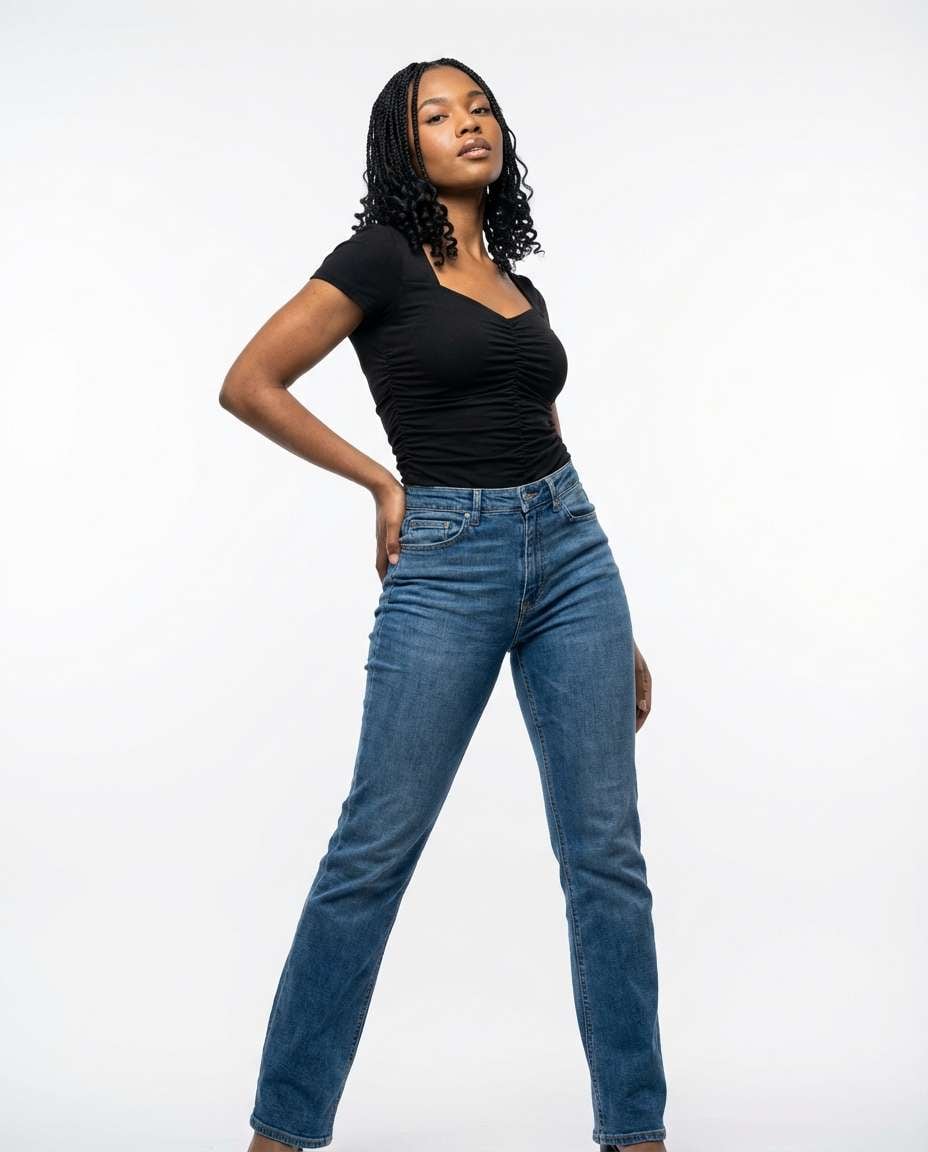
25+ Gemini AI Pose Change Prompt Ideas for Instant New Poses
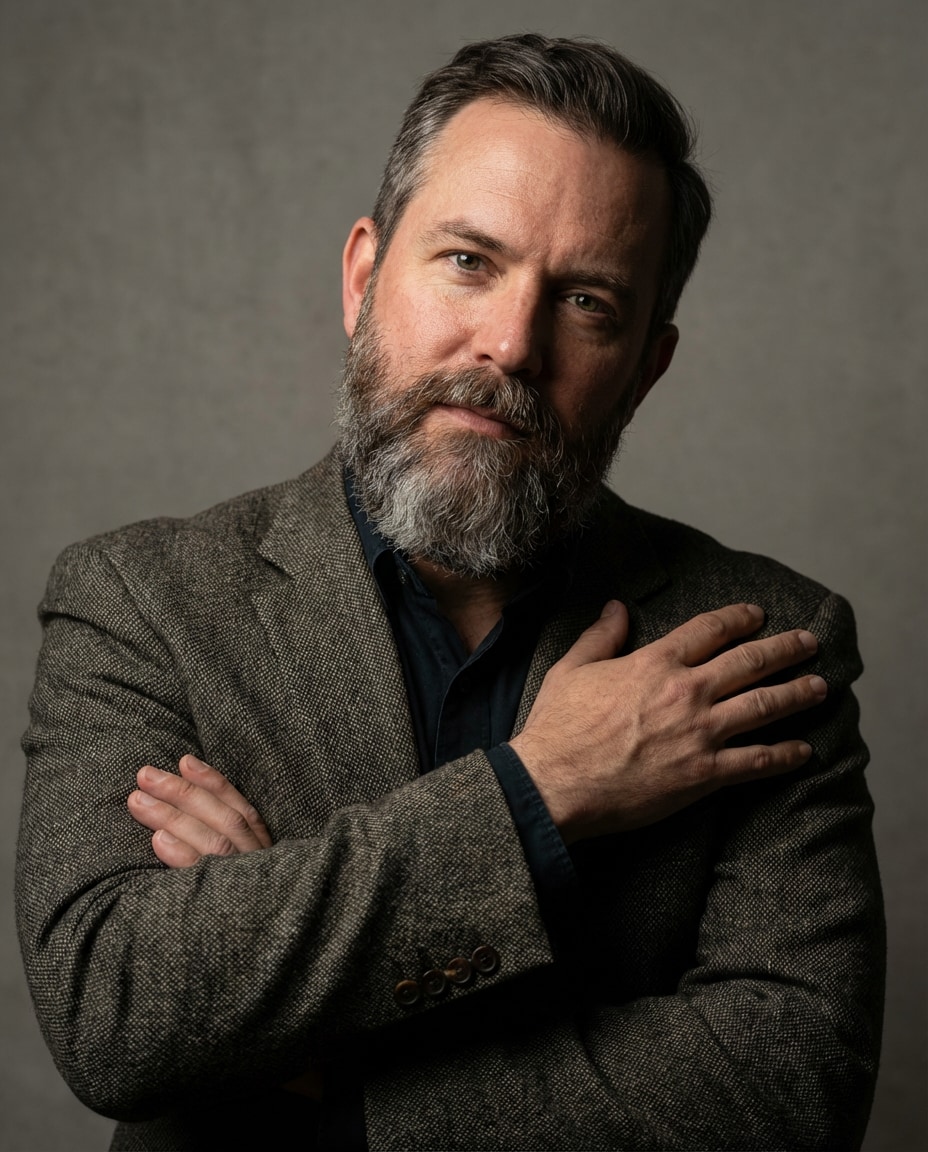
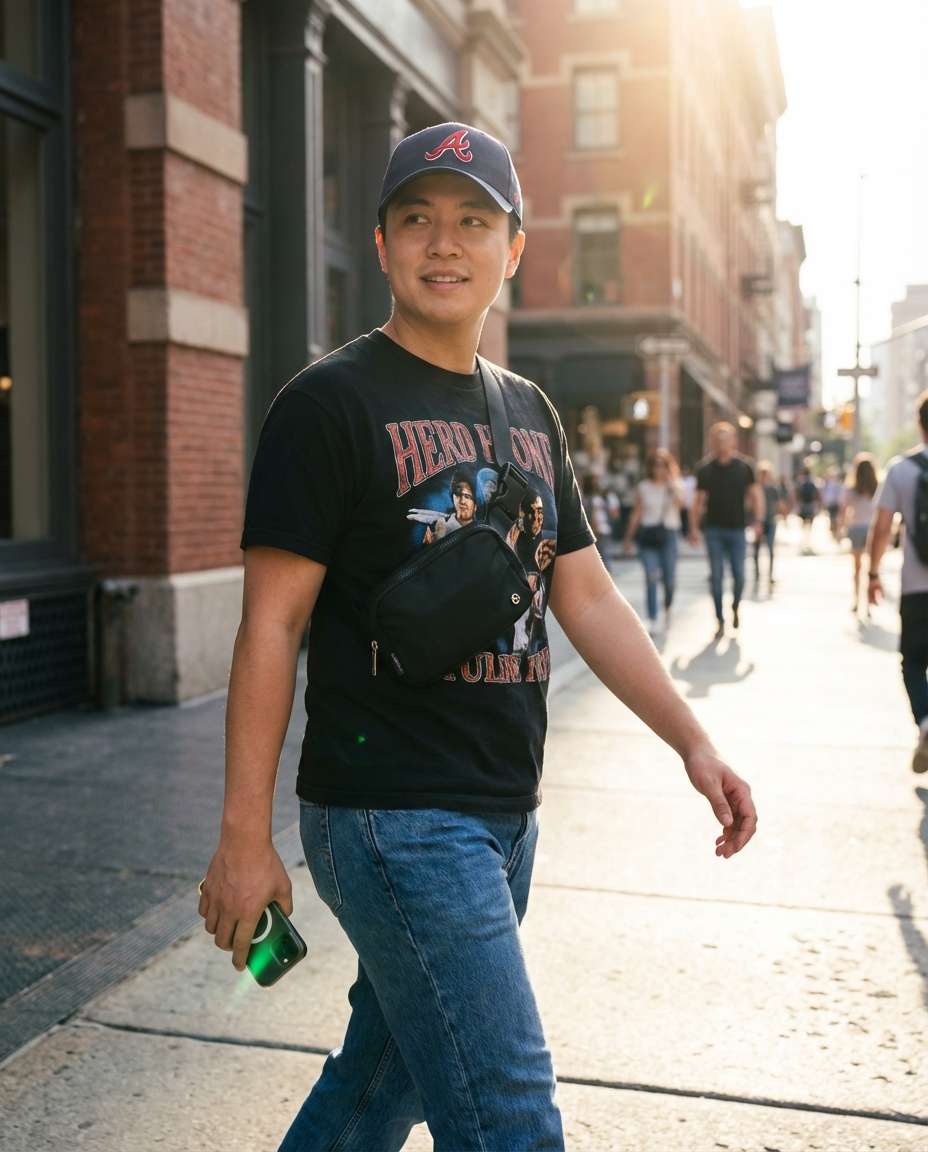
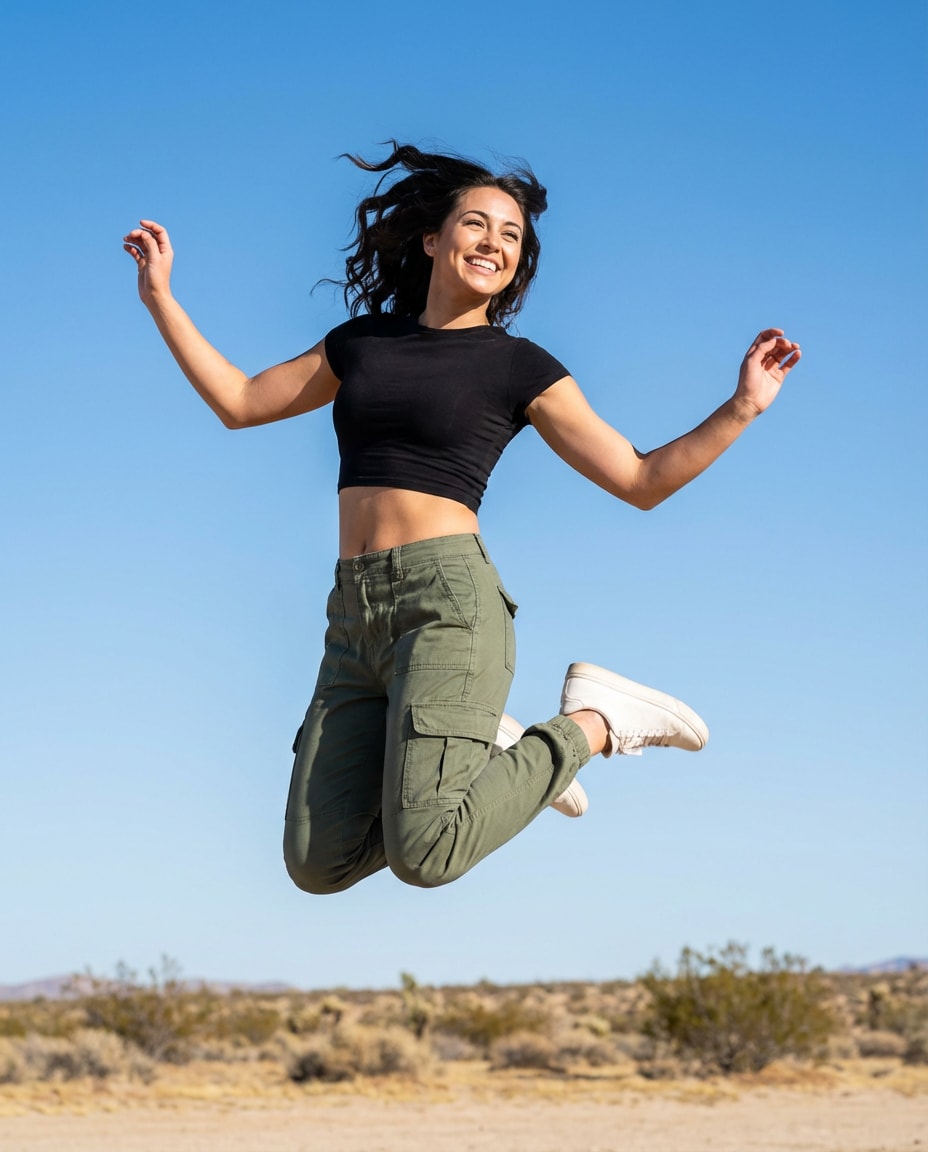
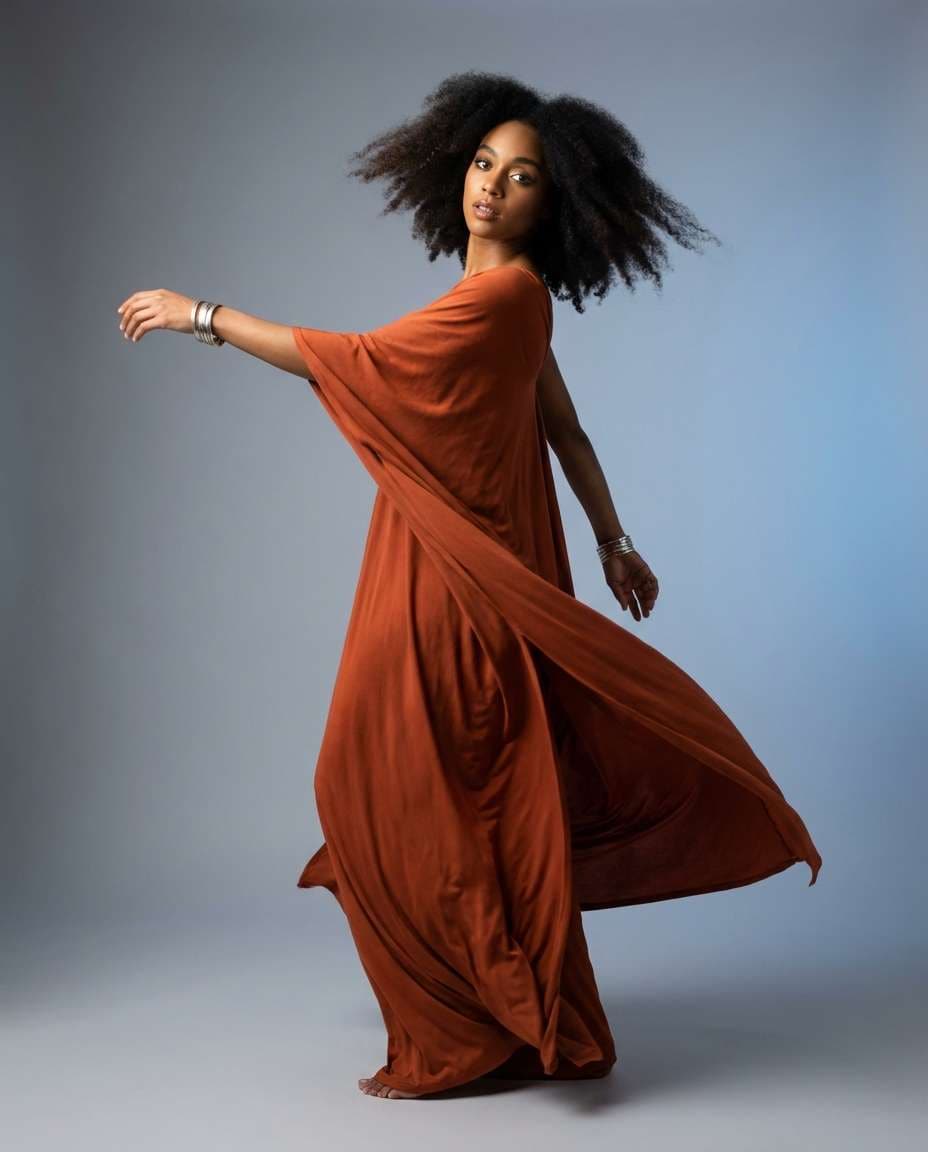
Imagine your exact look, but with a clean runway stance, a cozy seated pose, or a dynamic mid-jump frame, all with consistent face detail and natural anatomy. This Gemini ai pose change prompt set is built for fast, realistic swaps. Wondering how to change a pose in Gemini AI from a photo? Upload, paste, generate, and share.
Stunning AI pose change generated with Media.io - powered by
Nano Banana Pro.
How to Create Gemini AI Pose Change Photo in 3 Steps
Get a pose swap you actually want in minutes. Use Media.io to upload a reference photo, paste a ready prompt, and generate multiple variations until the pose feels perfect.
1
Open Media.io AI Generator
Go to Media.io and open the AI Image Generator or AI Photo tool. Pick an image workflow that supports reference uploads, so the model can keep your subject consistent while you steer the new pose and framing.
2
Upload and paste a prompt
Upload your photo as the reference, then choose one of the copy-paste prompts below. Add small details like camera angle, full-body or half-body framing, and background mood to guide your Gemini ai pose change prompt results.
3
Generate and download
Click Generate, review 2 to 4 outputs, and keep the version with the cleanest hands, shoulders, and proportions. If needed, tweak one line like "hands relaxed" or "chin slightly down" and generate again, then download in high quality.
Best Gemini AI Pose Change Prompt Ideas & Examples
Runway Power Stance
Using the uploaded photo as identity reference, keep the same person, face, hairstyle, and outfit. Change the pose to a confident runway stance: weight on back leg, front leg slightly forward, one hand on hip, shoulders back, chin slightly lifted. Clean studio backdrop, softbox key light, subtle rim light, editorial fashion photo, shot on Sony A7IV, 85mm f/1.4, full-body, sharp focus, natural skin texture, realistic anatomy --ar 4:5
Casual Hands Pockets
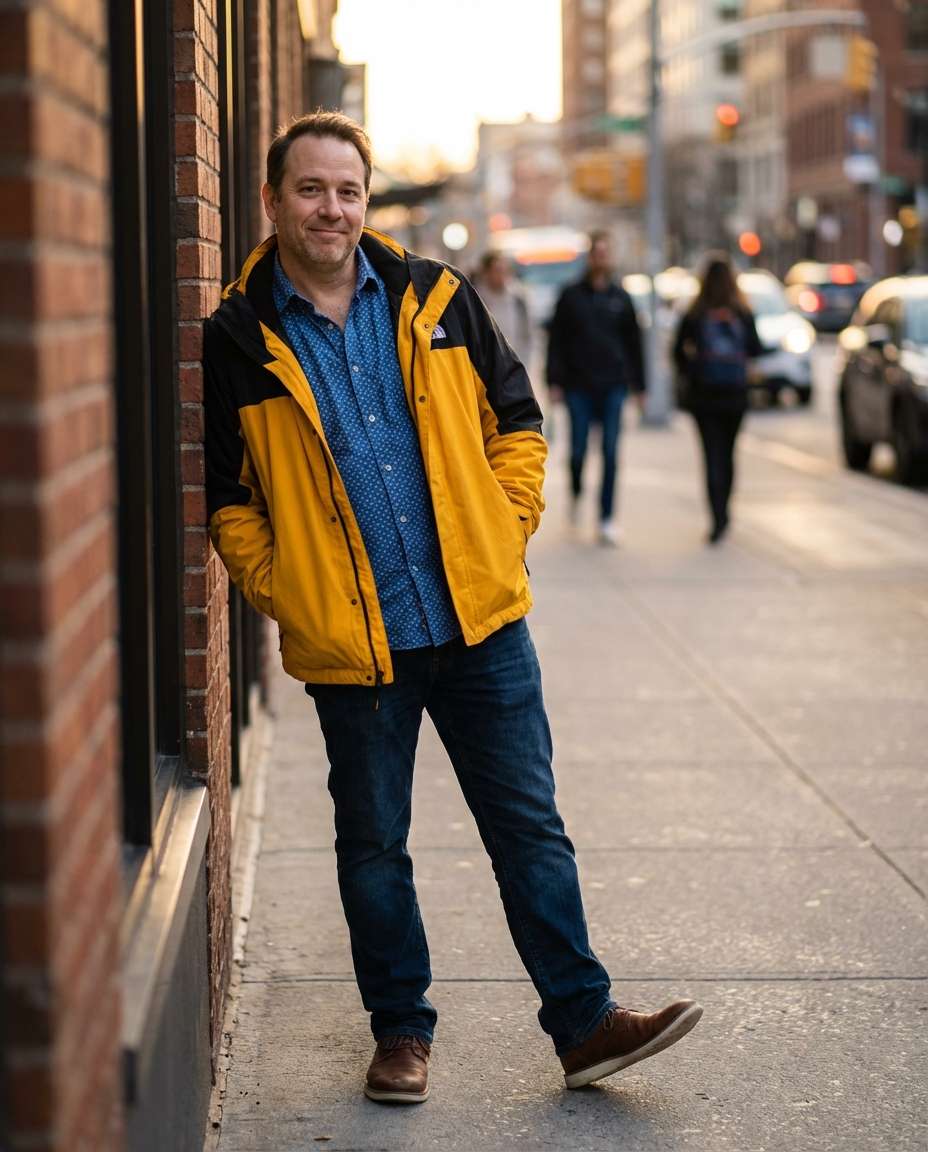
Keep the same subject and clothing from the reference image. Switch to a relaxed street pose with both hands in jacket pockets, slight lean forward, one foot angled out, friendly micro-smile. Urban sidewalk background with gentle motion blur, golden hour side light, Canon R5, 50mm, shallow depth of field, photorealistic, clean fingers and wrists, realistic proportions --ar 4:5
Seated Cafe Angle
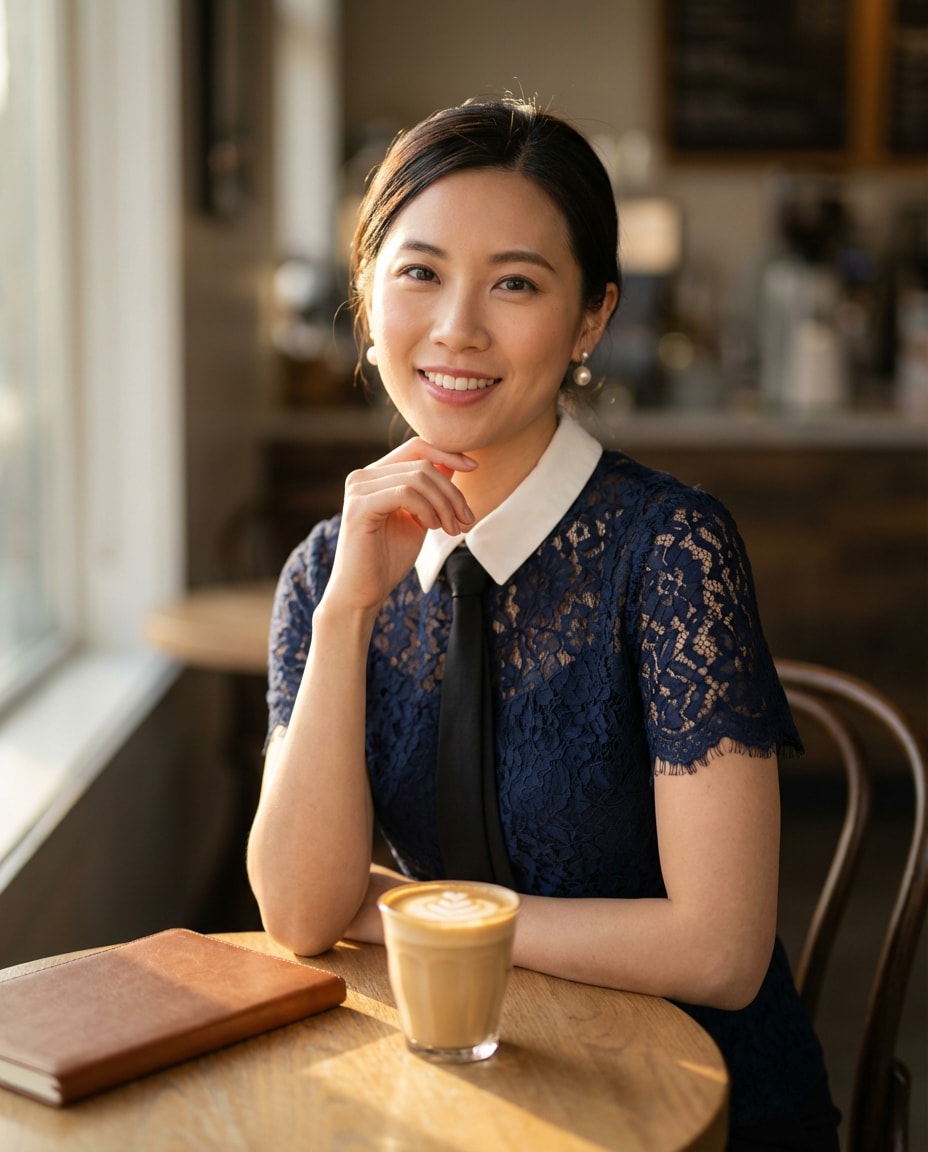
Maintain identity and outfit exactly from the uploaded photo. Change pose to sitting at a small cafe table, torso turned 30 degrees, one elbow on table, hand lightly touching chin, eyes to camera. Warm window light, latte and notebook props, background bokeh, Fujifilm GFX100, 80mm, half-body portrait, soft film color grade, photorealistic skin and hands --ar 4:5
Over Shoulder Turn
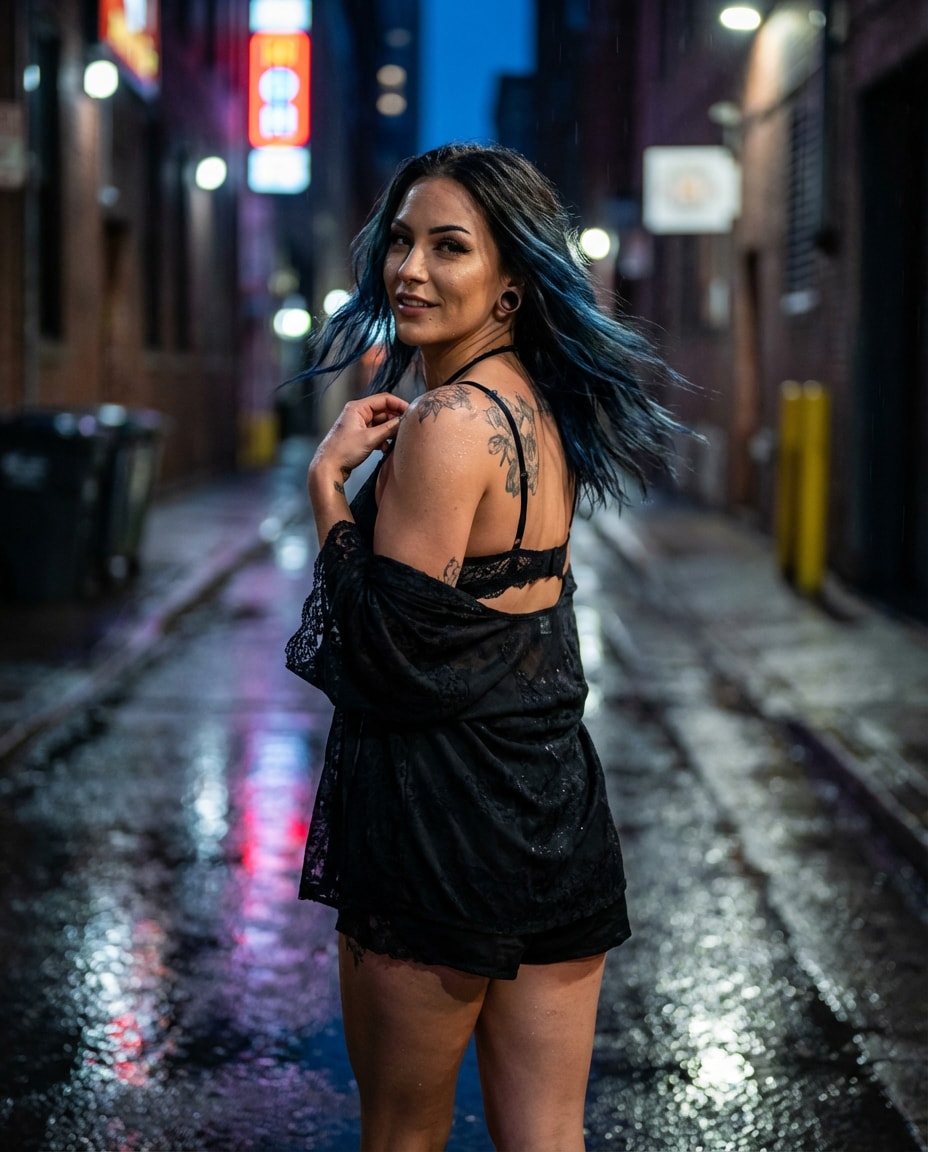
Use the reference photo for the same person and styling. Pose change: subject walking away then looking back over the shoulder, hair gently moving, one hand holding a strap or collar. City alley with neon reflections after rain, cinematic lighting, Nikon Z8, 85mm, medium shot, strong depth of field separation, ultra-realistic face detail, accurate shoulder anatomy --ar 4:5
Stairs Sit Pose
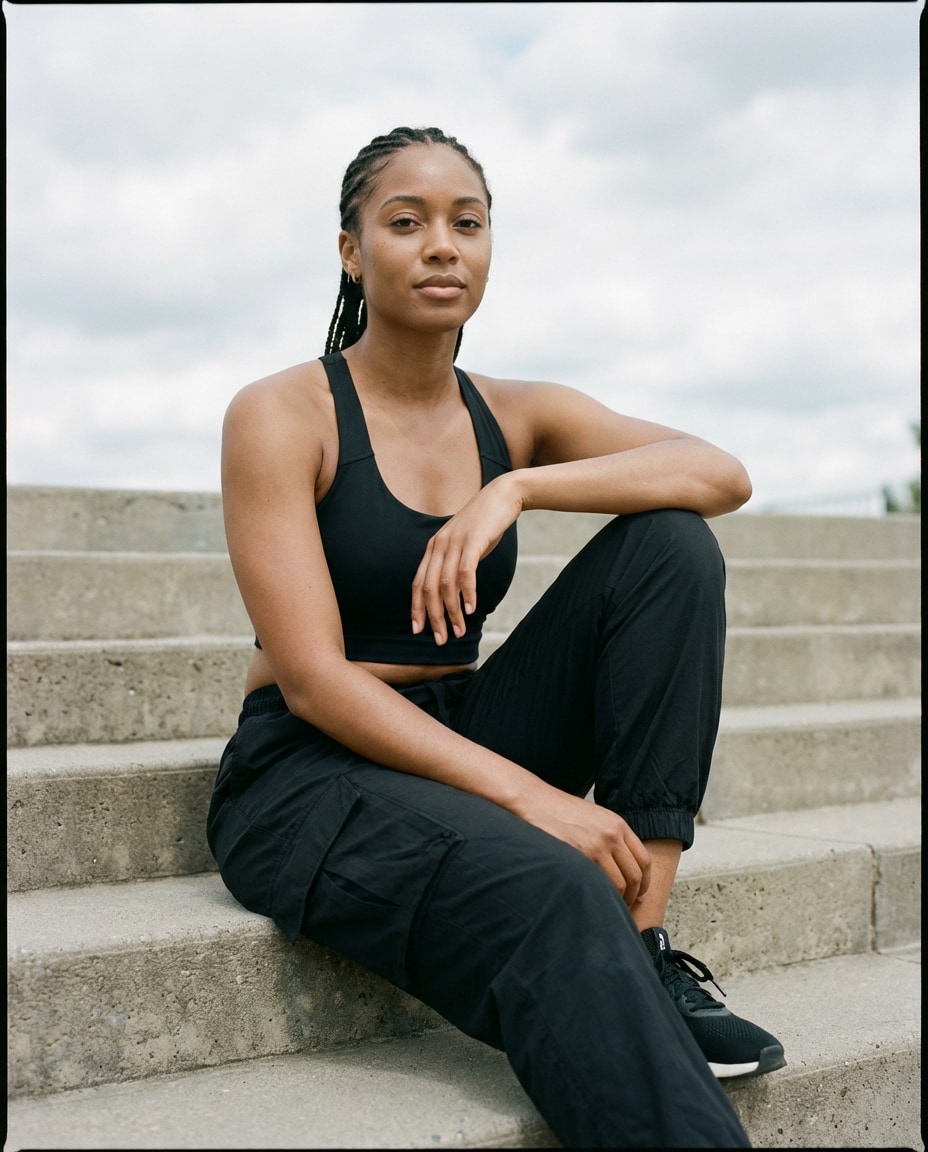
Keep the same face, body type, and outfit as the uploaded image. Change to a seated pose on outdoor steps, one knee up with forearm resting on it, other leg relaxed down, calm expression. Soft cloudy daylight, muted tones, 35mm documentary vibe, Leica SL2, natural shadows, crisp detail, realistic joints and fingers --ar 4:5
Crossed Arms Portrait
Preserve identity and clothing from the reference. Change pose to arms crossed loosely, shoulders relaxed, slight head tilt, confident expression. Neutral backdrop, Rembrandt lighting, studio portrait, Hasselblad X2D, 90mm, chest-up framing, tack sharp eyes, photorealistic skin pores, accurate arm overlap and hand placement --ar 4:5
Walking Candid Shot
Keep the same subject from the uploaded photo. Pose change to a natural walking candid: mid-step, arms swinging softly, looking slightly off-camera, subtle smile. Bright street scene, sun flare, 35mm lifestyle photography, Sony A7IV, motion realism without distortion, natural fabric folds, realistic limbs --ar 4:5
Mid Jump Freeze
Use the reference to keep the same person and outfit. Change to an energetic mid-jump pose with knees slightly bent, toes pointed down, arms lifted for balance, joyful expression. Clean sky background, crisp daylight, high shutter look, Canon R3, 70mm, full-body, sharp edges, realistic gravity and hair movement --ar 4:5
Dance Spin Moment
Maintain identity and styling from the uploaded image. Pose change: captured mid-spin with one arm extended, other arm bent, fabric and hair flowing, expressive eyes. Studio with soft gradient backdrop, two-light setup, editorial dance photography, 50mm lens, full-body, photorealistic, anatomically correct shoulders and wrists --ar 4:5
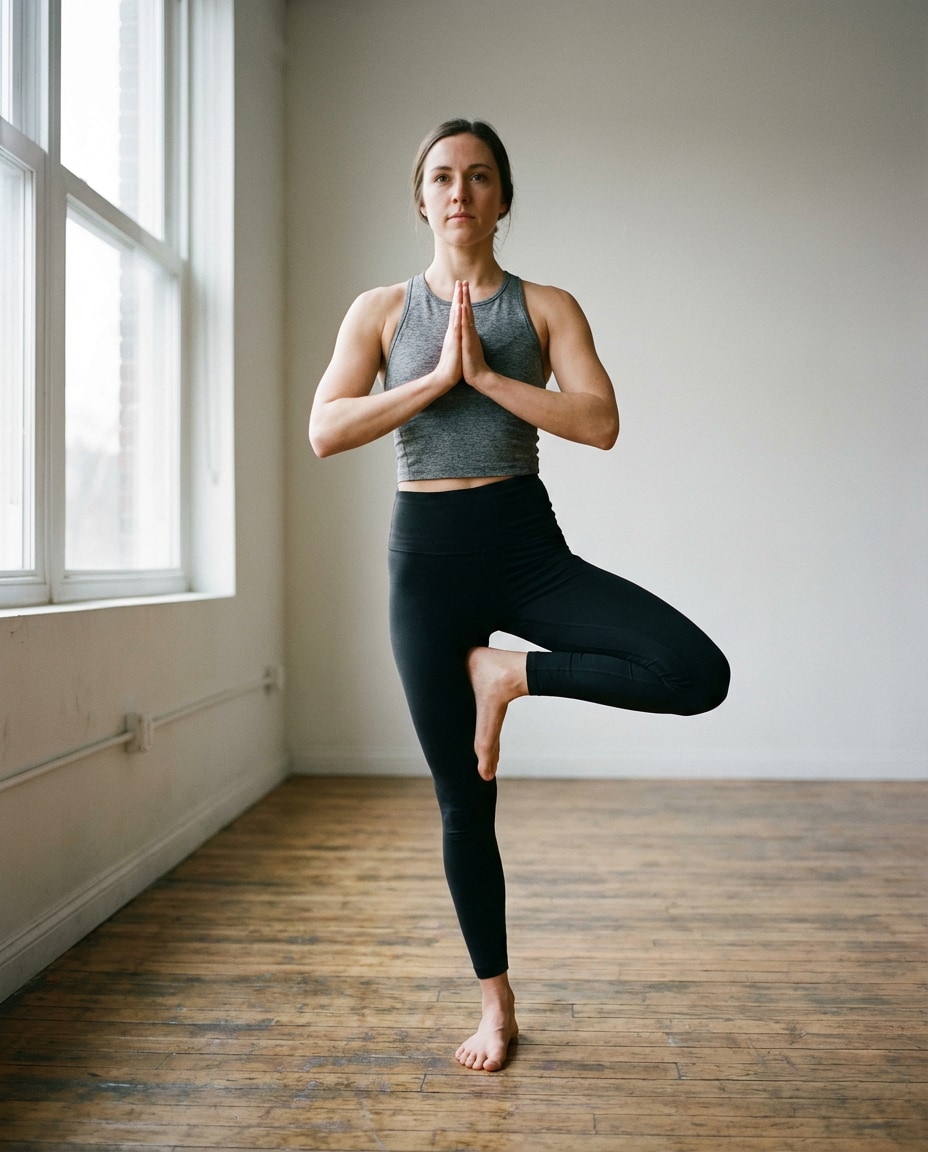
Yoga Tree Pose
Keep the same subject, face, and outfit from the reference photo. Change to a balanced yoga tree pose, hands together at chest, one foot placed on inner calf, steady gaze. Minimal indoor studio, soft window light, calm mood, 35mm, full-body vertical framing, realistic muscle tension, clean toes and fingers --ar 4:5
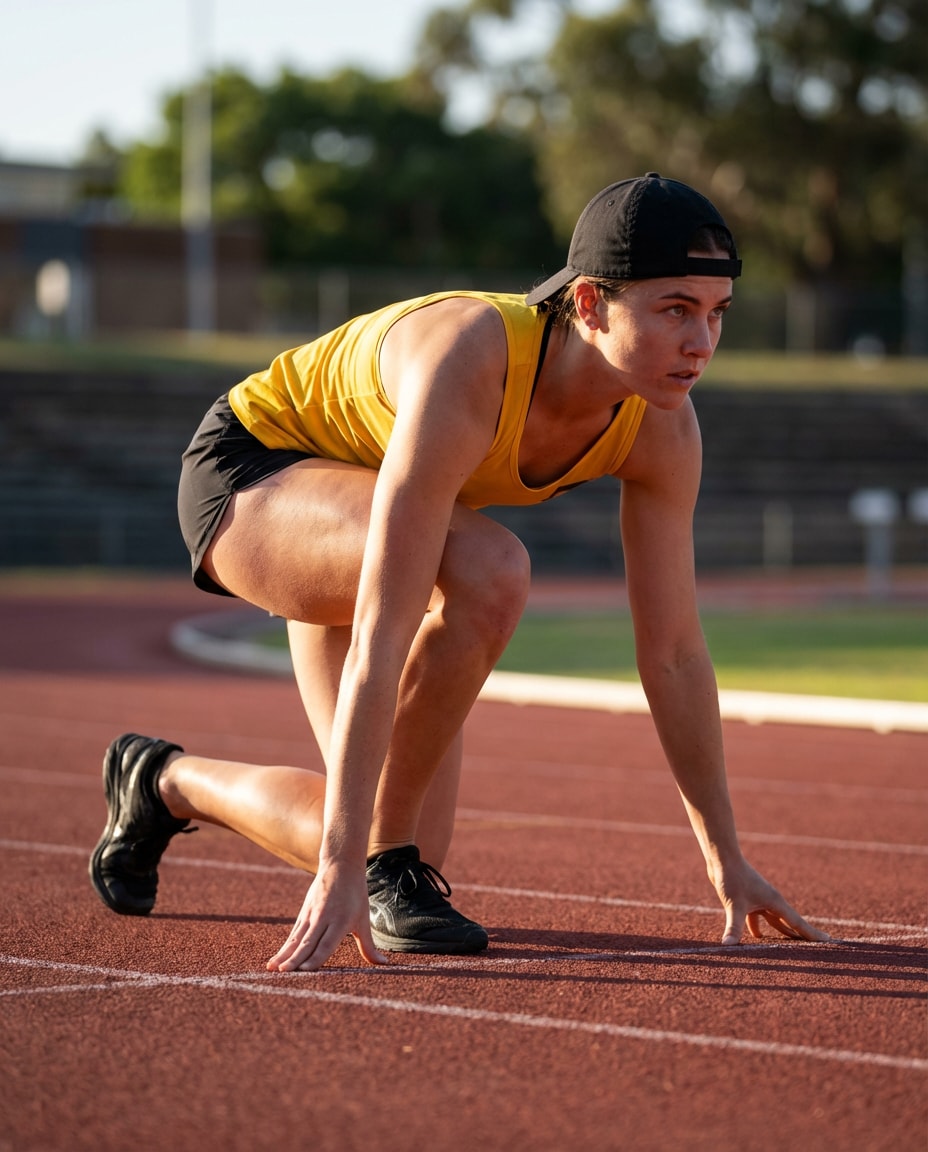
Athletic Sprint Start
Use the uploaded image as reference for the same person and outfit. Change pose to a sprint start crouch, one knee down, fingertips touching ground, focused expression forward. Track background, dramatic side lighting, sports photography style, 85mm, crisp detail, photorealistic, accurate limb angles and hands --ar 4:5
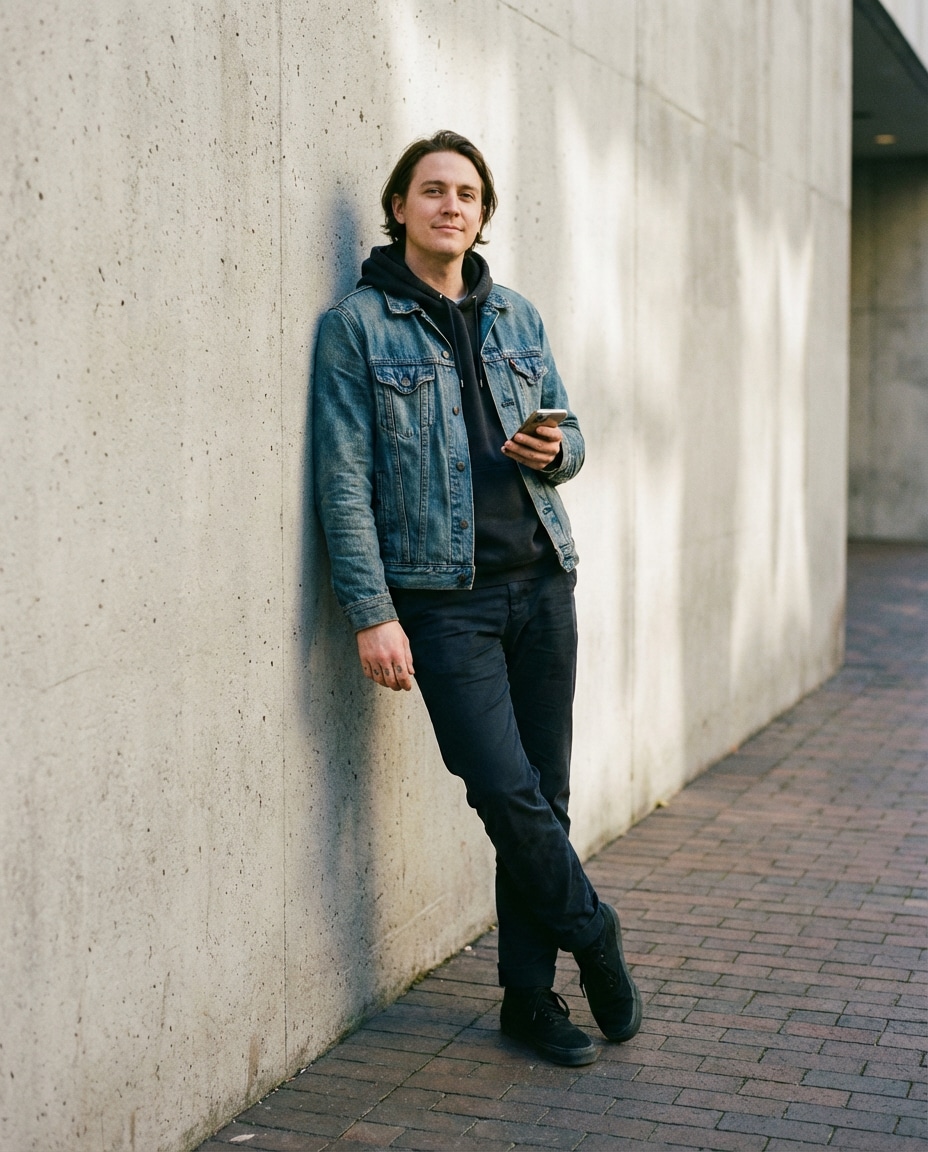
Leaning Wall Cool
Keep identity and clothing consistent with the reference. Change to a leaning-against-wall pose, shoulder touching wall, ankles crossed, one hand holding phone casually, relaxed face. Textured concrete wall, soft shadow, street editorial, 50mm, medium full-body, realistic hand grip and knuckle detail, soft cinematic lighting --ar 4:5
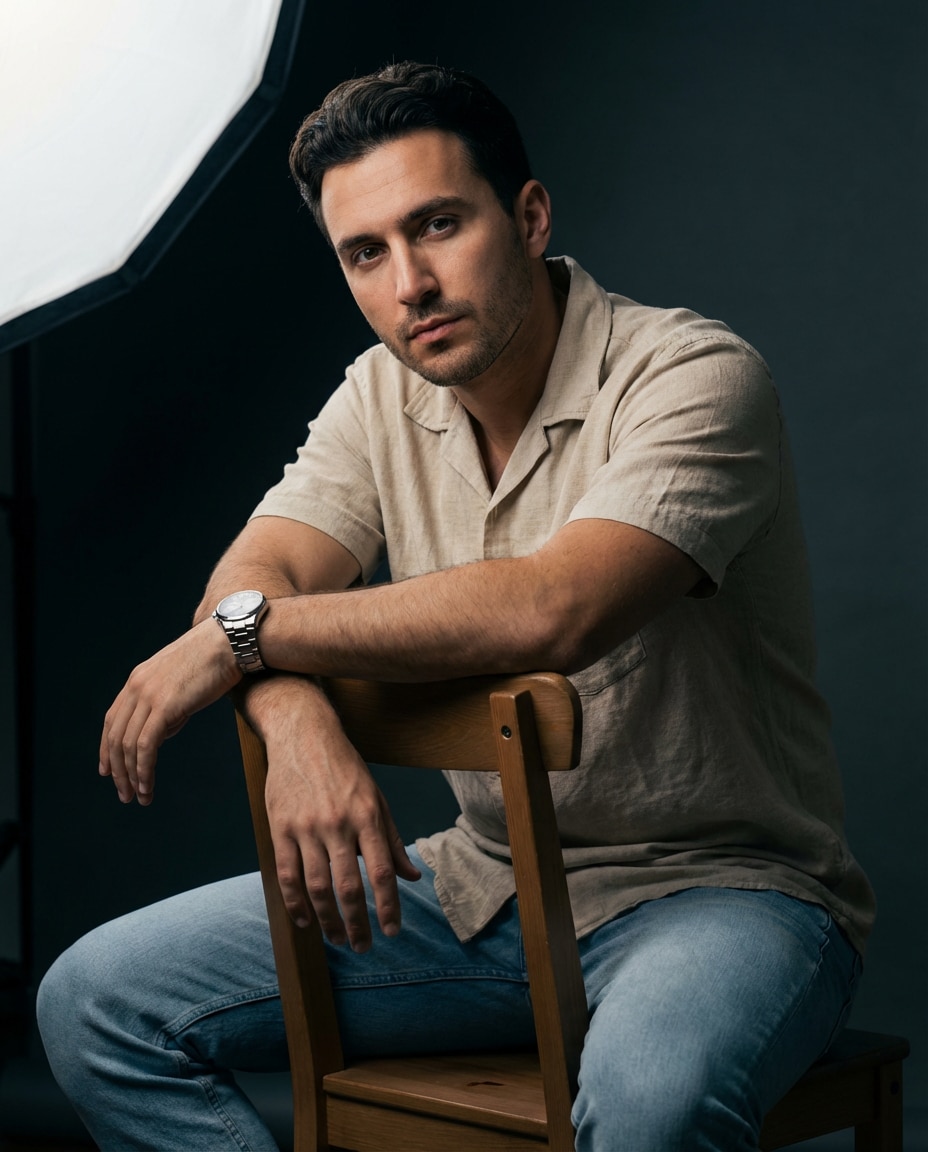
Chair Backwards Sit
Preserve the same person and outfit from the uploaded photo. Change pose to sitting backwards on a chair, arms resting on the chair back, body leaning forward slightly, direct eye contact. Studio moody lighting, single softbox, 85mm portrait, half-body, photorealistic, accurate forearm pressure and finger curl --ar 4:5
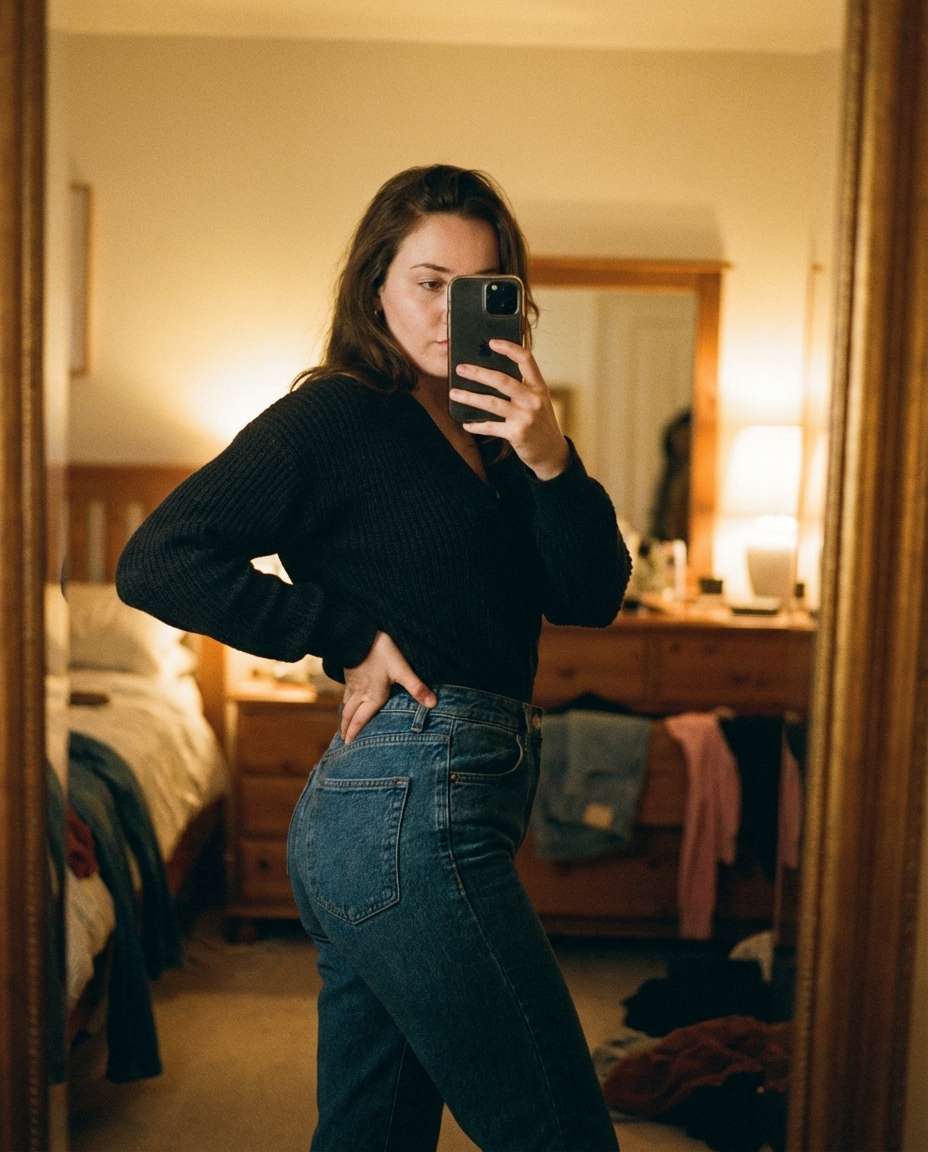
Mirror Selfie Pose
Keep the same subject and outfit from the reference. Change pose to a mirror selfie: phone in one hand partially covering lower face, other hand on hip, slight angle to emphasize silhouette. Bedroom or dressing room mirror, warm ambient light, realistic reflections, 35mm look, photorealistic, correct hand and phone proportions --ar 4:5
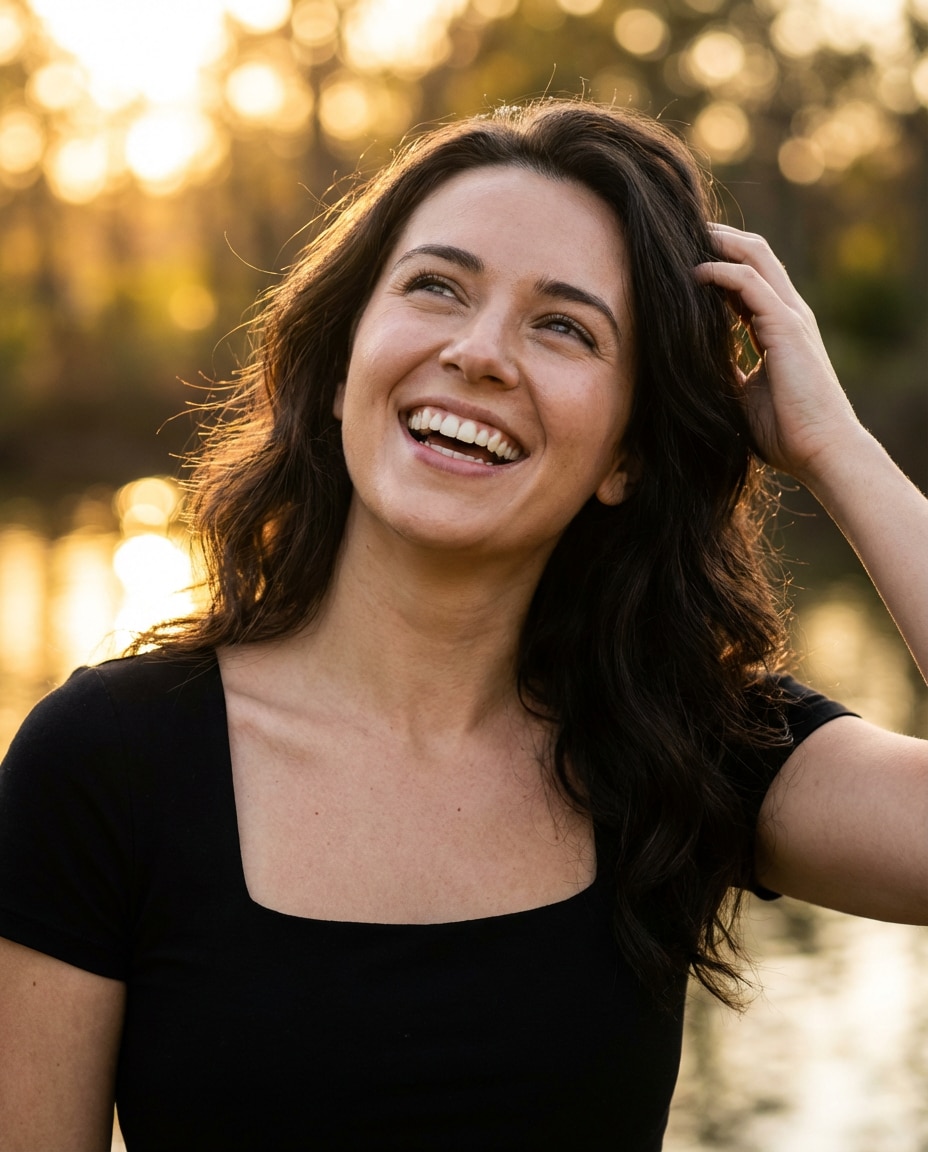
Looking Up Laugh
Use the uploaded image to keep the same person and styling. Change pose to head tilted up with a natural laugh, shoulders relaxed, one hand brushing hair back. Outdoor sunlit background with bokeh trees, golden hour, 85mm, close-up portrait, realistic skin texture and teeth, clean fingers and hair strands --ar 4:5
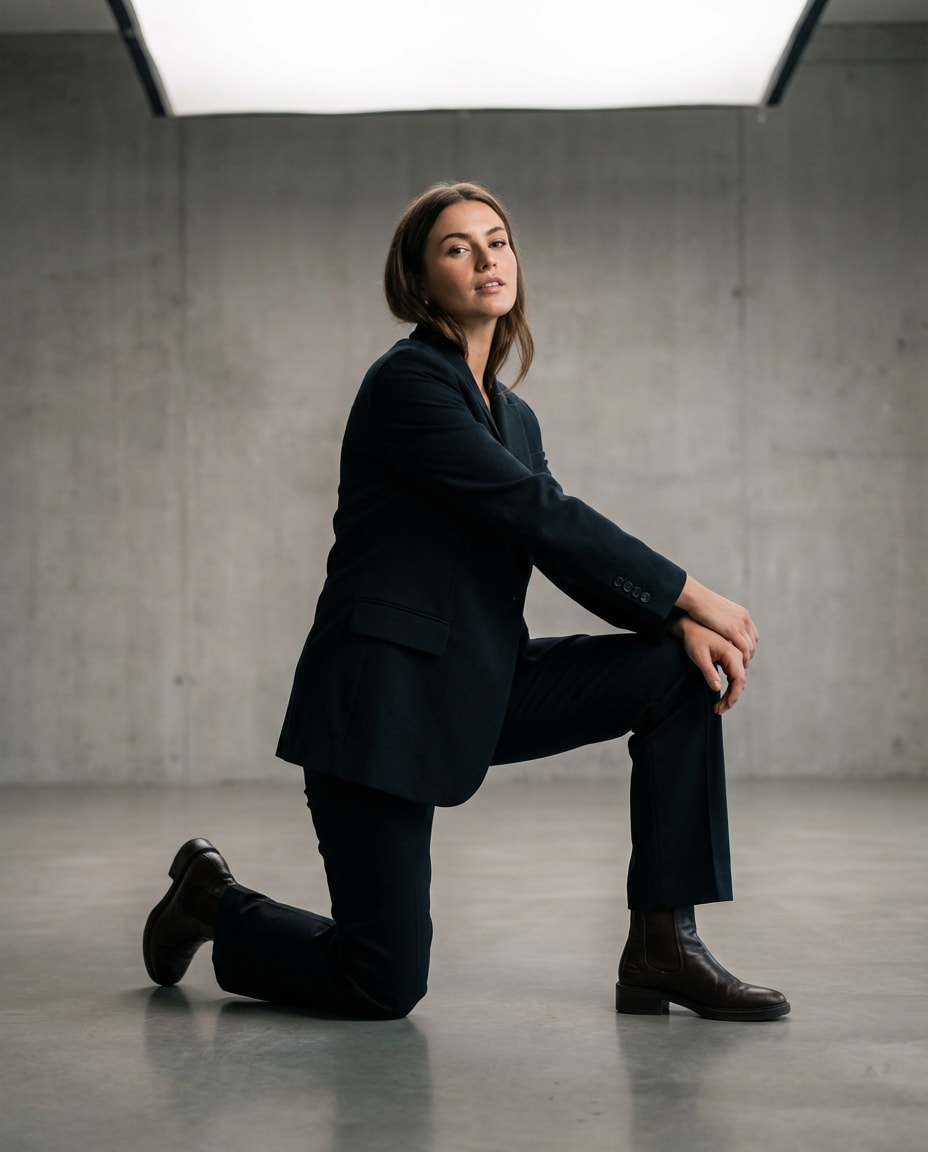
Kneeling Proposal Angle
Maintain identity and outfit from the reference photo. Change pose to a stylish kneeling pose: one knee down, other knee up, hands resting lightly on raised knee, confident gaze. Minimal studio, soft top light, fashion editorial, 70mm, three-quarter framing, photorealistic, accurate knee and ankle anatomy --ar 4:5
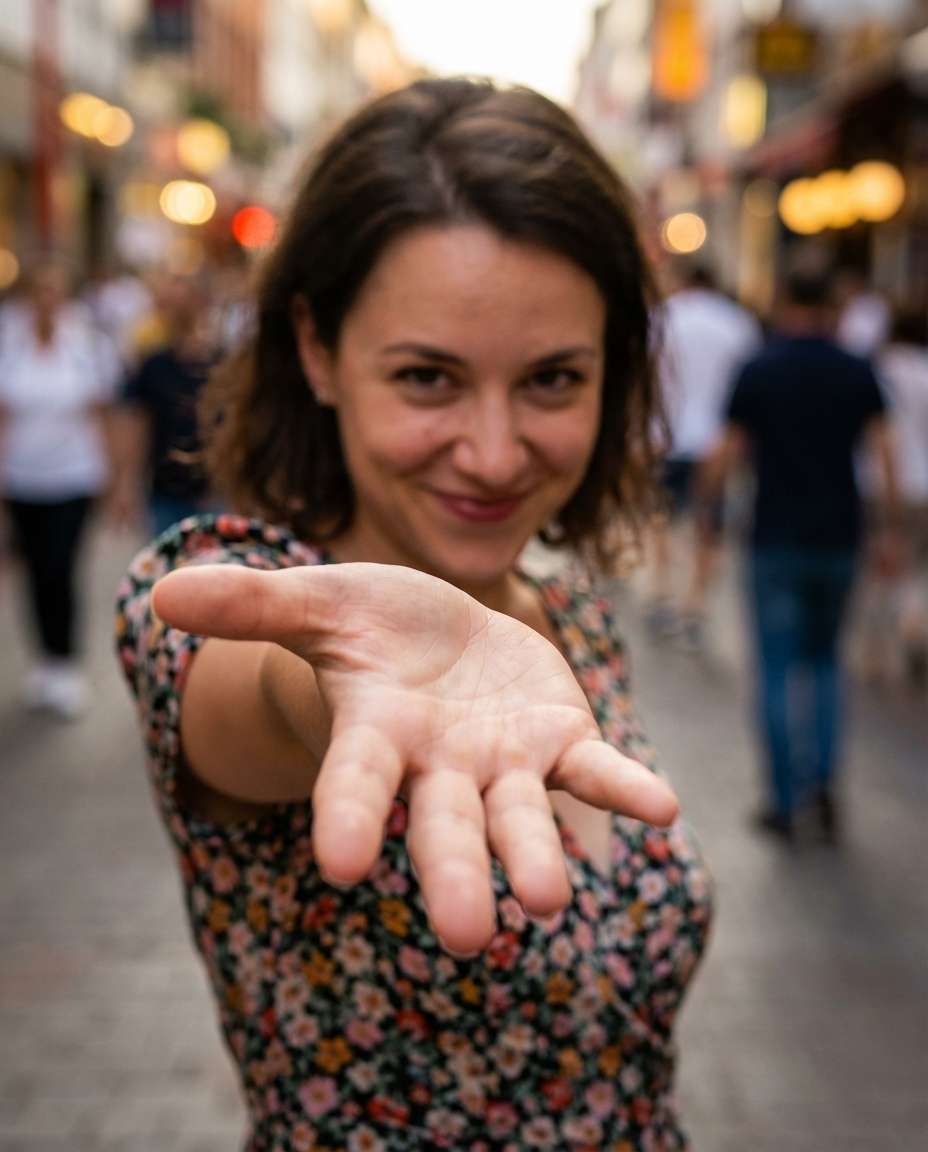
Reaching Toward Camera
Keep the same person, face, and outfit from the uploaded image. Change pose to an interactive reach toward the camera, palm slightly open, shallow depth of field with hand closer to lens, playful expression. Street background, 35mm wide portrait, realistic foreshortening, natural skin detail, no extra fingers --ar 4:5
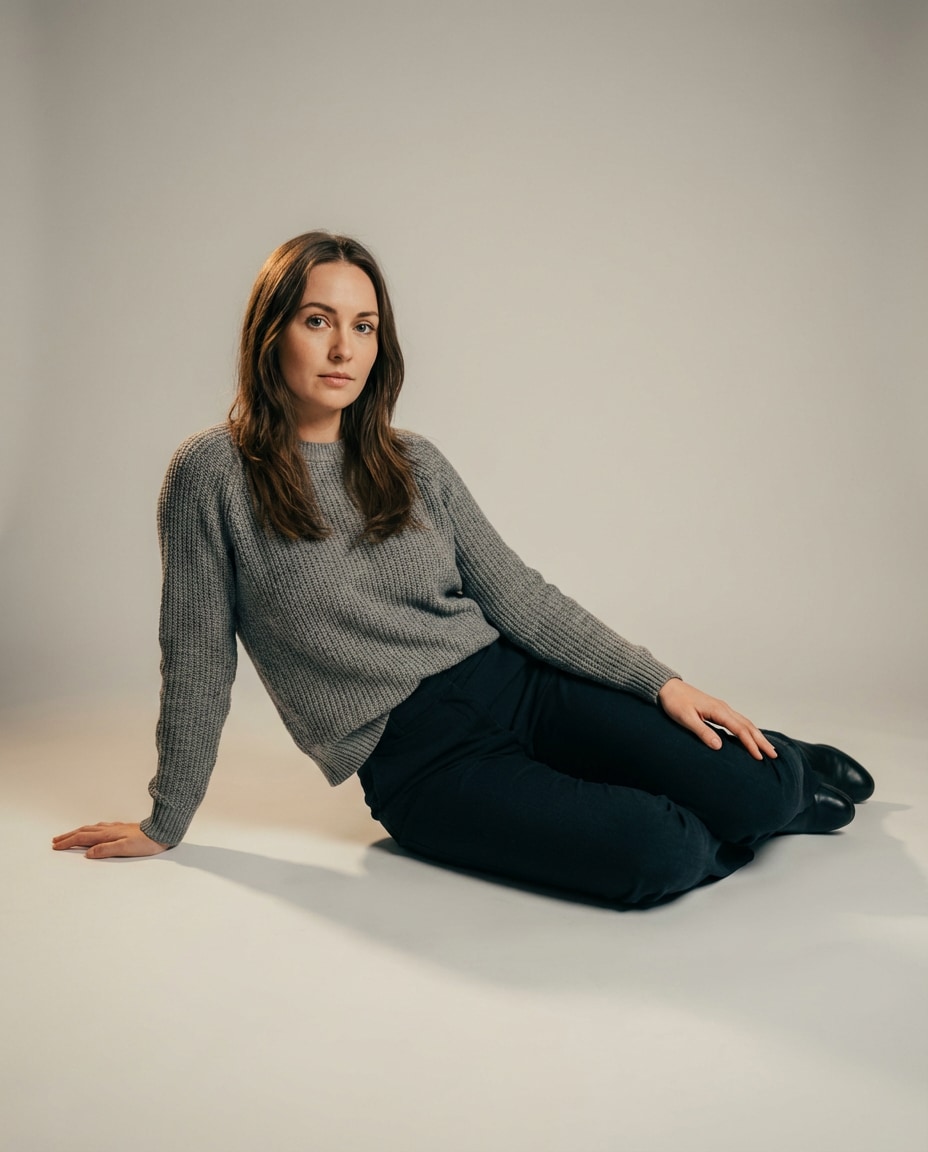
Sitting Floor Editorial
Use the reference for identity lock: same face and outfit. Change pose to sitting on the floor with legs to one side, one hand behind for support, the other resting on thigh, calm eyes. Studio seamless backdrop, soft shadow, 50mm, full-body vertical, photorealistic, realistic hip and knee alignment, soft cinematic lighting --ar 4:5
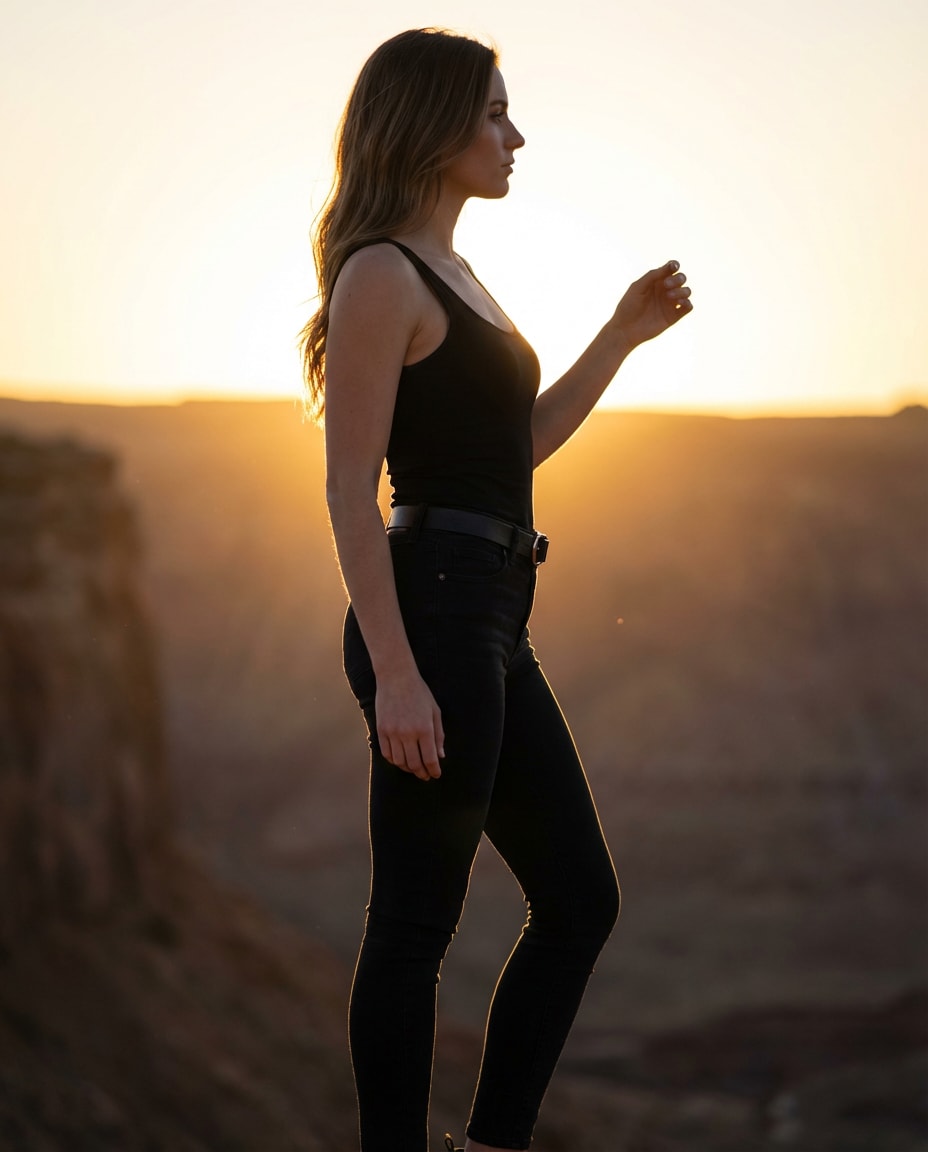
Backlit Silhouette Pose
Preserve the same subject and outfit from the uploaded photo. Change pose to a strong backlit standing profile, one arm raised slightly, chin forward, cinematic silhouette edges. Sunset backlight, rim glow, light haze, 85mm, full-body, photorealistic, controlled flare, clean outline and natural stance --ar 4:5
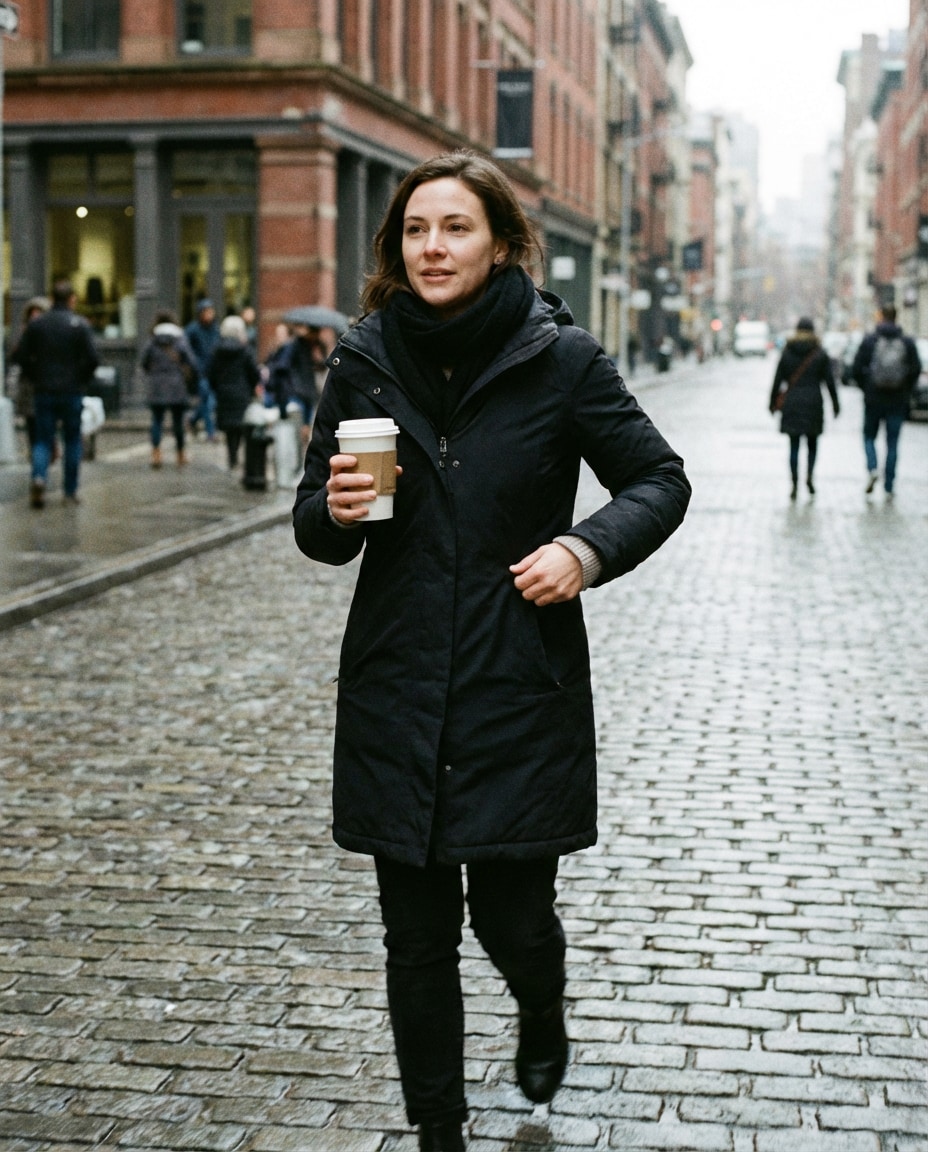
Holding Coffee Walk
Keep the same person and clothing from the reference. Pose change: walking while holding a takeaway coffee cup, other hand adjusting sleeve, relaxed expression. Morning street, soft overcast light, 35mm candid photography, realistic cup grip and finger placement, natural motion, photorealistic --ar 4:5
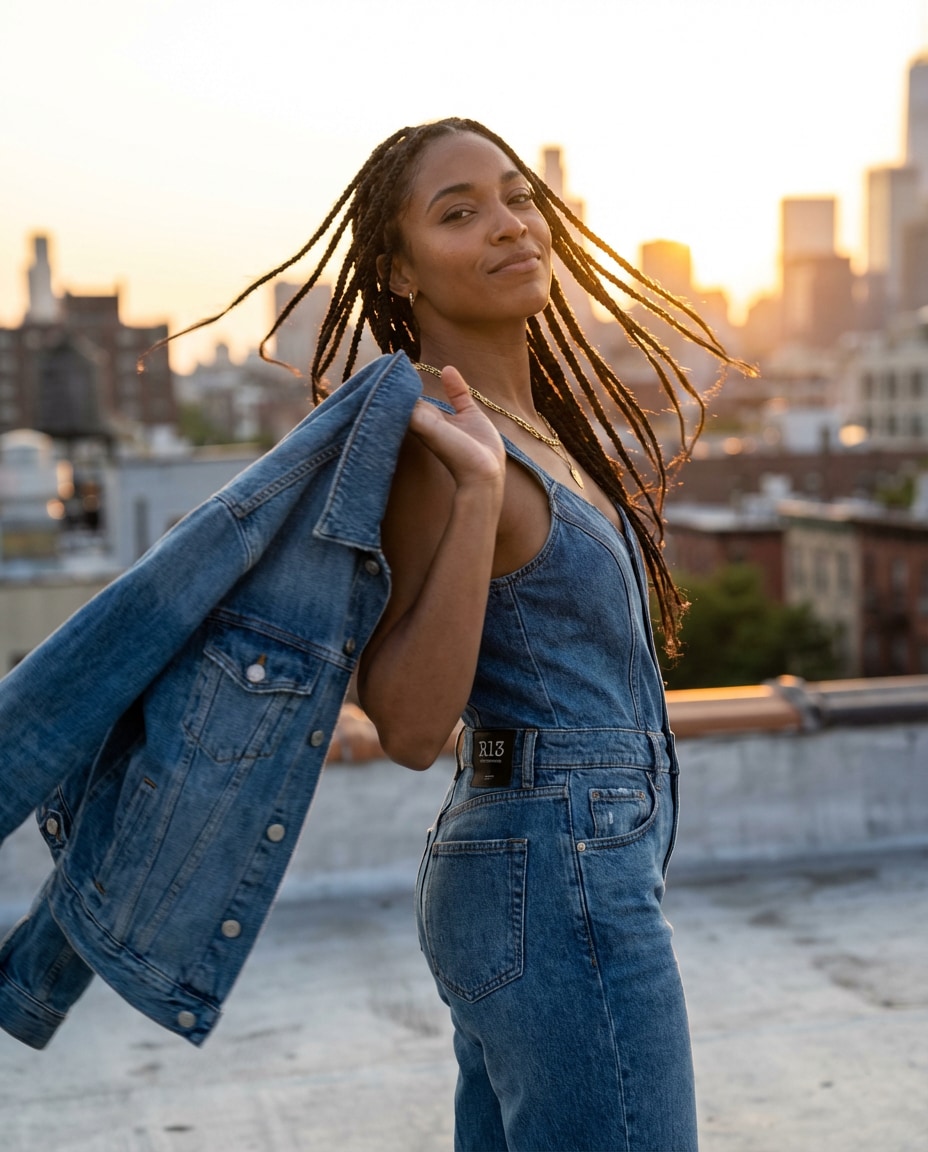
Jacket Toss Motion
Maintain identity and outfit consistency from the uploaded image. Change pose to tossing a jacket over the shoulder with one hand, slight twist at the waist, confident smirk. Rooftop background, windy golden hour, editorial fashion shot, 85mm, full-body, realistic fabric motion and anatomy --ar 4:5
Desk Creator Pose
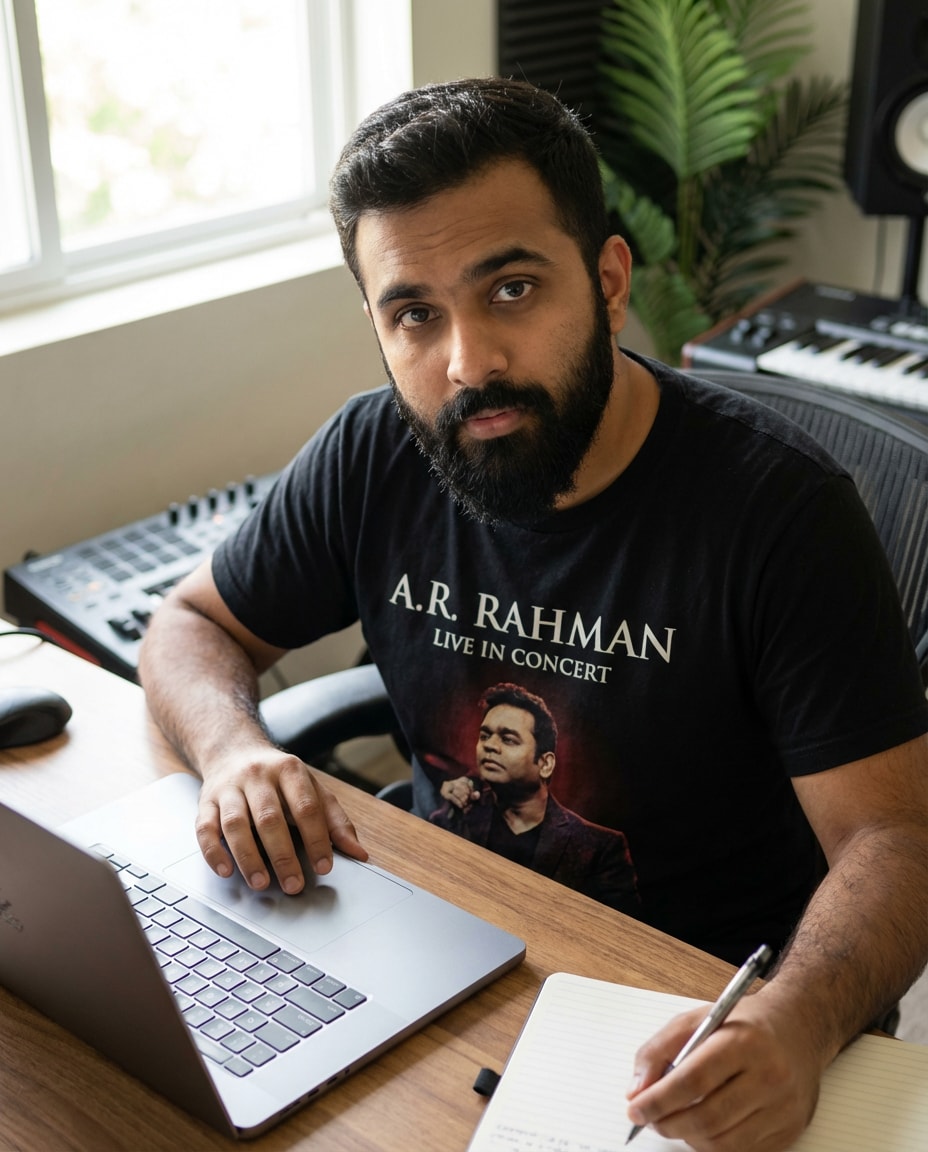
Use the uploaded photo as reference to keep the same person. Change pose to sitting at a desk with laptop, one hand on trackpad, the other holding a pen, looking up toward camera with focused expression. Clean home studio, soft window light, 50mm, half-body, photorealistic, realistic hand positions --ar 4:5
Beach Turnaround Pose
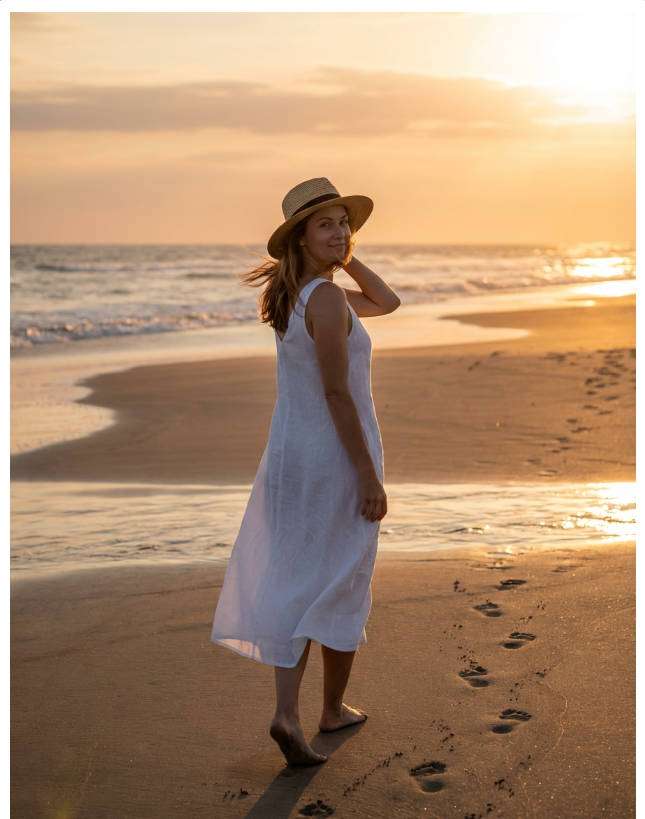
Keep the same subject and outfit from the reference image. Change pose to a beach turnaround: walking at shoreline, looking back with a soft smile, one hand holding hair, footprints behind. Golden hour seaside, warm rim light, 70mm, full-body, photorealistic water reflections, natural posture --ar 4:5
Cinematic Sit On Ledge
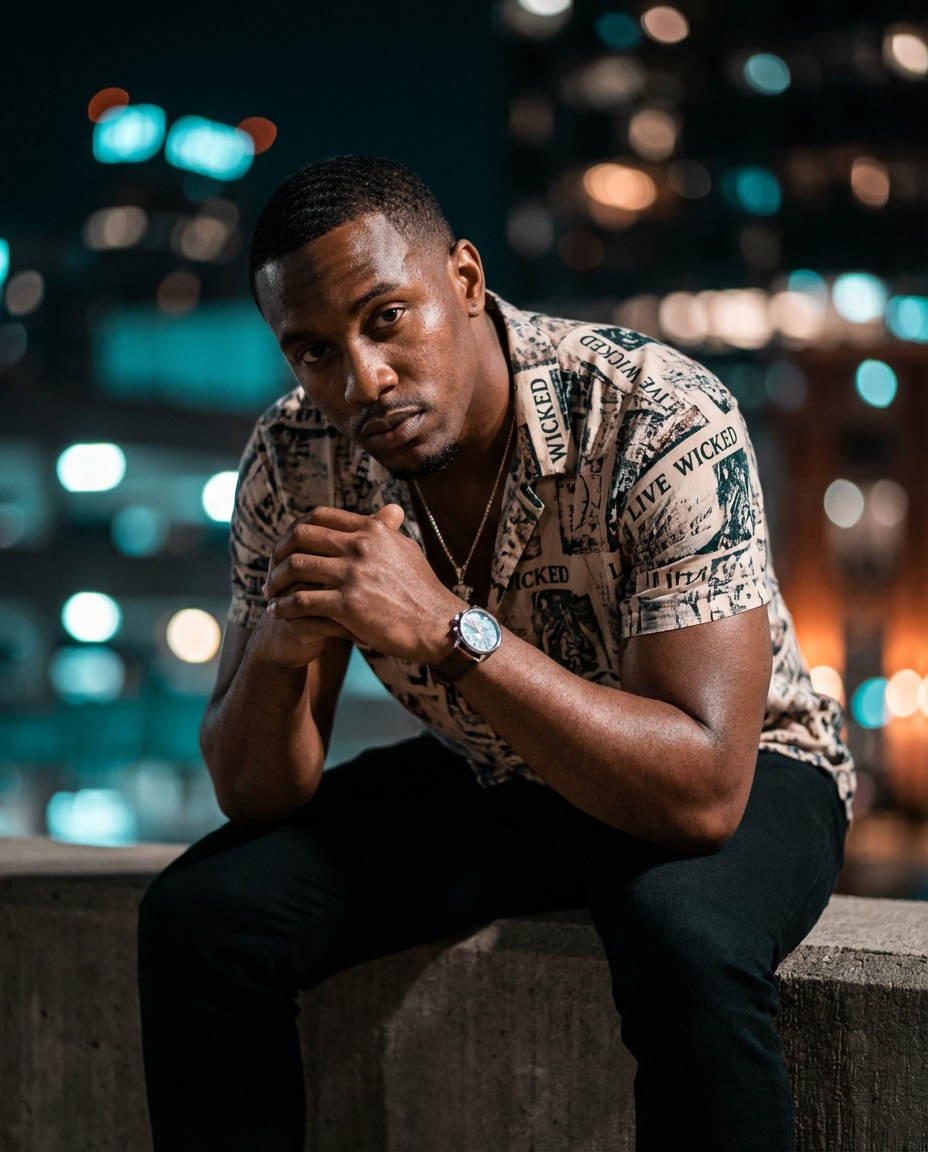
Preserve identity and outfit from the uploaded photo. Change pose to sitting on a low ledge, elbows on knees, hands loosely clasped, intense cinematic gaze. Night city lights bokeh, teal and orange grade, 85mm, medium full-body, photorealistic skin, accurate finger interlock and wrist angles --ar 4:5
Great pose swaps come from tiny constraints, not long prompts. When you treat your prompt like a director note and an anatomy checklist, results get cleaner fast. Use this Gemini AI pose adjustment prompt for realistic edits mindset: describe the pose clearly, then lock what must not change.
Recommend Prompts Formula
Identity lock: same person, face, age, hair, and body type from reference
Wardrobe lock: same outfit, accessories, and colors
Pose directive: one clear pose with 2 to 3 body cues (hands, hips, gaze)
Scene and lighting: location, time of day, key light type
Framing: full-body or half-body, camera angle, lens focal length
Describe hands explicitly: relaxed fingers, no extra fingers, clean knuckles.
Add a single camera cue like "85mm" to stabilize facial proportions.
If limbs look odd, reduce extremes: replace "deep bend" with "slight bend".
Keep one background anchor (wall, window, street) so the swap feels believable.
For dynamic poses, include physics hints: motion blur, hair movement, weight shift.
Iterate with one edit at a time, changing only pose cues, not identity details.
Why Choose Media.io for Gemini AI Pose Change Photo Maker?
Generate realistic AI images faster with powerful tools and flexible prompt control.
Pose swaps in minutes
Turn one good photo into a whole set of new poses without re-shooting. Paste a prompt, generate variations, and keep the best anatomy and expression. Perfect for creators who need fresh content for thumbnails, profiles, and portfolio updates fast.
Reference-based consistency
Upload an image to keep the same face, hairstyle, and outfit while you change body position and camera framing. This makes pose changes feel like a real photoshoot, not a random new character, so your feed stays recognizable.
Creator-ready prompt library
Pick from 25+ copy-paste pose directions built for common needs: editorial, casual, athletic, cozy, and cinematic. Each prompt includes pose cues, lighting, and framing so you spend less time guessing and more time posting.
Clean downloads, share anywhere
Generate, review, and download high-quality images that are ready for Instagram, TikTok covers, LinkedIn, or storefront banners. Small prompt tweaks help you quickly fix hands, posture, and perspective before exporting.
FAQs About
Gemini AI Pose Change Prompt
1. What should I include in a Gemini ai pose change prompt?
A strong Gemini ai pose change prompt has three parts: identity lock (same person and outfit from the reference), a single clear pose with 2 to 3 cues (hands, hips, gaze), and a camera or lighting note to keep proportions stable. Add a realism check like natural anatomy and correct fingers.
2. How do I keep the face the same when changing the pose?
Use a reference upload, then explicitly say to keep the same face, hairstyle, age, and expression style. Avoid changing too many things at once. If the face drifts, tighten framing (half-body) and add lens guidance like 85mm to stabilize facial structure while the pose changes.
3. Can I use a pose change prompt for full-body photos and outfits?
Yes. Full-body works best when you specify the exact stance, foot placement, and arm position, plus full-body framing and camera angle. Keep the outfit locked to prevent unwanted wardrobe swaps. For social content, a Gemini AI pose swap prompt for Instagram reels performs well with dynamic poses and clean backgrounds.
4. Why do hands or limbs look weird after a pose swap?
Hands fail when the pose is too complex or underspecified. Add one hand rule such as "fingers relaxed, thumb visible, no extra fingers" and simplify the action. Re-generate with small tweaks, not a totally new prompt. Many creators using a Gemini AI pose swap prompt for Instagram reels also add shallow depth of field to hide minor imperfections.
5. Do I need to upload a photo, or can I generate from text only?
You can do both, but uploading a photo is best for consistent identity and a believable pose change. Text-only generation is great for making a new model from scratch, but it will not reliably match your exact face and outfit. For pose editing, reference-based workflows are the safest.
Why Creators Love Media.io's Gemini AI Pose Change Prompt?
Alex M.
Photographer
Ultra Realistic Results.
I used these pose change prompts to create visuals that looked like real photography. The lighting, textures, and colors felt incredibly natural.
Maya J.
Designer
Perfect Lighting & Detail.
The prompts produced cinematic compositions and soft lighting, making every image feel like a professional shoot.
Jordan P.
Creator
Perfect for Social Media.
I used these prompts to create viral content. It's fast, easy, and consistently produces stunning visuals.