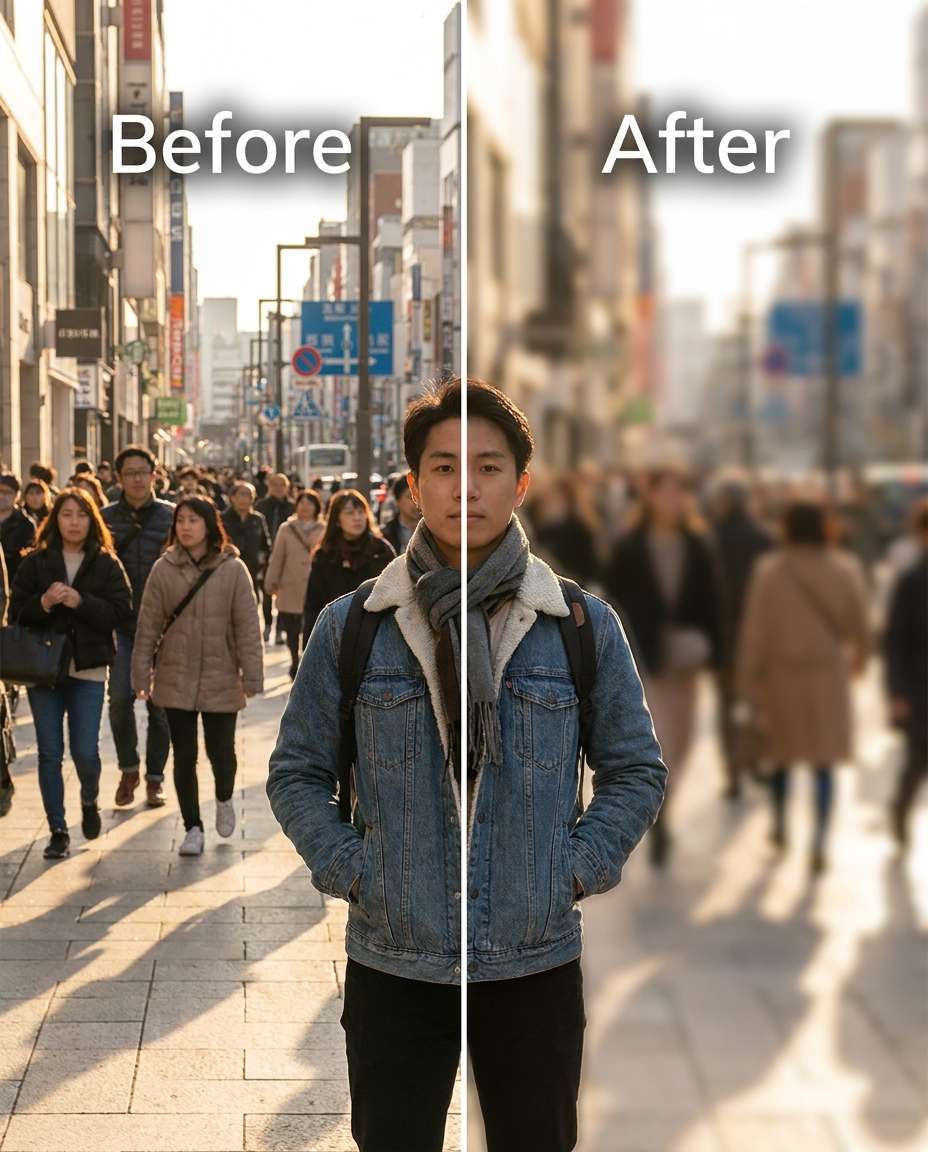
25+ Gemini AI Blur Background Prompts for Clean Portrait Focus
Soften distractions fast with Gemini AI blur background prompts. You can push the blur subtle to strong while keeping your face, hair edges, and outfit details believable. Choose one of 25 prompts, upload a portrait, then paste the edit you want. The goal is simple: crisp subject, smoother backdrop, and lighting that still feels like the original shot instead of a fake cutout.
Stunning AI blur background generated with Media.io - powered by
Nano Banana Pro.
How to Create Gemini AI Blur Background Prompts in 3 Steps
Use Media.io to turn one upload into a cleaner portrait in a few clicks. Pick a prompt, generate, then keep the version that looks most natural.
1
Open the AI photo tool
Go to Media.io and open the AI photo generator for image-to-image edits. Choose a portrait-friendly aspect ratio, then get your photo ready so the subject stays sharp while the background gets a controlled depth effect.
2
Upload and paste a prompt
Upload your photo, then paste one prompt from the cards below. For a quick starting point, try the phrase Gemini AI background blur prompt for portraits and adjust the blur strength (light, medium, heavy) to match your scene.
3
Generate and download
Click Generate, review edges around hair, shoulders, and accessories, then run one more variation if you see halos or smeared details. Download the best result, and keep a second option with milder blur for more realism.
Best Gemini AI Blur Background Prompts Ideas & Examples
Crowded Street Cleanup
Slim the background detail into a soft blur while keeping the same face and same pose, with the same hairstyle and same outfit details. Preserve original lighting and shadow direction, and keep the subject edges clean around hair and shoulders. Set blur intensity to medium so the street stays recognizable but not distracting --ar 4:5
Messy Room Softening
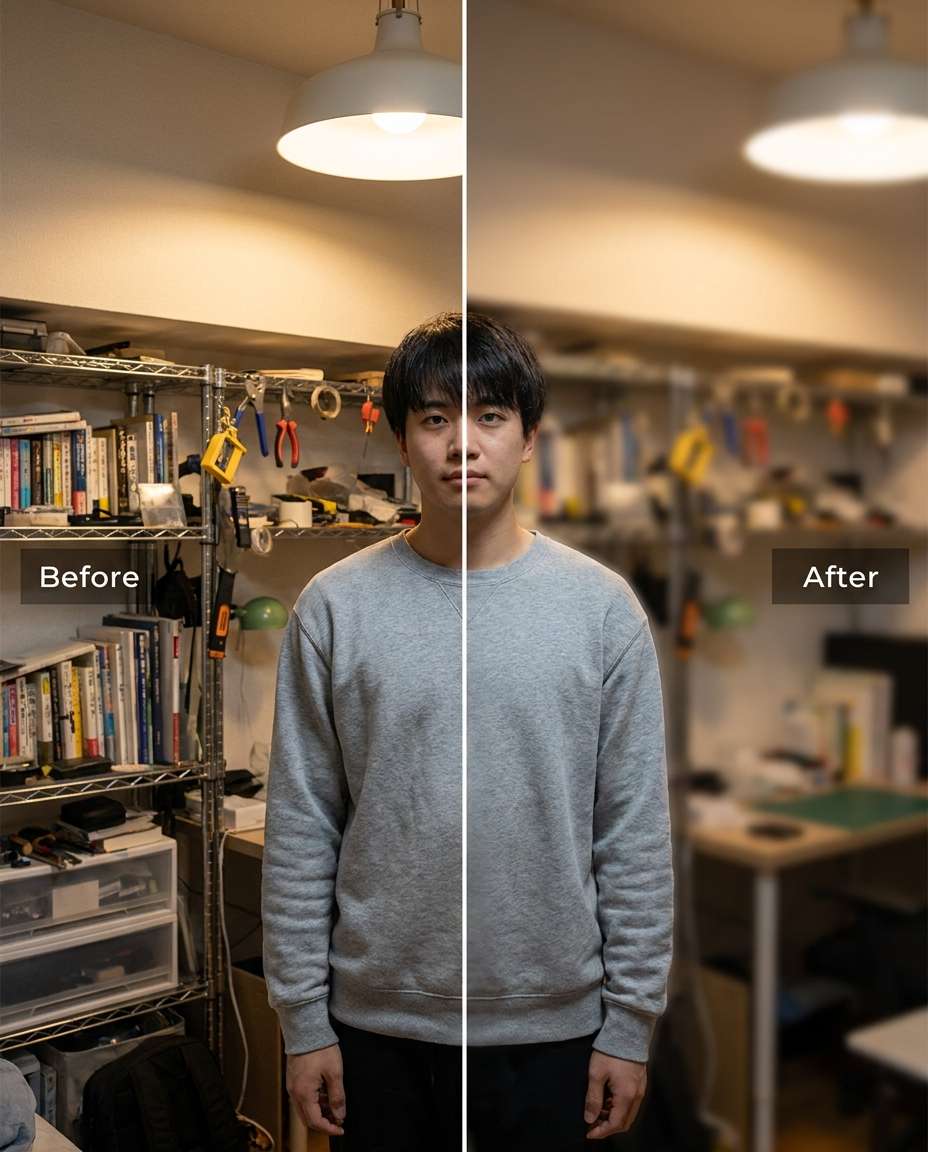
Refine the background by blurring clutter behind the subject while keeping the same face and same skin tone, plus the same outfit details and same pose. Preserve fabric texture and outfit seams, and preserve original lighting so the foreground looks untouched. Use a gentle blur that reduces distraction without creating halos, preserving original lighting --ar 4:5
Cafe Window Bokeh
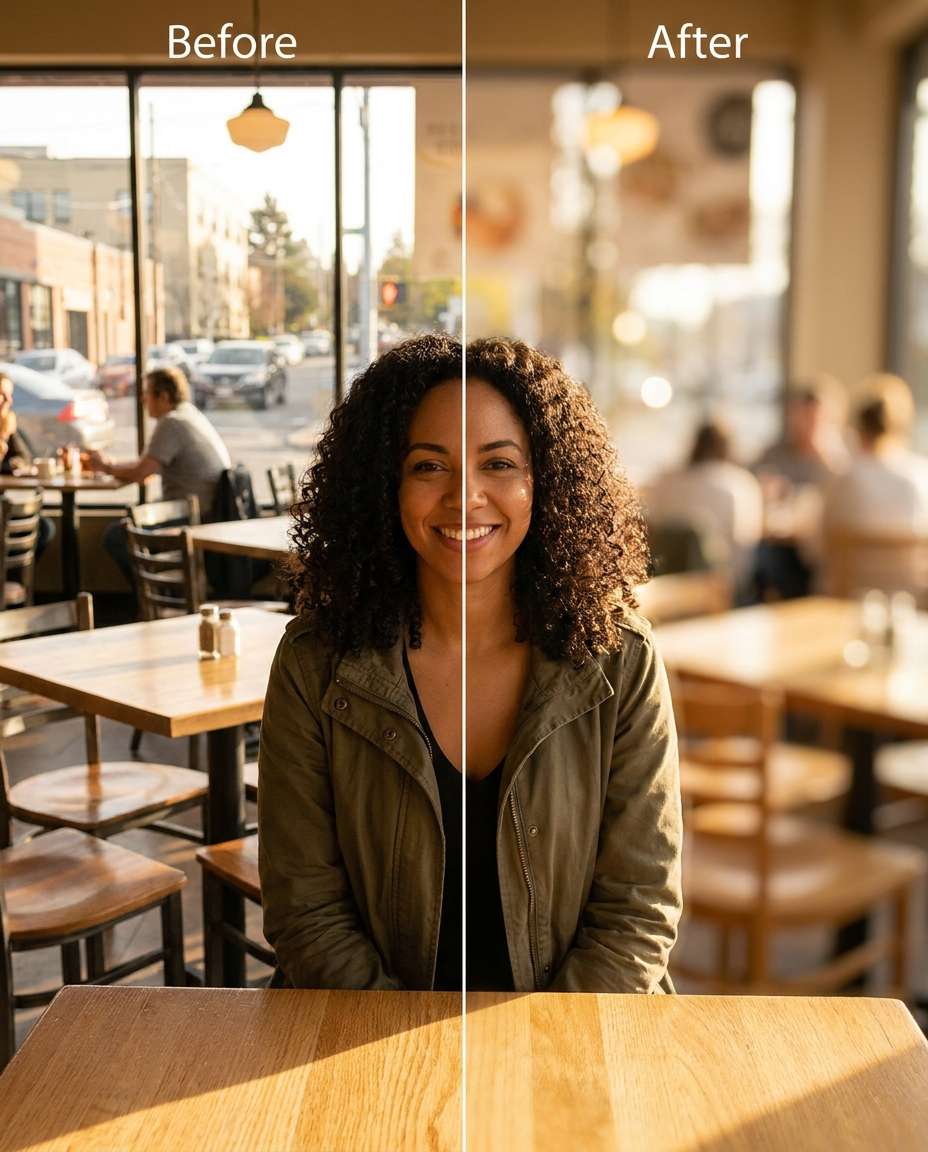
Sculpt a creamy bokeh blur from the cafe background while keeping the same face and same hairstyle, with the same pose and same outfit details. Preserve original lighting reflections and skin tone, and preserve background color balance so it still feels like the same cafe. Make the blur moderately strong with natural falloff behind the subject, preserving shadow direction --ar 4:5
Night Lights Blur
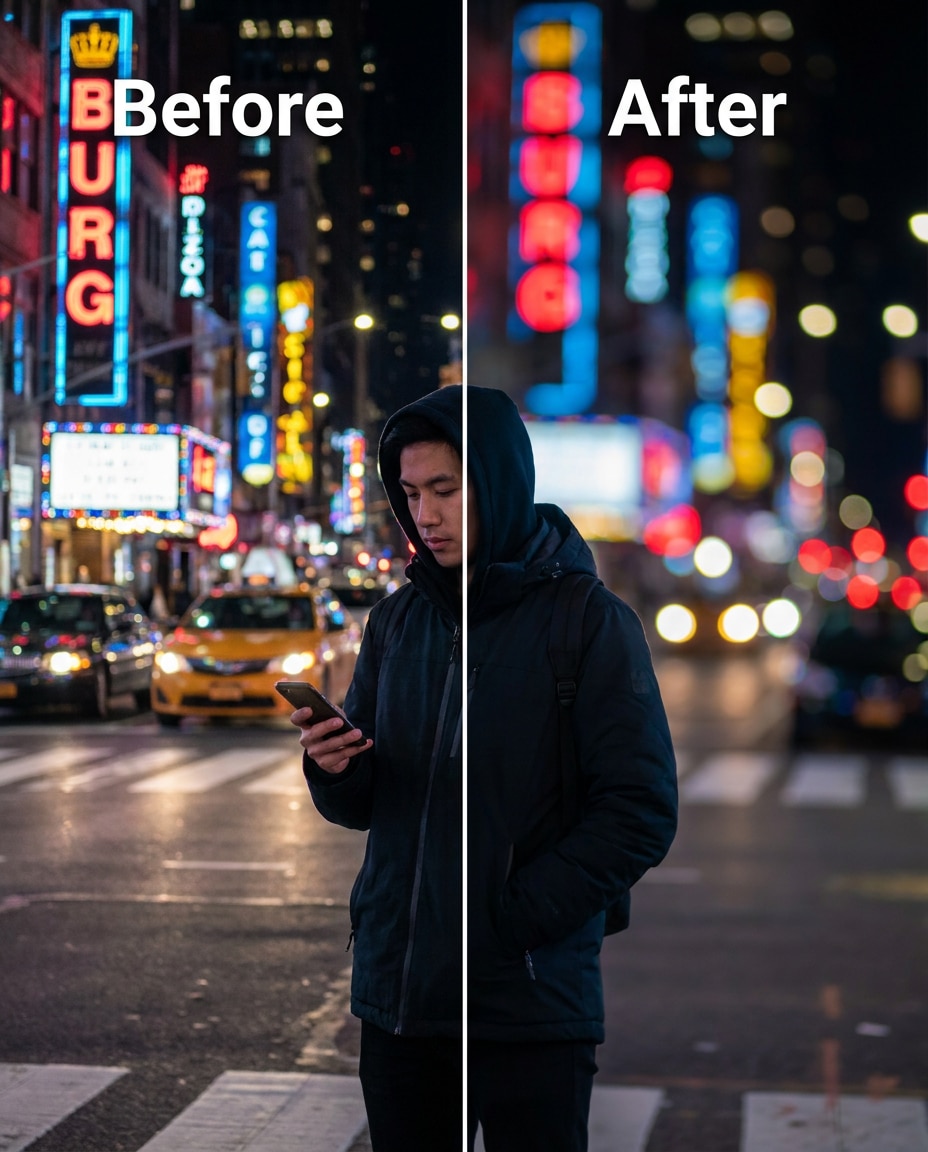
Smooth the background into round bokeh lights while keeping the same face and same skin tone, plus the same hairstyle and same outfit details. Preserve original lighting contrast and keep the subject sharp without glow bleed. Increase blur strength so neon and streetlights turn into soft orbs behind the subject --ar 4:5
Office Distraction Blur
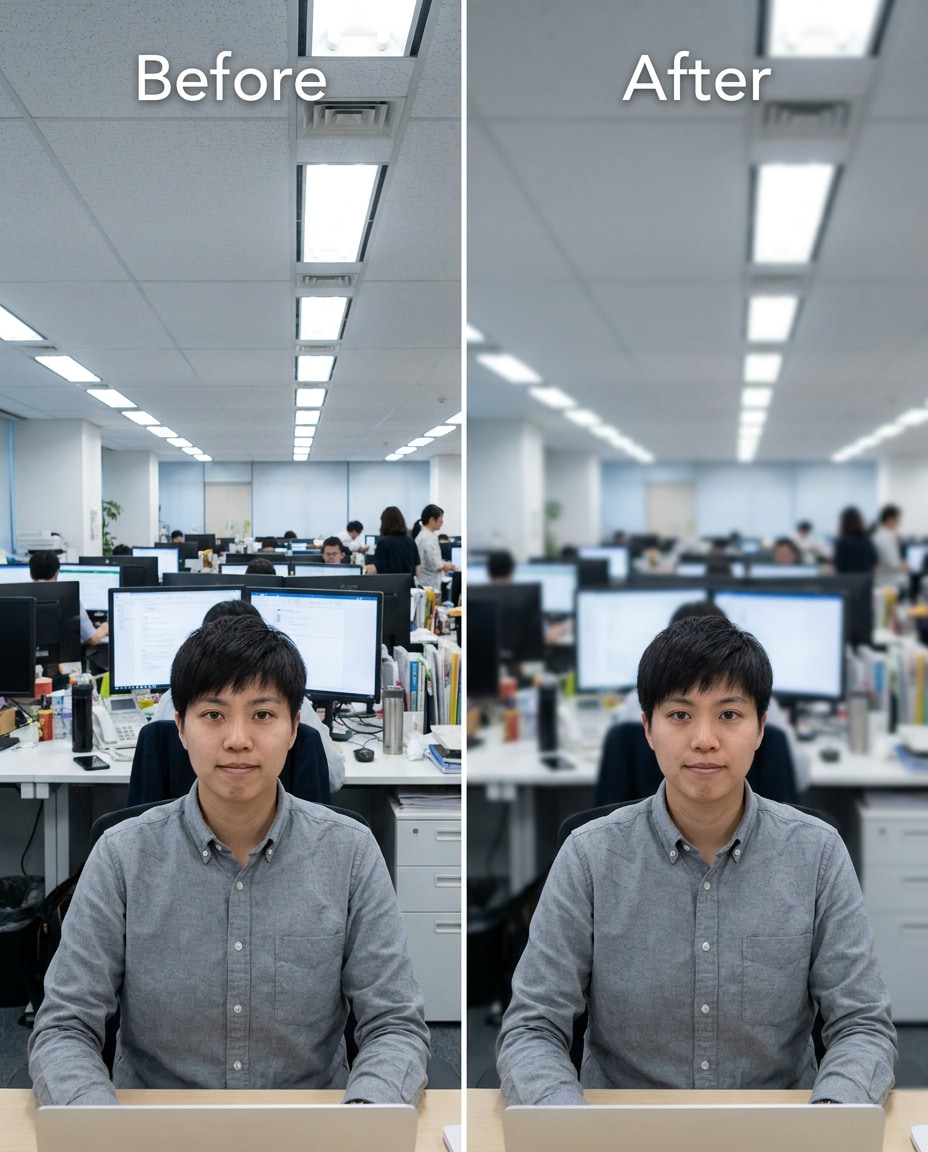
Cinch the background focus so coworkers and office details fall out of focus while keeping the same face and same pose, with the same hairstyle and same outfit details. Preserve original lighting and keep edges around glasses, earrings, and shoulders crisp. Use a subtle-to-medium blur that still looks like a real lens effect, preserving believable proportions --ar 4:5
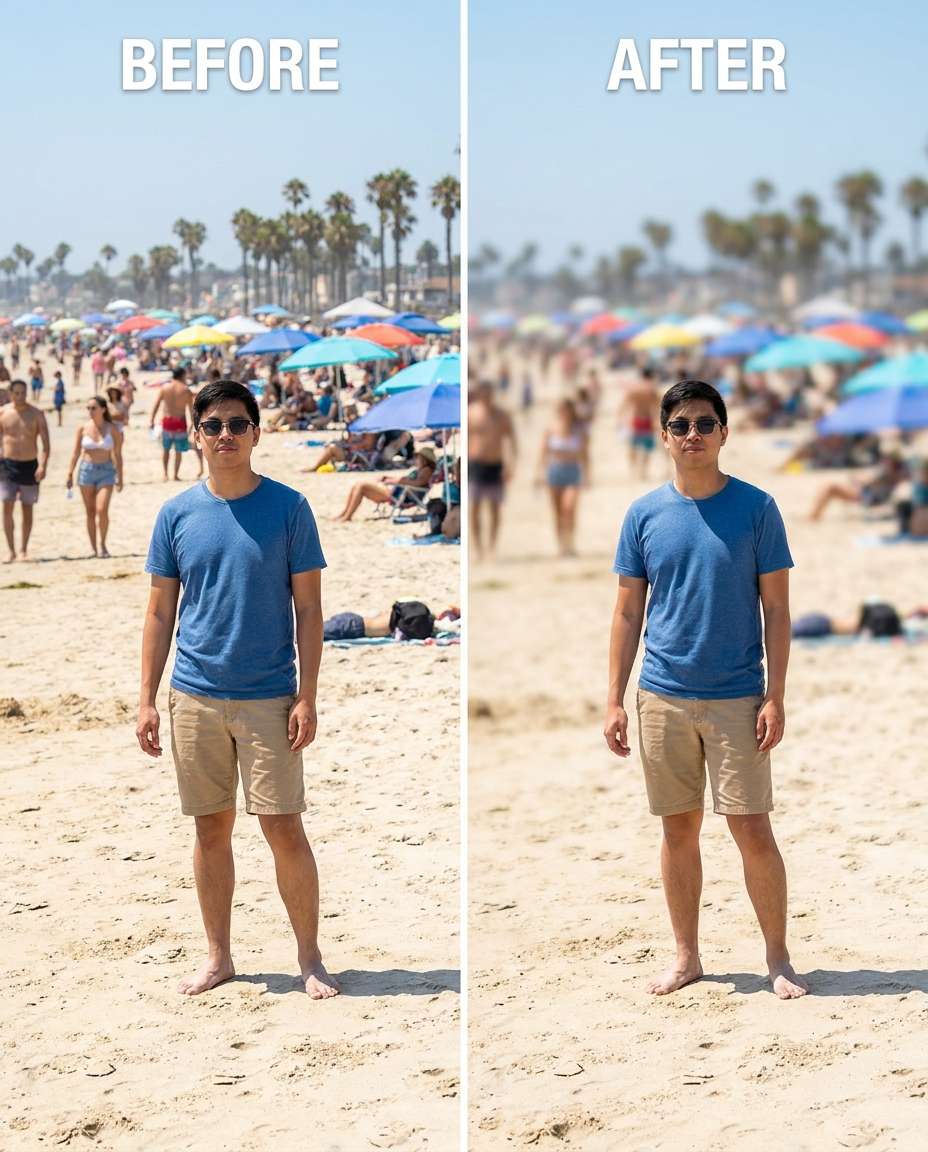
Beach Crowd Blur
Reshape the background into a smooth blur to hide beach crowds while keeping the same face and same skin tone, plus the same pose and same outfit details. Preserve original sunlight direction and preserve fabric texture on clothing. Apply a stronger blur to background people only, keeping the subject and immediate outline clean, preserving original lighting --ar 4:5
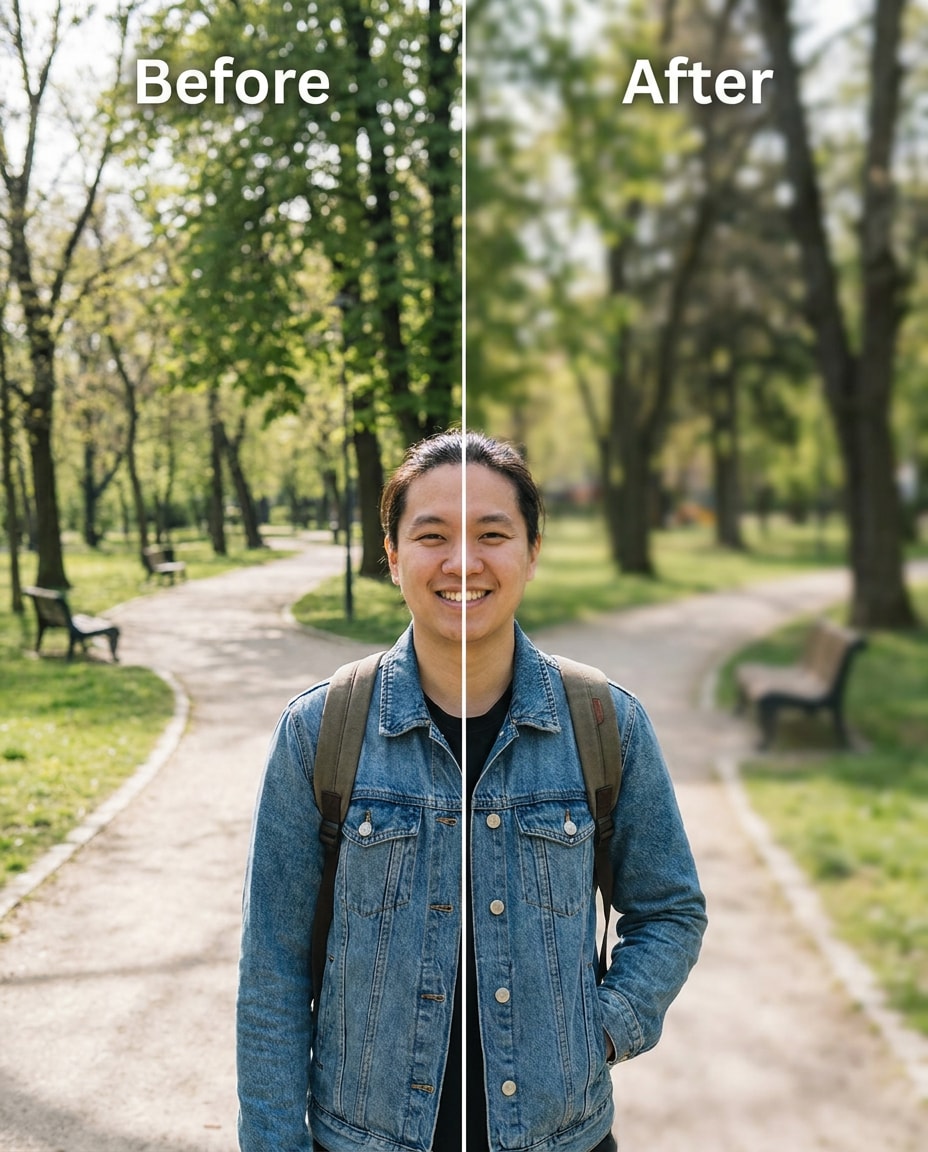
Park Portrait Depth
Adjust the background blur to create shallow depth-of-field in a park while keeping the same face and same hairstyle, with the same pose and same outfit details. Preserve original lighting and natural shadows, and preserve background colors so greens stay realistic. Set blur to gentle with smooth falloff behind the subject, preserving shadow direction --ar 4:5
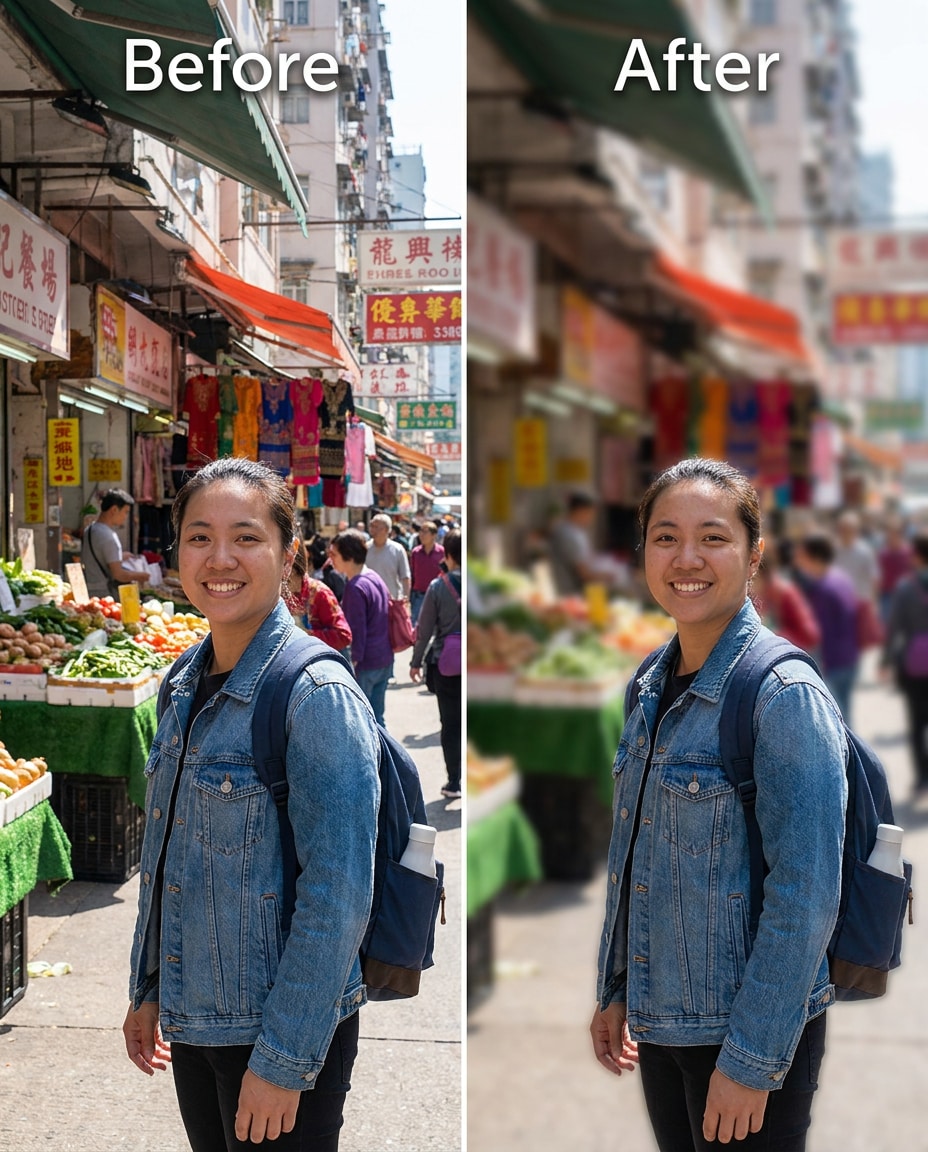
Busy Market Blur
Tighten focus on the subject by blurring a busy market background while keeping the same face and same skin tone, plus the same hairstyle and same pose. Preserve original lighting and preserve outfit seams and fabric texture. Use medium blur and prevent edge halos around hair and hands, preserving original lighting --ar 4:5
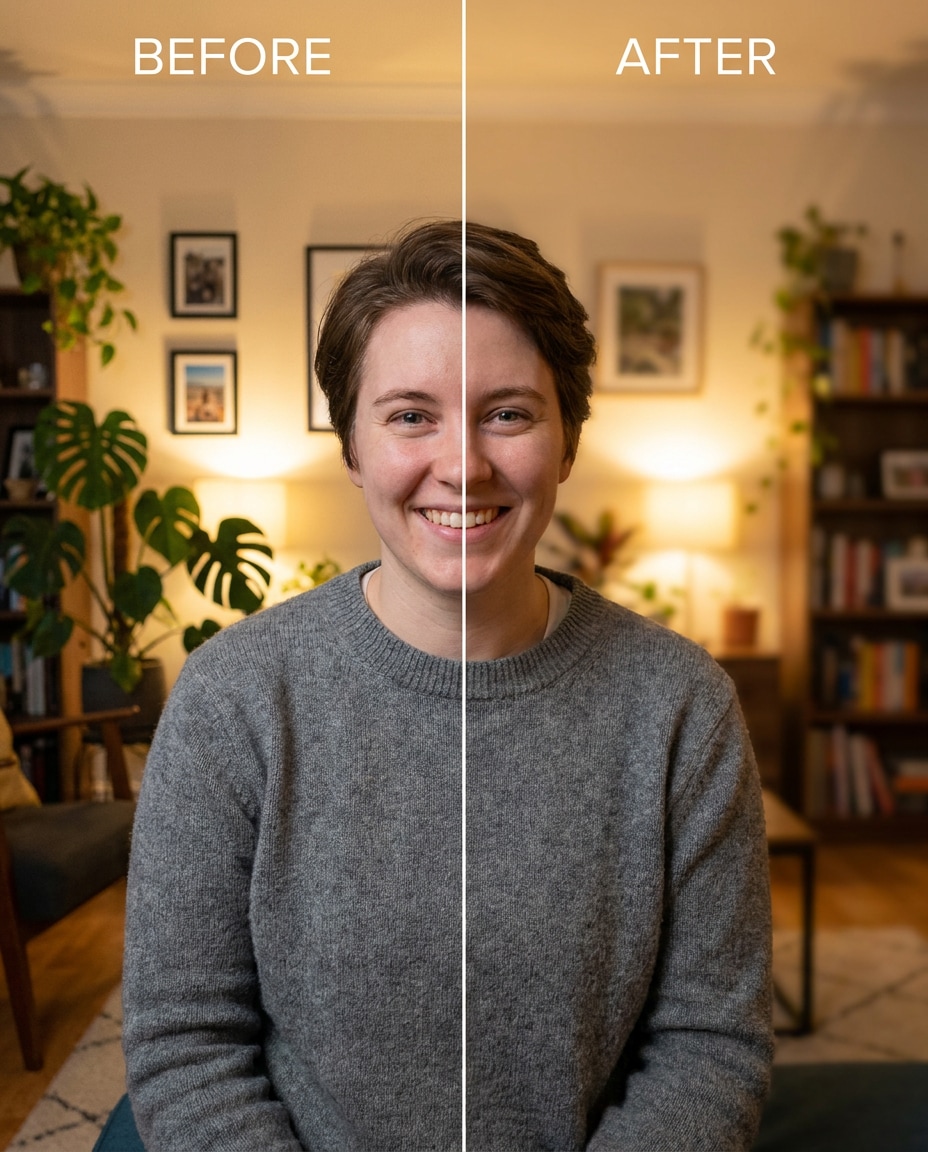
Indoor Plant Corner
Tune the background blur so indoor plants and decor soften behind the subject while keeping the same face and same outfit details, with the same pose and same hairstyle. Preserve original lighting and preserve background perspective so the room still matches. Apply a subtle blur with realistic falloff and no smearing, preserving background details --ar 4:5
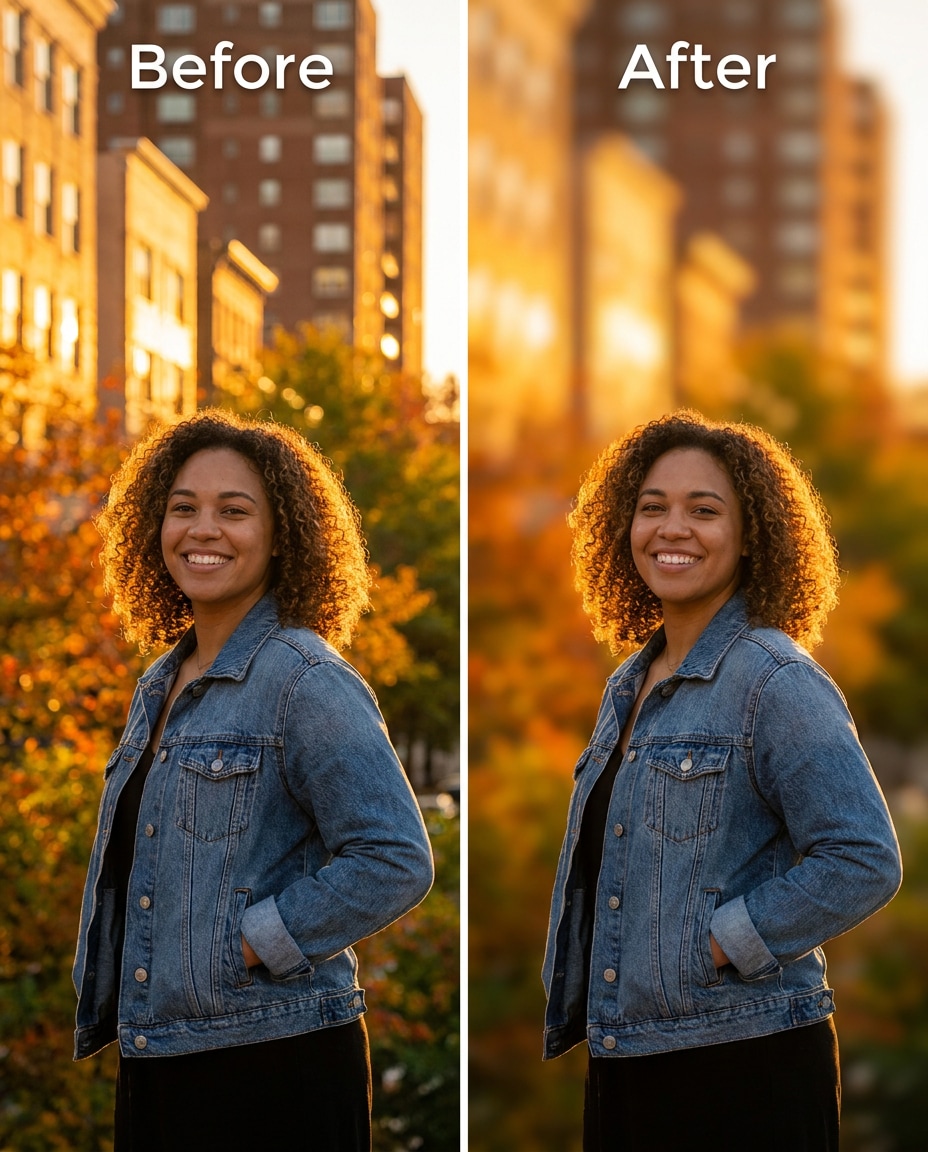
Golden Hour Backdrop
Soften the background into a warm blur while keeping the same face and same skin tone, plus the same hairstyle and same outfit details. Preserve original golden-hour lighting and shadow direction, and preserve fabric texture. Use a medium blur that keeps sun flare believable and avoids cutout edges, preserving original color grading --ar 4:5
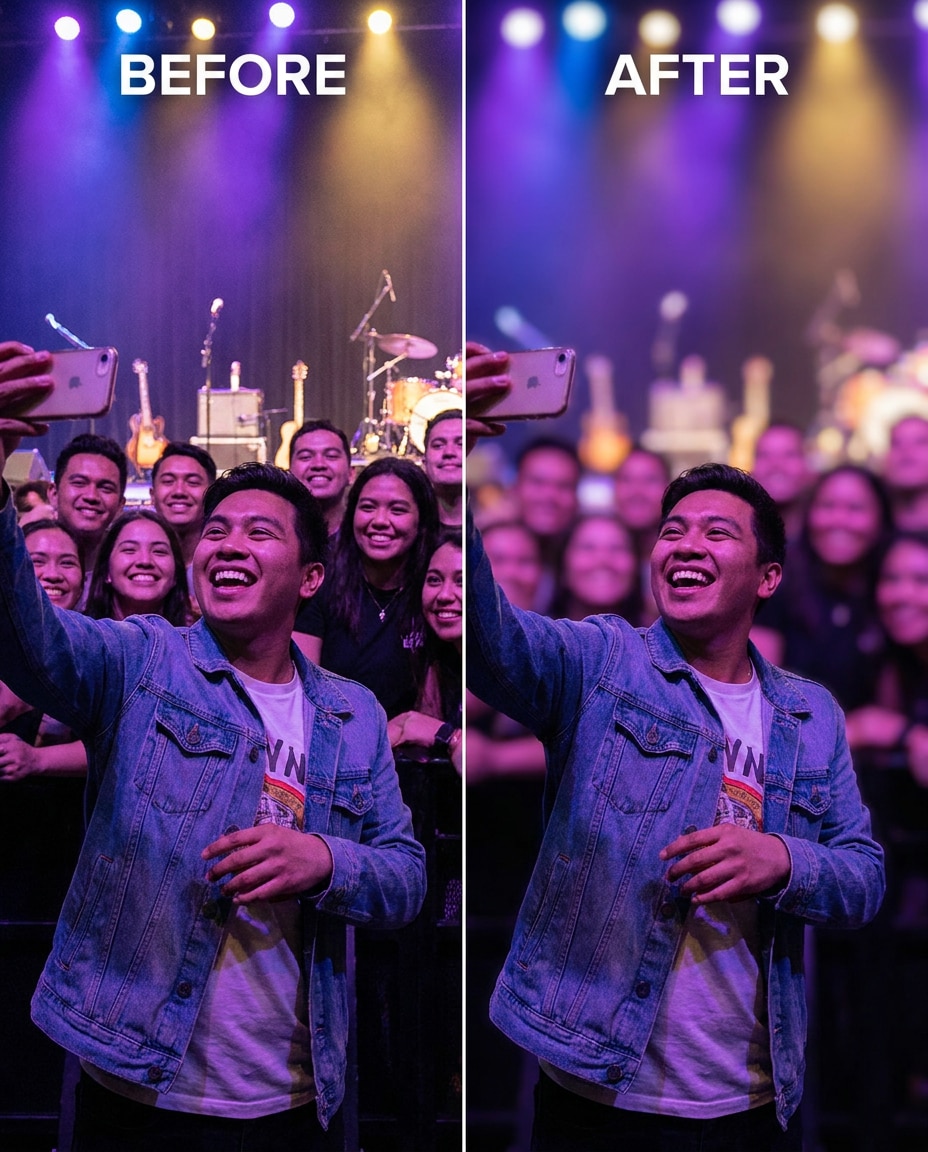
Concert Crowd Blur
Slim the background crowd into a softer blur while keeping the same face and same pose, with the same hairstyle and same outfit details. Preserve stage lighting color cast and preserve original contrast on the subject. Push blur strong enough to hide faces behind you but keep the scene's vibe intact --ar 4:5
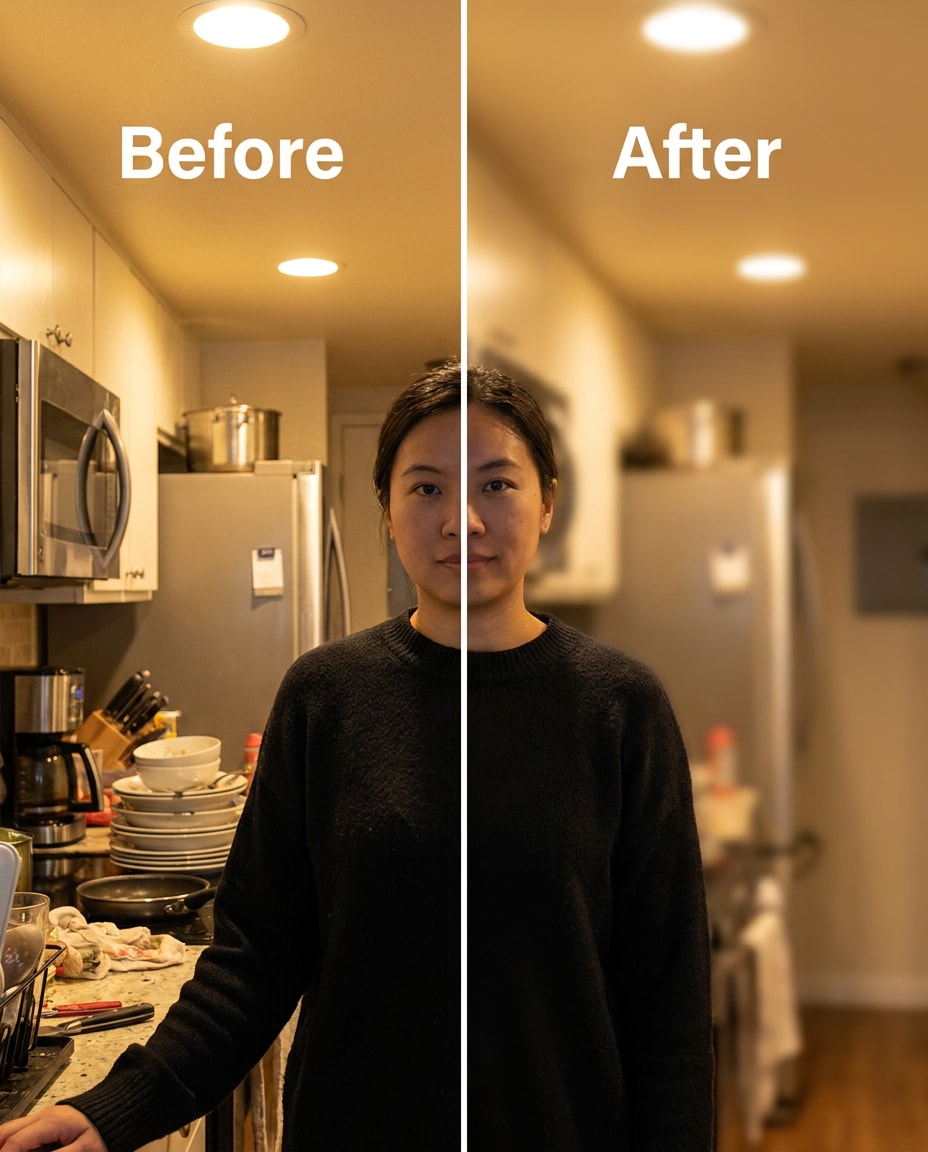
Kitchen Counter Blur
Refine the background by blurring kitchen counters and appliances while keeping the same face and same skin tone, plus the same pose and same outfit details. Preserve original indoor lighting and preserve outfit seams and fabric texture. Use a gentle blur that reduces clutter without flattening the image, preserving shadow direction --ar 4:5
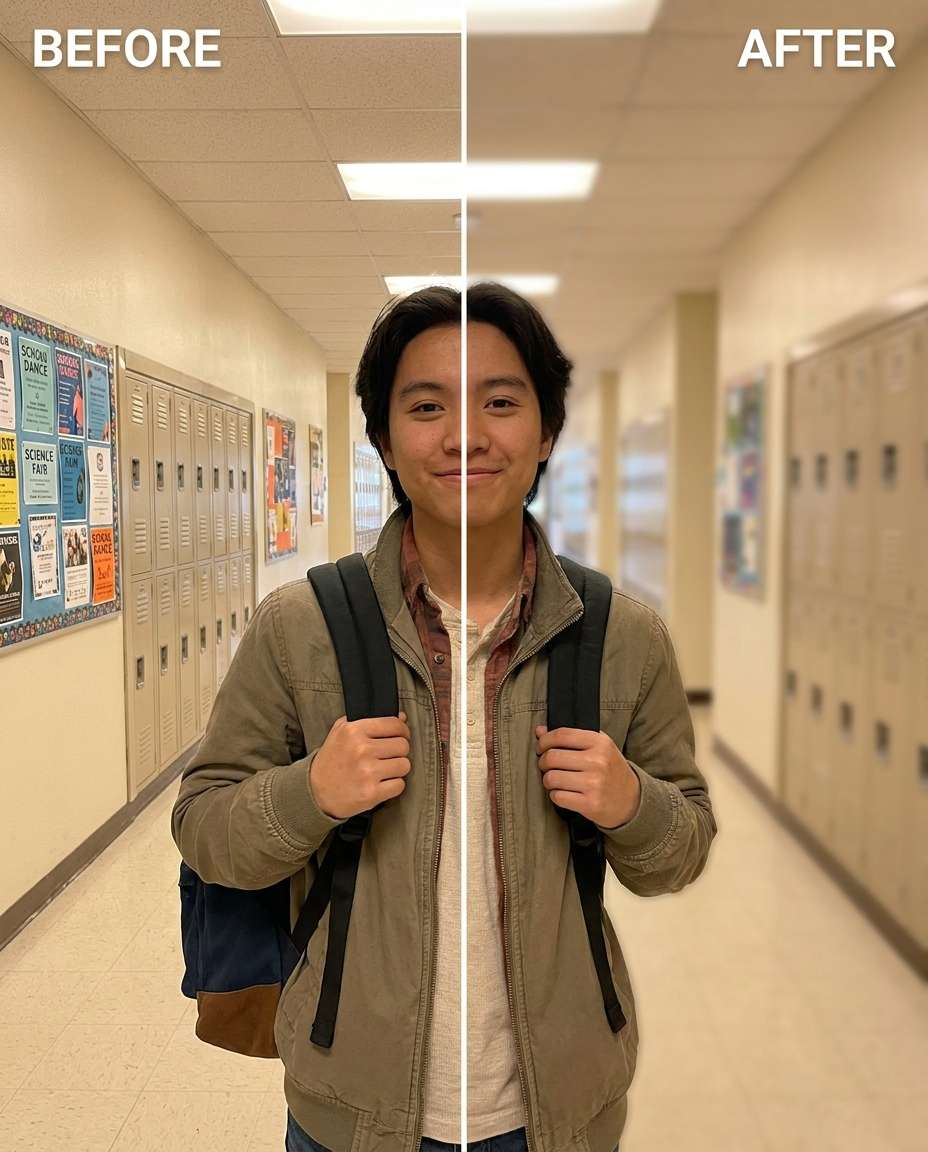
School Hallway Blur
Sculpt a shallow depth background in a hallway while keeping the same face and same hairstyle, with the same skin tone and same outfit details. Preserve original lighting and preserve background lines and perspective so the hallway still feels real. Apply medium blur to reduce signage and lockers without warping edges, preserving background details --ar 4:5
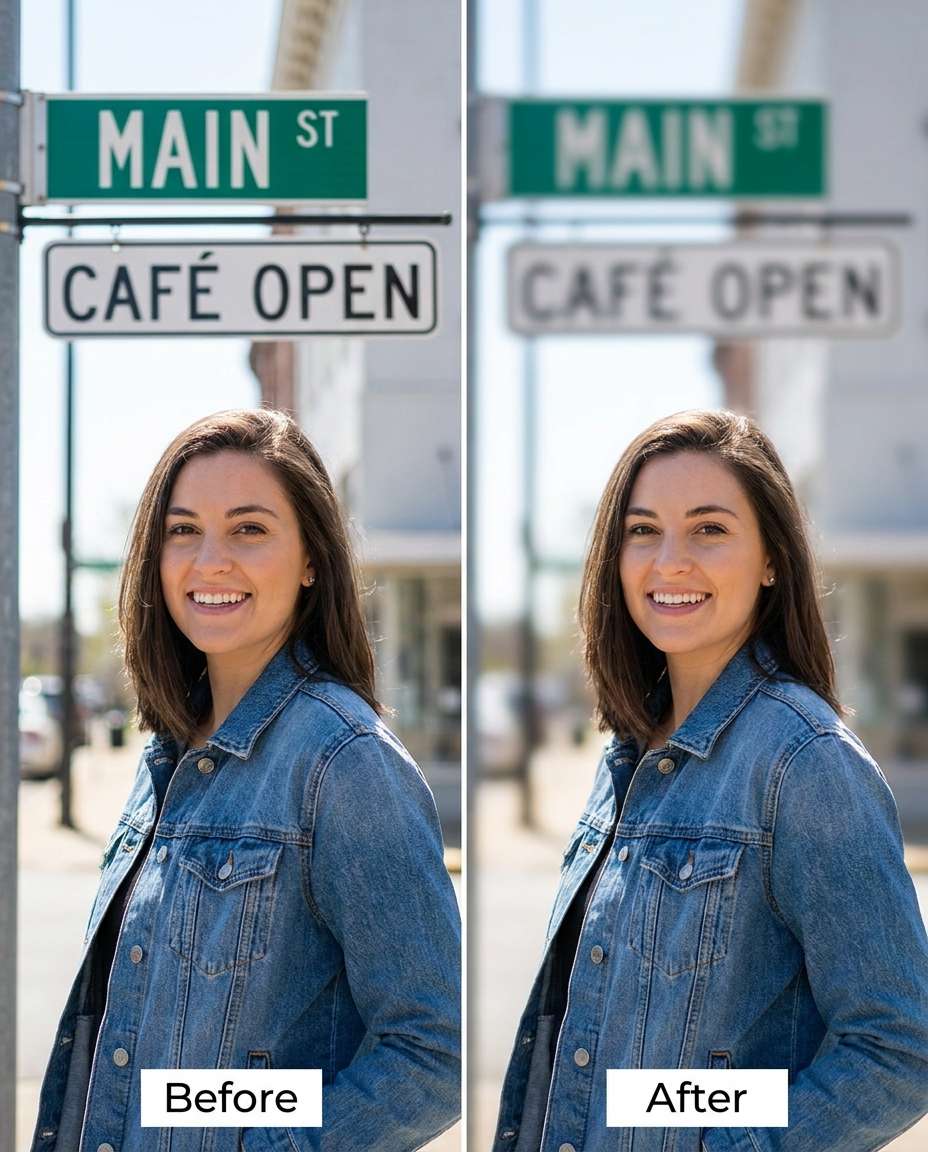
Street Sign Blur
Smooth the background by blurring readable signs behind the subject while keeping the same face and same pose, plus the same hairstyle and same outfit details. Preserve original lighting and preserve background colors so it still matches the location. Use targeted blur on signage areas with clean subject edges and no halos, preserving original lighting --ar 4:5
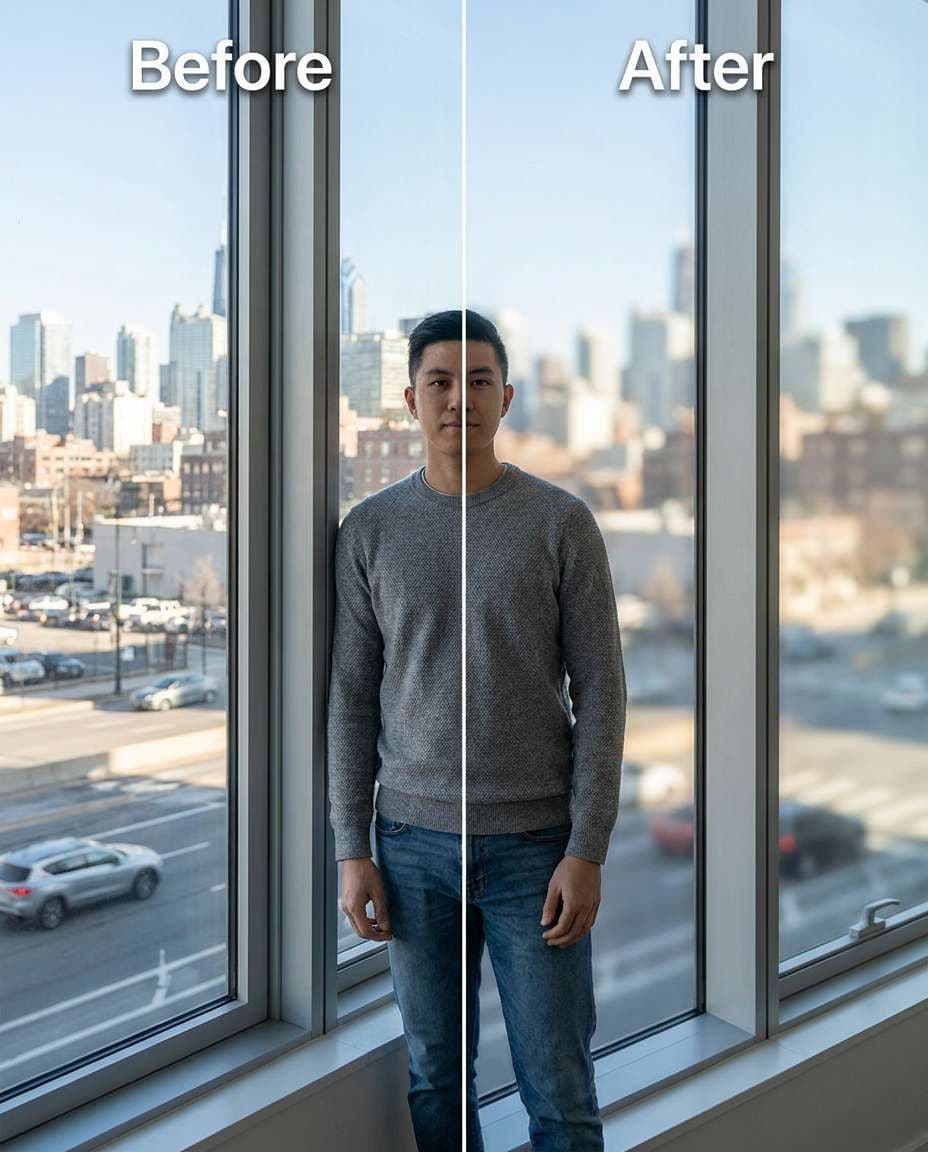
Window View Blur
Cinch the outside view into a soft blur through a window while keeping the same face and same skin tone, with the same pose and same outfit details. Preserve original window reflections and preserve lighting on the subject. Apply a moderate background blur that keeps the window frame crisp and realistic, preserving original lighting --ar 4:5
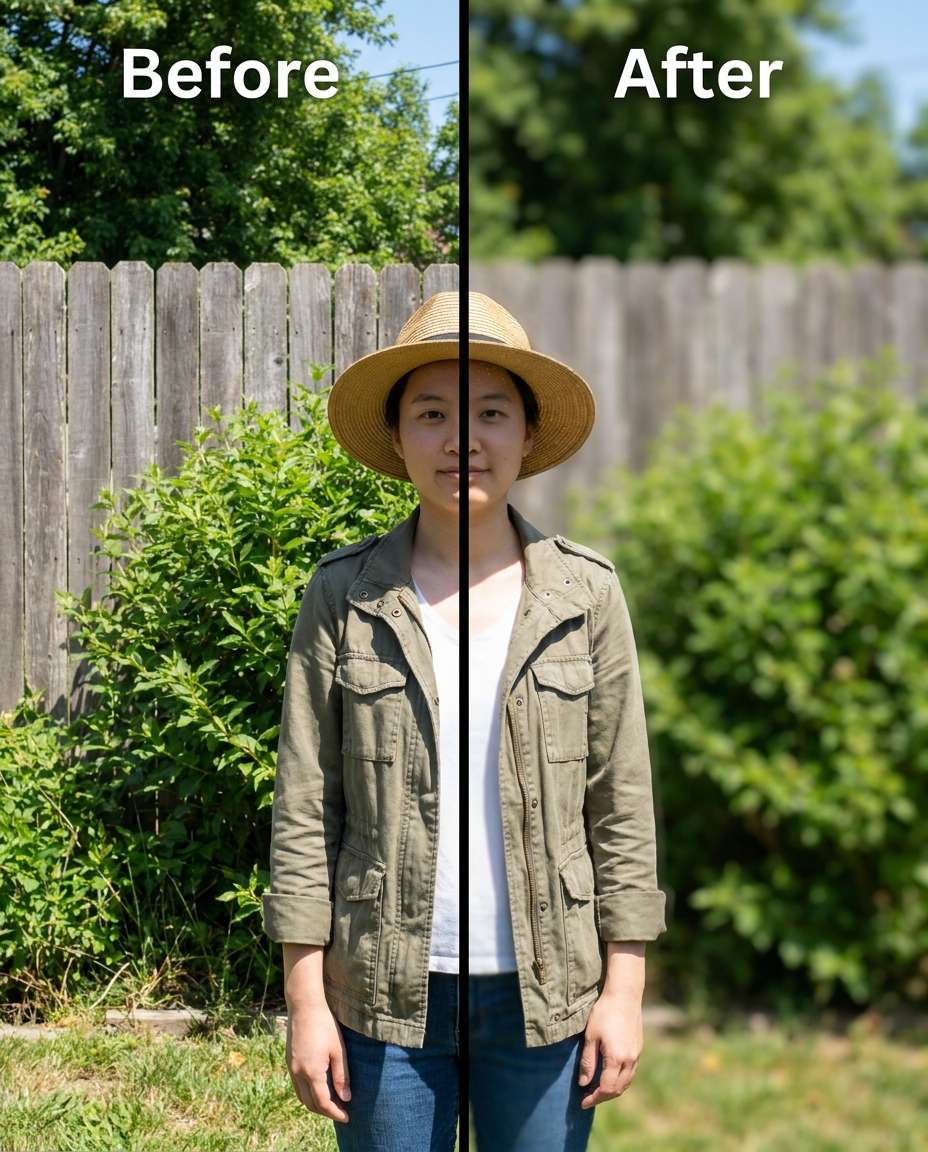
Garden Fence Blur
Reshape the background focus so a fence and bushes blur softly while keeping the same face and same hairstyle, plus the same pose and same outfit details. Preserve original sunlight and preserve natural shadows on the subject. Use gentle blur with smooth falloff to avoid cutout edges around hair, preserving background details --ar 4:5
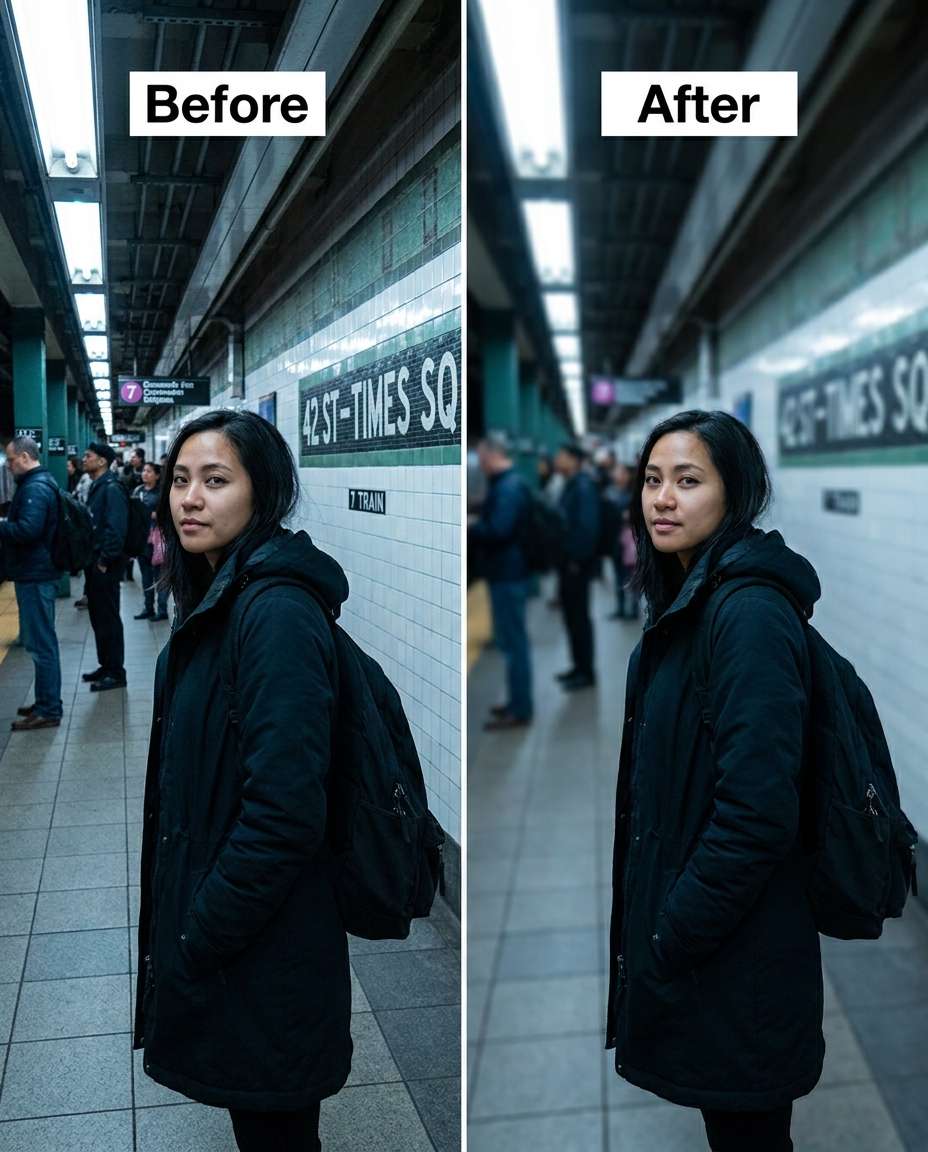
Subway Platform Blur
Adjust the background blur to soften a subway platform while keeping the same face and same skin tone, with the same hairstyle and same outfit details. Preserve original indoor lighting and preserve outfit seams and fabric texture. Apply medium blur that reduces people and signs while keeping subject edges clean, preserving shadow direction --ar 4:5
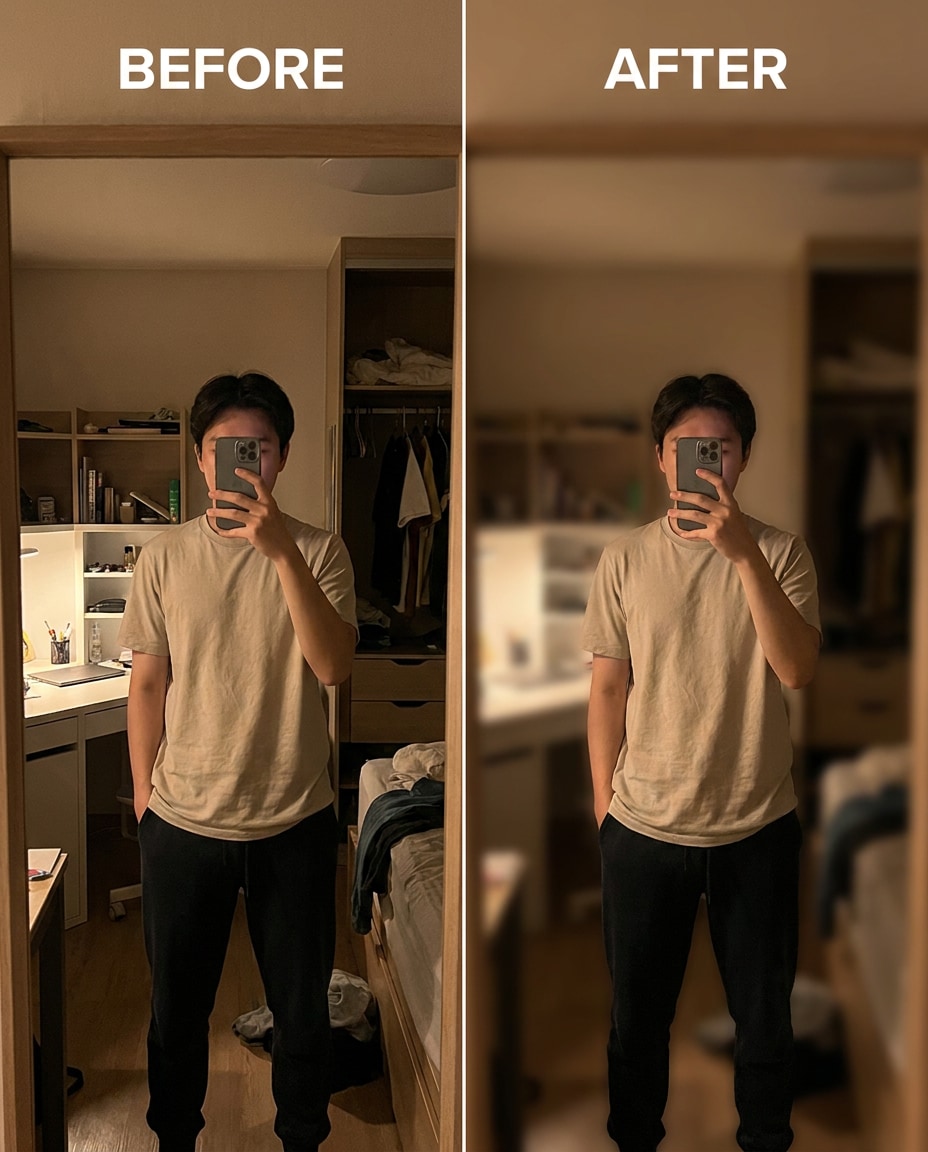
Mirror Selfie Blur
Tighten the background blur in a mirror selfie while keeping the same face and same pose, plus the same hairstyle and same outfit details. Preserve mirror reflections and preserve original lighting so skin tone stays natural. Blur the room behind you strongly but keep the phone, hands, and outfit edges crisp --ar 4:5
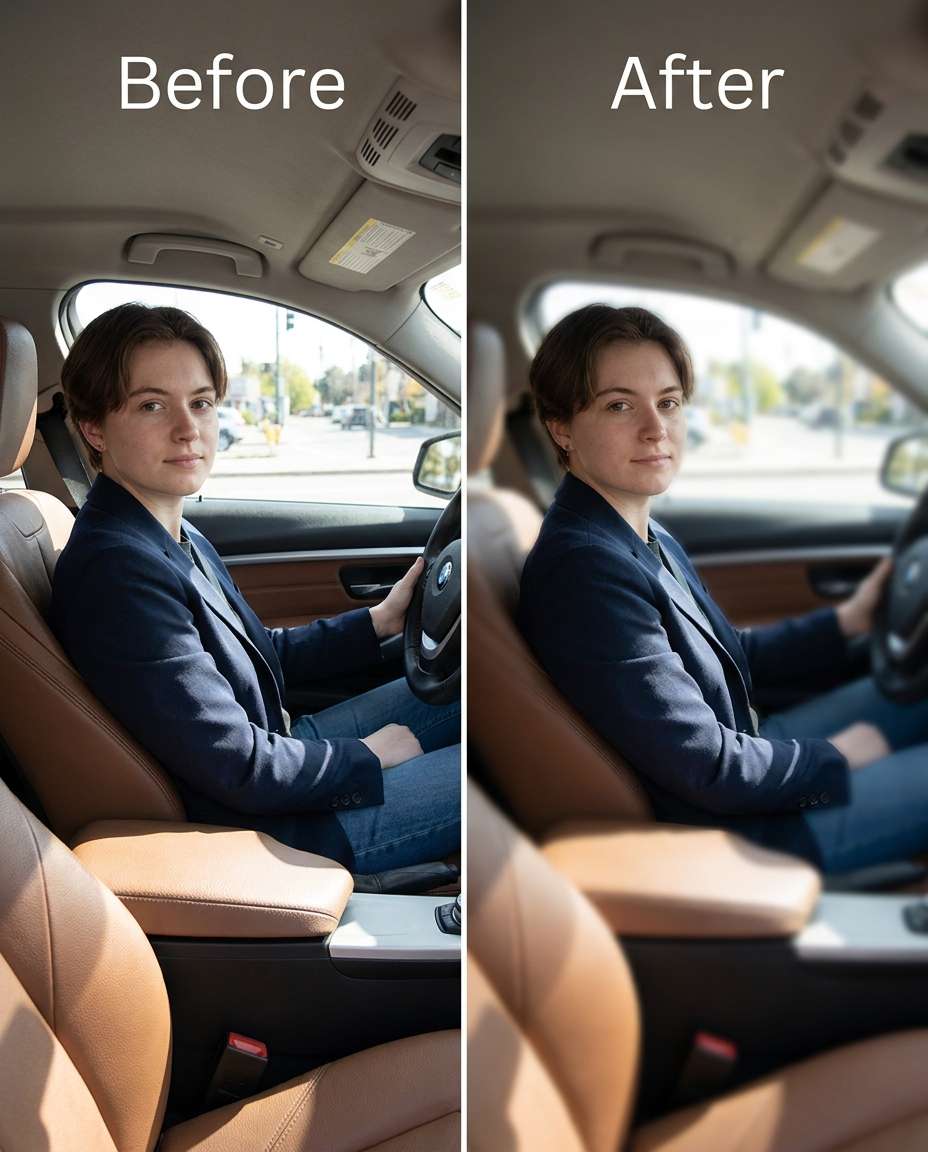
Car Interior Blur
Tune the background blur inside a car so the seat and window scenery soften while keeping the same face and same skin tone, with the same hairstyle and same outfit details. Preserve original lighting and preserve reflections on glass. Use subtle blur so the car still reads clearly but the subject stands out, preserving natural skin pores --ar 4:5
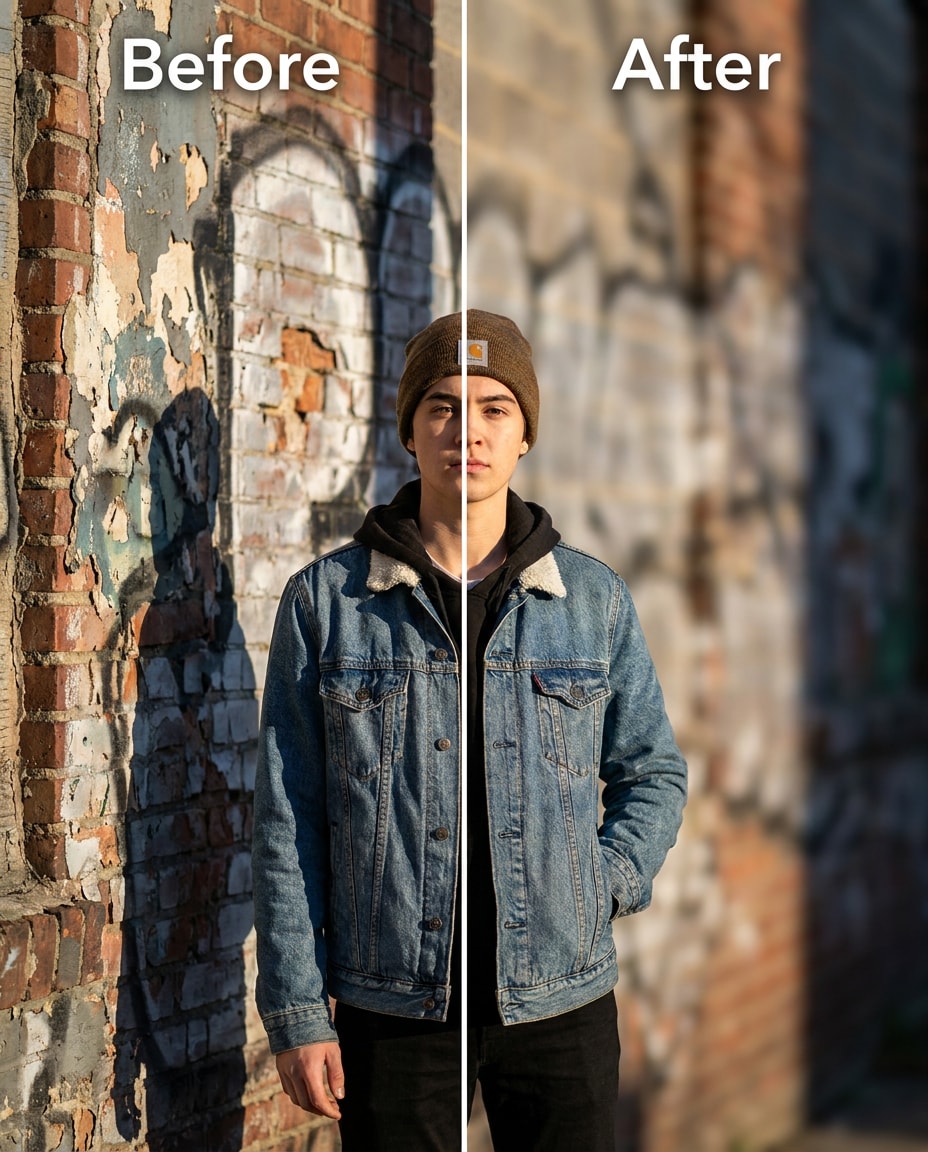
Urban Wall Blur
Soften a textured wall background into a smoother blur while keeping the same face and same hairstyle, plus the same pose and same outfit details. Preserve original lighting and preserve fabric texture and outfit seams. Apply medium blur that keeps the subject sharp and avoids haloing around hair and jacket edges, preserving fabric texture --ar 4:5
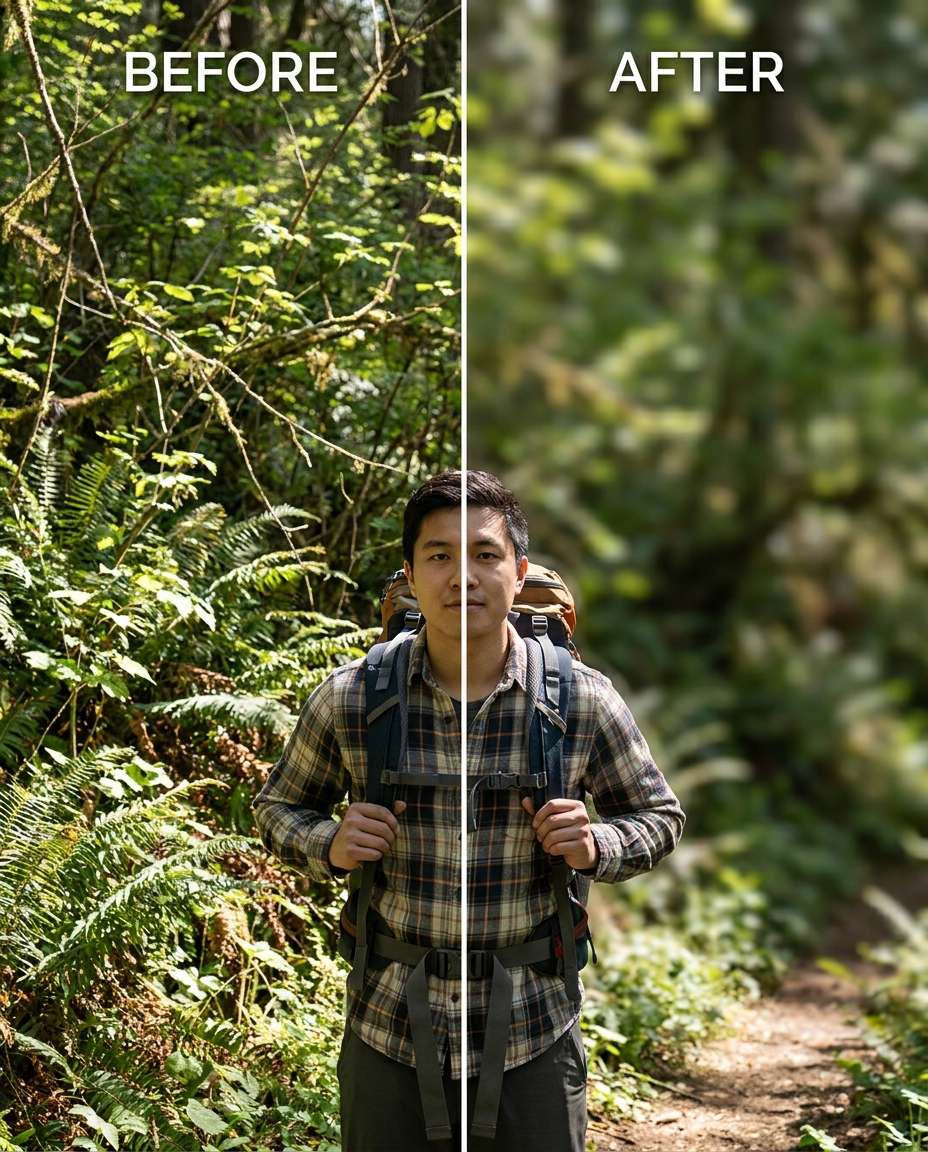
Forest Trail Blur
Slim the background foliage into a soft blur on a forest trail while keeping the same face and same skin tone, with the same pose and same outfit details. Preserve original dappled light and preserve background color balance so greens look natural. Use gentle blur with realistic depth falloff behind the subject, preserving original color grading --ar 4:5
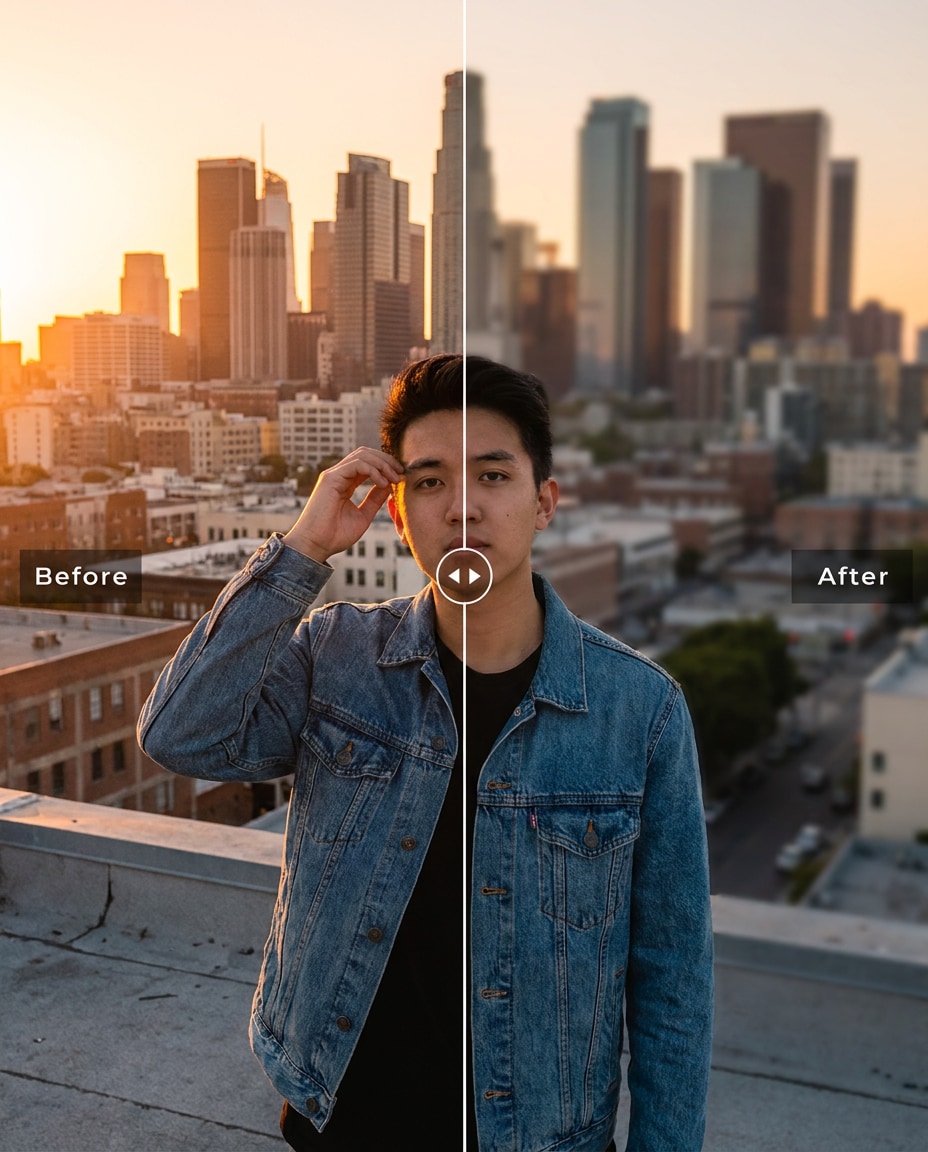
Rooftop Skyline Blur
Refine the background by blurring a rooftop skyline while keeping the same face and same hairstyle, plus the same skin tone and same outfit details. Preserve original sunset lighting and preserve skyline colors and perspective. Apply a medium blur that keeps the city recognizable but clearly secondary to the subject, preserving outfit seams --ar 4:5
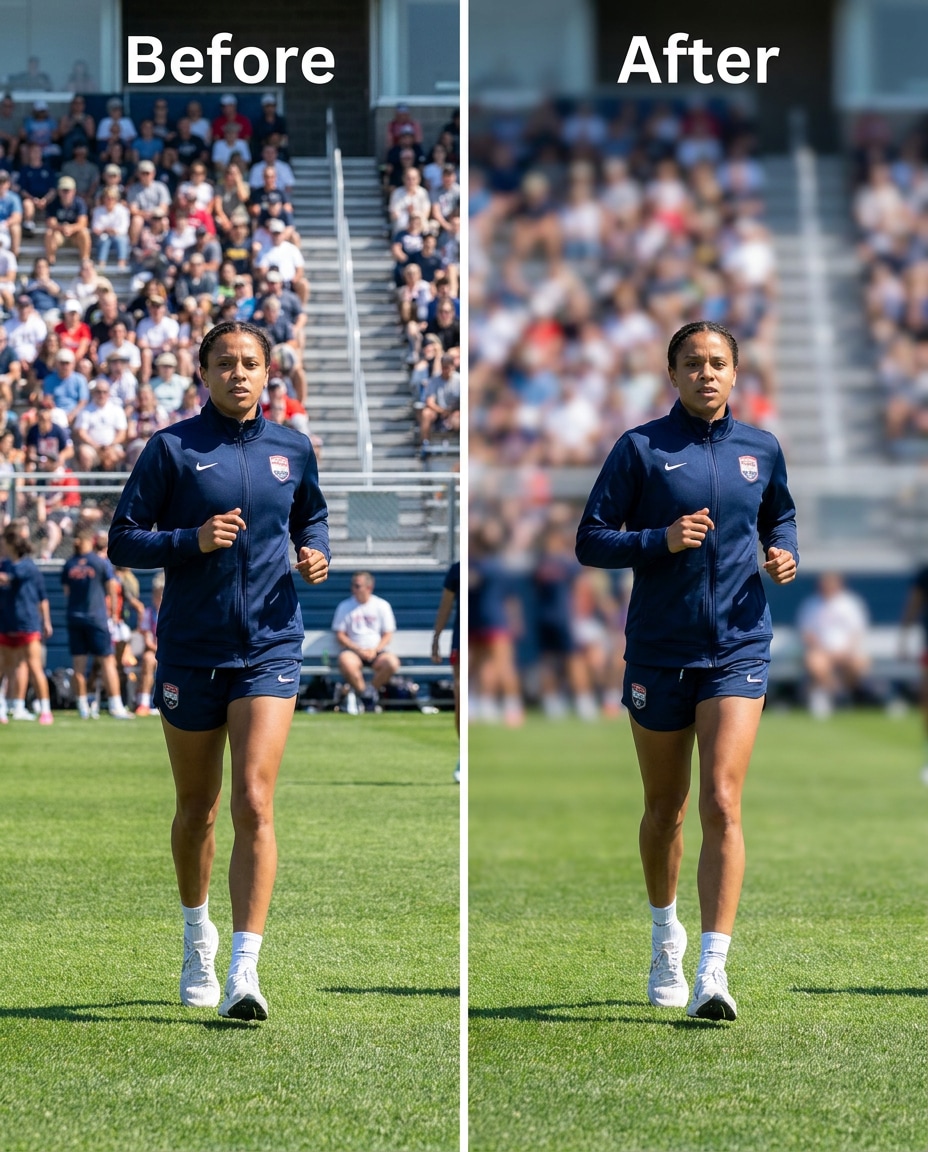
Sports Field Blur
Sculpt a depth blur on a sports field so spectators and bleachers soften while keeping the same face and same pose, with the same hairstyle and same outfit details. Preserve original lighting and preserve fabric texture on jerseys. Use stronger blur on distant background while keeping the subject and nearby lines sharp, preserving shadow direction --ar 4:5
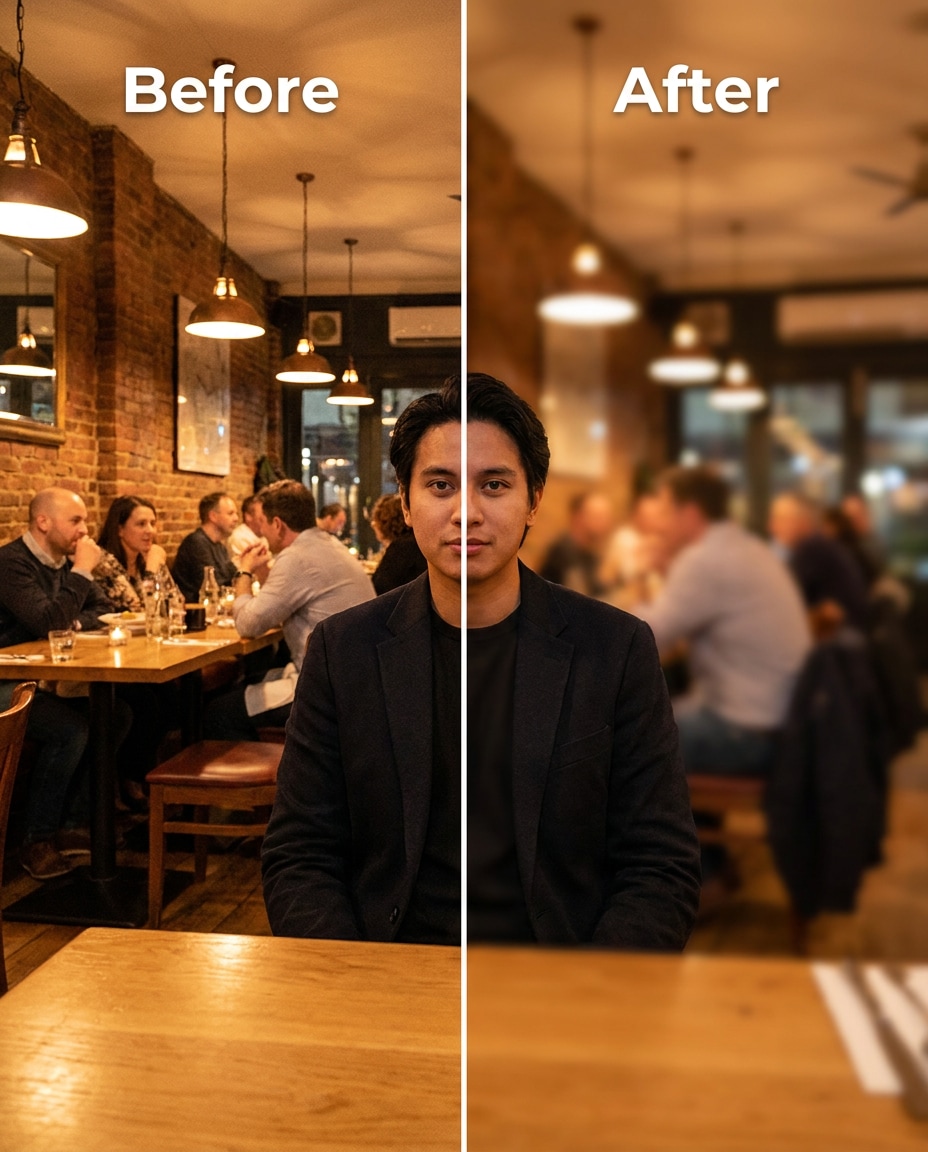
Restaurant Table Blur
Smooth the background by blurring plates, diners, and decor behind the subject while keeping the same face and same skin tone, plus the same hairstyle and same outfit details. Preserve original warm lighting and preserve reflections and highlights. Apply a subtle-to-medium blur to keep the scene natural and not overly artificial --ar 4:5
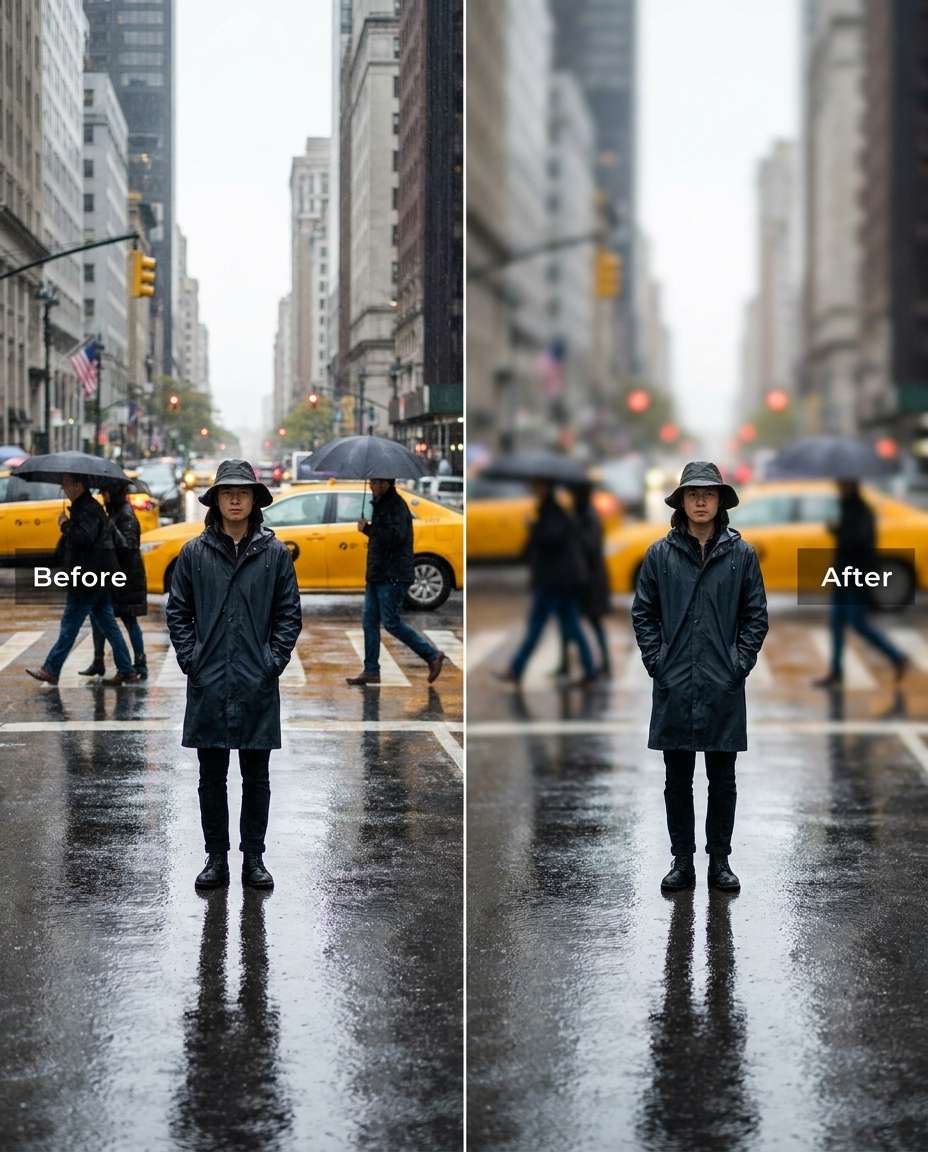
Rainy Street Blur
Cinch the background into a soft blur on a rainy street while keeping the same face and same hairstyle, with the same pose and same outfit details. Preserve original wet reflections and preserve lighting highlights on the subject. Use medium blur so raindrops and reflections stay believable while reducing sharp distractions behind you, preserving original lighting --ar 4:5
How to Write Better Gemini AI Blur Background Prompts
Background blur looks best when it matches the scene's lighting and distance, not when it turns into a flat haze. Aim for clean subject edges, believable depth falloff, and consistent color so the edit feels like it came from a real lens.
Recommend Prompts Formula
Target: what to blur (crowd, clutter, signage, scenery)
Preservation: keep lighting direction, shadows, and color grading consistent
Edge control: avoid halos, keep strands and fabric edges crisp
Prompt Writing Tips
Specify where blur should start (behind subject only, distant background only, or everything except the subject).
Call out tricky edges: curly hair, glasses, earrings, and fingers often need extra edge protection.
Ask for realistic depth falloff so the blur increases with distance, instead of one uniform blur layer.
Preserve scene cues: keep background colors and perspective consistent so the location still feels authentic.
If the result looks cut out, reduce blur strength and request smoother transitions around shoulders and hair.
For night shots, ask for bokeh orbs from lights but keep the subject contrast and skin tone unchanged.
Why Choose Media.io for Gemini AI Blur Background Prompts
Natural-looking blur that protects identity and outfit details, with tunable intensity from subtle to strong and clean edges.
Edge-Safe Blur
Media.io helps you keep hair strands, glasses rims, and shoulder lines looking clean while the background softens. That means fewer halos, less smearing, and a subject that still feels like the original photo rather than a pasted cutout.
Tunable Intensity Control
Go from a barely-there blur to a strong bokeh look without rewriting the whole image. With Media.io, you can generate multiple variations quickly and choose the version that keeps depth believable for your specific scene.
Lighting Stays Consistent
A convincing blur keeps the same light direction and shadow feel. Media.io makes it easy to request lighting-preserved adjustments, so the subject's highlights, skin tone, and contrast remain steady while the background becomes less distracting.
Fast Upload Workflow
Upload once, paste a prompt, and iterate. Media.io streamlines the generate-review-download loop, so you can test subtle, medium, and strong background blur options and save the one that looks most natural for your portrait.
FAQs About
Gemini AI Blur Background Prompts
1. Do Gemini AI blur background prompts work for messy indoor photos?
Yes, especially when you describe what should stay sharp (face, hairline, outfit seams) and what should soften (clutter, shelves, appliances). Ask to preserve original lighting and keep clean edges around hair and shoulders. If you see halos, reduce blur strength and request smoother edge transitions.
2. How do I avoid halos around hair when blurring the background?
Add an edge-control note: keep individual hair strands crisp, avoid cutout outlines, and maintain natural feathering around the head and shoulders. Strong blur makes halos more visible, so try a medium setting first, then increase gradually while checking curls, flyaways, and earrings.
3. How to blur the background using Gemini AI prompts?
Upload your photo, paste a blur instruction that includes blur type and intensity, then generate a few variations. Review the boundary areas (hair, hands, glasses) at full size. If the background looks too flat, ask for realistic depth falloff so blur increases with distance.
4. What blur style looks most natural: soft blur or bokeh?
Soft blur tends to look natural in daytime scenes with even lighting, while bokeh works best when there are small light sources (streetlights, fairy lights, reflections). Match blur strength to the scene distance and keep background colors consistent so the location still feels real.
5. Should I blur the entire background or only distracting parts?
Only blurring distractions can look more believable, especially in environments where some detail should remain (a skyline, a room layout, a park path). You can specify targeted blur areas like crowds, signage, or clutter while preserving overall background structure and perspective.
Why Creators Love Media.io's Gemini AI Blur Background Prompts?
Alex M.
Photographer
Ultra Realistic Results.
I used these blur background prompts to create visuals that looked like real photography. The lighting, textures, and colors felt incredibly natural.
Maya J.
Designer
Perfect Lighting & Detail.
The prompts produced cinematic compositions and soft lighting, making every image feel like a professional shoot.
Jordan P.
Creator
Perfect for Social Media.
I used these prompts to create viral content. It's fast, easy, and consistently produces stunning visuals.