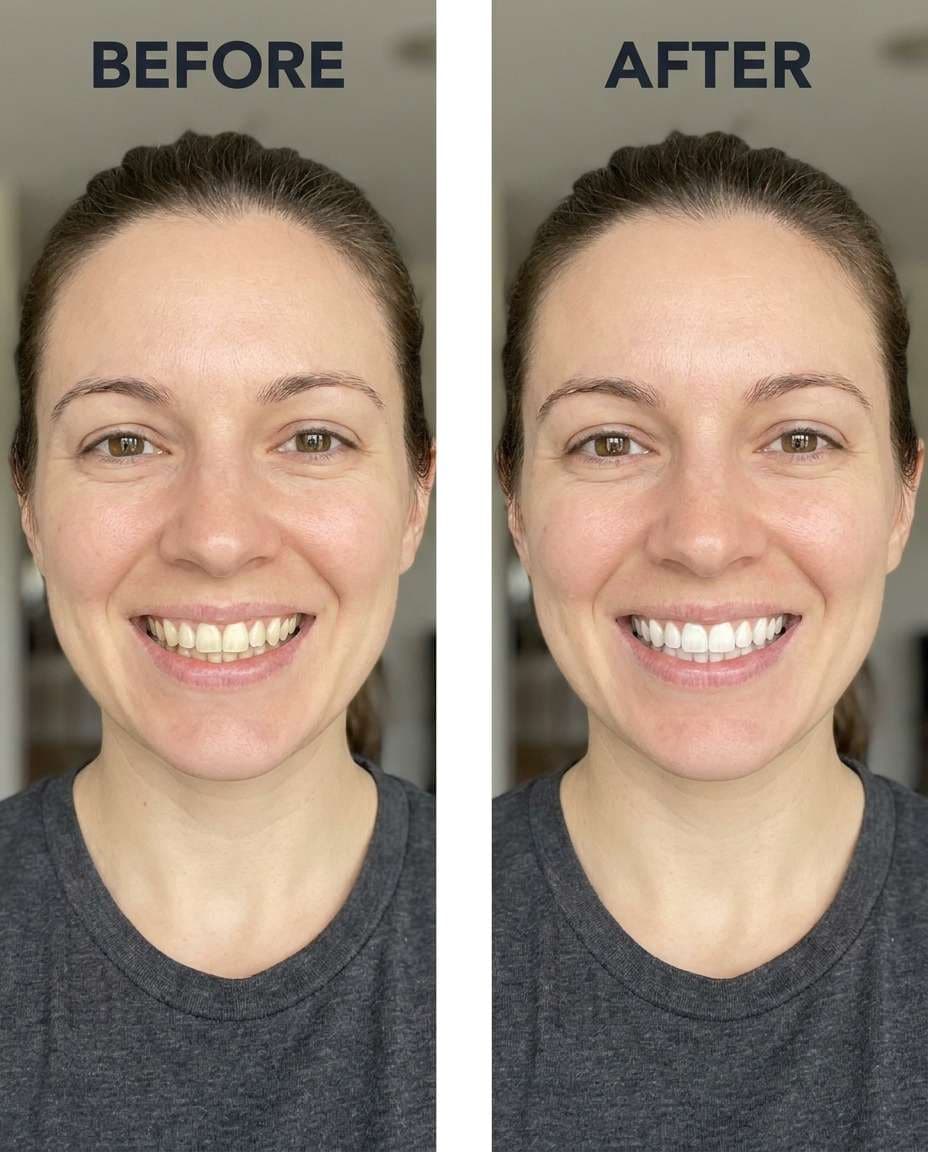
Coffee Stain Lift
Slim the yellow coffee tint on the teeth for a natural, subtle whitening, keeping the same face and smile and the same hairstyle, preserving original lighting and background details, avoid changing lips or gums --ar 4:5
Tune Gemini AI whiten teeth prompts to brighten a smile without changing who you are. Keep your expression, lip color, and the overall vibe intact, while you move from gentle to dramatic across multiple intensities. Pick a direction, upload your photo, then paste a prompt and generate a few options until the shade feels believable. You'll get 25 prompts to cover selfies, portraits, and tricky lighting, so the edit looks like great dental hygiene, not a filter.
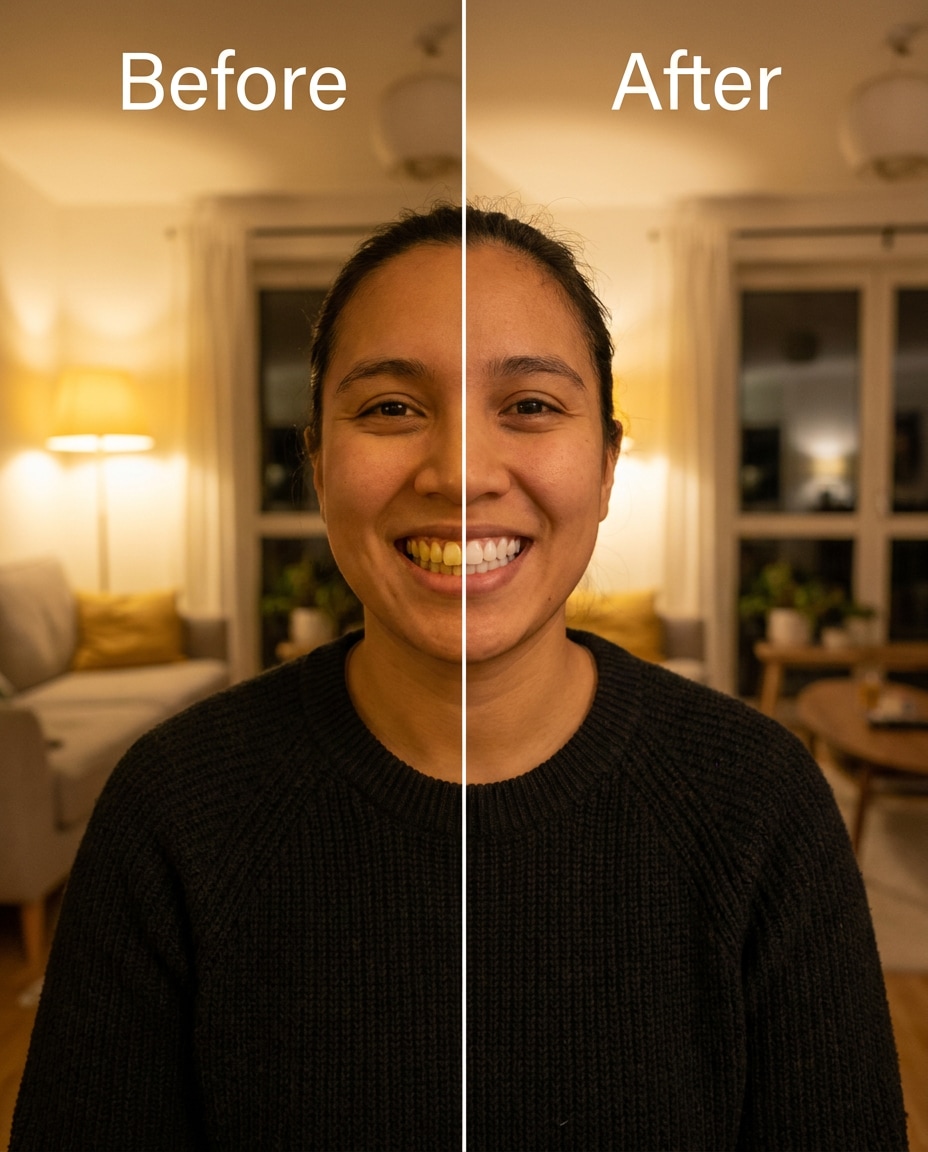
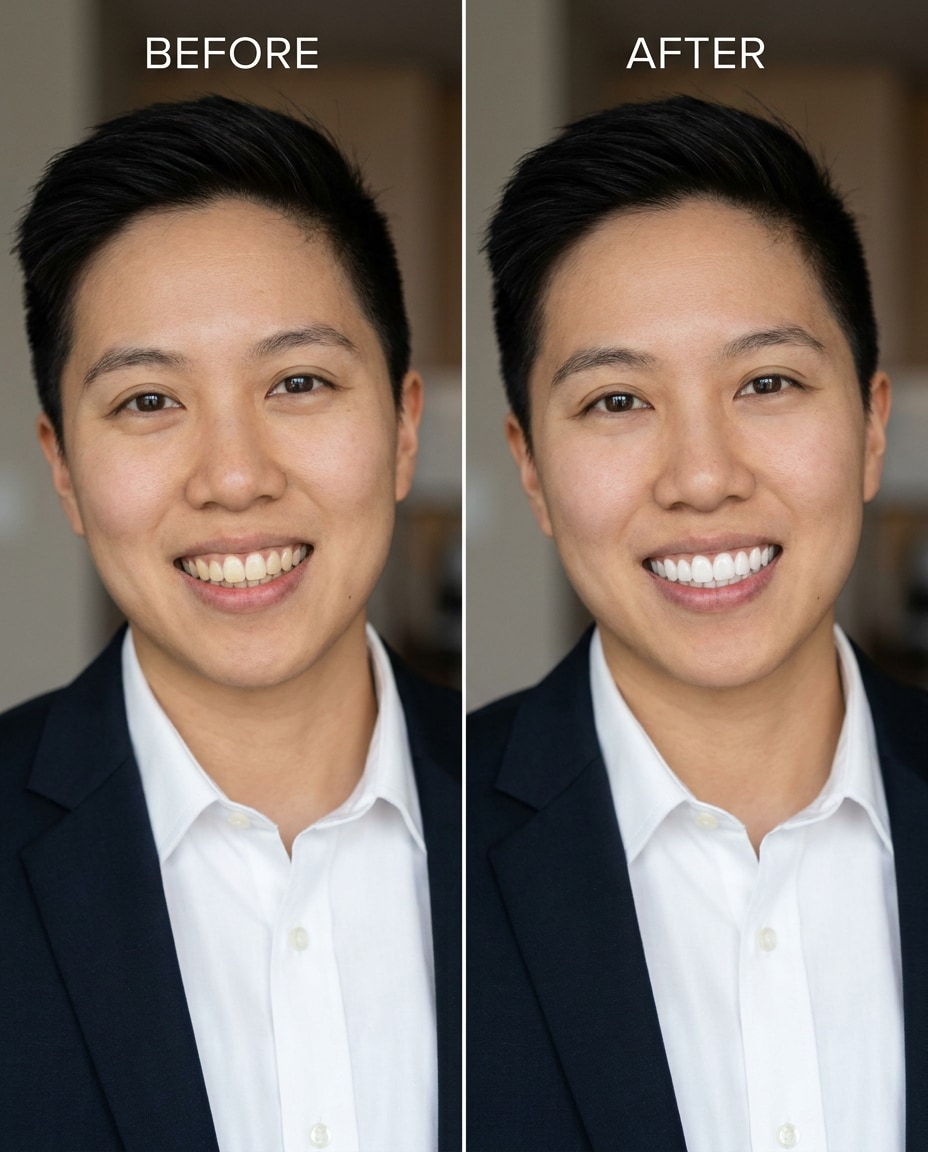
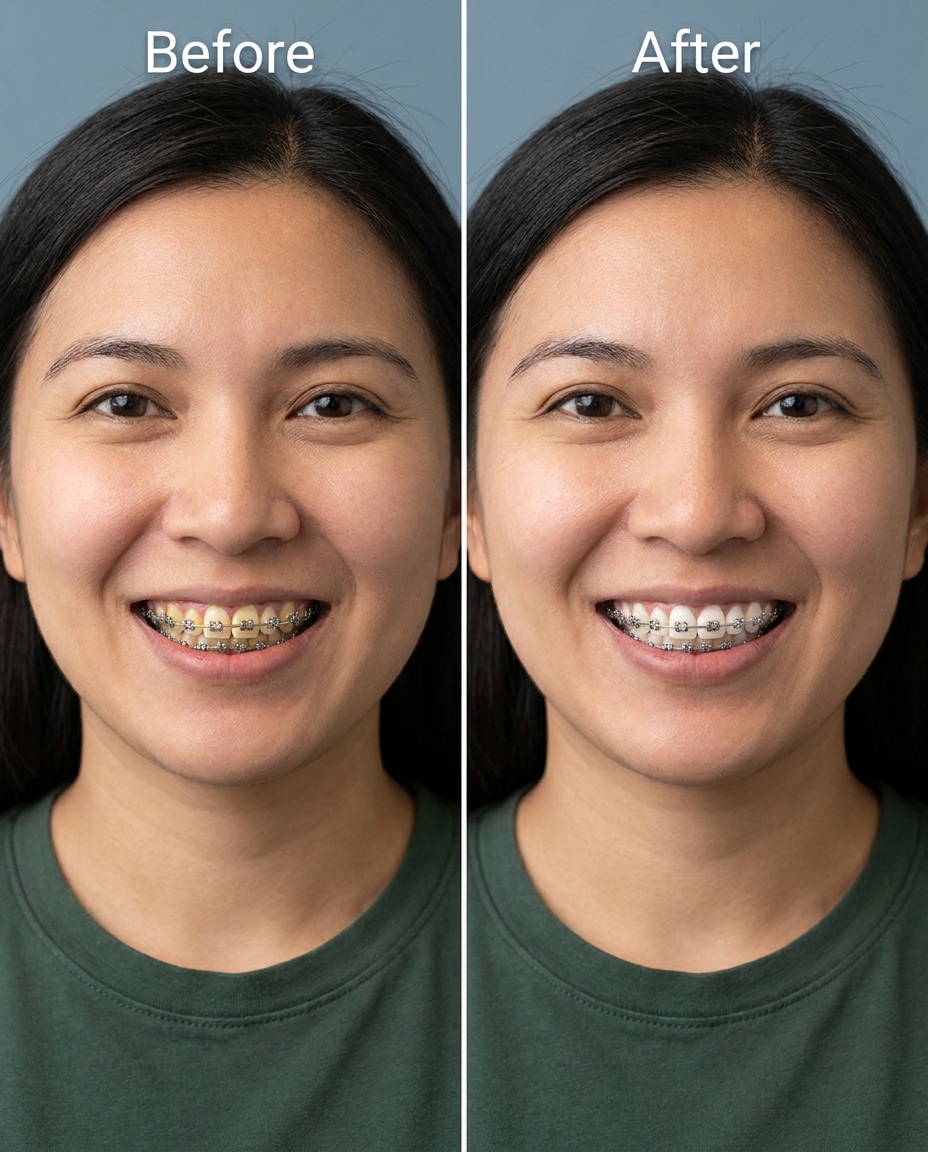
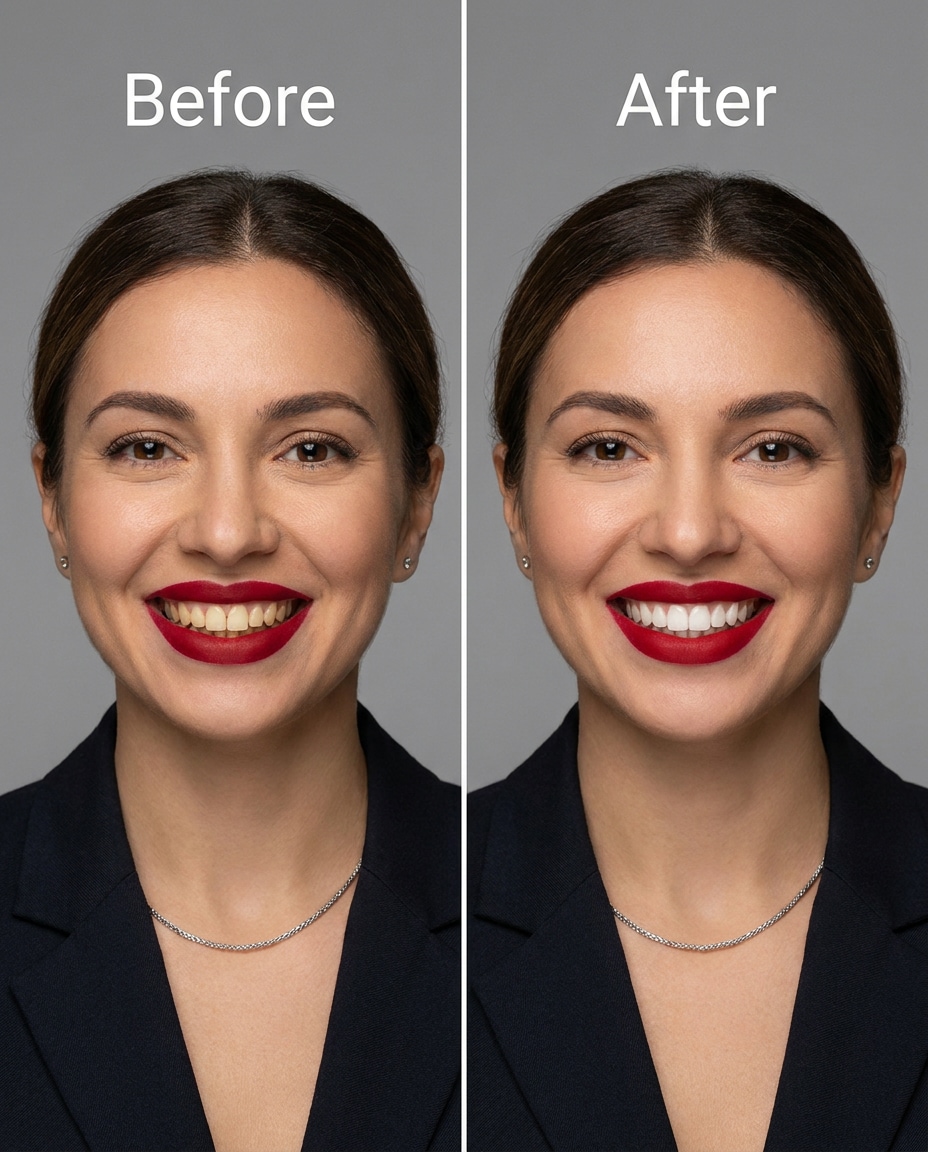
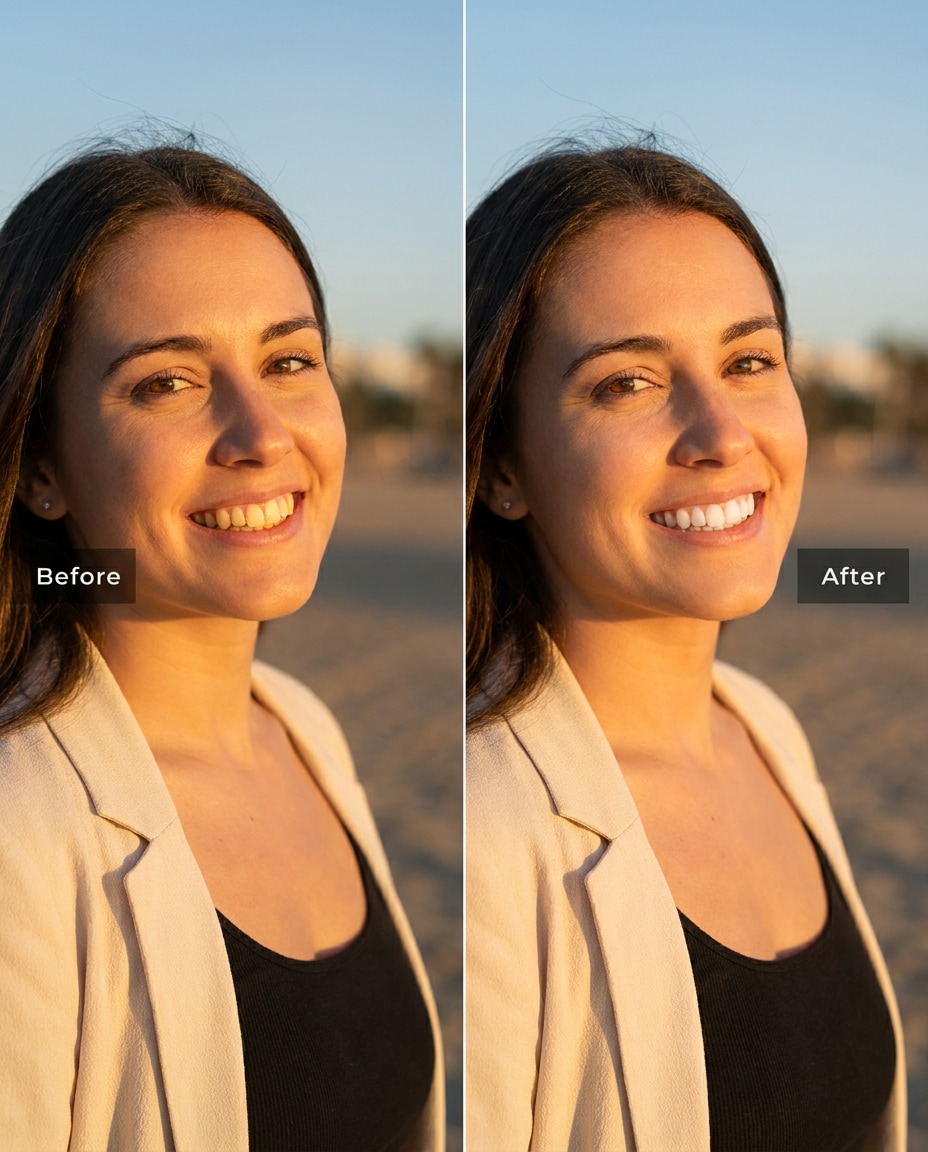
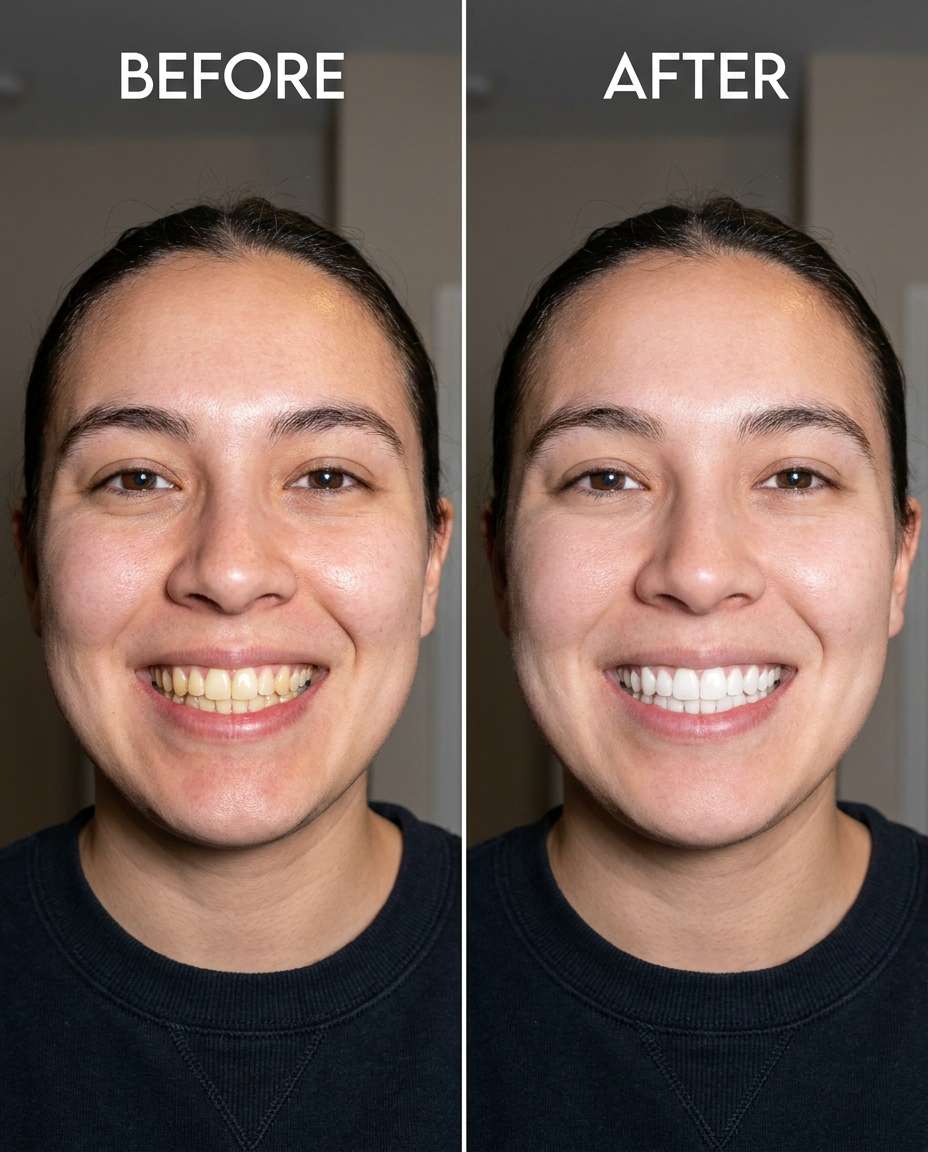
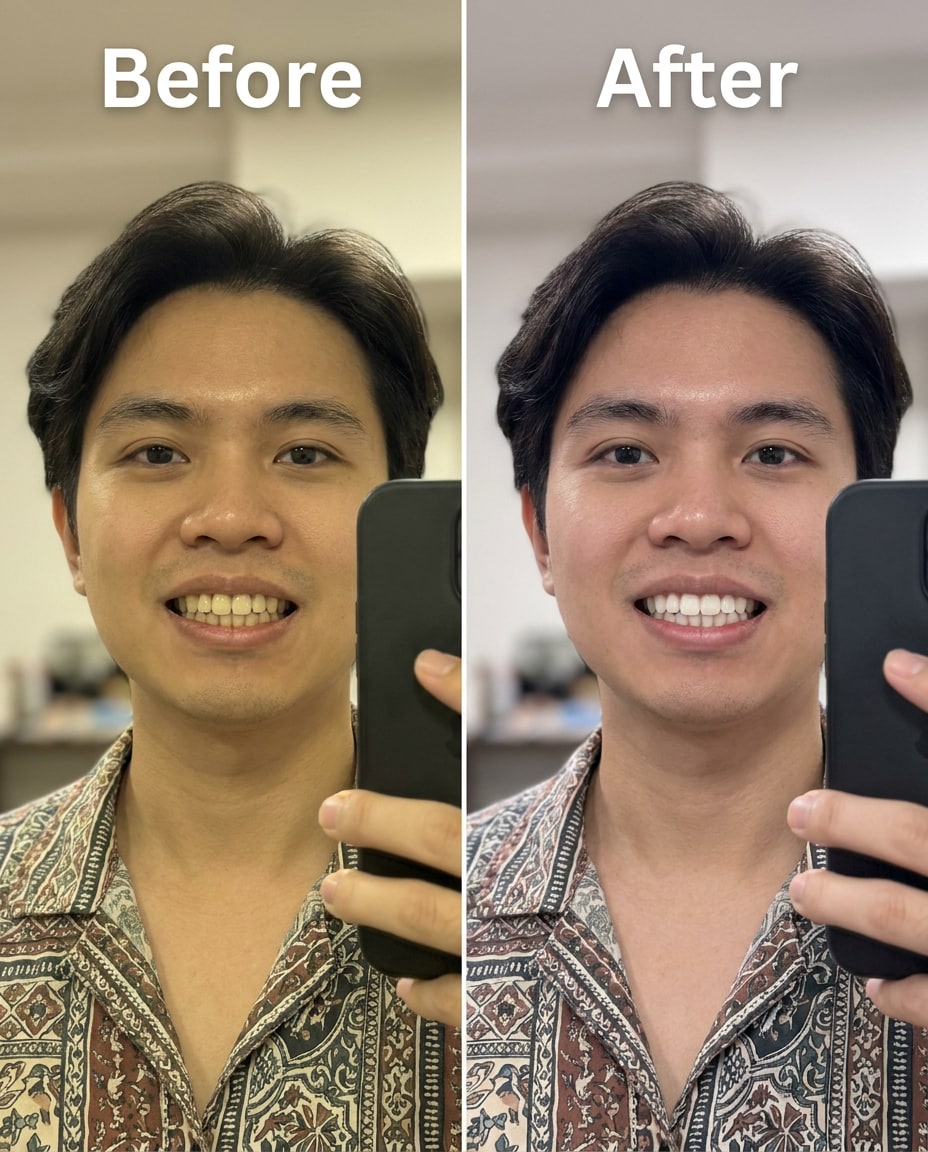
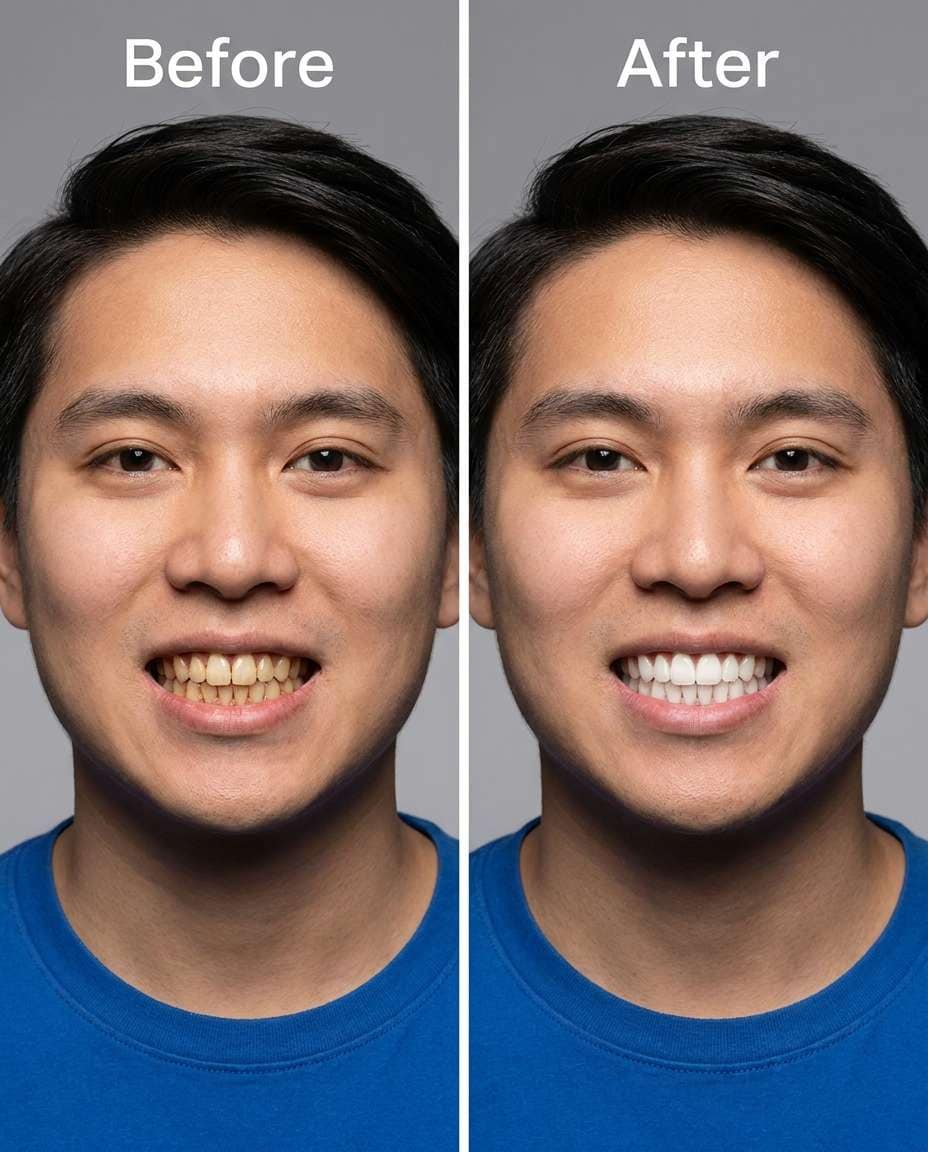
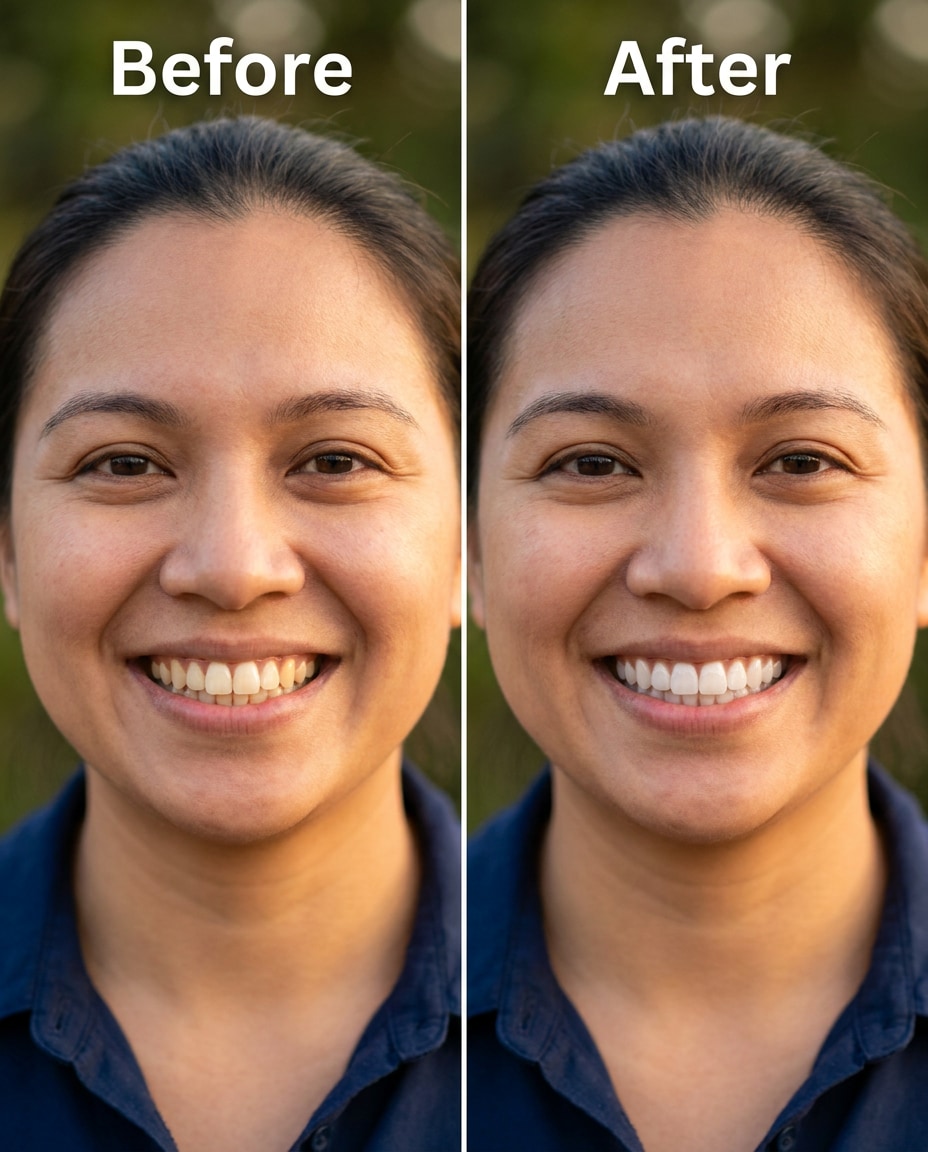
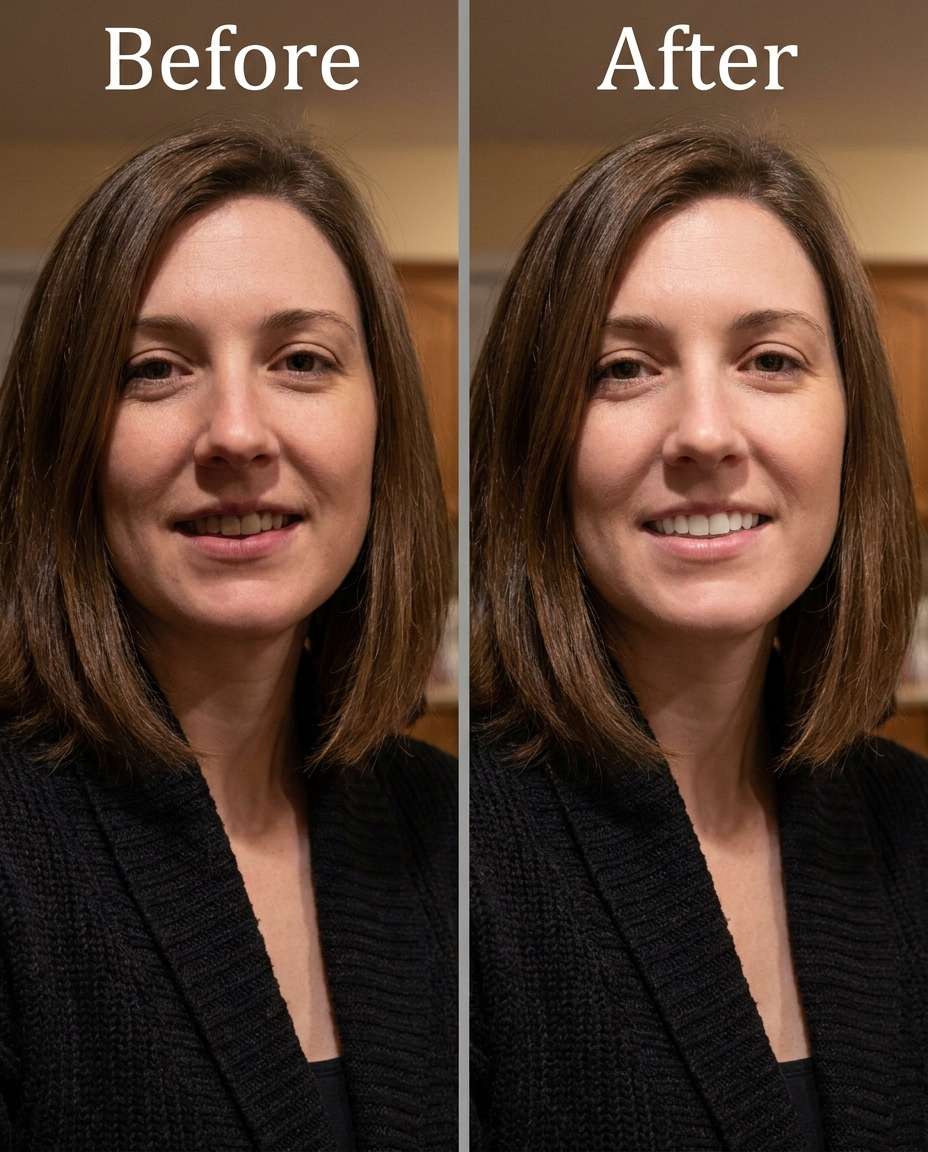
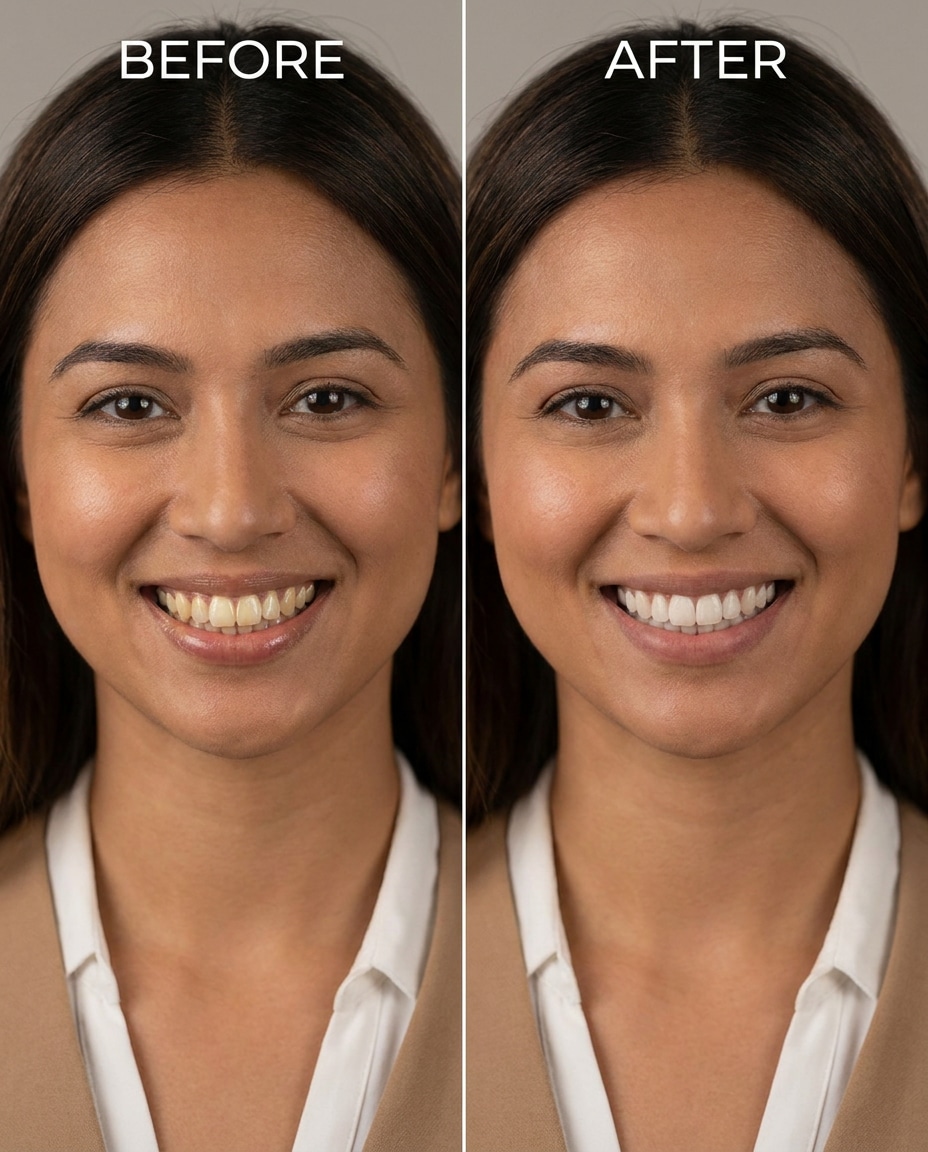
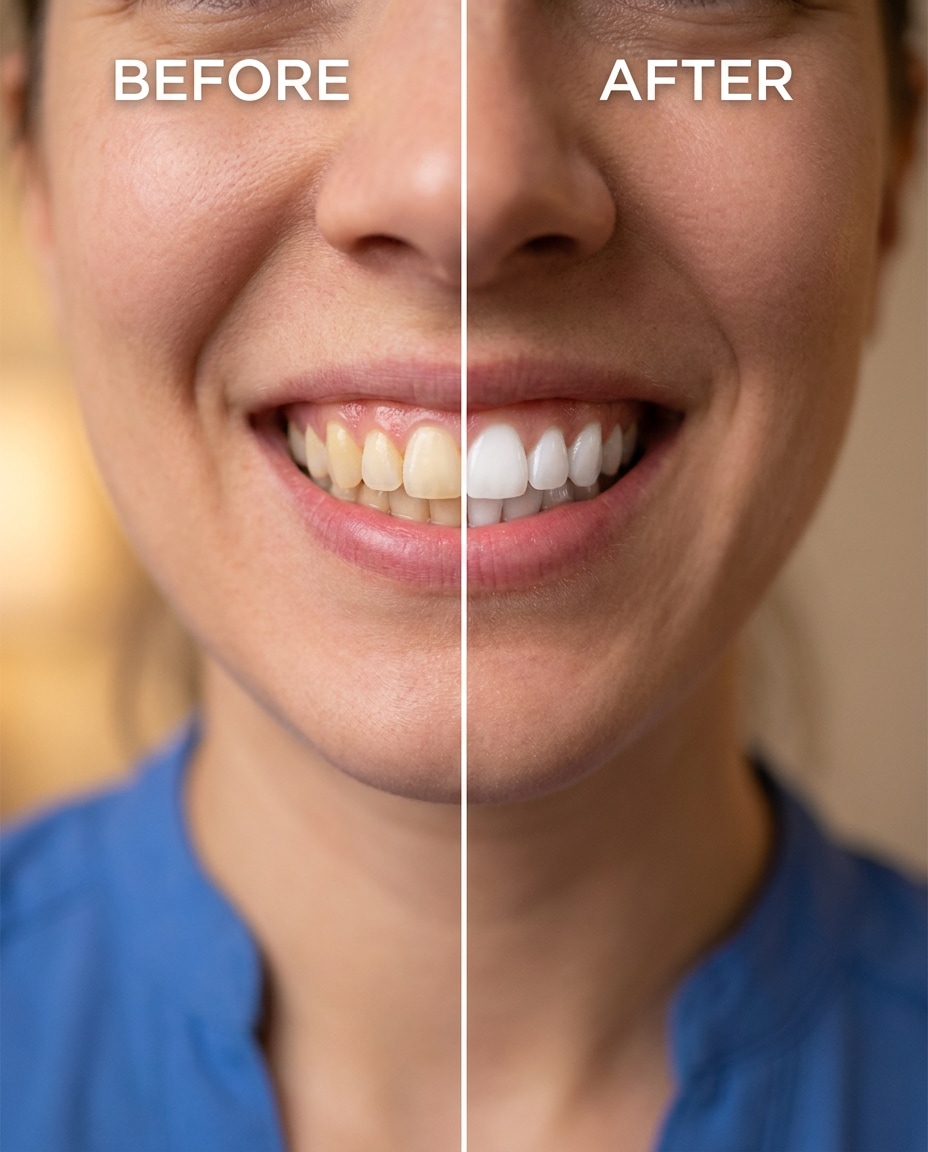
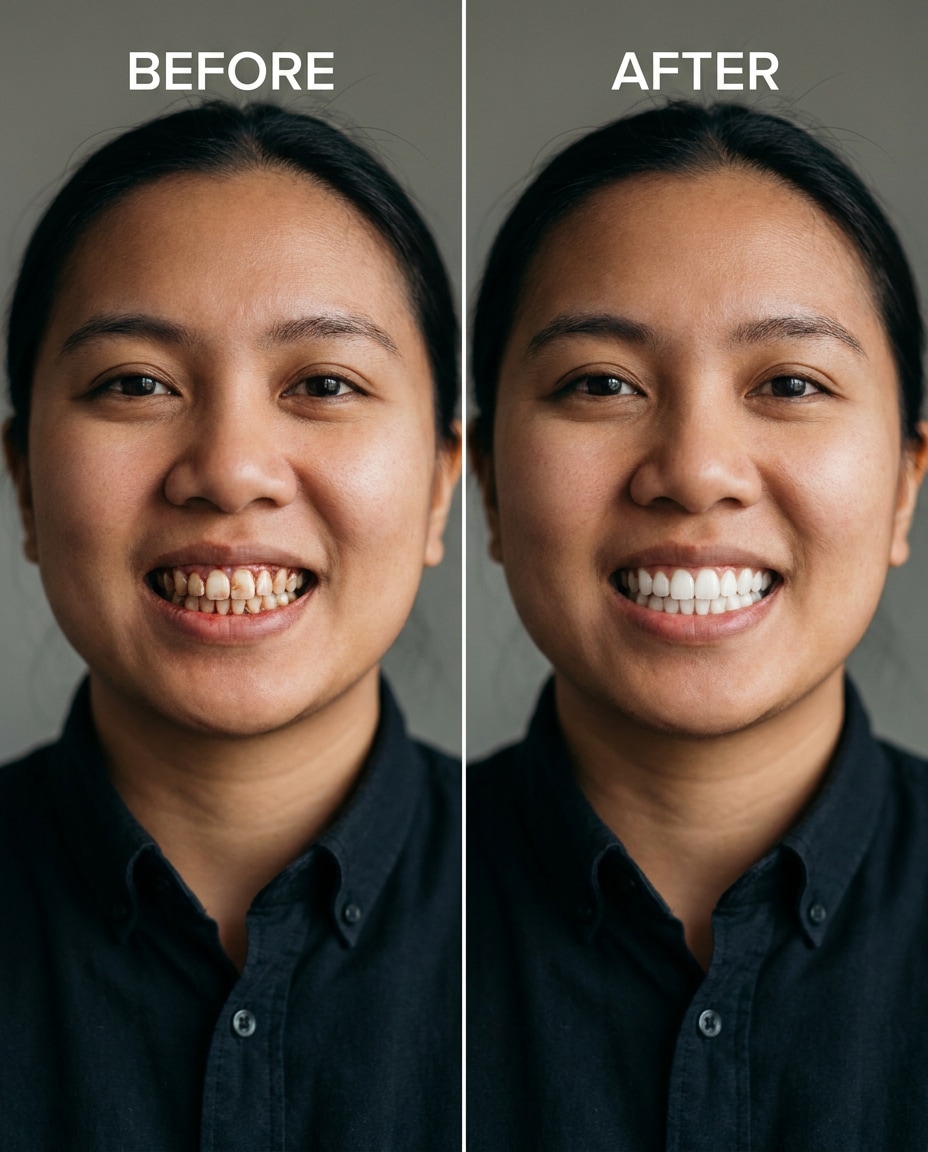
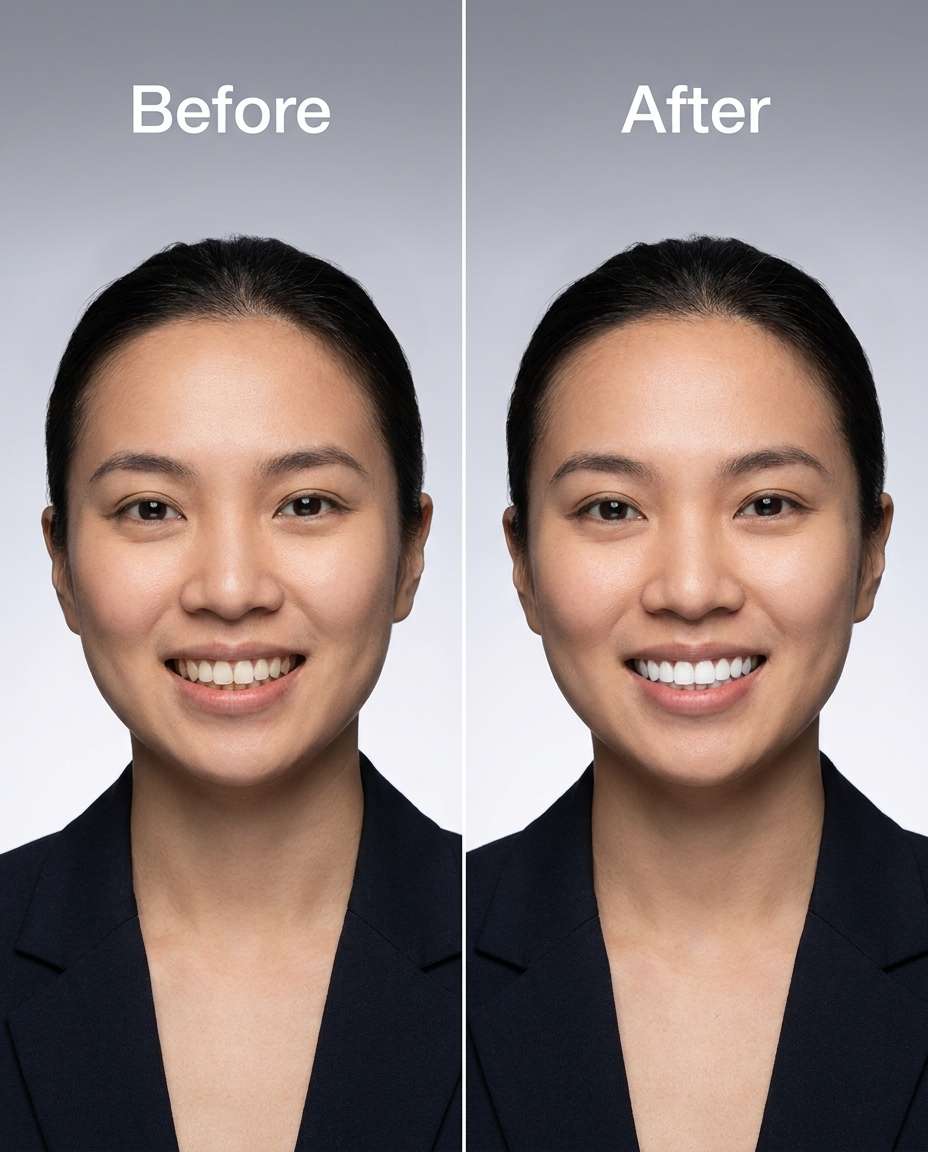
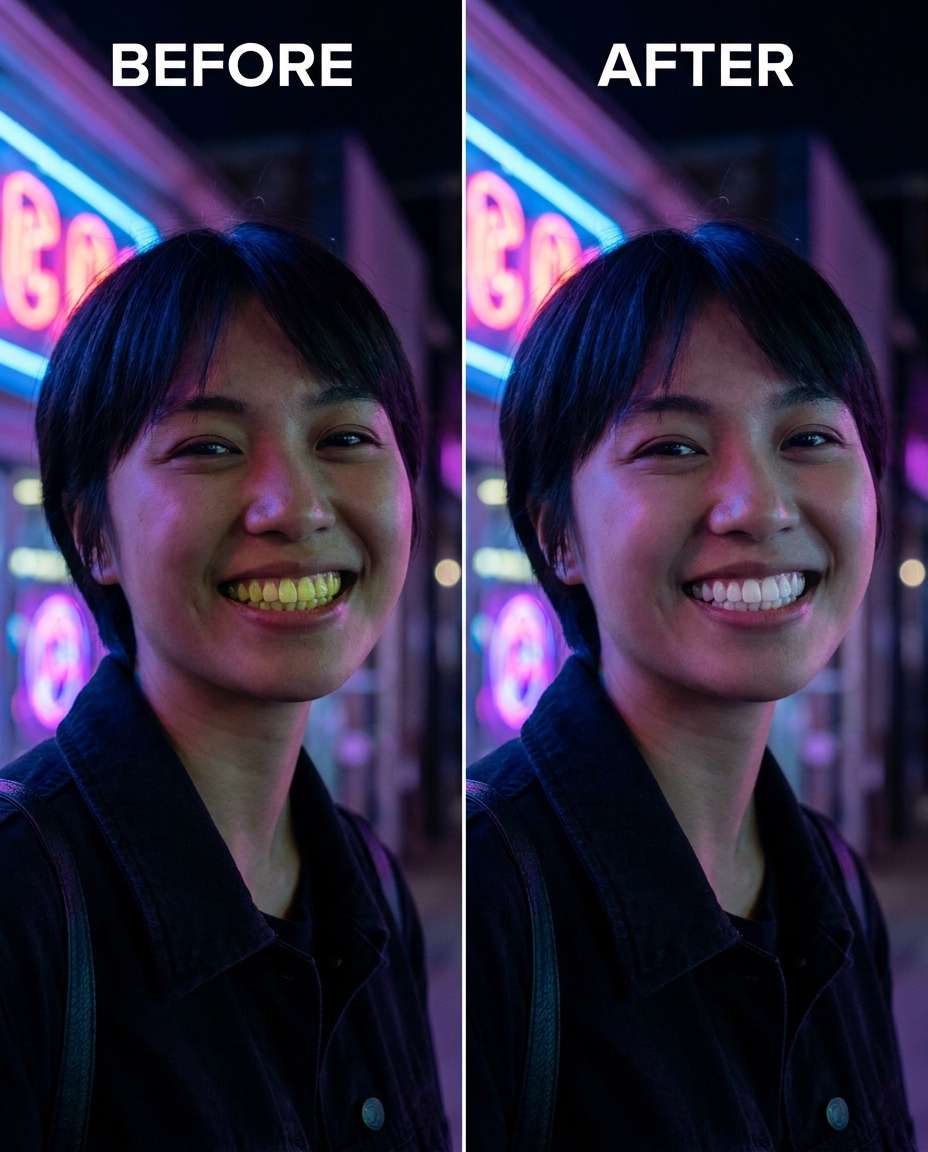
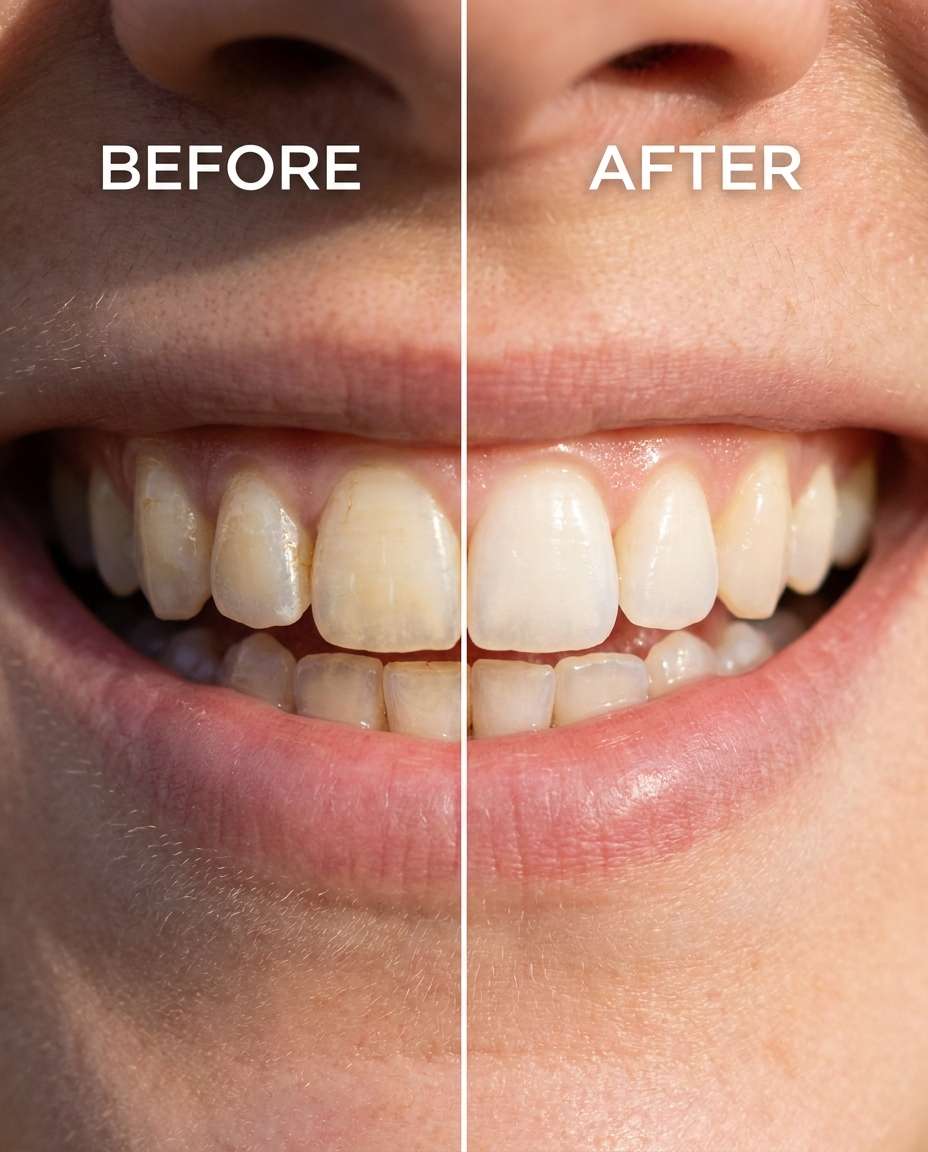
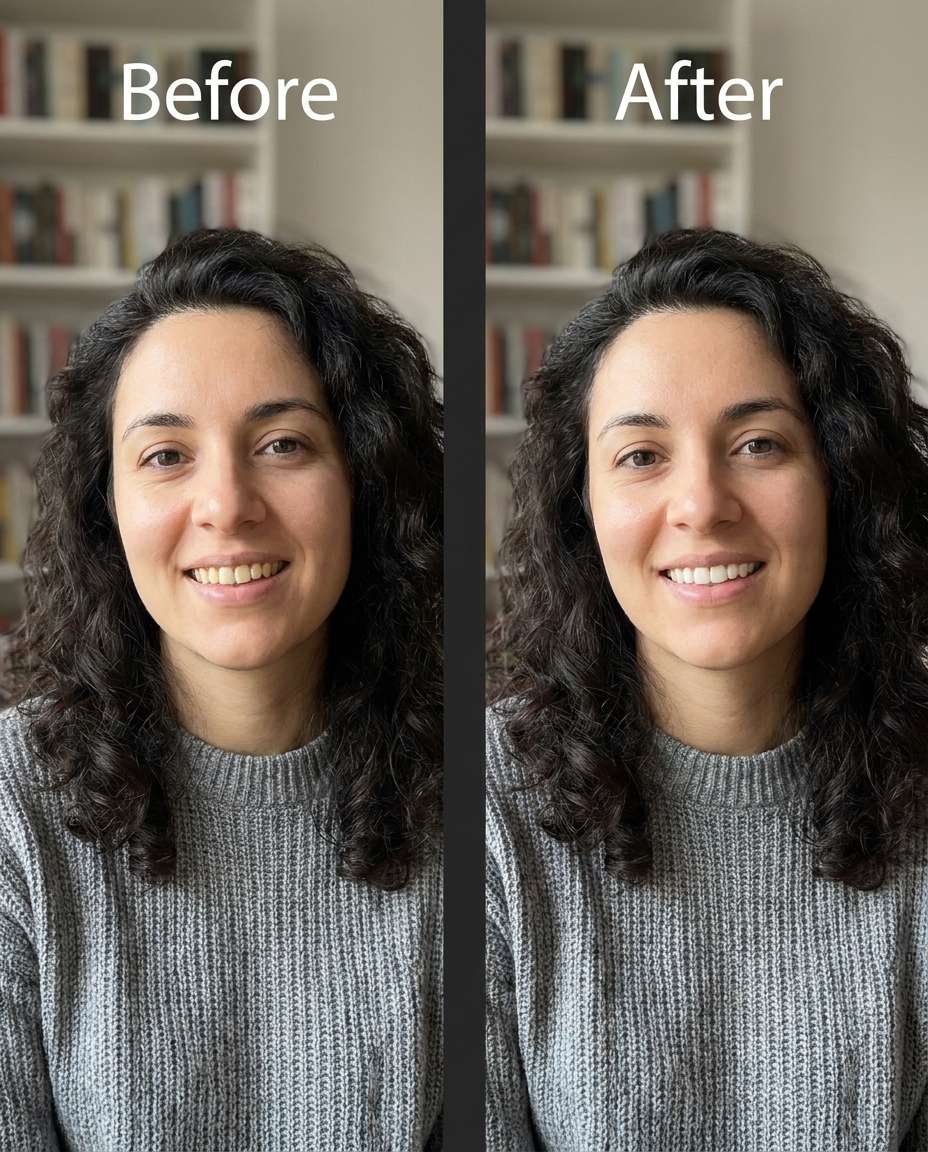
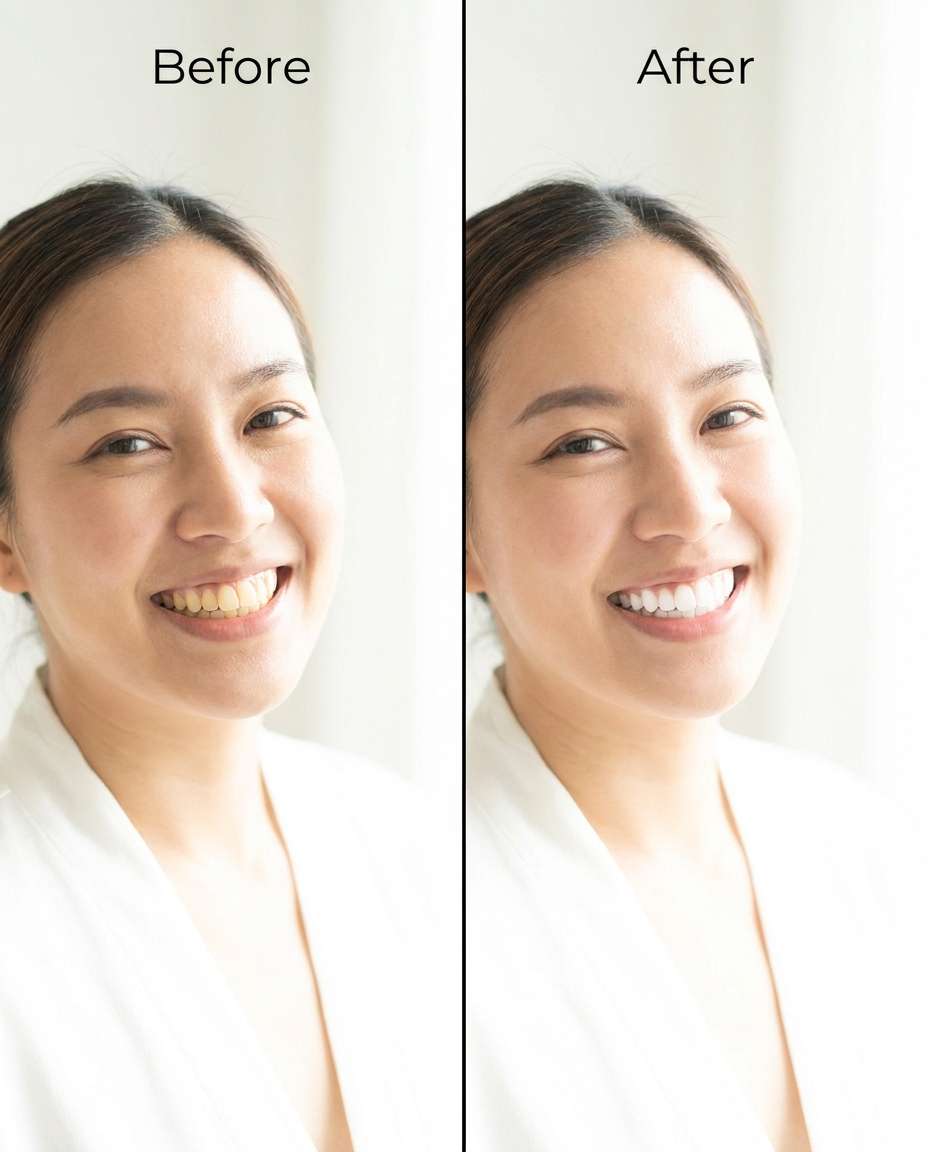
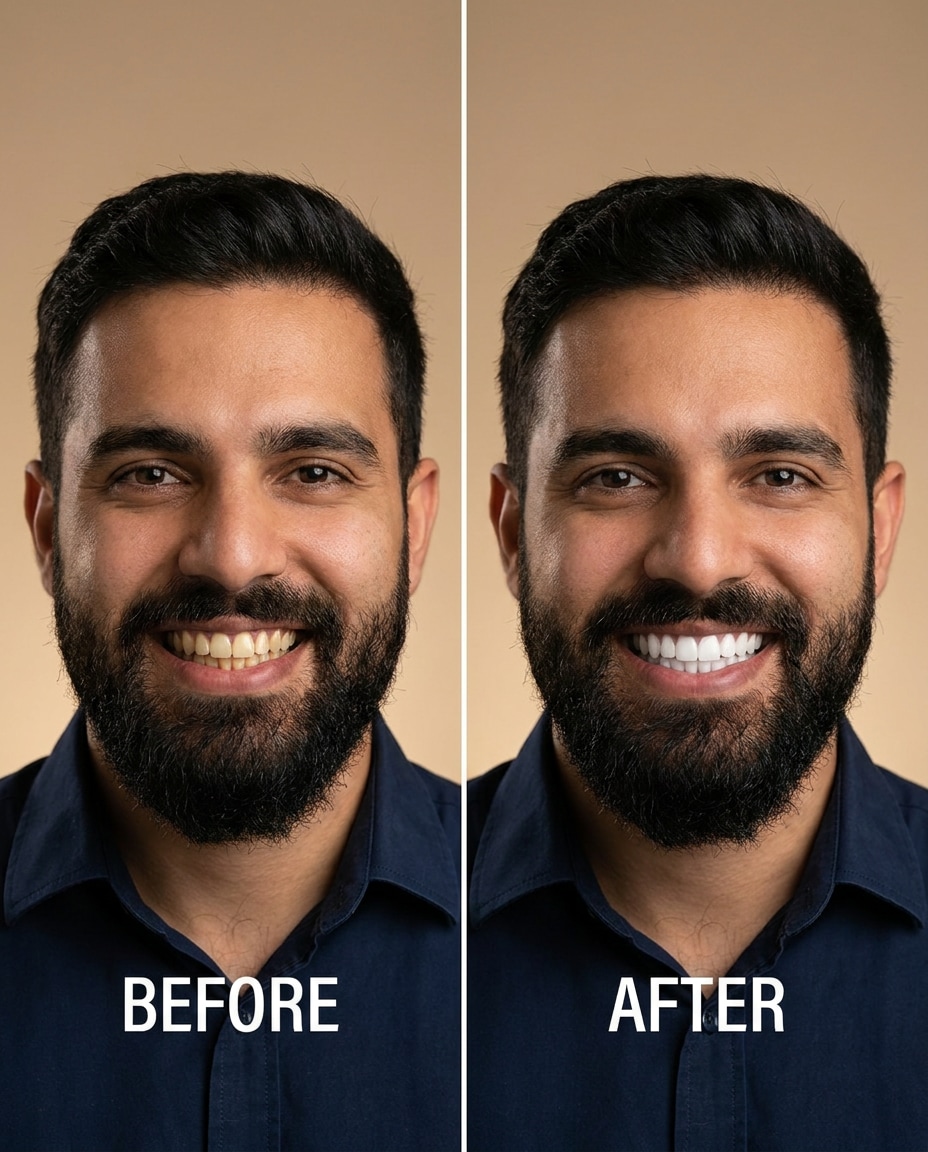
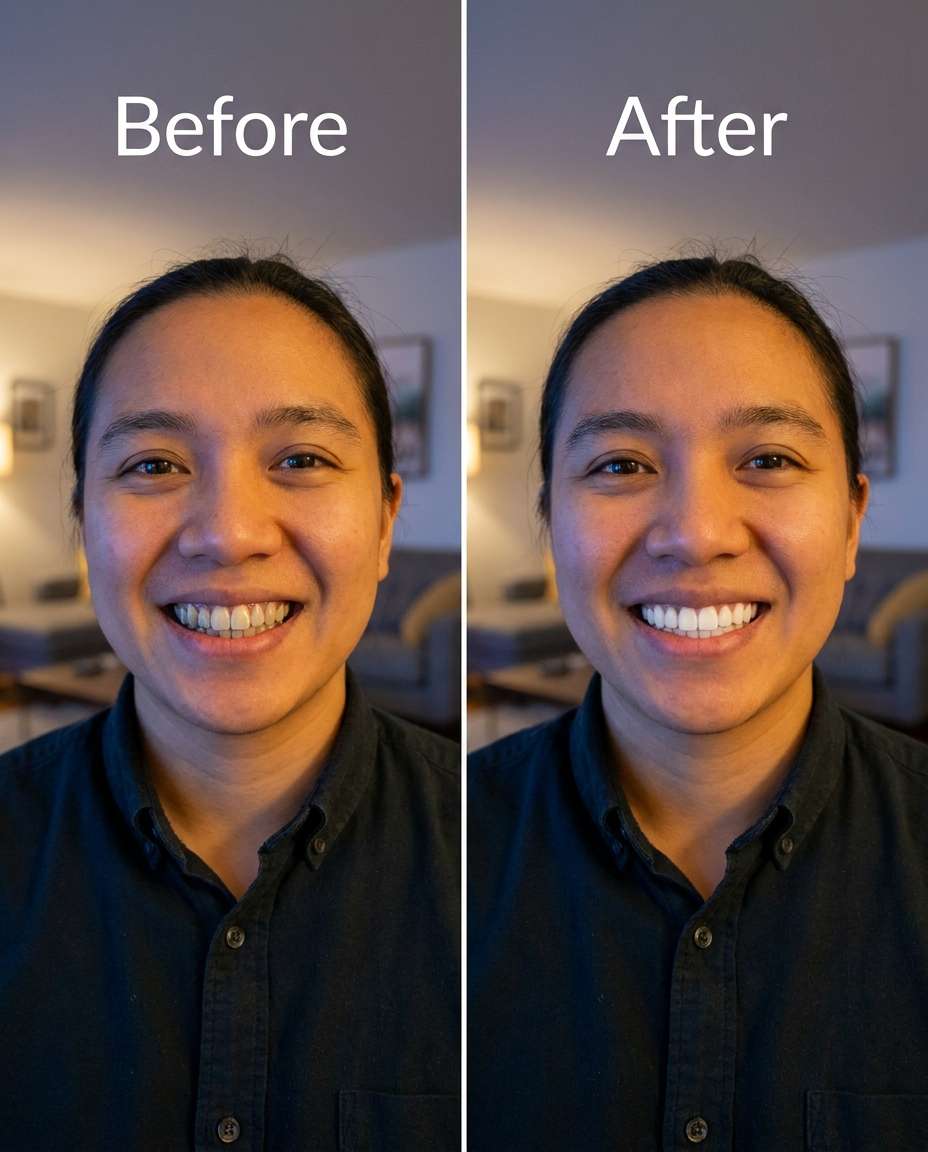
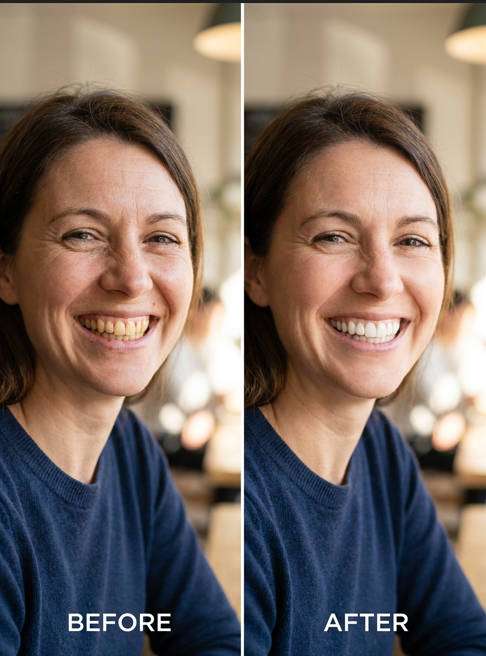
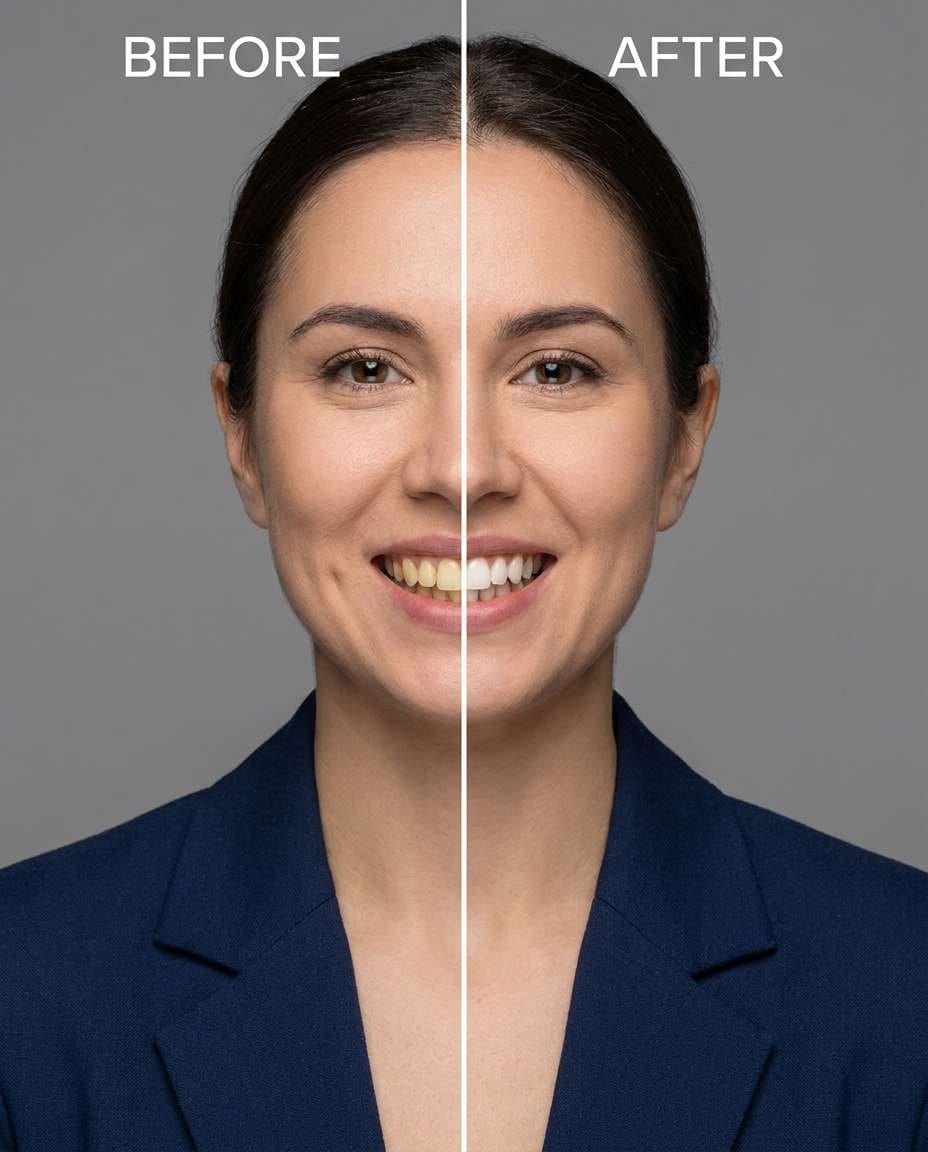
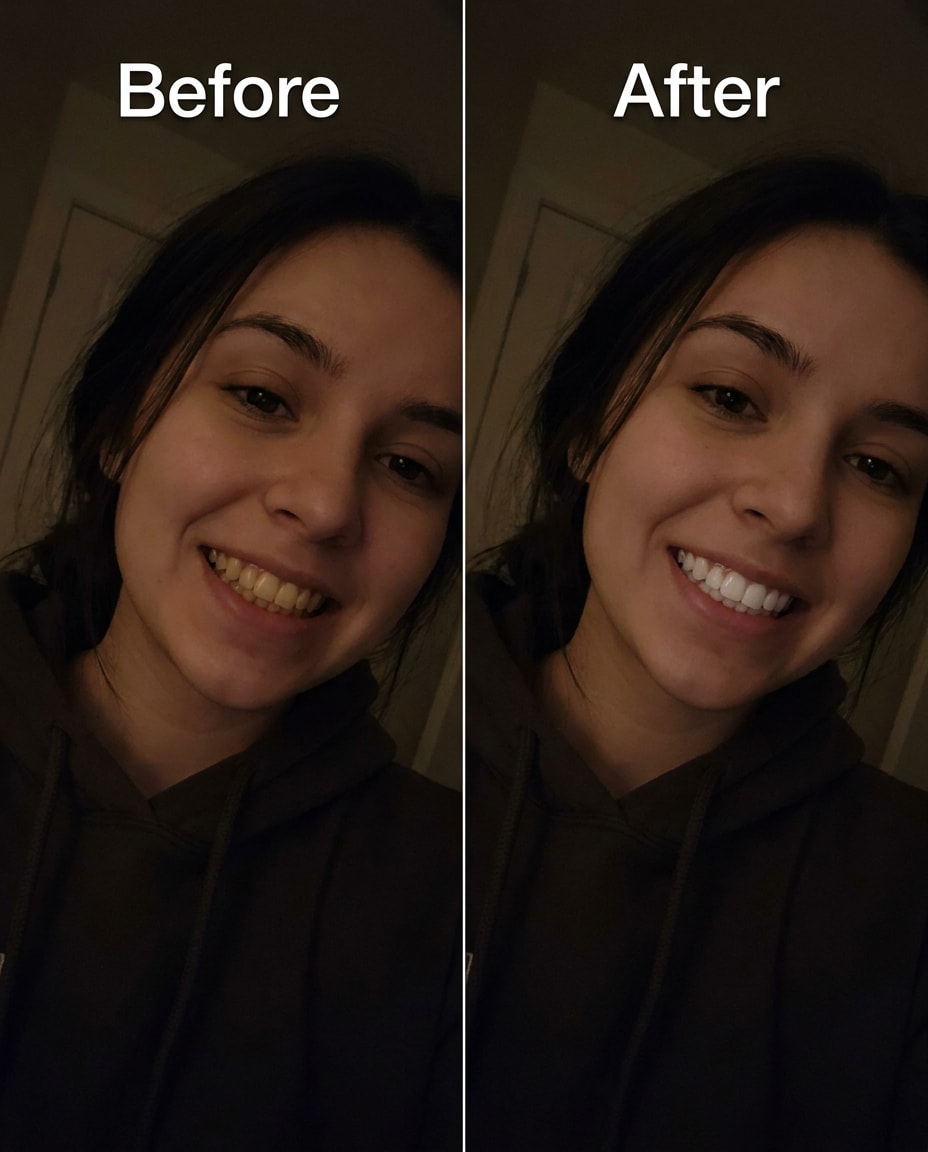
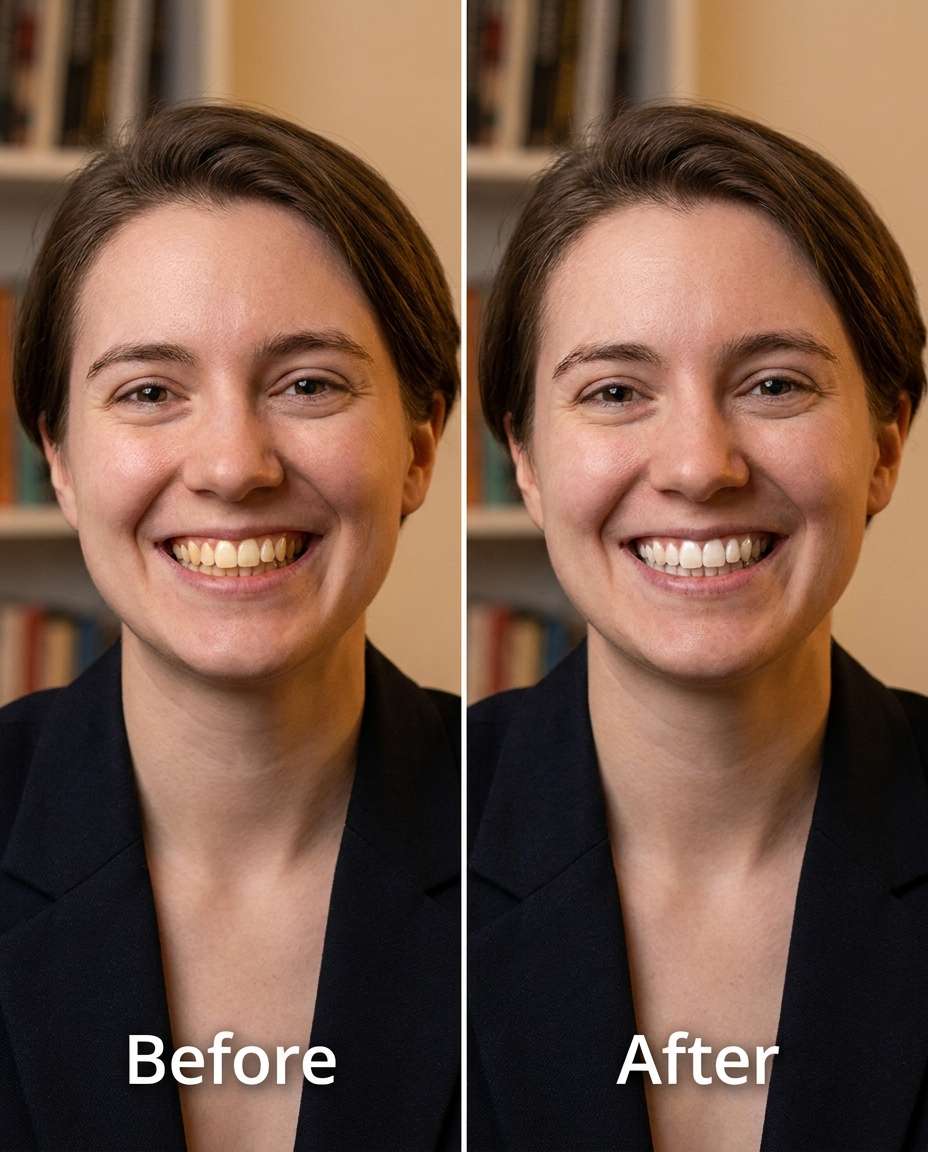
Stunning AI whiten teeth generated with Media.io - powered by Nano Banana Pro.
Media.io makes this kind of retouch straightforward: upload once, test a few prompt options, then download the cleanest result. Here's a quick 3-step flow.
Go to Media.io and open the AI photo generator/editor for image-to-image edits. Choose a portrait-friendly ratio and get your source photo ready so the model can match your original face, hair, outfit details, and background.
Upload your photo, then paste one prompt that describes the exact teeth change you want. For example, start with a subtle edit, then scale up. This is where phrases like "whiten teeth with Gemini AI prompts" guide the model's retouch focus.
Generate a few variations, then pick the result that keeps your skin tone, lips, and lighting believable. If the teeth look too flat or too bright, rerun with a softer intensity. Download the final image when it looks natural.
Slim the yellow coffee tint on the teeth for a natural, subtle whitening, keeping the same face and smile and the same hairstyle, preserving original lighting and background details, avoid changing lips or gums --ar 4:5
Refine the tooth color to remove warm tungsten yellowness, keeping the same face and the same pose, keeping the same skin tone, preserving the original indoor lighting mood and background, make the change moderate not blinding --ar 4:5
Sculpt a brighter wedding-day smile by whitening teeth slightly and evenly, keeping the same face and expression and the same outfit details, preserving veil/dress texture and the original soft lighting, keep enamel texture realistic --ar 4:5
Smooth discoloration around braces by whitening only the visible tooth surfaces, keeping the same face and same hairstyle, keeping the same pose, preserving metal bracket detail and original lighting, do not change lips or skin tone --ar 4:5
Cinch the teeth brightness up a notch without changing lipstick color, keeping the same face and smile and the same outfit, preserving lip texture, gum color, and original lighting, aim for a natural white not neon --ar 4:5
Reshape the smile tone by gently whitening teeth while keeping the golden-hour warmth, keeping the same face and same hairstyle, preserving original sunlight direction and background bokeh, avoid over-whitening and keep shadows consistent --ar 4:5
Adjust teeth to look whiter but not reflective by reducing flash glare hotspots, keeping the same face and same pose, keeping the same outfit details, preserving original background and flash-lit look, keep tooth edges and texture intact --ar 4:5
Tighten the edit toward realism by whitening teeth and undoing a muddy filter cast, keeping the same face and smile and the same hairstyle, preserving skin tone and original background details, keep lips and eye color unchanged --ar 4:5
Tune teeth whitening to a stronger level to reduce heavy staining, keeping the same face and same pose, keeping the same skin tone, preserving original lighting and background, keep gums natural and avoid a flat plastic look --ar 4:5
Soften patchy tooth color by evening the shade across all visible teeth, keeping the same face and smile and the same outfit details, preserving the original lighting and background, maintain natural translucency near tooth edges --ar 4:5
Slim the darkness on teeth caused by mouth shadows, keeping the same face and same expression, keeping the same hairstyle, preserving original shadow direction and lighting, lift brightness subtly without changing overall contrast --ar 4:5
Refine the tooth shade toward a matte, natural white (not glossy), keeping the same face and smile and the same skin tone, preserving original lighting and background details, keep enamel pores/texture and do not alter lips --ar 4:5
Sculpt only the tooth enamel lighter while keeping gums and lips exactly the same, keeping the same face and same pose, keeping the same outfit details, preserving original lighting and background, avoid changing skin tone or makeup --ar 4:5
Smooth mixed staining from coffee and red wine by whitening teeth and reducing brown edges, keeping the same face and smile and the same hairstyle, preserving original lighting and background details, keep tooth edges defined and realistic --ar 4:5
Cinch a polished headshot smile by whitening teeth one level, keeping the same face and the same hairstyle, keeping the same outfit details, preserving studio background gradient and original key light, do not change skin texture --ar 4:5
Reshape tooth color to look cleaner under neon lighting without turning blue, keeping the same face and smile and the same outfit, preserving neon reflections and background details, maintain natural tooth warmth and avoid overexposure --ar 4:5
Adjust the teeth brighter while keeping micro-texture and natural translucency, keeping the same face and same pose, keeping the same skin tone, preserving original lighting and background, avoid smoothing teeth into a flat block of white --ar 4:5
Tighten the tooth shade just a little for a believable everyday look, keeping the same face and expression and the same hairstyle, preserving original lighting and background details, keep lips and makeup unchanged and avoid whitening the eyes --ar 4:5
Tune teeth whitening for a bright, high-key room without losing detail, keeping the same face and same pose, keeping the same outfit details, preserving the original airy lighting and background, protect highlights so teeth don't clip --ar 4:5
Soften the yellow cast on teeth while keeping facial hair detail untouched, keeping the same face and same hairstyle and beard shape, preserving original lighting and background details, keep skin tone and beard texture unchanged --ar 4:5
Slim the uneven tooth color caused by mixed lighting (window + lamp), keeping the same face and smile and the same outfit, preserving original lighting balance and background, whiten teeth evenly without changing skin tone or eye color --ar 4:5
Whiten the teeth naturally while preserving the person's original facial features, smile, skin texture, lighting, hairstyle, and background. Enhance the smile with cleaner, brighter teeth and realistic enamel texture without making the whitening look overly artificial or excessively bright. Maintain natural facial proportions, authentic portrait details, and realistic lighting. Keep the overall image photorealistic, subtle, and believable.
Sculpt a brighter smile without changing tooth shape or alignment, keeping the same face and expression and the same outfit details, preserving original lighting and background, whiten the teeth only and keep natural shadows between teeth --ar 4:5
Smooth teeth discoloration while lifting brightness in an underexposed selfie, keeping the same face and same hairstyle, keeping the same pose, preserving original background and low-light mood, avoid changing makeup and keep skin texture real --ar 4:5
Cinch teeth whitening to a noticeably brighter level while staying believable, keeping the same face and smile and the same skin tone, preserving original lighting and background details, keep gum color natural and retain enamel texture and edge translucency --ar 4:5
The best teeth-whitening edits are specific about what changes and what must stay untouched. Call out intensity, protect skin tone, and ask for realistic enamel texture so the result looks like you on a really good day.
Natural-looking edits that protect your identity and outfit, with control over whitening strength so nothing looks warped or fake.

Media.io helps you target the smile while keeping your facial features, expression, and skin tone stable. That means you can brighten teeth without accidentally changing your jawline, lips, or the overall identity cues that make the photo feel like you.

Teeth whitening can look wrong fast when shadows and color temperature shift. With Media.io, you can request lighting-preserved adjustments so the warmth of golden hour, the softness of open shade, or the pop of flash stays consistent while the teeth improve.

A believable result keeps enamel texture and slight translucency at the edges. Media.io makes it easy to specify "natural texture" guardrails in your prompt, so you get a clean smile without the flat, over-smoothed look common in heavy filters.

Dial in subtle to strong changes by generating a few variations and choosing the most natural take. Media.io's workflow encourages quick iteration: adjust intensity, add preservation notes (lips, gums, background), and re-generate until the edit feels realistic.


Natural results come from three things: controlled intensity, preserved lighting, and preserved texture. Ask for "gentle" or "one level brighter," keep shadow direction and color temperature unchanged, and explicitly request enamel texture and edge translucency. Also tell it not to change gums or lipstick, since those shifts make whitening look artificial.
Add clear exclusions: "do not change lips, gums, skin tone, or makeup," and include identity anchors like "same face" and "same expression." It also helps to specify "whiten enamel only" and "preserve original lighting." If you still see shifts, rerun with softer intensity and repeat the preservation lines.
Upload your image to an AI photo editor, paste a teeth-focused instruction, and generate a few variations. Start subtle, then step up intensity only if needed. The biggest quality boost comes from asking for lighting preservation and realistic enamel texture, plus exclusions that keep lips, gums, and skin tone unchanged.
That usually happens when the edit neutralizes too much warmth or tries to match a cool highlight. Add constraints like "keep natural tooth warmth" and "avoid blue/gray cast," and ask for "match surrounding lighting." In warm indoor or golden-hour shots, request whitening that keeps the ambient warmth intact.
Yes, but you need to protect the scene's color and contrast. Ask for "neon reflections unchanged" or "low-light mood preserved," then request tooth whitening that's "natural, not overexposed." Generate multiple versions and pick the one that improves the smile while keeping the same background colors and shadow depth.

Photographer


Ultra Realistic Results. I used these whiten teeth prompts to create visuals that looked like real photography. The lighting, textures, and colors felt incredibly natural.

Designer
Perfect Lighting & Detail. The prompts produced cinematic compositions and soft lighting, making every image feel like a professional shoot.

Creator
Perfect for Social Media. I used these prompts to create viral content. It's fast, easy, and consistently produces stunning visuals.


