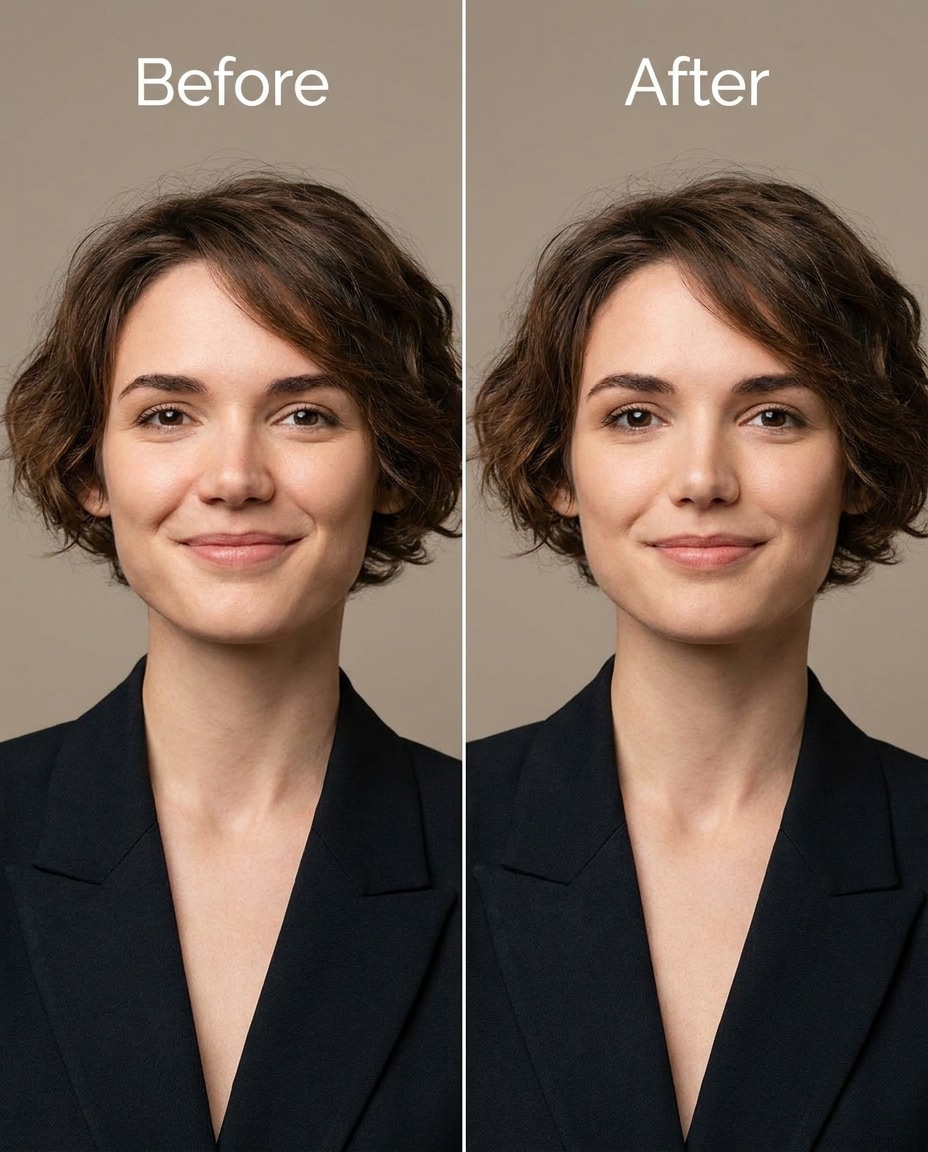
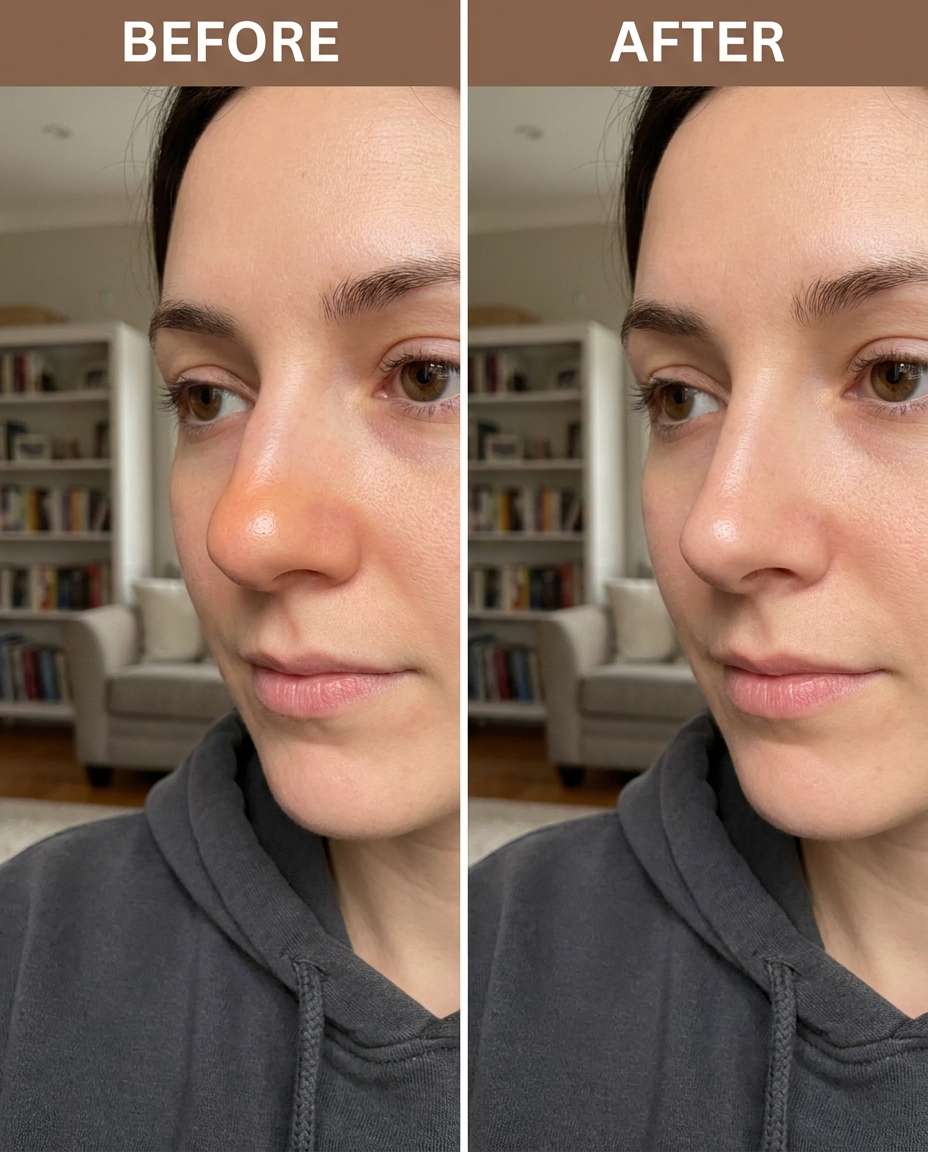
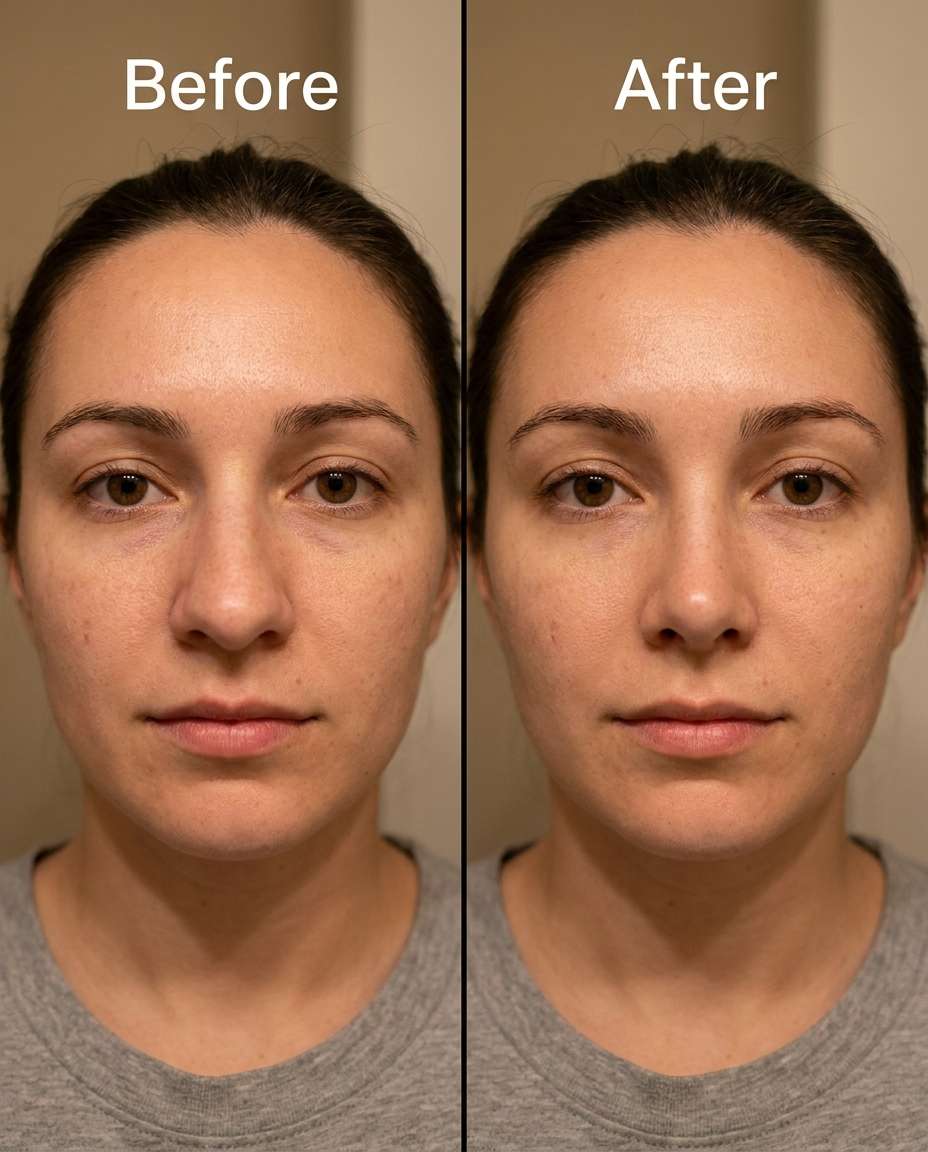
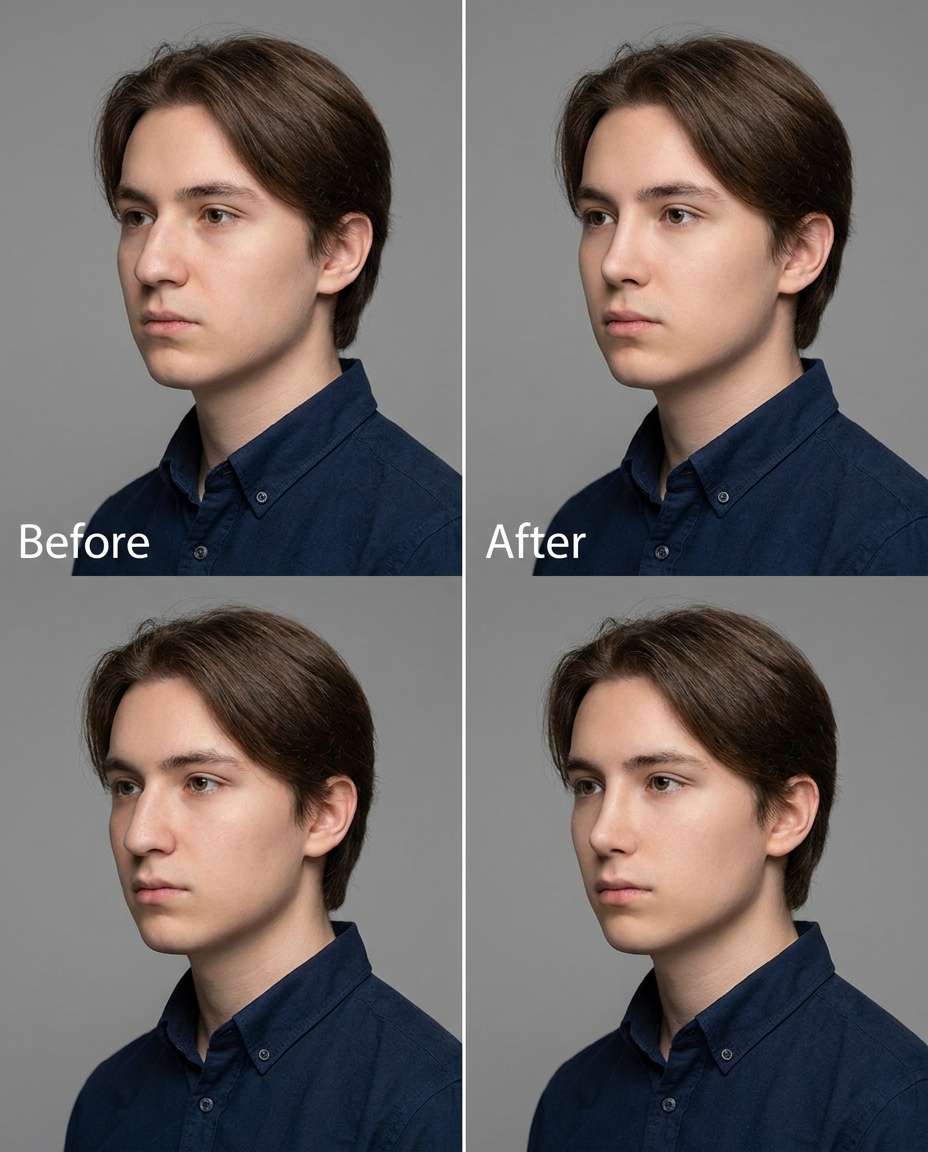
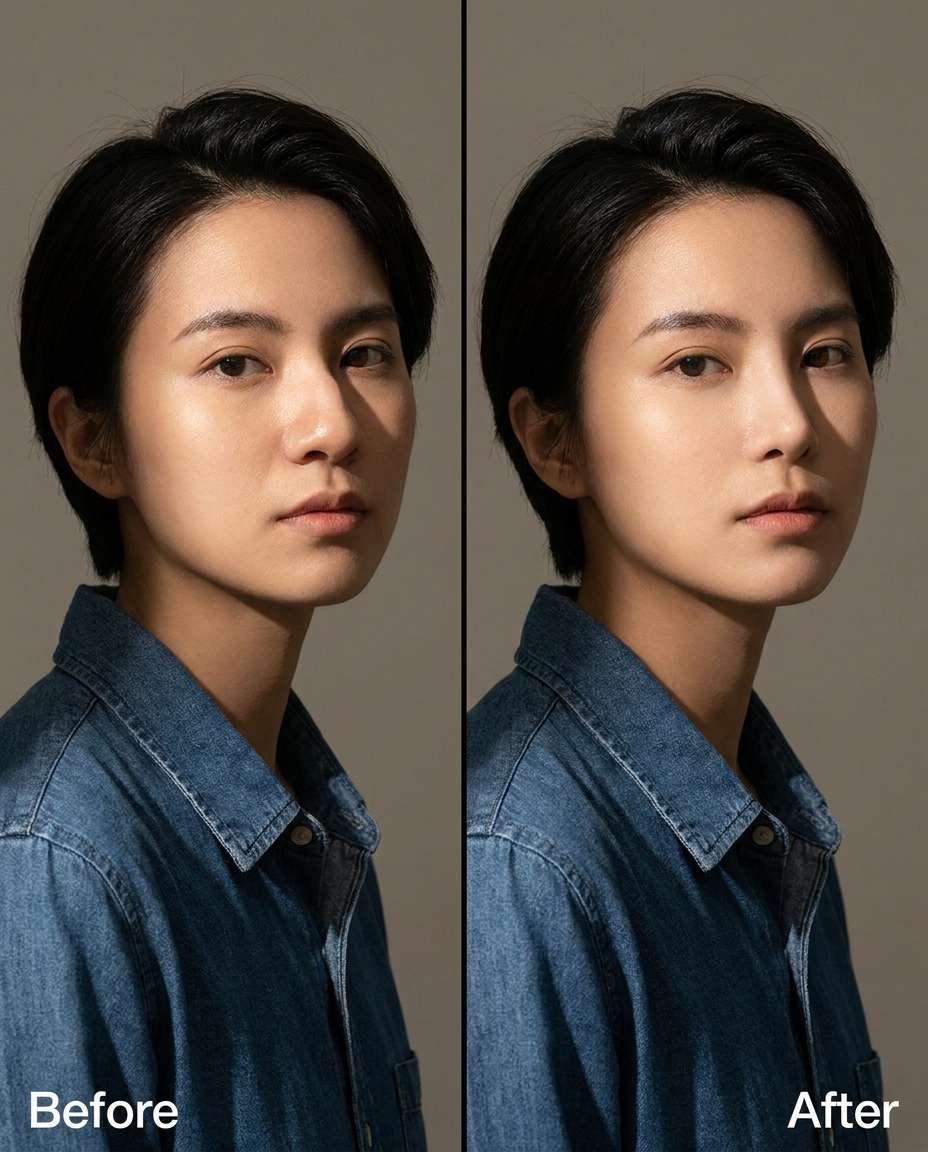
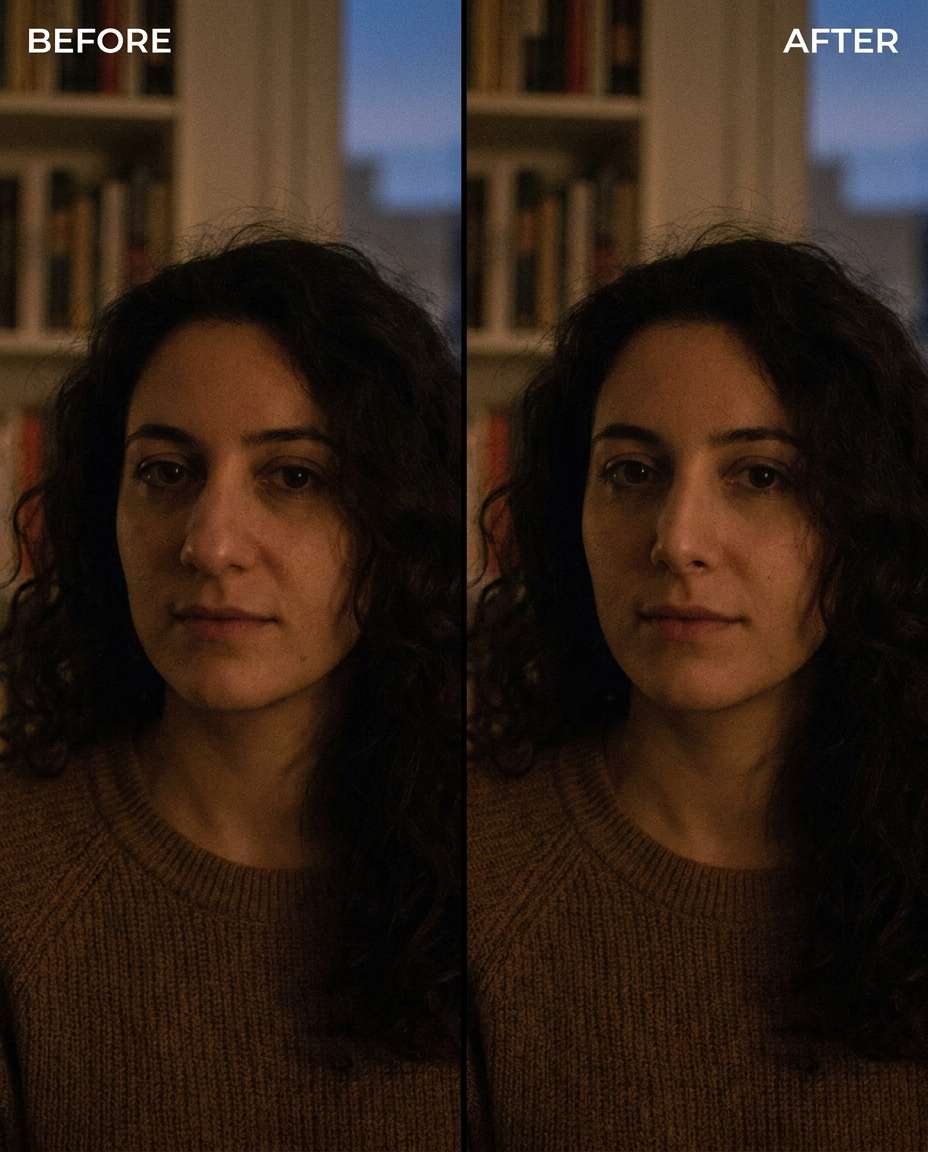
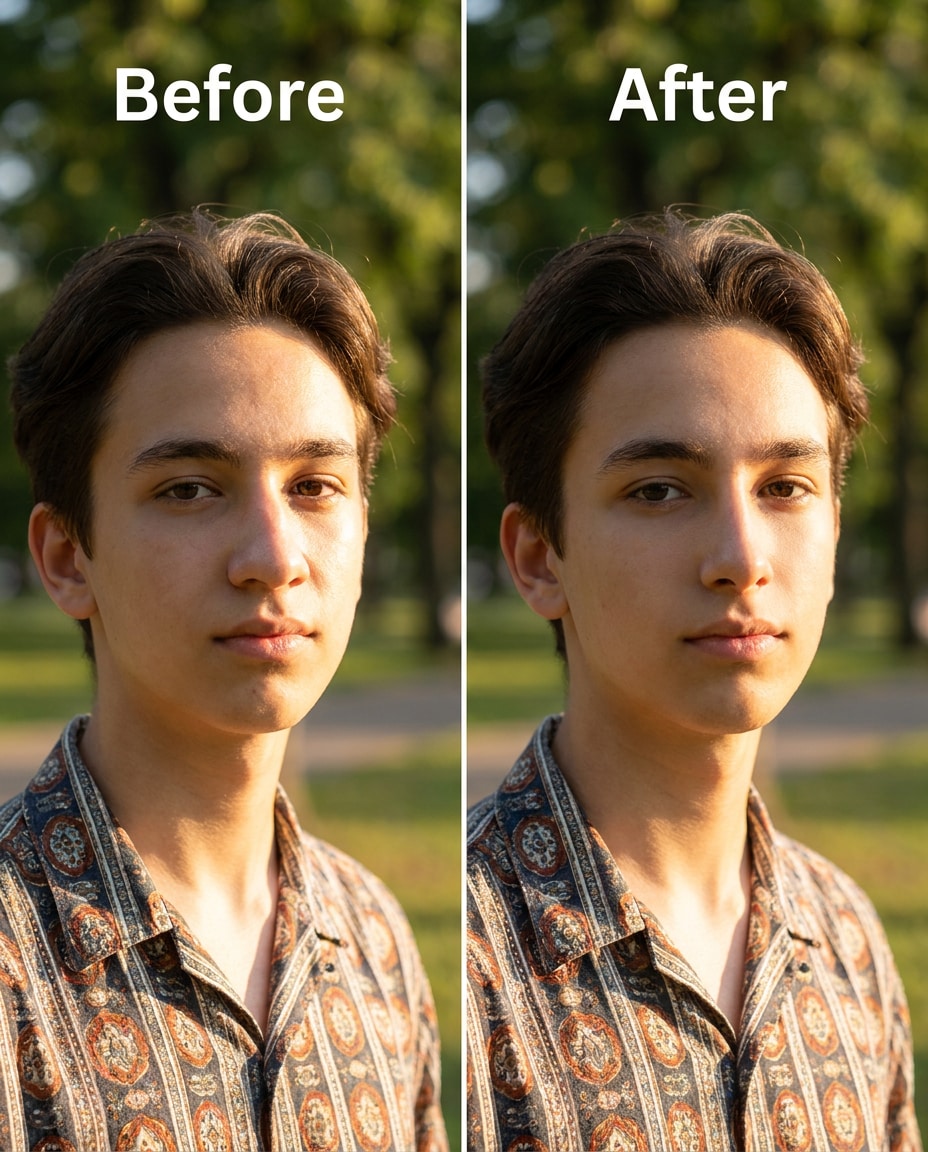
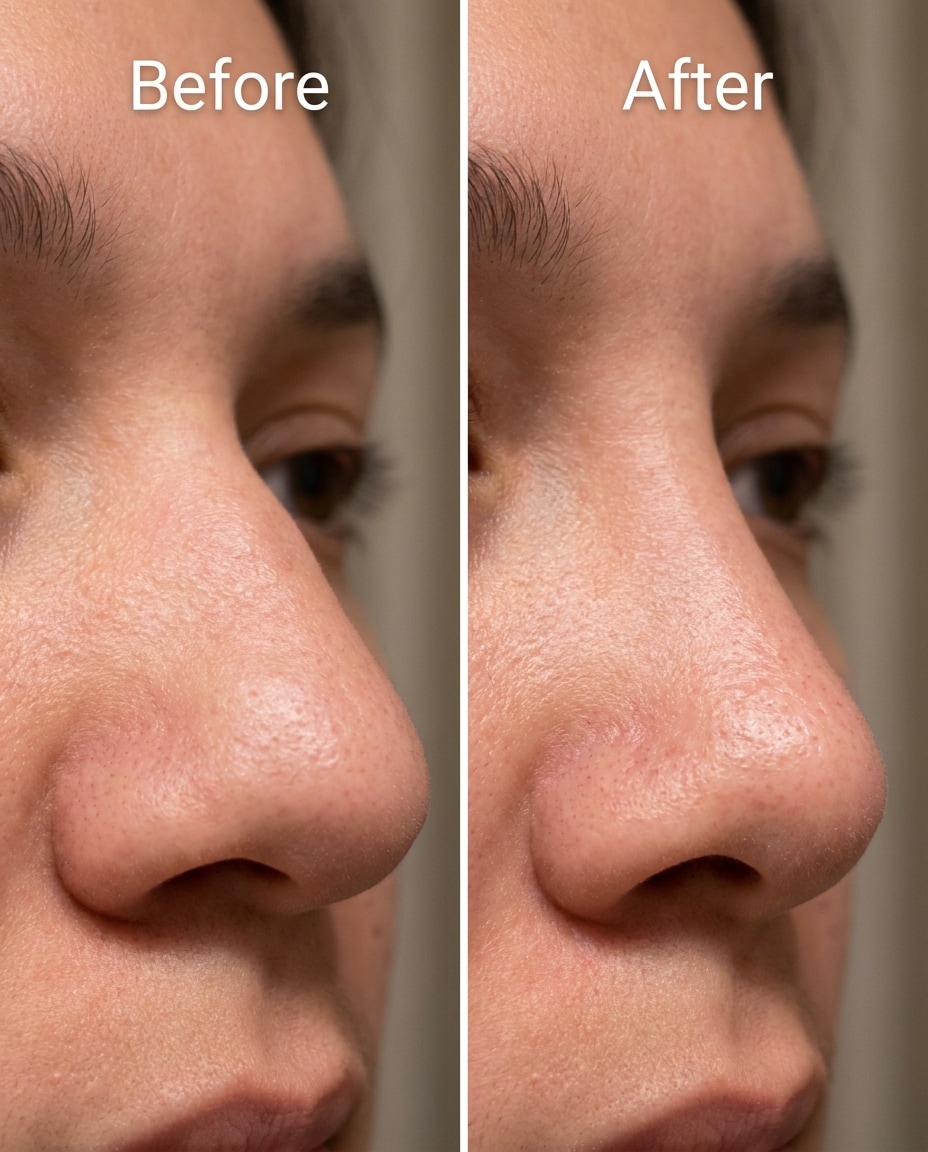
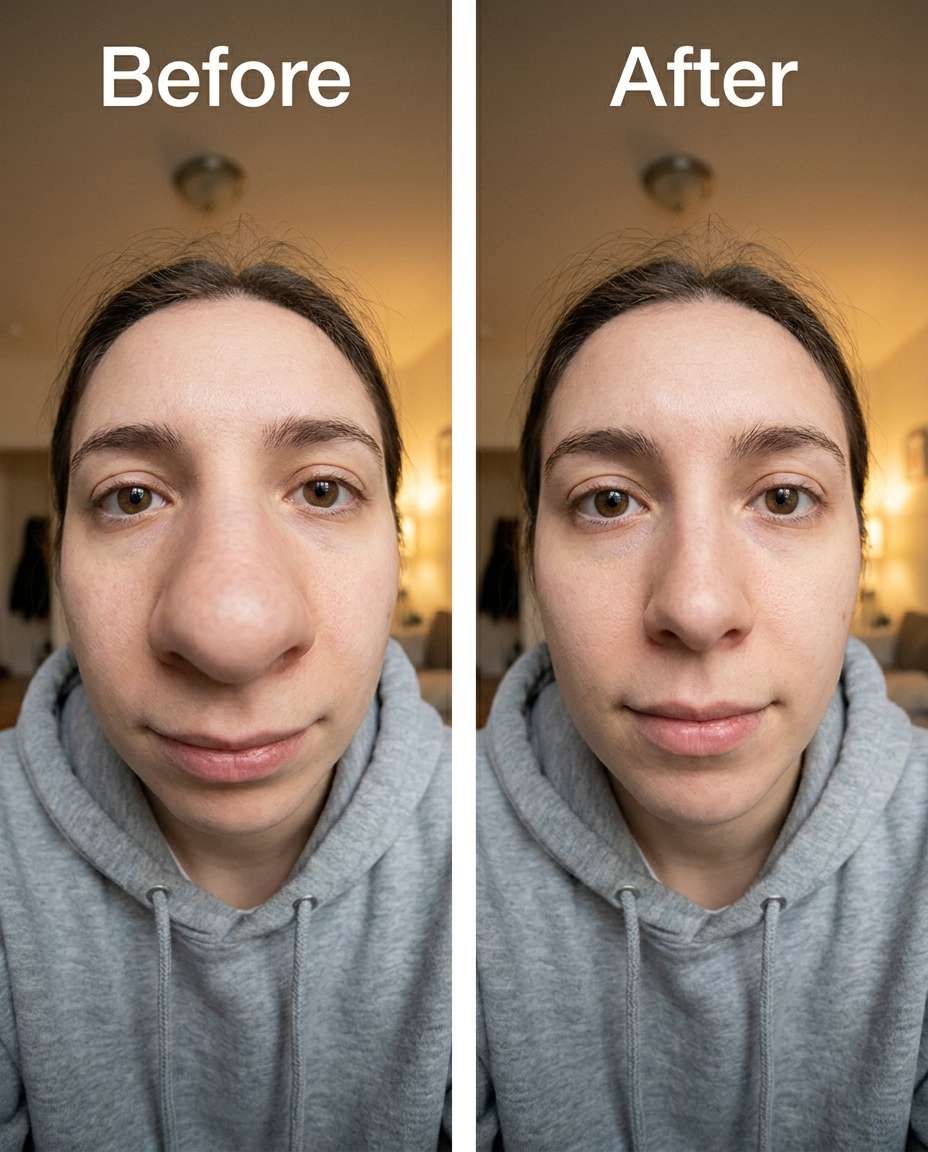
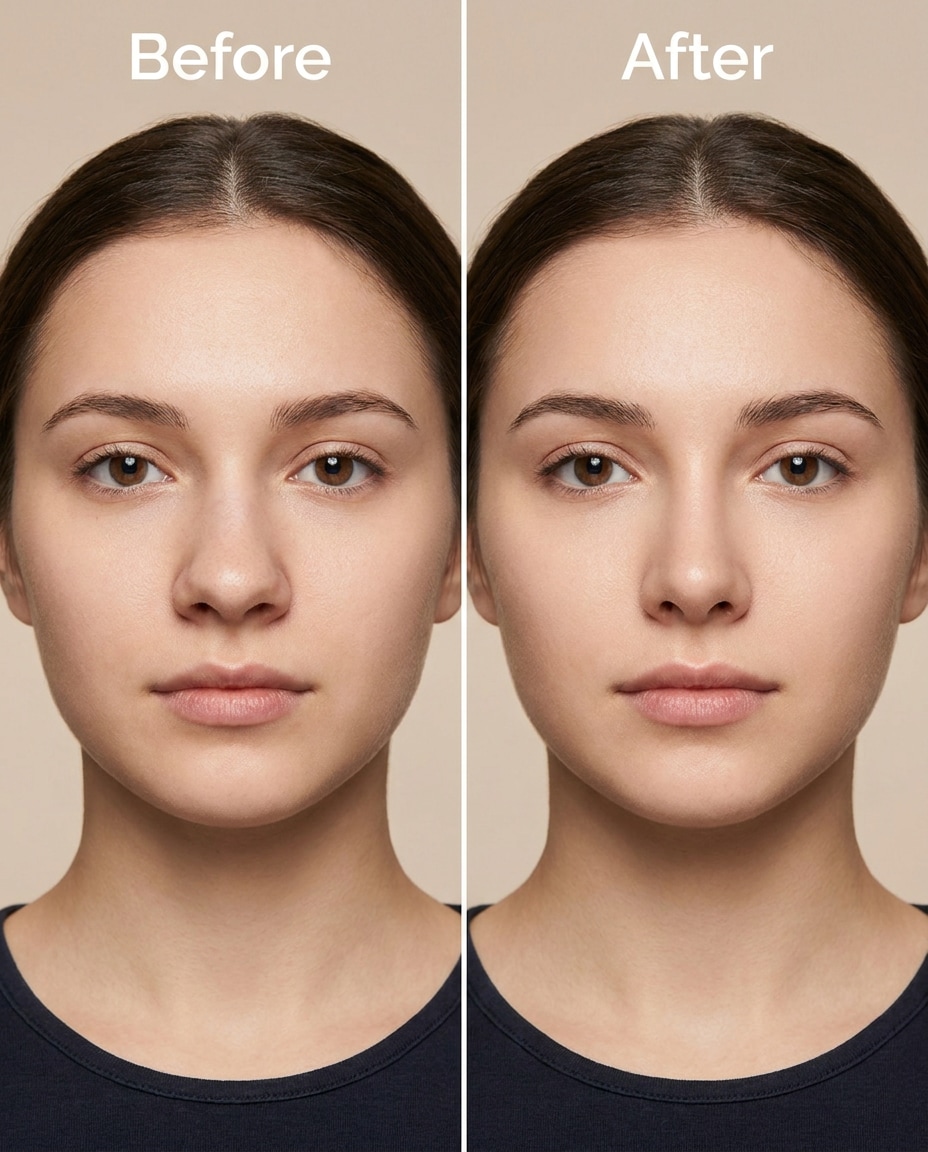
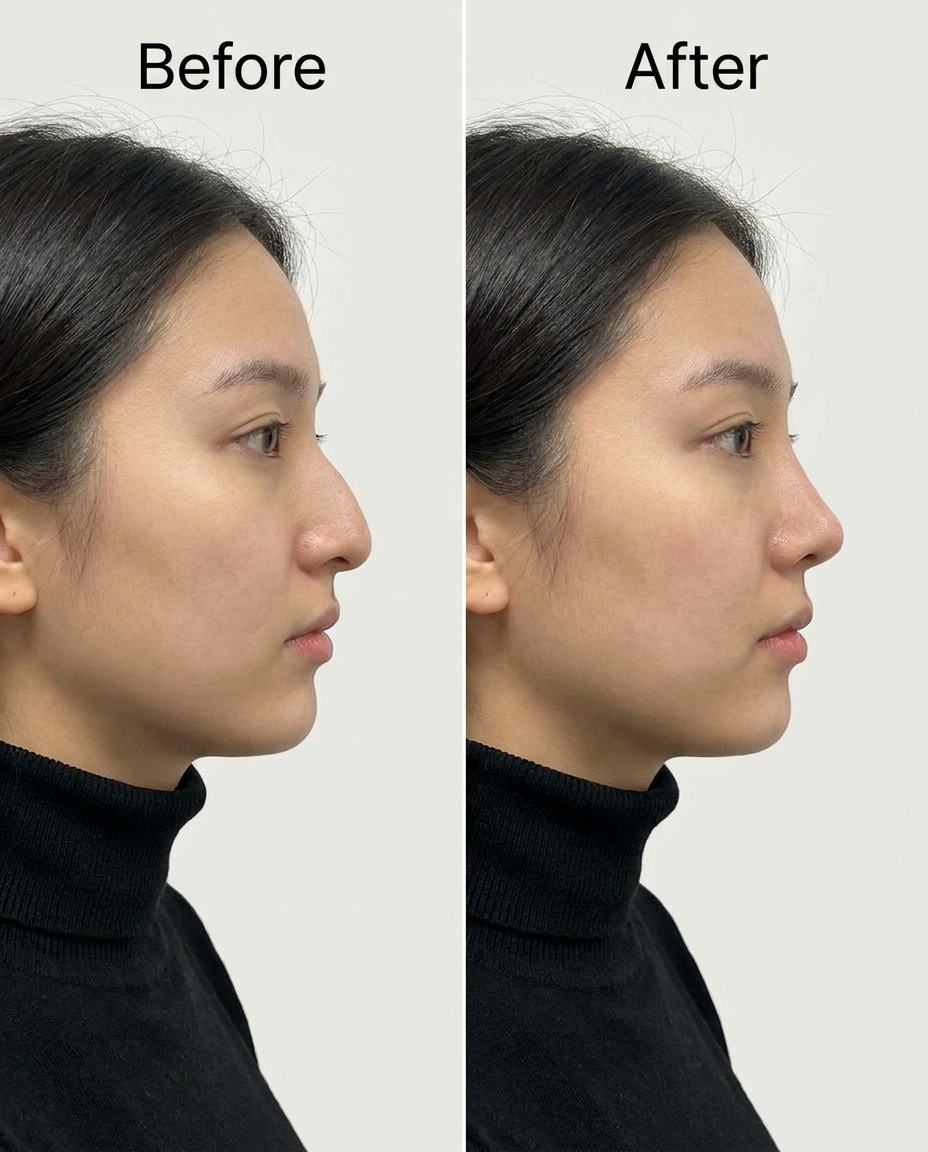
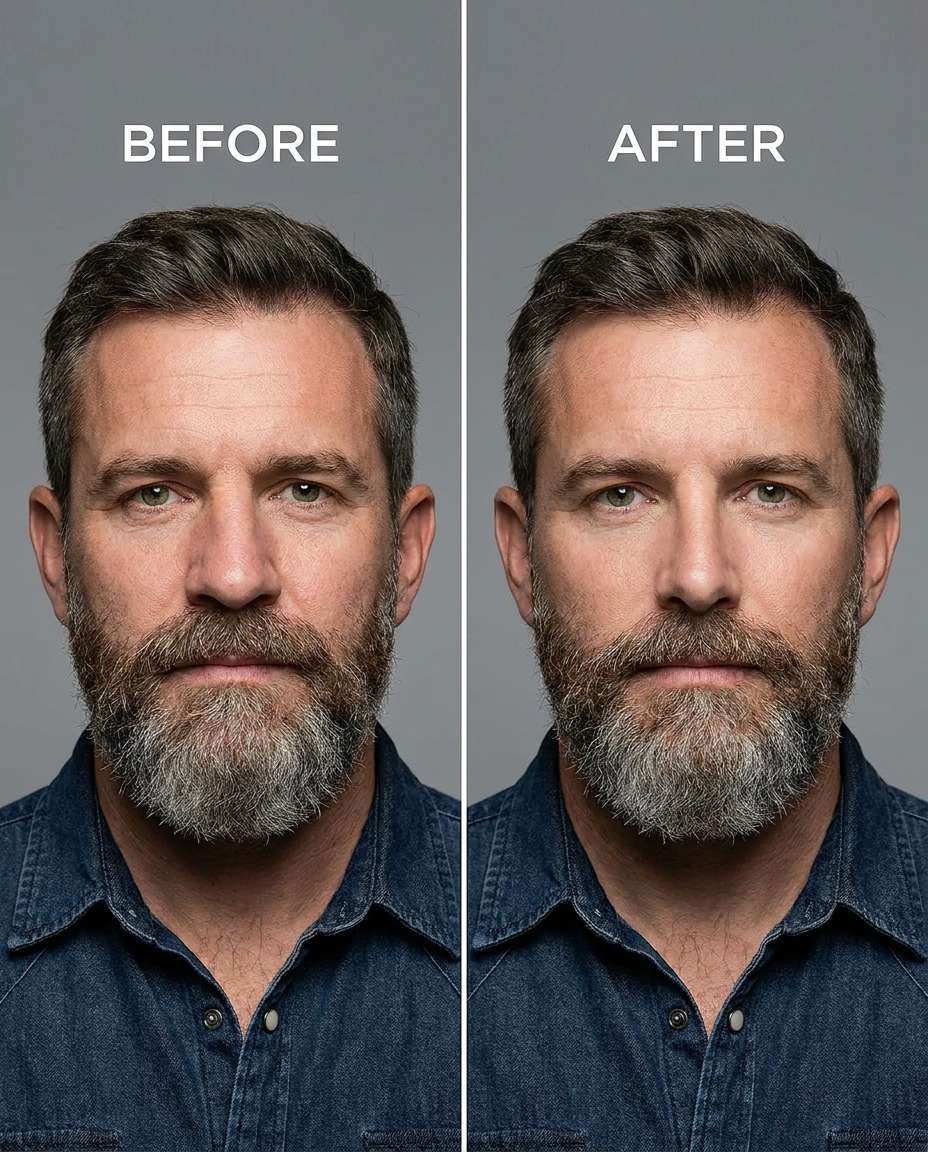
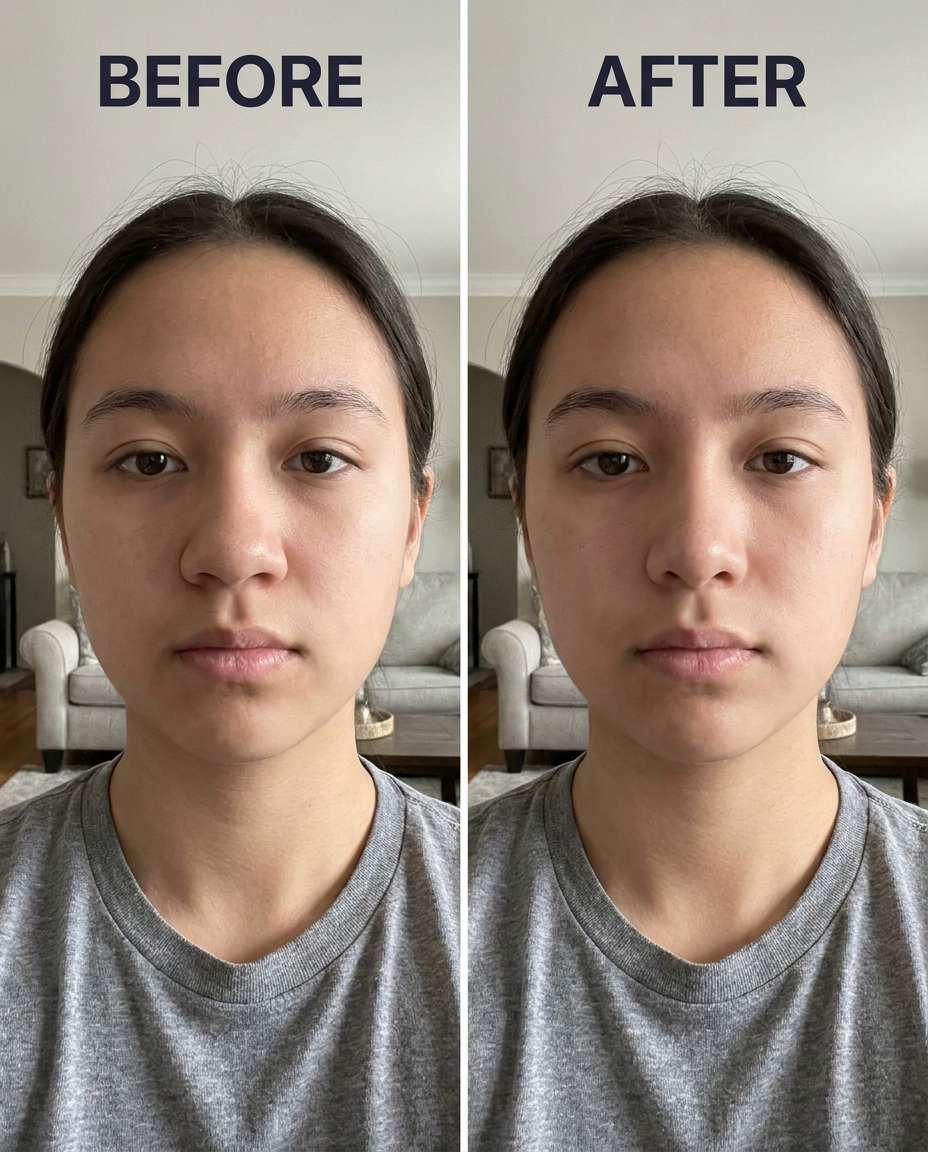
25+ Gemini AI Nose Slimming Prompts to Keep Your Look Real
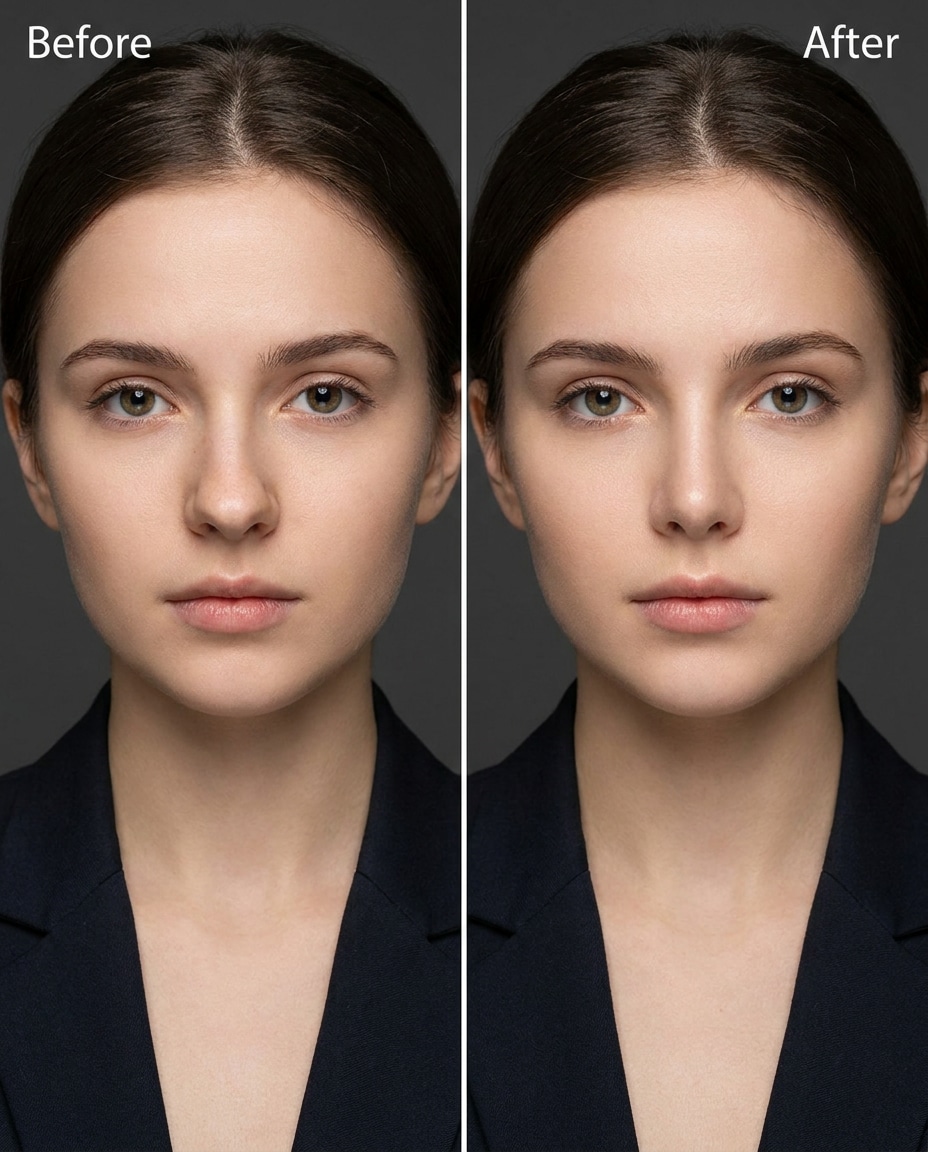
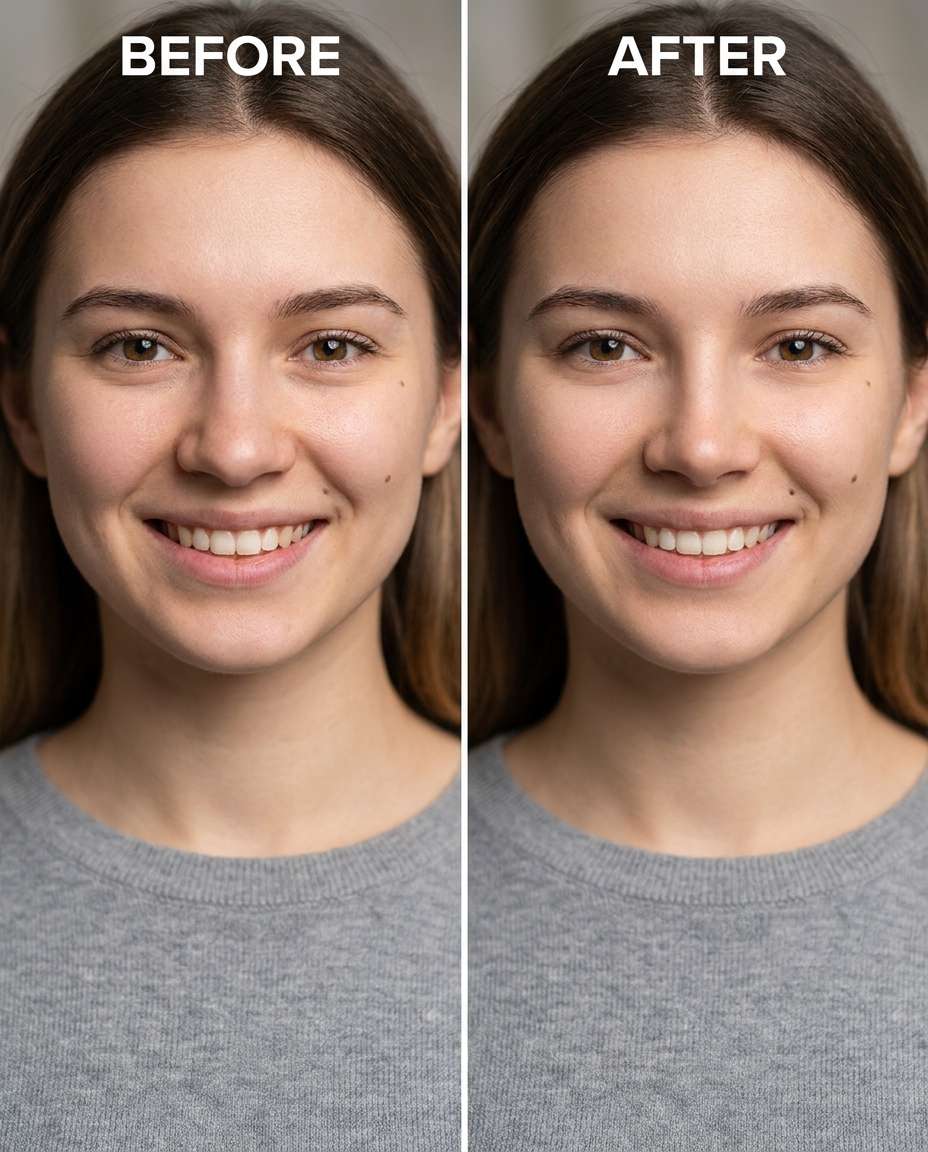
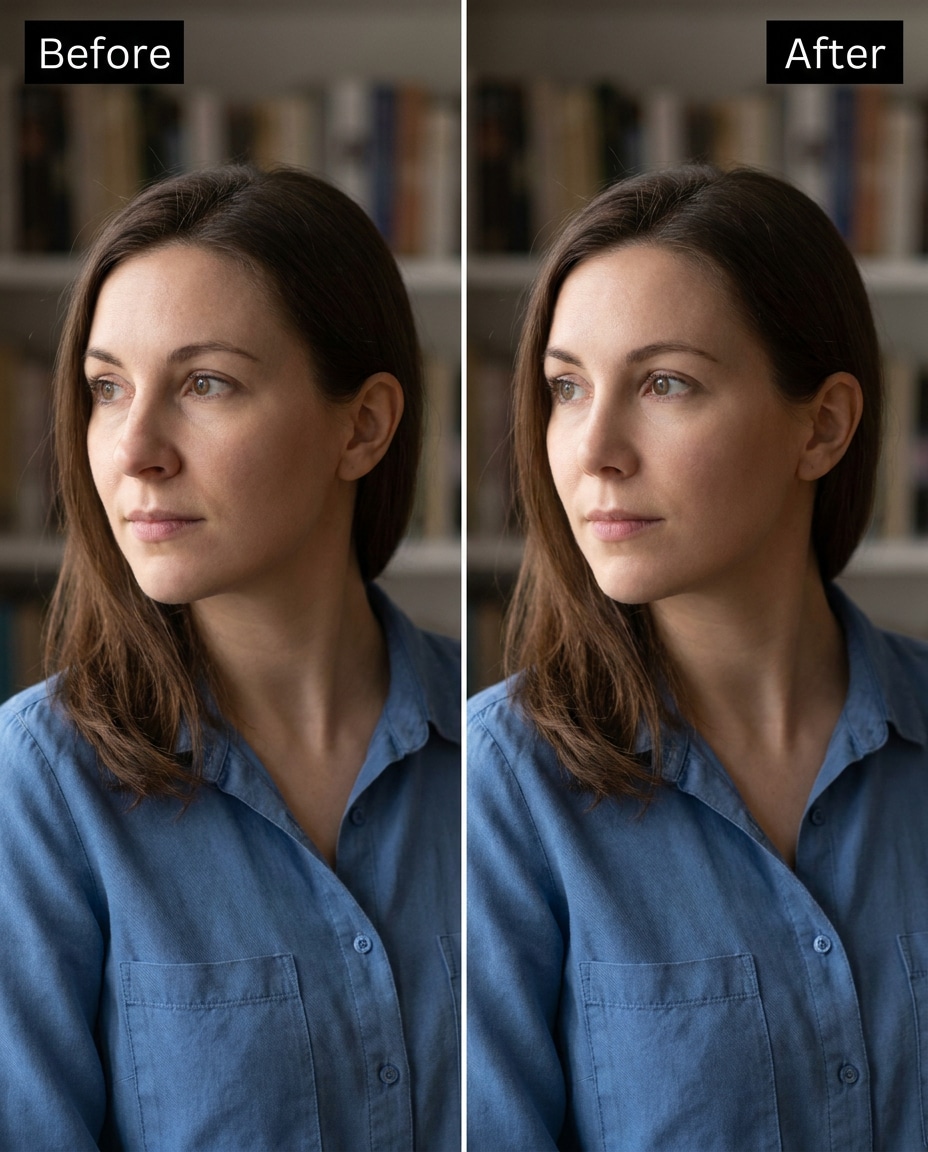
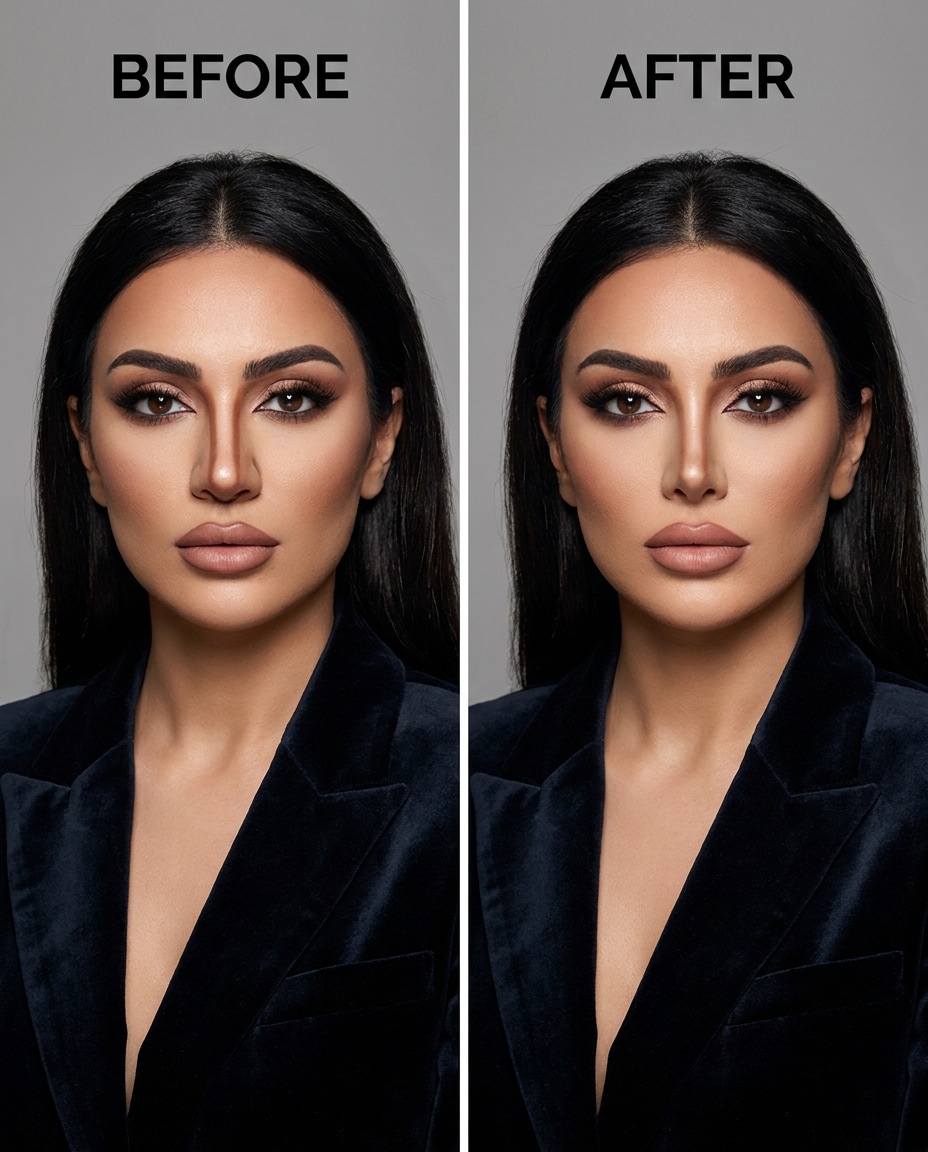
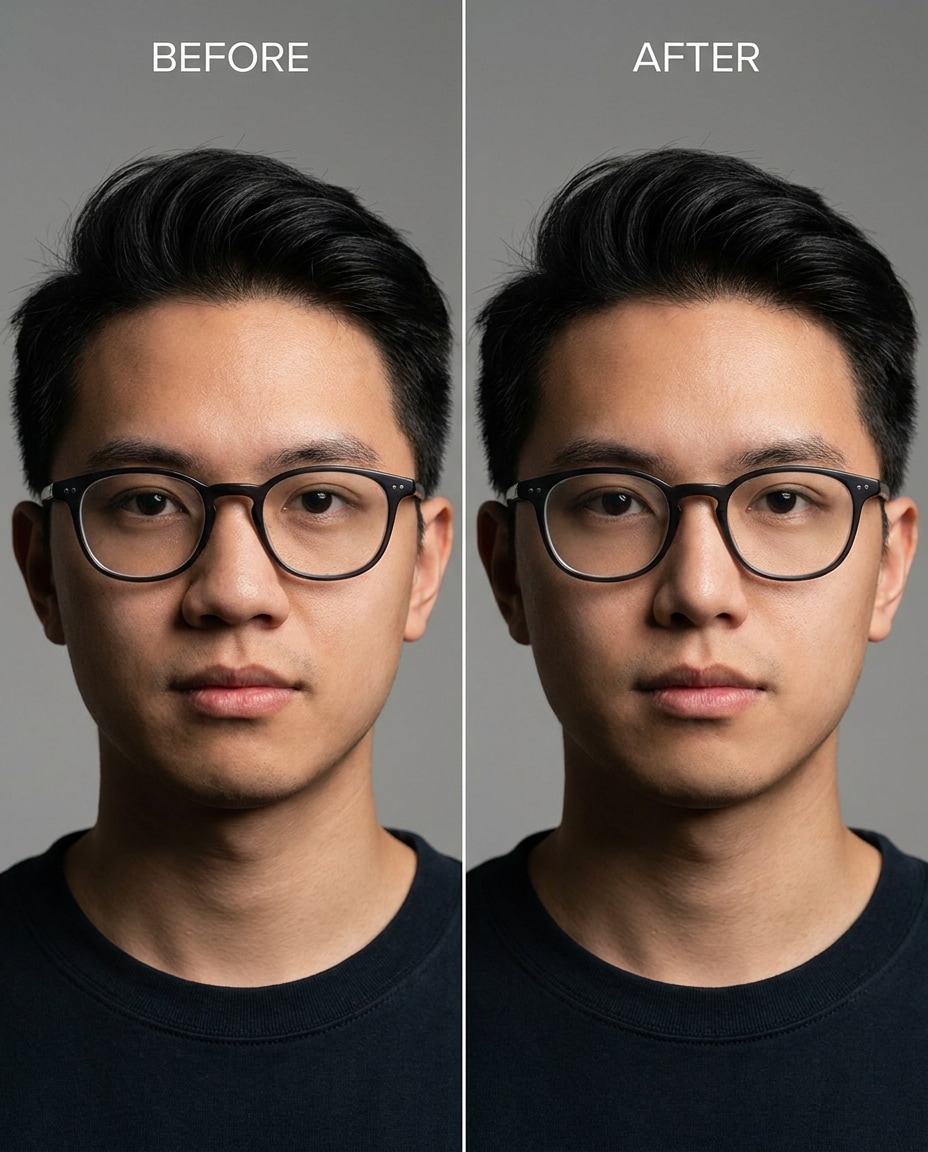
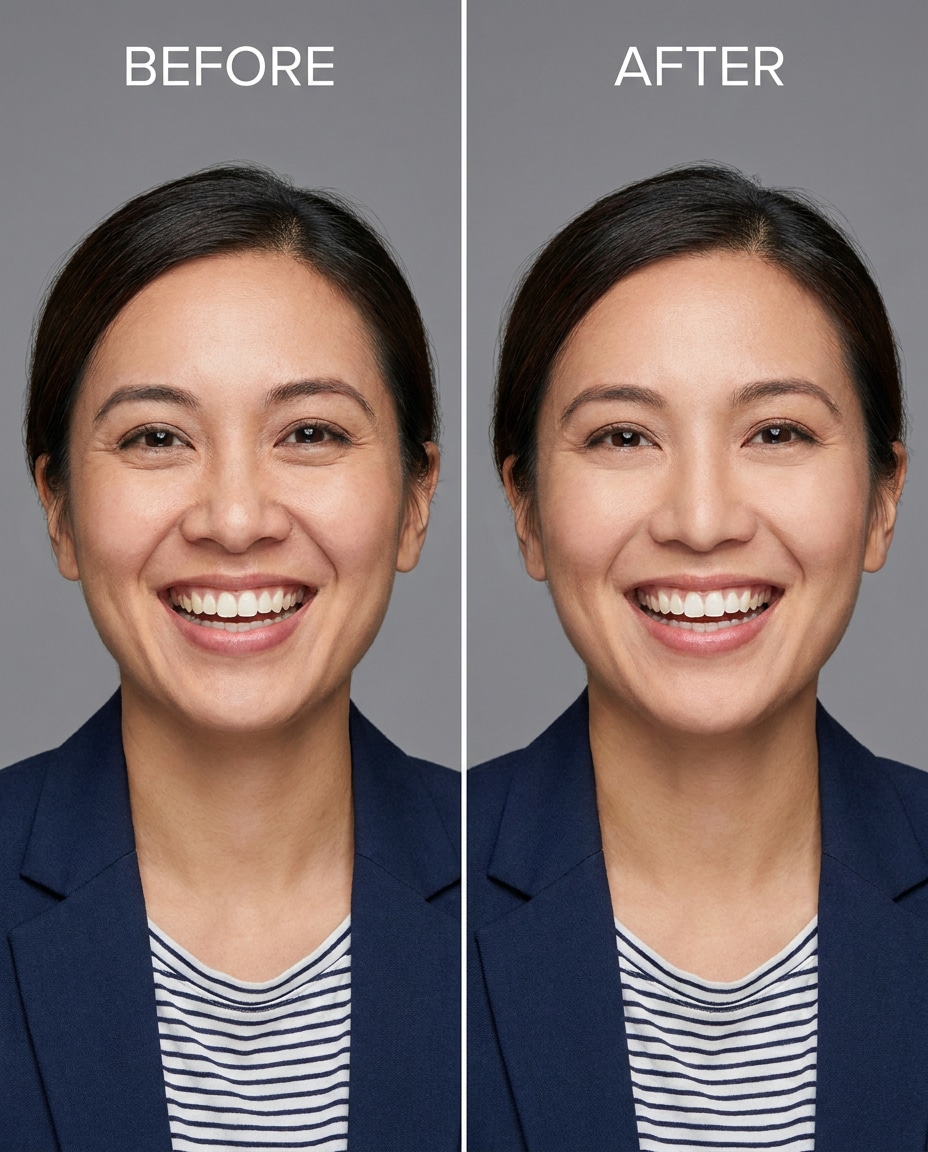
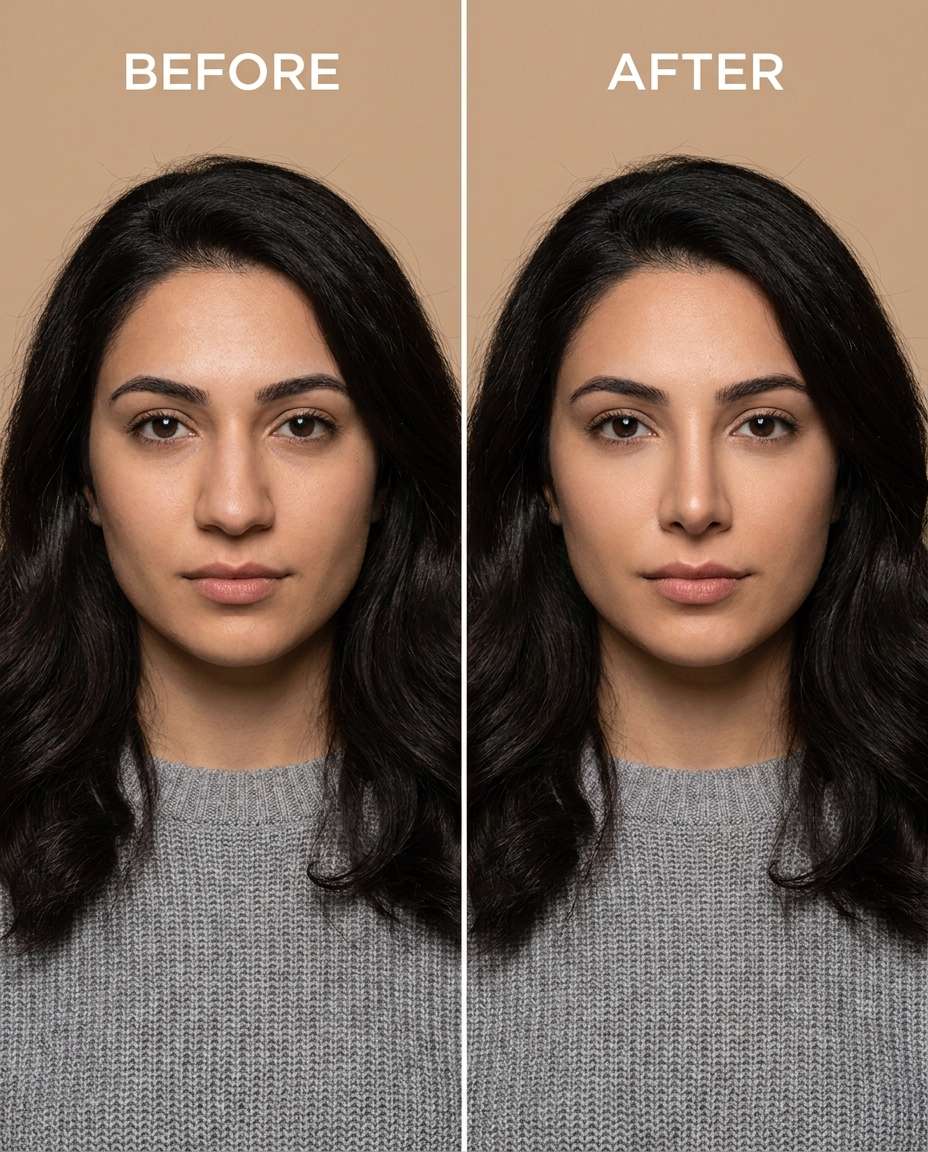
Looking for realistic Gemini AI nose slimming prompts that actually make selfies look natural? Sculpt with those prompts and keep your features believable, from gentle to dramatic. You want a slimmer bridge or softer nostrils, not a different face. Upload one portrait, paste a prompt, and generate 25 prompts worth of variations that respect your lighting, makeup, and styling. Keep the same expression and vibe while you tune the intensity until it looks like you on a great day, not an obvious edit.
Stunning AI nose slimming generated with Media.io - powered by
Nano Banana Pro.
How to Use Gemini AI Nose Slimming Prompts in 3 Steps
Using Media.io is straightforward: upload your photo, apply one prompt, then iterate until the retouch feels right. Here is a quick three-step flow.
1
Open the AI Photo Generator
Go to Media.io and open the AI Photo Generator for photo edits. Choose an image-to-image workflow so the result stays grounded in your original portrait, including your facial structure, lighting, and background elements.
2
Upload and paste your prompt
Upload a clear portrait (selfie or camera photo), then paste one prompt into the edit box. Start with a Gemini AI prompt to make nose smaller in photo, then tweak the intensity words (subtle, medium, stronger) to match your comfort level.
3
Generate, compare, and download
Click Generate and review the outputs for realism: check nostril edges, bridge alignment, and shadow direction. If anything looks off, regenerate with a softer instruction or more preservation notes. Download the best version once it feels natural.
Best Gemini AI Nose Slimming Prompts Ideas & Examples
Soft Bridge Narrowing
Slim the nose bridge slightly for a natural look, keeping the same face and expression, same hairstyle and skin tone, and the same outfit details, preserving original lighting and background details, no other facial changes --ar 4:5
Nostril Flare Reduction
Refine the nostrils to be less flared while keeping the same face and pose, same hair part and eyebrow shape, preserving the original lighting and skin texture, keep the background untouched --ar 4:5
Tip Definition
Sculpt the nose tip to look slightly more defined and lifted, keeping the same face and smile, same hairstyle and makeup, preserving shadow direction and background details, do not change cheeks or lips --ar 4:5
Texture-Safe Slim
Smooth the nose contours to appear slimmer without blurring skin, keeping the same face and eye shape, same skin tone and freckles, preserving natural-skin texture and original lighting, keep background unchanged --ar 4:5
Stronger Slimming
Cinch the nose width to a noticeably slimmer shape, keeping the same face and head angle, same hairstyle and earrings, preserving original lighting and background details, avoid warping cheeks or jawline --ar 4:5
Asymmetry Fix
Reshape the nose so it looks more symmetrical, keeping the same face and expression, same hairline and skin tone, preserving original lighting and the exact background, do not alter eyes or mouth --ar 4:5
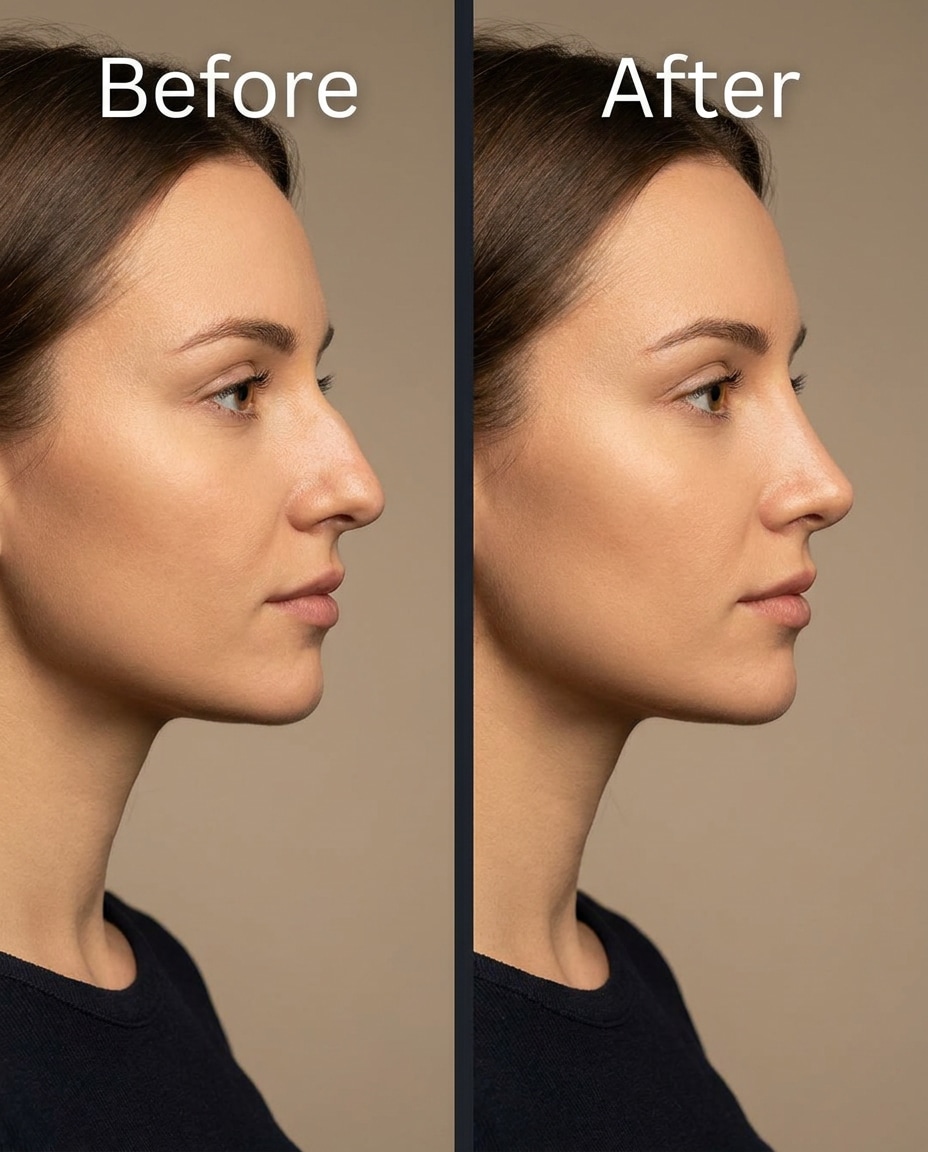
Profile Refinement
Adjust the nose profile to look slightly straighter, keeping the same face and side-profile pose, same hairstyle and ear details, preserving original lighting and background details, keep chin and lips unchanged --ar 4:5
Micro Slim
Tighten the nose bridge just a touch for a barely-there change, keeping the same face and gaze, same hairstyle and skin tone, preserving original lighting and background texture, maintain natural shadows --ar 4:5
Angle-Safe Slim
Tune the nose to look slimmer from a three-quarter angle, keeping the same face and head tilt, same hairstyle and outfit details, preserving original lighting and background elements, no distortion on cheeks --ar 4:5
Makeup Preserved
Soften the nose width while keeping the same face and makeup placement, same hairstyle and skin tone, preserving makeup texture and original lighting, keep background and outfit seams intact --ar 4:5
Glasses Friendly
Slim the nose subtly without shifting glasses, keeping the same face and expression, same hairstyle and skin tone, preserving glasses reflections and original lighting, keep the background unchanged --ar 4:5
Smile Flare Control
Refine the nostrils so they flare less during a smile, keeping the same face and smile, same hairstyle and outfit, preserving original lighting and background details, keep teeth and lips unchanged --ar 4:5
Bridge and Tip Balance
Sculpt the bridge and tip for a slimmer, balanced nose, keeping the same face and pose, same hairstyle and skin tone, preserving natural shadows and background details, do not change eyes or eyebrows --ar 4:5
Shadow-Respect Slim
Smooth the nose width reduction so the shadows still match the light source, keeping the same face and head angle, same hairstyle and skin tone, preserving shadow direction and original lighting, keep background untouched --ar 4:5
Low Light Subtle
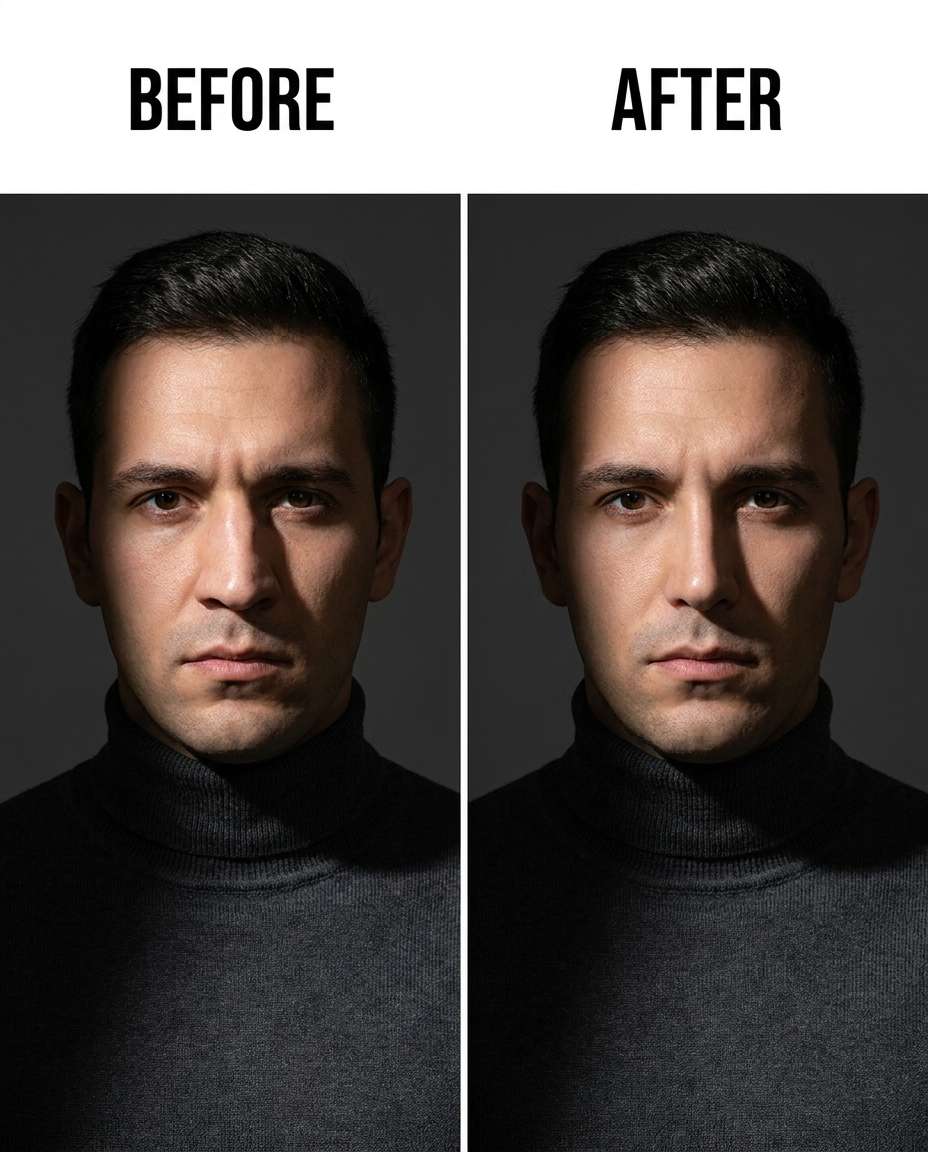
Cinch the nose slightly in a low-light photo, keeping the same face and expression, same hairstyle and skin tone, preserving low-light grain, original lighting mood, and background details --ar 4:5
Outdoor Sun Highlights
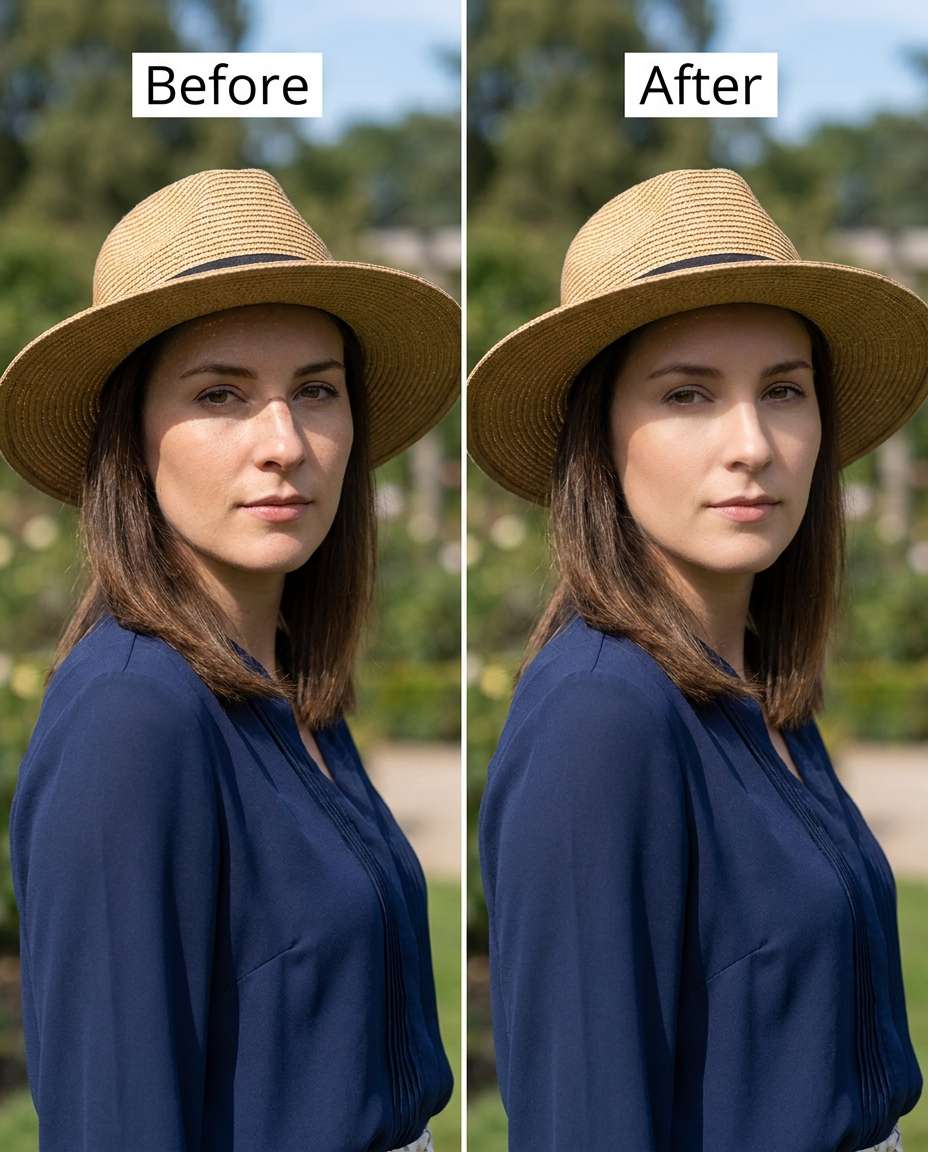
Reshape the nose to be slimmer while keeping sun highlights realistic, keeping the same face and pose, same hairstyle and outfit, preserving original outdoor lighting and background details, maintain skin texture --ar 4:5
Close-Up Precision
Adjust the nose to look slimmer in a tight close-up, keeping the same face and eye direction, same hairstyle and skin tone, preserving pores, freckles, and original lighting, keep background details unchanged --ar 4:5
Wide-Angle Correction
Tighten the nose appearance to counter wide-angle distortion, keeping the same face and pose, same hairstyle and outfit details, preserving original lighting and background lines, avoid changing face shape overall --ar 4:5
Nostril Edge Cleanup
Soften the nostril edges and slim the base slightly, keeping the same face and expression, same skin tone and makeup, preserving natural-skin texture and original lighting, keep background untouched --ar 4:5
Gentle Downturn Fix
Slim and refine a slightly downturned nose tip, keeping the same face and head angle, same hairstyle and skin tone, preserving original lighting and background details, do not alter lips, chin, or jawline --ar 4:5
Beard-Friendly Edit
Refine the nose to be slimmer without affecting facial hair, keeping the same face and expression, same beard shape and hairstyle, preserving facial-hair texture and original lighting, keep background unchanged --ar 4:5
Hat Shadow Match
Sculpt the nose slimmer while matching hat-cast shadows, keeping the same face and pose, same hat and hairstyle, preserving shadow direction and background details, do not shift the hat or hairline --ar 4:5
High Contrast Studio
Smooth and slim the nose in a high-contrast studio portrait, keeping the same face and expression, same hairstyle and outfit, preserving studio lighting contrast and background details, maintain realistic skin texture --ar 4:5
Natural Teen Retouch
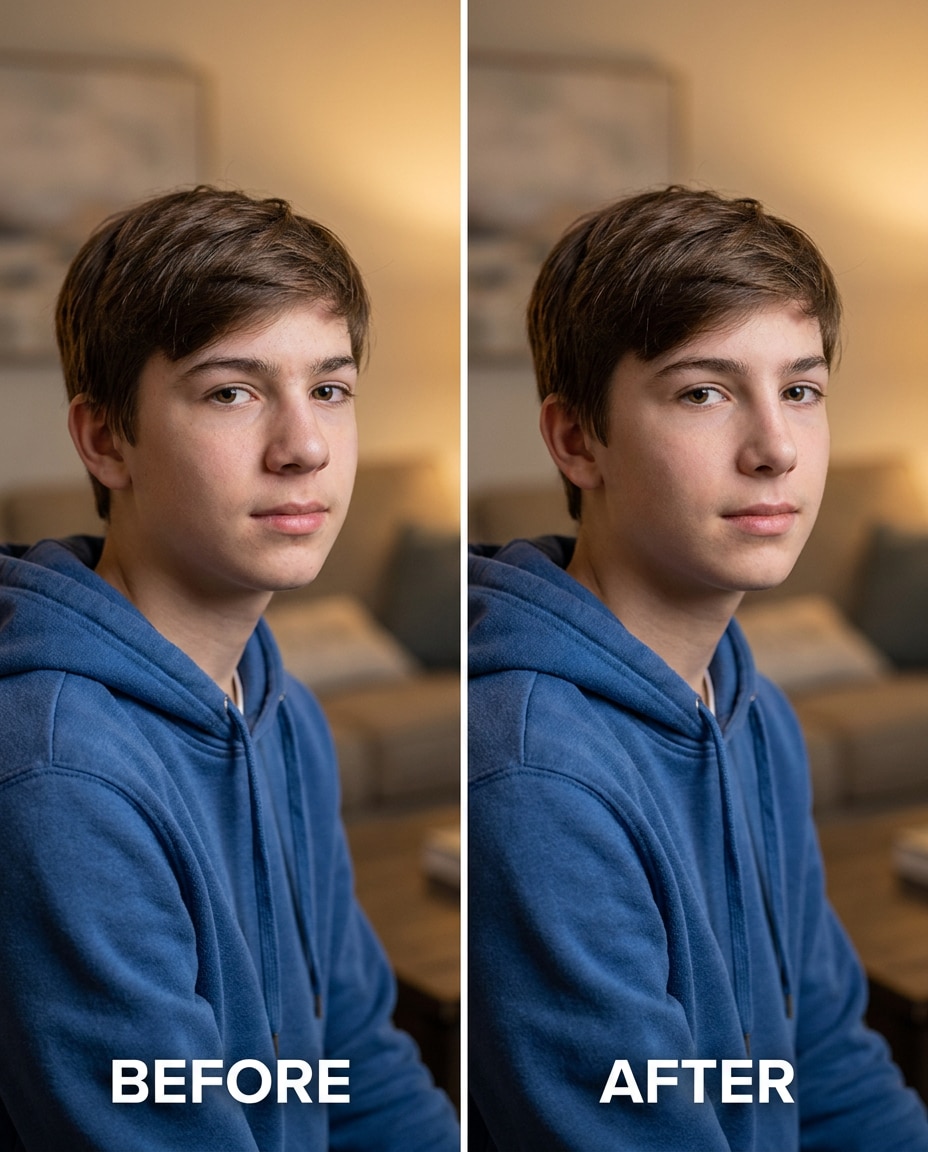
Cinch the nose subtly for a natural teen portrait, keeping the same face and youthful features, same hairstyle and skin tone, preserving natural-skin texture and original lighting, keep background details unchanged --ar 4:5
Mature Portrait Subtle
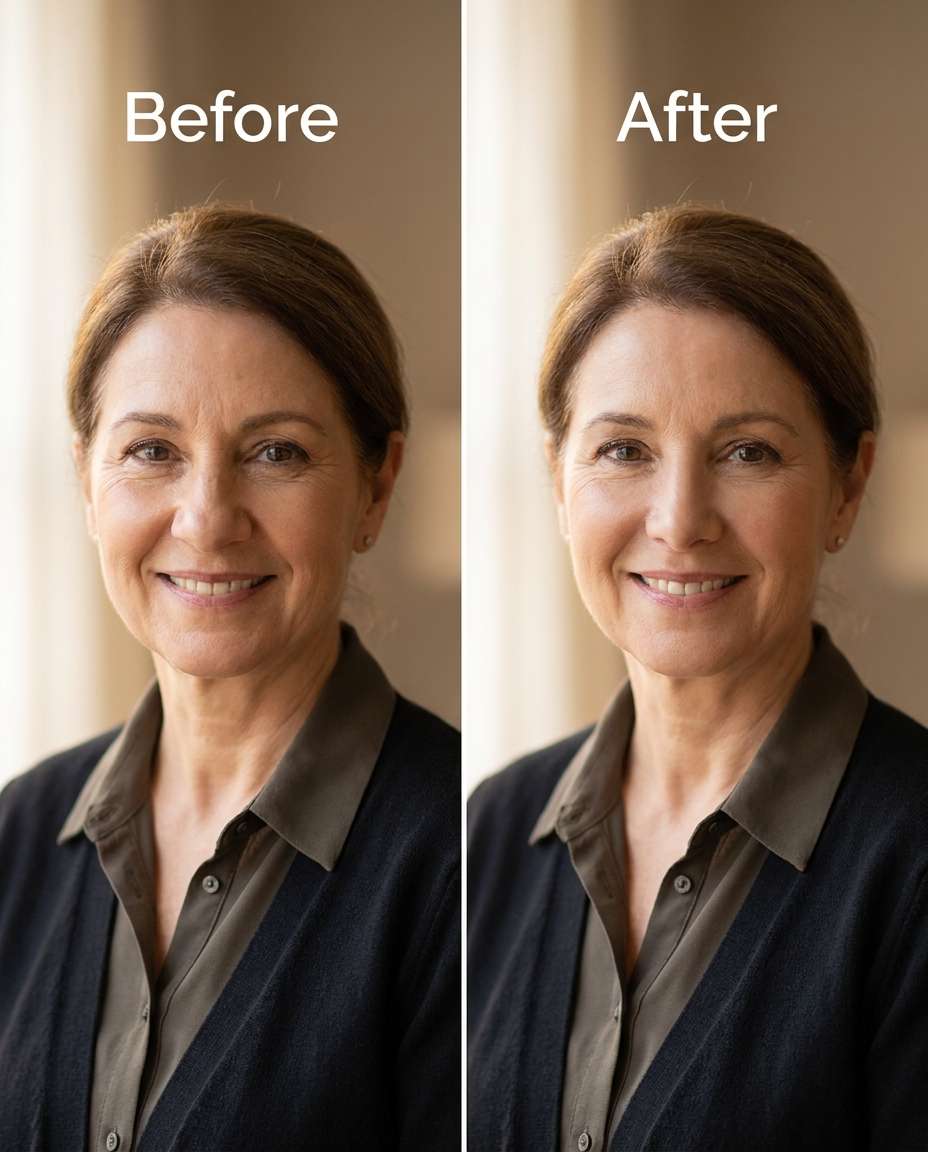
Adjust the nose to look a bit slimmer in a mature portrait, keeping the same face and expression lines, same hairstyle and skin tone, preserving realistic skin texture and original lighting, keep outfit details and background intact --ar 4:5
How to Write Better Gemini AI Nose Slimming Prompts
For the most natural result, describe exactly what should change on the nose and what must stay untouched everywhere else. Small wording tweaks around intensity and preservation usually matter more than adding lots of extra detail.
Recommended Prompt Formula
Action verb + targeted nose change (bridge, tip, base, nostrils)
Intensity cue (subtle, moderate, noticeable) and a realism note
Identity anchors (same face, same expression, same hairstyle)
Constraints (no cheek/jaw/eye changes, no warping)
Finish with aspect ratio: --ar 4:5 or any other customized ratio.
Prompt Tips for Cleaner Retouch
Ask for one primary change at a time (bridge width or nostril flare), then iterate.
Call out shadow direction so the slimming matches the existing light source.
If you wear glasses, explicitly preserve their position and reflections.
Mention makeup safety when contour or highlight is present on the nose.
Use percentage-like language sparingly (e.g., slightly vs noticeably) to avoid over-editing.
Add a constraint to protect nearby features: keep cheeks, lips, and eyes unchanged.
Why Choose Media.io for Gemini AI Nose Slimming Prompts
Natural-looking edits that protect your identity and outfit, letting you tune the nose change from subtle to strong without distortion.
Identity stays consistent
Media.io helps you keep the same person, expression, and styling while you target only the nose area. That means fewer accidental changes to cheeks, eyes, or smile, and a result that still reads as you, just more refined.
Tunable edit intensity
Go from a barely-there refinement to a more noticeable slimming by adjusting a few words in your prompt. Media.io makes it easy to generate multiple options quickly so you can choose the most believable level for the lighting and angle.
Lighting and texture preserved
Good retouch respects shadows, highlights, and skin texture. Media.io outputs can maintain pores, freckles, and makeup detail while keeping shadow direction consistent, so the slimming looks integrated instead of pasted on.
Fast iterate and download
Upload once, test a prompt, then refine based on what you see. Media.io makes regeneration simple, so you can correct over-slimming, asymmetry, or nostril edges and download the version that looks natural for your specific photo.
FAQs About
Gemini AI Nose Slimming Prompts
1. What are Gemini AI nose slimming prompts used for?
They are short edit instructions you apply to an uploaded portrait to narrow the bridge, reduce nostril flare, refine the tip, or correct asymmetry. The best prompts also include "keep" notes (same face, same hair, same lighting) so the change stays localized and believable.
2. How do I avoid an over-edited or "pinched" look?
Start with subtle language first, then step up gradually. Add constraints like "do not change cheeks, lips, or eyes" and preservation notes like "keep original lighting and skin texture." If shadows start looking inconsistent, reduce intensity and ask to respect the existing highlight and shadow direction.
3. how to slim a wide nose with Gemini AI prompts
Focus on one variable at a time: bridge width, nostril flare, or base width. Use an intensity cue (subtle, moderate, noticeable) and include two or more identity anchors (same expression, same hairstyle) plus one preservation anchor (original lighting or background). Generate a few versions and pick the most natural.
4. Will this work on selfies taken with a wide-angle phone camera?
Yes, but wide-angle selfies can exaggerate the nose, so the edit must be gentle. Include a note to correct perspective-related enlargement without changing the overall face shape. Always check nearby areas (under-eye, cheeks) for warping, and regenerate with stronger preservation constraints if needed.
5. Can I slim the nose without messing up glasses or makeup?
You can, as long as you explicitly preserve them. Add instructions to keep glasses position and reflections unchanged, and to keep contour or highlight makeup intact. Then evaluate the result at 100% zoom around the nose pads, nostril edges, and the makeup boundary lines.
Why Creators Love Media.io's Gemini AI Nose Slimming Prompts?
Alex M.
Photographer
Ultra Realistic Results.
I used these nose slimming prompts to create visuals that looked like real photography. The lighting, textures, and colors felt incredibly natural.
Maya J.
Designer
Perfect Lighting & Detail.
The prompts produced cinematic compositions and soft lighting, making every image feel like a professional shoot.
Jordan P.
Creator
Perfect for Social Media.
I used these prompts to create viral content. It's fast, easy, and consistently produces stunning visuals.