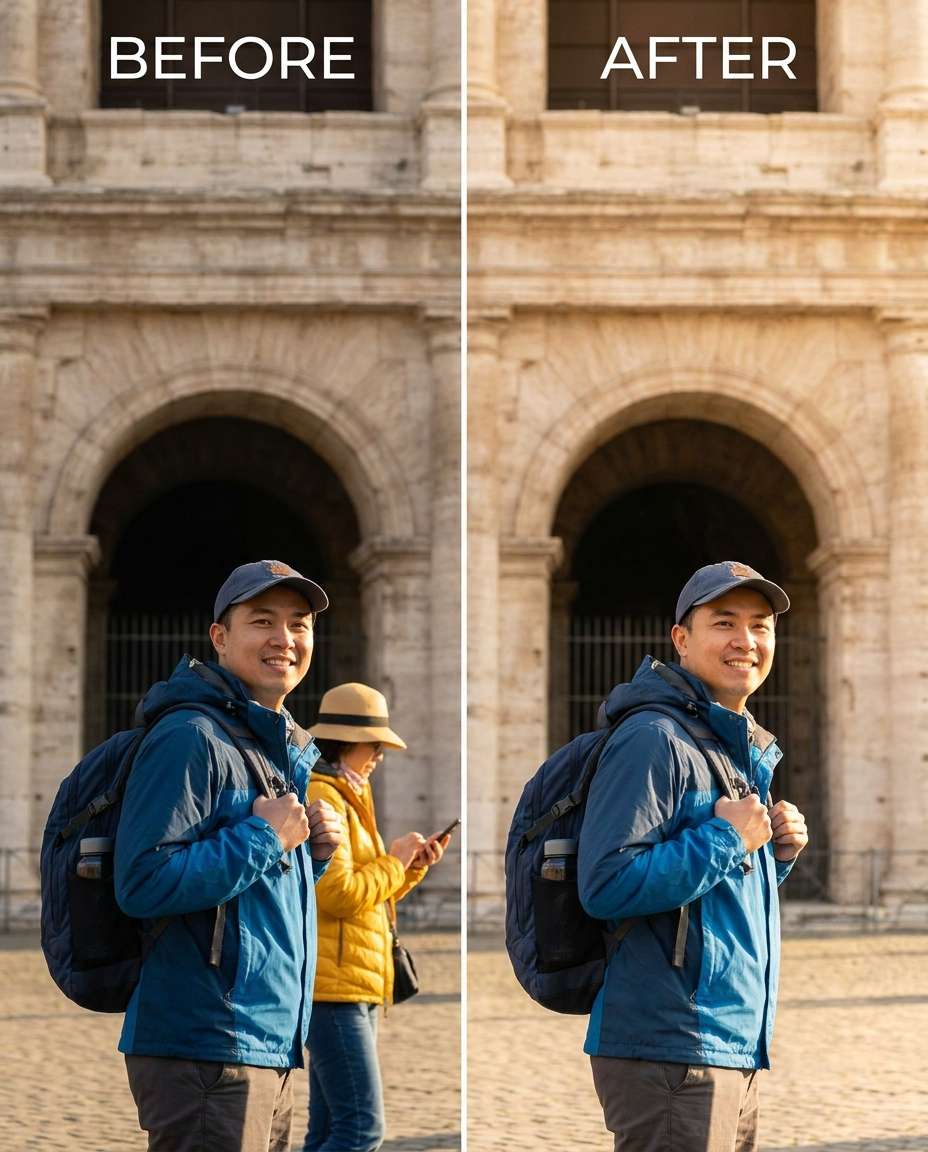
25+ Gemini AI Prompts for Removing Person to Clean Up Any Shot
Refine Gemini AI Prompts for Removing Person into a clean retouch that still looks like your original photo. Keep your face, hair, and outfit true-to-life while you remove a stranger, a photobomber, or one distracting figure from the background. You can tune the cleanup from gentle to dramatic, with control over how much surrounding detail gets rebuilt. Upload your image, paste one of the 25 prompts, and generate a version that preserves lighting, shadows, and the scene's natural texture.
Stunning AI for removing person generated with Media.io - powered by
Nano Banana Pro.
How to Use Gemini AI Removing Person Photo Prompts in 3 Steps
Use Media.io to run this workflow in minutes: upload a photo, paste a prompt, then generate and download the clean result.
1
Open the AI photo generator
Go to Media.io and open the AI Photo Generator (image-to-image). Choose an aspect ratio that matches your shot, then get your photo ready so the tool can reference your exact lighting, background, and subject details.
2
Upload and paste a prompt
Upload your image, then paste a prompt that describes who to remove and what must stay the same. One focused prompt can handle anything from a single photobomber to Gemini AI prompts to remove tourists from background without changing your pose or outfit.
3
Generate, review, download
Generate a few variations, then zoom in to check edges, shadows, and repeated patterns. If anything looks off, adjust the prompt to preserve background details or respect shadow direction, then download the cleanest version.
Best Gemini AI Prompts for Removing Person Ideas & Examples
Landmark Tourist Cleanup
Slim the distraction by removing the tourist standing behind me near the landmark, keeping the same face and same pose, with the same hairstyle and same outfit details. Preserve original lighting, natural shadows, and the monument texture in the background, filling the space realistically where the person was., preserving background details --ar 4:5
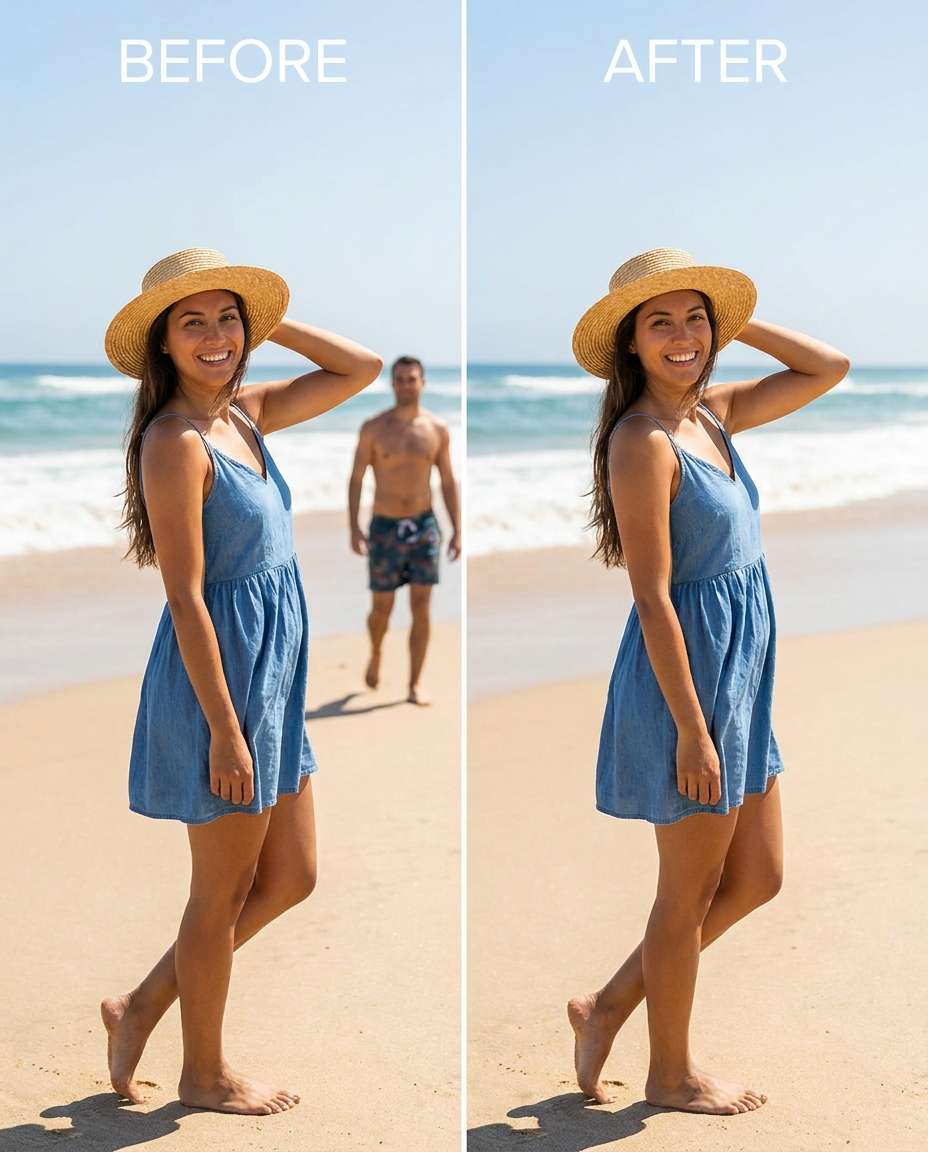
Beach Photobomber Remove
Refine the beach scene by removing the photobomber walking through the background, keeping the same face and same skin tone, with the same hair and same swimsuit details. Preserve the original sunlight direction, sand texture, and ocean horizon so the edit blends naturally., preserving original lighting --ar 4:5
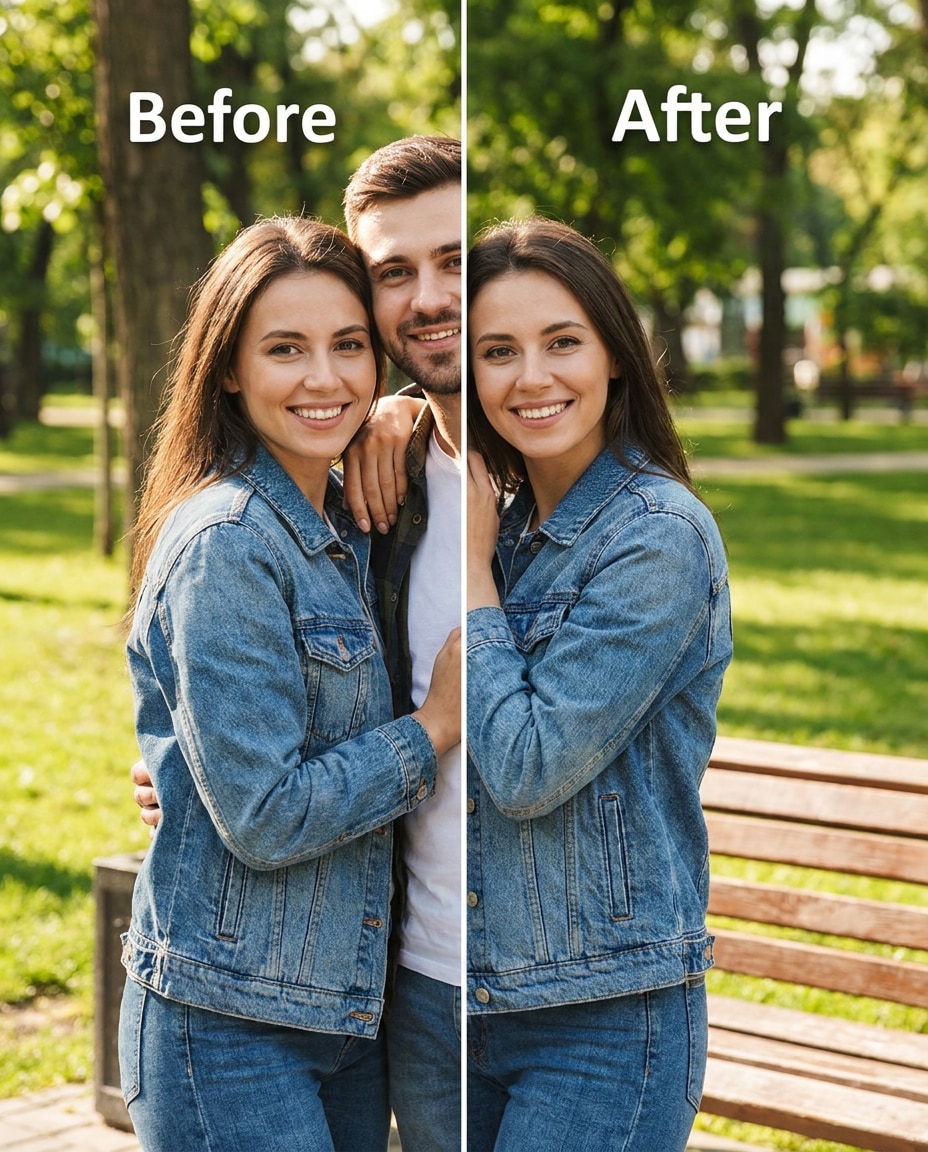
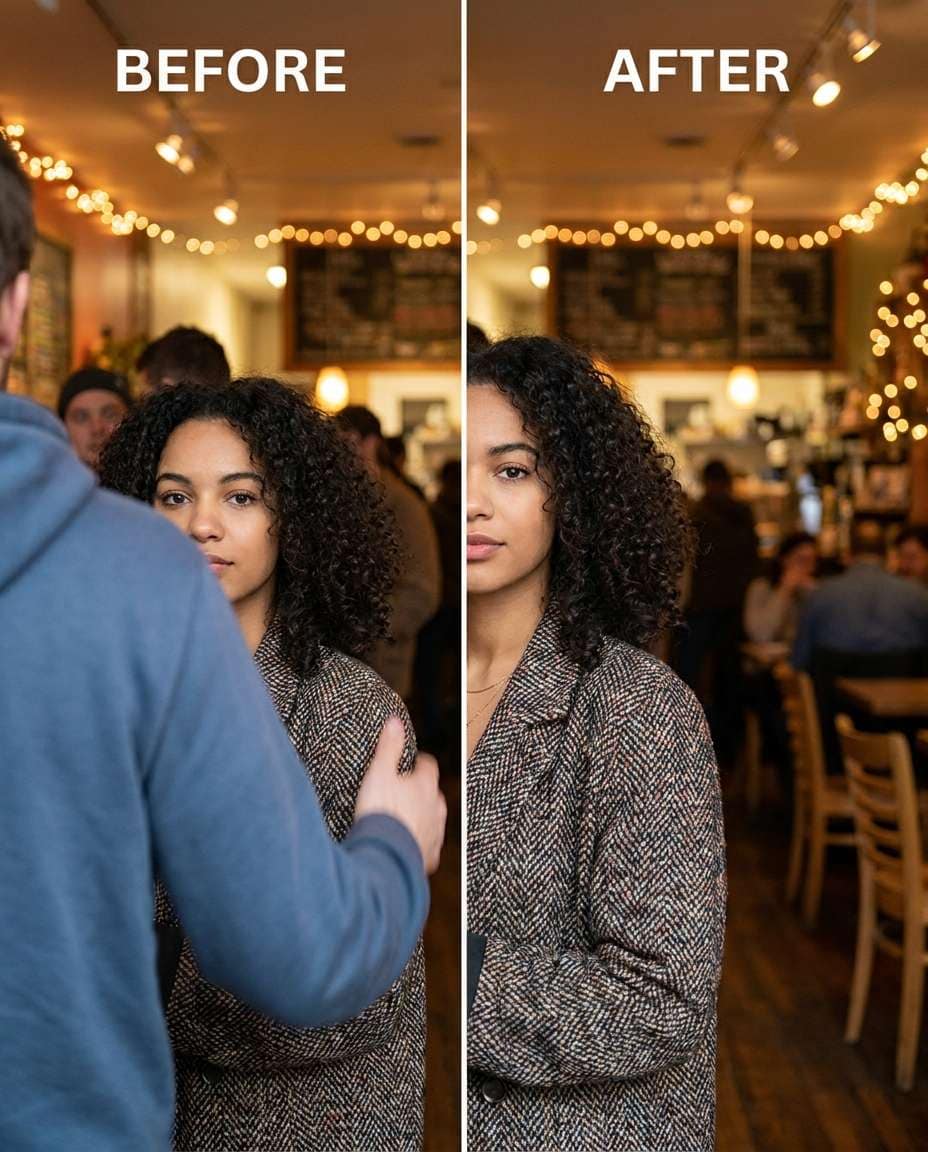
Remove Ex Beside Me
Sculpt the composition by removing the person standing next to me (the one with their arm around me), keeping the same face and same expression, with the same hairstyle and same outfit details. Preserve fabric texture, outfit seams, and the original indoor lighting while rebuilding the empty space naturally., preserving original color grading --ar 4:5
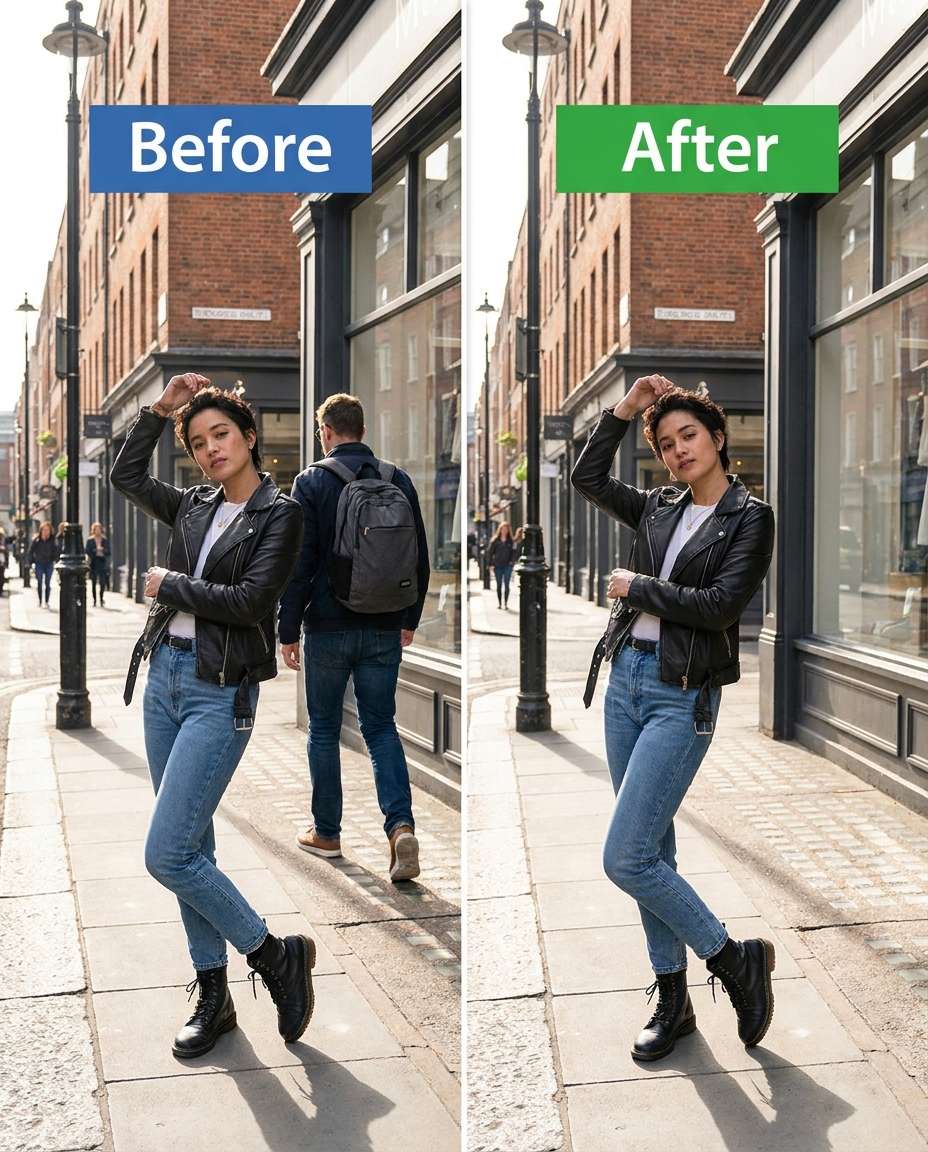
Busy Street Clear
Smooth the background by removing the passerby crossing behind me on the street, keeping the same face and same pose, with the same jacket and same hair shape. Preserve street textures, shop signage details, and the original daylight color so nothing looks warped., preserving fabric texture --ar 4:5
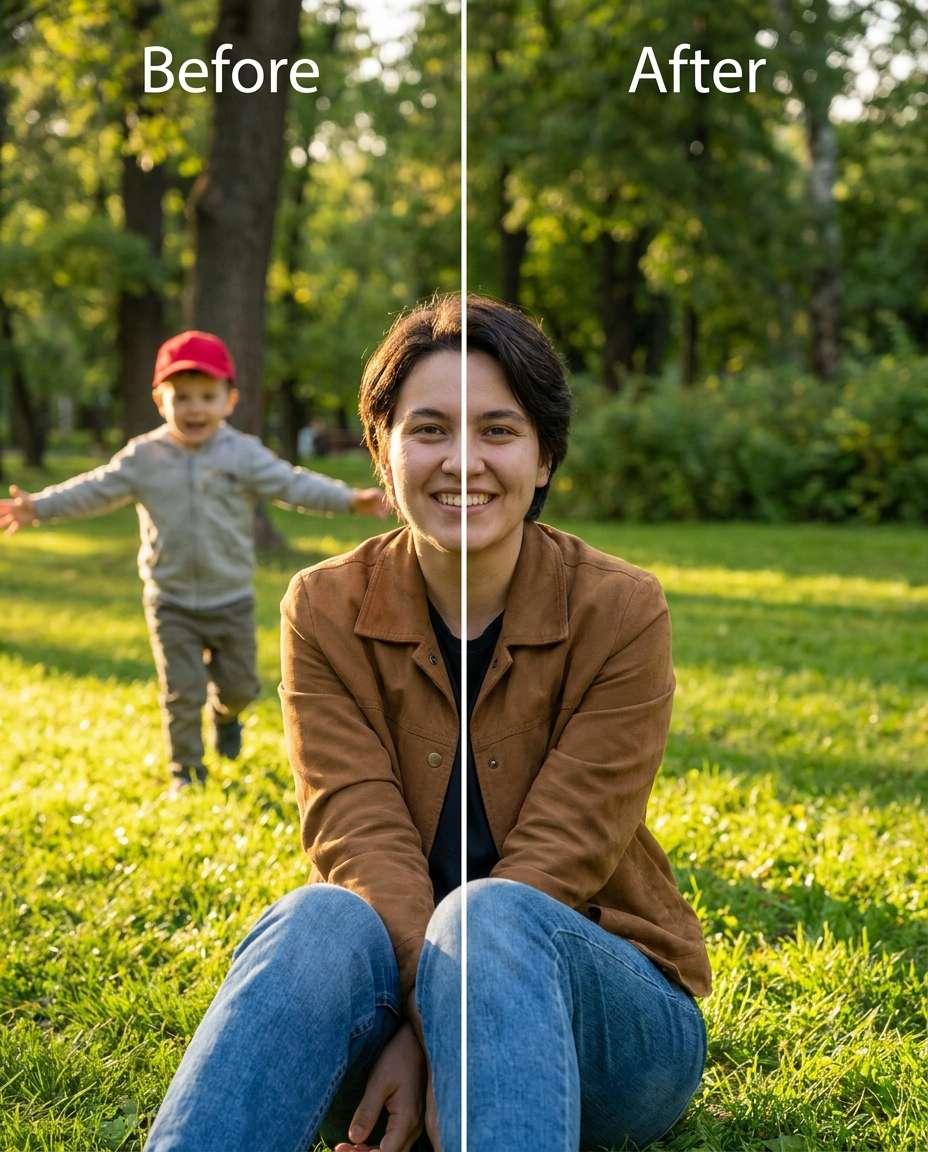
Park Runner Removal
Cinch the scene by removing the child running through the background, keeping the same face and same gaze, with the same hairstyle and same outfit details. Preserve grass texture, tree leaves, and shadow direction so the park still looks natural., preserving original lighting --ar 4:5
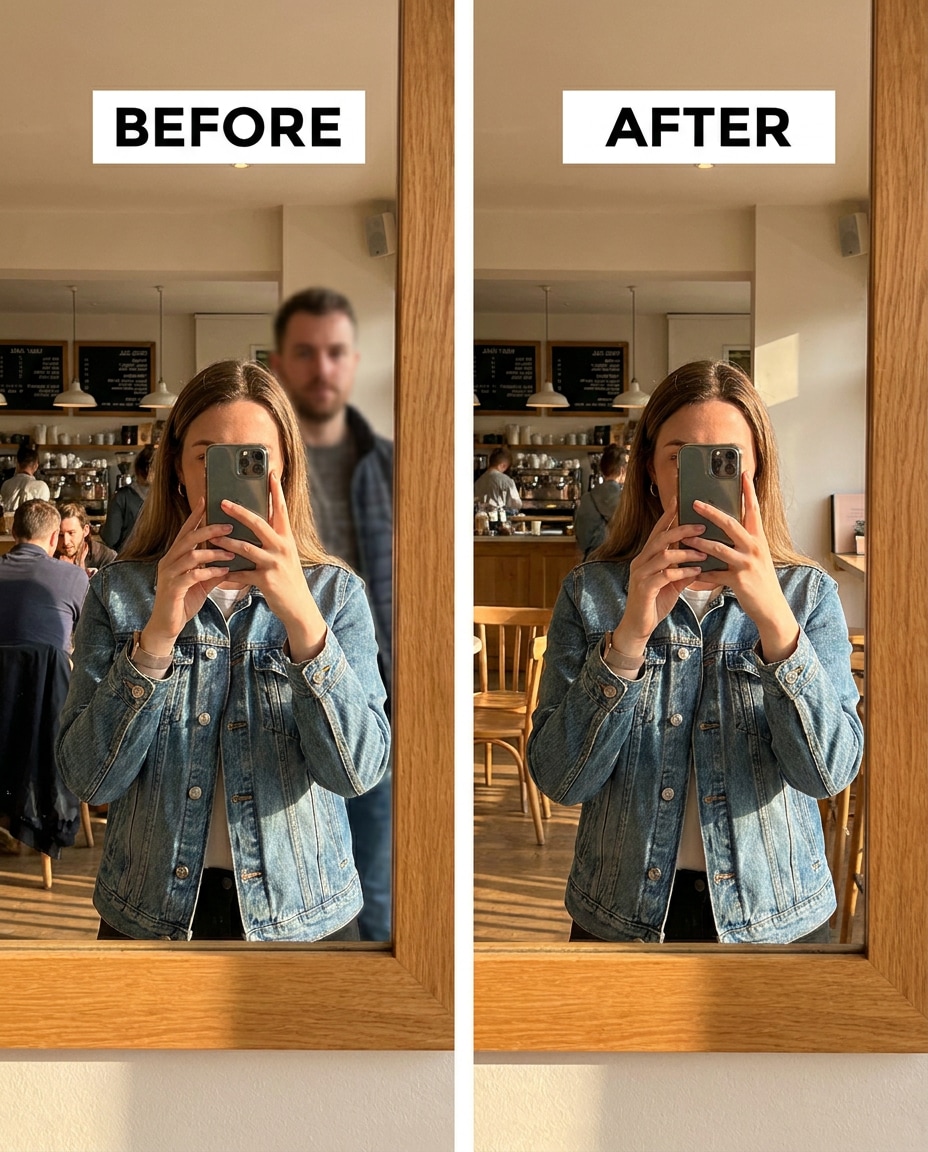
Mirror Reflection Stranger
Reshape the mirror scene by removing the stranger visible behind me in the mirror reflection, keeping the same face and same pose, with the same hairstyle and same top details. Preserve bathroom tile patterns, mirror edges, and the original overhead lighting reflections., preserving original lighting --ar 4:5
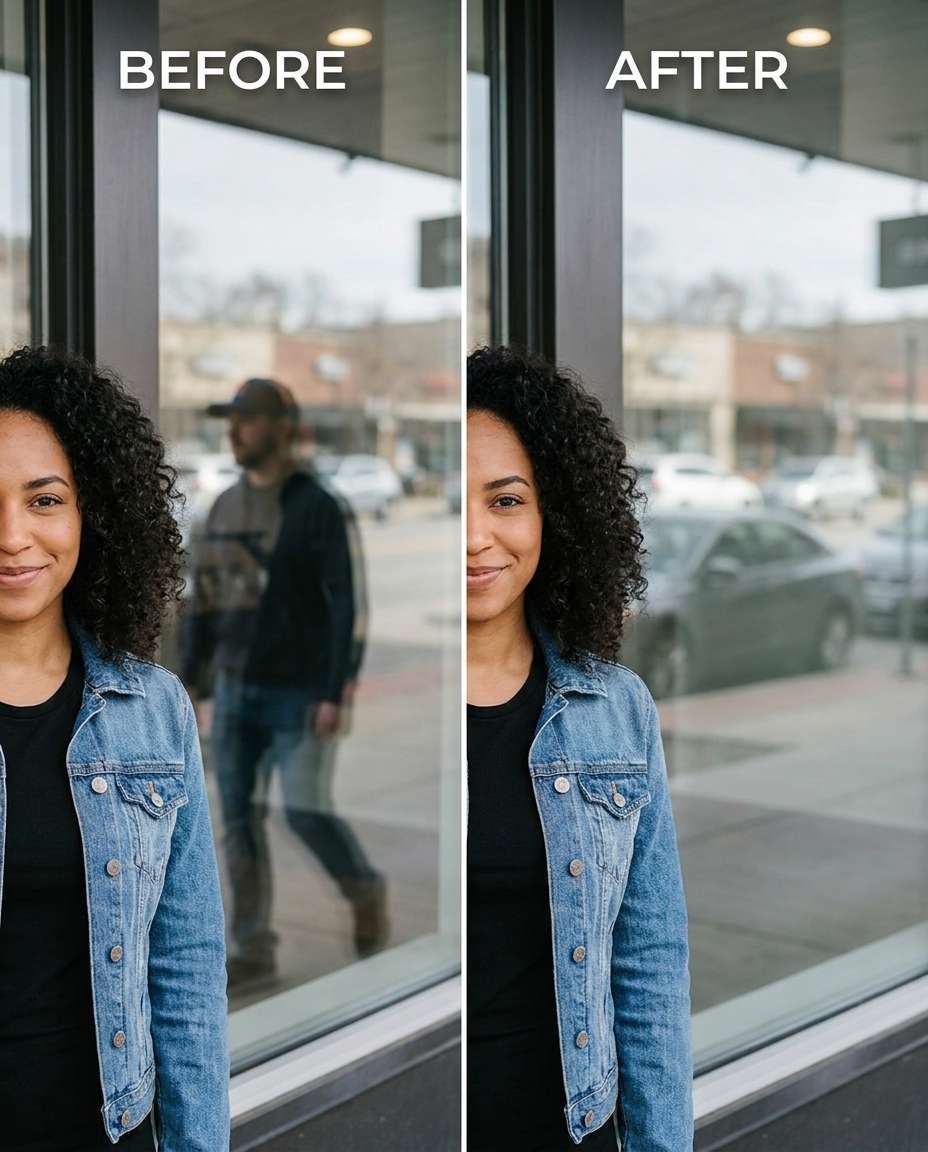
Window Reflection Cleanup
Adjust the glass reflections by removing the person reflected in the shop window behind me, keeping the same face and same hair, with the same skin tone and same outfit details. Preserve the window glare, street reflections, and original lighting so the glass still reads as real., preserving natural skin pores --ar 4:5
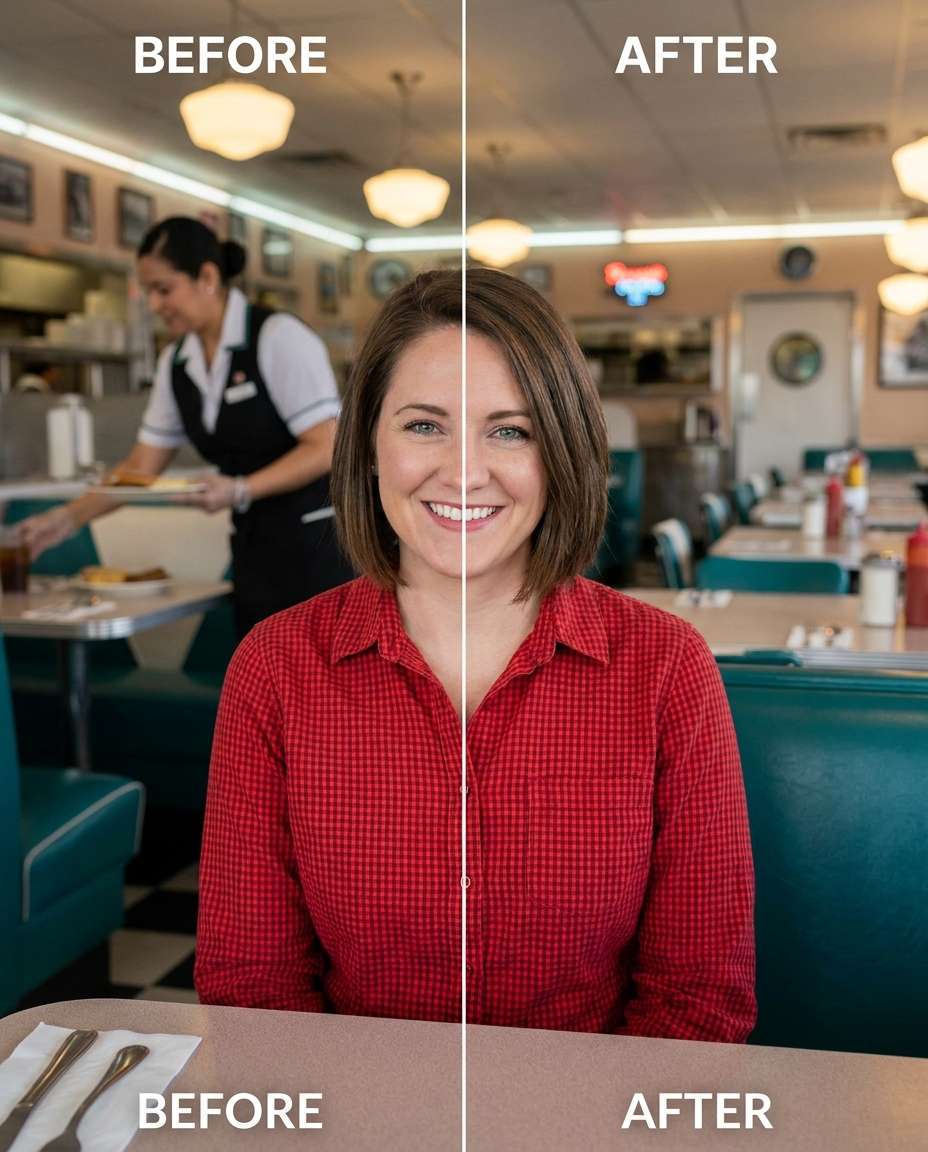
Restaurant Background Waiter
Tighten the restaurant photo by removing the waiter in the background, keeping the same face and same smile, with the same hairstyle and same outfit details. Preserve ambient warm lighting, table textures, and background decor details without smearing., preserving believable proportions --ar 4:5
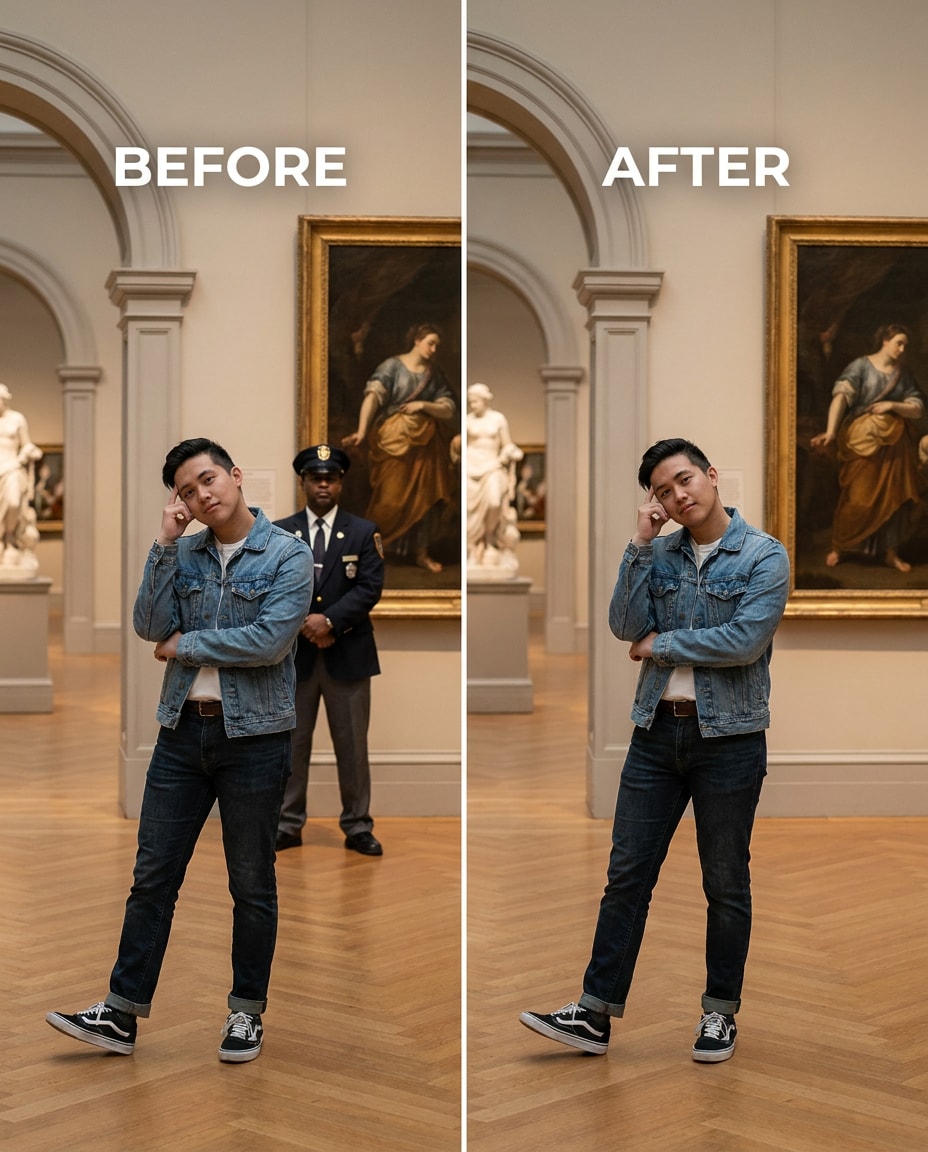
Museum Crowd Remove
Tune the scene by removing the security guard standing behind me in the museum, keeping the same face and same posture, with the same hairstyle and same outfit details. Preserve gallery lighting, wall textures, and artwork framing lines so nothing bends or shifts., preserving shadow direction --ar 4:5
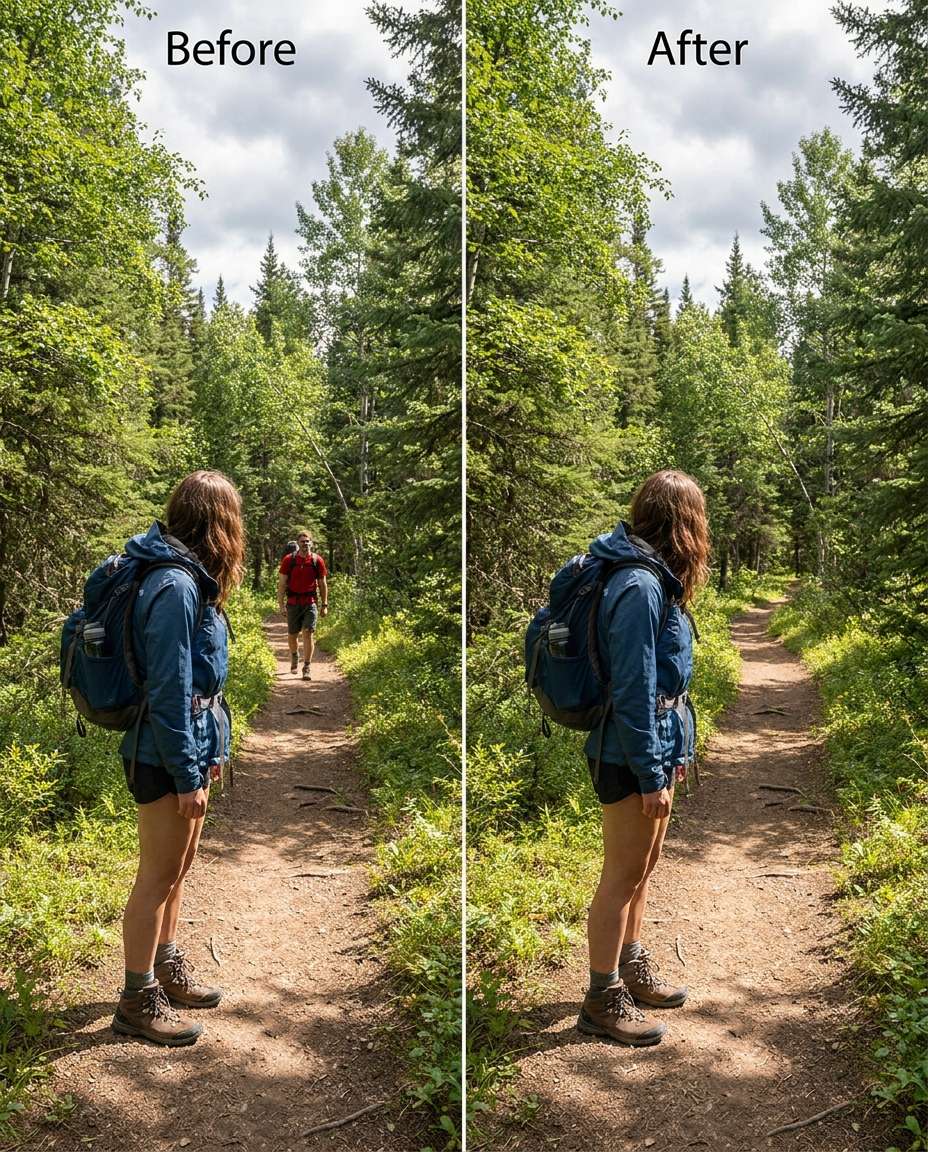
Trail Hiker Removal
Soften the distraction by removing the hiker far behind me on the trail, keeping the same face and same pose, with the same hair and same outfit details. Preserve natural outdoor lighting, tree detail, and depth haze so the forest looks untouched., preserving original lighting --ar 4:5
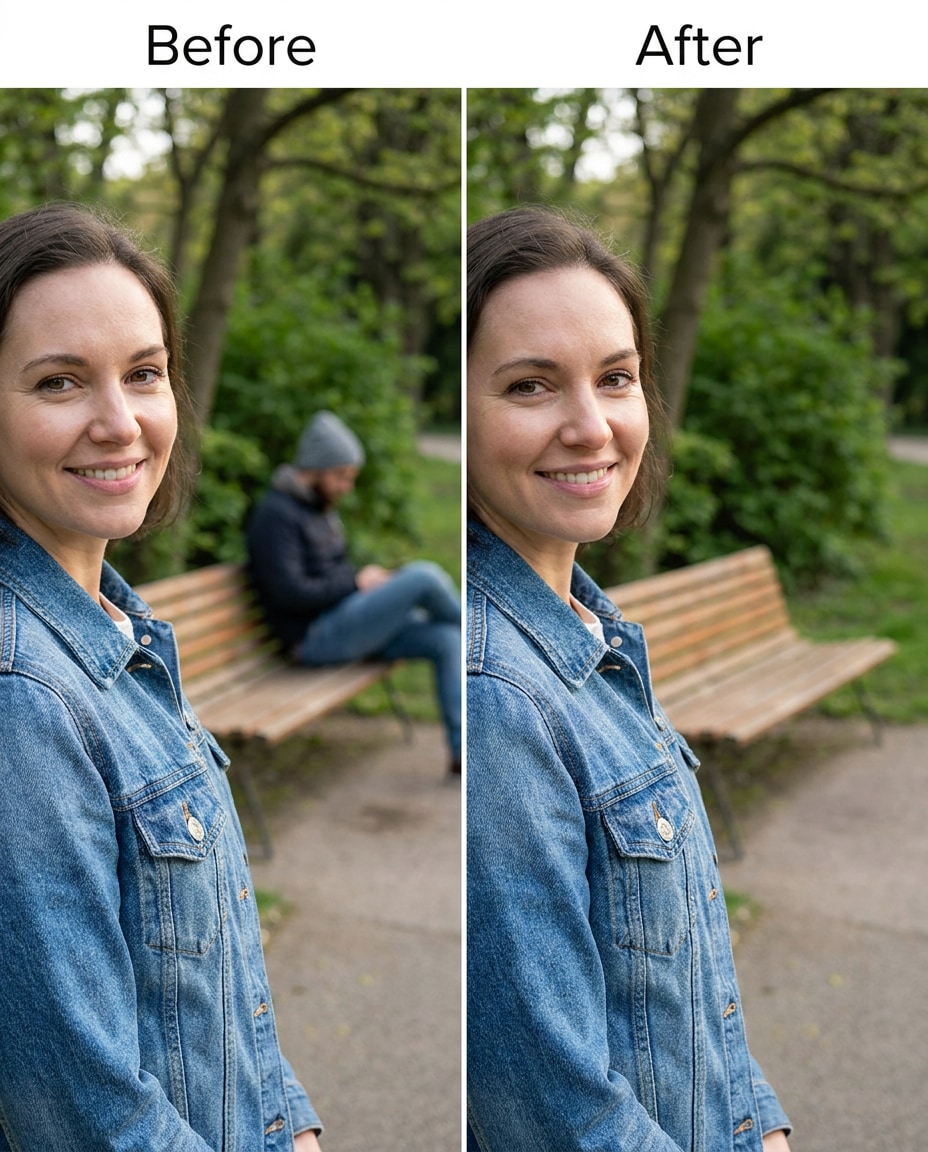
Bench Stranger Delete
Slim the background clutter by removing the stranger sitting on the bench behind me, keeping the same face and same expression, with the same hairstyle and same outfit details. Preserve bench wood grain, park pathway texture, and original shadow direction., preserving shadow direction --ar 4:5
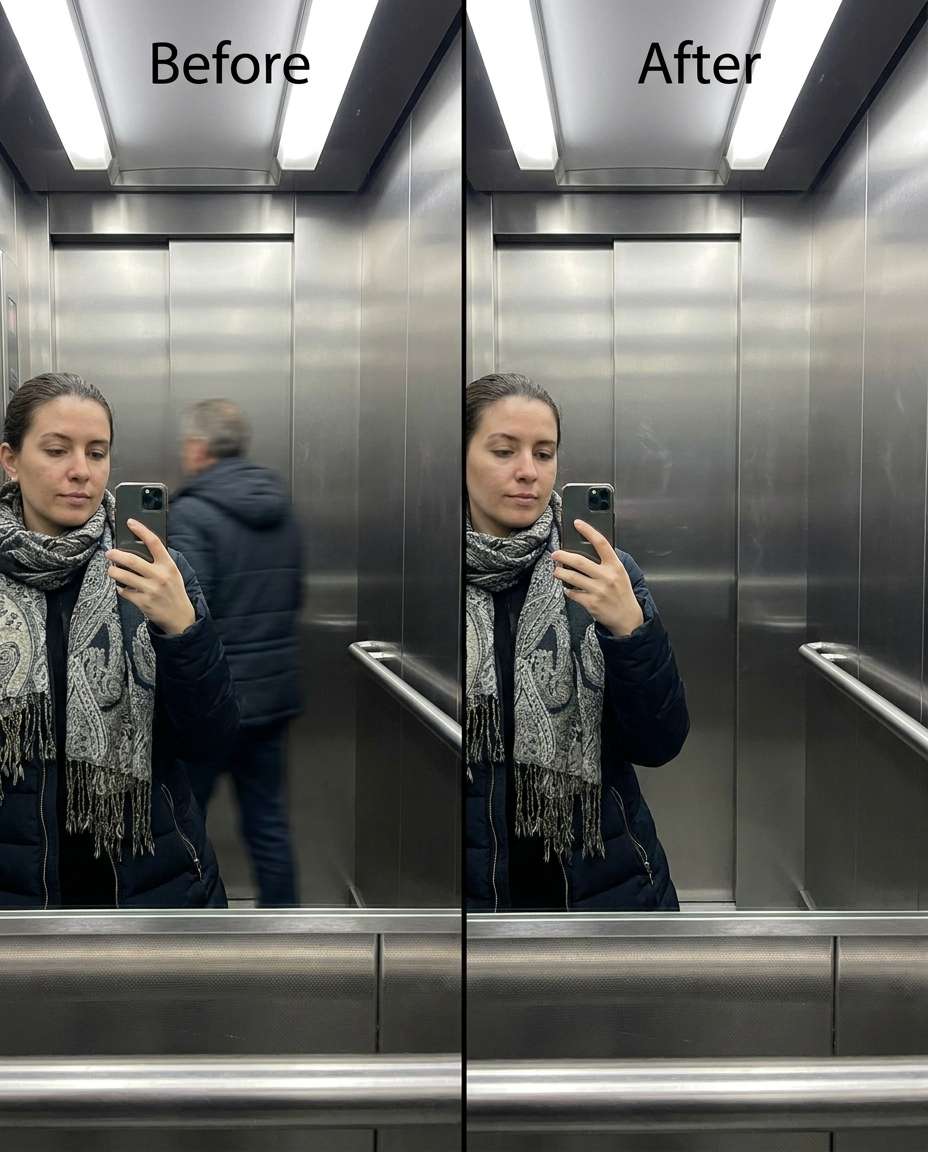
Elevator Selfie Remove
Refine the elevator selfie by removing the person behind me, keeping the same face and same pose, with the same hairstyle and same outfit details. Preserve metallic reflections, panel text, and overhead lighting so the elevator still looks realistic., preserving original color grading --ar 4:5
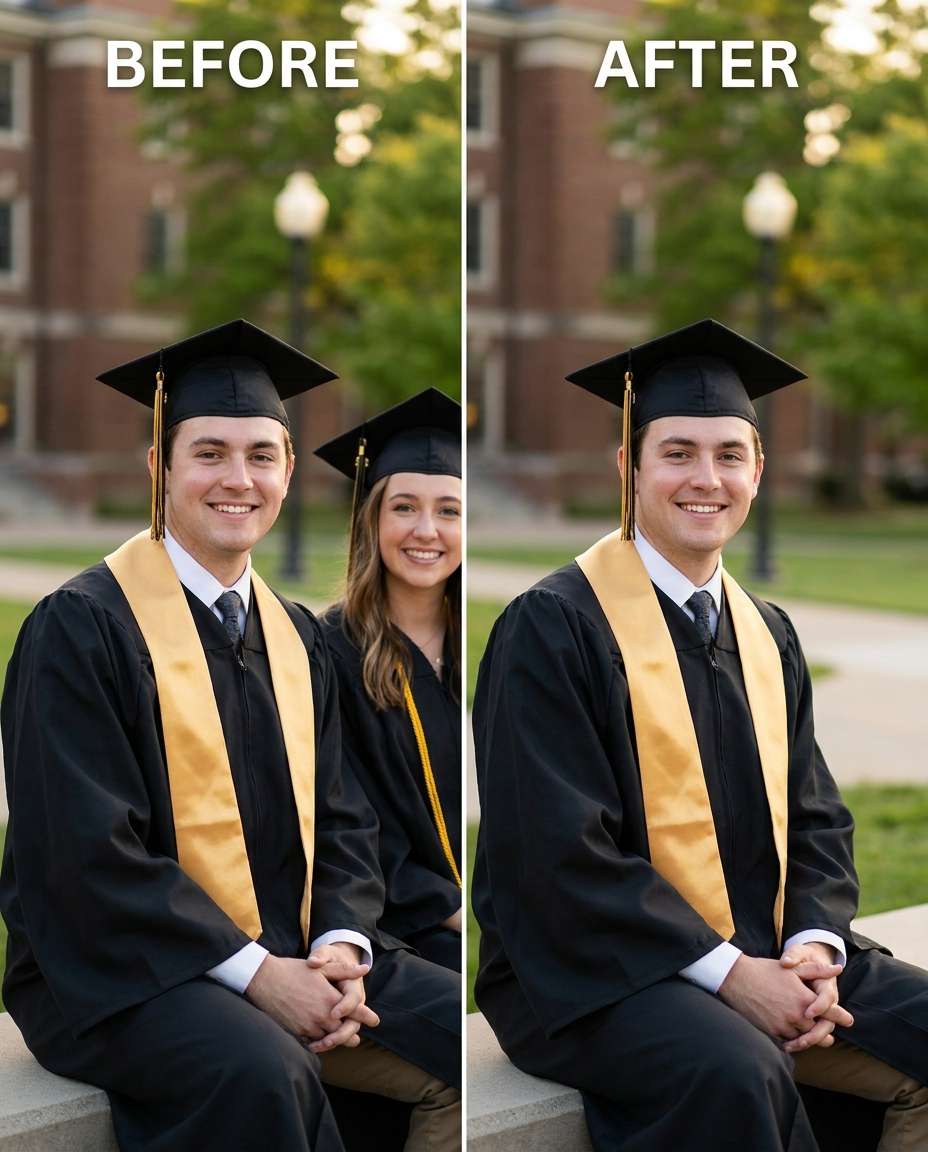
Graduation Photo Cleanup
Sculpt the frame by removing the classmate standing next to me, keeping the same face and same smile, with the same cap and gown details and same hairstyle. Preserve tassel texture, gown folds, and campus background details under the same lighting., preserving fabric texture --ar 4:5
Group Photo Person Remove
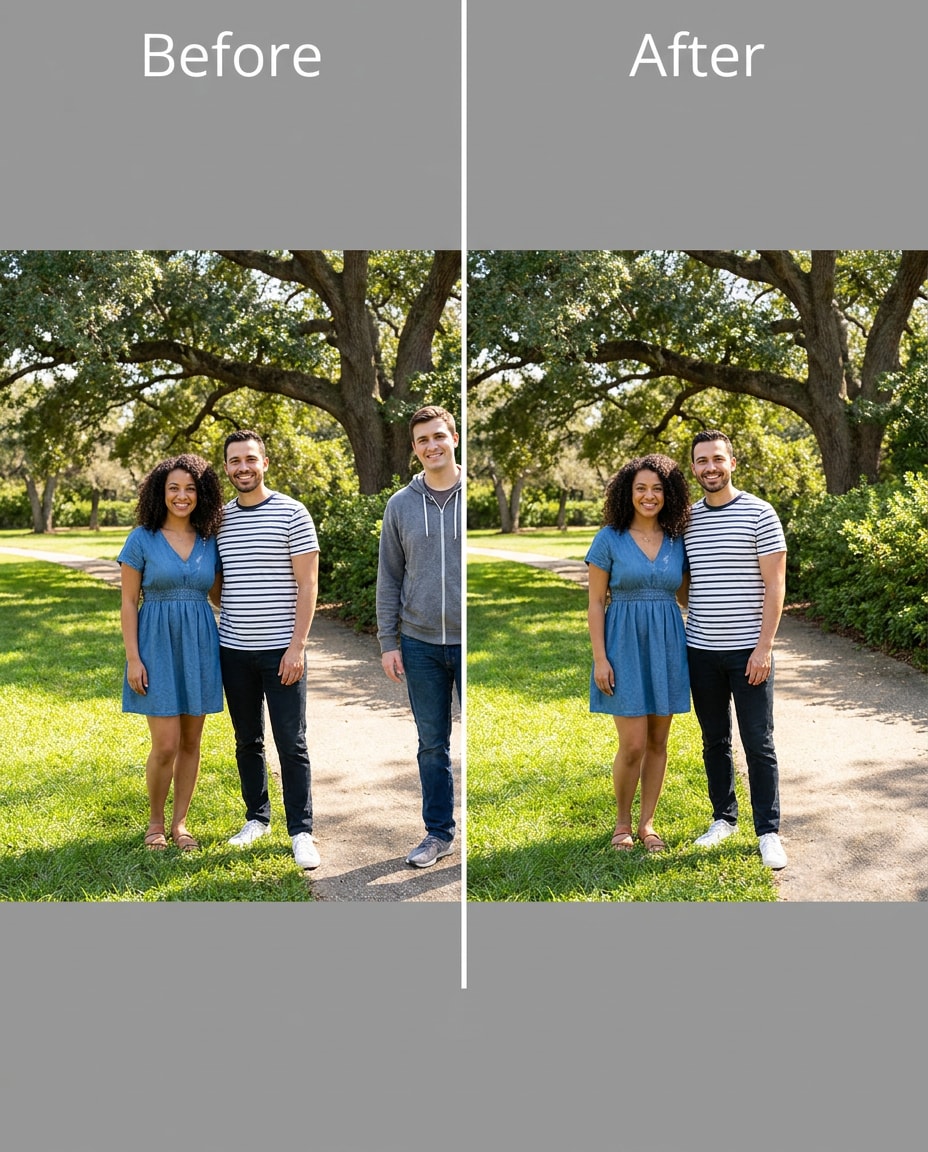
Smooth the group shot by removing one unwanted person from the edge while keeping the same face and same pose for me, with the same hairstyle and same outfit details. Preserve background architecture, consistent lighting, and natural spacing so the scene doesn't look stretched., preserving original lighting --ar 4:5
Sign Holder Remove
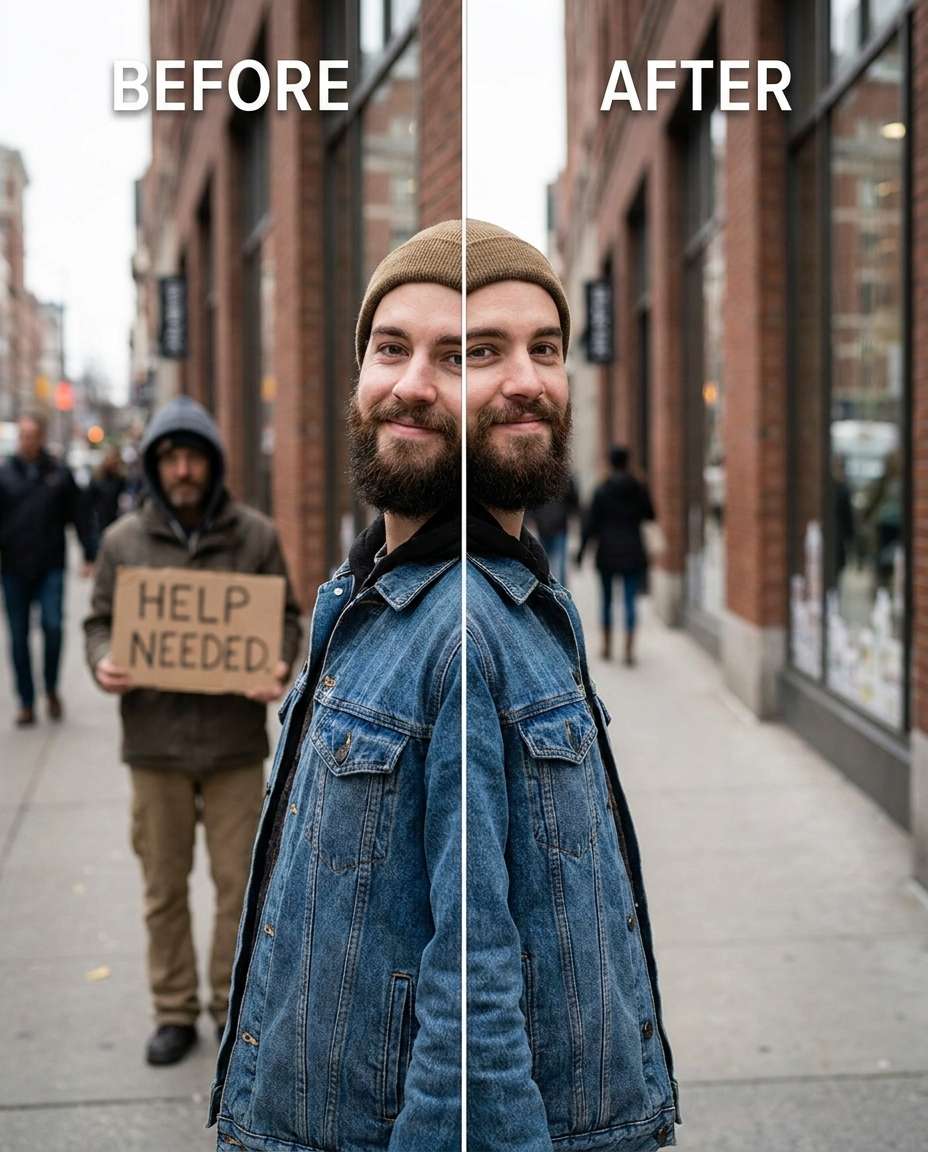
Cinch the background by removing the person holding a sign behind me, keeping the same face and same expression, with the same hairstyle and same outfit details. Preserve street details, crowd texture, and the original lighting so the scene stays believable., preserving believable proportions --ar 4:5
Cyclist Passing Delete
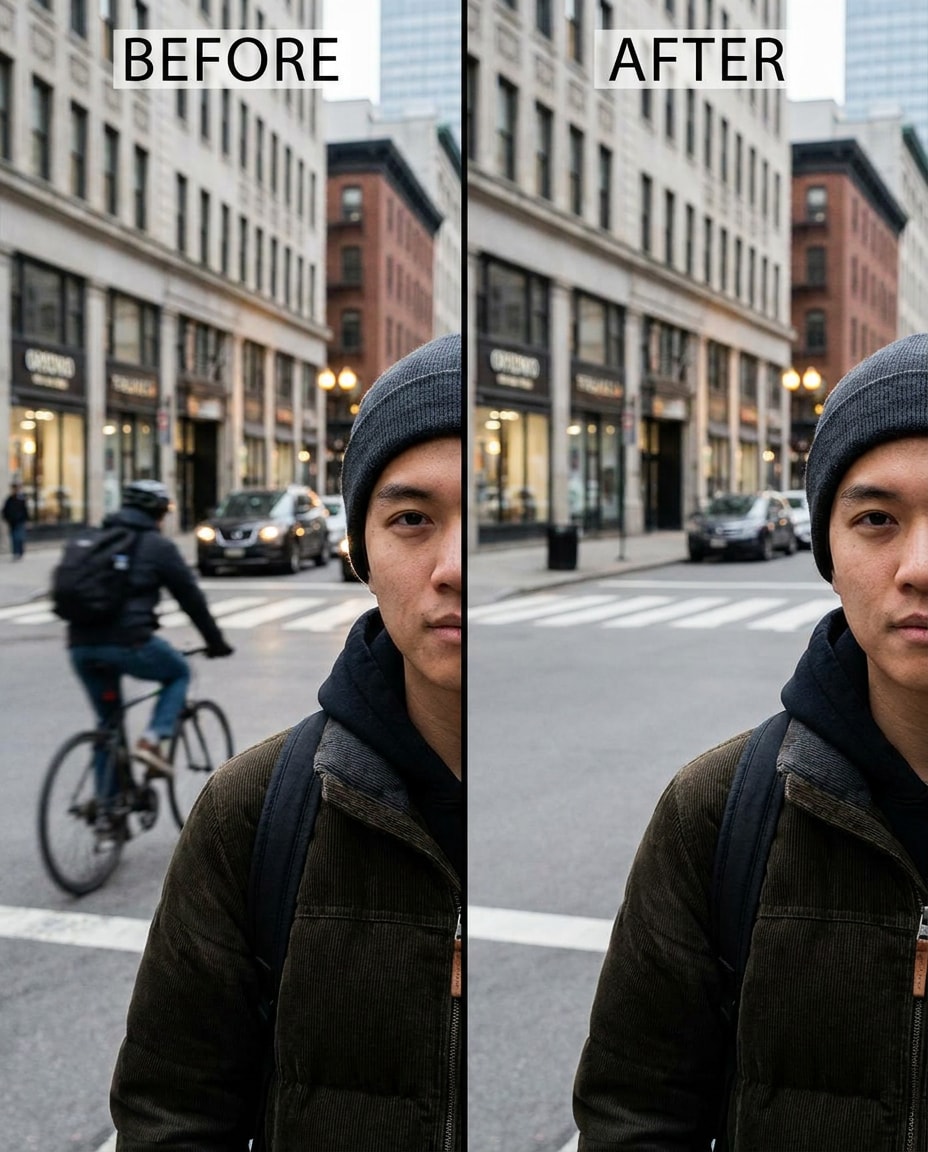
Reshape the motion moment by removing the cyclist passing behind me, keeping the same face and same pose, with the same hairstyle and same outfit details. Preserve road markings, motion blur consistency, and original daylight so the removal doesn't leave artifacts., preserving fabric texture --ar 4:5
Wedding Guest Remove
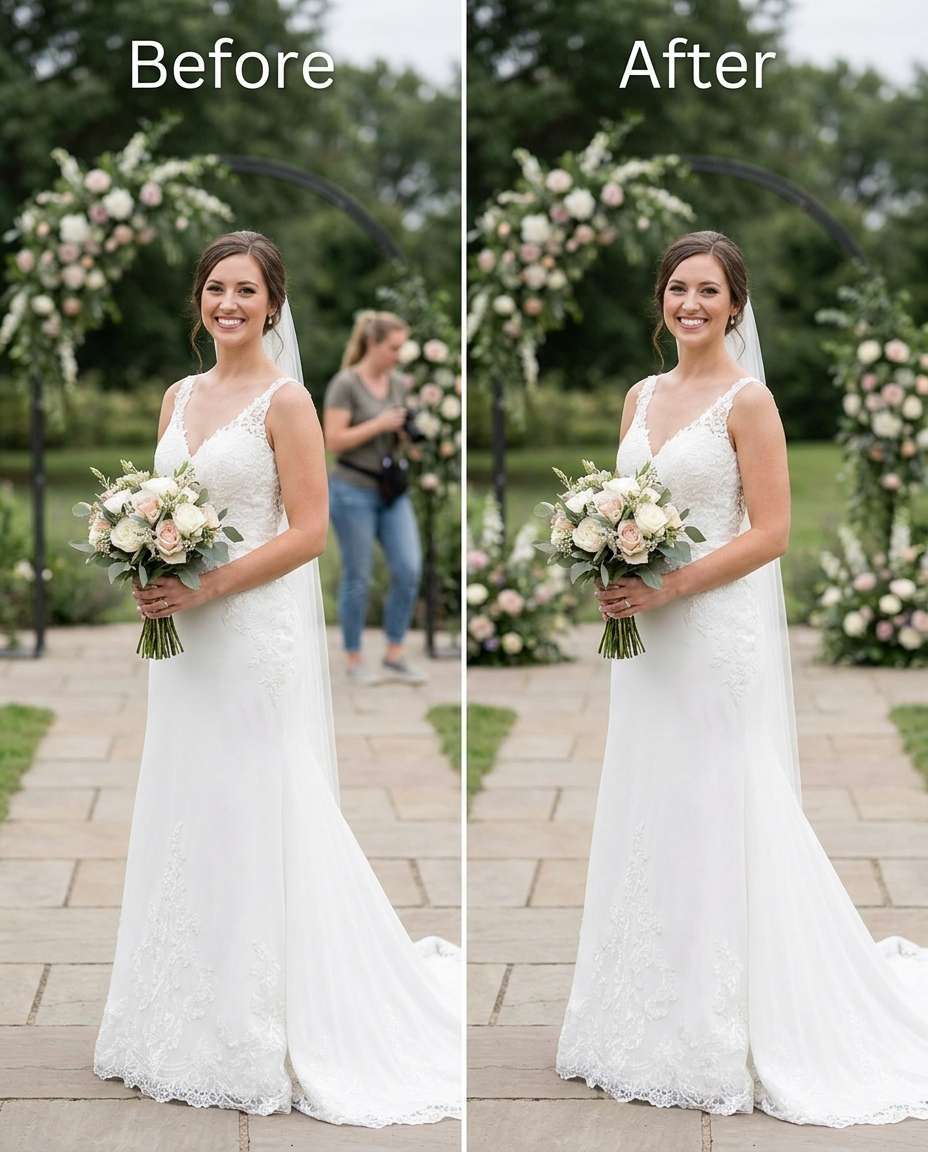
Adjust the wedding photo by removing the random guest visible behind me, keeping the same face and same hairstyle, with the same dress details and same pose. Preserve soft ceremony lighting, lace texture, and background florals so the edit feels natural., preserving fabric texture --ar 4:5
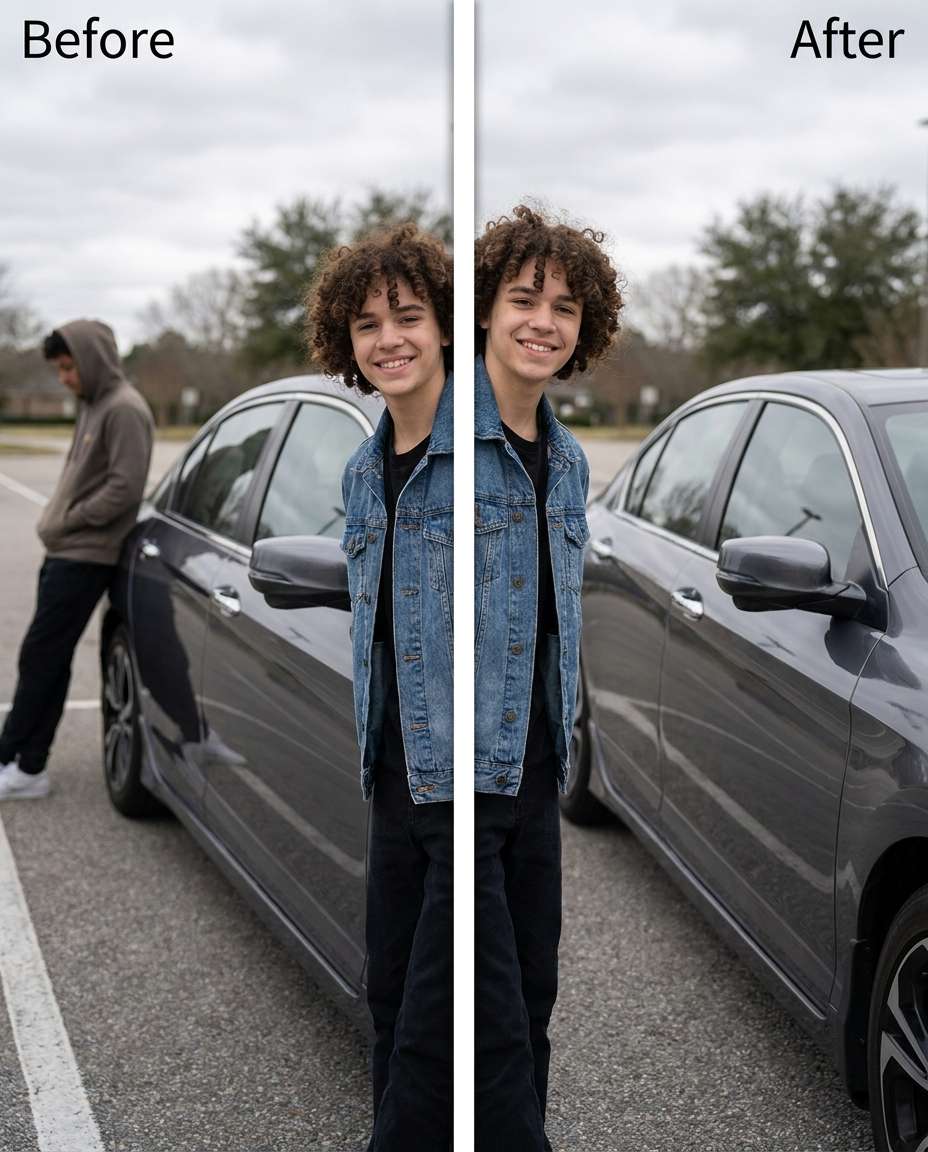
Car Leaner Removal
Tighten the car photo by removing the person leaning on the car behind me, keeping the same face and same pose, with the same hairstyle and same outfit details. Preserve car paint reflections, body lines, and original light highlights to avoid distortion., preserving shadow direction --ar 4:5
Foreground Blocker Delete
Tune the composition by removing the person in the foreground who partially blocks my shoulder, keeping the same face and same body position, with the same hairstyle and same outfit details. Preserve outfit seams, edge detail, and original depth blur so it doesn't look cut out., preserving original lighting --ar 4:5
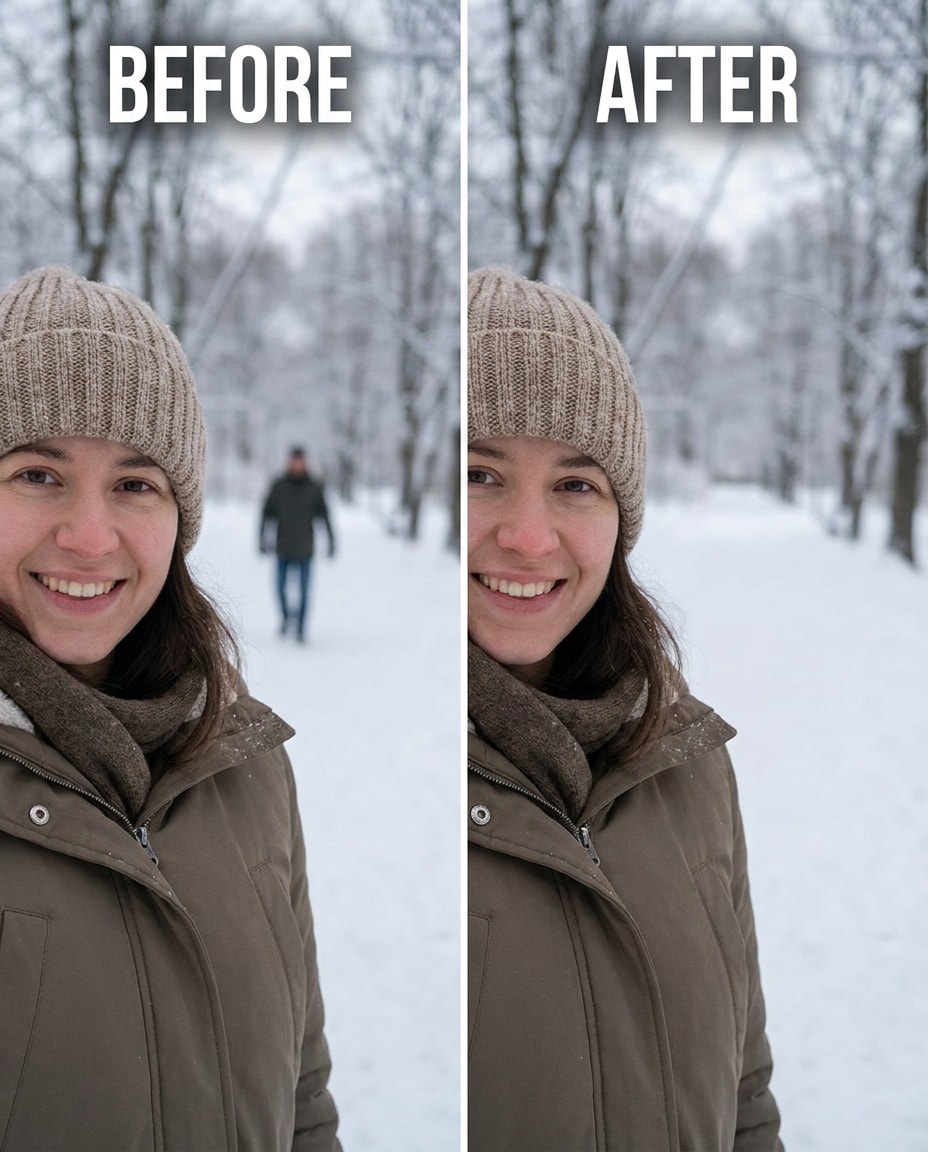
Snow Scene Cleanup
Soften the distraction by removing the person standing in the snowy background, keeping the same face and same expression, with the same hat and coat details and same hairstyle. Preserve snow texture, footprints continuity, and cool ambient lighting so the landscape stays natural., preserving background details --ar 4:5
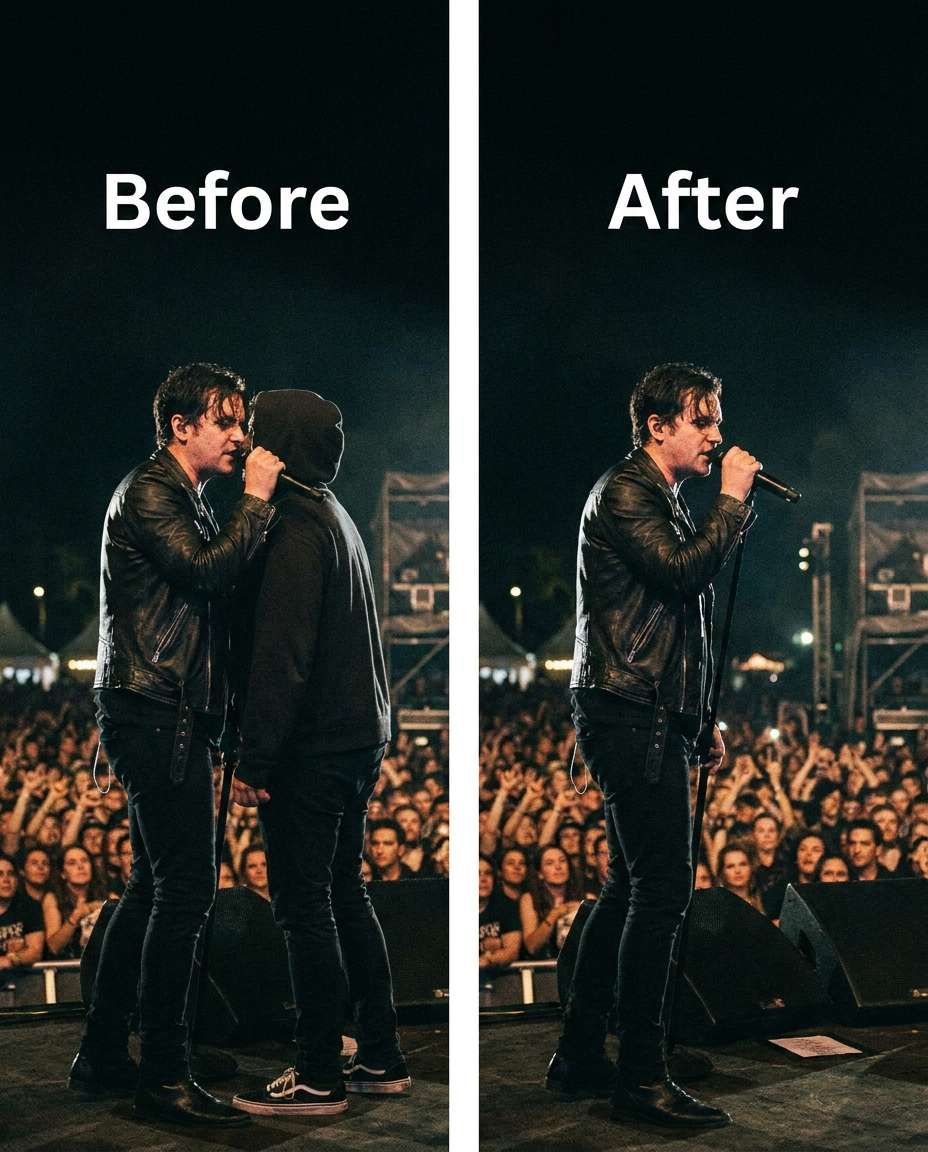
Concert Neighbor Remove
Slim the crowd distraction by removing the person pressed next to me at the concert, keeping the same face and same pose, with the same hairstyle and same outfit details. Preserve stage lighting color casts, grain, and background bokeh so the scene still feels live., preserving shadow direction --ar 4:5
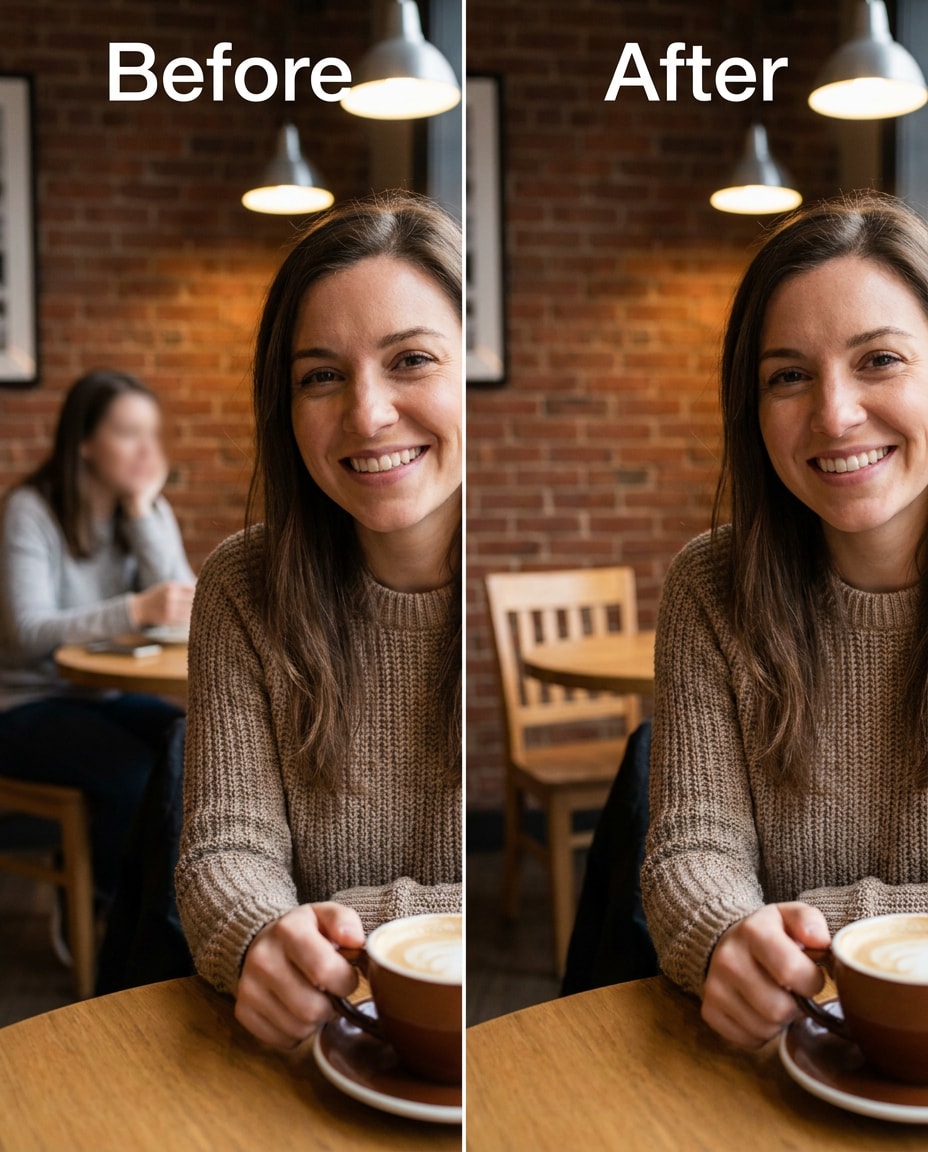
Cafe Table Background
Refine the cafe portrait by removing the person sitting at the table behind me, keeping the same face and same smile, with the same hairstyle and same outfit details. Preserve window light, table textures, and background decor lines so the cafe still looks real., preserving believable proportions --ar 4:5
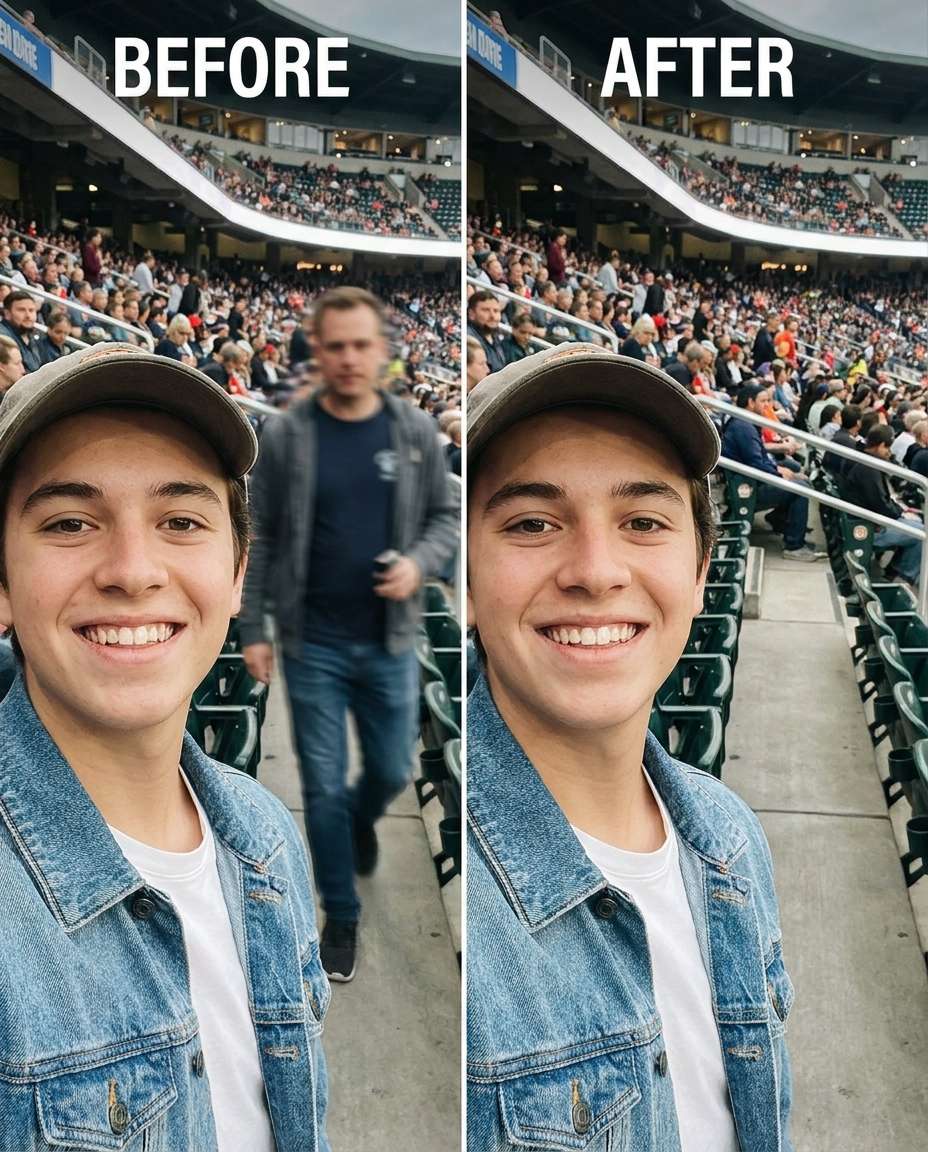
Stadium Aisle Clear
Sculpt the stadium shot by removing the person walking through the aisle behind me, keeping the same face and same pose, with the same hairstyle and same jersey details. Preserve seat patterns, aisle rail lines, and the original stadium lighting so the removal blends in., preserving fabric texture --ar 4:5
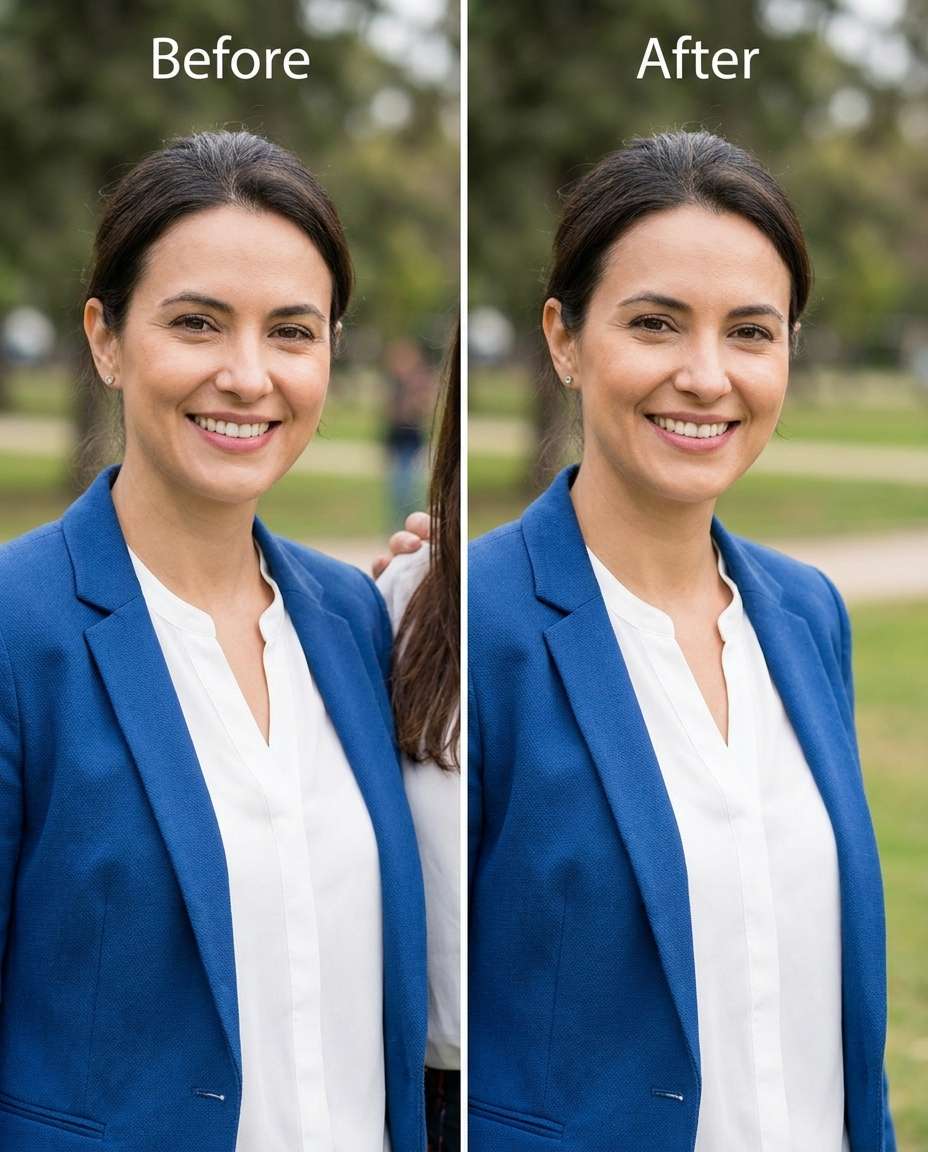
Family Edge Remove
Smooth the portrait by removing the person cropped on the far edge of the frame, keeping the same face and same posture, with the same hairstyle and same outfit details. Preserve background gradients, wall texture, and original lighting falloff so the crop area looks natural., preserving original lighting --ar 4:5
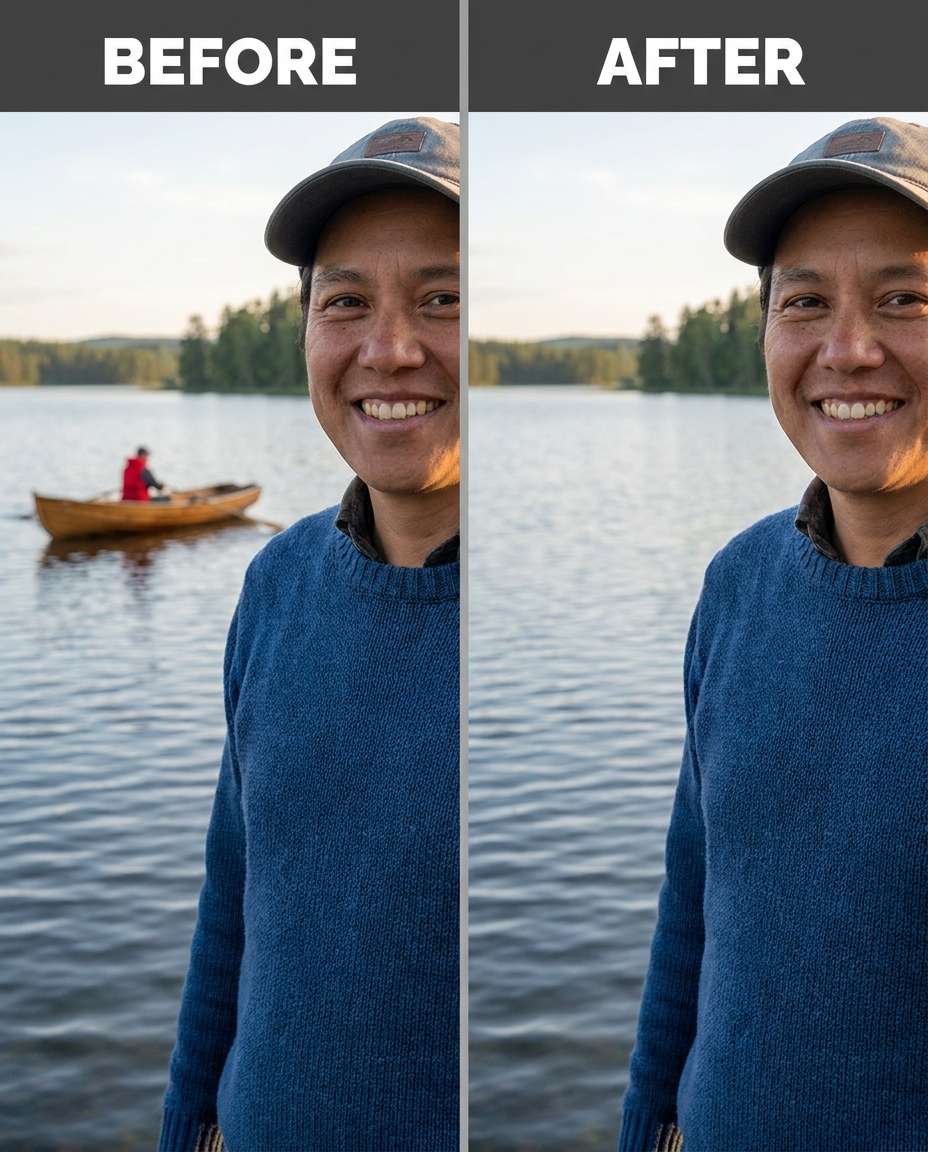
Lake Boat Removal
Cinch the landscape by removing the person in a small boat behind me on the lake, keeping the same face and same pose, with the same hairstyle and same outfit details. Preserve water ripples, reflections, and horizon lighting so the lake looks untouched., preserving background details --ar 4:5
How to Write Better Gemini AI Prompts for Removing Person
For the cleanest removals, describe exactly who should disappear and what must remain untouched. A small amount of detail about lighting and textures usually prevents the rebuilt area from looking pasted in.
Prompt Formula to Use
Target: who to remove and where they are in the frame
Identity anchors: same face, hairstyle, skin tone, expression, pose
Outfit anchors: same clothing, seams, logos, accessories
Blend instruction: rebuild the missing area naturally with matching perspective
Constraint: do not change anything else in the image
Quick Prompt Tweaks
Name the unwanted person by position (behind me, left edge, foreground) instead of vague terms.
Ask to preserve shadow direction and reflections, especially near glass, water, and cars.
If patterns repeat (tiles, bricks, seats), tell it to maintain pattern continuity.
For crowded scenes, request removal of only one person at a time to reduce artifacts.
If edges look smeared, add: preserve hair strands and outfit seams around the removed area.
Generate multiple variations and pick the one with the most believable texture and noise match.
Why Choose Media.io for Gemini AI Prompts for Removing Person
Media.io makes person removal look natural by keeping identity and wardrobe intact while letting you tune cleanup intensity without distortion.
Identity stays consistent
Keep the same face, hair, and body proportions while removing distractions. Media.io helps you avoid the common pitfalls of AI edits, like shifting facial features or changing expression, so the result still looks like you in the same moment.
Protects outfit details
Clothing is often where removals break: seams warp, logos melt, or fabric smears. With clear instructions, Media.io can preserve outfit seams and fabric texture while rebuilding the missing area where the unwanted person used to be.
Lighting-aware reconstruction
Believable cleanup depends on matching light direction, shadow softness, and color cast. Media.io makes it easy to request lighting-preserved adjustments, so rebuilt backgrounds and edges blend naturally with the original scene.
Fast iteration workflow
Generate a few options, compare details at 100% zoom, then adjust your prompt to fix any odd edges or repeated patterns. Media.io's quick loop makes it practical to get a clean result without spending hours on manual retouching.
FAQs About
Gemini AI Prompts for Removing Person
1. Why does the removed area look blurry or fake sometimes?
That usually happens when the model isn't told what to preserve. Add specifics like preserving original lighting, shadow direction, background textures (tiles, bricks, leaves), and edge details around hair and clothing. Also try removing only one person per generation instead of multiple distractions at once, then iterate.
2. How do I remove a person without changing my face or outfit?
Anchor your identity in the prompt: same face, same expression, same hairstyle, same skin tone, same pose, and same outfit details. Then explicitly request preservation of seams, fabric texture, and lighting. The more clearly you separate "remove them" from "keep everything else," the less drift you'll see.
3. Can I remove someone who overlaps my shoulder or hair?
Yes, but it's harder because the model must reconstruct missing edges. Ask to preserve hair strands and maintain the exact outline of your shoulder and clothing seam. Request that the filled area matches the original depth blur and noise/grain level, so the transition doesn't look cut out.
4. remove someone from a picture Gemini AI prompt: what should I include?
Include where the unwanted person is (foreground, behind you, edge of frame), what the background is made of (water, sky, brick, crowd), and what must remain identical (face, hair, outfit, pose). Add a preservation note about lighting and shadows so the rebuilt area matches the scene.
5. Should I generate multiple versions or just one?
Generate multiple. Small differences in texture fill and edge blending can make one result look natural while another looks edited. Review at full size, checking repeating patterns, shadow alignment, and any warping near hands, hair, or clothing edges. Then refine the prompt with one targeted fix and regenerate.
Why Creators Love Media.io's Gemini AI Prompts for Removing Person?
Alex M.
Photographer
Ultra Realistic Results.
I used these for removing person prompts to create visuals that looked like real photography. The lighting, textures, and colors felt incredibly natural.
Maya J.
Designer
Perfect Lighting & Detail.
The prompts produced cinematic compositions and soft lighting, making every image feel like a professional shoot.
Jordan P.
Creator
Perfect for Social Media.
I used these prompts to create viral content. It's fast, easy, and consistently produces stunning visuals.