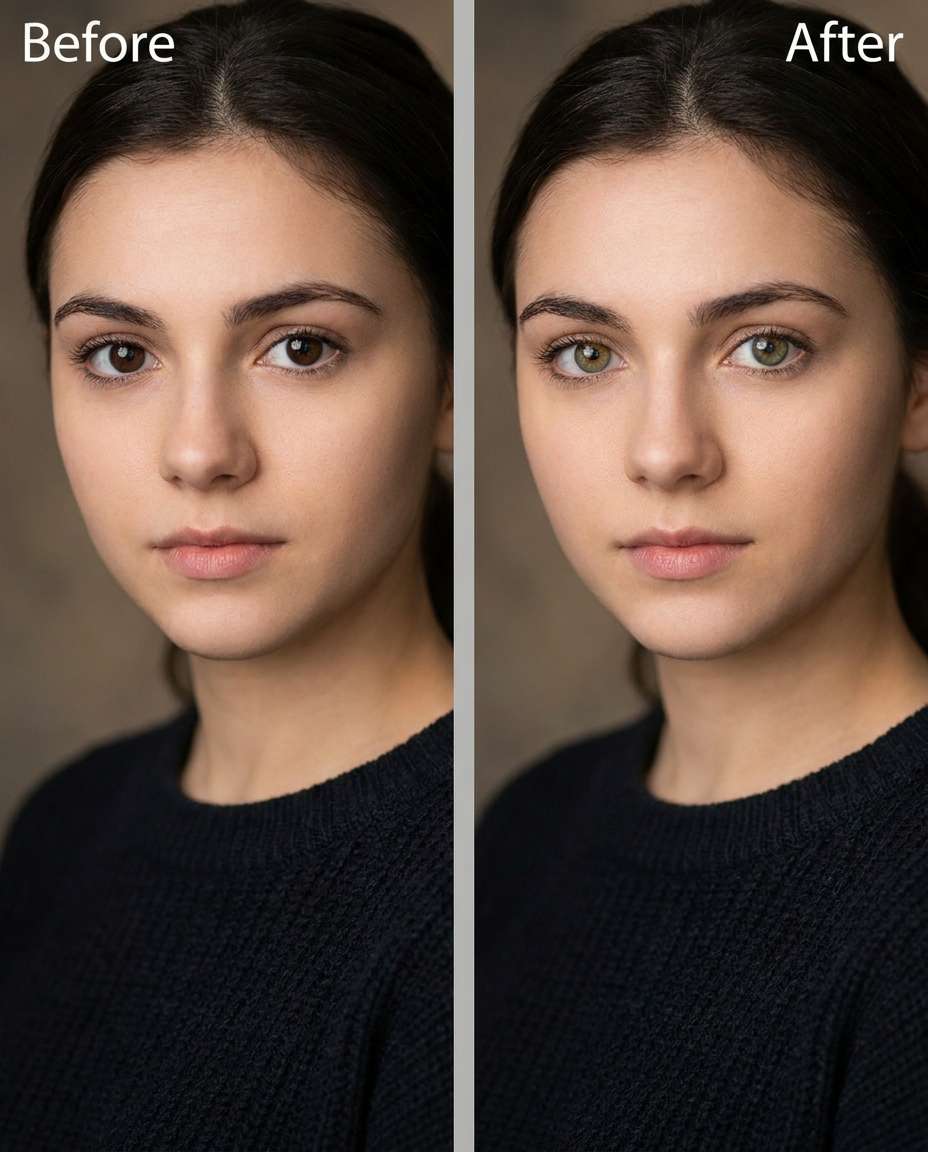
25+ Gemini AI Eye Color Change Prompts for Natural, Striking Eyes
Tune Gemini AI eye color change prompts to make your gaze pop without making the photo feel edited. You can push the look from gentle to dramatic, while keeping the same face, makeup vibe, and overall mood intact. Upload a portrait, paste one prompt, and generate a few variations until the new iris shade matches your lighting and skin tone. This page gives you 25 prompts that focus on realistic iris texture, catchlights, and clean edges around lashes and glasses.
Stunning AI eye color change generated with Media.io - powered by
Nano Banana Pro.
How to Use Gemini AI Eye Color Change Prompts in 3 Steps
Media.io keeps this workflow simple: one upload, one prompt, and quick variations you can compare and keep. Follow the three steps below to get a natural-looking eye color result.
1
Open Media.io AI Photo Generator
Go to Media.io and open the AI photo generator for image editing. Choose an image-to-image workflow so the edit is applied to your existing portrait rather than recreating the whole scene.
2
Upload and paste a prompt
Upload your photo, then paste a prompt from the cards below. Use a clear target color, intensity, and realism notes; the same Gemini AI prompts to change eye color in photos can be tuned by adding "subtle" or "bold" to control the shift.
3
Generate, review, download
Generate 2–4 results, then review iris texture, edge accuracy near lashes, and catchlight consistency. Pick the most natural render, then download and keep the rest as alternates for different moods.
Best Gemini AI Eye Color Change Prompts Ideas & Examples
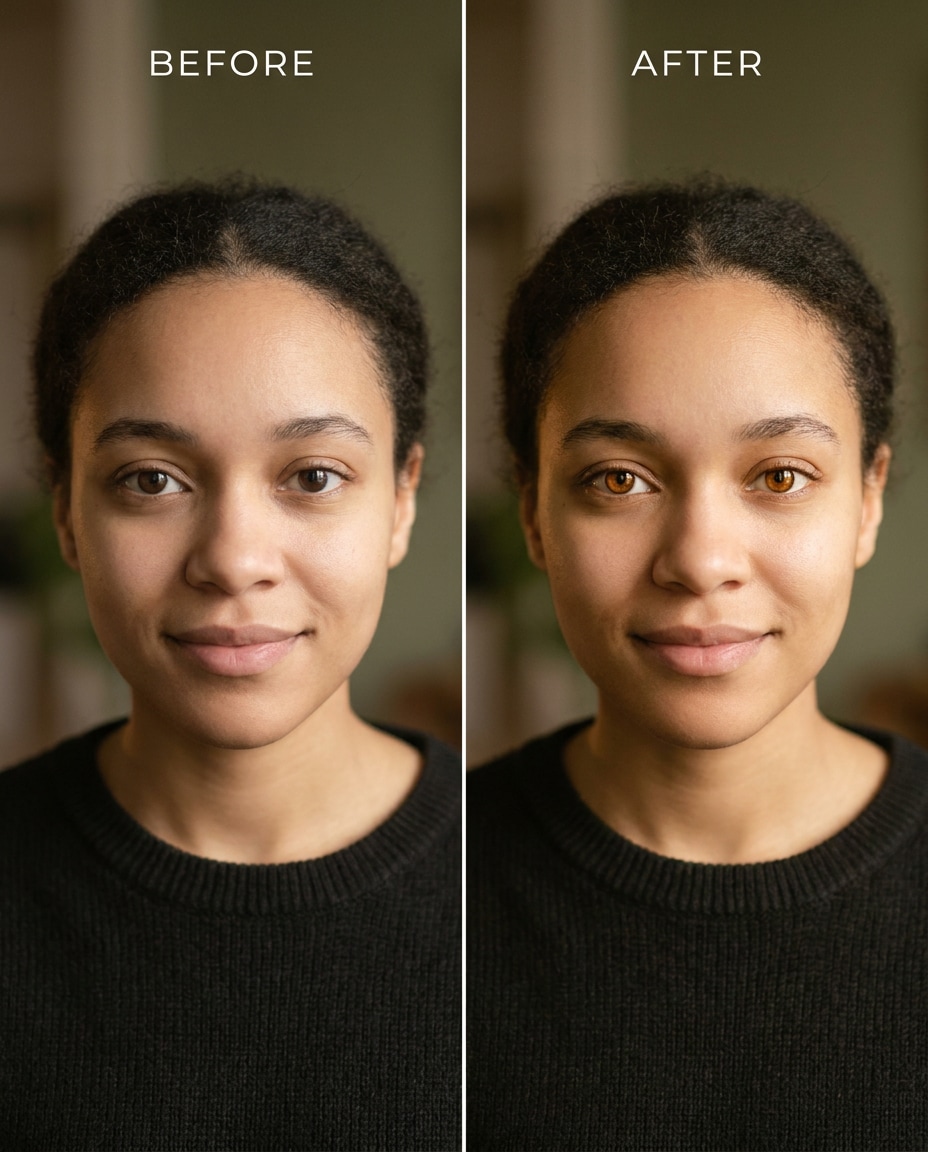
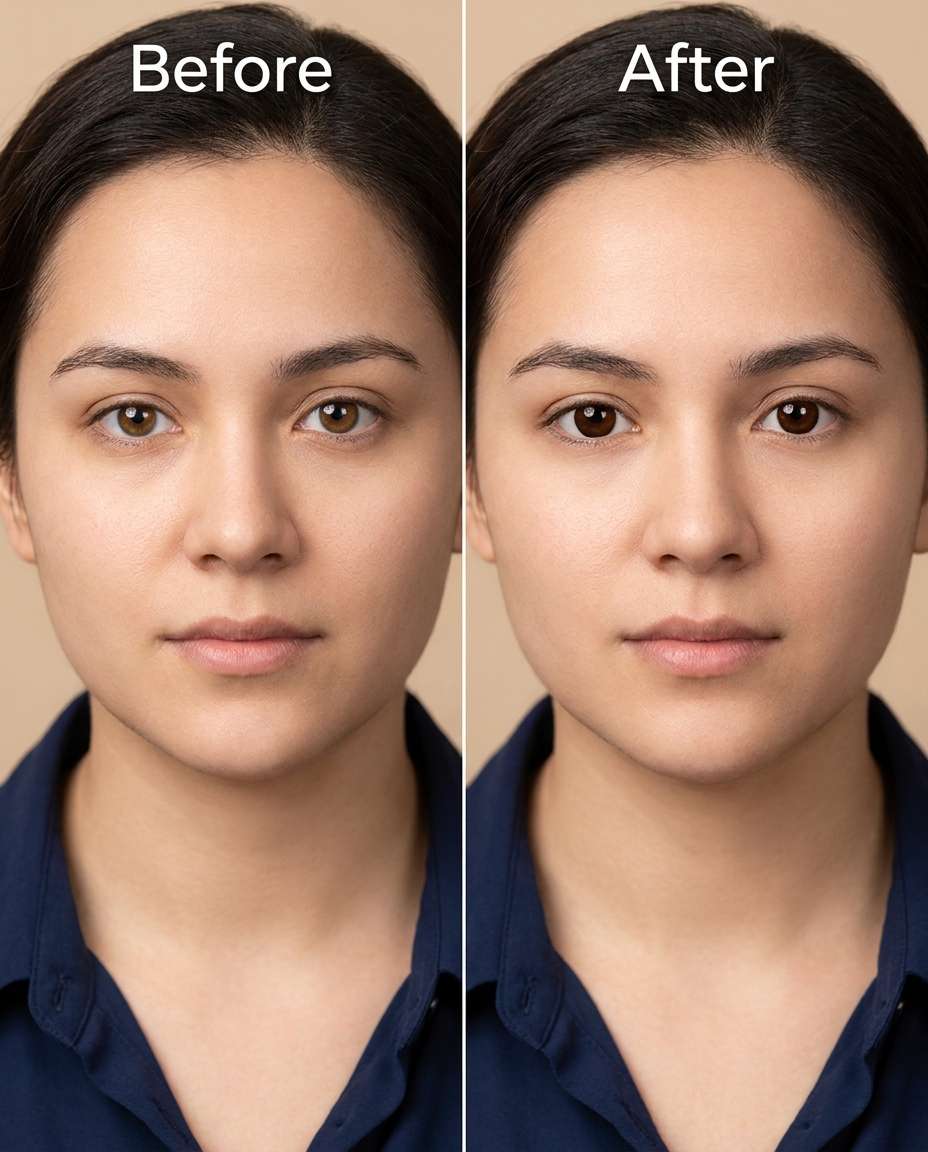
Brown to Hazel Soft
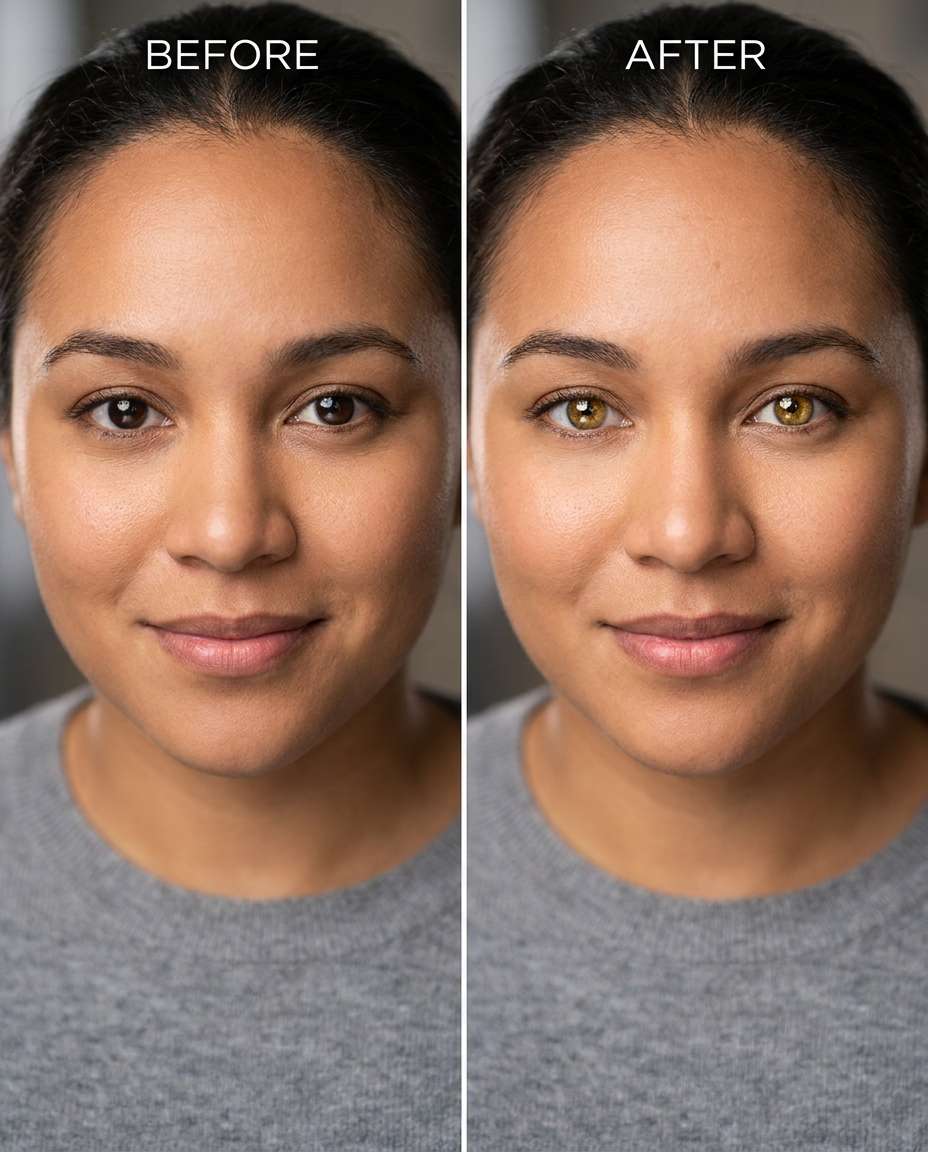
Slim the eye color shift from deep brown to soft hazel, keeping the same face and same hairstyle, same skin tone and same pose, preserving original lighting and background details, maintain realistic iris texture and natural catchlights --ar 4:5
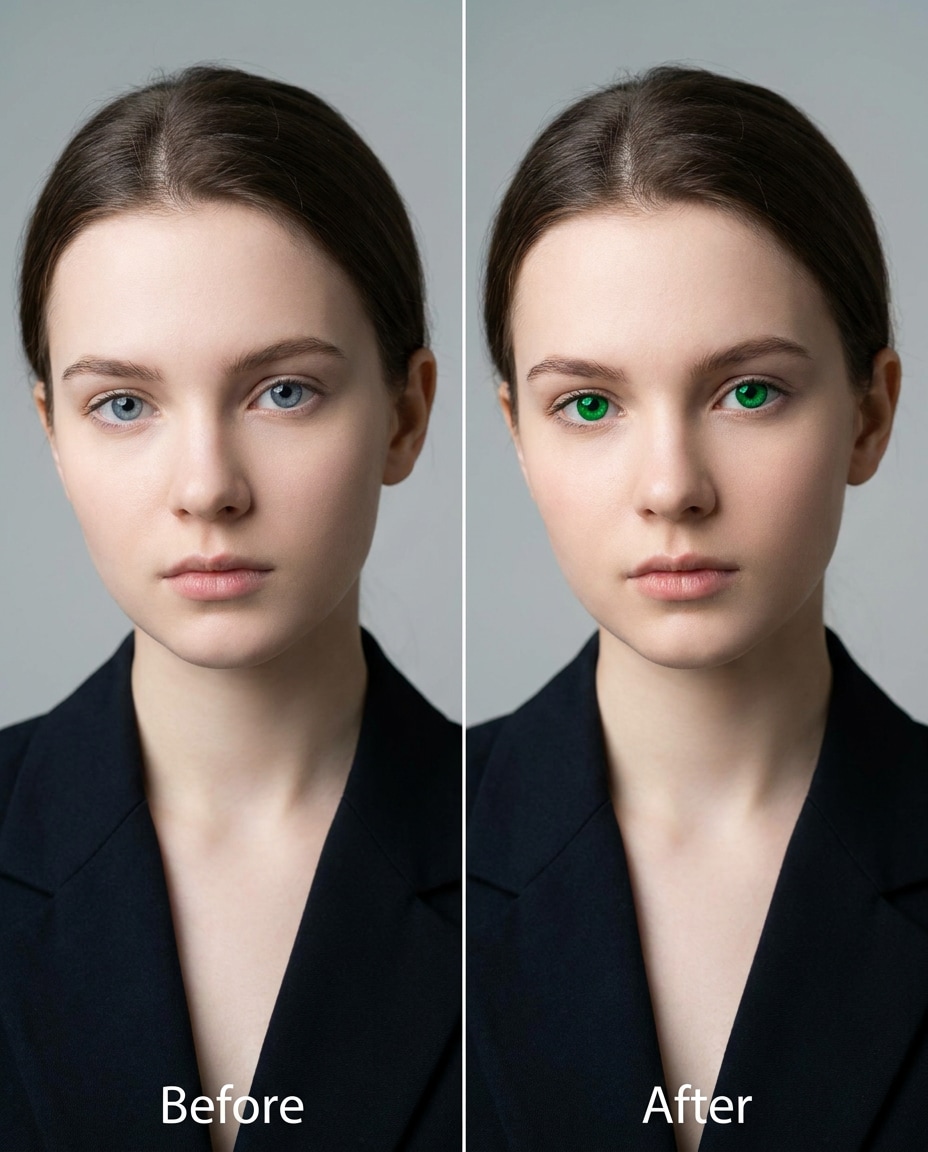
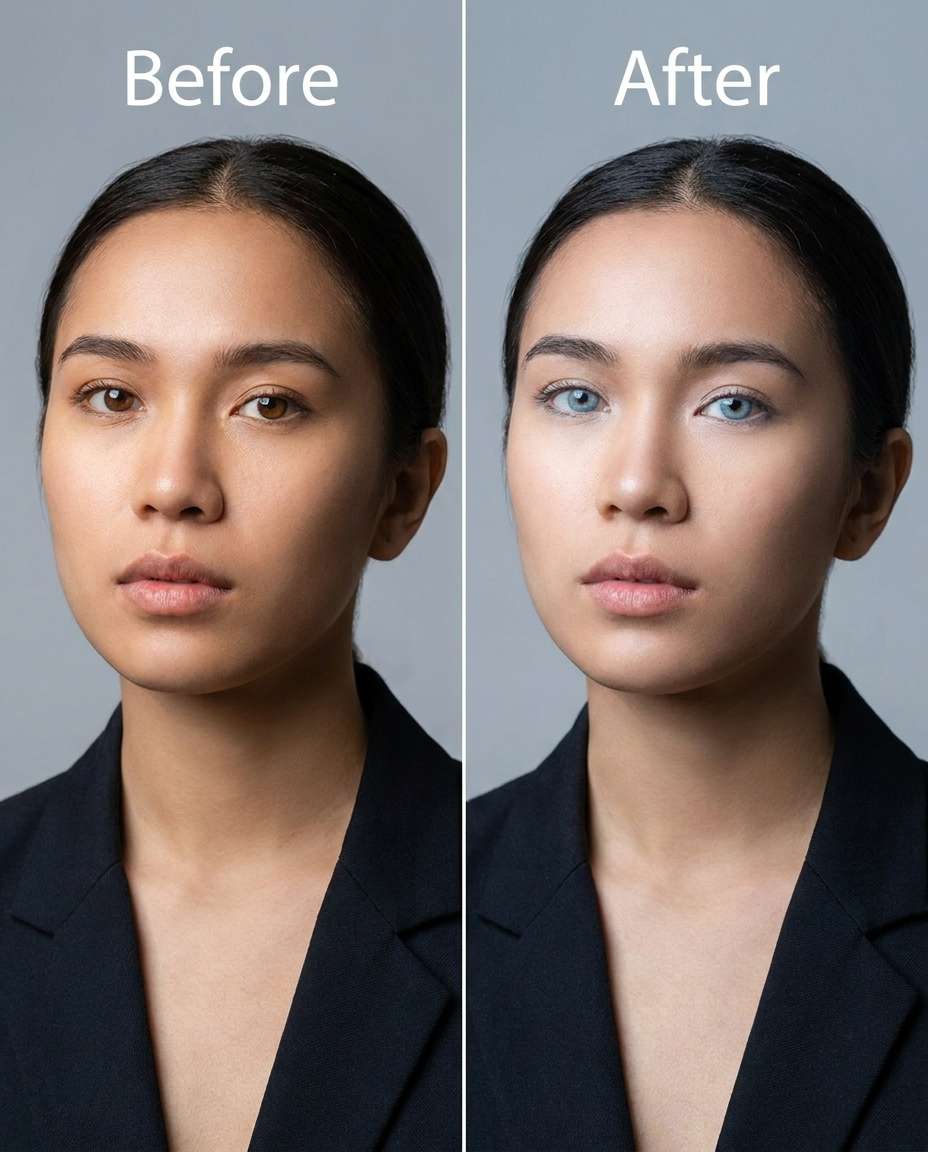
Blue to Green Bold
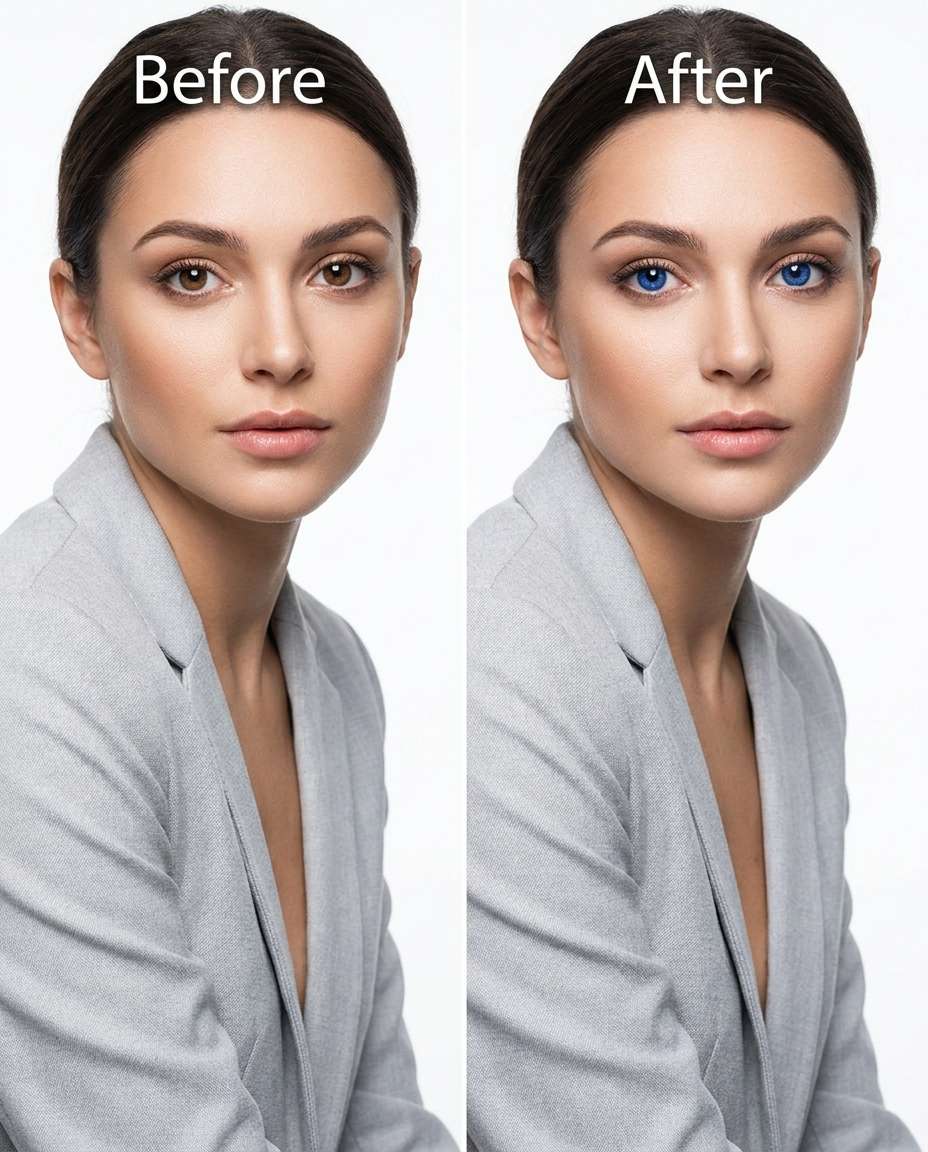
Refine the irises from light blue to vivid emerald green, keeping the same face and same expression, same makeup and same outfit details, preserving original lighting and catchlight direction, keep iris fibers sharp and realistic --ar 4:5
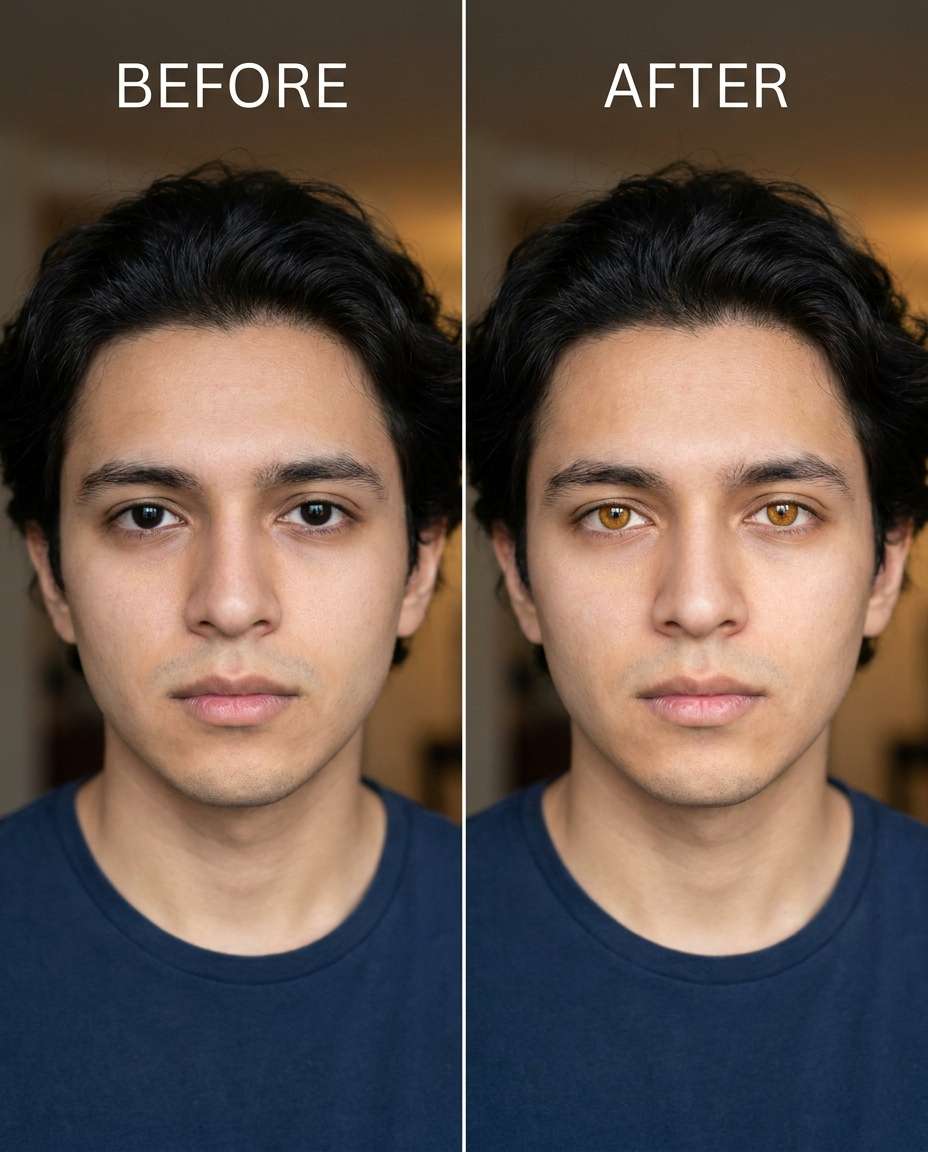
Dark Brown to Honey
Sculpt the eye color from very dark brown to warm honey amber, keeping the same face and same hairstyle, same skin tone and same pose, preserving skin texture and original shadows, keep pupil size natural and maintain crisp lash edges --ar 4:5
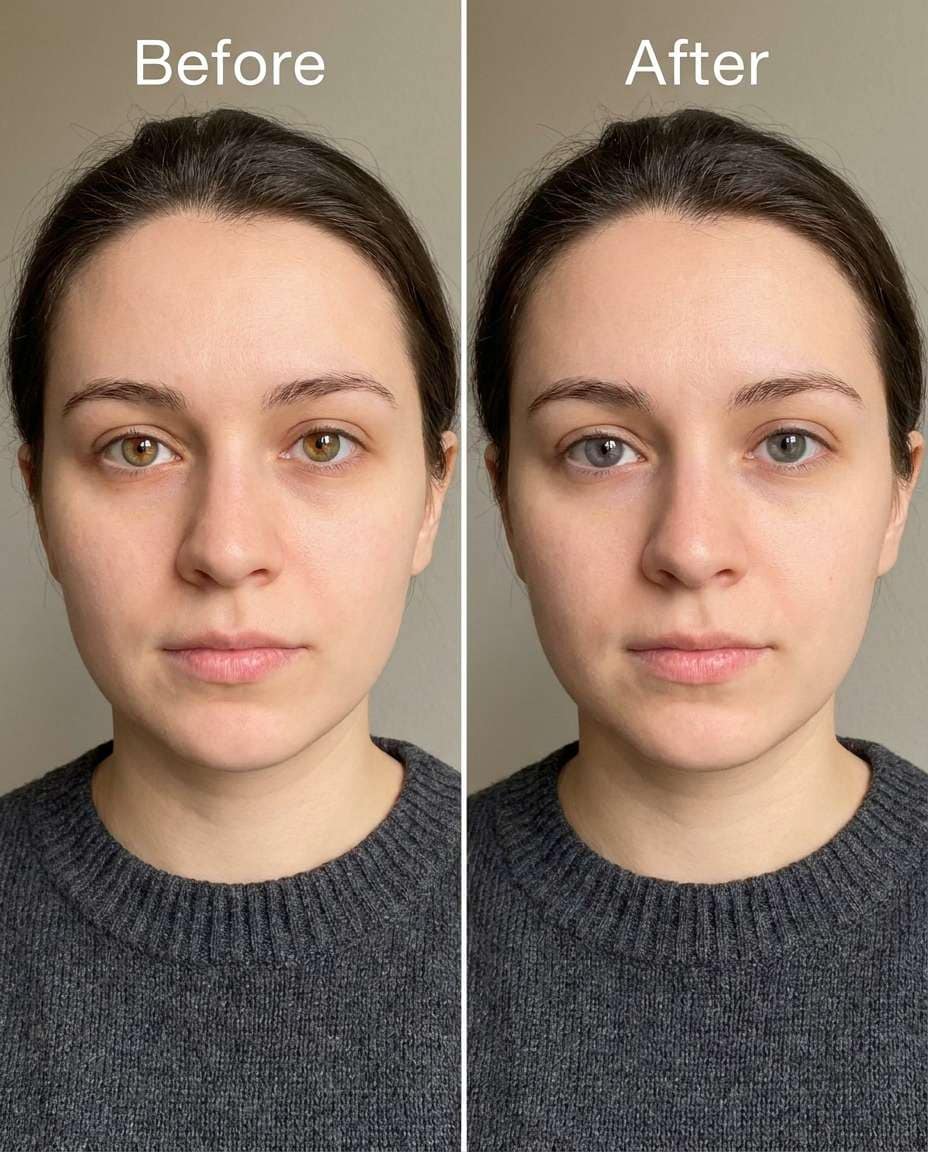
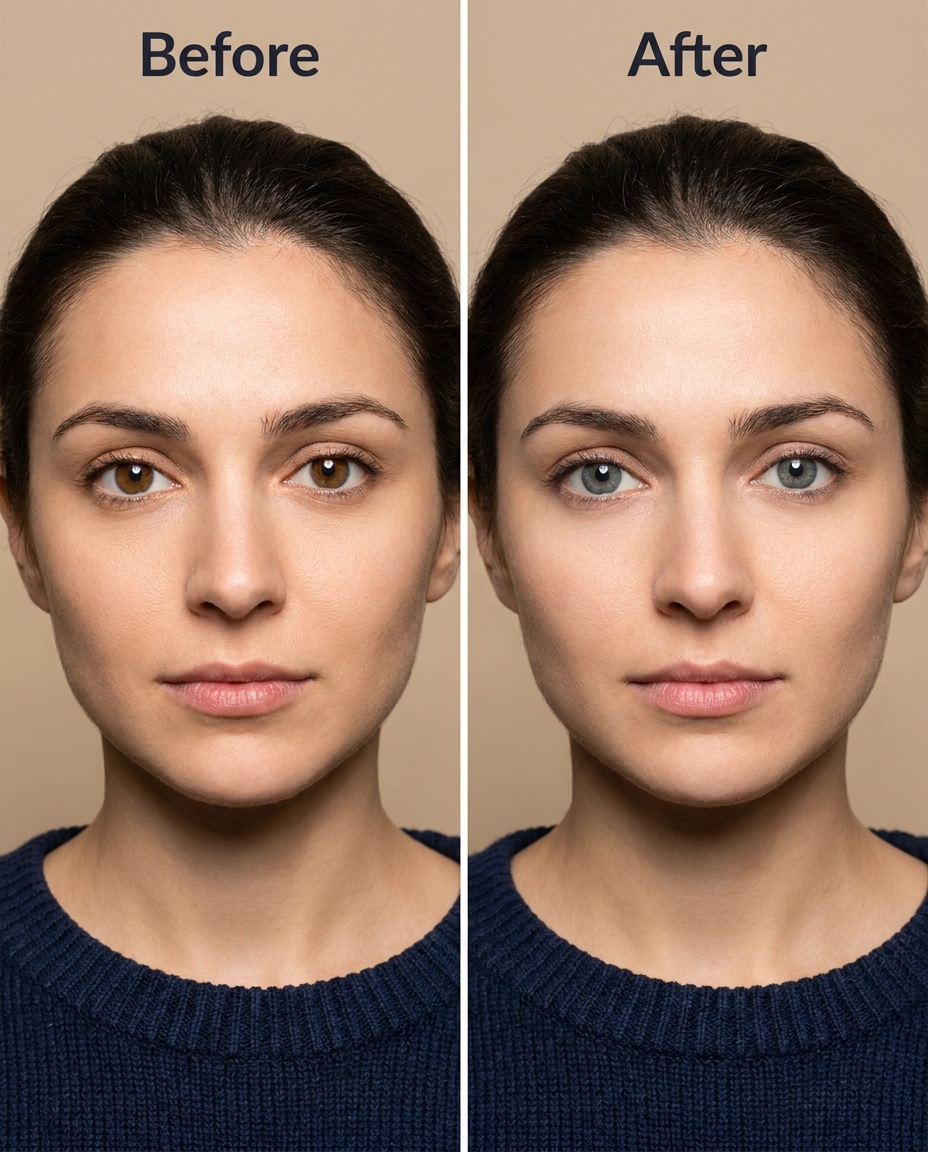
Hazel to Gray Subtle
Smooth the eye color from hazel to a soft smoky gray, keeping the same face and same expression, same hairstyle and same outfit details, preserving original lighting and background details, retain natural iris rings and believable contrast --ar 4:5
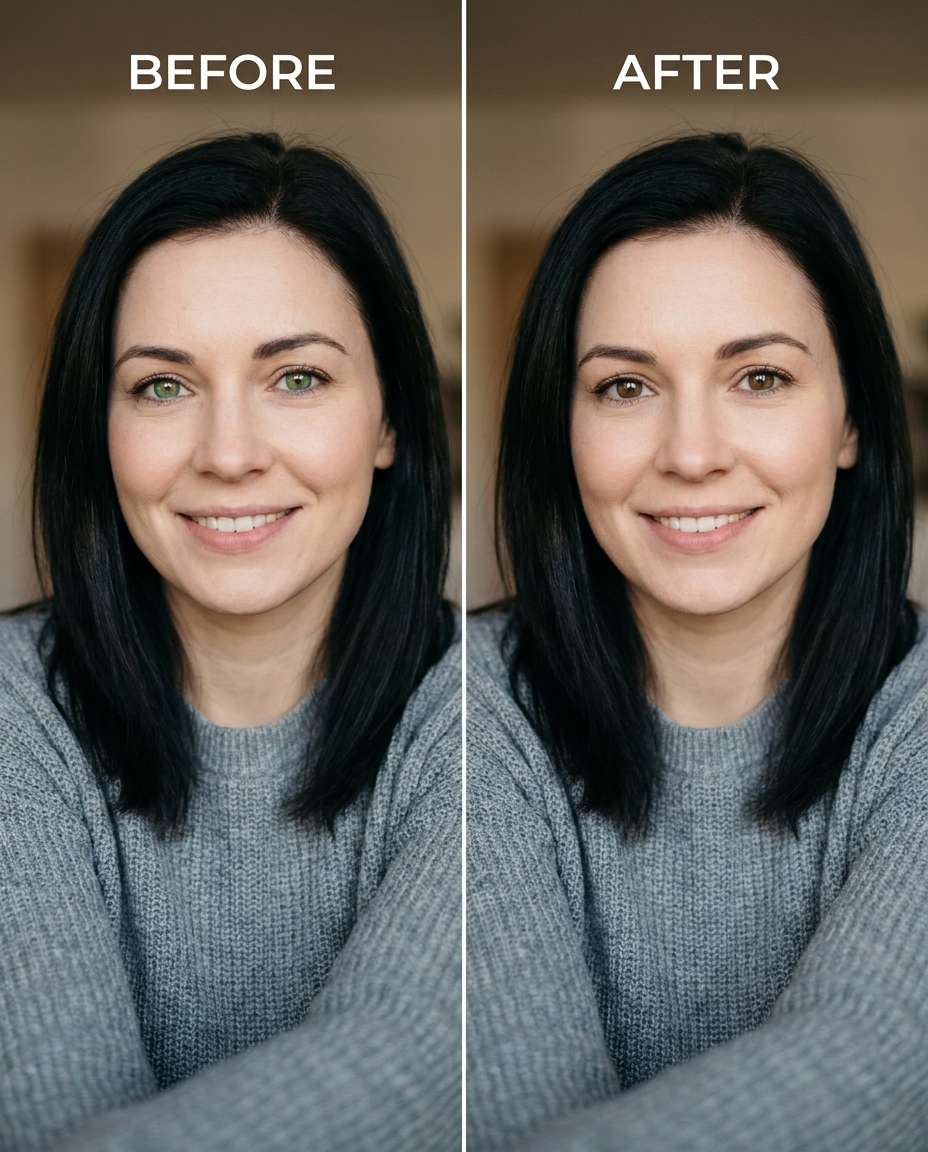
Green to Brown Natural
Cinch the irises from green to natural medium brown, keeping the same face and same skin tone, same pose and same outfit details, preserving original lighting and background details, maintain realistic reflections and iris texture without oversaturation --ar 4:5
Add Warm Amber Tint
Reshape the eye color by adding a warm amber tint over existing brown eyes, keeping the same face and same hairstyle, same makeup and same expression, preserving original lighting and shadow direction, keep iris detail visible and avoid color bleeding onto sclera --ar 4:5
Cool Gray Contact Look
Adjust the irises to a cool steel-gray contact-lens look, keeping the same face and same pose, same skin tone and same outfit details, preserving original lighting and background details, keep edges clean around lashes and maintain natural catchlights --ar 4:5
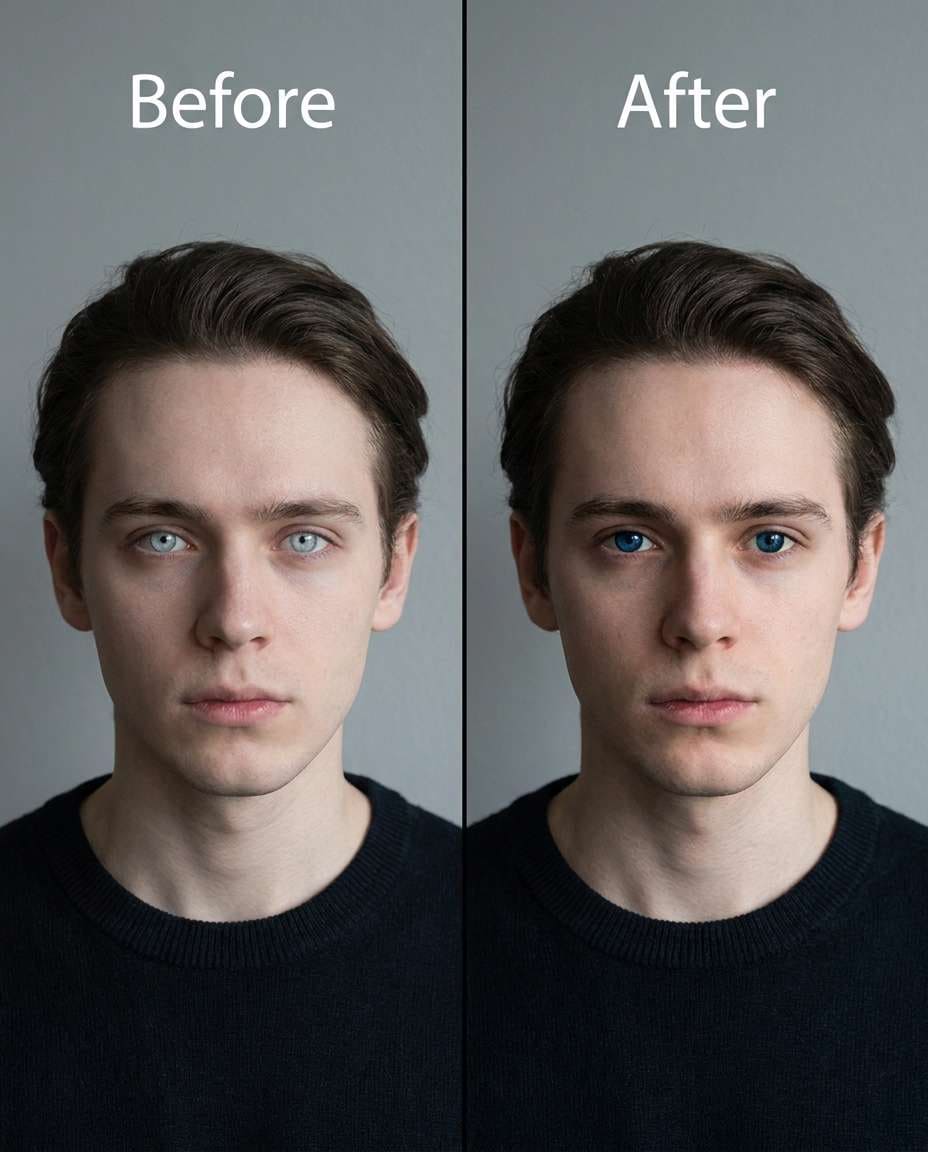
Deepen Light Blue
Tighten the eye color from pale blue to deep ocean blue, keeping the same face and same expression, same hairstyle and same makeup, preserving original lighting and background details, maintain realistic iris texture and keep whites of eyes unchanged --ar 4:5
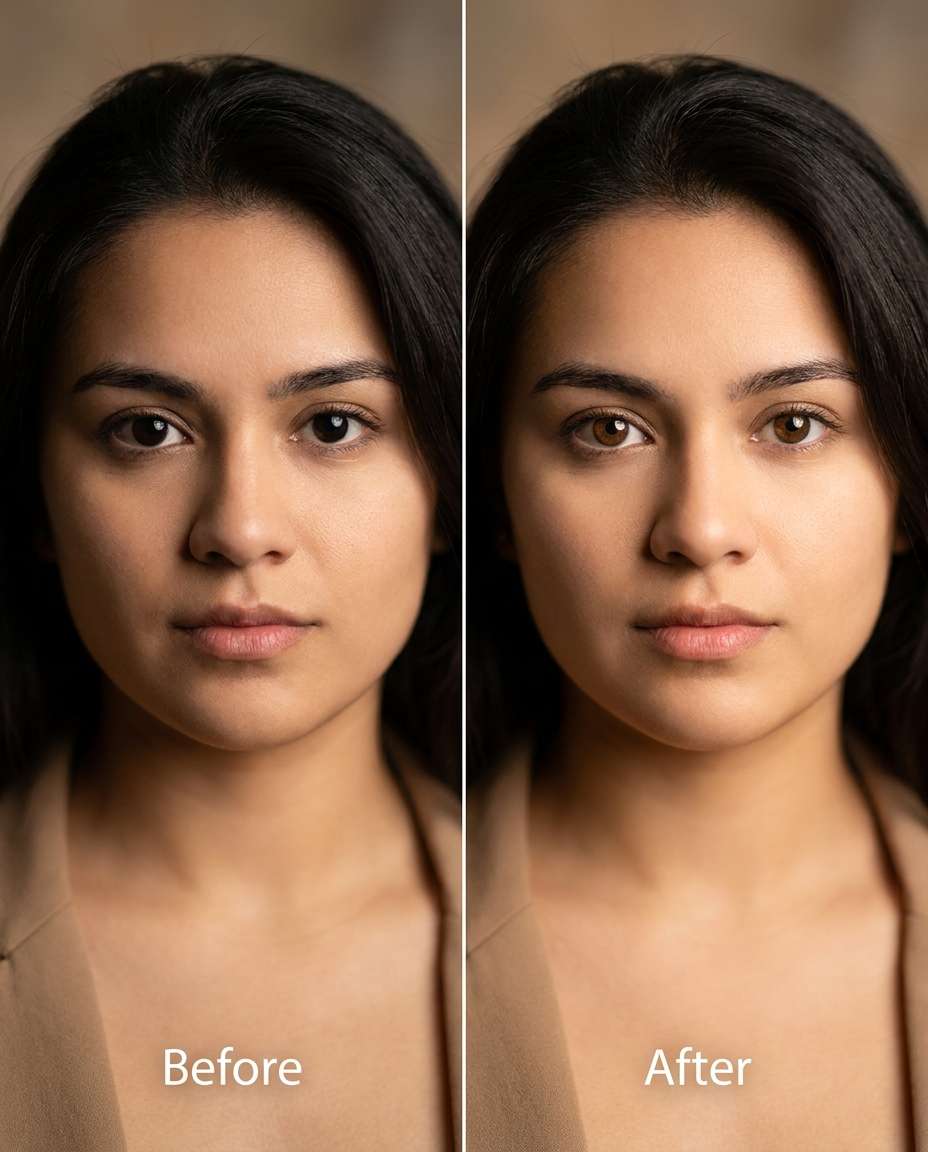
Brighten Dark Eyes
Tune the irises from near-black brown to lighter chestnut brown, keeping the same face and same skin tone, same outfit details and same pose, preserving original lighting and natural shadows, keep pupil and limbal ring proportions realistic --ar 4:5
Soft Hazel Glow
Soften the eye color into a golden hazel glow, keeping the same face and same hairstyle, same makeup and same expression, preserving original lighting and background details, keep iris fibers detailed and avoid an artificial flat color fill --ar 4:5
Remove Red-Eye Only
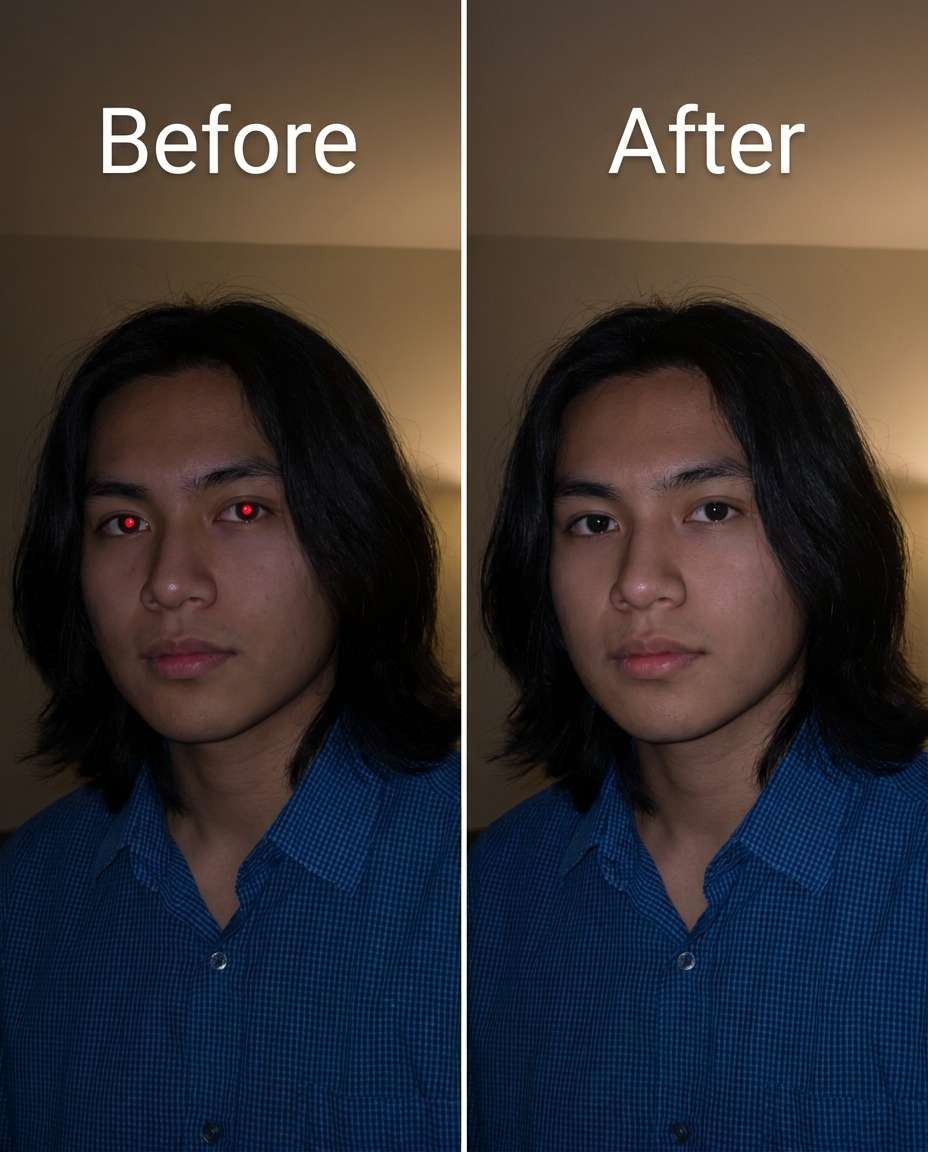
Slim away red-eye artifacts while keeping the natural iris color the same, keeping the same face and same expression, same pose and same outfit details, preserving original lighting and background details, maintain catchlights and avoid whitening the sclera too much --ar 4:5
Match Uneven Eye Colors
Refine mismatched eye colors so both irises match naturally, keeping the same face and same hairstyle, same skin tone and same pose, preserving original lighting and background details, keep iris texture consistent and avoid changing eyelid makeup --ar 4:5
Heterochromia Natural
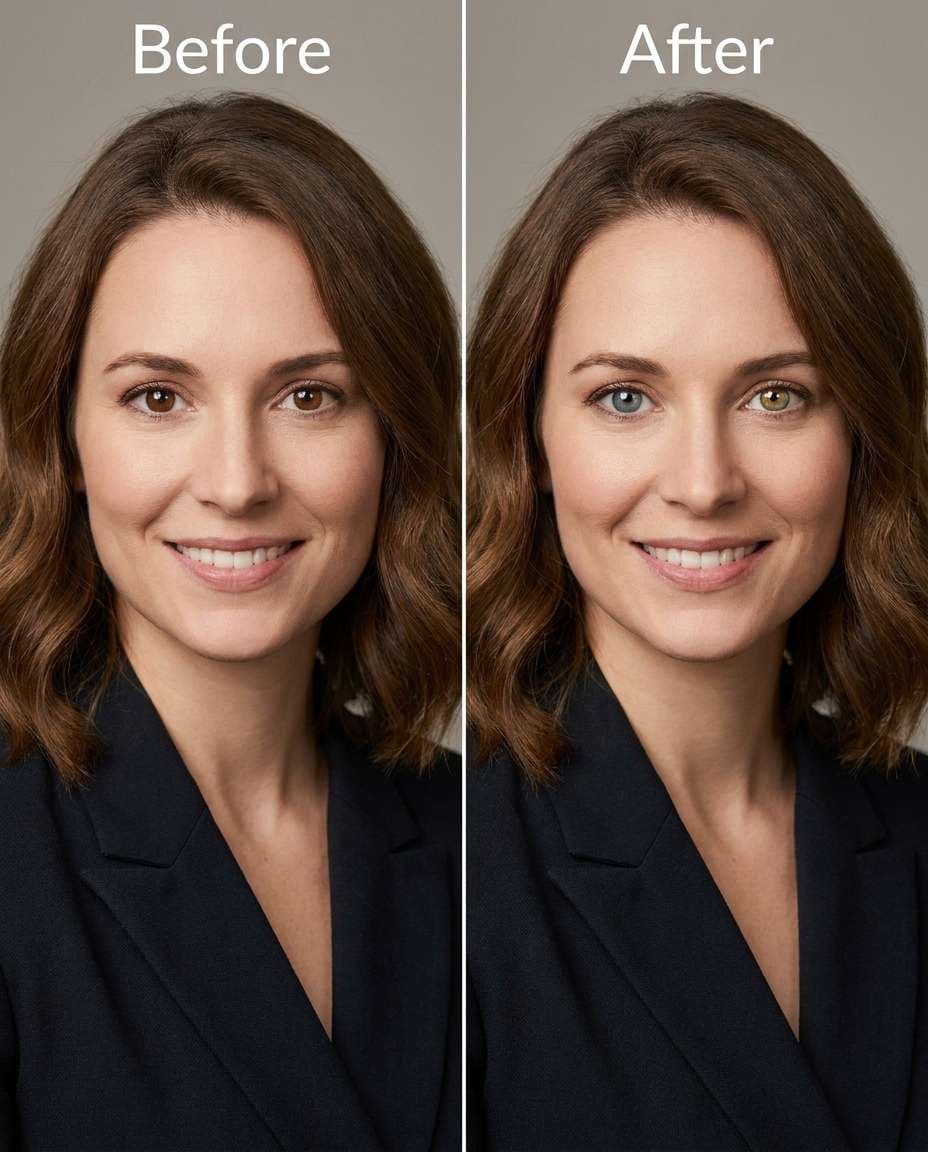
Sculpt a subtle heterochromia look by making one eye cool gray and the other warm hazel, keeping the same face and same expression, same hairstyle and same outfit details, preserving original lighting and background details, keep iris detail realistic and maintain matching catchlights --ar 4:5
Chocolate Brown Rich
Smooth the eye color into a richer chocolate brown, keeping the same face and same skin tone, same makeup and same pose, preserving original lighting and shadow direction, retain natural iris rings and avoid oversharpening around lashes --ar 4:5
Ice Blue Fashion
Cinch the irises to an icy blue fashion shade, keeping the same face and same expression, same hairstyle and same outfit details, preserving original lighting and background details, keep iris texture visible and prevent color spill onto sclera and eyelids --ar 4:5
Olive Green Earthy
Reshape the eye color to an earthy olive green, keeping the same face and same hairstyle, same skin tone and same pose, preserving original lighting and background details, maintain realistic catchlights and iris fibers with natural contrast --ar 4:5
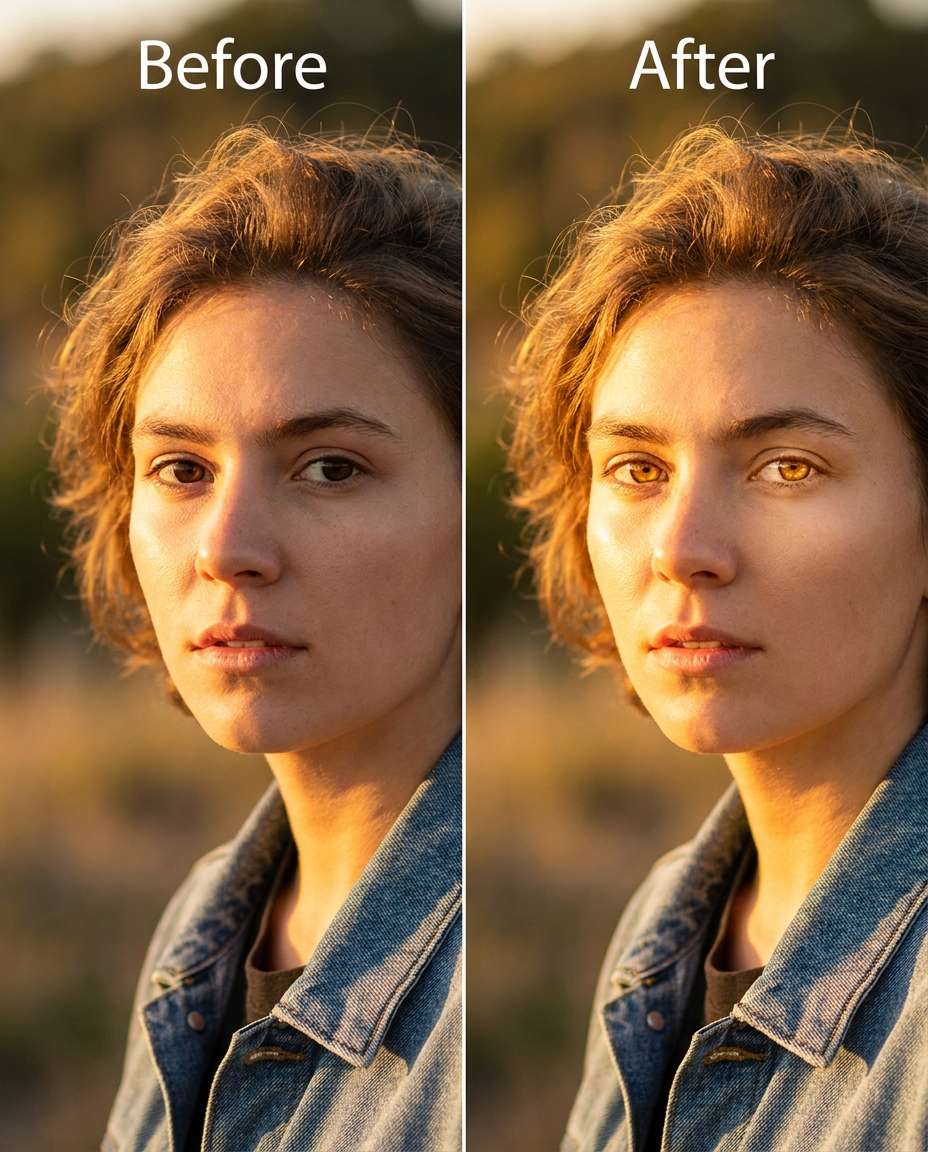
Warm Sunlit Amber
Adjust the irises to a sunlit amber tone that fits golden-hour light, keeping the same face and same expression, same outfit details and same pose, preserving original lighting and background details, keep highlights aligned with the existing catchlights --ar 4:5
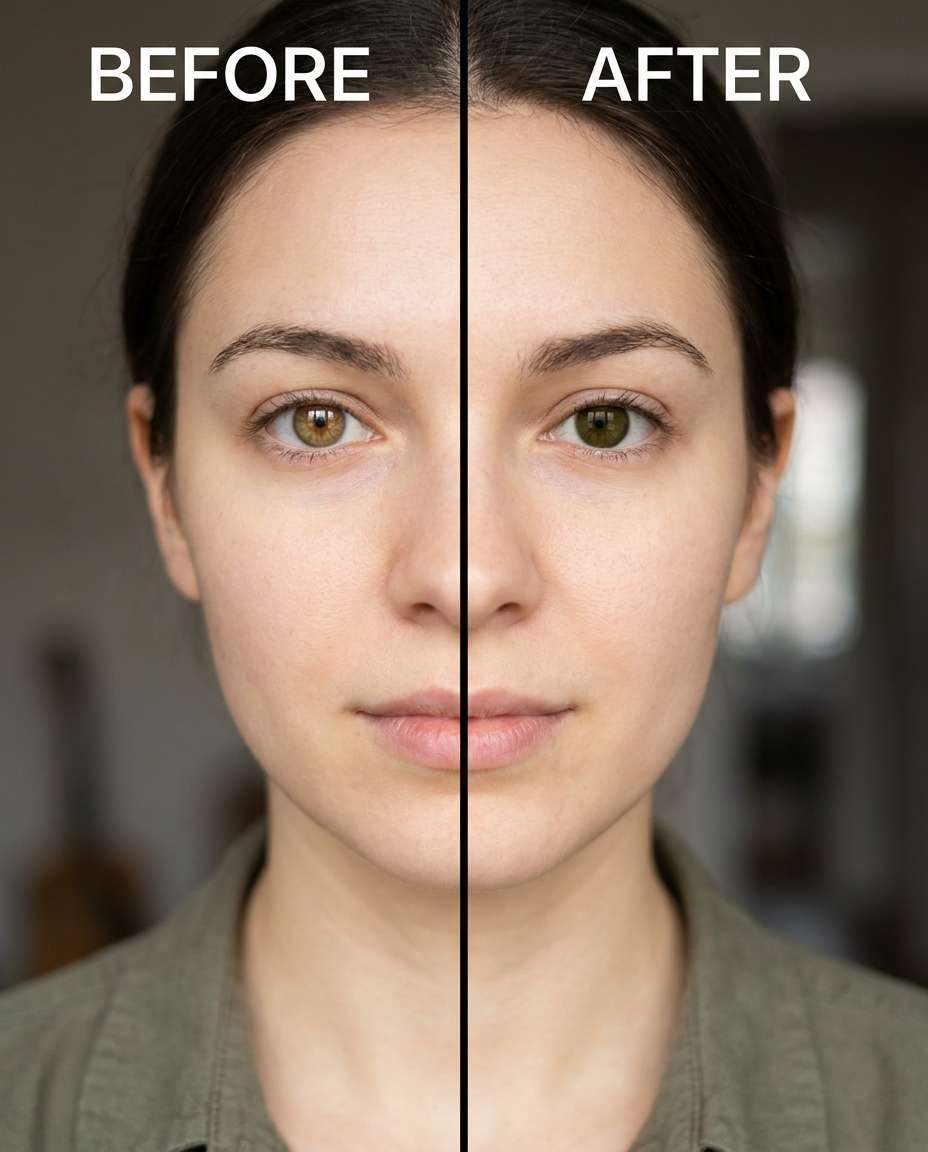
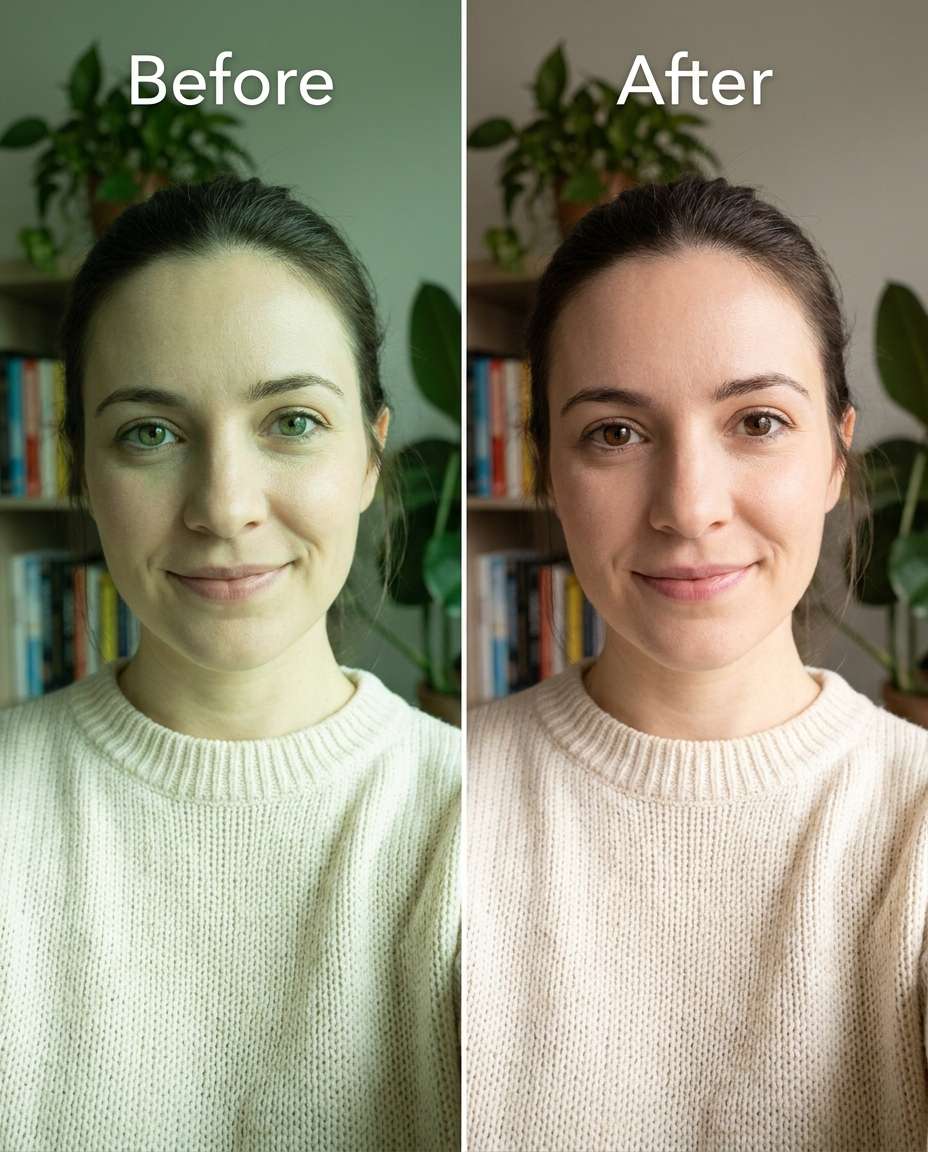
Correct Color Cast
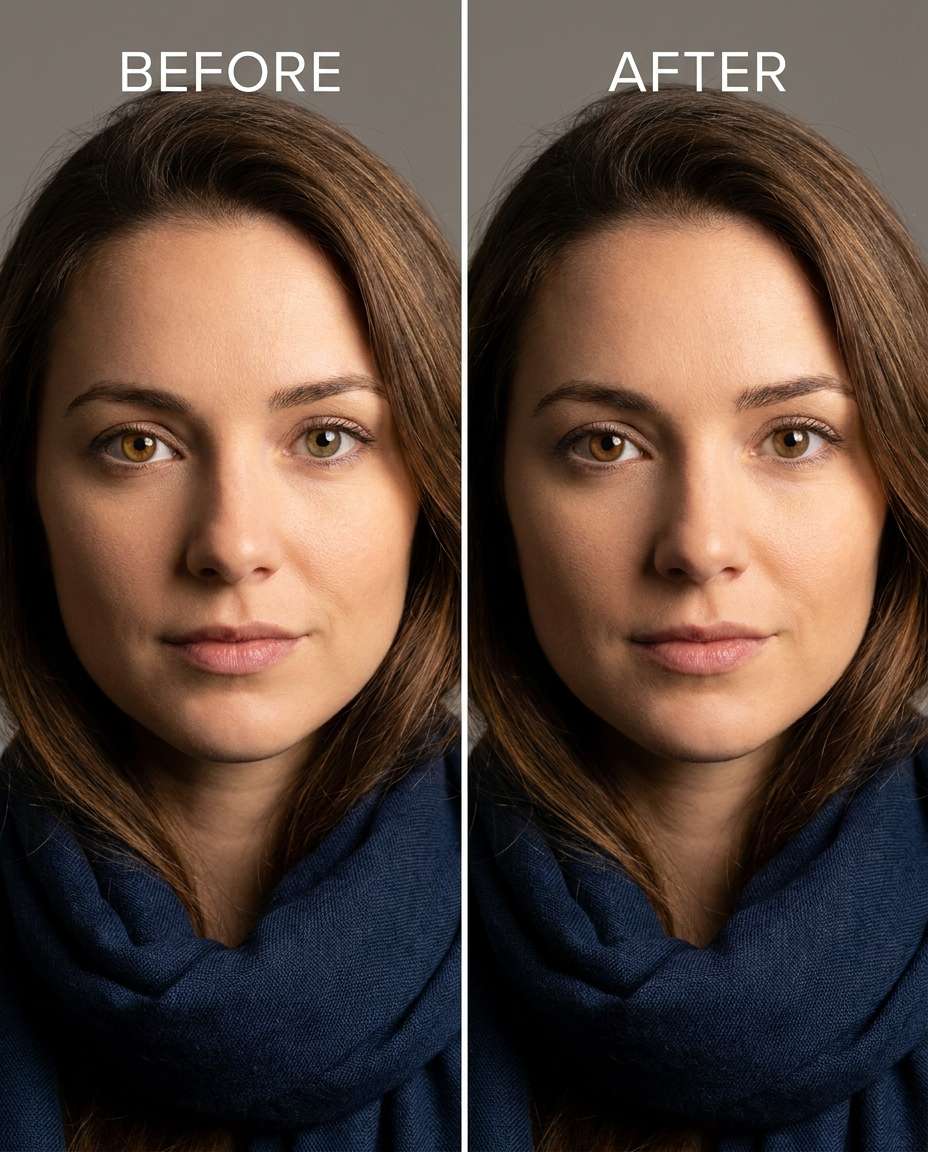
Tighten the eye color by correcting a greenish indoor color cast back to natural brown, keeping the same face and same hairstyle, same skin tone and same expression, preserving original lighting and background details, keep iris texture intact and avoid changing makeup tones --ar 4:5
Add Dark Limbal Ring
Tune the eyes by adding a subtle darker limbal ring while keeping the iris base color the same, keeping the same face and same pose, same hairstyle and same outfit details, preserving original lighting and background details, keep the ring natural and not overly thick --ar 4:5
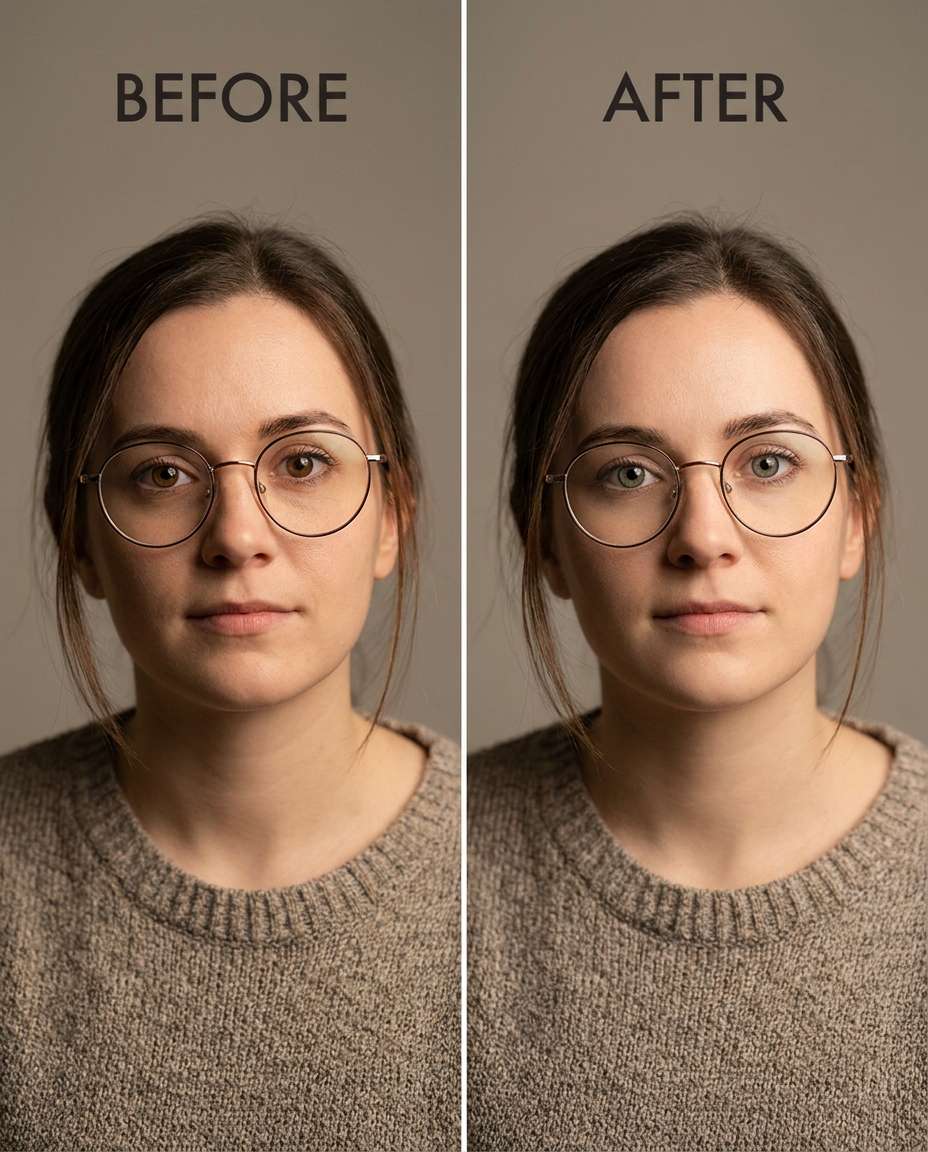
Keep Glasses Reflections
Soften the iris color shift to gray-green while keeping glasses reflections identical, keeping the same face and same expression, same hairstyle and same outfit details, preserving original lighting and background details, maintain the exact reflection shapes on the lenses and clean lash edges --ar 4:5
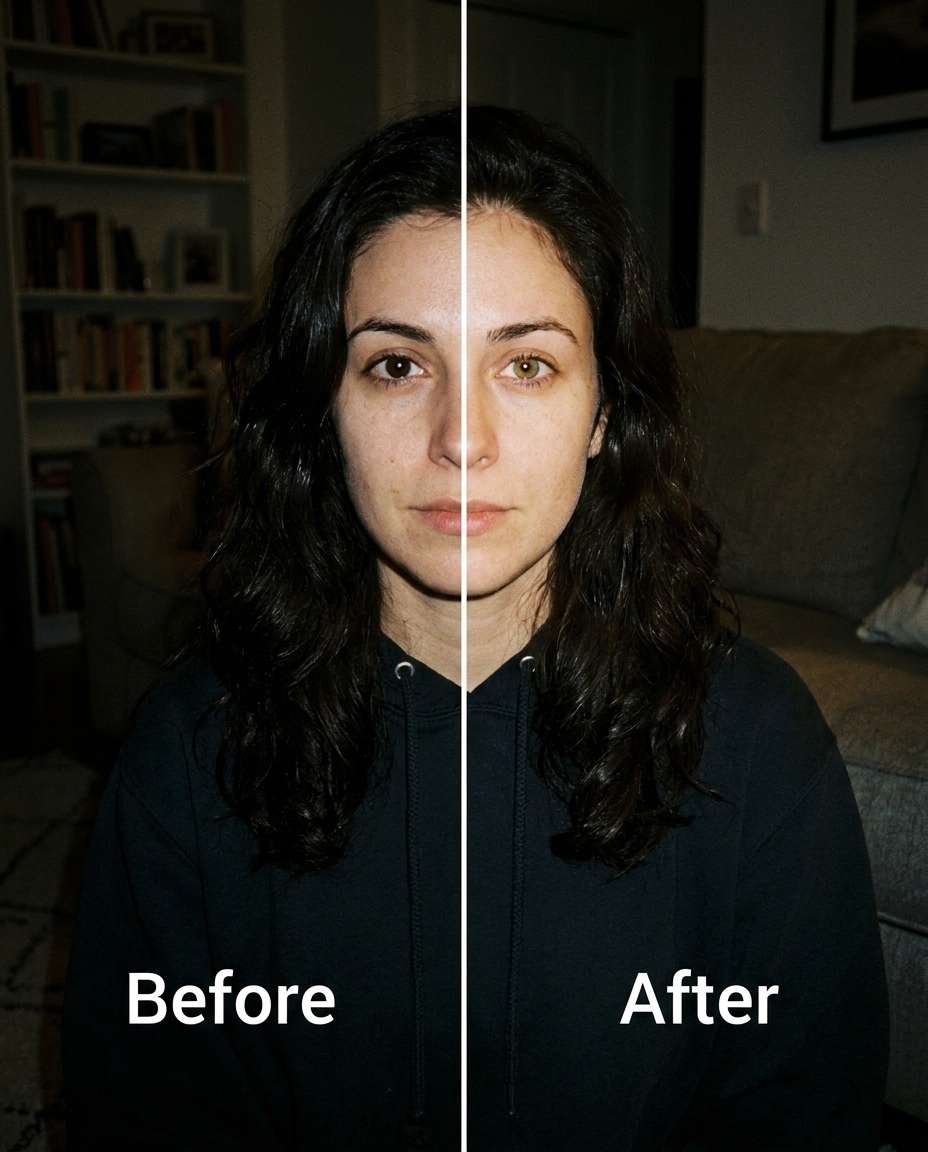
Low-Light Realism
Slim the eye color change in a dim, indoor photo from brown to hazel, keeping the same face and same skin tone, same pose and same outfit details, preserving low-light grain and original shadows, keep catchlights subtle and consistent with the scene --ar 4:5
High-Key Studio Blue
Refine the irises to a clean studio sapphire blue, keeping the same face and same expression, same hairstyle and same outfit details, preserving high-key lighting and background details, keep iris texture realistic and prevent haloing around the iris edge --ar 4:5
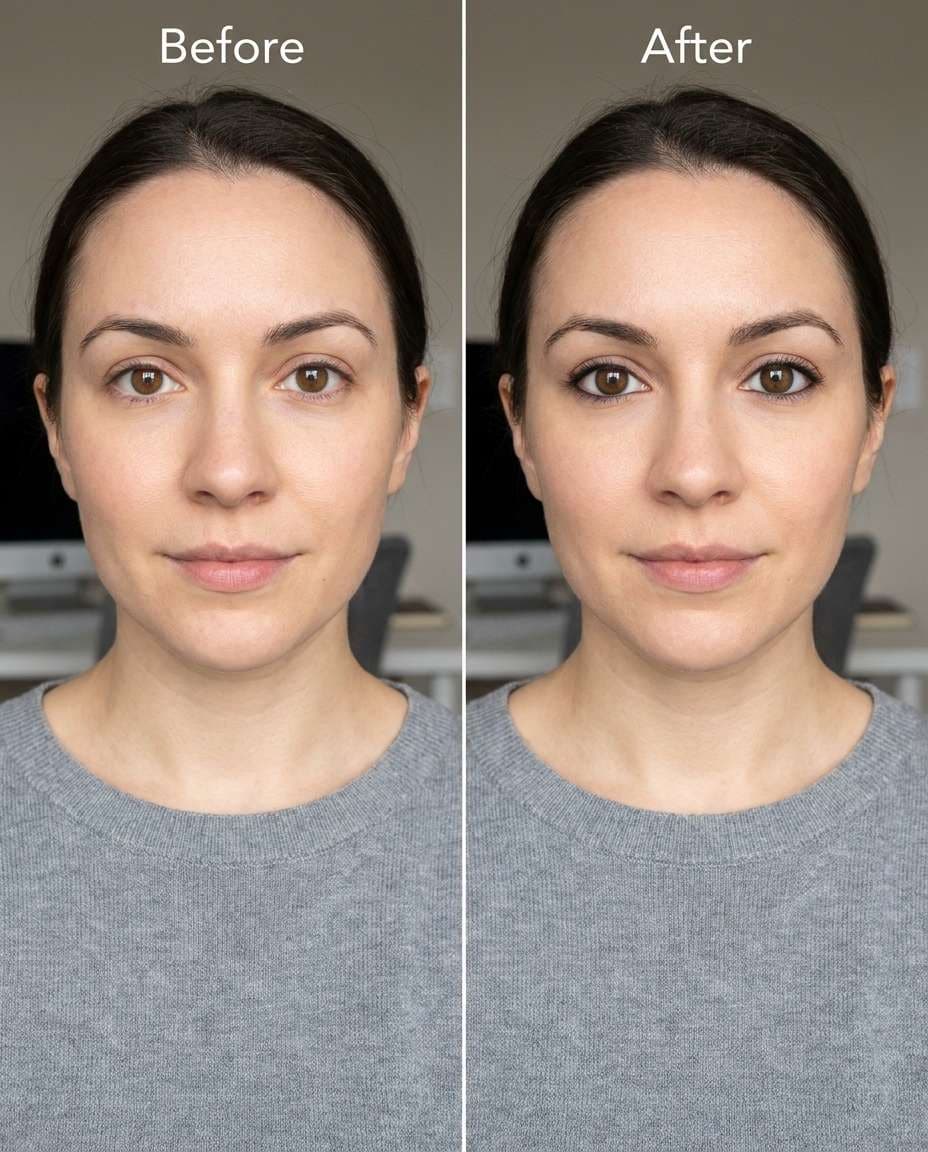
Makeup-Safe Edit
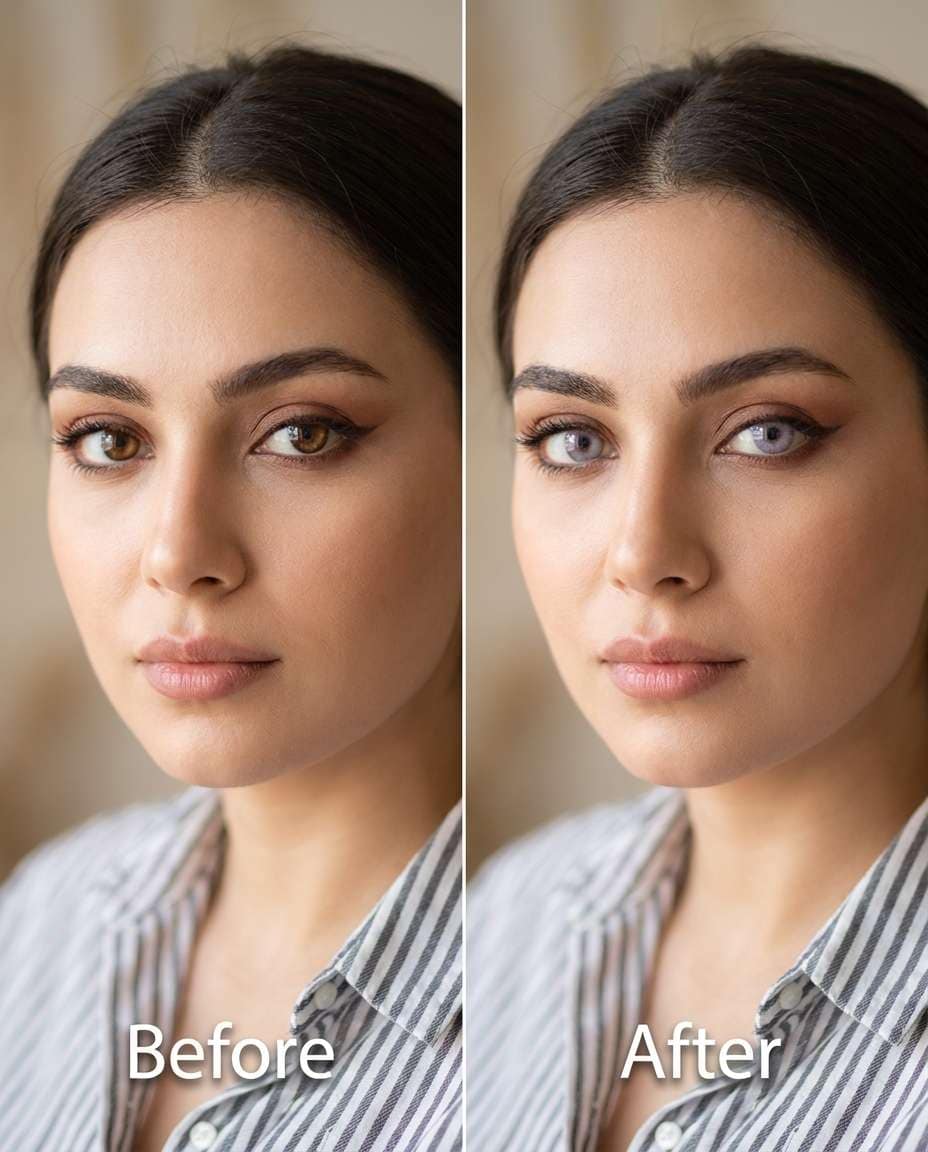
Sculpt the iris color to soft lavender-gray while keeping eye makeup unchanged, keeping the same face and same hairstyle, same expression and same outfit details, preserving original lighting and background details, protect eyeliner edges and mascara texture while keeping iris detail crisp --ar 4:5
Keep Freckles Untouched
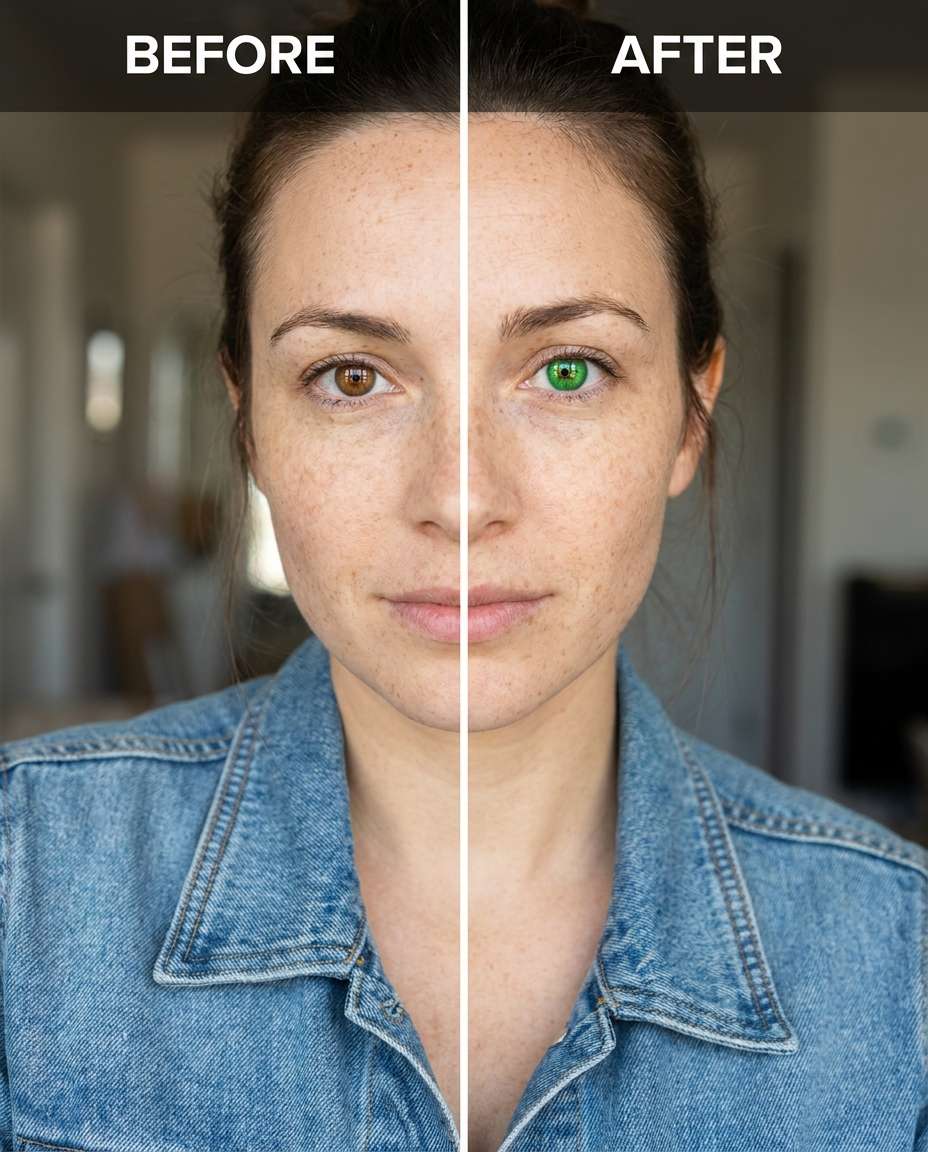
Smooth the eye color to bright green while keeping freckles and skin tone identical, keeping the same face and same pose, same hairstyle and same outfit details, preserving original lighting and background details, keep skin texture and freckles untouched and maintain natural catchlights --ar 4:5
Ultra-Subtle Shift
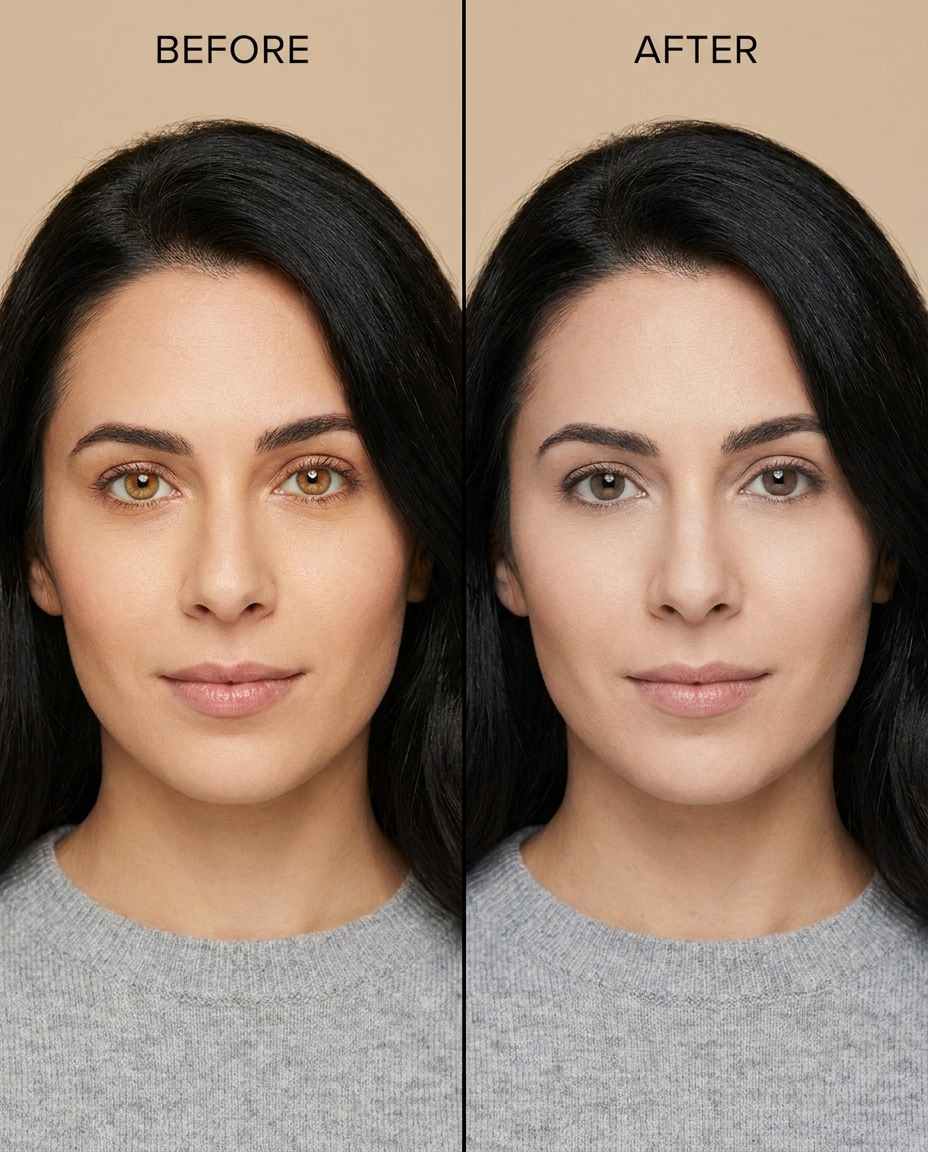
Cinch the iris tone just one step cooler from warm brown to neutral brown, keeping the same face and same expression, same hairstyle and same outfit details, preserving original lighting and background details, keep the change minimal and maintain iris texture and catchlights exactly --ar 4:5
How to Write Better Gemini AI Eye Color Change Prompts
Eye color edits look most believable when the iris texture stays sharp and the catchlights stay consistent with the room. Write prompts that specify the target shade, how intense the shift should be, and what must remain unchanged in the portrait.
Edge protection (no color spill onto sclera, eyelids, lashes, or glasses)
Prompt Writing Tips
Name the color using a familiar reference ("honey amber" beats "orange").
Ask to keep the whites of the eyes unchanged to avoid an uncanny look.
If the subject wears glasses, call out preserving lens reflections and frame edges.
For low-light photos, mention keeping grain and shadow direction consistent.
When results look flat, request "visible iris texture and radial fibers".
When results look too intense, add "reduce saturation, keep a natural contrast".
Why Choose Media.io for Gemini AI Eye Color Change Prompts
Natural-looking eye edits that protect your identity and outfit, letting you tune the change from subtle to strong without distortion.
Identity stays consistent
Keep facial structure, expression, hairstyle, and skin tone stable while changing only the iris color. This is ideal for portraits where you want a believable result that still looks like the same person, not a restyled or regenerated face.
Lighting-aware results
Maintain the original catchlights, shadow direction, and overall exposure so the new eye color sits naturally in the scene. This helps avoid the common "sticker iris" look and keeps reflections consistent with indoor, outdoor, or studio setups.
Subtle-to-strong control
Dial the intensity up or down without breaking realism. You can ask for a minimal hue shift, a clear fashion contact effect, or anything in between, while keeping iris texture, pupil size, and edge transitions clean.
Download-ready comparisons
Generate multiple variations, review the one that best matches your portrait, then download the final. Media.io makes it easy to iterate quickly so you can land on a shade that complements your makeup, outfit colors, and the mood of the photo.
FAQs About
Gemini AI Eye Color Change Prompts
1. Do these prompts work for selfies with glasses?
Yes—just call out that lens reflections and frame edges must stay unchanged. The most important detail is preventing color spill: ask to change only the iris while preserving the sclera, eyelids, lashes, and any reflections on the lenses. Generating a couple variations helps you pick the cleanest edge work.
2. How do I keep the edit from looking fake or flat?
Request realistic iris texture (radial fibers and natural rings), consistent catchlights, and a natural pupil size. Also ask for a moderate saturation level and to keep the whites of the eyes unchanged. If the new color still looks pasted on, reduce intensity and specify "soft transition at the iris edge."
3. Can I change only one eye for heterochromia?
You can, and it works best when the change is intentional but still believable. Specify exactly which eye changes and what the other eye stays, then add constraints like "same lighting, same catchlights, no changes to makeup." A subtle intensity often looks more realistic than a neon contrast.
4. Media.io Gemini AI eye color changer prompt: what should I include?
Include a precise target shade, the intensity level, and at least two "keep the same" anchors (face, hairstyle, skin tone, outfit, pose). Add one preservation note such as original lighting or background details. Finally, add realism constraints like maintaining iris texture and preventing color bleed.
5. Why does the eye color shift sometimes affect eyelids or lashes?
That usually happens when the edit isn't constrained tightly enough. Add a line that explicitly limits changes to the iris only, and request clean edges around lashes and eyelids. If the photo is low resolution or the eyes are partially closed, try a milder shift or generate more variations to find the cleanest mask.
Why Creators Love Media.io's Gemini AI Eye Color Change Prompts?
Alex M.
Photographer
Ultra Realistic Results.
I used these eye color change prompts to create visuals that looked like real photography. The lighting, textures, and colors felt incredibly natural.
Maya J.
Designer
Perfect Lighting & Detail.
The prompts produced cinematic compositions and soft lighting, making every image feel like a professional shoot.
Jordan P.
Creator
Perfect for Social Media.
I used these prompts to create viral content. It's fast, easy, and consistently produces stunning visuals.