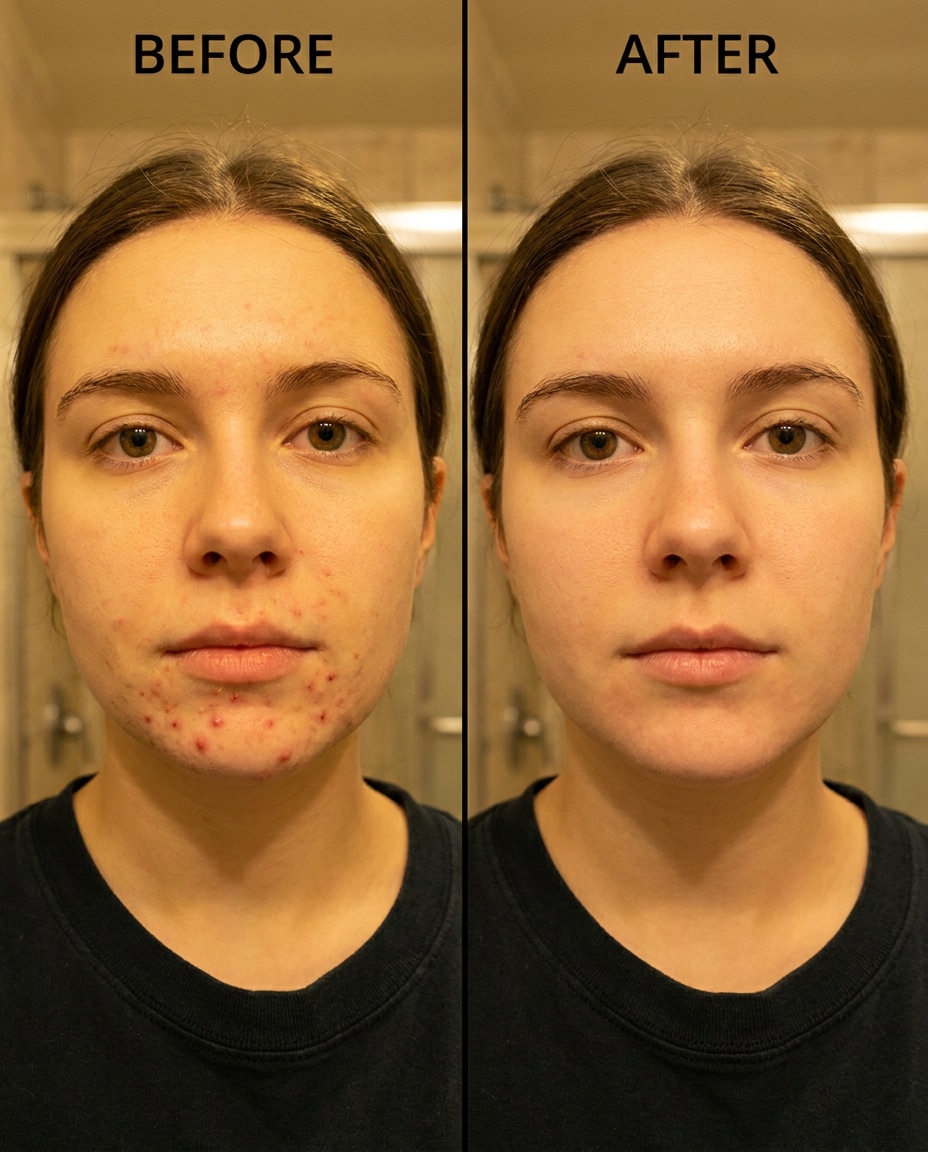
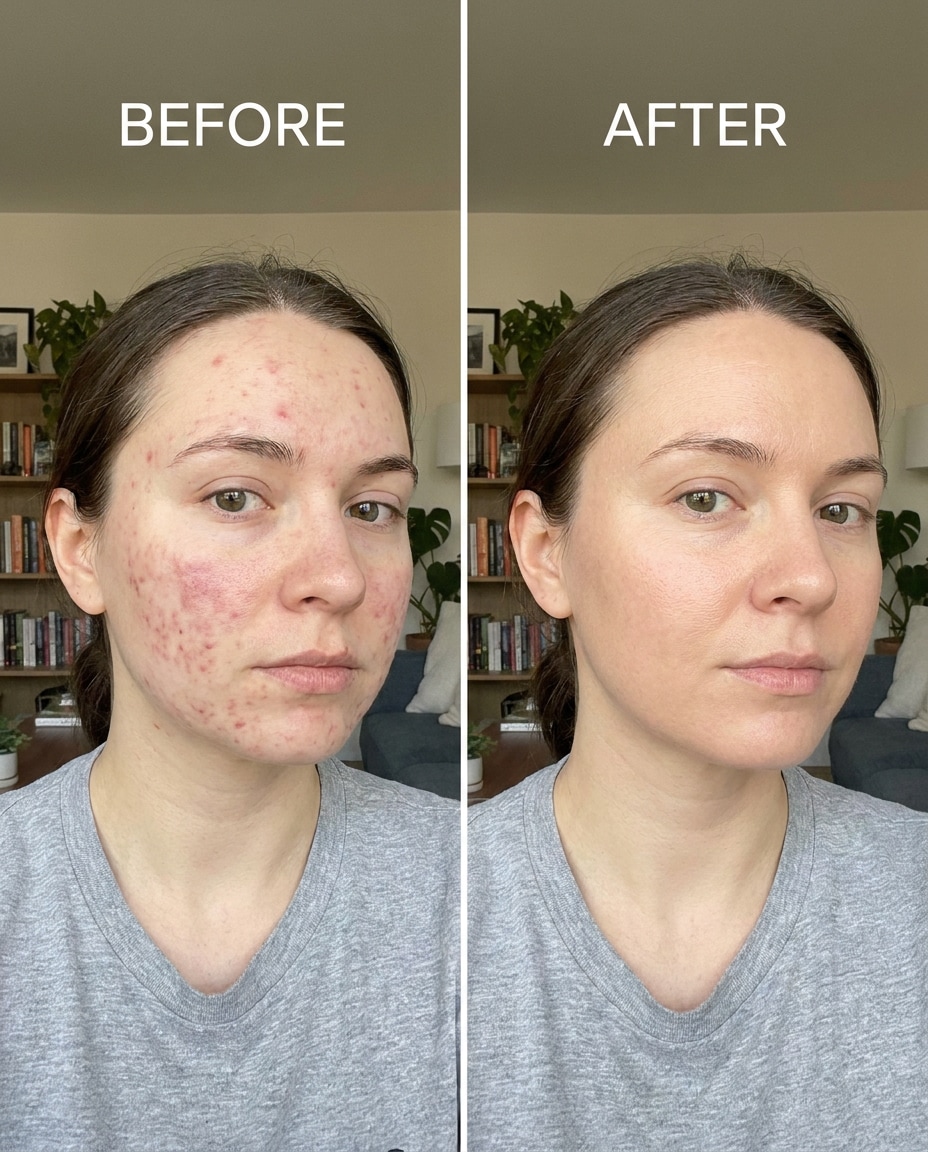
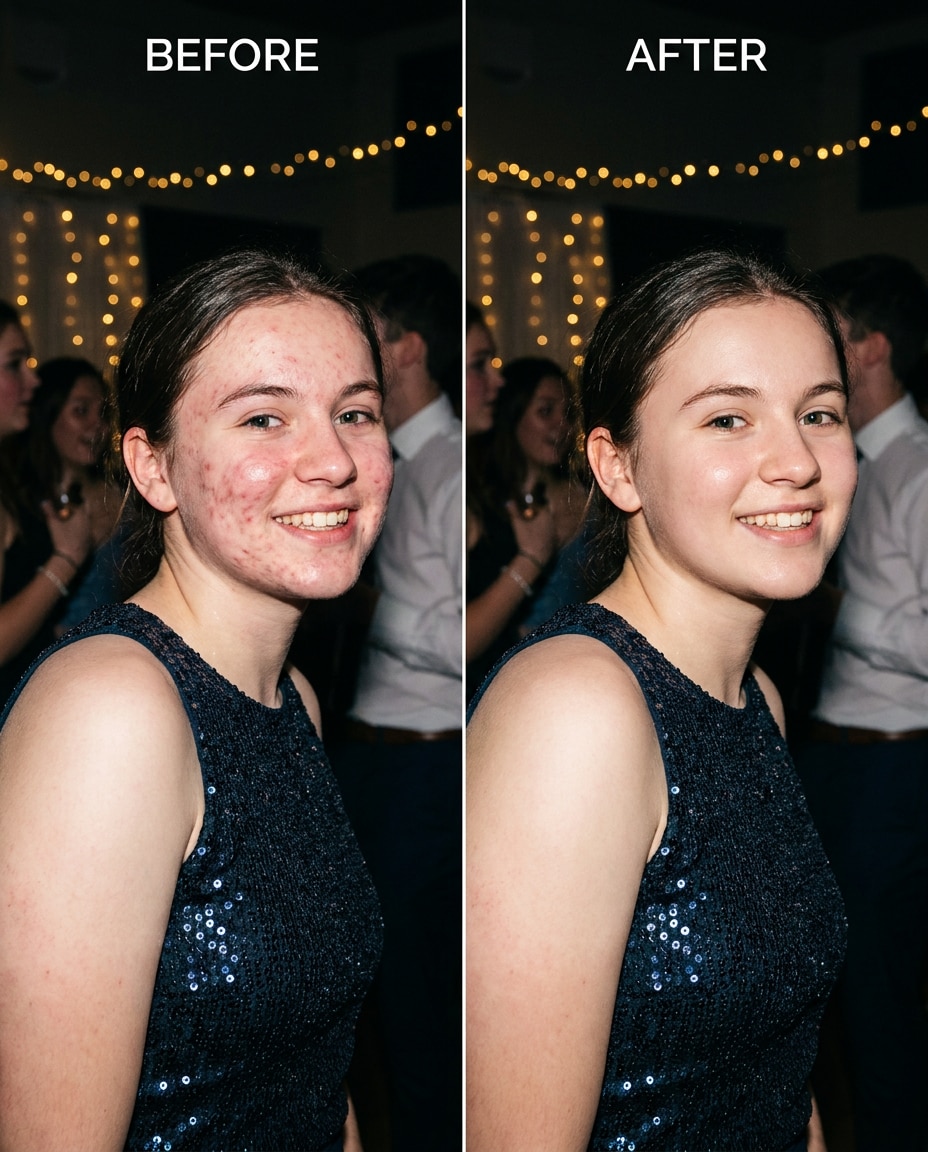
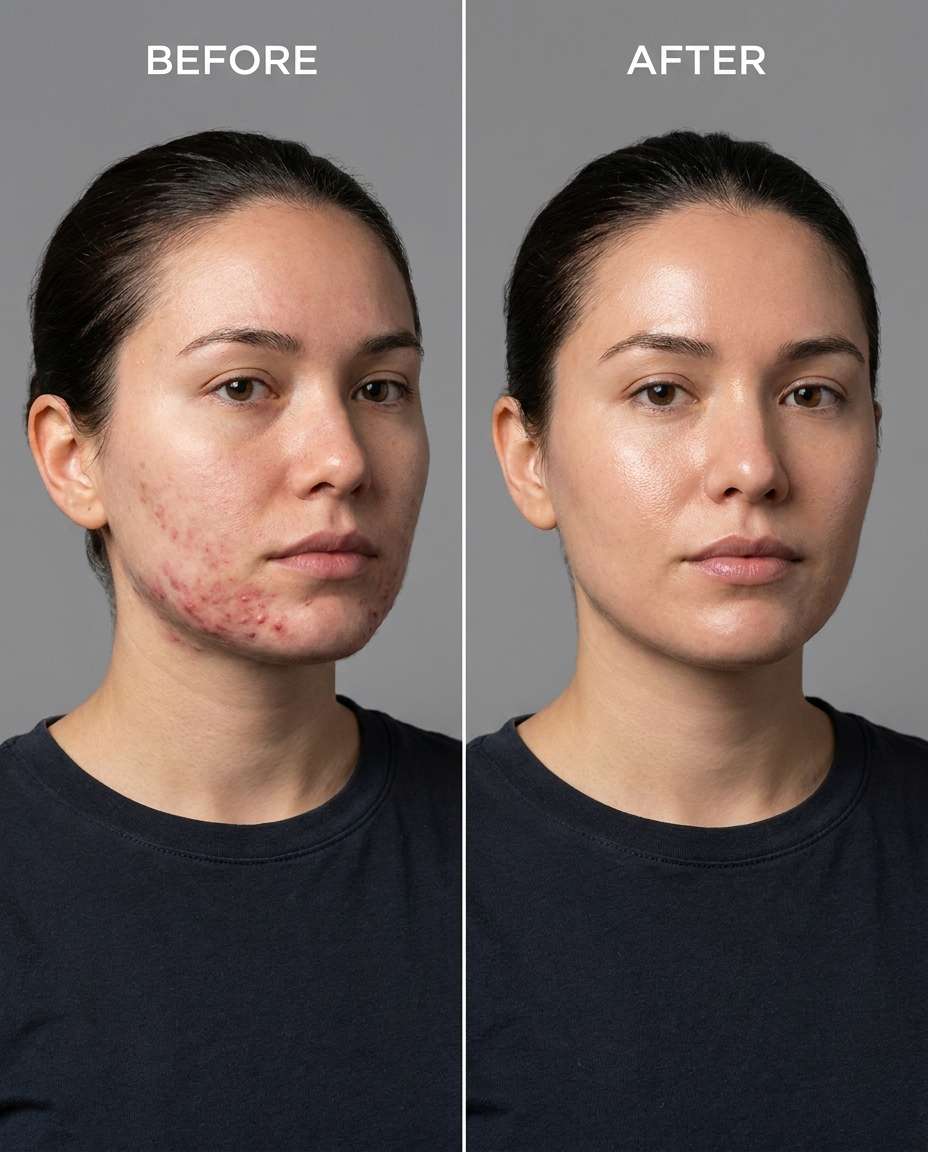
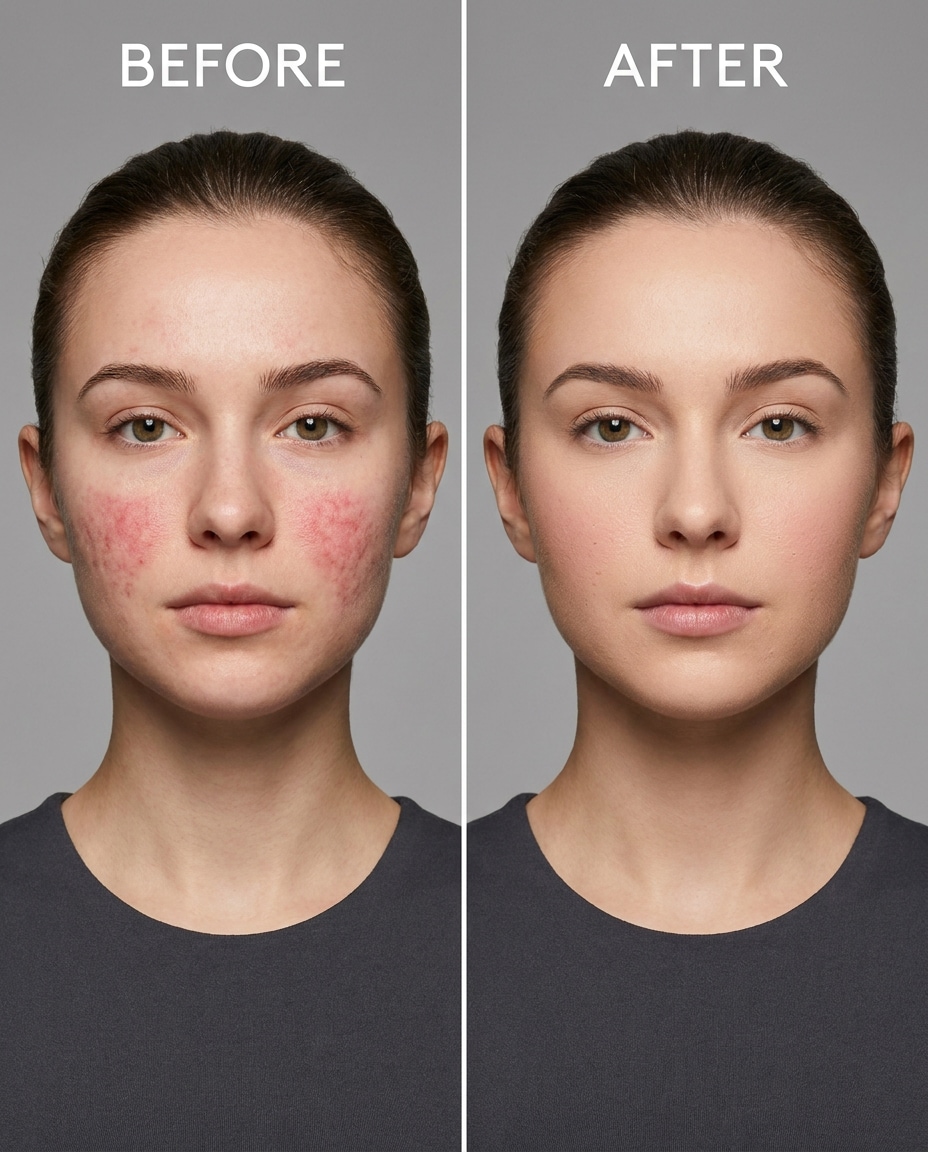
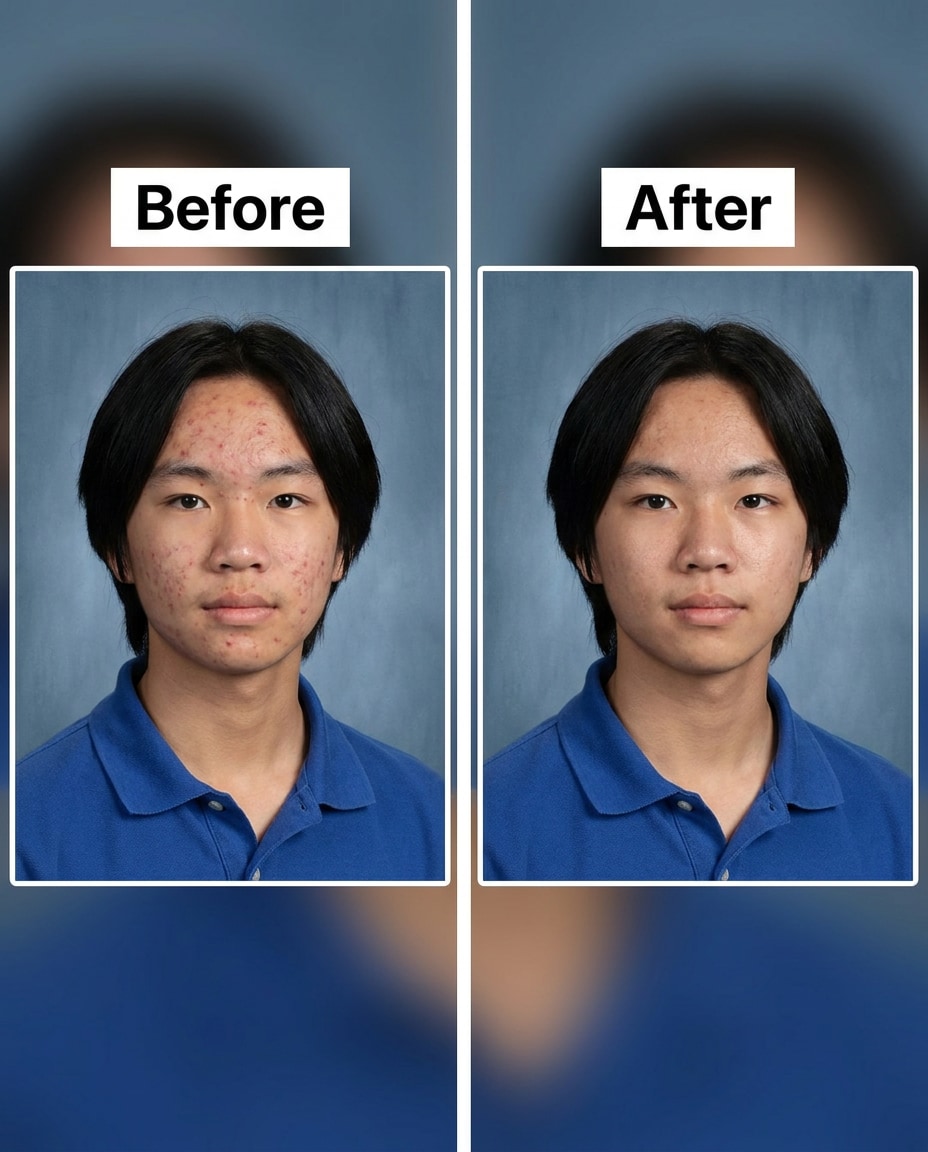
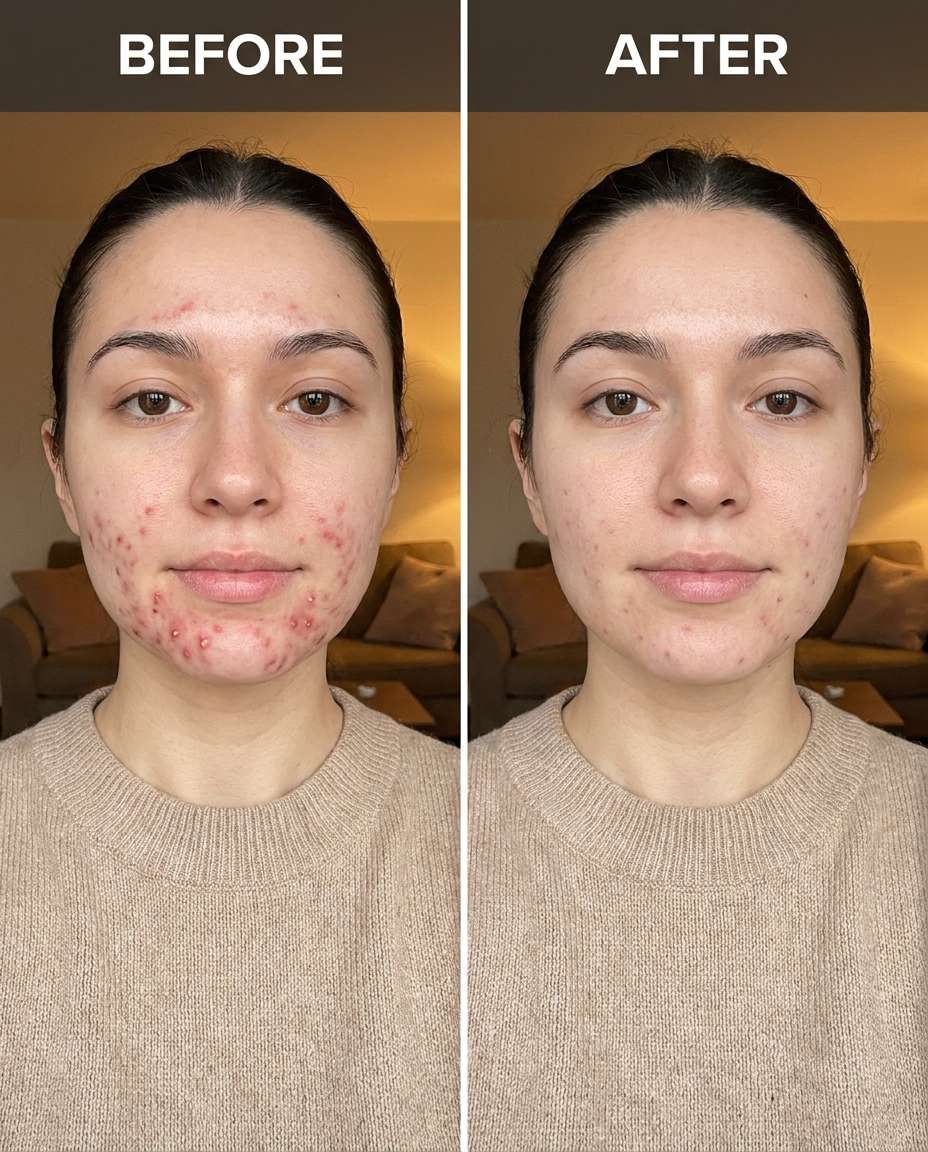
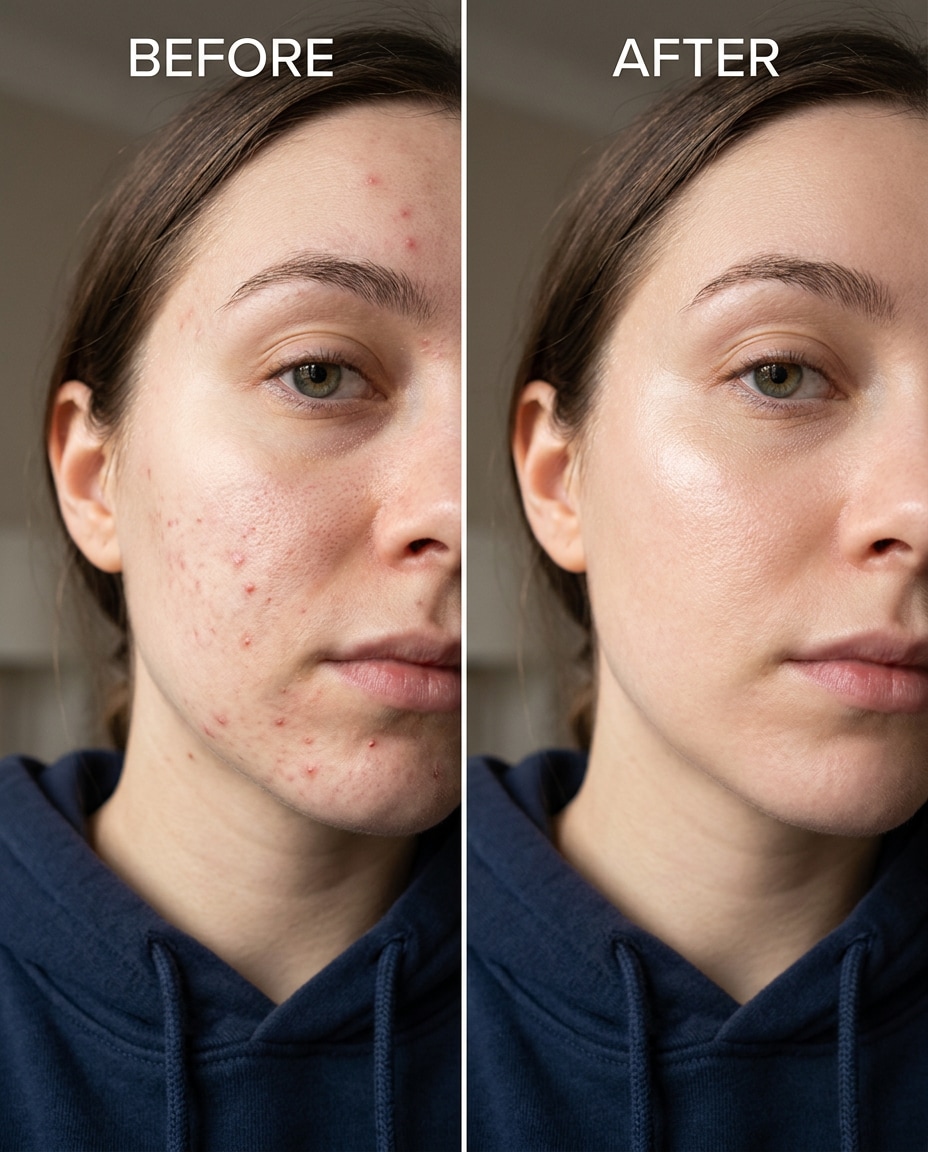
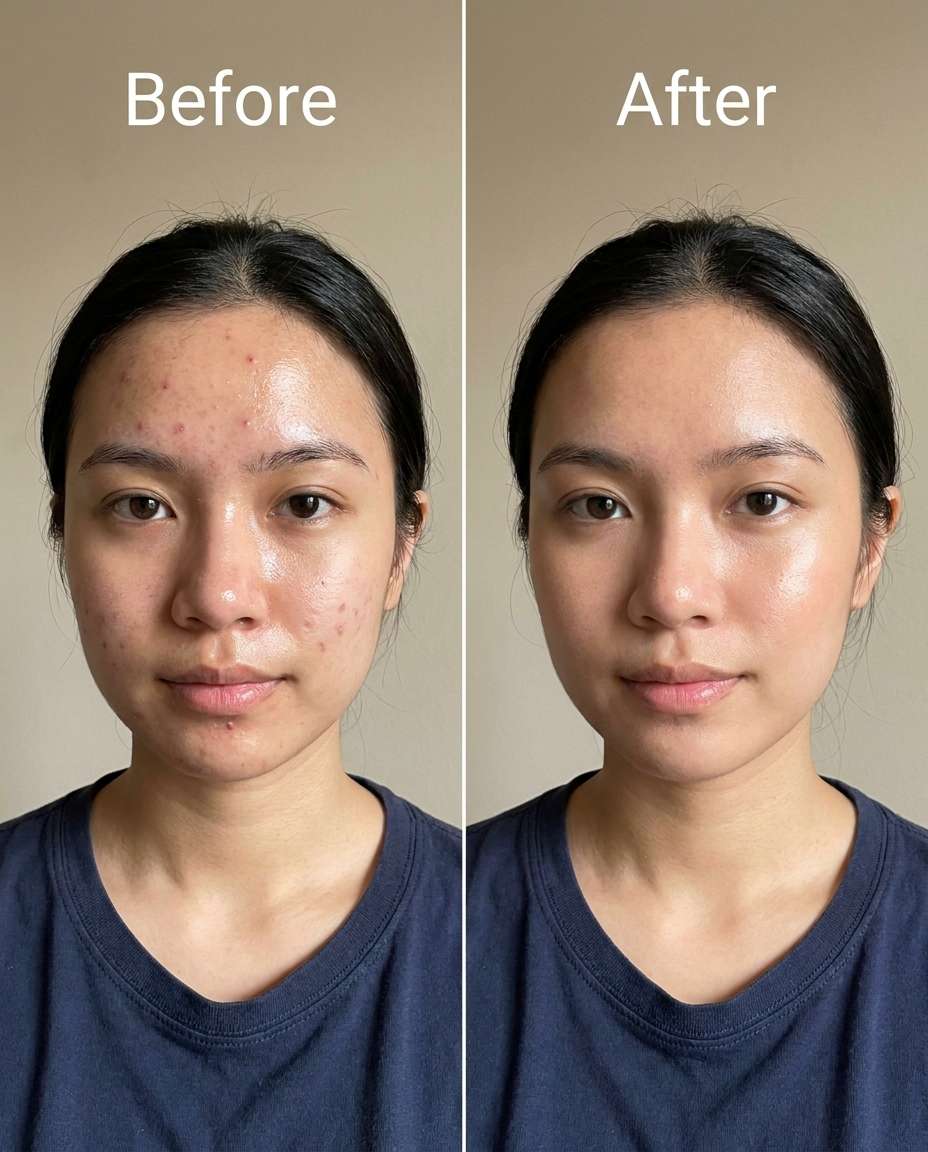
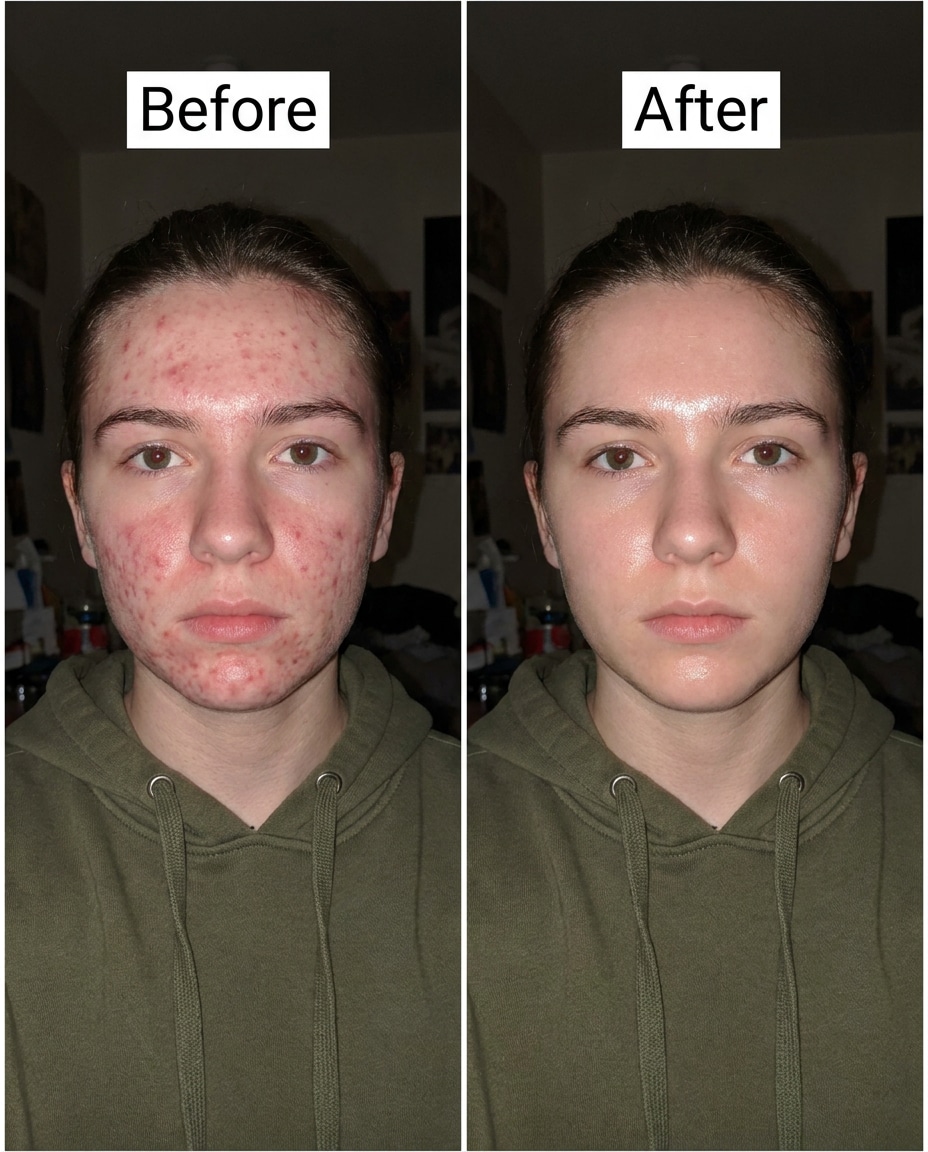
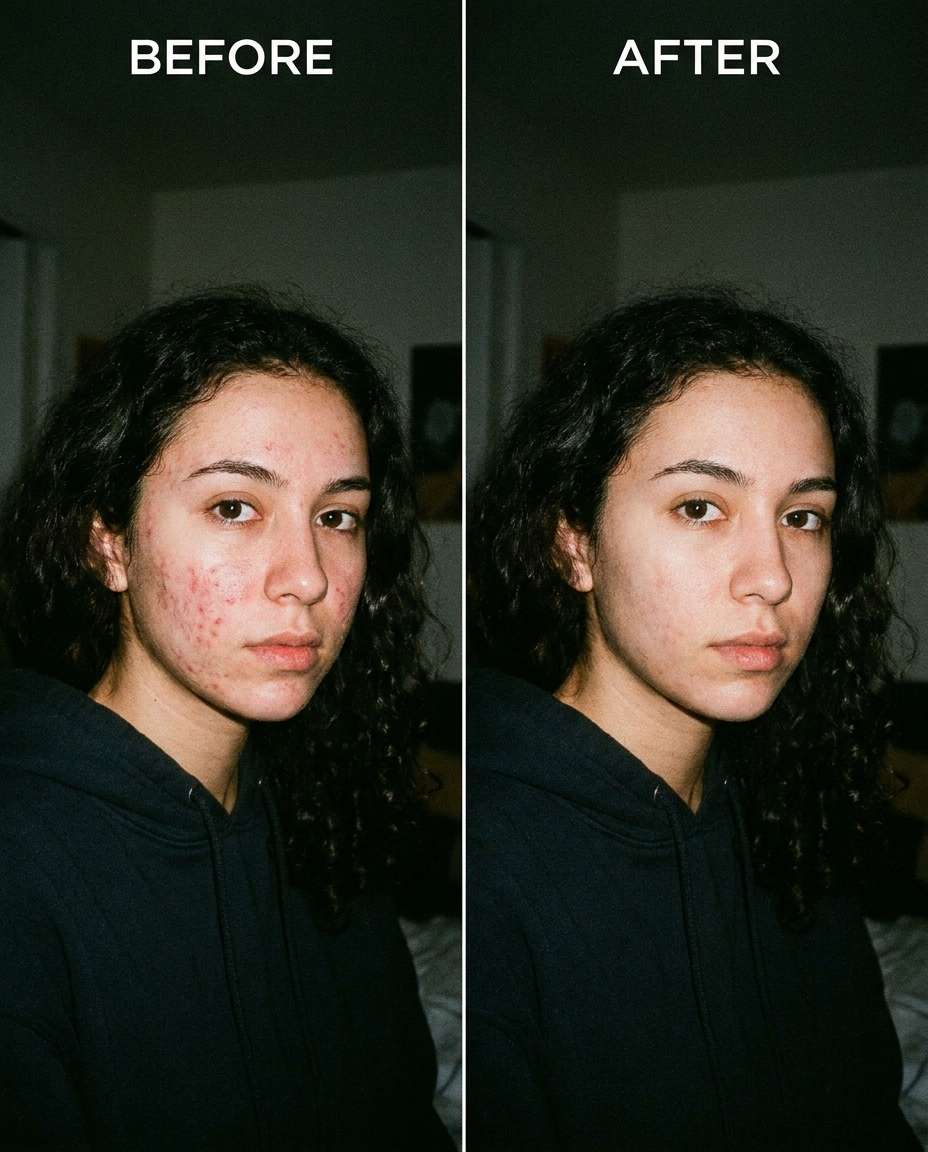
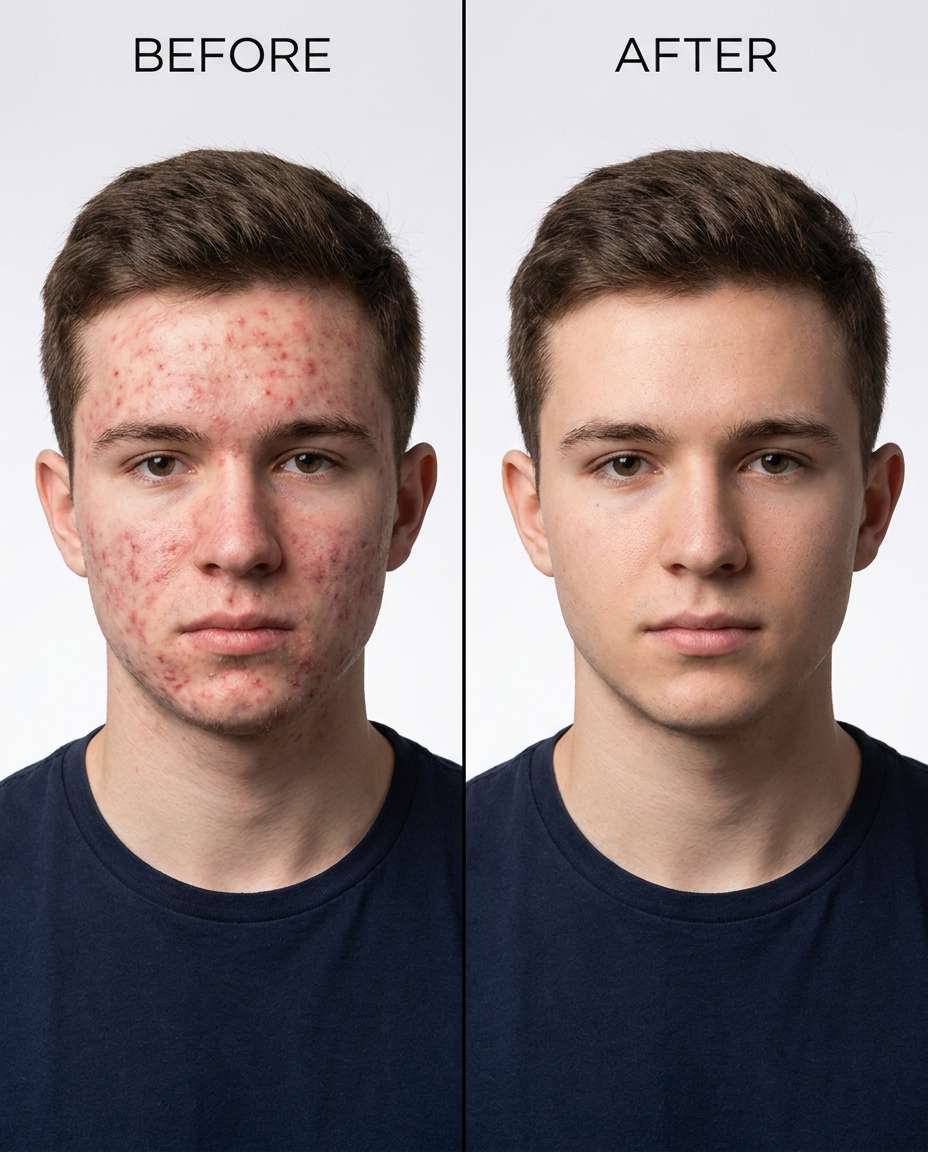
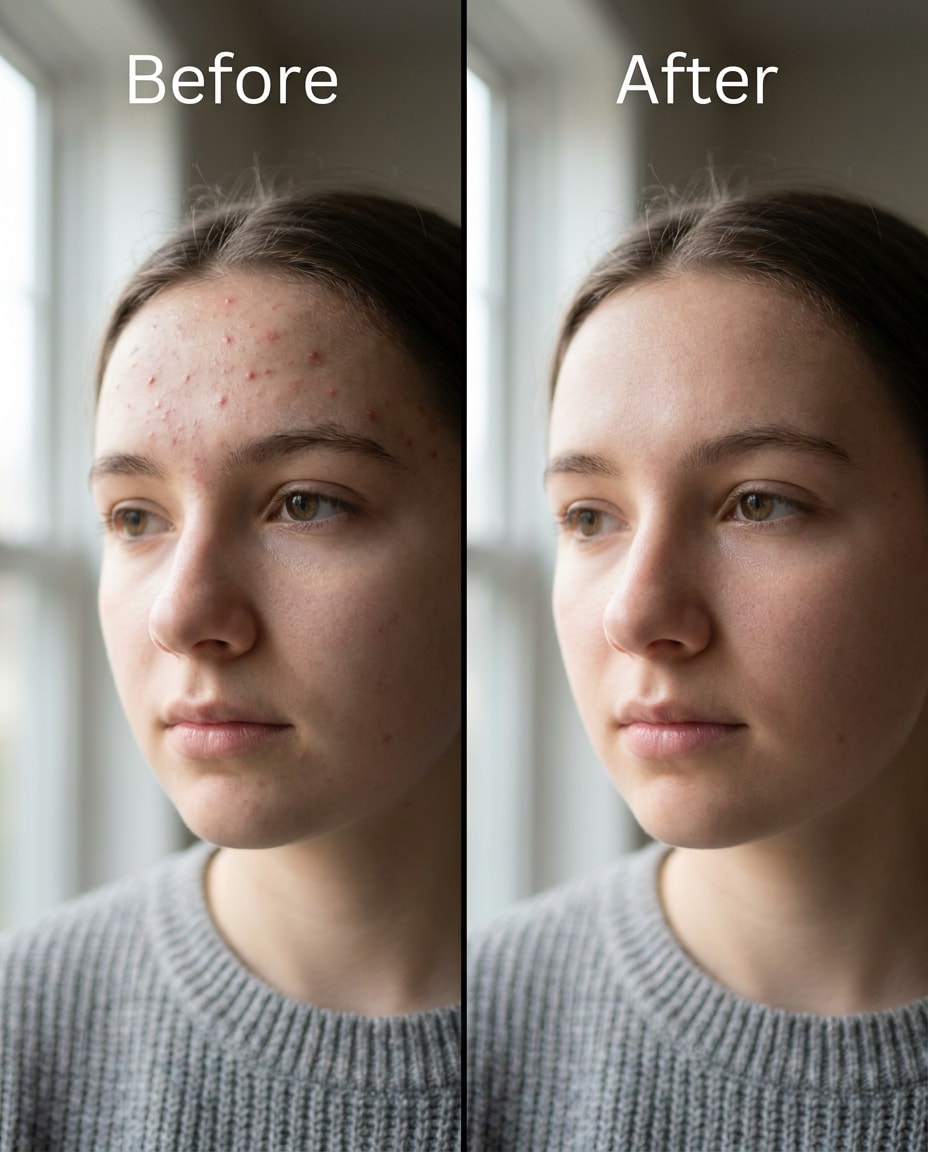
25+ Gemini AI Remove Acne Prompts for Clear, Real-looking Skin
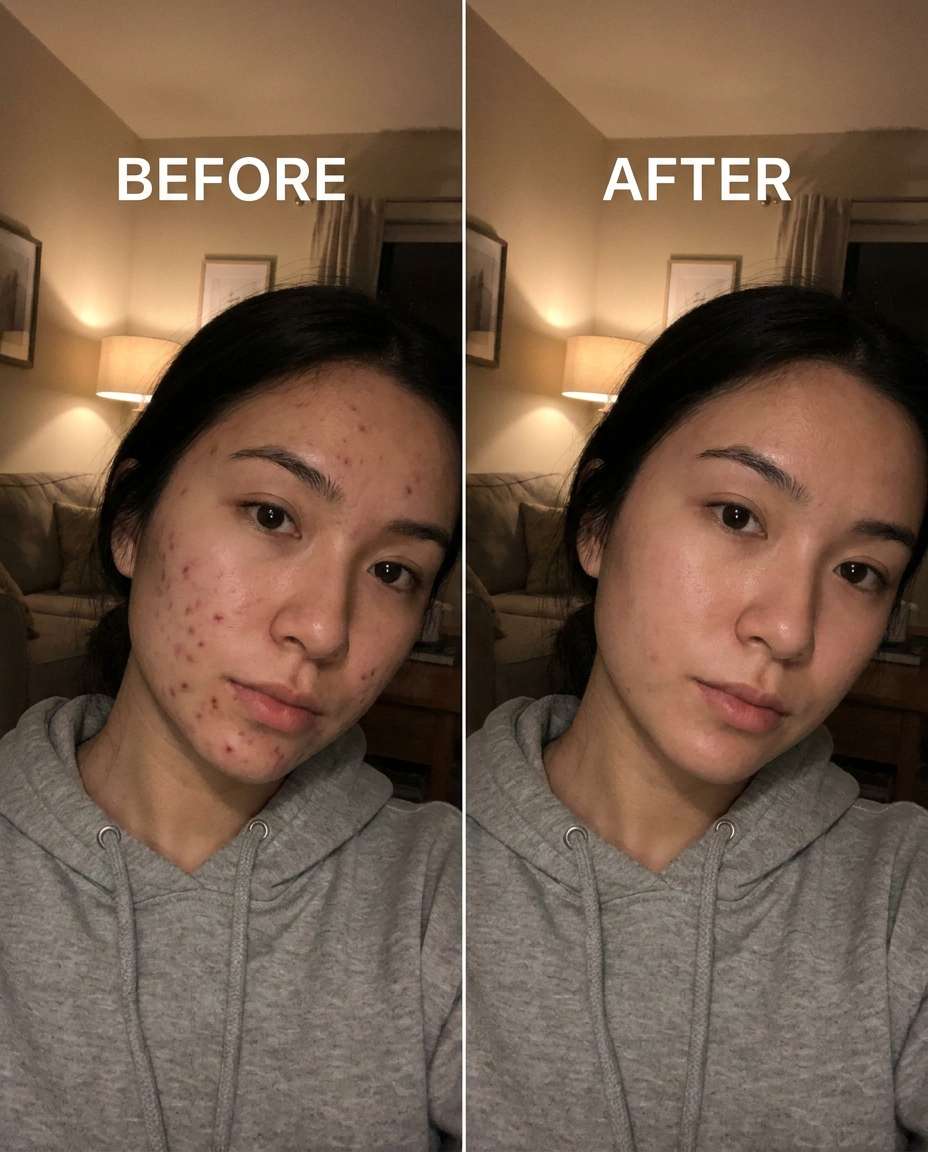
Smooth Gemini AI remove acne prompts into your workflow and keep results believable across multiple intensities. You can upload a portrait, paste one line, and generate a cleaner look that still feels like you: same tone, same lighting, same personality. Go for a light touch that only calms redness, or push further for event-ready clarity without that plastic finish. This page gives you 25 prompts to target different breakout patterns while protecting details like pores, makeup, and shadows.
Stunning AI remove acne generated with Media.io - powered by
Nano Banana Pro.
How to Remove Acne with Gemini AI Photo Editing Prompts in 3 Steps
Use Media.io to apply these edits fast without learning a complicated retouch process. Upload your photo, drop in a prompt, and iterate until the result feels natural.
1
Open the AI photo editor
Go to Media.io and open the AI Photo Generator (image-to-image). Choose a portrait-friendly aspect ratio, then set your edit goal: reduce blemishes while keeping texture, lighting, and background consistent with the original shot.
2
Upload and paste a prompt
Upload your photo, then paste one prompt from the cards below. For a natural result, start with a lighter strength and specify where the acne shows up. A Gemini AI acne removal photo prompt for natural skin works best when you mention tone and lighting preservation.
3
Generate, compare, download
Click Generate and review the skin closely at 100% zoom. If it looks too blurred, lower intensity and ask for pore texture to remain. When it looks right, download the edited image and save a couple of variations for different use cases.
Best Gemini AI Remove Acne Prompts Ideas & Examples
Soft forehead cleanup
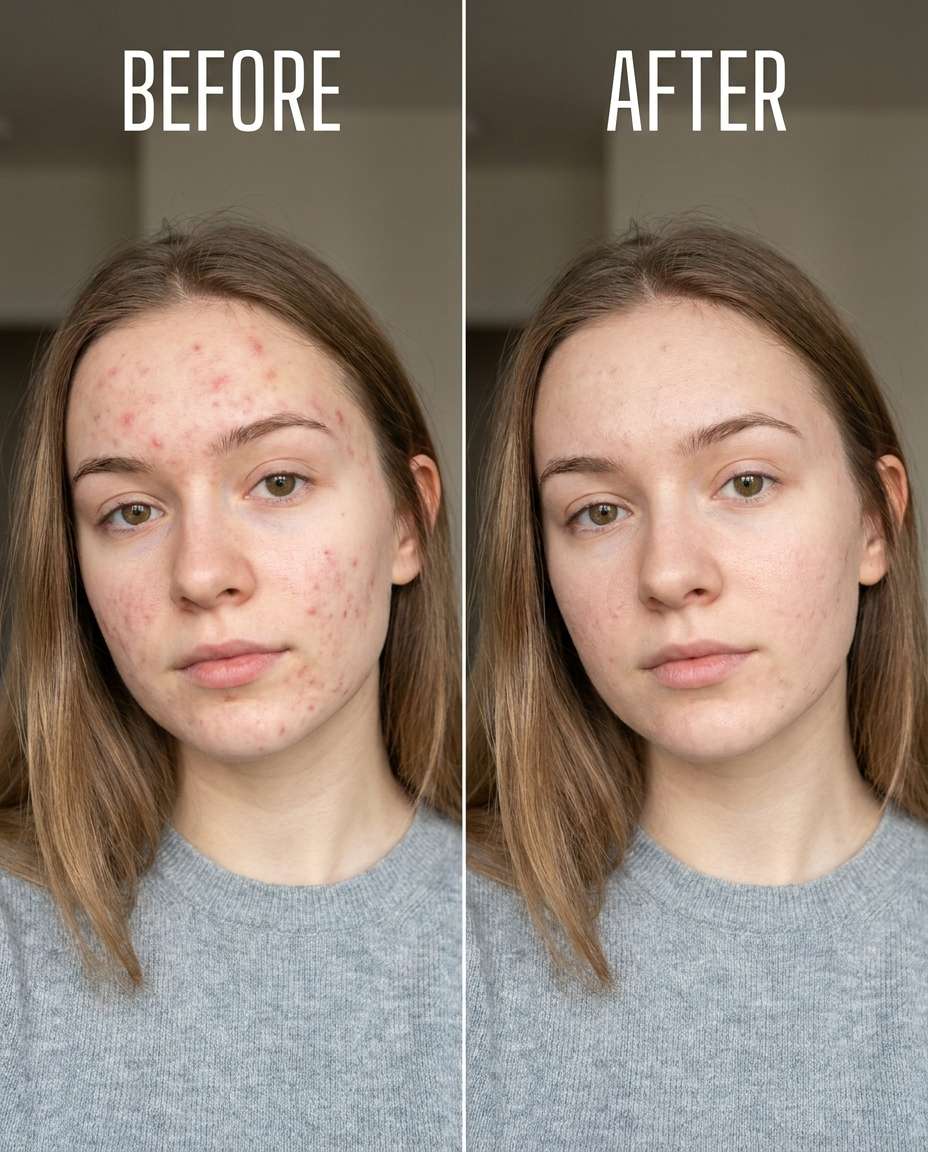
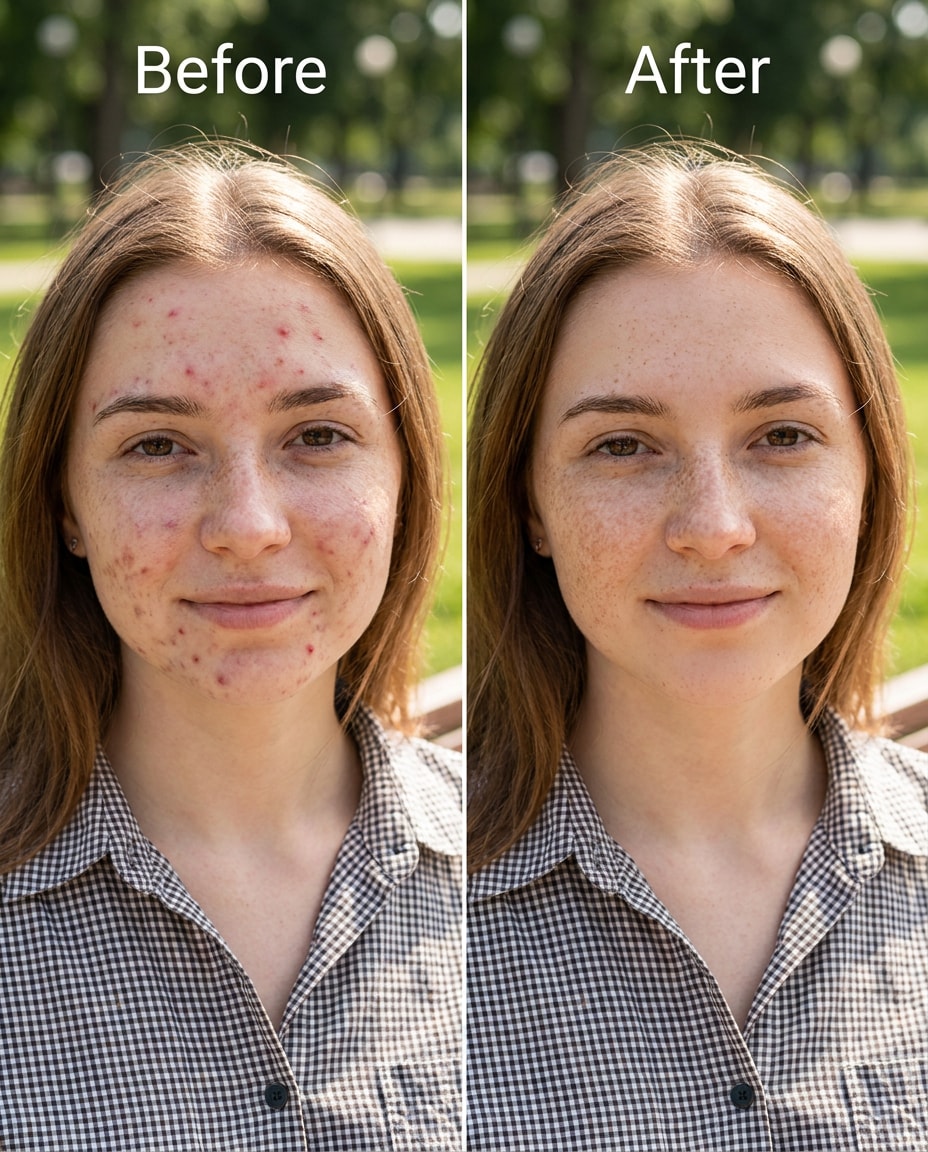
Slim down the appearance of small forehead acne bumps and mild redness, keeping the same face and expression, same hairstyle, same skin tone and freckles. Preserve original lighting, shadow direction, and background details; keep natural pore texture and no over-smoothing, preserving outfit seams --ar 4:5
Chin breakout reduction
Refine the chin area by reducing active pimples and redness, keeping the same face and jawline, same pose, same lip shape and makeup. Preserve original lighting and background details, and keep skin texture realistic with pores visible, preserving believable proportions --ar 4:5
Cheek texture preserved
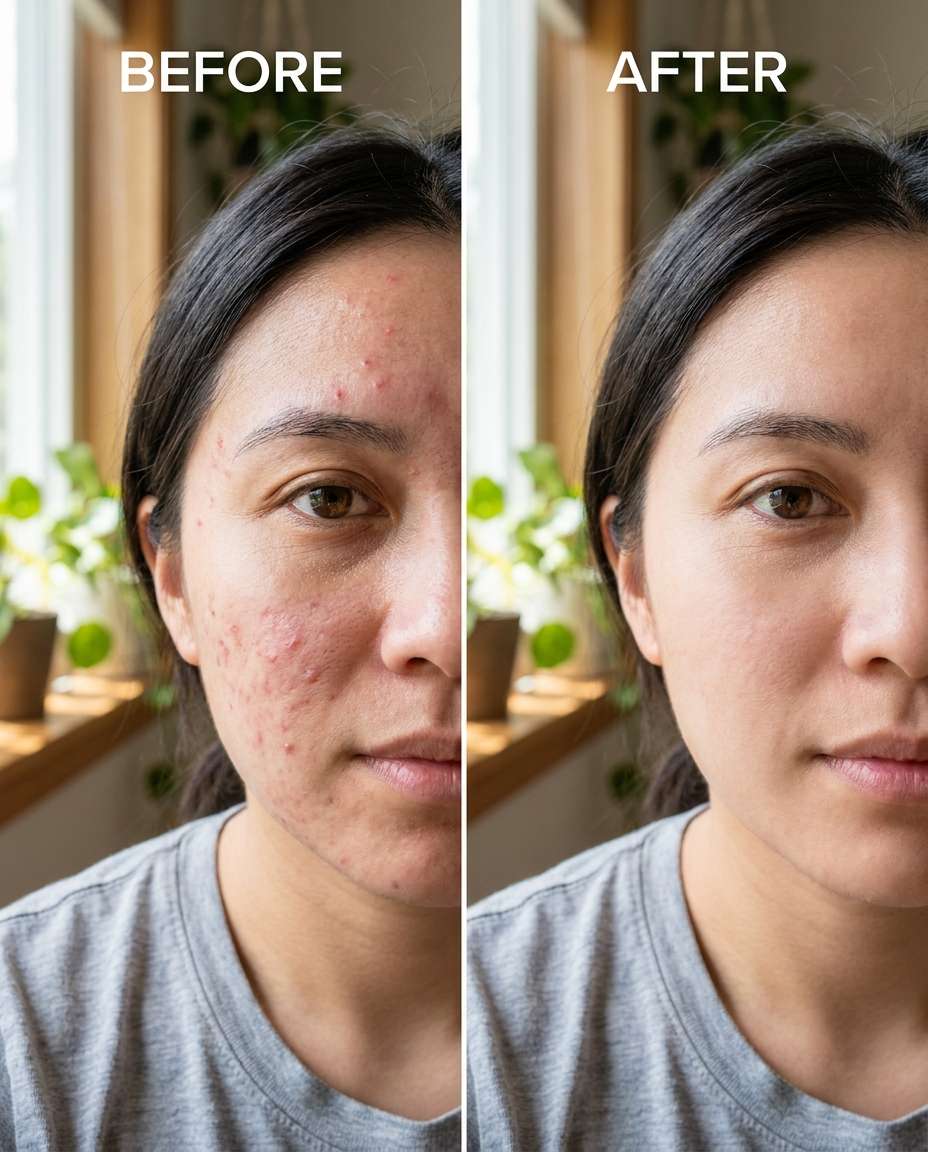
Sculpt a cleaner cheek area by reducing scattered acne spots while keeping the same face, same cheekbone shape, same hairstyle, and same skin undertone. Preserve fabric texture on clothing and preserve the original lighting; keep pores and fine facial hair intact, preserving natural skin pores --ar 4:5
Event-ready clarity
Smooth moderate acne across cheeks and jaw for an event-ready look, keeping the same face and identity, same hairstyle, same pose, and same skin tone. Preserve original lighting, background details, and makeup edges; avoid a filtered or plastic skin finish, preserving background details --ar 4:5
Jawline flare-up
Cinch down the look of jawline acne and irritation, keeping the same face shape, same hairline, same earrings and outfit details. Preserve the original shadow direction and background; keep skin texture, pores, and subtle highlights consistent, preserving believable proportions --ar 4:5
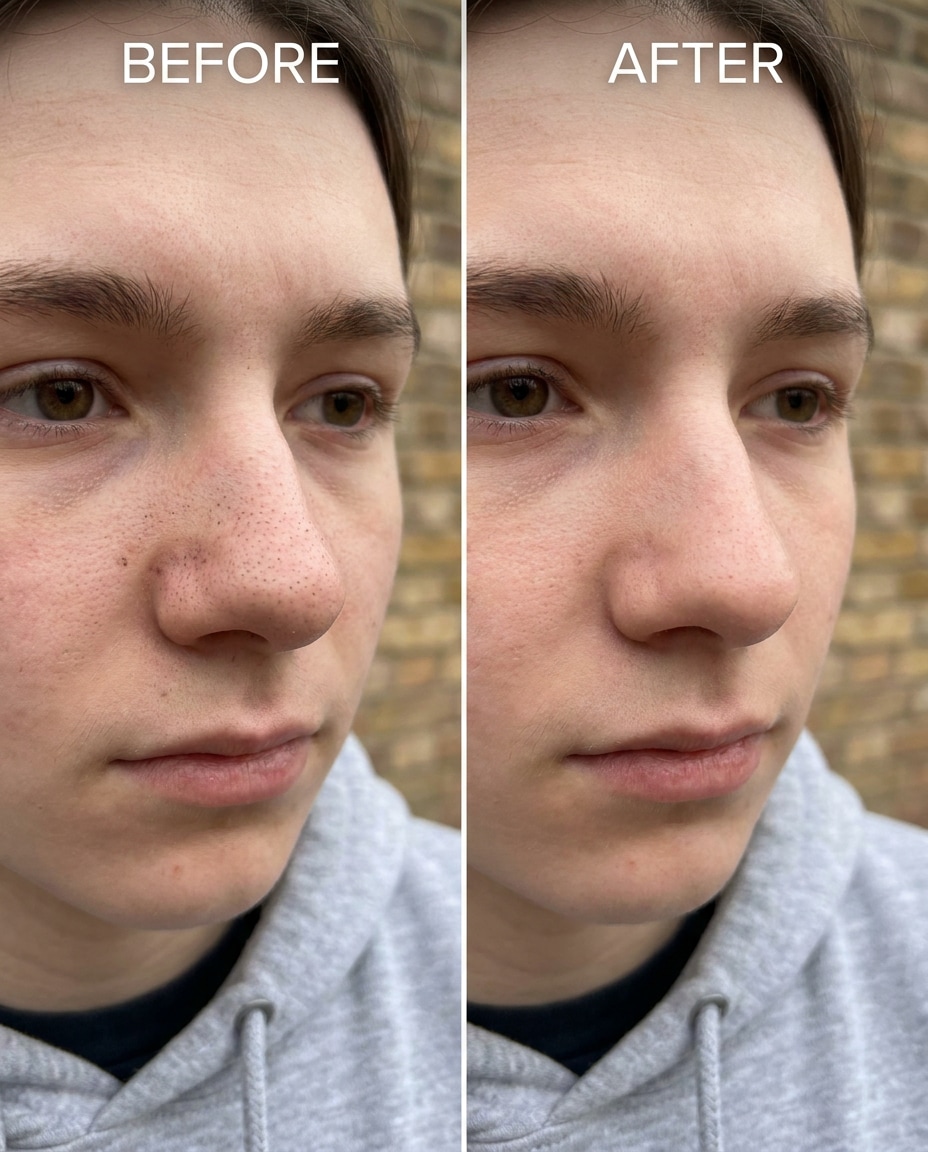
Nose blackhead polish
Reshape the appearance of the nose area by reducing blackheads and visible clogged pores, keeping the same face, same nose shape, same skin tone, and same expression. Preserve original lighting and background details; keep natural texture so the nose doesn't look airbrushed, preserving original color grading --ar 4:5
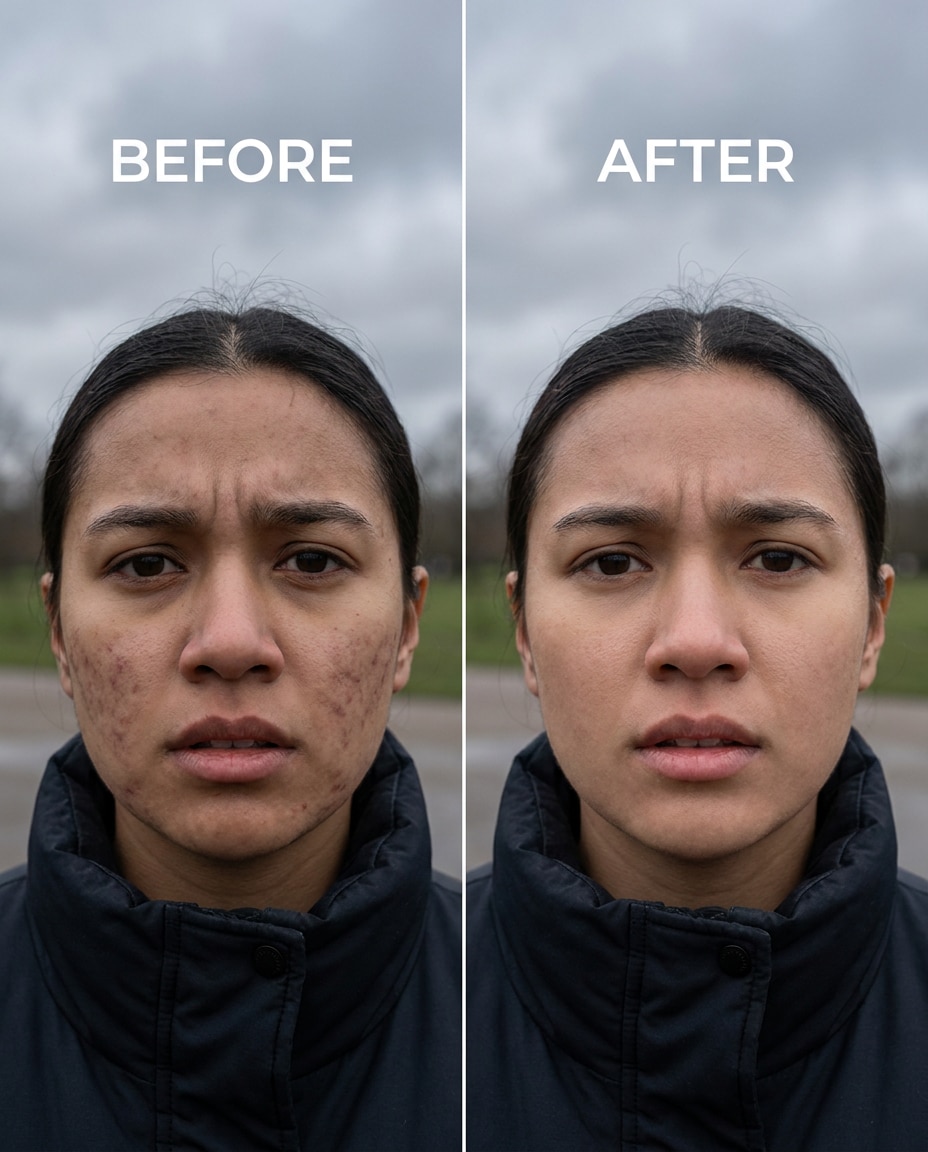
Post-acne marks fade
Adjust post-acne dark spots on the cheeks to look lighter and more even, keeping the same face and smile, same hairstyle, same skin tone and undertone. Preserve original lighting and background details; keep pores, fine lines, and natural shadows visible, preserving fabric texture --ar 4:5
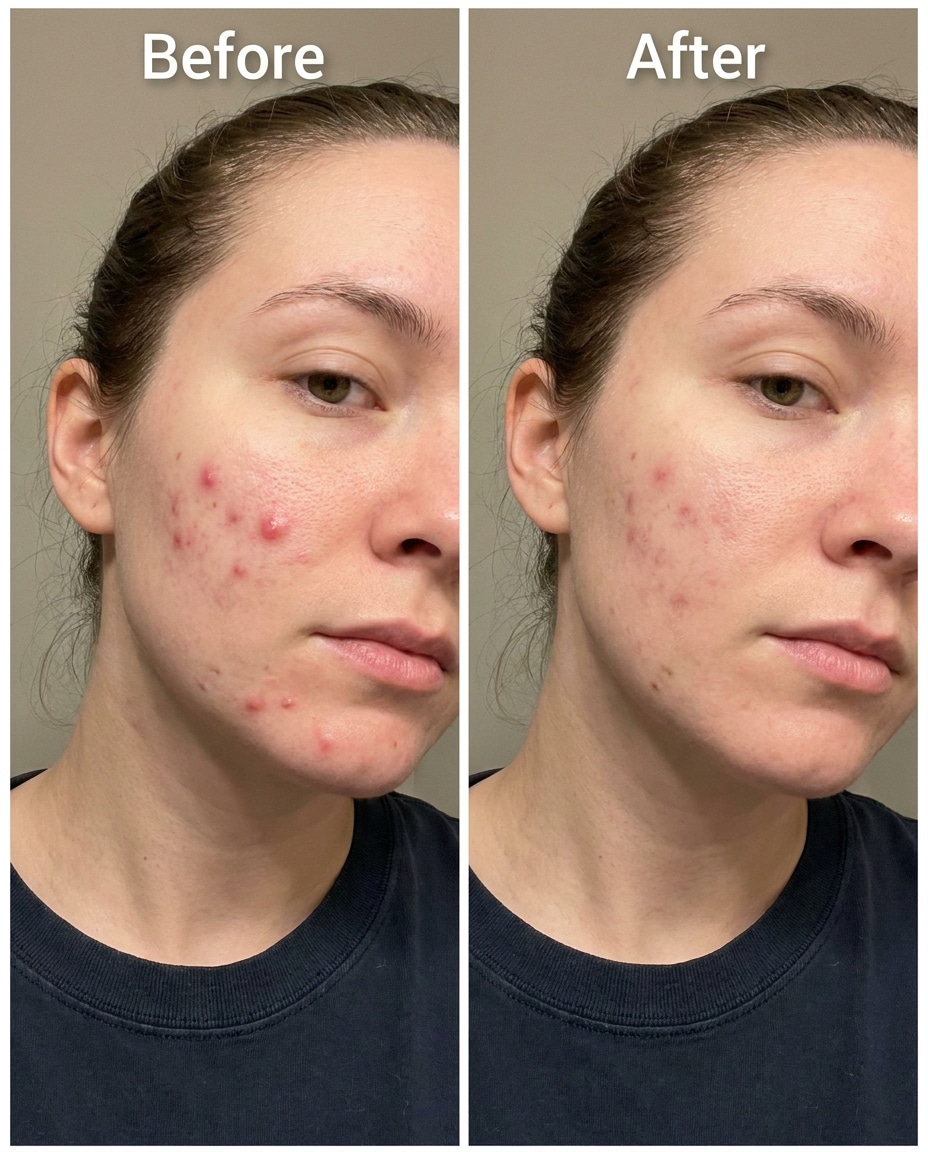
Cystic acne soften
Tighten the look of cystic acne swelling by reducing redness and raised texture, keeping the same face, same pose, same hairstyle, and same skin tone. Preserve original lighting, background detail, and makeup boundaries; avoid flattening the entire skin surface, preserving original lighting --ar 4:5
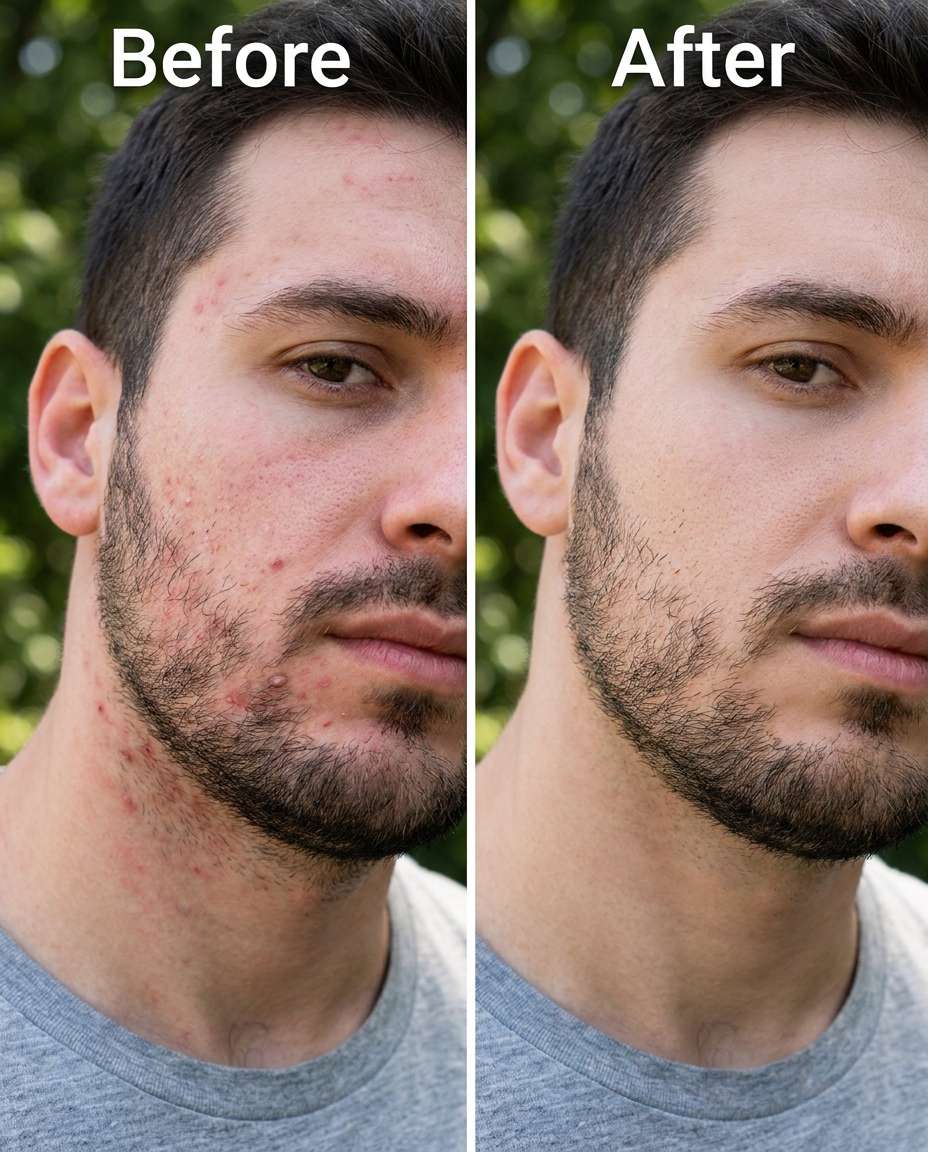
Beard-line cleanup
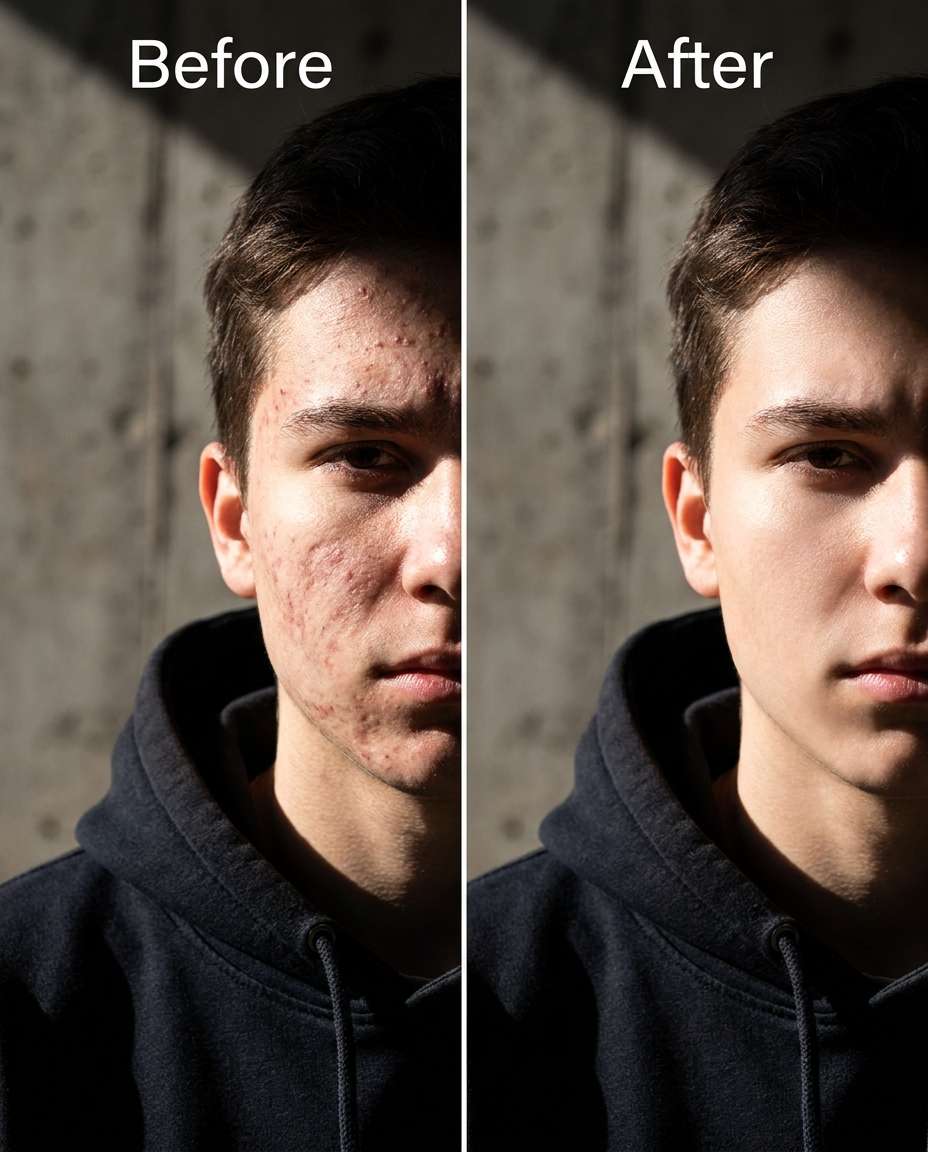
Tune down acne and razor bumps along the beard line, keeping the same face, same beard shape, same hairstyle, and same skin tone. Preserve original lighting and background; keep beard hair texture sharp and avoid blurring facial hair edges, preserving natural skin pores --ar 4:5
Makeup-safe retouch
Soften acne redness under foundation without changing the makeup look, keeping the same face, same eye makeup, same lipstick color, and same skin tone. Preserve original lighting and background; keep makeup texture, blush placement, and highlight shine intact, preserving natural skin pores --ar 4:5
Teen portrait natural
Slim the look of teenage acne across forehead and cheeks while keeping the same young face, same hairstyle, same school outfit details, and same smile. Preserve original lighting and background details; keep skin texture age-appropriate and not overly blurred, preserving original lighting --ar 4:5
Adult hormonal chin
Refine hormonal acne around the chin and lower cheeks, keeping the same face and expression, same hairstyle, same skin tone, and same outfit details. Preserve original lighting and shadow direction; maintain realistic texture and avoid changing facial structure, preserving background details --ar 4:5
Close-up pore respect
Sculpt a cleaner look by reducing small pimples in a tight close-up, keeping the same face, same eye color, same hairstyle, and same skin tone. Preserve original lighting and background; keep pores, fine lines, and natural specular highlights visible, preserving original color grading --ar 4:5
Redness only reduction
Smooth facial redness around acne without fully removing texture, keeping the same face, same freckles, same hairstyle, and same skin tone. Preserve original lighting and background details; keep pores and tiny bumps visible so the edit stays believable, preserving background details --ar 4:5
High-contrast lighting fix
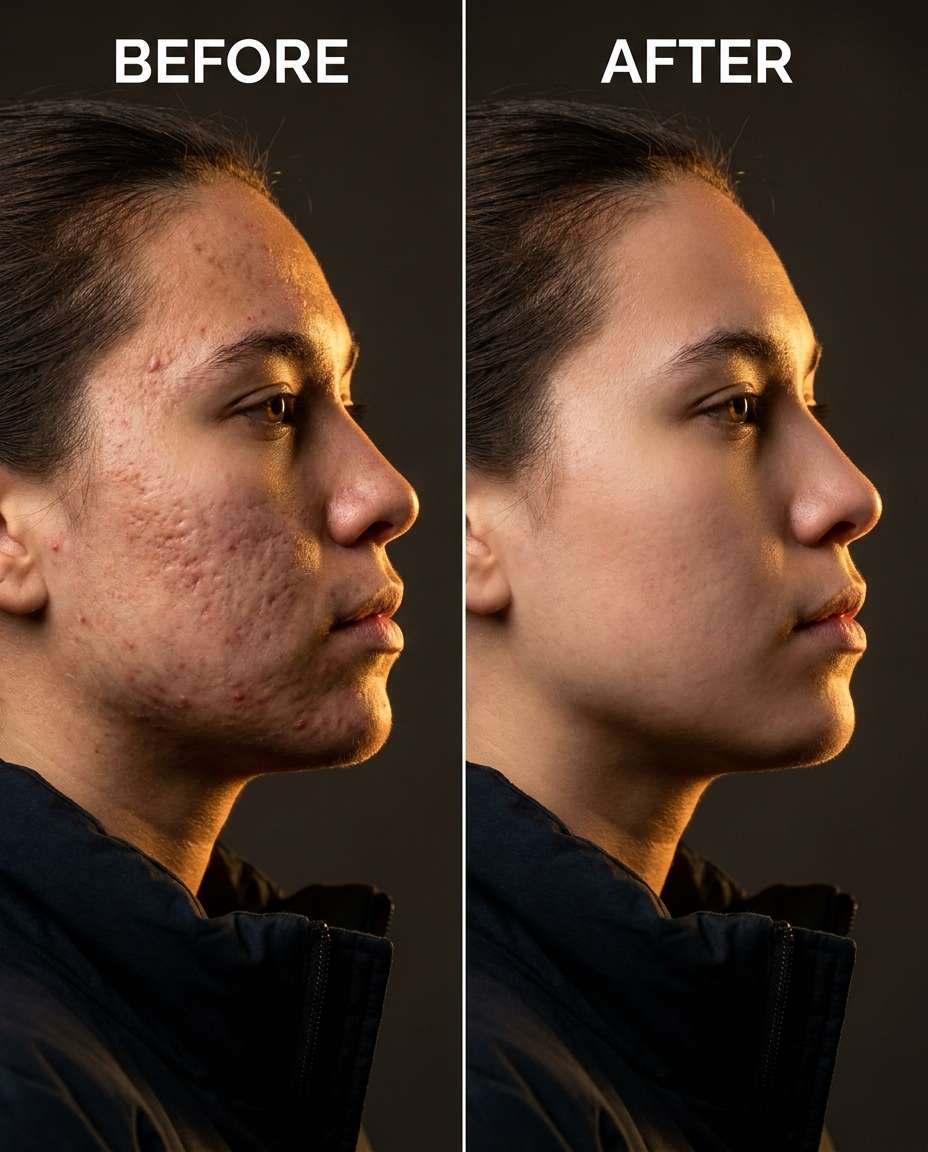
Cinch down the appearance of acne emphasized by harsh shadows, keeping the same face and pose, same hairstyle, same skin tone, and same outfit. Preserve the original high-contrast lighting style and background; reduce blemishes without flattening highlights and shadows, preserving original lighting --ar 4:5
Shoulder acne cleanup
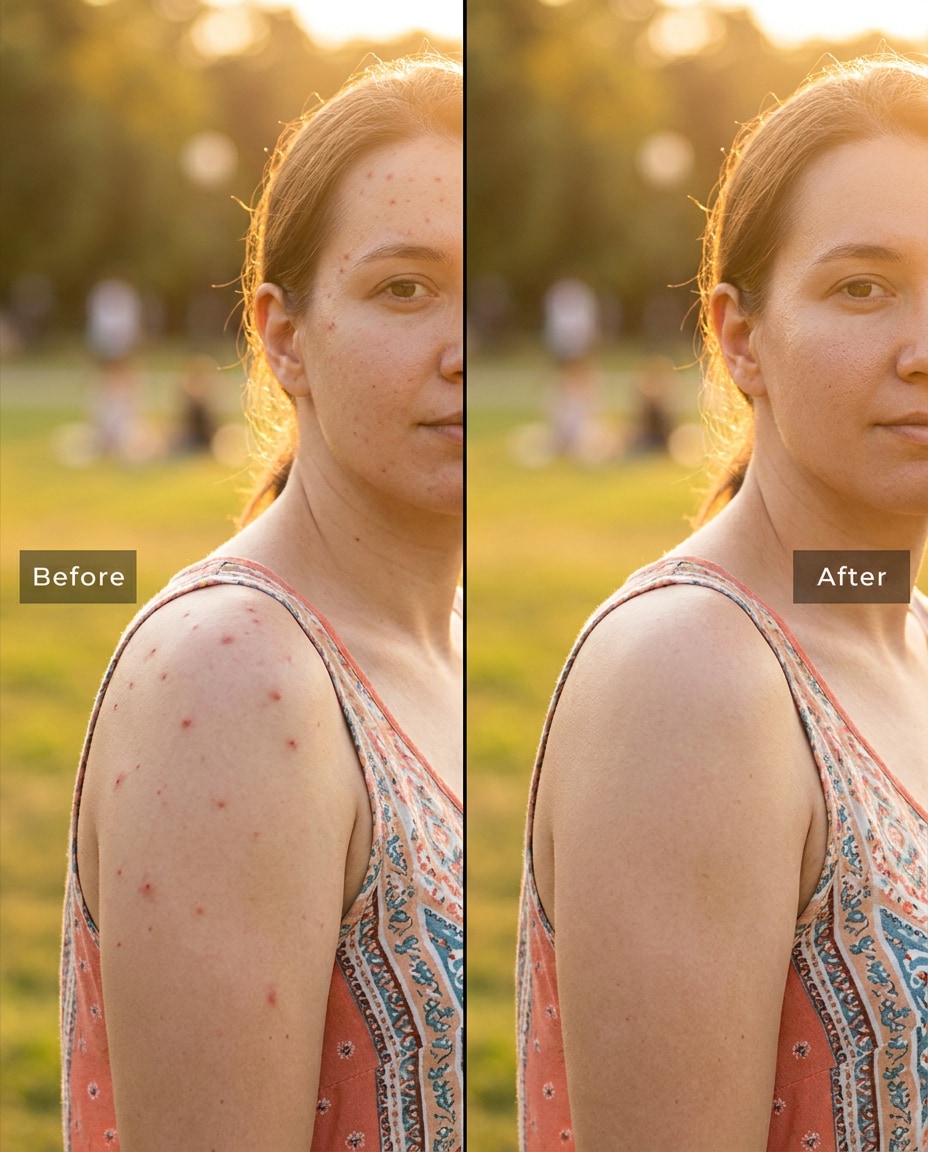
Reshape the look of shoulder and upper-arm acne by reducing spots and redness, keeping the same person, same skin tone, same pose, and same outfit straps and jewelry. Preserve fabric texture and background details; keep natural skin texture on the body, preserving original color grading --ar 4:5
Back acne minimized
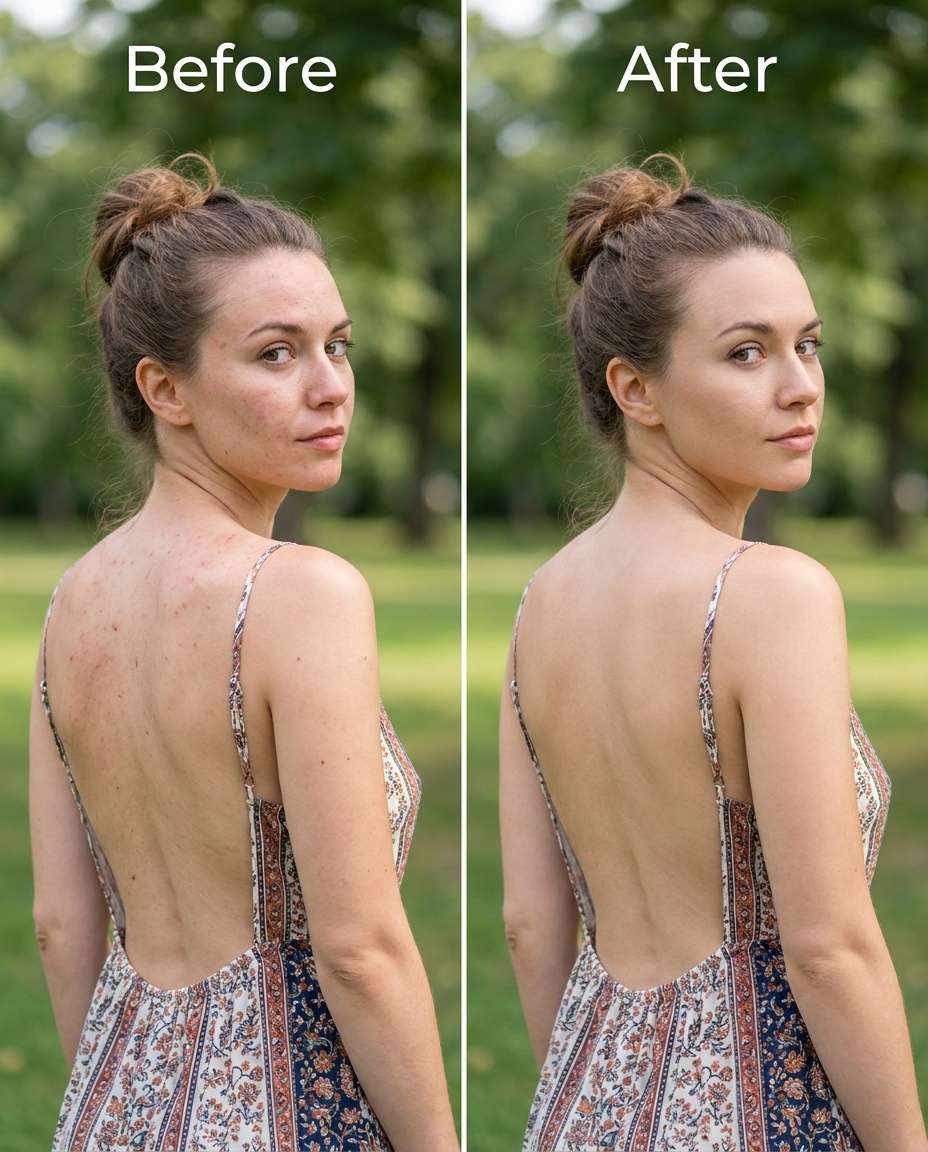
Adjust back acne on a photo with an open-back outfit, keeping the same person, same hair, same skin tone, and same pose. Preserve outfit seams and fabric texture, and preserve the original lighting and background; keep skin texture natural, not blurred, preserving original color grading --ar 4:5
Selfie clarity boost
Tighten up a front-camera selfie by reducing cheek and chin acne, keeping the same face and expression, same hairstyle, same skin tone, and same hoodie or top details. Preserve original indoor lighting and background details; keep pores and natural shadows intact, preserving natural skin pores --ar 4:5
Profile angle retouch
Soften acne texture visible in a profile view, keeping the same face profile, same nose and jaw shape, same hairstyle, and same skin tone. Preserve original rim light and background; reduce blemishes without changing facial contours or ear details, preserving shadow direction --ar 4:5
Under-eye area untouched
Slim acne and redness on cheeks while keeping the under-eye area unchanged, keeping the same face, same eye shape, same hairstyle, and same skin tone. Preserve original lighting and background; keep fine lines and pores, and avoid smoothing under-eyes, preserving natural skin pores --ar 4:5
Freckles kept intact
Refine acne spots while keeping freckles clearly visible, keeping the same face and smile, same hairstyle, same skin tone, and same outfit details. Preserve original lighting and background; remove blemishes but do not erase freckles or natural moles, preserving shadow direction --ar 4:5
Oily shine balanced
Sculpt a cleaner T-zone by reducing acne and balancing oily shine, keeping the same face, same hairstyle, same skin tone, and same expression. Preserve original lighting and background details; keep realistic highlights so skin doesn't look matte-painted, preserving believable proportions --ar 4:5
Phone flash acne fix
Smooth acne made more obvious by phone flash, keeping the same face and expression, same hairstyle, same skin tone, and same outfit. Preserve the original flash lighting feel and background; reduce blemishes without washing out texture or creating smears, preserving original lighting --ar 4:5
Low-light noise safe
Cinch acne and redness in a low-light photo without smearing noise texture, keeping the same face, same hairstyle, same skin tone, and same pose. Preserve original low-light mood, background details, and grain; keep skin texture natural and not waxy, preserving outfit seams --ar 4:5
Strong retouch, still real
Reshape the overall complexion by strongly reducing widespread acne while keeping the same face, same hairstyle, same skin tone, and same expression. Preserve original lighting, background, and outfit texture; keep pores lightly visible so it still looks like real skin, preserving background details --ar 4:5
The best blemish retouch prompts tell the model what to change and what to protect. Be specific about where acne shows up, and explicitly ask to preserve texture, lighting, and details that prove it's the same photo.
Recommend Prompts Formula
Action verb + targeted area (forehead, cheeks, chin, jawline, shoulders)
Optional exclusions (do not change facial structure, do not alter eye area, do not remove freckles)
Prompt Writing Tips
Name the exact zone you want edited and what should remain untouched (for example, cheeks only, under-eyes untouched).
Ask for redness reduction separately from bump removal so you can control how natural the result feels.
Add a texture requirement like "keep pores visible" to prevent the common blur-and-smear look.
Mention lighting preservation (shadow direction, highlight shine) so the retouch doesn't look pasted on.
If you wear makeup, ask to preserve foundation texture and edges around blush, lips, and brows.
Generate 2-3 variants: subtle, medium, and strong, then pick the most believable at 100% zoom.
Why Choose Media.io for Gemini AI Remove Acne Prompts
Natural-looking edits that protect your identity and outfit, letting you tune acne cleanup from subtle to strong without distortion.
Identity stays consistent
Media.io makes it easy to request edits that keep the same face, hairstyle, pose, and overall vibe. That means your retouch focuses on blemishes rather than accidentally changing facial features, expressions, or proportions when you iterate across multiple versions.
Texture-friendly results
You can prompt for pore visibility, fine lines, and natural highlights so skin doesn't turn into flat blur. This is especially helpful for close-ups, selfies, and flash photos where over-smoothing is obvious and quickly reads as a filter.
Lighting and background preserved
Retouch looks most believable when shadows, shine, and background detail stay stable. Media.io's image-to-image workflow helps you keep the original environment intact while you refine redness, spots, and uneven tone without changing the scene.
Fast iteration, easy downloads
Try a subtle pass, then a stronger pass, then a version that only targets certain zones. Media.io lets you generate and compare variations quickly, so you can choose the most natural-looking result for resumes, events, dating profiles, or client work.
FAQs About
Gemini AI Remove Acne Prompts
1. Do Gemini AI remove acne prompts work better for selfies or portraits?
They work for both, but the best results come from being specific about the photo type. For selfies, ask to preserve natural grain and front-camera texture. For portraits, mention lighting continuity and shadow direction. In either case, request pore texture and avoid "airbrush" language to keep it believable.
2. How do I keep pores and texture while removing blemishes?
Include a texture guardrail in your text, like "keep pores visible," "retain fine lines," and "no plastic smoothing." Also separate requests: reduce redness, reduce raised bumps, and fade dark spots. That way the model doesn't flatten everything at once and your skin still reads as real.
3. What should I say to avoid changing my face shape?
Add identity anchors such as "keep the same face," "same jawline," and "same expression," plus an explicit note like "do not alter facial structure." It also helps to mention preserving hairline, brows, and lips, since those edges can accidentally shift when edits get aggressive.
4. How to remove acne in Gemini AI photo edits?
Start with a subtle version that targets only the breakout zones, then generate a medium version and compare at 100% zoom. If skin looks blurred, lower intensity and ask to keep pores and highlight shine. If redness remains, request a separate redness pass without changing overall skin tone.
5. Can I retouch acne without messing up makeup or beard detail?
Yes. Ask to preserve makeup texture and edges (foundation, blush, eyeliner) and to keep facial hair sharp. It's useful to specify the exact areas to adjust (for example, chin only) and to keep the rest untouched. This reduces the risk of smudged lipstick lines or blurred beard strands.
Why Creators Love Media.io's Gemini AI Remove Acne Prompts?
Alex M.
Photographer
Ultra Realistic Results.
I used these remove acne prompts to create visuals that looked like real photography. The lighting, textures, and colors felt incredibly natural.
Maya J.
Designer
Perfect Lighting & Detail.
The prompts produced cinematic compositions and soft lighting, making every image feel like a professional shoot.
Jordan P.
Creator
Perfect for Social Media.
I used these prompts to create viral content. It's fast, easy, and consistently produces stunning visuals.