Home>AI Prompts>Gemini AI Prompts for Removing Double Chin
25+ Gemini AI Prompts for Removing Double Chin for a Sharper Jawline
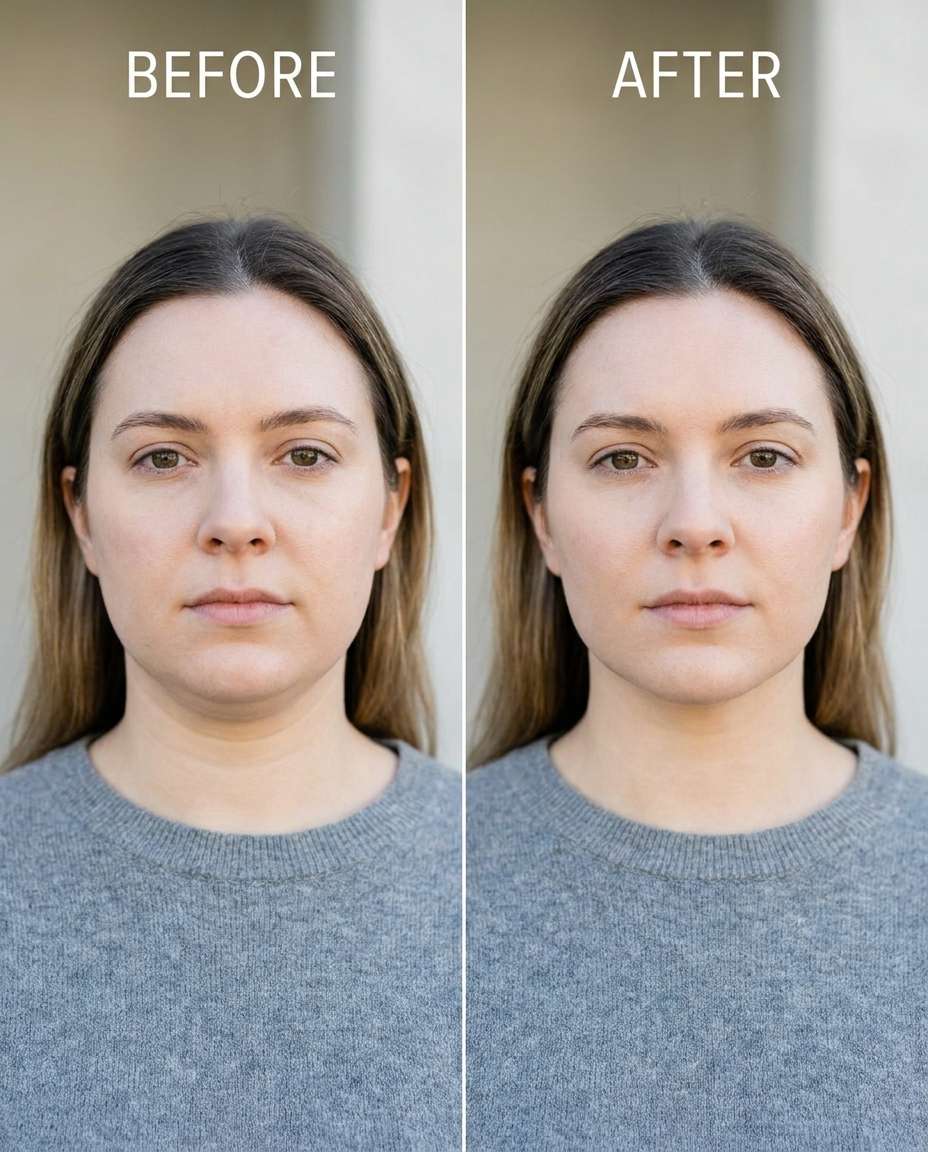
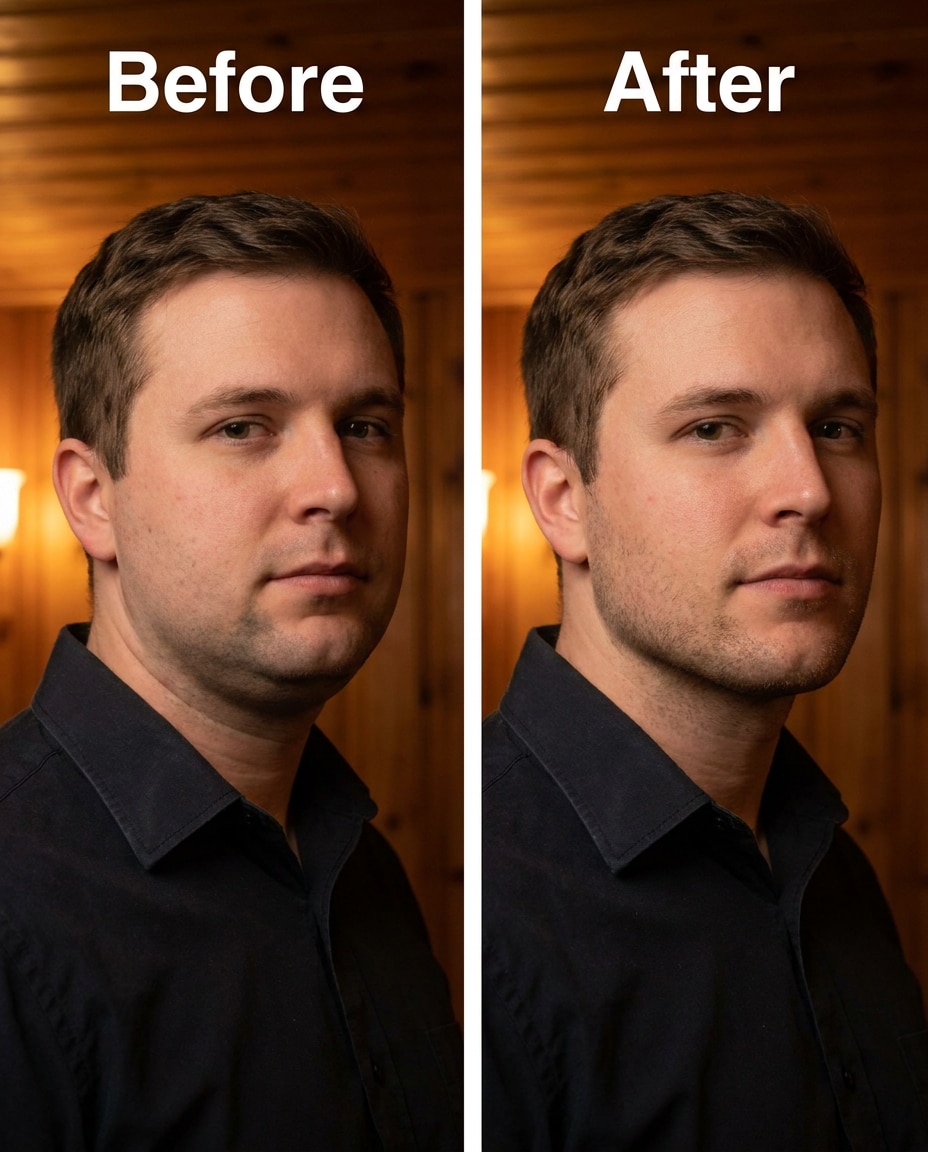
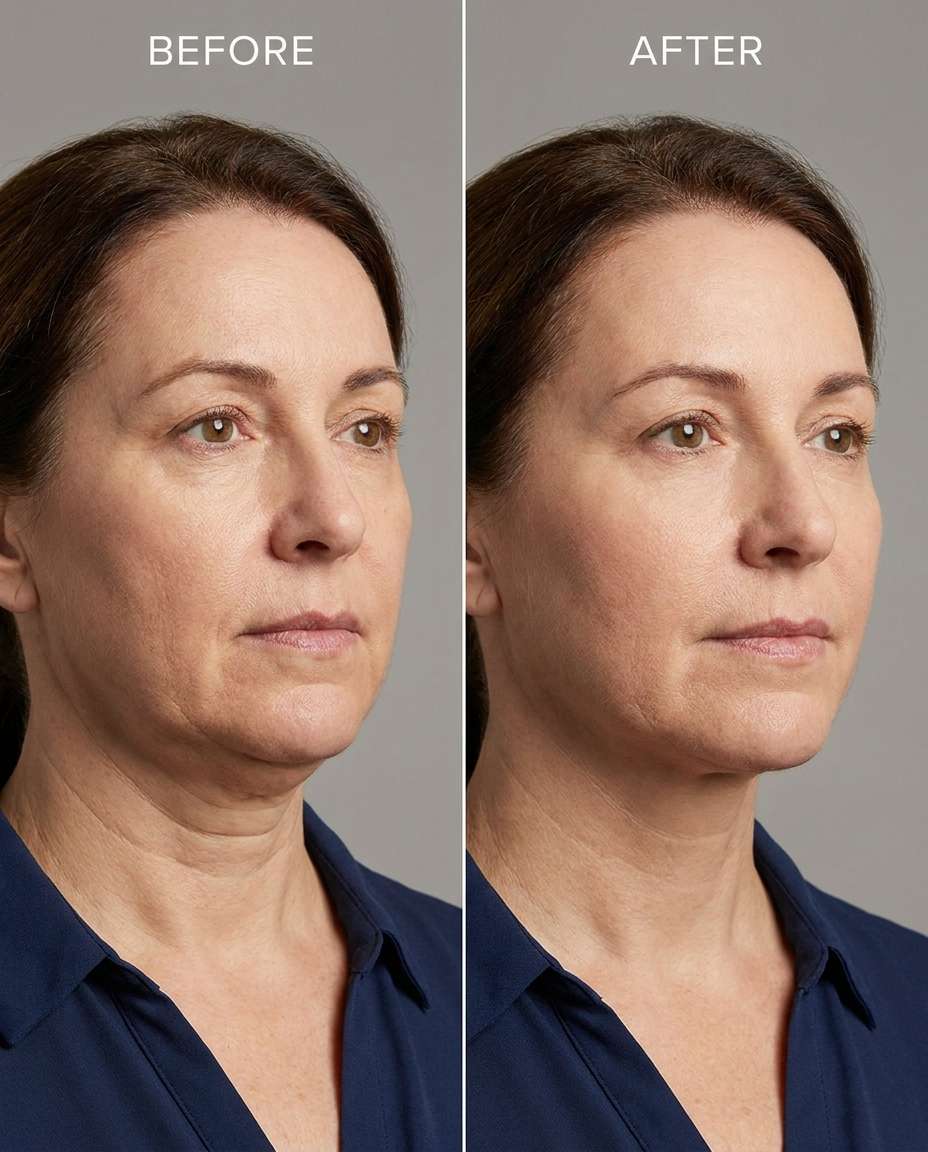
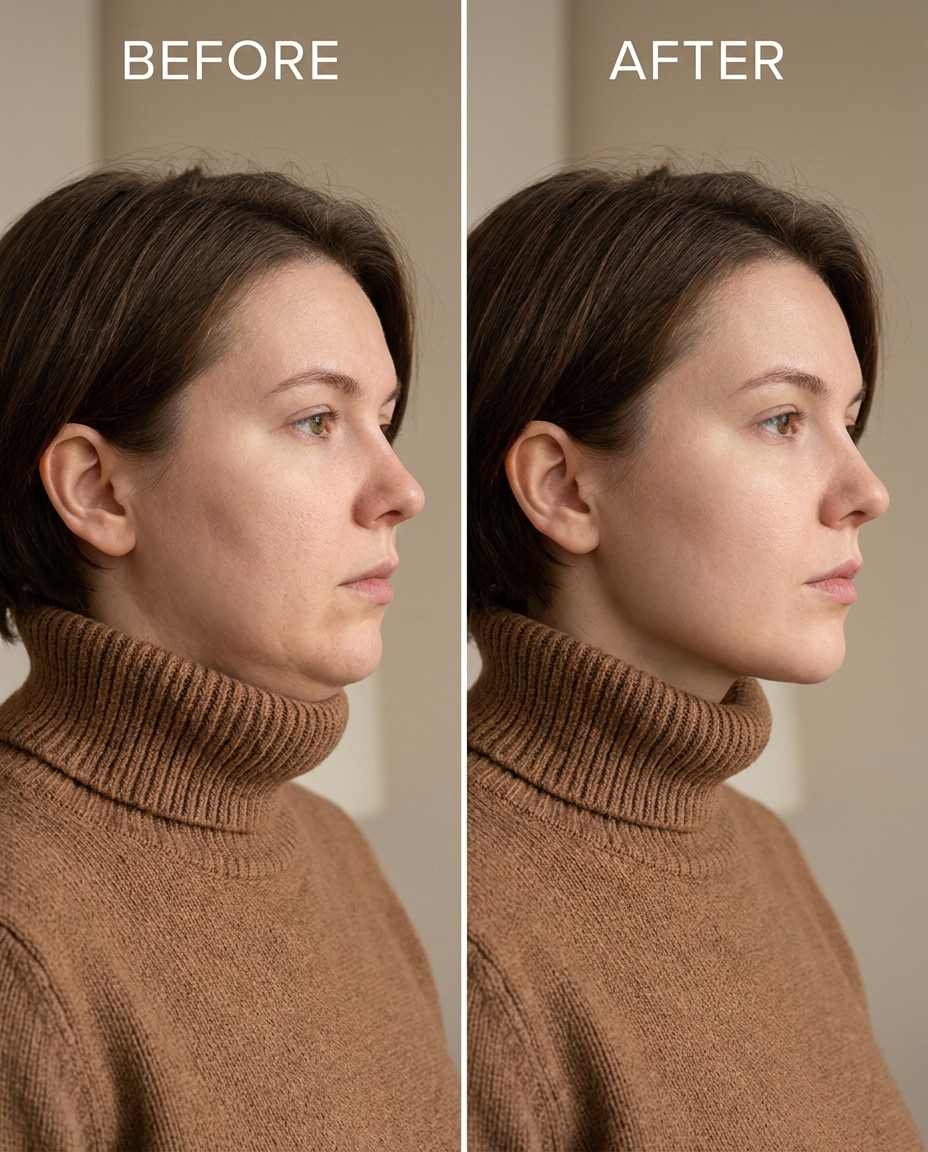
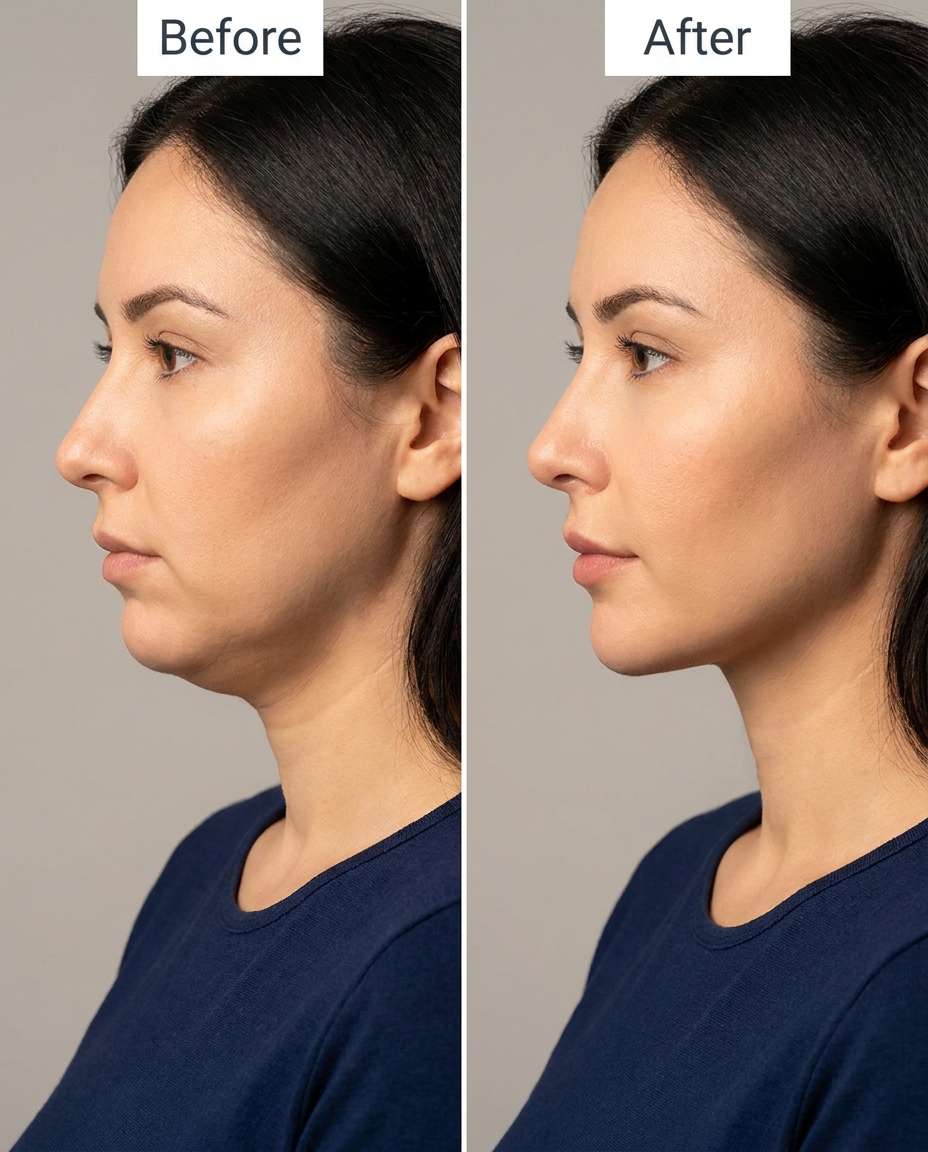
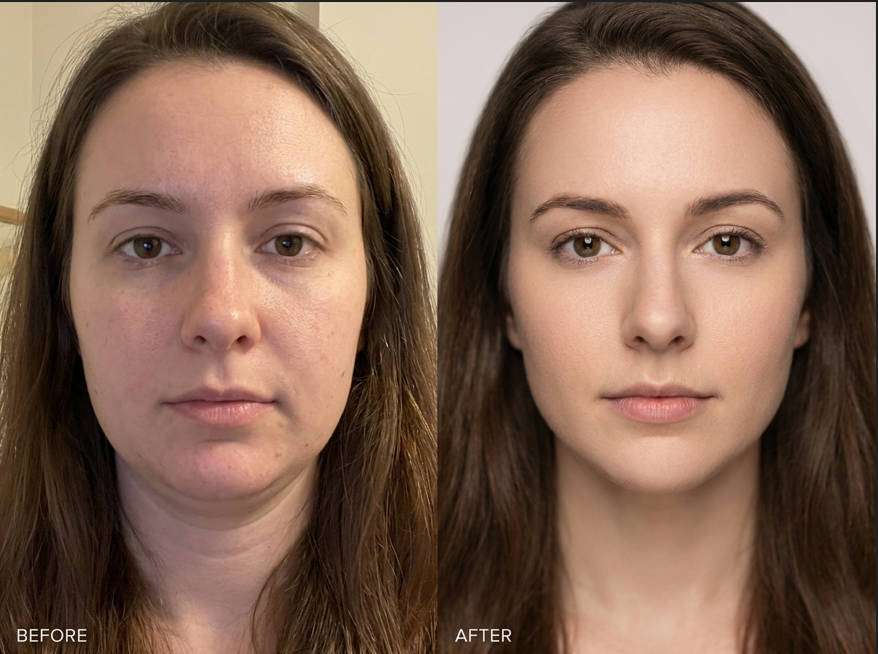
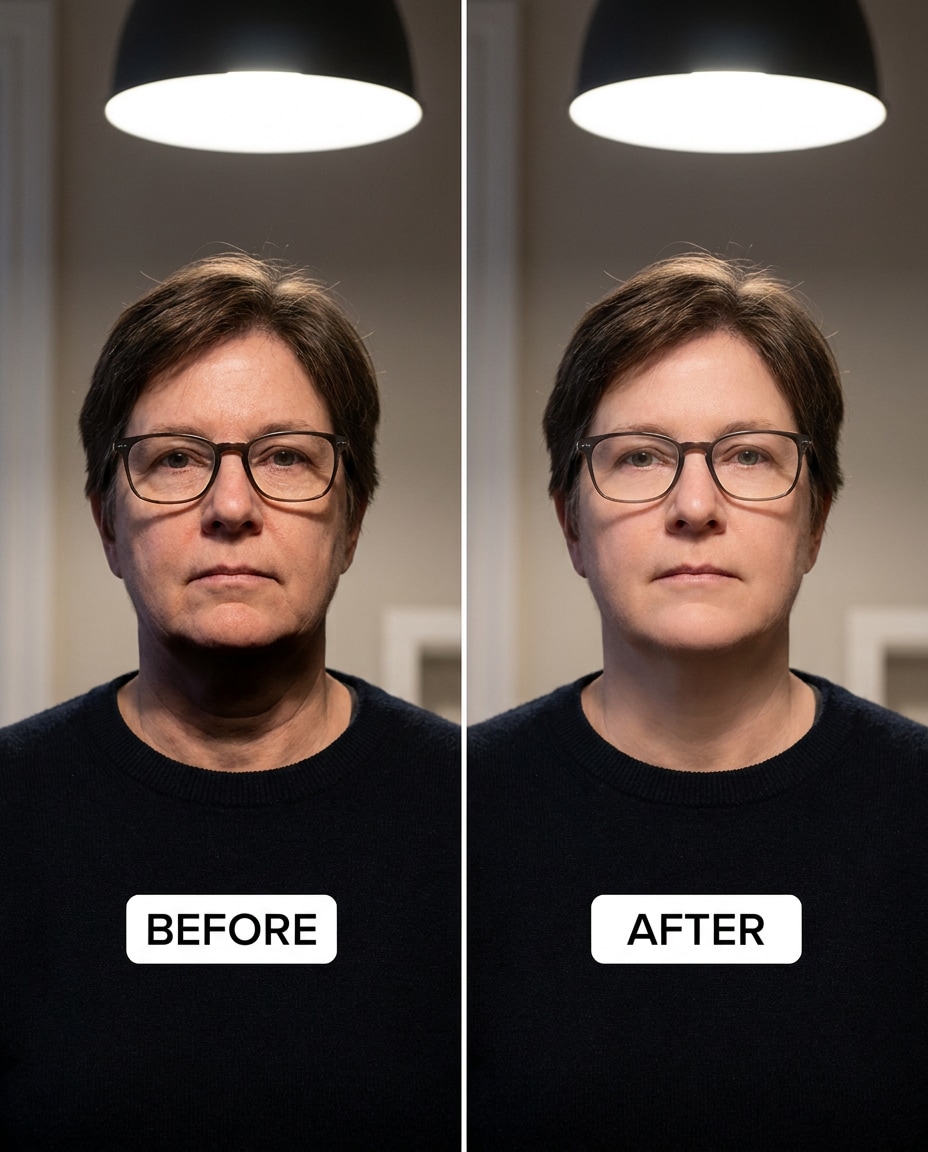
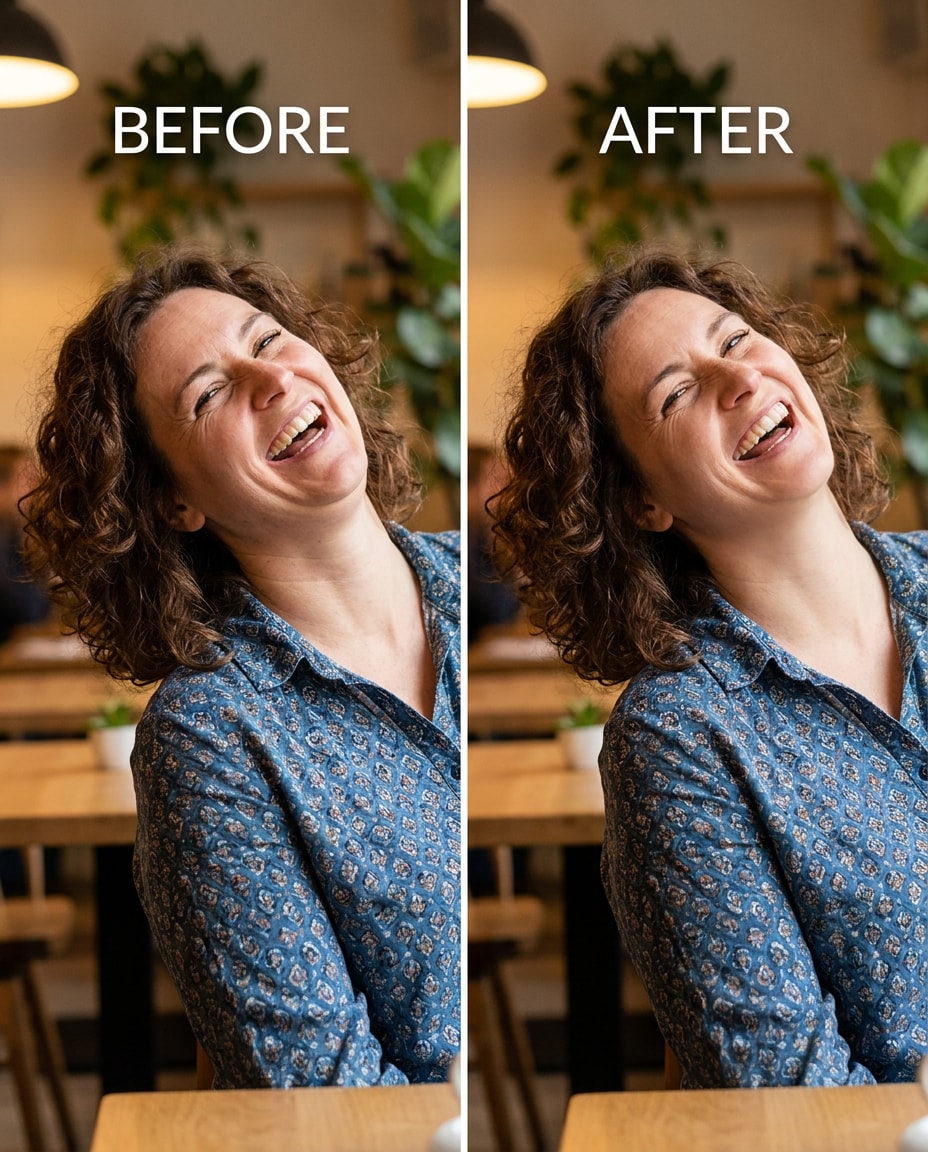
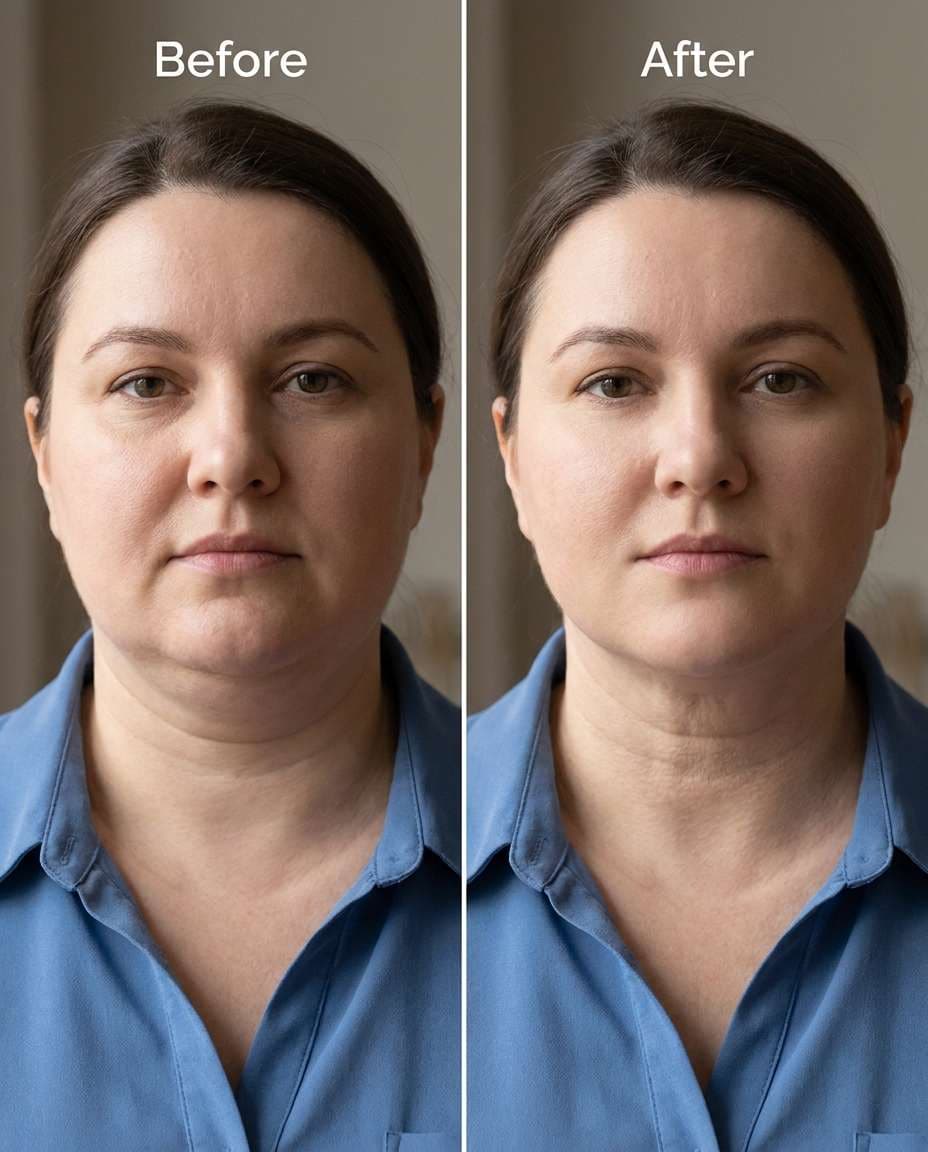
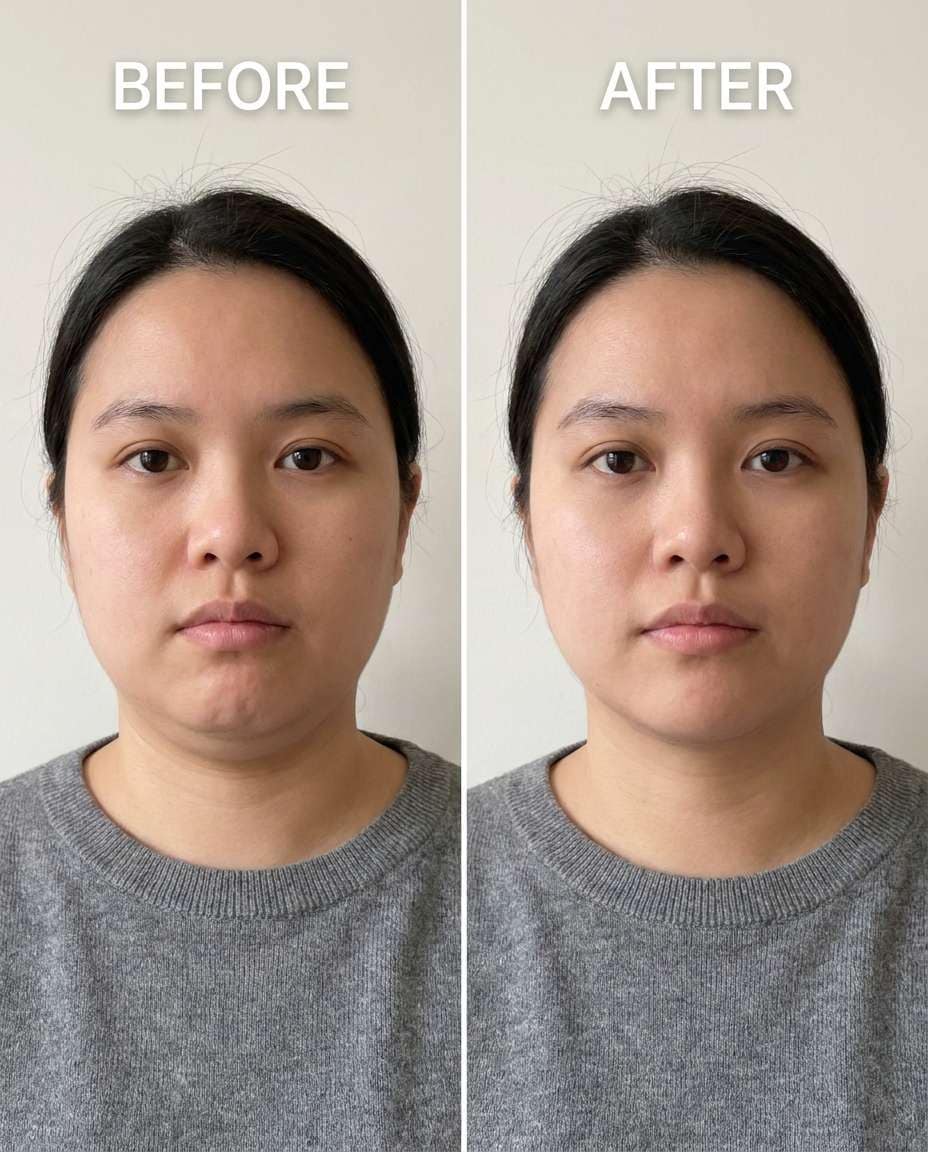
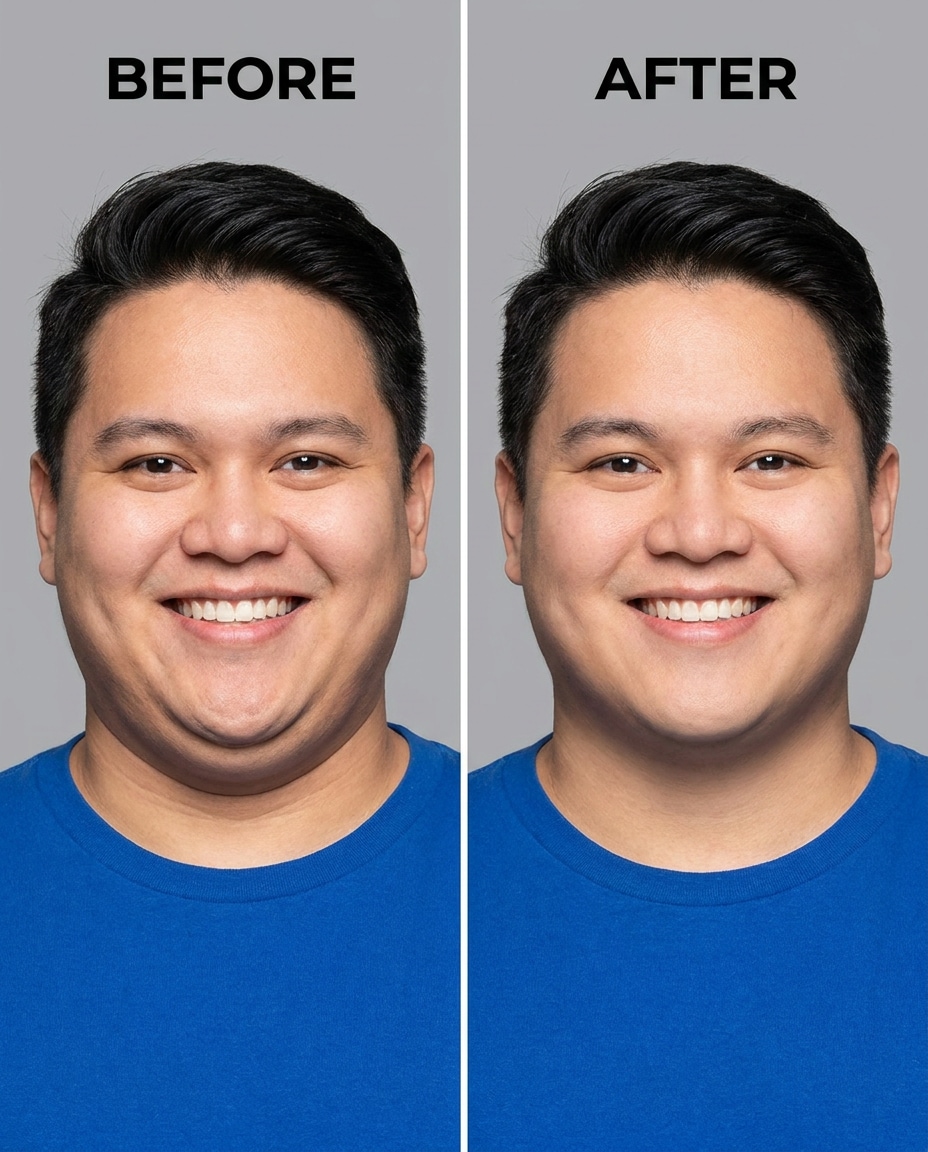
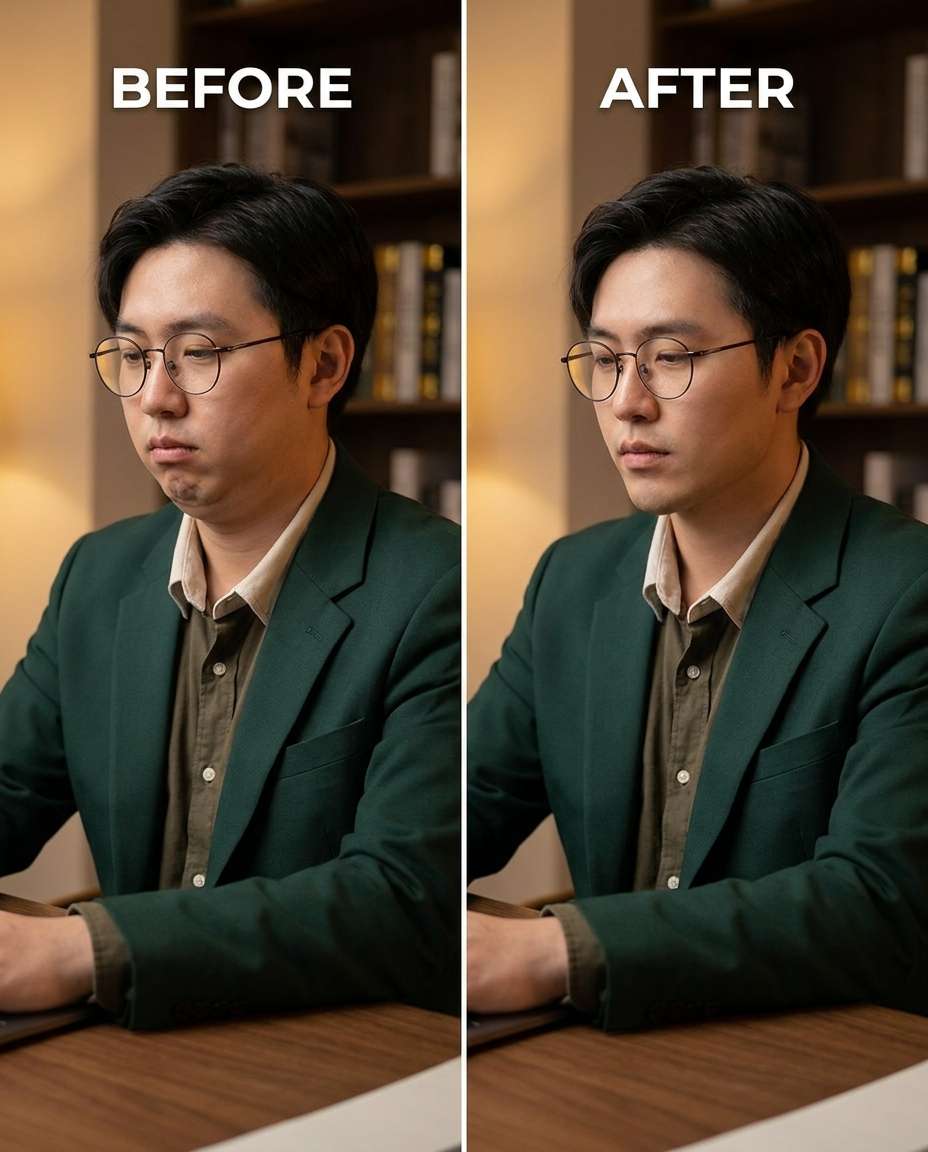
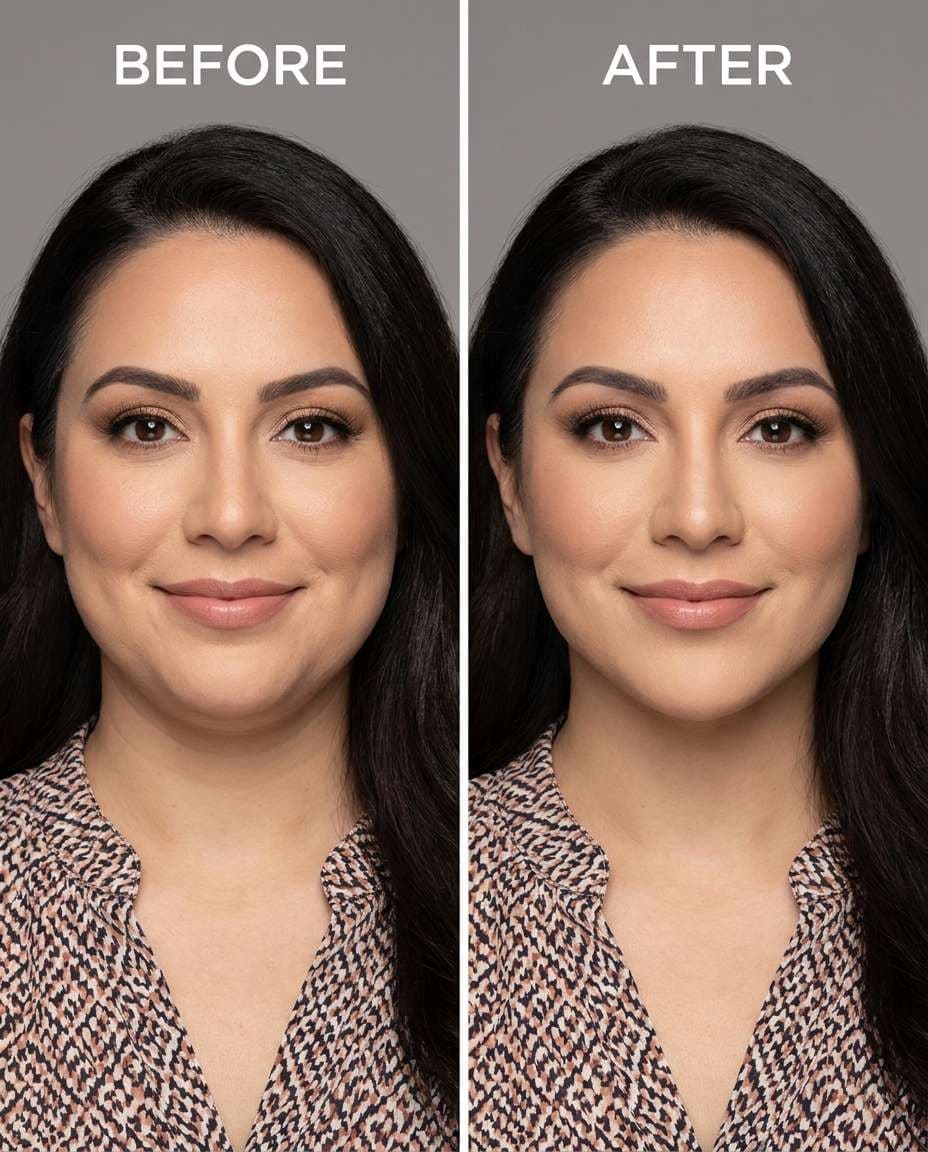
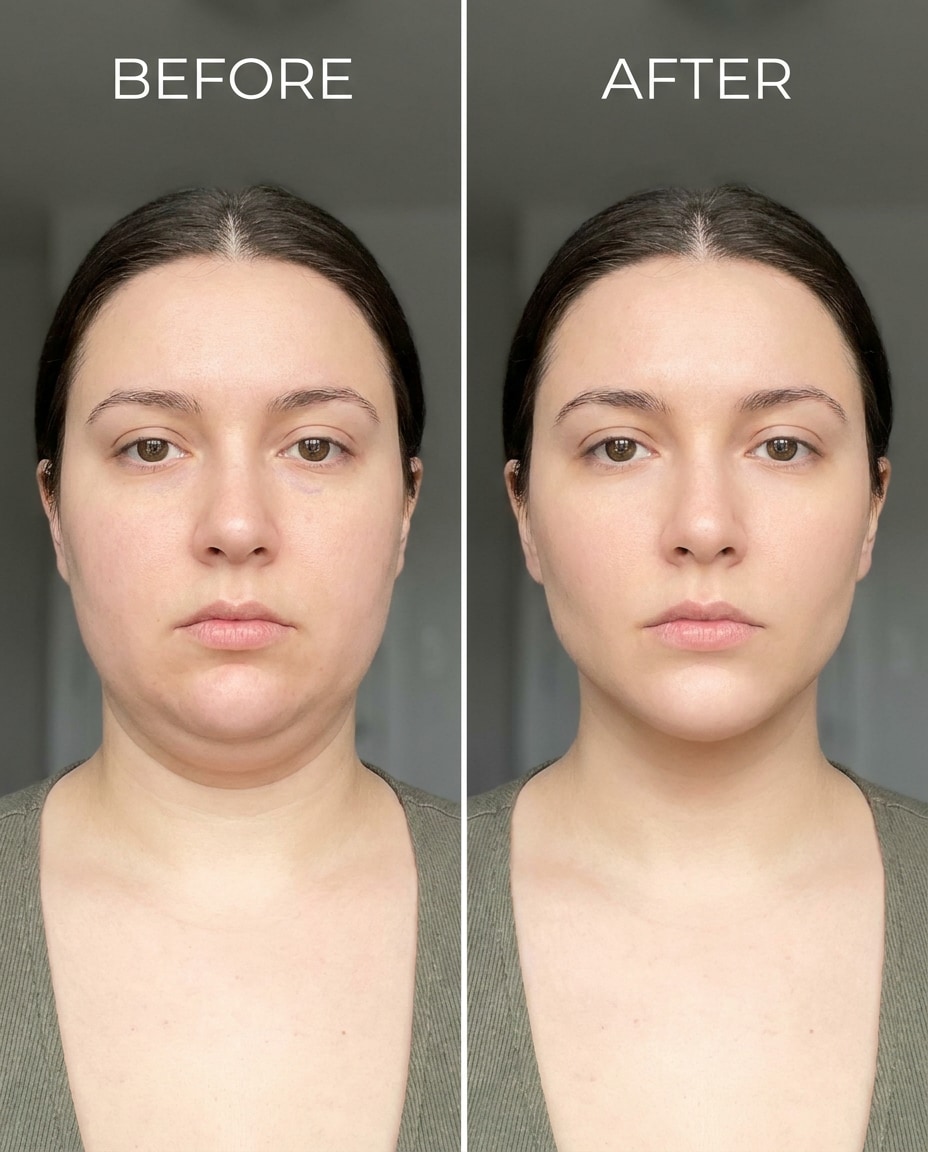
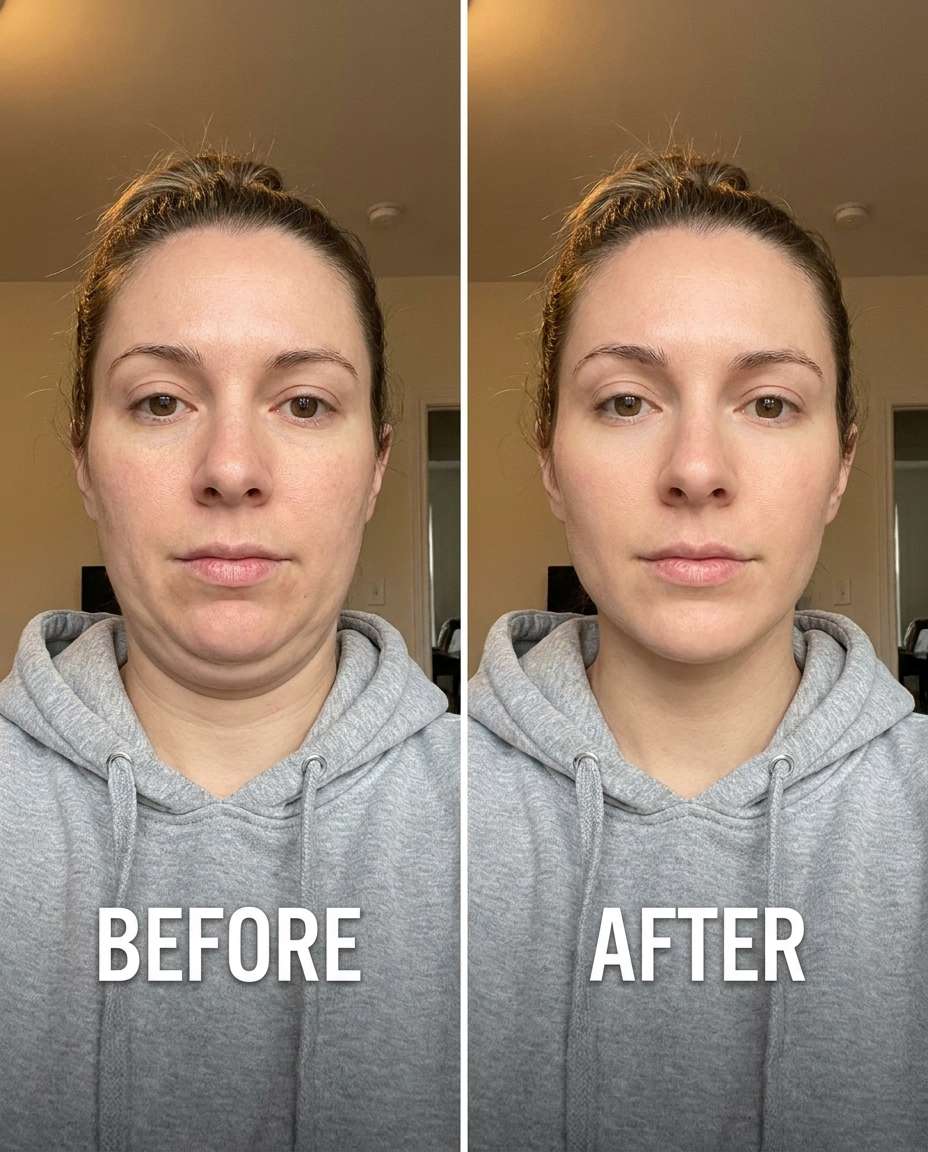
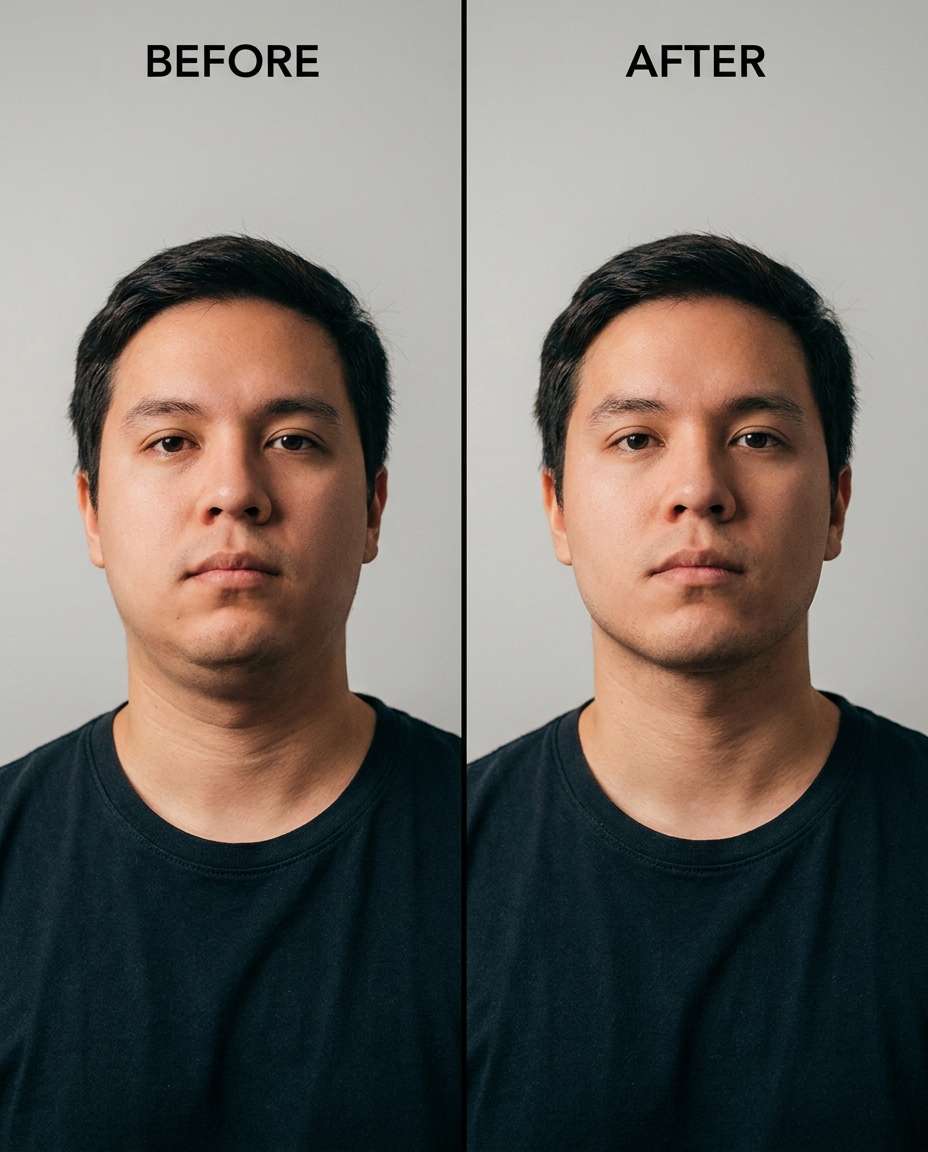
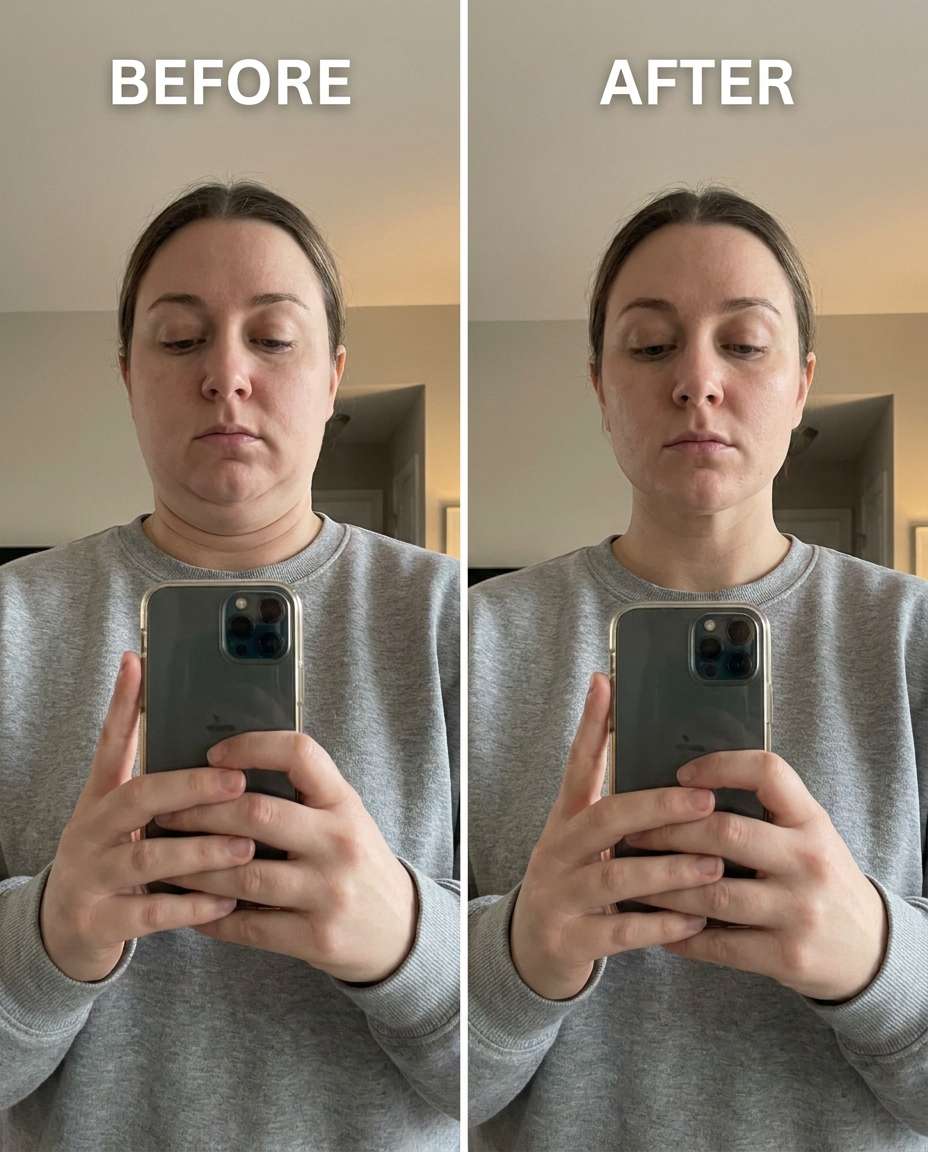
Sculpt a cleaner jawline with Gemini AI prompts for removing double chin, and decide the change from subtle to strong. You don't need a full makeover, just a precise tweak that keeps your face recognizable and your neck looking real. Upload one portrait, paste a prompt, and generate a few options until it matches your vibe. This set includes 25 prompts covering selfies, portraits, and tricky lighting so the result stays believable, not stretched or plastic.
Stunning AI for removing double chin generated with Media.io - powered by
Nano Banana Pro.
How to Use Gemini AI Prompts for Removing Double Chin in 3 Steps
Media.io makes this retouch workflow simple: upload a photo, paste a prompt, and preview multiple results quickly. Keep the version that looks most natural and download it right away.
1
Open the AI photo tool
Go to Media.io and open the AI photo generator/editor for image-to-image edits. Choose a portrait-friendly setting so the model focuses on facial structure and neck contours while keeping the rest of the image stable and consistent.
2
Upload and paste a prompt
Upload your photo, then paste one prompt from the cards below. For example, a "Gemini AI prompt to remove double chin from a selfie" works well on low-angle shots. Keep wording about identity and lighting so the edit stays realistic.
3
Generate, compare, download
Generate a few variations, then review the jawline edge, neck texture, and any nearby clothing details. If it looks too tight, reduce intensity; if it's subtle, increase it. Once it matches your taste, download the final image.
Best Gemini AI Prompts for Removing Double Chin Ideas & Examples
Low-angle selfie fix
Slim the under-chin fullness caused by a low camera angle, keeping the same face and skin tone, the same hairstyle, and the same pose; preserving original lighting and background details, and keeping natural neck texture and shadows believable --ar 4:5
Soft jawline refinement
Refine the jawline edge to reduce a mild double chin, keeping the same face and expression, the same hairstyle, and the same outfit details; preserving fabric texture and collar shape, with original lighting and shadow direction intact --ar 4:5
Stronger contour, natural
Sculpt a more defined jaw and reduce the double chin more noticeably, keeping the same face shape, same skin tone, and same pose; preserving original lighting, preserving background details, and avoiding any warping of hairline or ears --ar 4:5
Neck texture preserved
Smooth the area under the chin to minimize the double chin while keeping the same face and makeup, the same hairstyle, and the same expression; preserving fine neck texture, preserving original lighting, and keeping the background untouched --ar 4:5
Turtleneck distortion guard
Cinch the under-chin contour without distorting a turtleneck or collar, keeping the same face and jaw proportions, the same hairstyle, and the same pose; preserving outfit seams and knit texture, preserving original lighting and shadow direction --ar 4:5
Profile view cleanup
Reshape the profile jawline to reduce a double chin in side view, keeping the same face and nose profile, the same hairstyle, and the same outfit; preserving original background details and preserving natural lighting gradients across the neck --ar 4:5
Beard-safe jaw definition
Adjust the jawline to reduce a double chin while keeping the same face, the same beard shape, and the same hairstyle; preserving beard hair texture, preserving original lighting, and keeping the background details unchanged --ar 4:5
Overhead light shadow fix
Tighten the under-chin area to lessen the double chin created by harsh overhead lighting, keeping the same face and expression, the same skin tone, and the same outfit; preserving original lighting style while respecting shadow direction and preserving background details --ar 4:5
Subtle studio headshot
Tune the double-chin reduction to a subtle, professional headshot level, keeping the same face and smile, the same hairstyle, and the same suit or blouse details; preserving lapel edges, preserving studio lighting, and keeping the backdrop clean --ar 4:5
Laughing candid control
Soften the under-chin bulge during a laughing candid, keeping the same face and laugh lines, the same hairstyle, and the same pose; preserving natural skin texture, preserving original lighting, and keeping background elements intact --ar 4:5
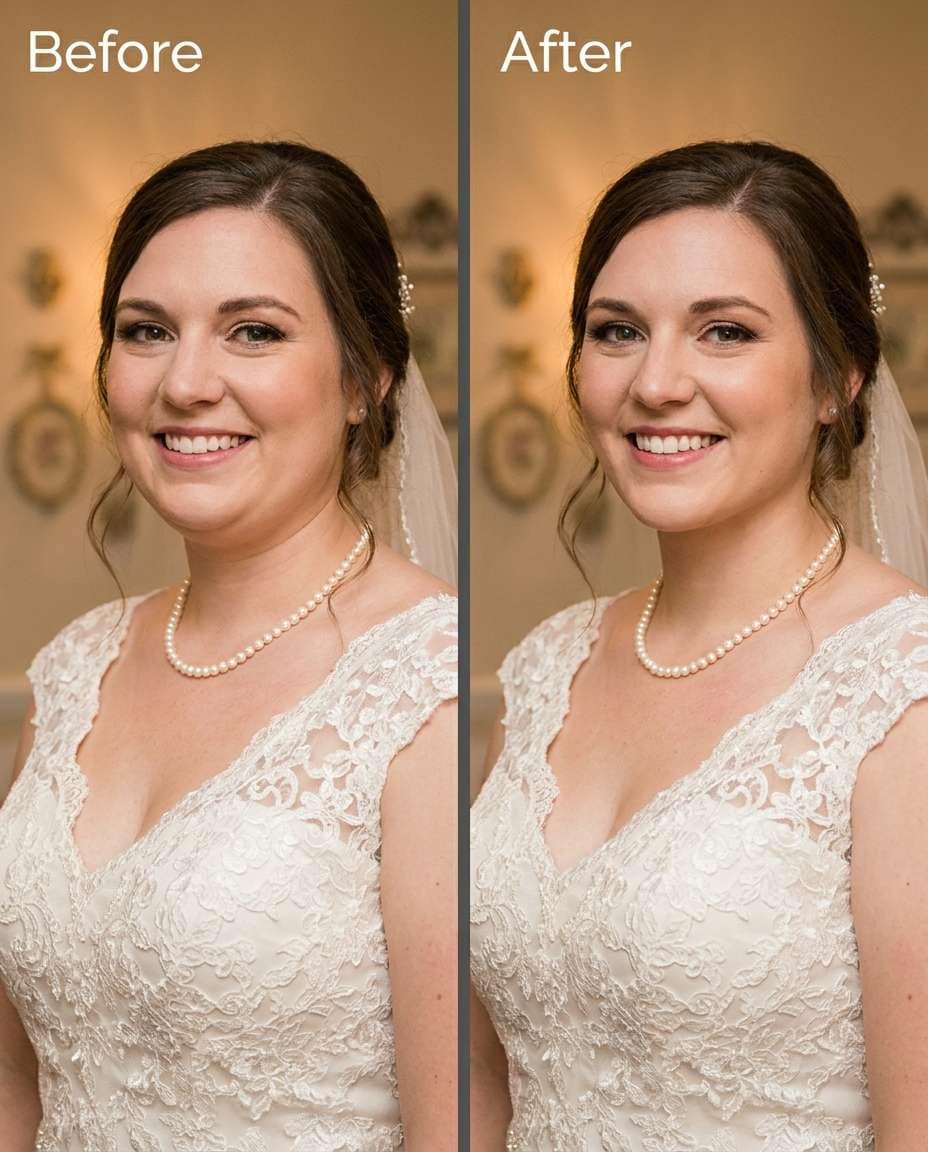
Wedding dress neckline safe
Slim the double chin while keeping the same face and bridal makeup, the same hairstyle, and the same pose; preserving dress neckline, lace texture, and jewelry placement, with original lighting and background details preserved --ar 4:5
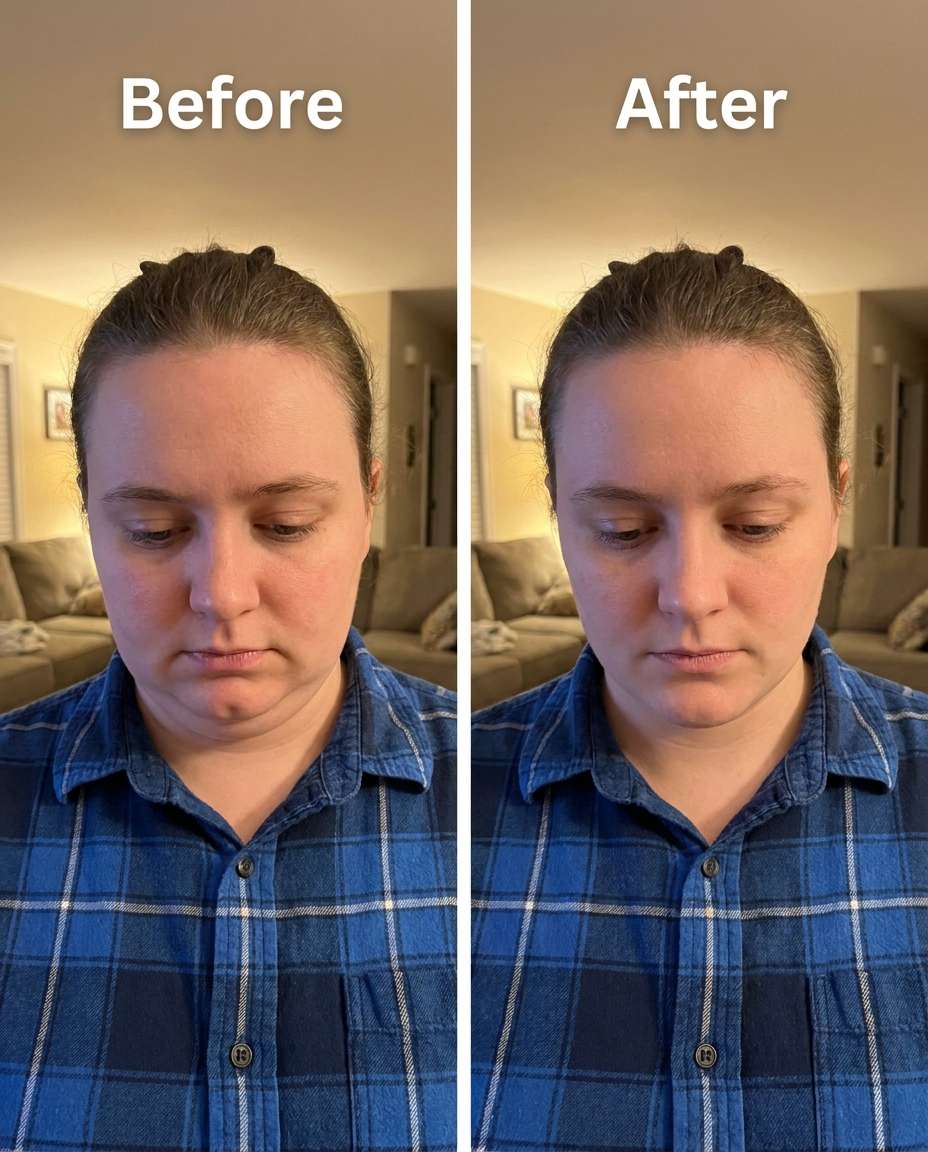
Phone-down angle rescue
Refine the jawline in a photo taken while looking down at a phone, keeping the same face and eye direction, the same hairstyle, and the same outfit details; preserving hoodie strings or collar edges, preserving original lighting, and avoiding background warps --ar 4:5
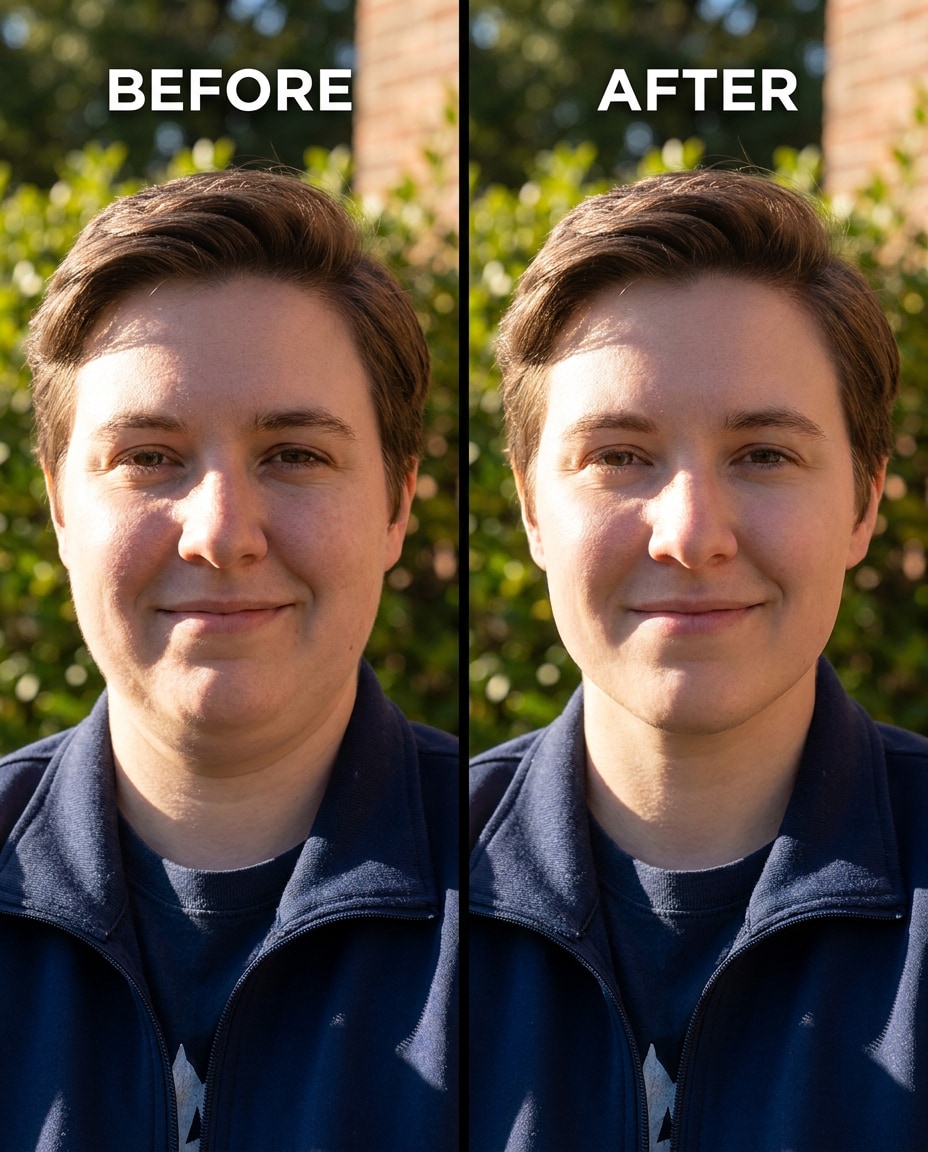
Outdoor sunlight realism
Sculpt the under-chin contour in bright outdoor light, keeping the same face and skin tone, the same hairstyle, and the same pose; preserving sunlit highlights, preserving shadow direction, and keeping hair edges and background details unchanged --ar 4:5
Crease-safe neck
Smooth the double chin while keeping natural neck creases and the same face, the same hairstyle, and the same expression; preserving skin texture, preserving original lighting, and keeping the background and outfit seams untouched --ar 4:5
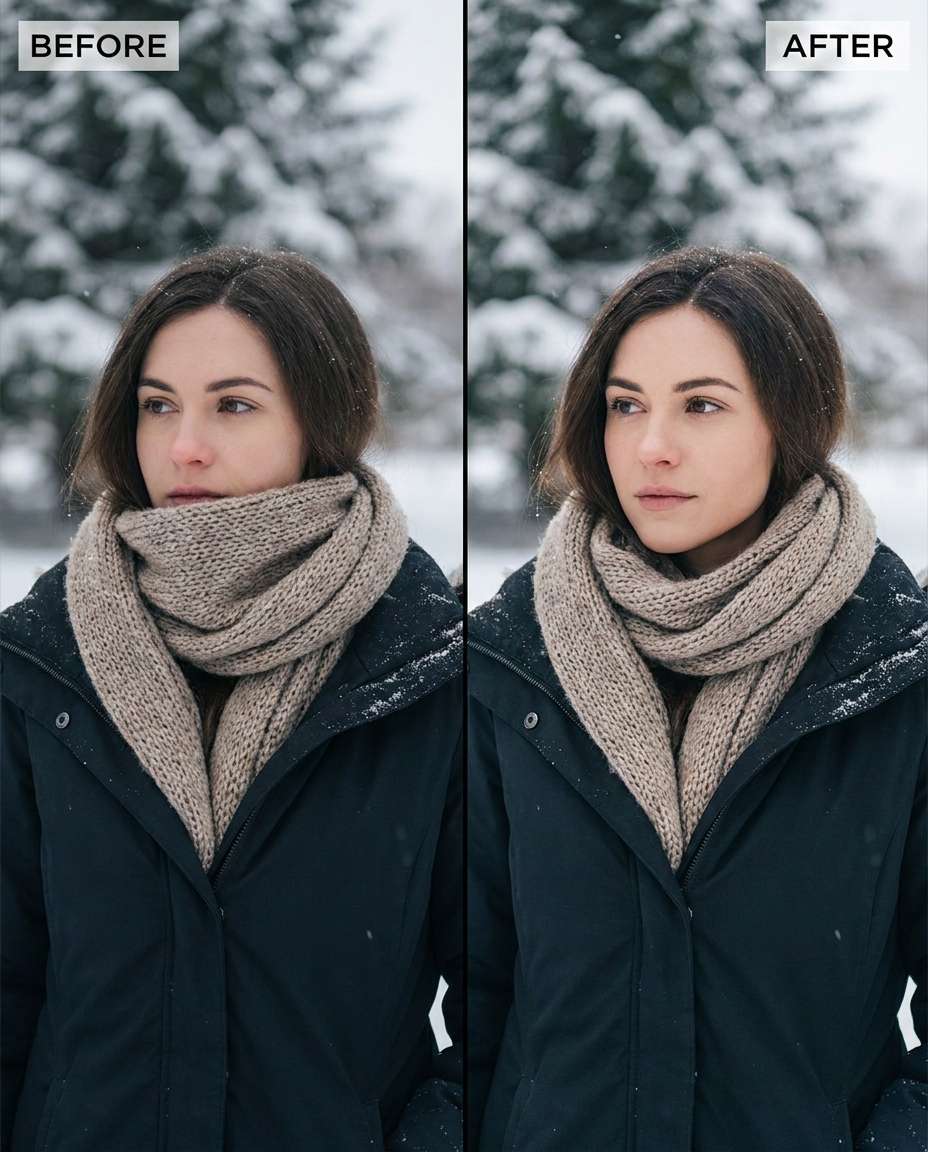
Scarf and coat protection
Cinch the jawline separation above a scarf, keeping the same face and skin tone, the same hairstyle, and the same winter outfit details; preserving scarf knit texture, preserving coat seams, and preserving original lighting and background --ar 4:5
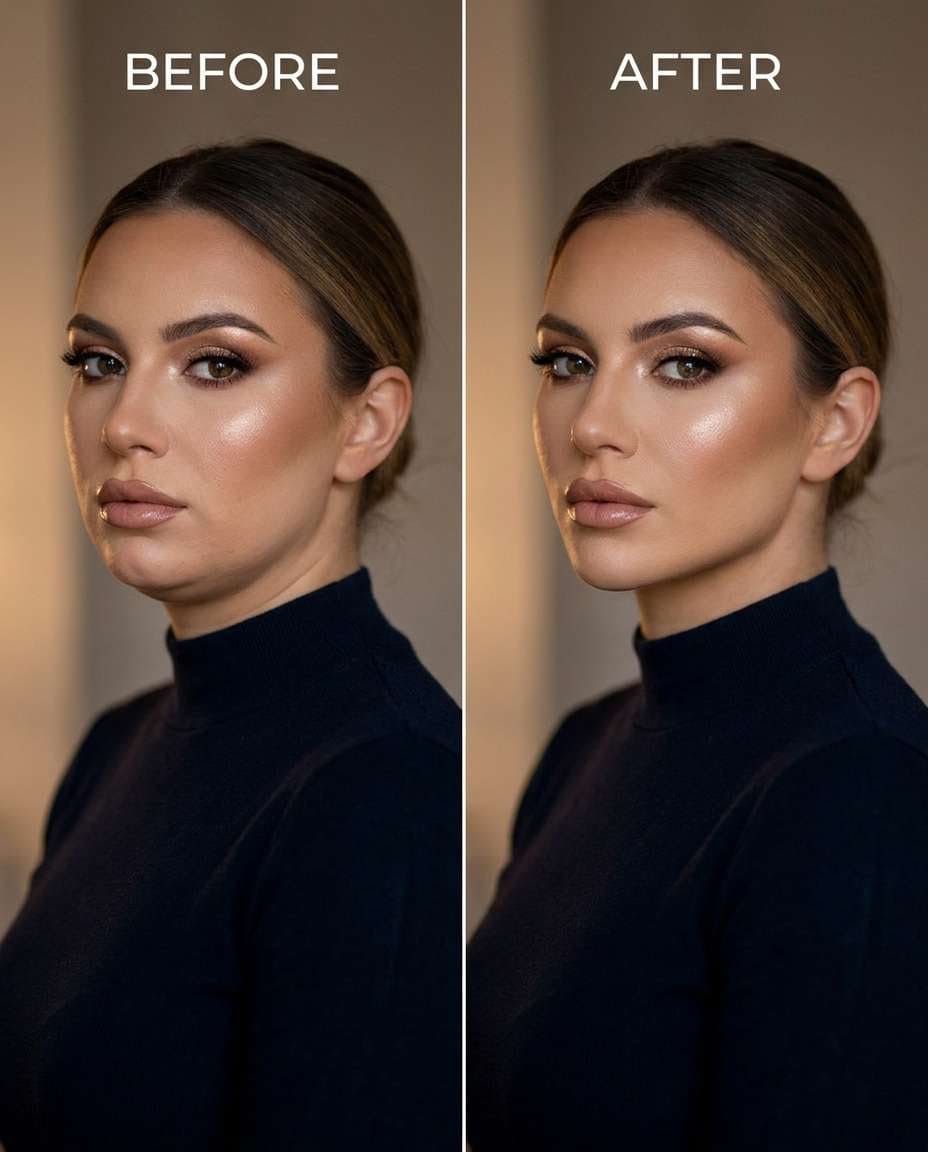
Three-quarter glam tweak
Reshape the under-chin contour for a glam three-quarter pose, keeping the same face and makeup, the same hairstyle, and the same pose; preserving cheek highlight placement, preserving original lighting, and keeping earrings and background details unchanged --ar 4:5
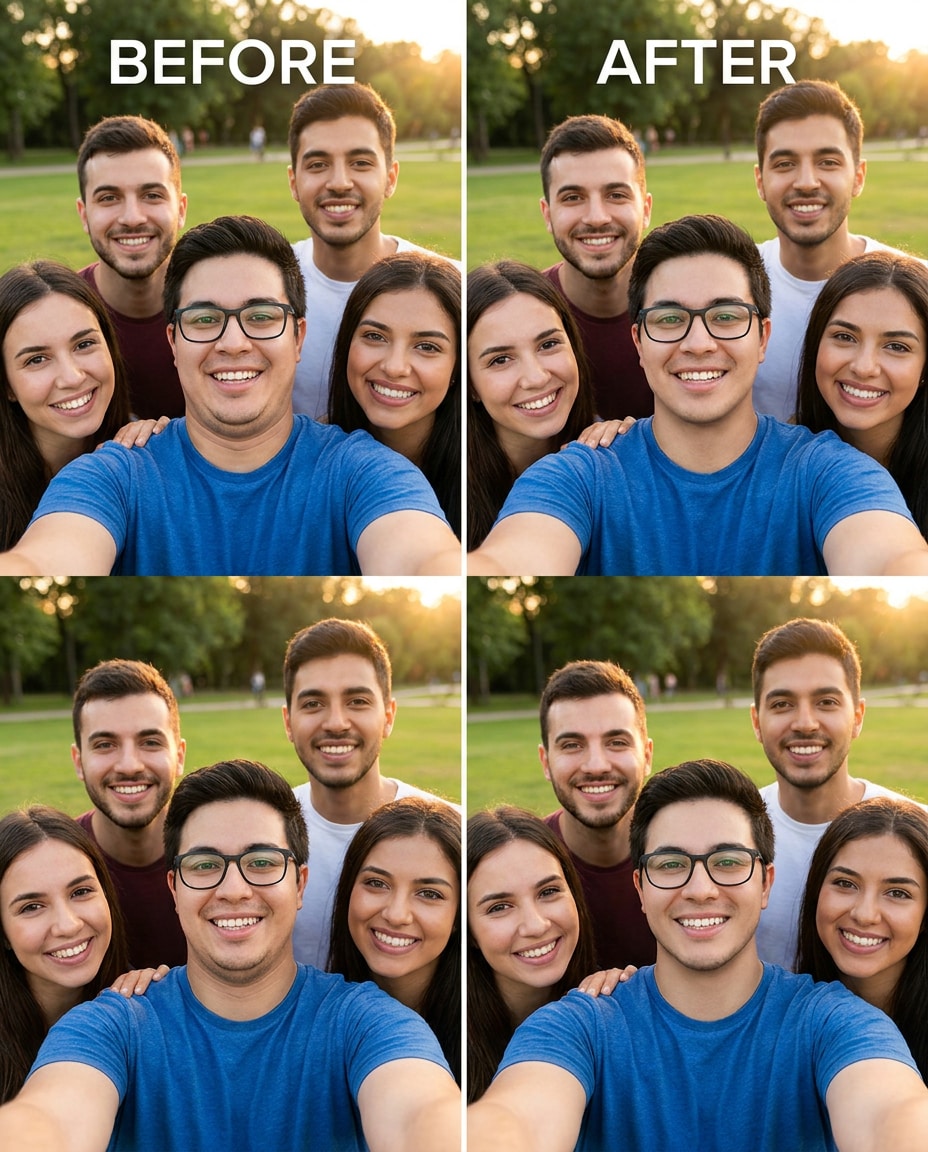
Group photo consistency
Adjust the jawline to reduce a double chin in a group photo, keeping the same face and expression, the same hairstyle, and the same outfit details; preserving surrounding people, preserving background details, and preserving original lighting so nothing looks warped --ar 4:5
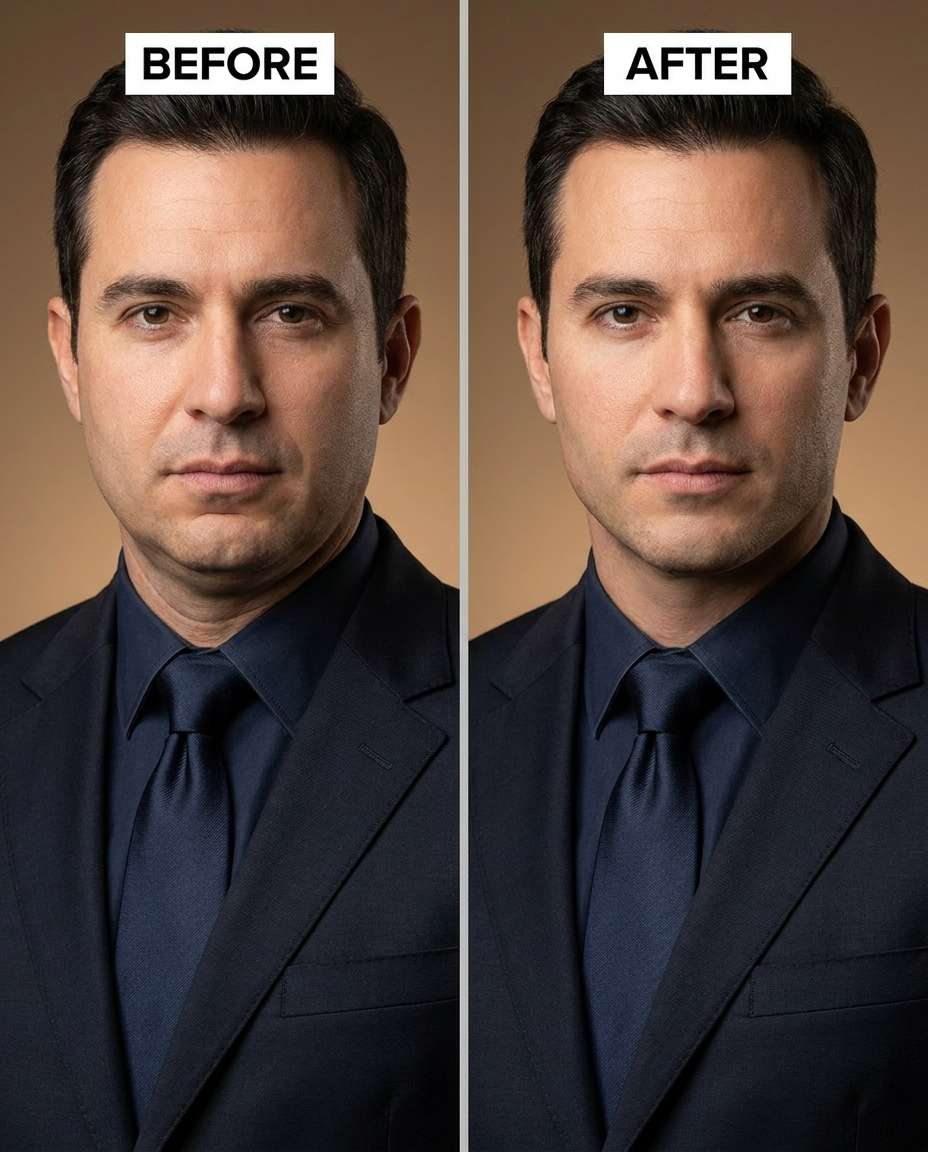
Formal suit headshot
Tighten the under-chin area for a sharper suit-and-tie look, keeping the same face and hairline, the same skin tone, and the same pose; preserving tie knot shape, preserving lapel edges, and preserving original lighting and background --ar 4:5
Micro-adjust, ultra natural
Tune the reduction to a micro-adjustment that barely changes the photo, keeping the same face and pores, the same hairstyle, and the same pose; preserving original lighting and shadow direction, preserving background details, and keeping the neck fully natural --ar 4:5
Smile without bunching
Soften the double chin that appears only when smiling, keeping the same face and smile shape, the same hairstyle, and the same outfit; preserving natural laugh lines, preserving original lighting, and keeping background details untouched --ar 4:5
Seated desk portrait
Slim the under-chin fullness in a seated desk photo, keeping the same face and glasses, the same hairstyle, and the same pose; preserving shirt collar edges, preserving original lighting, and keeping the background and desk details unchanged --ar 4:5
Makeup-safe contour
Refine the jawline while keeping the same face and makeup contour, the same hairstyle, and the same pose; preserving blush and highlight placement, preserving original lighting, and keeping jewelry and background details unchanged --ar 4:5
High-intensity reshape
Sculpt a dramatic reduction of the double chin while keeping the same face identity, the same hairstyle, and the same outfit details; preserving natural neck shadows, preserving background details, and avoiding any stretched skin or distorted jaw corners --ar 4:5
Lens distortion correction
Smooth the under-chin area that looks exaggerated by wide-angle distortion, keeping the same face and facial proportions, the same hairstyle, and the same pose; preserving original lighting and background details, and keeping hair edges and clothing lines straight --ar 4:5
Collarbone-friendly tighten
Cinch the jawline without thinning the neck unnaturally, keeping the same face and skin tone, the same hairstyle, and the same pose; preserving collarbone shading, preserving original lighting, and keeping background details and outfit seams intact --ar 4:5
How to Write Better Gemini AI Prompts for Removing Double Chin
The most convincing jawline edits are the ones that keep real anatomy: texture, shadows, and the original camera angle still matter. When your prompt is specific about what to preserve, the result looks like a great photo day, not a filter.
Recommend Prompts Formula
Action + target area (under-chin, jawline edge, neck contour)
Intensity (subtle, moderate, strong) with a natural-look constraint
Identity anchors (same face, same hairstyle, same skin tone, same pose)
Fail-safes (no warping near collar, hair, earrings, beard line)
Prompt Tips for Natural Results
Ask for reduced fullness under the chin, not a smaller head or different face shape.
Mention shadow direction and highlight continuity so the jawline doesn't look pasted on.
Call out nearby details to protect: collars, scarf edges, hoodie strings, jewelry, beard texture.
If the edit looks too tight, specify keeping neck thickness and natural creases.
For selfies, note the angle problem (low-angle, looking down) so the change stays believable.
Generate 3-6 variations and pick the one that matches the original lighting best.
Why Choose Media.io for Gemini AI Prompts for Removing Double Chin
Natural-looking edits that protect your identity and outfit, letting you tune the change from subtle to strong without distortion.
Identity stays consistent
Each prompt is written to keep the same face, hairstyle, skin tone, and expression so the result still looks like you. That consistency matters most in portraits, where even small identity drift can make an edit feel artificial.
Clothing-safe reshaping
Double-chin fixes often sit right above collars, scarves, and turtlenecks. These prompts call out seam and texture protection so fabrics don't bend or smear, and neck-to-collar separation stays clean and realistic.
Lighting-aware results
A good jawline edit respects the original light: highlight roll-off, shadow direction, and contrast. The prompts repeatedly anchor lighting preservation so the under-chin area doesn't flatten out or create mismatched shadows.
Fast variations to choose
Instead of committing to a single heavy edit, generate a few intensities and pick what looks most believable. This workflow is ideal for selfies, headshots, and event photos where "natural, but better" beats over-sculpted.
FAQs About
Gemini AI Prompts for Removing Double Chin
1. Do these work on low-angle selfies that exaggerate a double chin?
Yes. Low-angle shots mainly need under-chin fullness reduction plus careful shadow handling. Include the angle in your wording (low-angle, looking down) and add a preservation note like "keep original lighting and neck texture." Generate a few variations and choose the one that keeps the neck from looking unnaturally thin.
2. How do I avoid an over-tightened, unnatural jawline?
Ask for a "subtle" or "micro" reduction, and explicitly request natural neck thickness and creases to remain. Also include "respect shadow direction" so the jawline doesn't become a hard cutout. If the edit still looks strong, reduce intensity and prioritize texture preservation over sharpness.
3. how do I remove a double chin in photos using Gemini AI?
Upload your photo, then use a short prompt that targets only the under-chin area and states what must stay the same (face, hairstyle, pose). Add a preservation line for lighting and nearby clothing edges. Generate multiple options and pick the version that keeps skin texture and shadows consistent with the rest of the portrait.
4. Can I reduce a double chin without changing neck wrinkles or skin texture?
You can, but you need to say it. Add constraints like "preserve natural neck texture," "keep realistic creases," and "no plastic smoothing." This keeps the change focused on contour and fullness rather than blur. If wrinkles disappear, regenerate with stronger texture-preservation wording.
5. Are Gemini AI prompts for removing double chin safe for group photos?
They can be, as long as you specify that only one person's under-chin area changes and everything else stays untouched. Include "preserve surrounding people" and "keep background details unchanged" to prevent warping. After generating, zoom in on nearby faces, collars, and edges to confirm nothing else shifted.
Why Creators Love Media.io's Gemini AI Prompts for Removing Double Chin?
Alex M.
Photographer
Ultra Realistic Results.
I used these for removing double chin prompts to create visuals that looked like real photography. The lighting, textures, and colors felt incredibly natural.
Maya J.
Designer
Perfect Lighting & Detail.
The prompts produced cinematic compositions and soft lighting, making every image feel like a professional shoot.
Jordan P.
Creator
Perfect for Social Media.
I used these prompts to create viral content. It's fast, easy, and consistently produces stunning visuals.