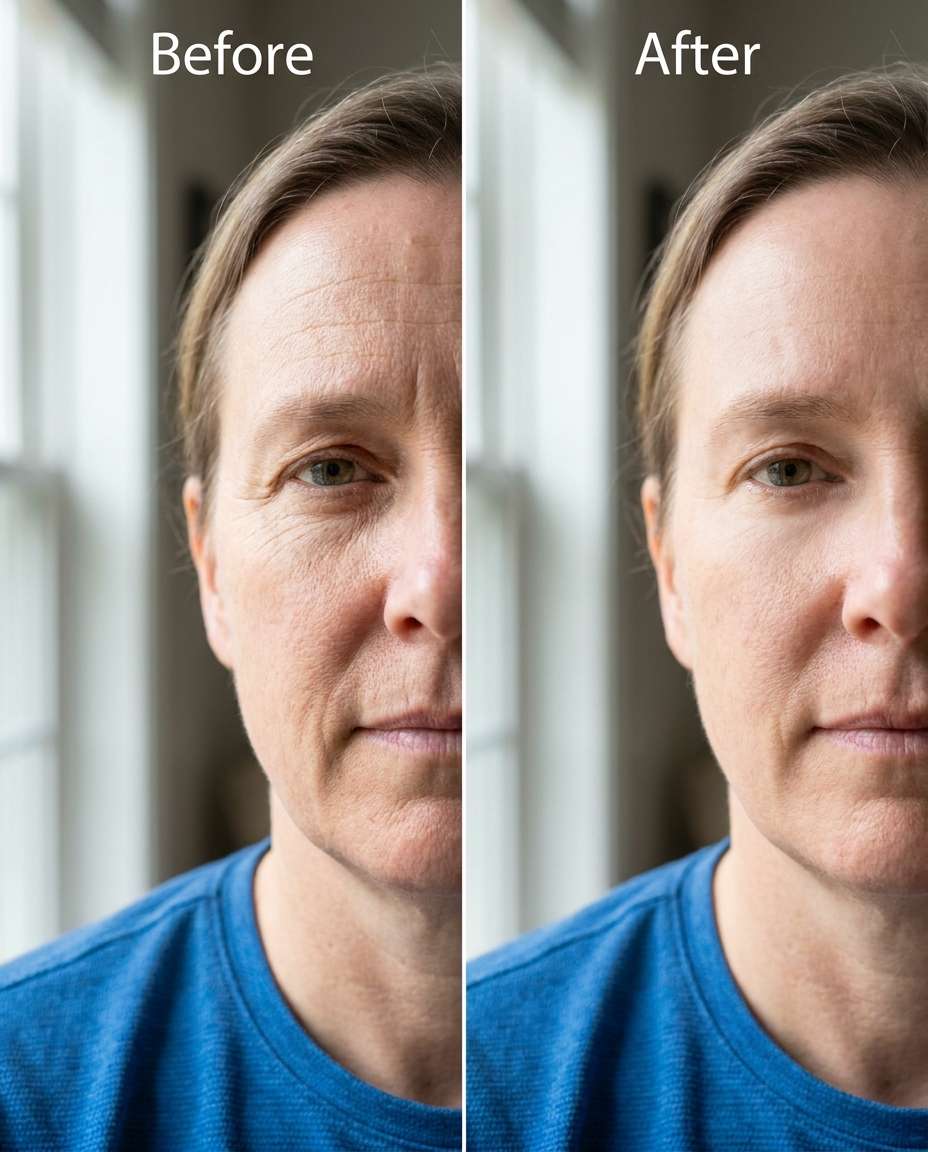
25+ Gemini AI Remove Wrinkles Prompts for Smoother, Still-You Portraits
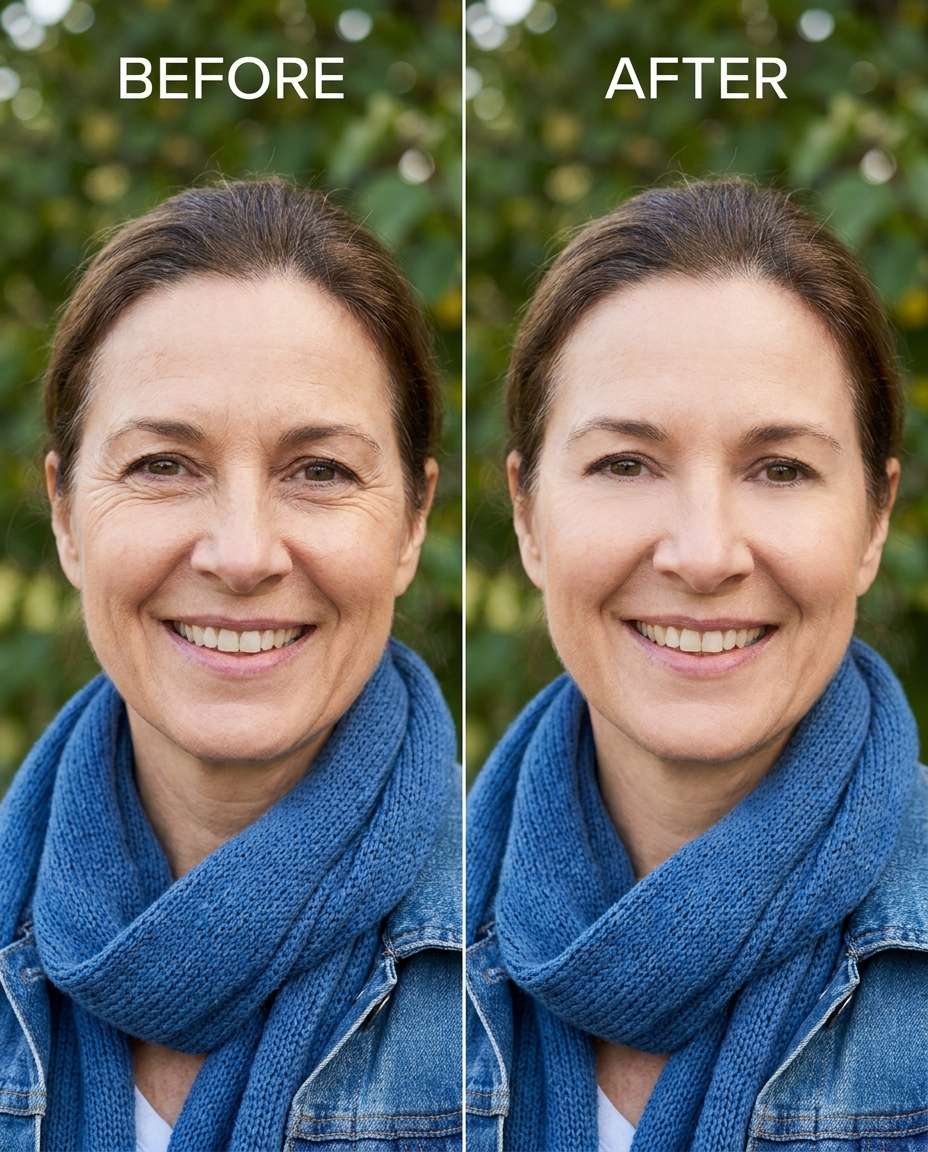
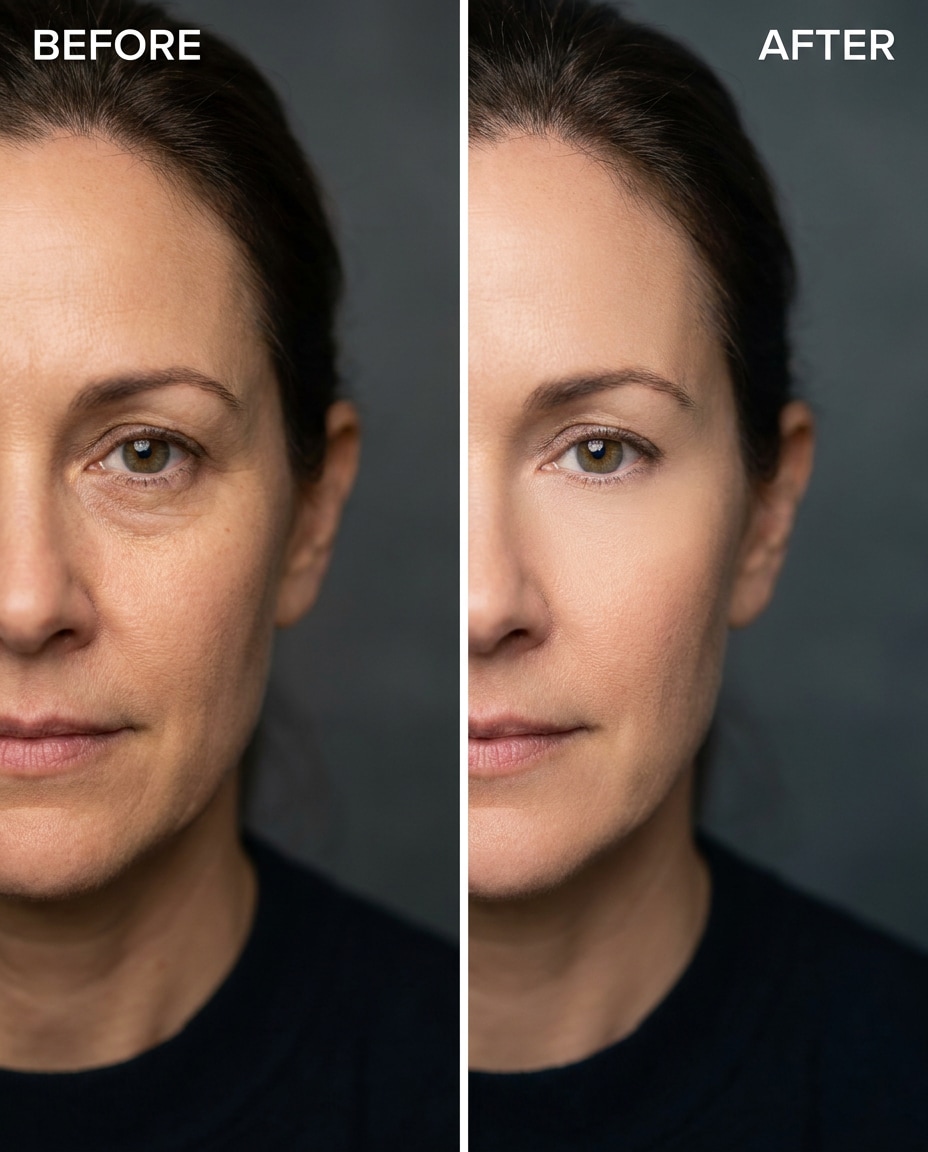
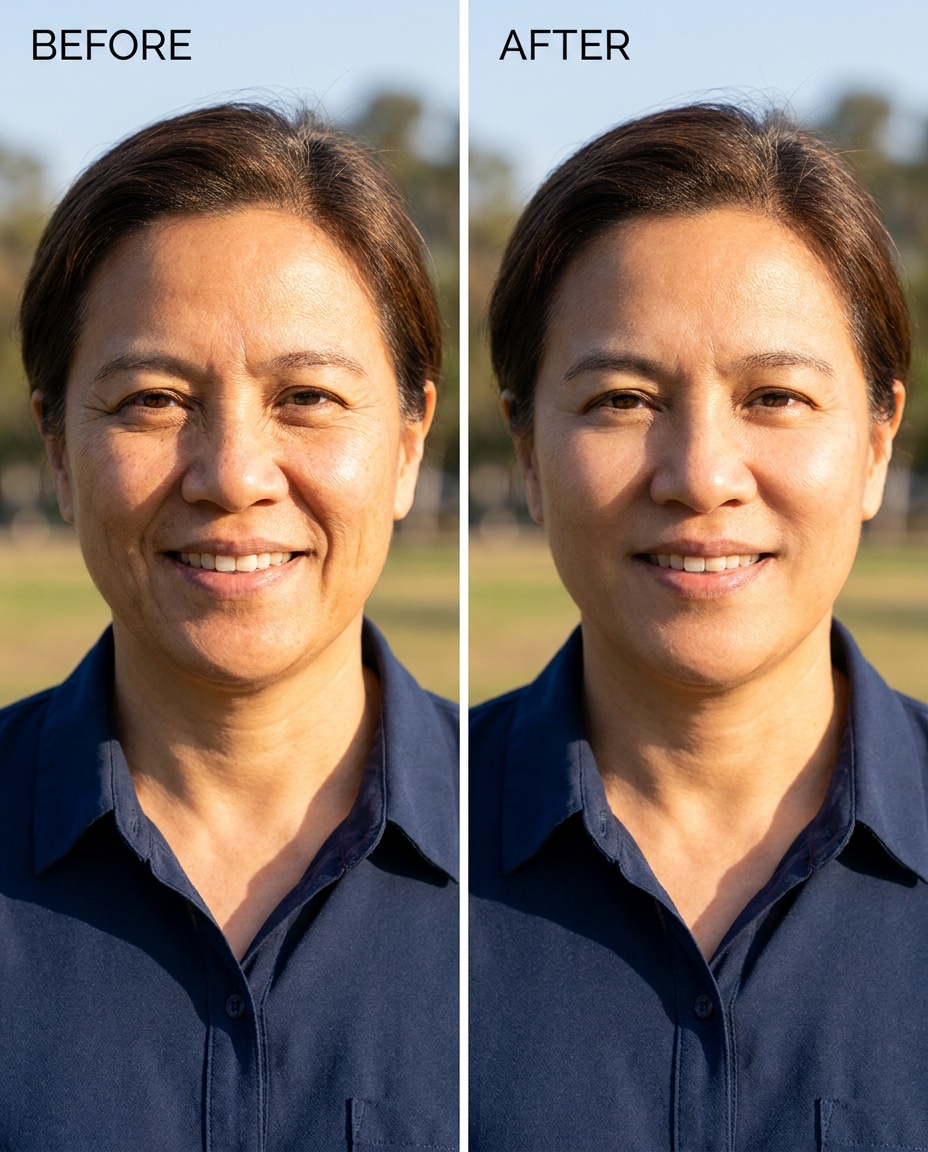
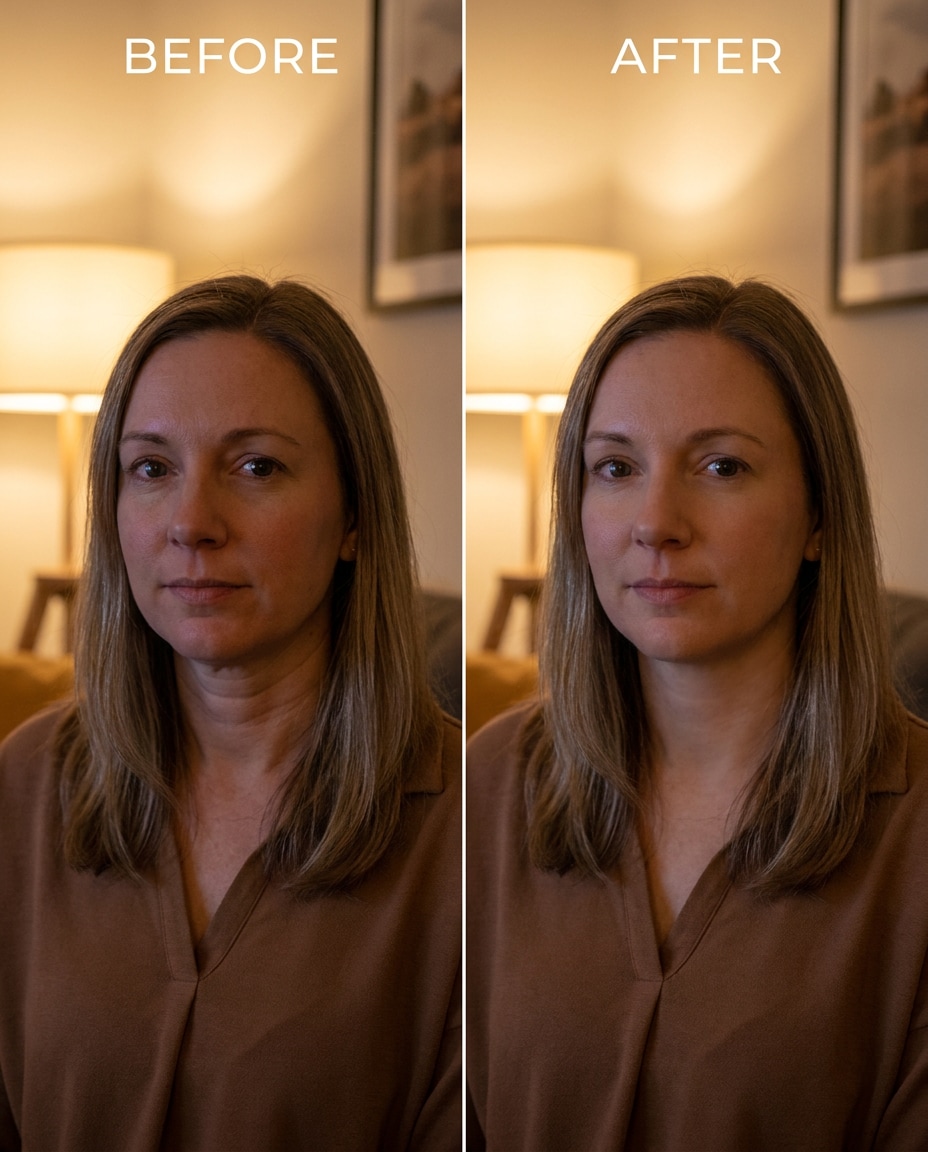
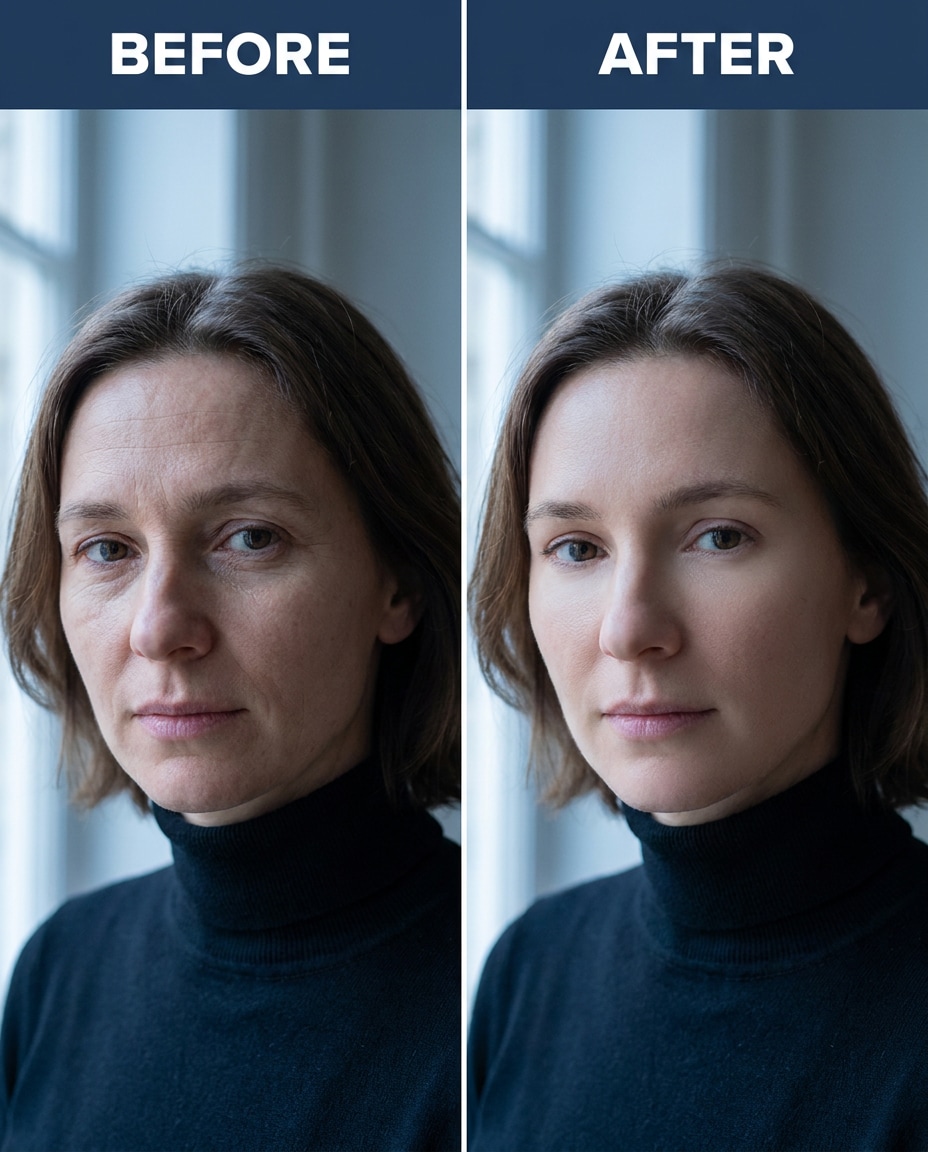
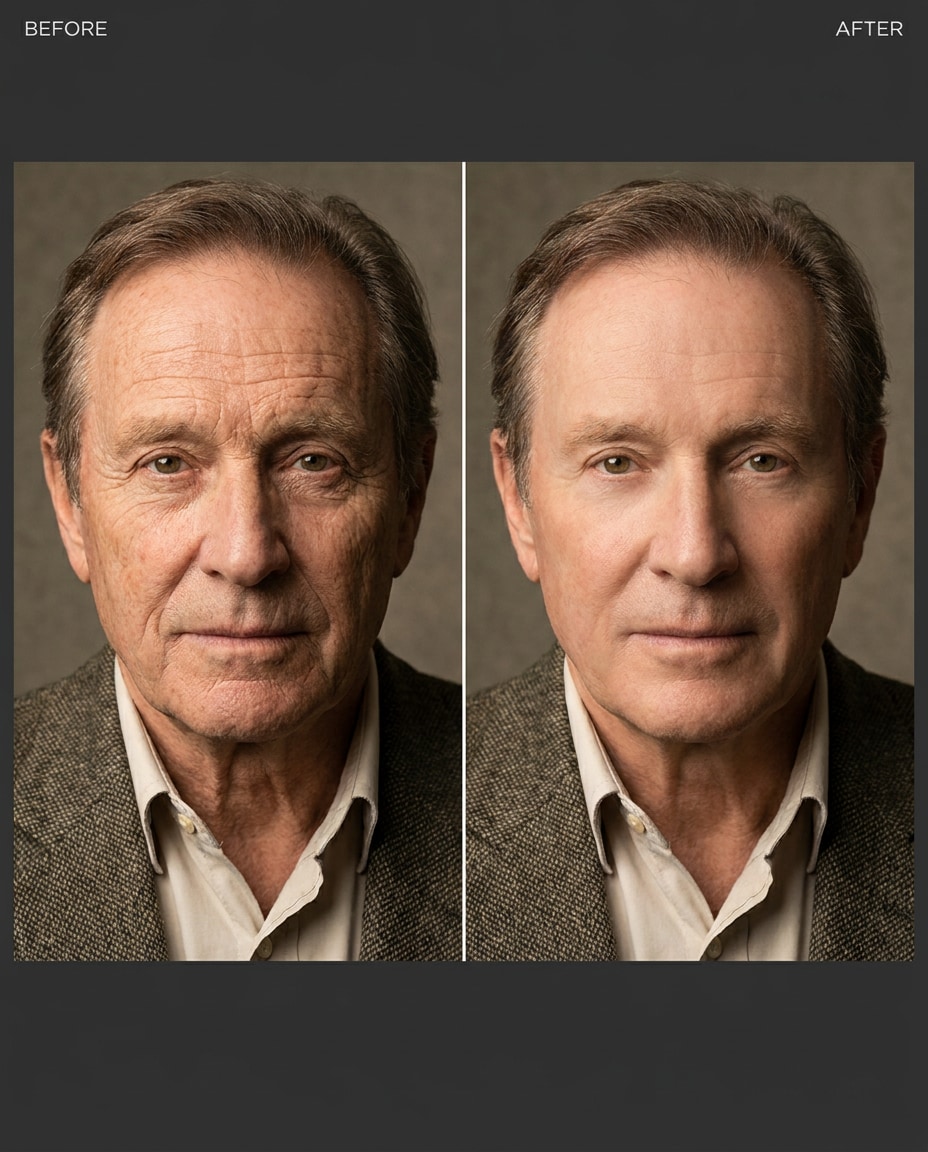
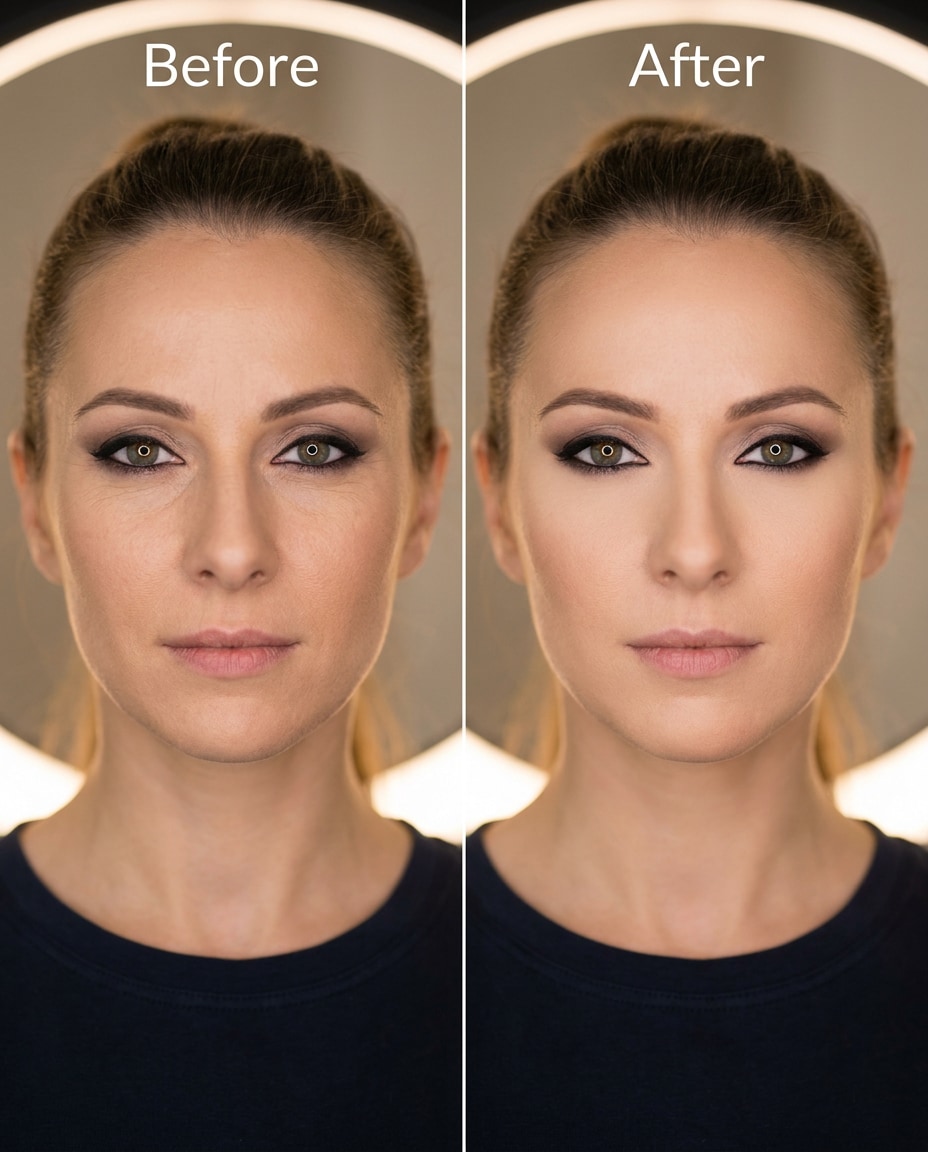
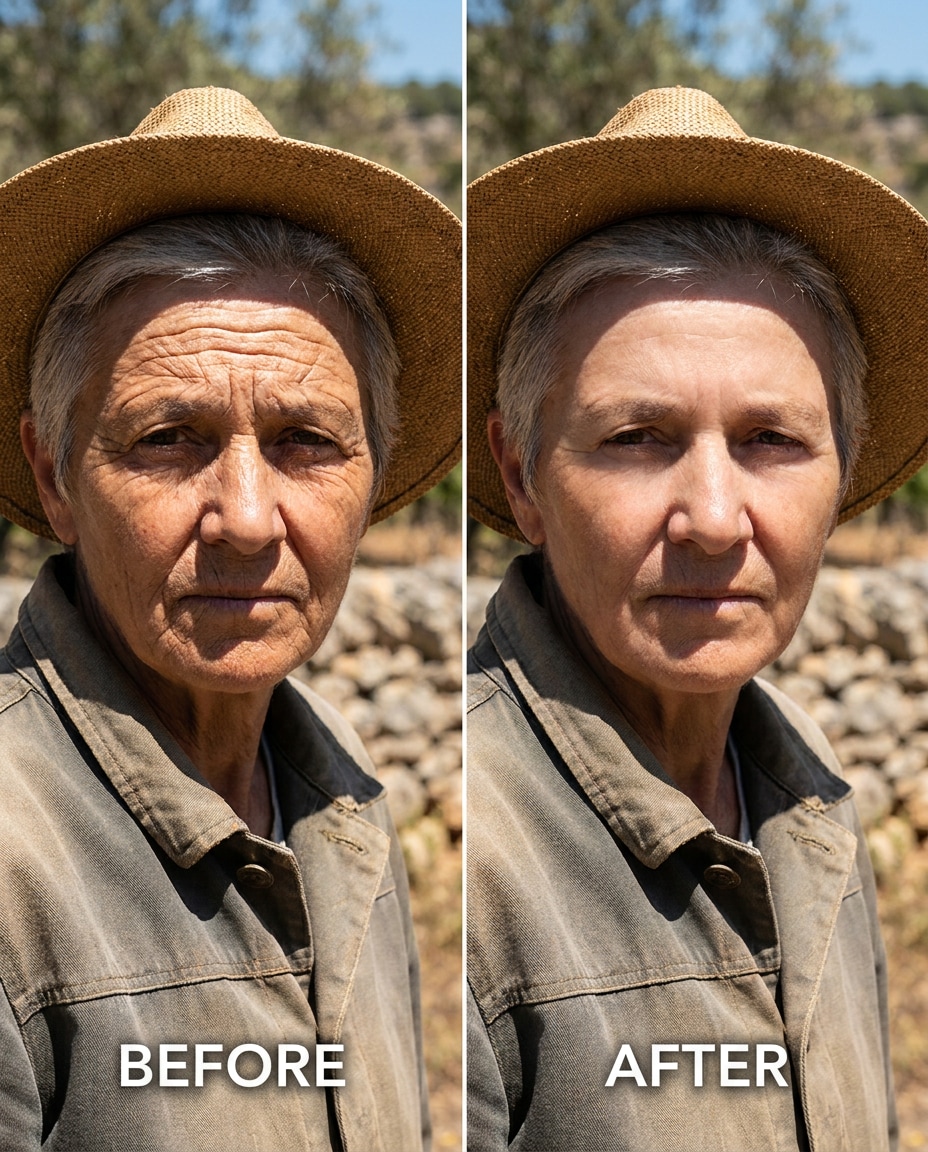
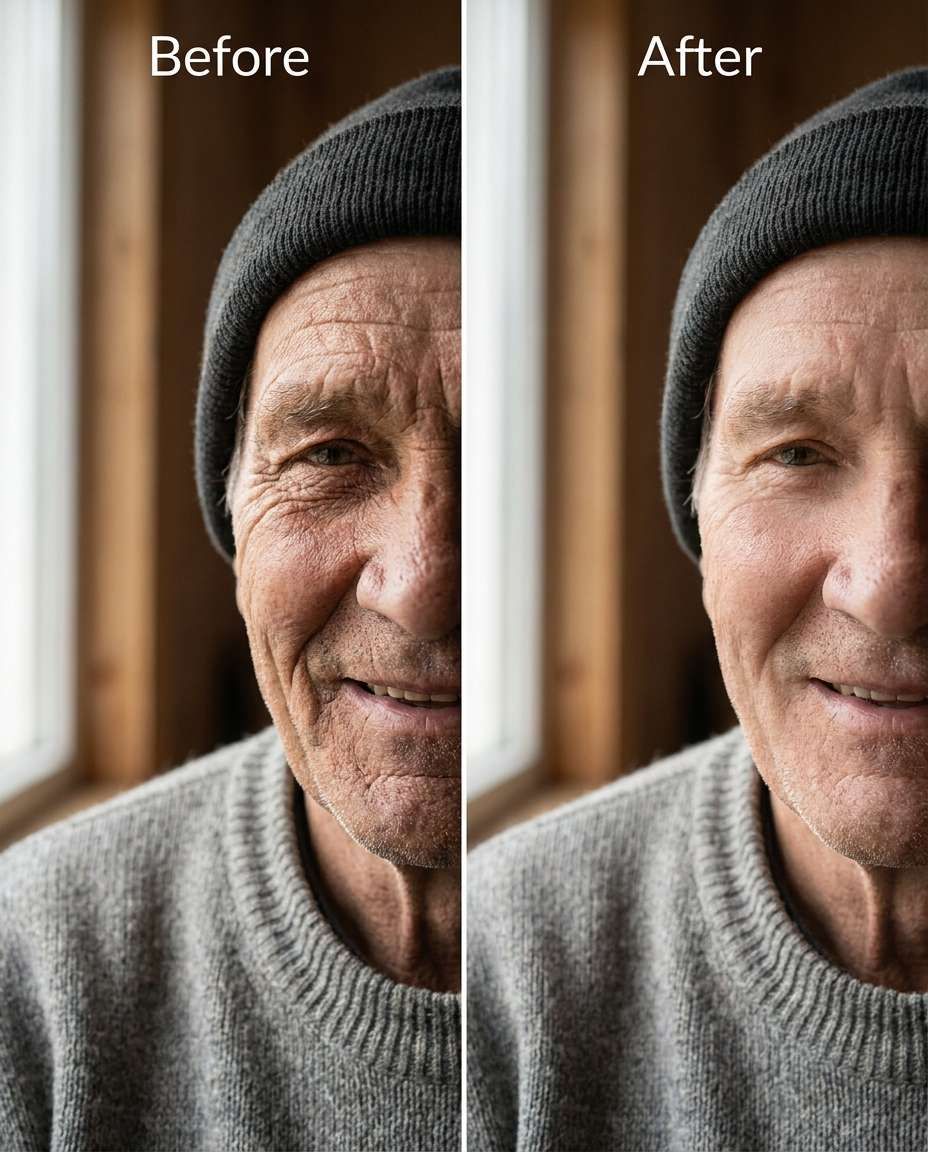
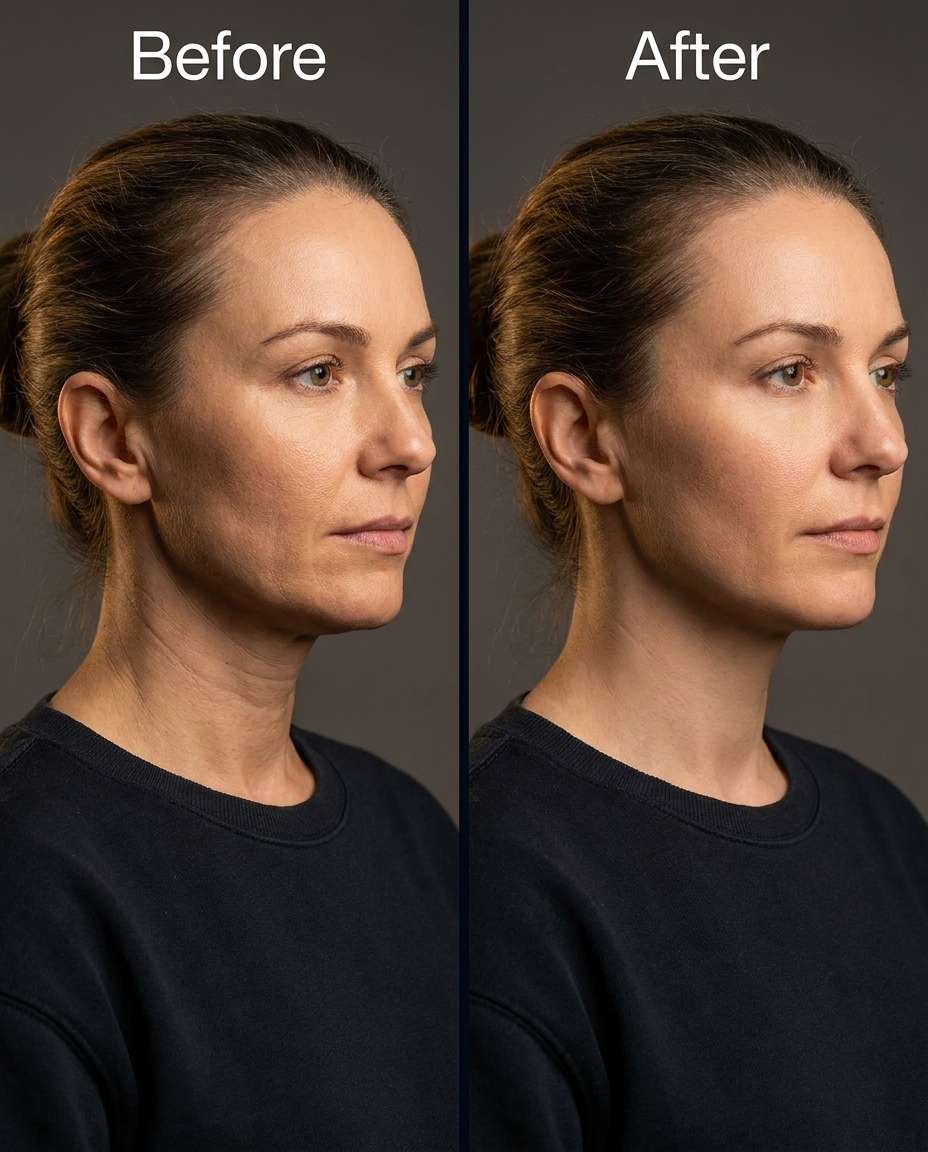
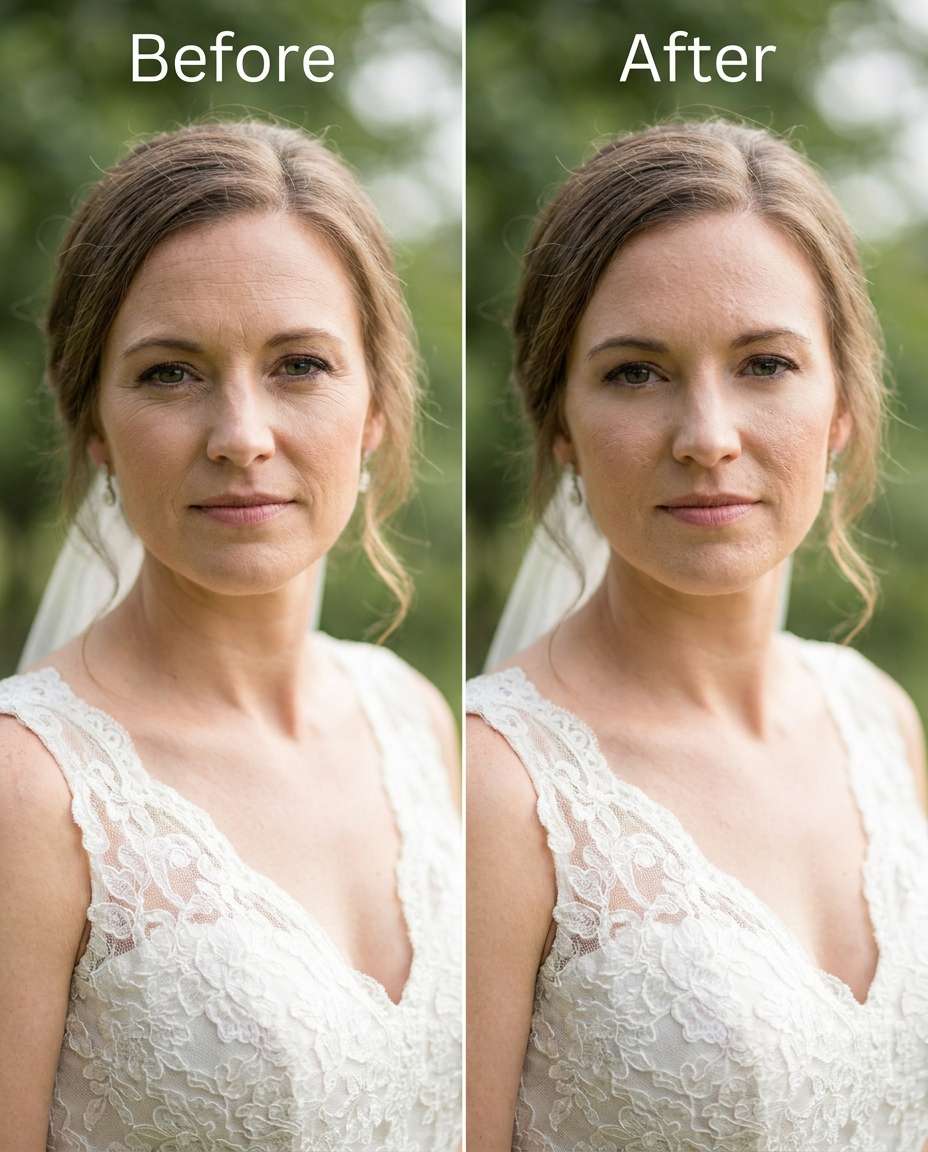
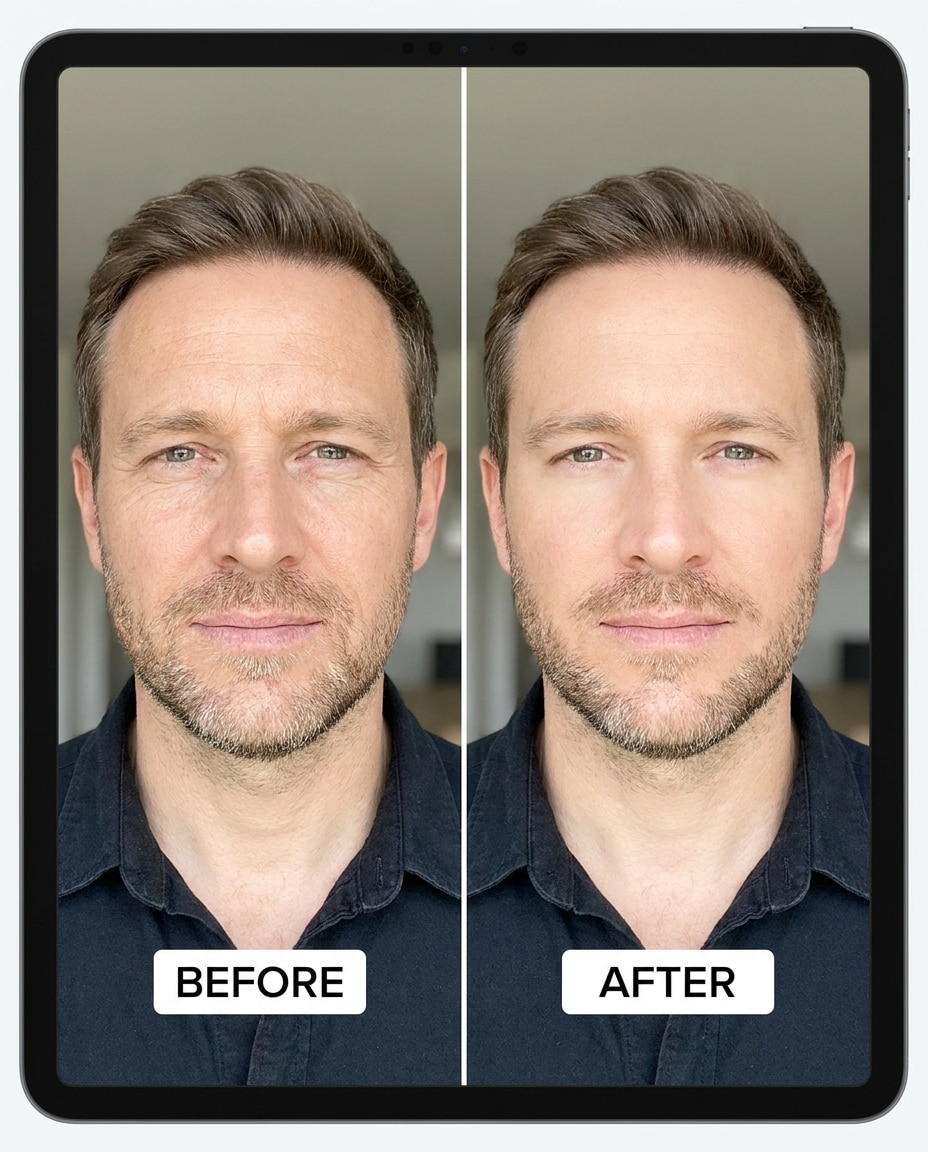
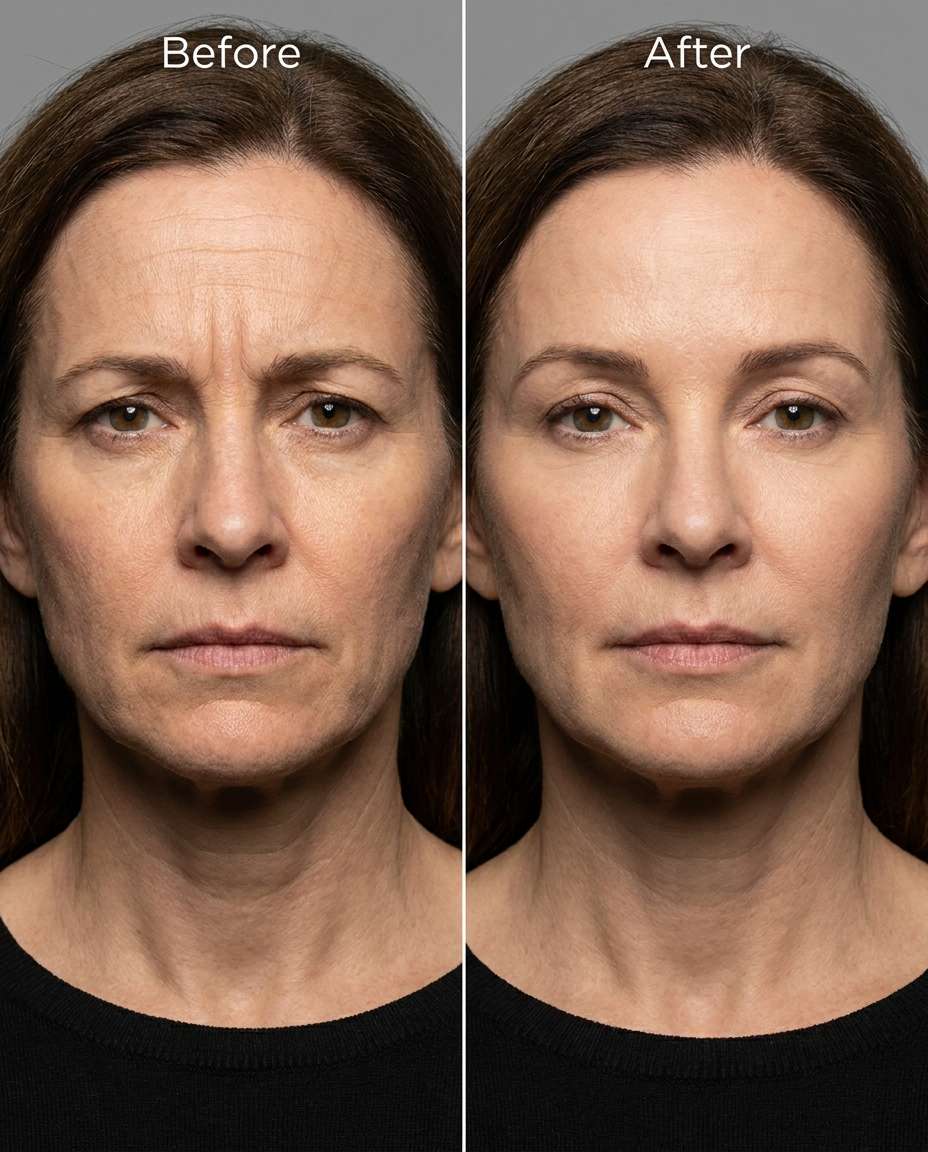
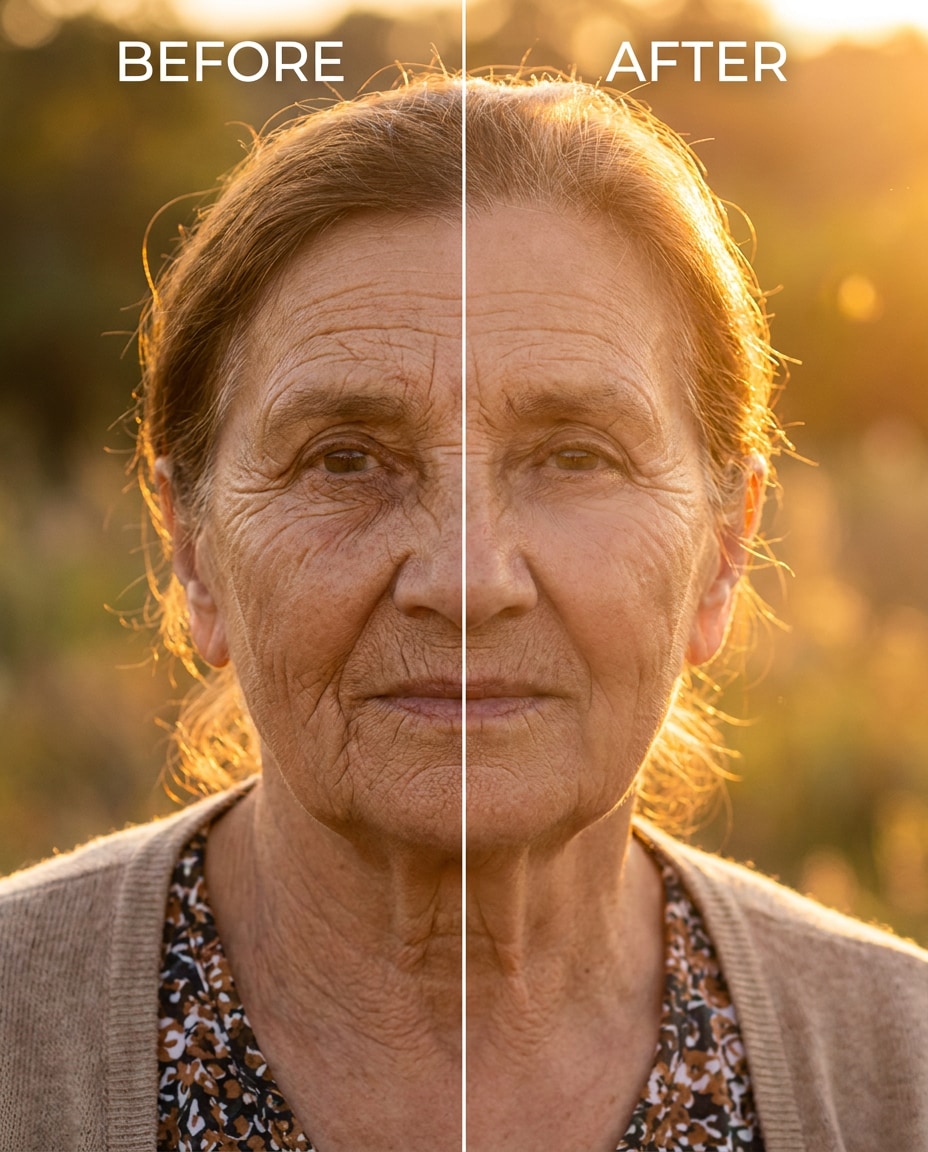
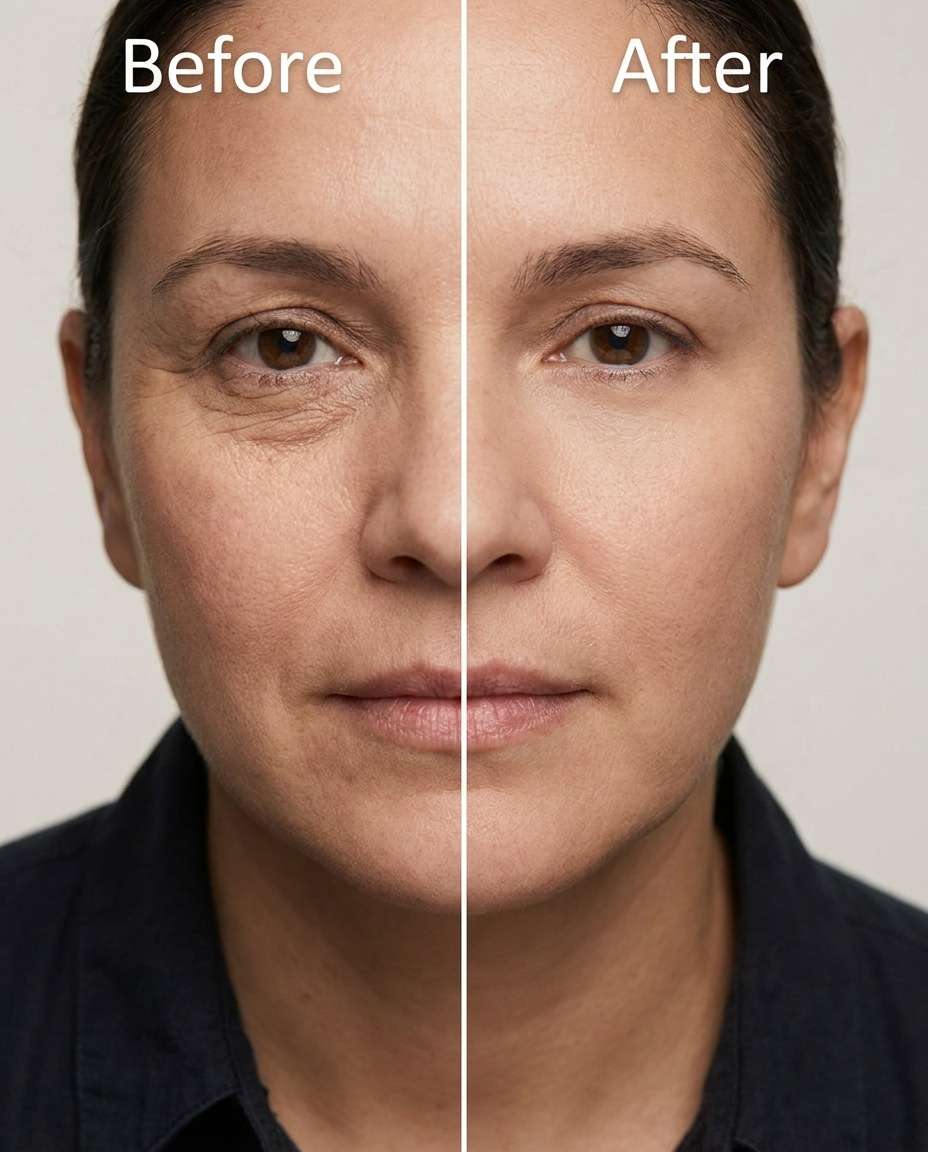
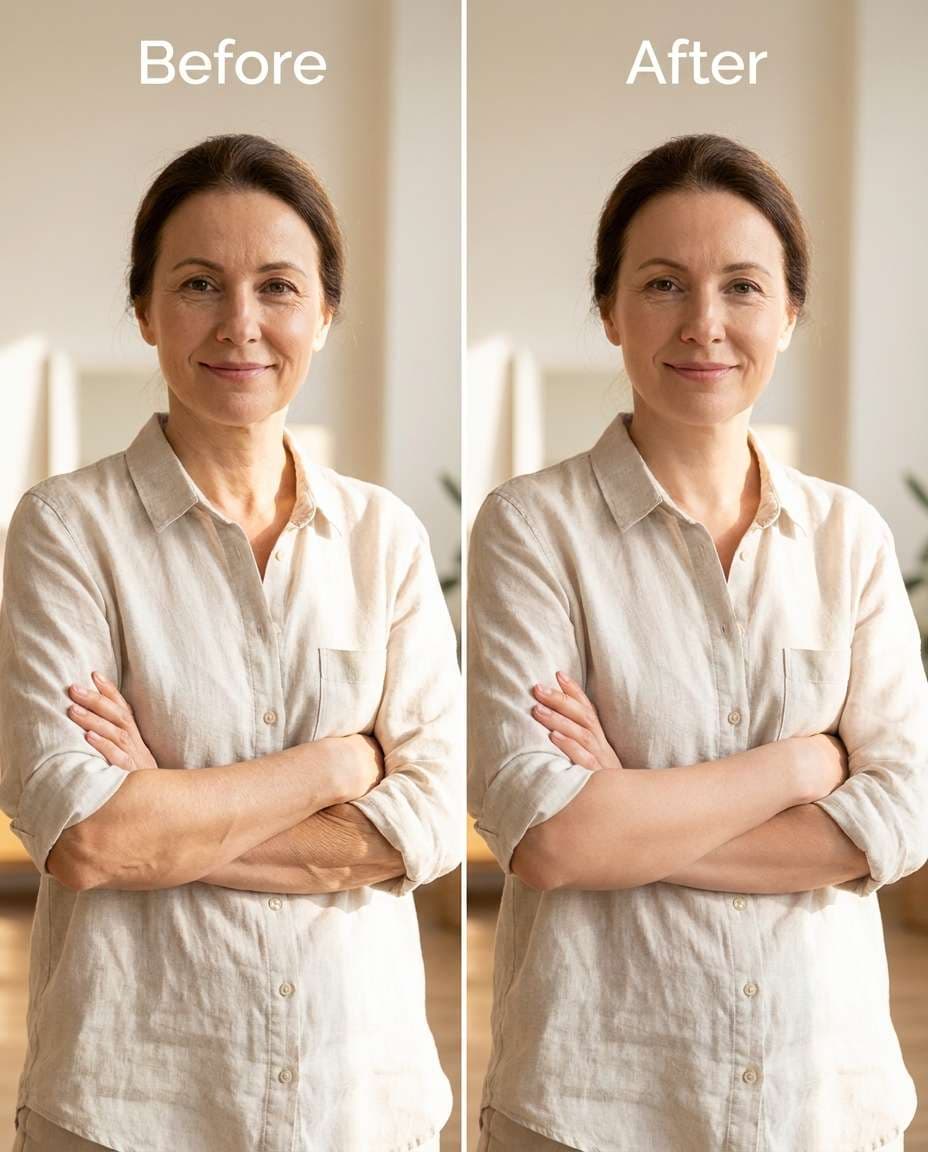
Smooth close-up skin details with Gemini AI remove wrinkles prompts while keeping your face recognizable and your texture believable. Sometimes you want a tiny polish; other times you want a bigger reset, from gentle to dramatic. This set gives you 25 prompts to choose the exact strength, then paste your favorite and generate variations until it looks right. Keep your makeup, lighting, and expression intact, and avoid that plastic, over-filtered finish. Upload one portrait and decide how refined you want it to feel.
Stunning AI remove wrinkles generated with Media.io - powered by
Nano Banana Pro.
How to Remove Wrinkles with Gemini AI Prompts in 3 Steps
Media.io makes this workflow simple: upload your photo, paste a prompt, then iterate until the retouch looks natural. Three quick steps below.
1
Open the AI photo editor
Go to Media.io and open the AI photo generator/editor for image-to-image edits. Start with a clear portrait (even a phone selfie works) so the model can keep the same facial structure, hair, and lighting while you target only wrinkles.
2
Upload and paste your prompt
Upload your image, then paste a remove wrinkles Gemini AI prompt from the cards below. Adjust the wording for intensity (subtle, medium, strong) and add areas like forehead, under-eyes, or neck so the retouch stays focused and realistic.
3
Generate, compare, download
Generate a few results, pick the most natural-looking version, and refine with a second pass if needed. Review skin texture, shadows, and edge details (hairline, smile lines, collars), then download your final image at the size you need.
Best Gemini AI Remove Wrinkles Prompts Ideas & Examples
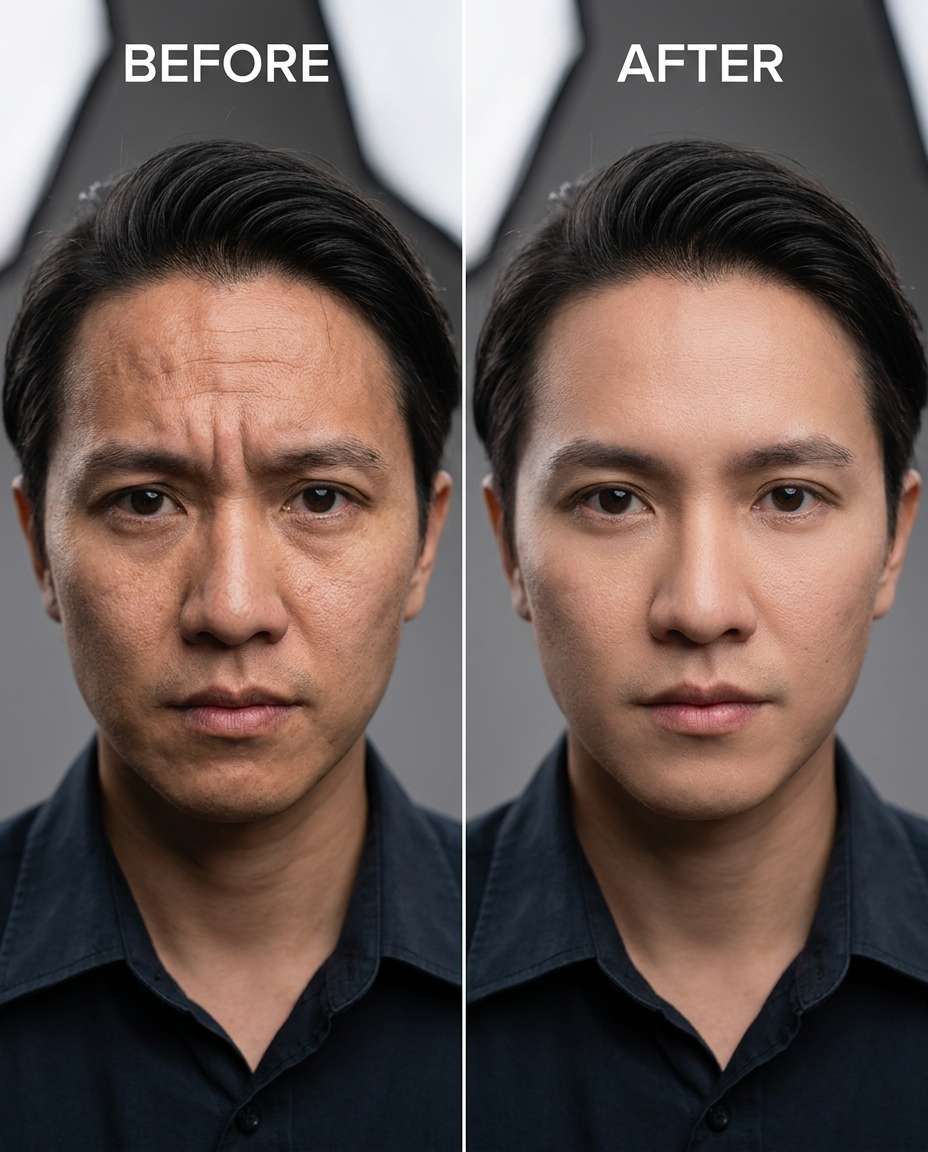
Subtle forehead lines
Smooth fine forehead wrinkles slightly while keeping the same face and expression, the same hairstyle, and the same skin tone; preserve original lighting, natural pores/skin texture, and background details so it still looks like the same photo, preserving background details --ar 4:5
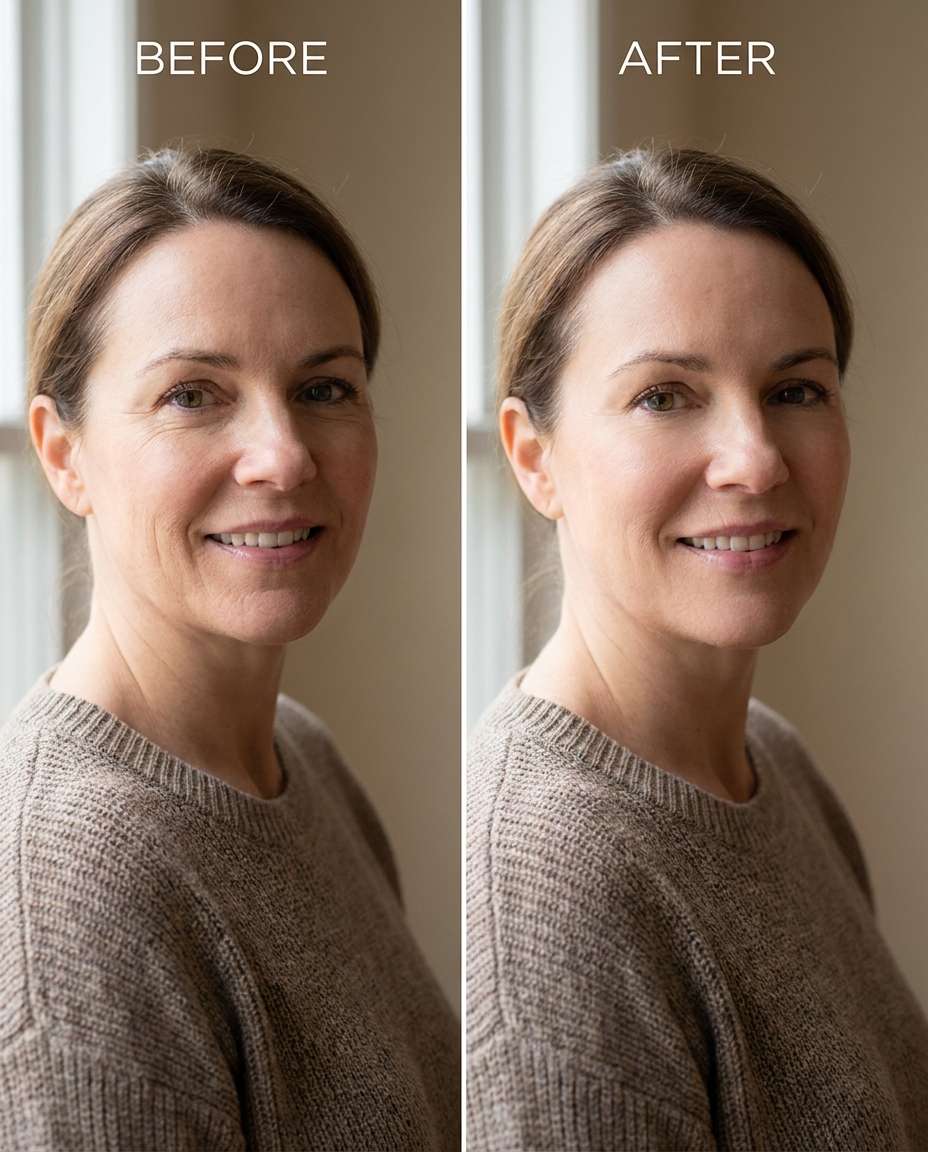
Crow's feet cleanup
Refine crow's feet near the outer eyes for a natural look, keeping the same face and eye shape, same hairstyle, and same pose; preserve original lighting direction and background detail, and keep skin texture believable, preserving outfit seams --ar 4:5
Under-eye creases
Sculpt away under-eye creases and tired lines while keeping the same face, same under-eye shape, and same skin tone; preserve original lighting, catchlights, and background details so the retouch looks clean but real, preserving background details --ar 4:5
Smile lines balanced
Smooth nasolabial folds (smile lines) moderately, keeping the same face shape and smile, same hairstyle, and same pose; preserve skin texture, original lighting, and outfit details like collar edges and seams, preserving natural skin pores --ar 4:5
Neck creases softened
Cinch down horizontal neck lines softly while keeping the same face, same jawline, and the same skin tone; preserve original lighting and shadow transitions, and keep the background and outfit neckline unchanged --ar 4:5
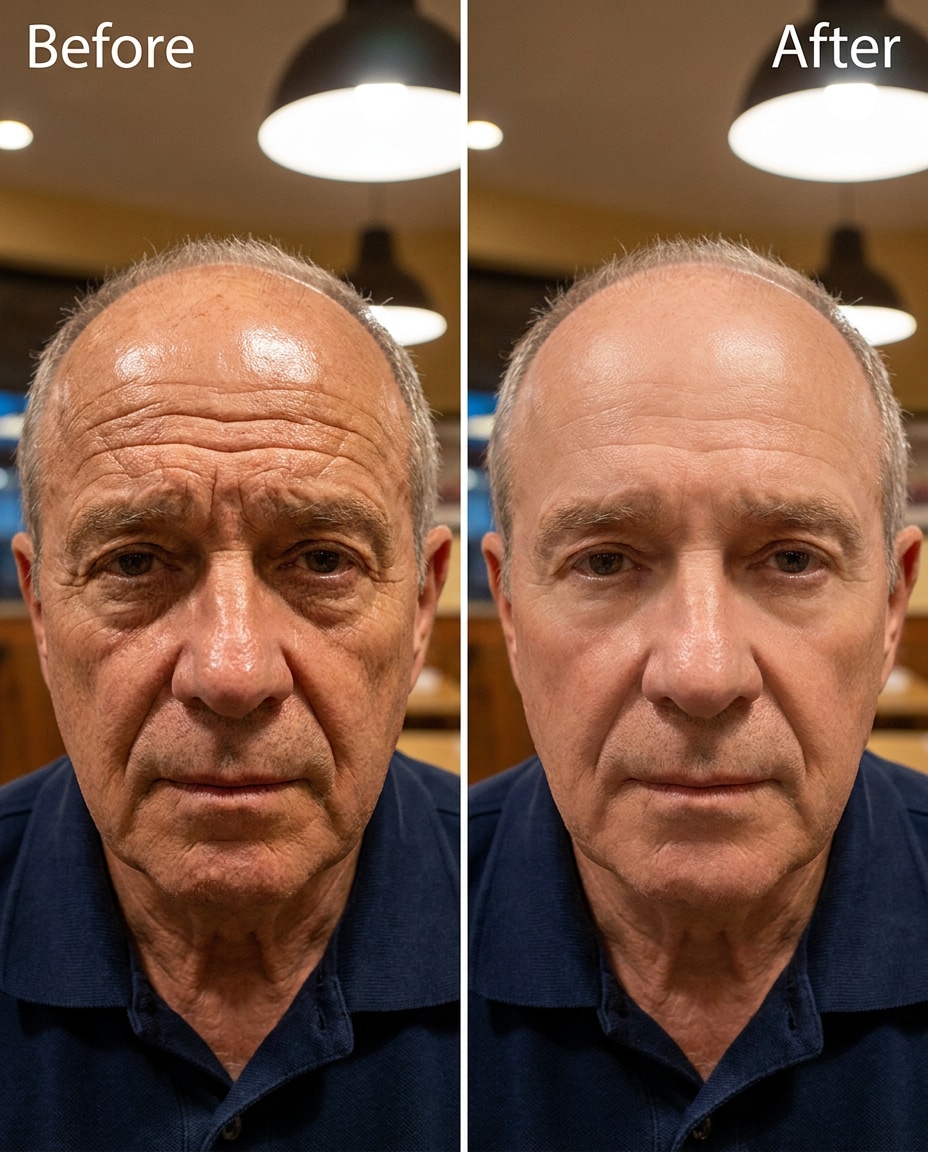
Strong forehead smoothing
Reshape the forehead area by significantly reducing deep forehead wrinkles, keeping the same face and brow shape, same hairstyle, and same expression; preserve natural skin texture (no plastic look), original lighting, and background details, preserving original color grading --ar 4:5
Cheek fine lines
Adjust fine cheek wrinkles and micro-lines for a fresher look, keeping the same face, same skin tone, and same hairstyle; preserve original lighting, natural pores, and background elements so nothing else shifts, preserving outfit seams --ar 4:5
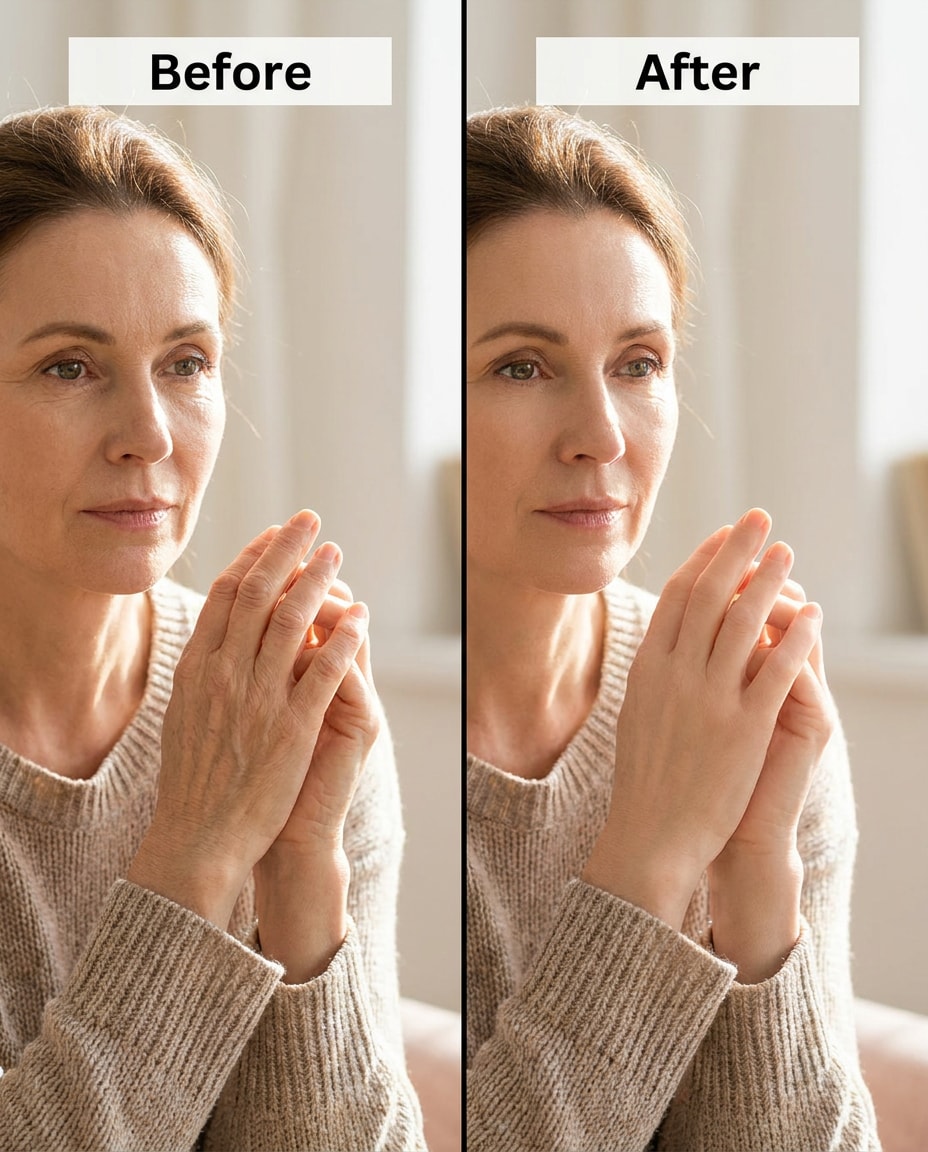
Hand wrinkles reduced
Tighten wrinkles on visible hands (knuckles and back of hand) while keeping the same face, same pose, and same outfit details; preserve skin tone continuity, original lighting, and background details, avoiding blurred edges, preserving original color grading --ar 4:5
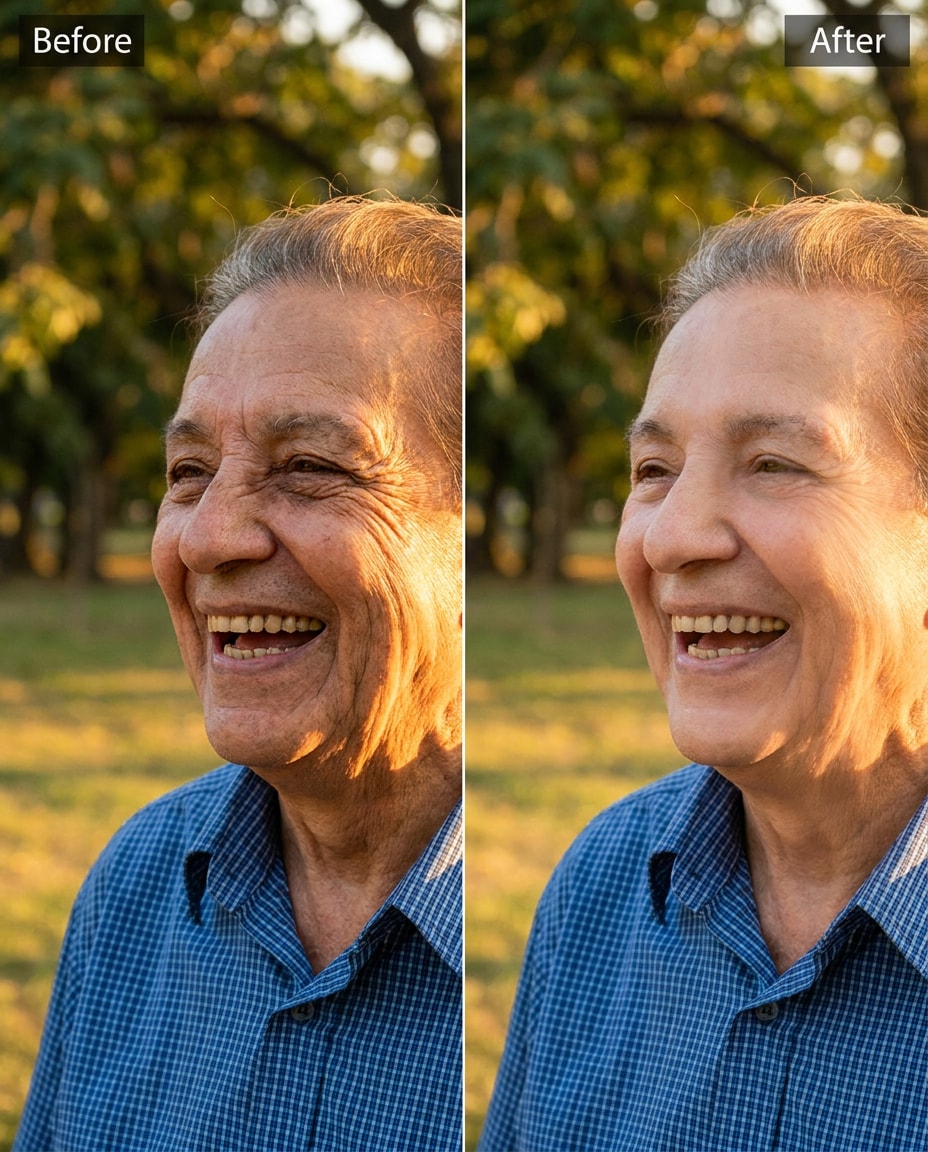
Laugh-line realism
Tune smile and laugh lines to look softer but still natural, keeping the same face, same smile, and same hairstyle; preserve original lighting and shadows, plus outfit textures like knit or denim so the edit stays believable, preserving fabric texture --ar 4:5
Under-eye + crow's feet
Soften under-eye lines and crow's feet together, keeping the same face, same eye shape, and same skin tone; preserve catchlights, original lighting direction, and background details while retaining natural skin texture, preserving believable proportions --ar 4:5
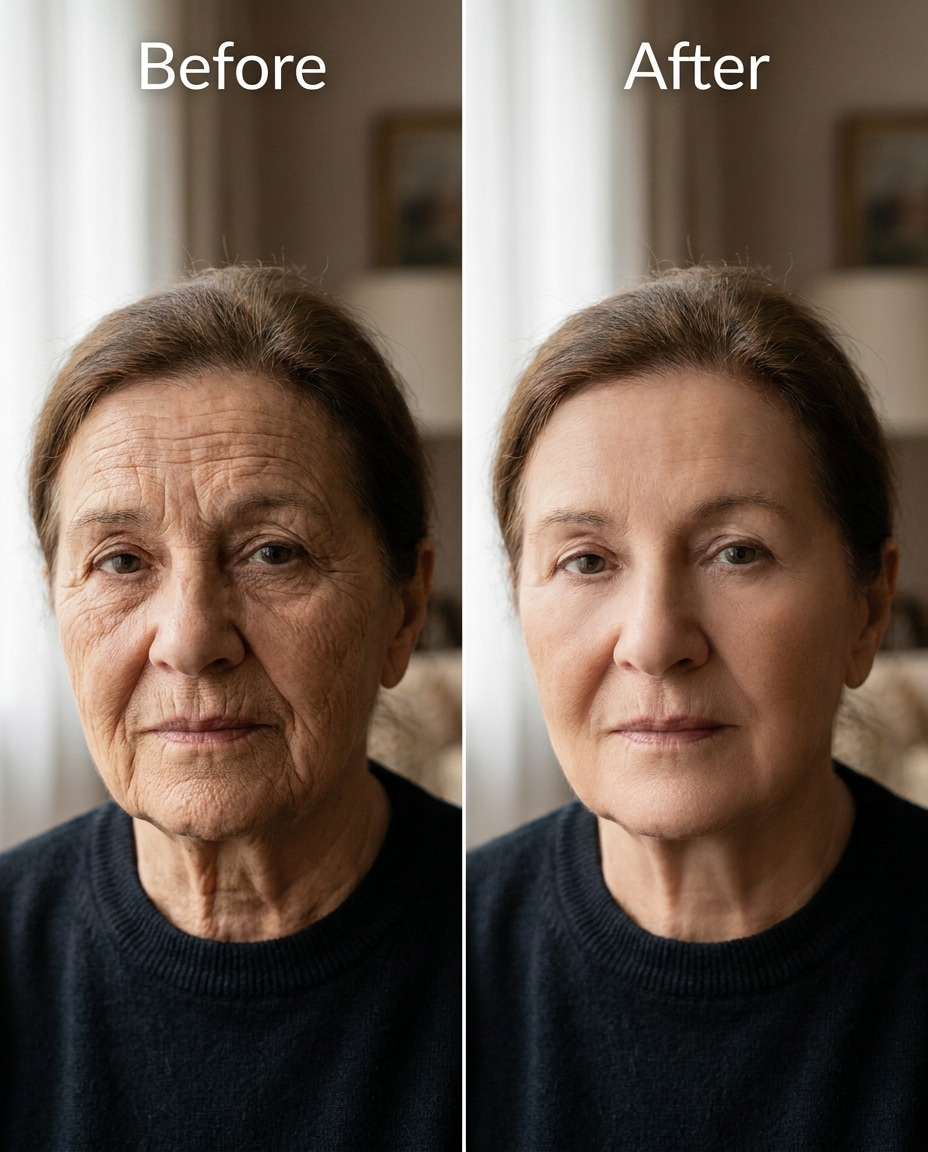
Mature portrait gentle
Slim the look of fine facial wrinkles overall very gently while keeping the same face and age-appropriate features, same hairstyle, and same expression; preserve original lighting, natural shadows, and background detail without over-smoothing, preserving original lighting --ar 4:5
Makeup-safe retouch
Refine wrinkles around the eyes while keeping the same face and the same makeup placement, same hairstyle, and same skin tone; preserve eyeliner/mascara sharpness, original lighting, and background details, keeping texture realistic, preserving outfit seams --ar 4:5
Harsh light forehead
Sculpt down forehead wrinkles caused by harsh light while keeping the same face, same brow shape, and same hairstyle; preserve the original lighting style and shadow direction, and keep background details unchanged, preserving shadow direction --ar 4:5
High-detail skin texture
Smooth wrinkles while keeping pores and fine texture visible, keeping the same face and skin tone, same hairstyle, and same pose; preserve original lighting and background details, avoiding blur on hairline and eyebrows, preserving background details --ar 4:5
Side-profile neck lines
Cinch neck wrinkles in a side-profile portrait, keeping the same face profile and jawline, same hairstyle, and same pose; preserve original lighting, shadow transitions, and background details while keeping the outfit neckline intact, preserving outfit seams --ar 4:5
Wedding close-up polish
Reshape facial wrinkles subtly for a wedding portrait, keeping the same face, same smile, and same hairstyle; preserve original lighting, veil and dress texture, and fine outfit seams so the look stays authentic, preserving believable proportions --ar 4:5
Beard-area realism
Adjust wrinkles around the mouth and cheeks without altering facial hair, keeping the same face, same beard shape, and same expression; preserve original lighting and natural skin texture, and keep background details unchanged, preserving background details --ar 4:5
Forehead + glabella lines
Tighten frown lines between the eyebrows and reduce forehead wrinkles, keeping the same face and brow spacing, same hairstyle, and same skin tone; preserve original lighting and shadow direction, and keep the background untouched --ar 4:5
Sunset portrait softening
Tune wrinkle visibility in warm sunset light so it looks flattering, keeping the same face, same pose, and same hairstyle; preserve the original golden lighting, skin tone accuracy, and background details while avoiding over-smoothing, preserving outfit seams --ar 4:5
Strong under-eye retouch
Soften pronounced under-eye wrinkles strongly but naturally, keeping the same face and eye shape, same hairstyle, and same expression; preserve original lighting, catchlights, and background details, keeping skin texture realistic, preserving believable proportions --ar 4:5
Arm and elbow lines
Slim the look of arm/elbow wrinkles where skin is visible, keeping the same face, same pose, and same outfit fit; preserve original lighting, skin tone continuity, and background details, and avoid changing the clothing edges, preserving fabric texture --ar 4:5
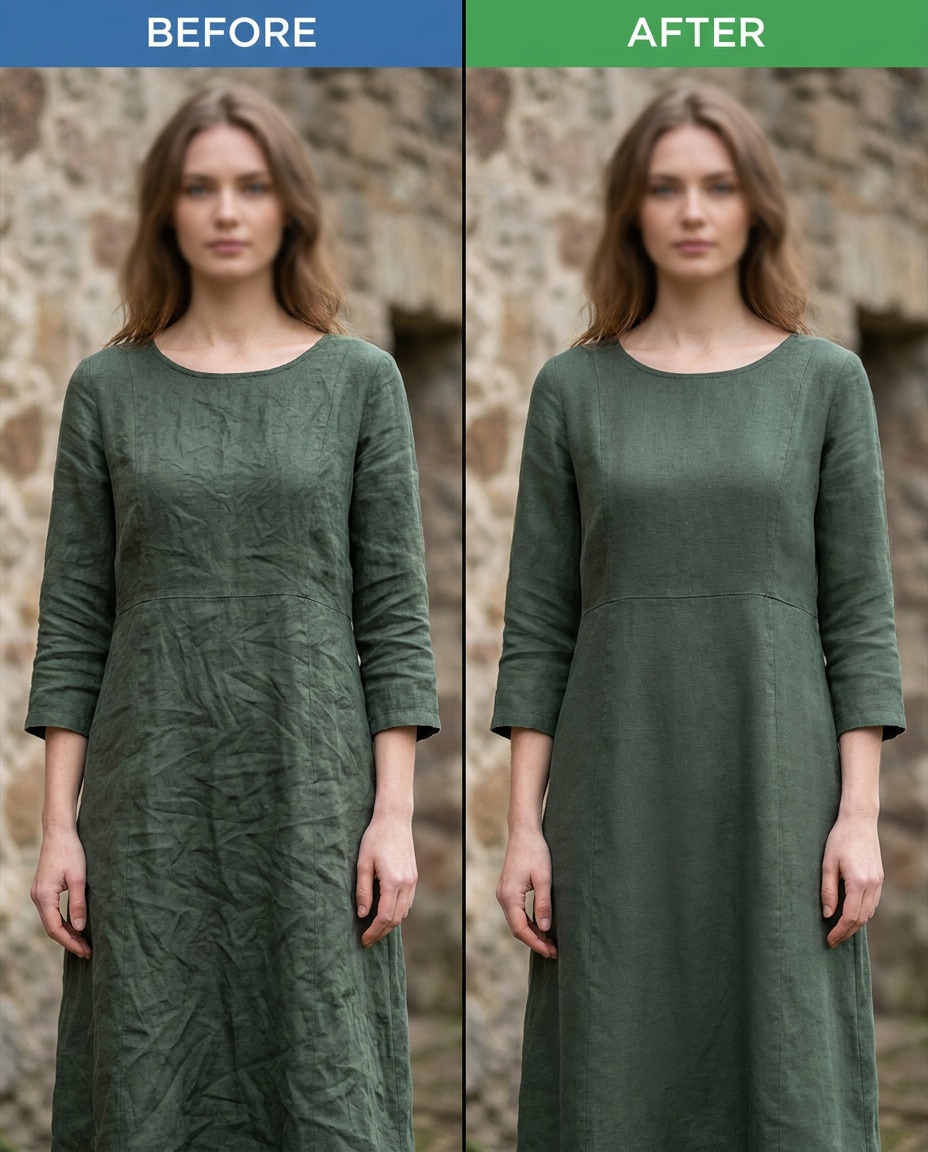
Dress fabric wrinkles
Refine wrinkles in the dress fabric while keeping the same face, same pose, and same outfit design; preserve fabric texture, seam lines, and original lighting so the garment stays realistic and not airbrushed, preserving shadow direction --ar 4:5
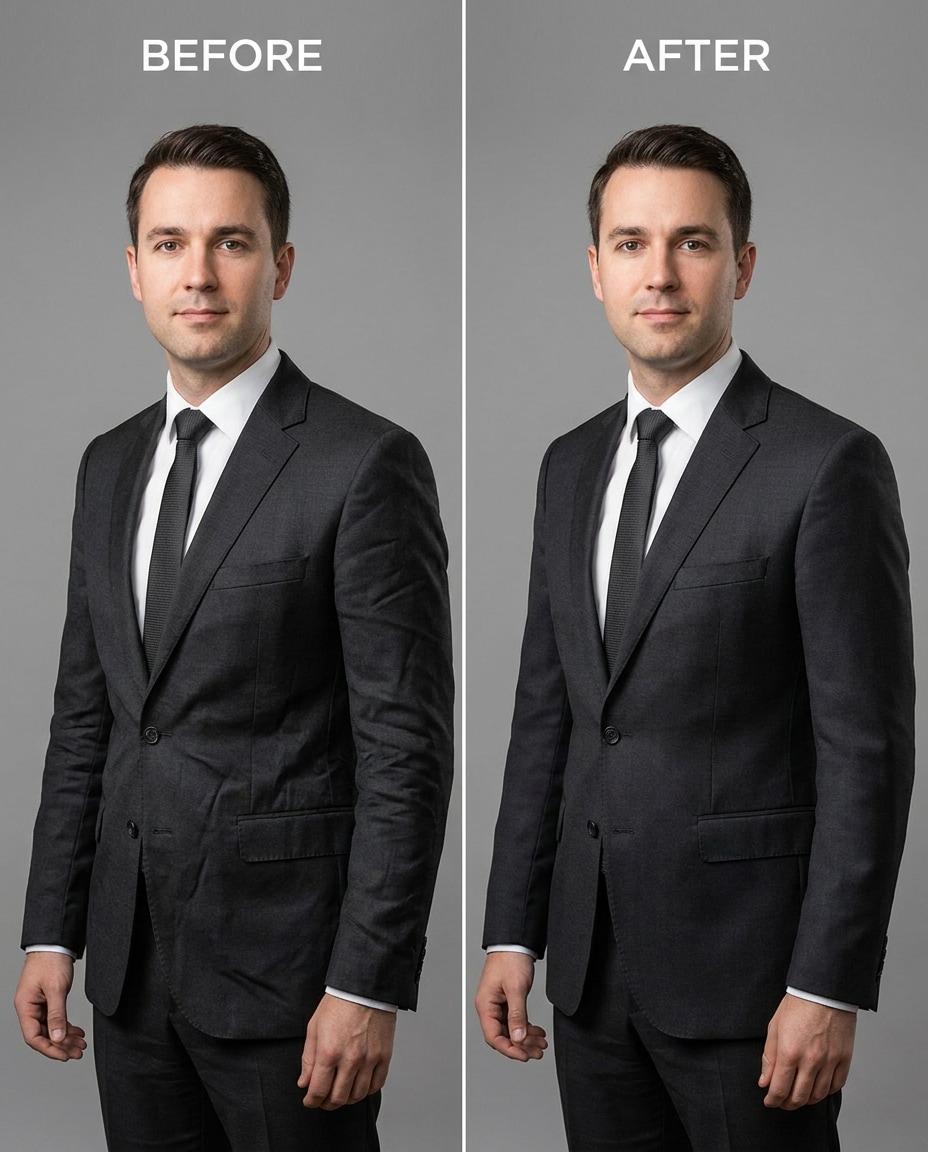
Suit jacket creases
Sculpt out heavy suit jacket creases and wrinkles, keeping the same face, same hairstyle, and same pose; preserve lapel edges, stitching, fabric texture, and original lighting while keeping the background unchanged, preserving fabric texture --ar 4:5
Forehead shine + lines
Cinch forehead wrinkles while also keeping natural highlights controlled, keeping the same face and brow shape, same hairstyle, and same skin tone; preserve original lighting and avoid changing eyebrow hairs or background details, preserving believable proportions --ar 4:5
Full-face natural pass
Tune overall facial wrinkles to a clean, natural level, keeping the same face shape and features, same hairstyle, and same expression; preserve original lighting, background details, and skin texture so the edit looks like great skincare, not a filter, preserving believable proportions --ar 4:5
How to Write Better Gemini AI Remove Wrinkles Prompts
The most convincing wrinkle reduction keeps texture and shadow logic intact. Start subtle, then step up only where the lines distract. Small wording changes can dramatically improve realism.
Output preference: natural editorial retouch, not filtered
Practical Tips for Better Results
Name the exact wrinkles you want reduced (for example, "fine forehead lines" vs. "wrinkles") to prevent over-smoothing.
Ask to keep pores and natural texture so the edit doesn't look waxy, especially on cheeks and under-eyes.
Include a lighting anchor ("preserve original lighting and shadow direction") so the face shape stays consistent.
If the result looks too flat, reduce intensity and specify "keep natural contrast" rather than removing every line.
For makeup, add "keep eyeliner edges sharp" or "do not change lipstick" so the retouch doesn't smear details.
For clothing, call out seams, stitching, and fabric texture to avoid melted patterns and warped edges.
Why Choose Media.io for Gemini AI Remove Wrinkles Prompts
Natural-looking retouching that protects your identity and outfit, with tunable intensity from subtle to strong and minimal distortion.
Identity stays consistent
Keep the same face shape, expression, and hairstyle while you target only the lines you want to soften. Media.io's image-to-image flow is ideal for retouching because you can anchor what must not change and iterate until the result still feels like you.
Texture-first results
Good retouching isn't blur; it's controlled reduction with believable pores and shadows. Use prompts that preserve natural texture and shadow direction so skin still reads as real. This helps avoid the plastic look that often shows up in aggressive smoothing.
Outfit details protected
Wrinkle edits can accidentally warp collars, seams, and jewelry edges. With clear preservation language, you can keep stitching, fabric texture, and garment structure intact while smoothing only what's necessary, so clothing still looks crisp and correctly constructed.
Fast iterations, better picks
Generate multiple variations, compare them, then refine with a second pass for problem areas like under-eyes or neck. Media.io makes it easy to test subtle vs. stronger strength without re-editing from scratch, so you land on the version you'll actually use.
FAQs About
Gemini AI Remove Wrinkles Prompts
1. How do I keep skin texture while removing wrinkles?
Explicitly ask for pores and natural texture to remain visible, and describe the change as "reduce" or "soften" rather than "erase." Add a preservation line like "preserve original lighting and shadow direction" so contours don't flatten. If it still looks too smooth, lower intensity and retouch only one area per pass.
2. Why do my wrinkle edits make the face look blurry or fake?
That usually happens when the prompt doesn't constrain texture and edges. Include anchors for eyebrows, hairline, and eye makeup, and request "no plastic skin" plus "retain fine skin detail." Also avoid strong global smoothing; target specific zones (forehead, crow's feet, under-eyes) so the model doesn't smear everything.
3. Can I reduce wrinkles without changing my expression or age?
Yes. Keep your expression intact by naming identity anchors like "same smile" and "same eye shape," then use gentle language: "subtle reduction" or "natural editorial retouch." Leave some character lines in place, especially around the eyes and mouth, so the result still matches your age and looks like you.
4. How to remove wrinkles in photos with Gemini AI prompts?
Start by uploading a well-lit photo and choosing one prompt that targets a single region (like under-eyes). Generate a few variations and pick the one that keeps texture and shadows believable. Then do a second pass for another area if needed. Keeping edits localized usually looks more natural than one aggressive all-over pass.
5. Will it also smooth wrinkles in clothing without warping seams?
It can, as long as you call out garment preservation. Ask to "preserve seam lines, stitching, and fabric texture" and specify exactly where to smooth (for example, "crease at the waist" or "sleeve wrinkles"). If you see warped patterns, reduce intensity and run a focused pass only on the wrinkled section.
Why Creators Love Media.io's Gemini AI Remove Wrinkles Prompts?
Alex M.
Photographer
Ultra Realistic Results.
I used these remove wrinkles prompts to create visuals that looked like real photography. The lighting, textures, and colors felt incredibly natural.
Maya J.
Designer
Perfect Lighting & Detail.
The prompts produced cinematic compositions and soft lighting, making every image feel like a professional shoot.
Jordan P.
Creator
Perfect for Social Media.
I used these prompts to create viral content. It's fast, easy, and consistently produces stunning visuals.