VHS Filter
Free AI Retro VHS Effect & 90s Camcorder Look Online
Want to transform any photo with authentic retro VHS aesthetics — from tracking lines and color bleed to static noise and nostalgic camcorder date stamps? Use Media.io's AI VHS Filter to instantly add realistic analog video distortion, glitch effects, and genuine 90s home video vibes — free online, powered by Nano Banana Pro.
Whether you're creating viral retro social media content, enhancing music visuals with nostalgic camcorder aesthetics, designing creative projects with vintage analog charm, or crafting nostalgic memories with authentic VHS emulation, our AI analyzes your photo's composition to deliver genuine retro video characteristics that capture the raw, imperfect beauty of classic analog recording.
Try the AI VHS Filter Now →
How to Add VHS Filter to Any Photo in Seconds
— Use Media.io AI & Prompts
Turn any photo into a stunning retro VHS masterpiece with just a few clicks. Follow these steps using Media.io's AI Image-to-Image tool, and use our curated prompts below to achieve anything from subtle camcorder warmth to full analog video distortion — perfect for social media content, music visuals, creative projects, nostalgic memories, and retro aesthetic feeds.
Open the AI VHS Filter Tool
Go to Media.io's AI Image-to-Image tool — your free, browser-based VHS filter and retro video effect generator. No sign-up or app download required. Works on desktop and mobile, optimized for authentic tracking lines, realistic color bleed, and genuine analog video distortion.
Upload & Describe Your VHS Style
Upload any photo — a portrait, street shot, party photo, or creative image. Then type a prompt describing the VHS effect you want, like "add retro camcorder look with tracking lines and date stamp" or "apply heavy VHS distortion with color bleed and static noise". Not sure what to write? Try one of our ready-made prompts below — tested for authentic analog video characteristics, realistic glitch effects, and nostalgic 90s appeal.
Generate & Download Your VHS Photo
Click Generate, and in seconds your photo will be transformed with authentic VHS aesthetics including tracking lines, color bleed, static noise, and retro camcorder warmth. Use the before/after slider to compare, then download your image — ready for Instagram, TikTok, music videos, creative portfolios, or any retro project.
Portrait → Nostalgic Indoor Camcorder VHS Look

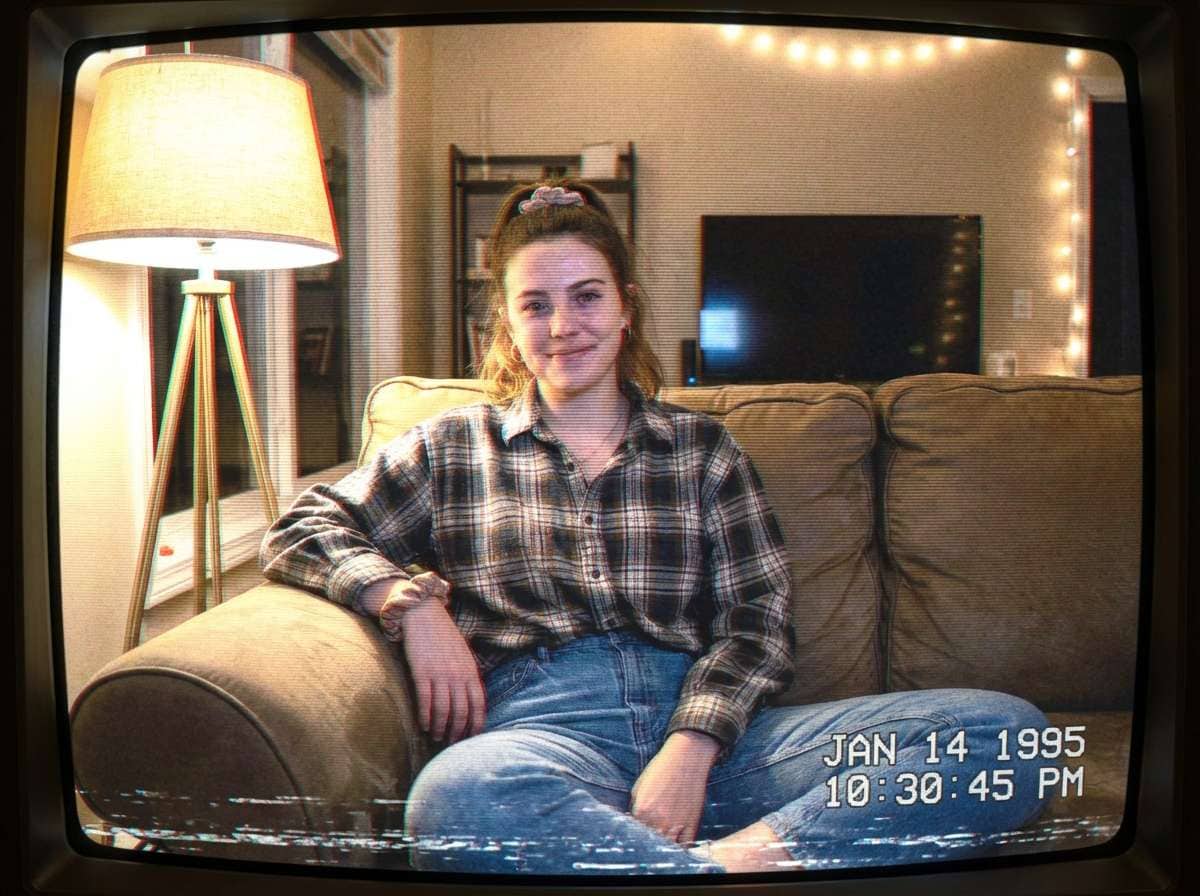
Same woman in the same living room, now with a strong VHS filter applied: obvious horizontal scanlines across the whole frame, analog tape noise, soft low-resolution blur, red-blue chromatic color separation on edges, slight tracking glitch distortion near the bottom, muted washed-out 90s camcorder colors, timestamp-style home video feeling, bright highlights blooming from the lamp, subtle static texture, photorealistic but unmistakably like an old VHS tape paused on a CRT television, 4:3
Portrait → Heavy VHS Glitch & Static Night Aesthetic
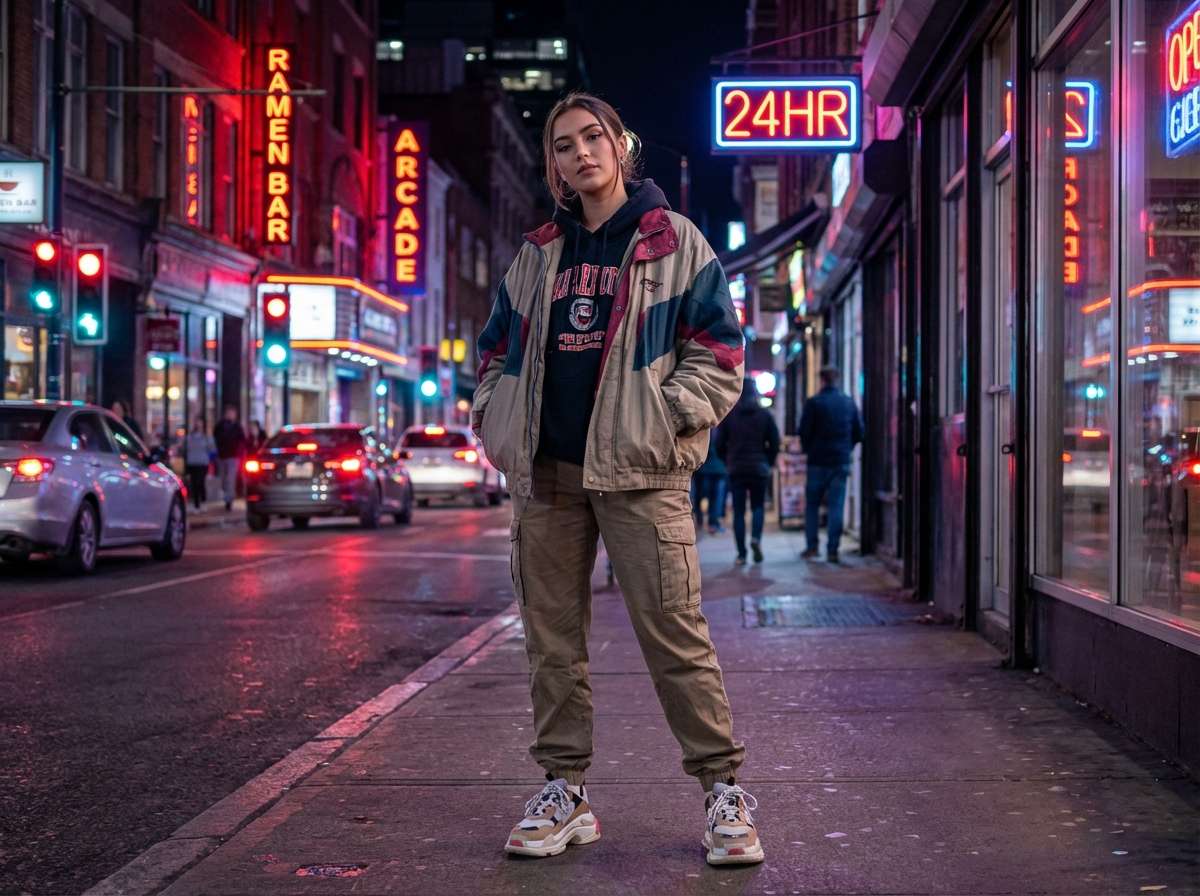
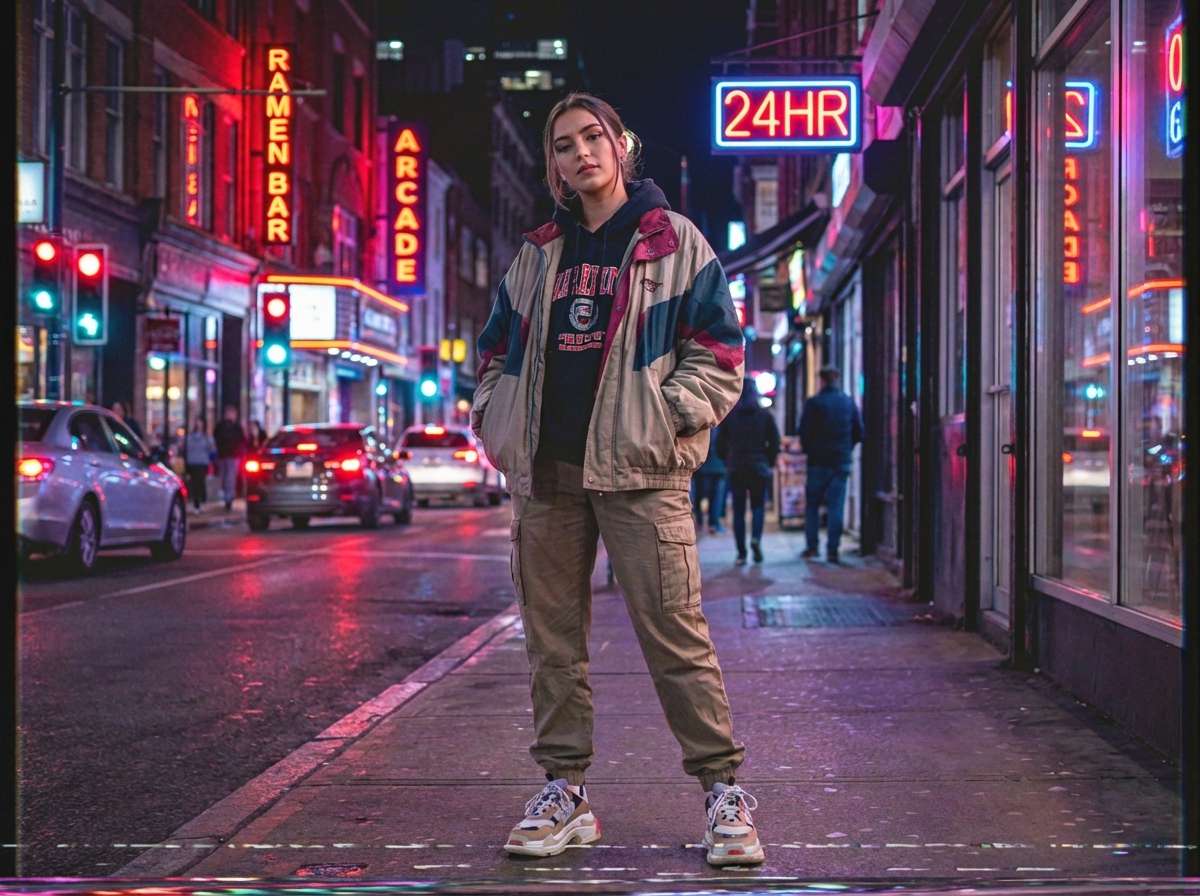
Same woman on the same neon-lit city street, now with a strong VHS filter applied: heavy analog tape texture, visible scanlines, slight frame jitter, color bleeding from neon lights, magenta and cyan chromatic aberration, low-resolution camcorder softness, mild static noise, tracking distortion bands near the lower edge, oversaturated 90s night video colors, old videotape playback aesthetic, photorealistic but clearly like a paused frame from a 1997 VHS camcorder recording, 4:3








Why Use Media.io AI VHS Filter
Whether you're a content creator wanting viral retro aesthetics, a musician enhancing visuals with nostalgic camcorder vibes, a designer crafting Y2K-inspired projects, or someone who loves the raw charm of 90s home videos — your VHS effect should look authentic, not "digitally faked." With Media.io's AI Image-to-Image tool, powered by Nano Banana Pro, you get genuine analog video emulation with realistic tracking lines, authentic color bleed, and true retro camcorder characteristics — all in seconds, online, and free to start.

Authentic Analog Video Distortion
Our AI replicates genuine VHS tape characteristics including horizontal tracking lines, cyan/magenta color bleed, analog video noise, and low-resolution camcorder softness. Not digital glitch overlays, but true analog video emulation based on real VHS hardware behavior.

100% Free — No Skills, No Signup
No app installs, no video editing skills, no retro hardware needed. Just upload, prompt, and generate — on phone or desktop. Media.io's AI runs securely in the cloud for instant, high-quality VHS effects with no sign-up and no watermark.

Multiple VHS Styles — Subtle, Heavy, Glitch & More
Subtle camcorder warmth, heavy tracking distortion, pronounced color bleed, static noise overload, retro timestamp overlays, glitch artifact effects, worn tape aesthetics — describe any VHS style in your prompt and the AI delivers exactly what you envision, from nostalgic subtlety to full analog chaos.

Social Media, Music, Creative & Nostalgic Content
Perfect for Instagram and TikTok retro aesthetic feeds, music videos and album visuals, Y2K and 90s-inspired creative projects, party and event photos with nostalgic vibes, artistic glitch art, memorial videos with authentic home video warmth, and any project that calls for raw analog charm and vintage video character.
FAQs About
AI VHS Filter
1. Does the VHS filter look authentic or like a generic retro effect?


Completely authentic. Powered by Nano Banana Pro's AI, Media.io analyzes genuine VHS tape behavior including horizontal tracking lines, cyan/magenta color separation, analog video noise, and low-resolution camcorder characteristics. The result includes realistic distortion patterns, authentic color bleed, and true retro video warmth — not a generic "old TV" filter but genuine VHS emulation.
2. What types of photos work best for VHS filter effects?
Portrait and lifestyle photos work exceptionally well: party and event shots, street photography, indoor casual portraits, night scenes with artificial lighting, and candid moments. However, VHS effects can enhance any photo type — the AI adapts tracking intensity, color bleed, and noise levels to match your scene's composition and mood for seamless retro integration.
3. What VHS styles and effects can I create?
You can create multiple VHS styles by describing them in your prompt. Popular options include: Subtle Camcorder (warm low-res softness with light noise), Heavy Tracking (pronounced horizontal distortion lines), Color Bleed (cyan/magenta separation on edges), Static Overload (analog video noise and grain), Retro Timestamp (blinking date stamp overlay), and Glitch Artifact (worn tape digital corruption). Specify intensity and style for full creative control.
4. Can I control the intensity of VHS effects?
Yes! Just specify your preferences in the prompt. For example: "apply subtle VHS filter with light tracking lines and warm camcorder tone", or "add heavy VHS distortion with strong color bleed and static noise", or "use retro timestamp overlay with gentle analog softness only", or "apply glitch artifact VHS effect with worn tape aesthetic". The AI follows your instructions to adjust tracking intensity, color separation, noise levels, and overall distortion.
5. Is the AI VHS Filter free and watermark-free?
Yes — Media.io's AI VHS Filter is completely free to use online. No watermark, no subscription, and no app download required. Unlike apps that limit free retro filters or require premium upgrades, Media.io lets you apply authentic VHS effects to photos for free, directly in your browser, with high-resolution results you can download and share instantly.



