Add Graffiti to Photo
Free AI Graffiti Filter & Street Art Effect Online
Want to turn any plain wall into vibrant street art — or transform your portrait into an urban graffiti scene? Use Media.io's AI Graffiti Photo Effect to instantly add realistic spray paint graffiti, wildstyle lettering, Banksy-style stencils, or full-wall murals to any photo — free online, no app or editing skills needed.
Whether you're creating an edgy urban portrait with a graffiti wall backdrop, painting a brick building facade with a colorful mural, adding your name in bubble letters, or crafting hip-hop and street culture content, our AI places graffiti naturally onto surfaces — following depth, texture, and perspective for a truly photorealistic street art result.
Try the AI Graffiti Filter Now →
How to Add Graffiti to Any Photo in Seconds
— Use Media.io AI & Prompts
Turn any portrait, city wall, or outdoor scene into a bold urban street art masterpiece with just a few clicks. Follow these steps using Media.io's AI Image-to-Image tool, and use our curated prompts below to achieve anything from bubble letter tags to a full-wall wildstyle mural — perfect for social media content, album covers, event posters, urban portraits, and hip-hop culture visuals.
Open the AI Graffiti Photo Tool
Go to Media.io's AI Image-to-Image tool — your free, browser-based graffiti photo effect generator. No sign-up or app download required. Works on desktop and mobile, optimized for realistic spray paint textures, street art lettering, and urban wall effects.
Upload & Describe Your Graffiti Style
Upload any photo — an urban portrait, city street, building wall, or alleyway. Then type a prompt describing the graffiti you want, like "add colorful wildstyle graffiti covering the wall behind the person" or "transform the brick building with a massive neon mural". Not sure what to write? Try one of our ready-made prompts below — tested for authentic spray paint textures, realistic surface integration, and vibrant street art energy.
Generate & Download Your Graffiti Photo
Click Generate, and in seconds your photo will be transformed with bold, realistic graffiti art that follows the natural surfaces, depth, and perspective of your scene. Use the before/after slider to compare, then download your image — ready for social media, music content, event promotions, or personal creative projects.
Urban Portrait → Graffiti Wall Backdrop
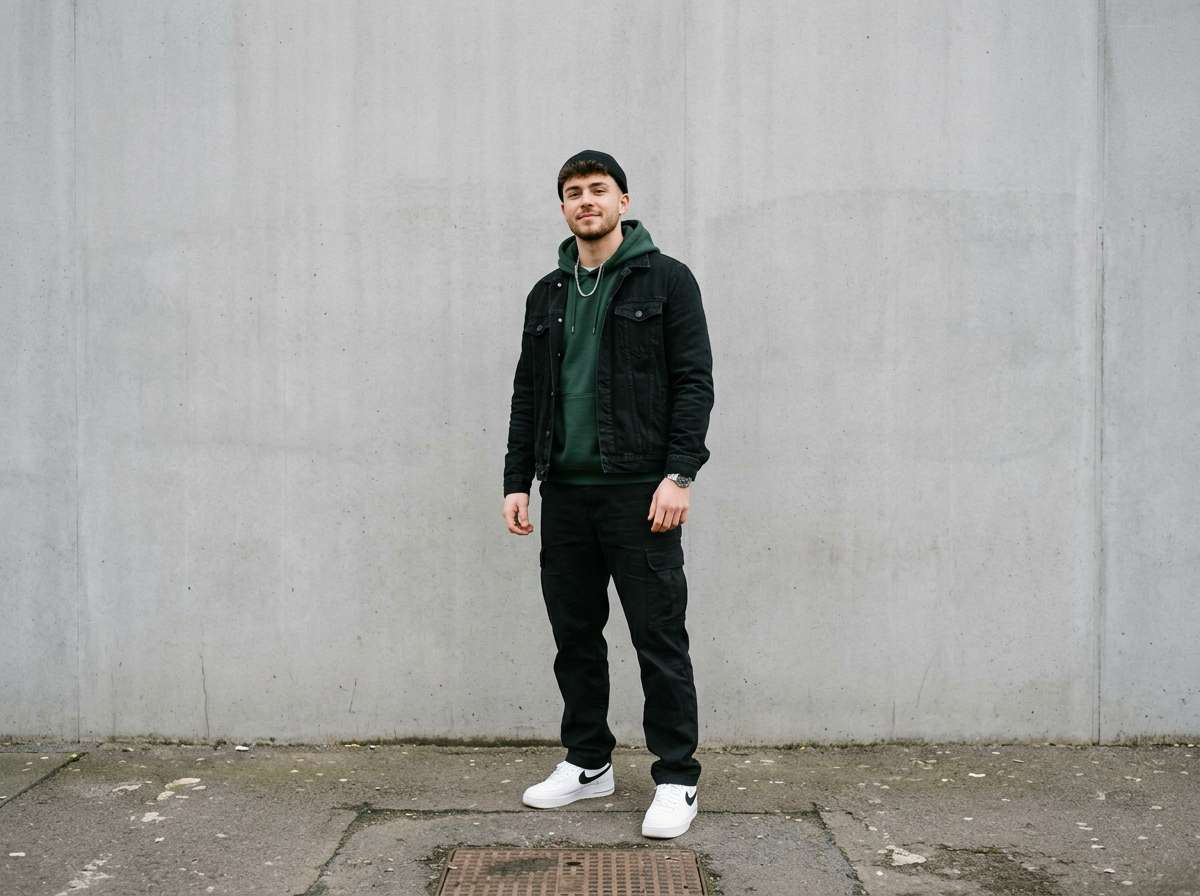
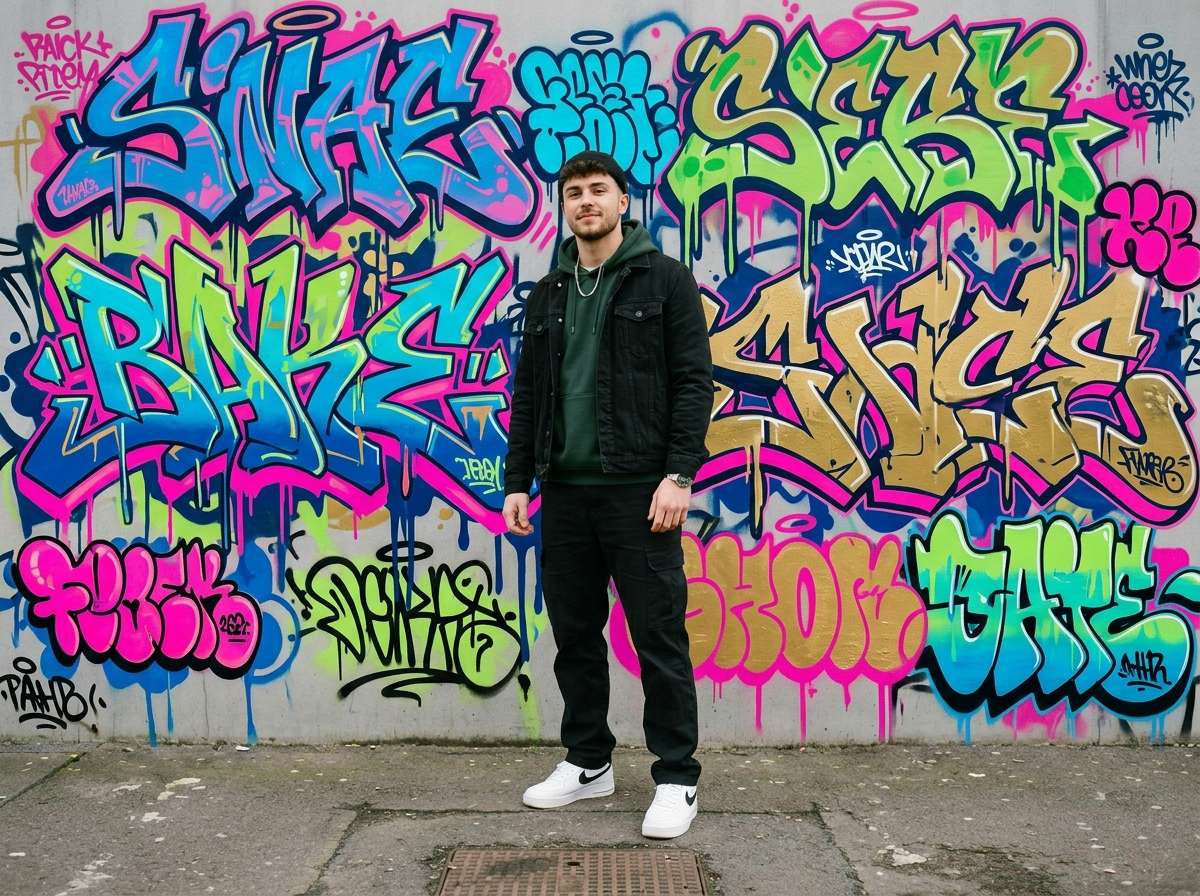
Add vibrant colorful graffiti art covering the entire wall behind this person. Bold wildstyle lettering, bubble letter throw-ups, neon spray paint in pink, electric blue, lime green and gold, realistic dripping paint textures, authentic urban street art style, same person in foreground completely unchanged, faces and body stay sharp and clear, photorealistic graffiti wall
Plain City Wall → Full Graffiti Mural
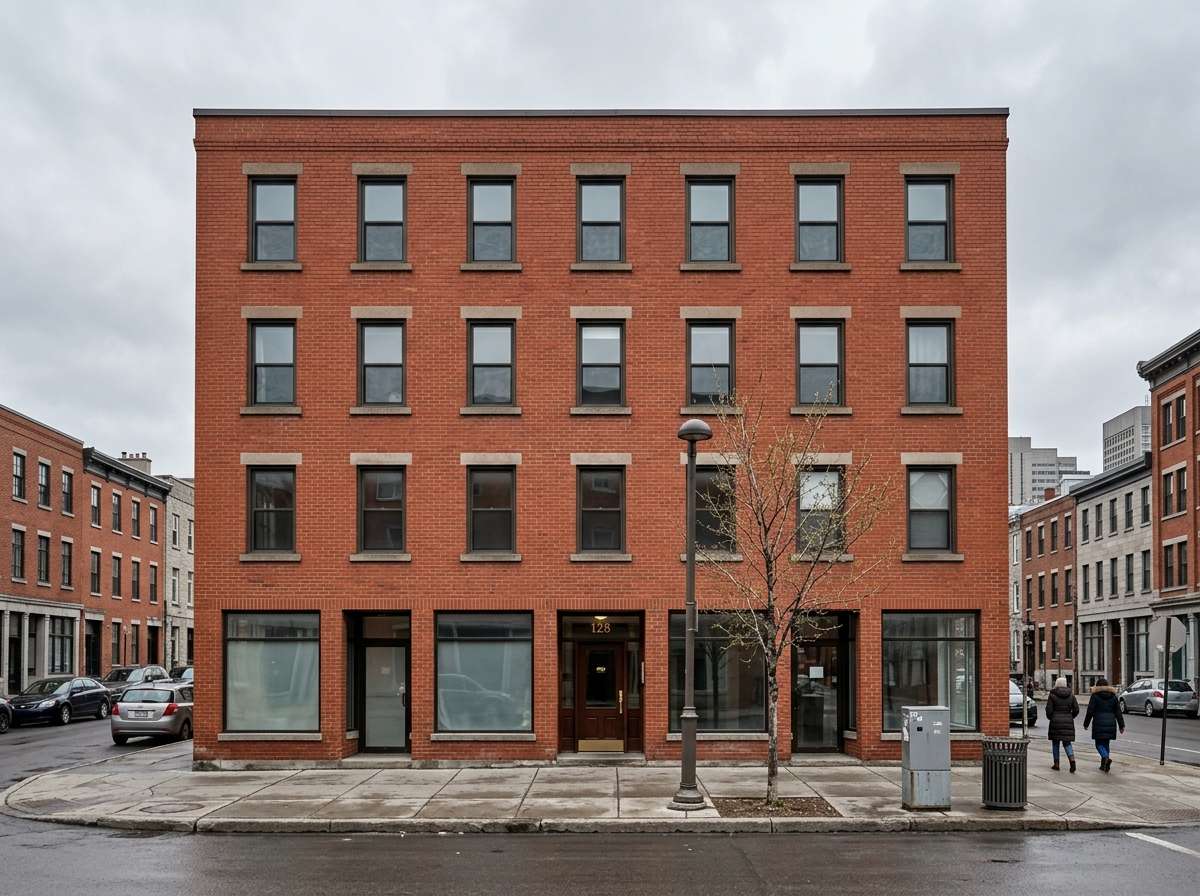
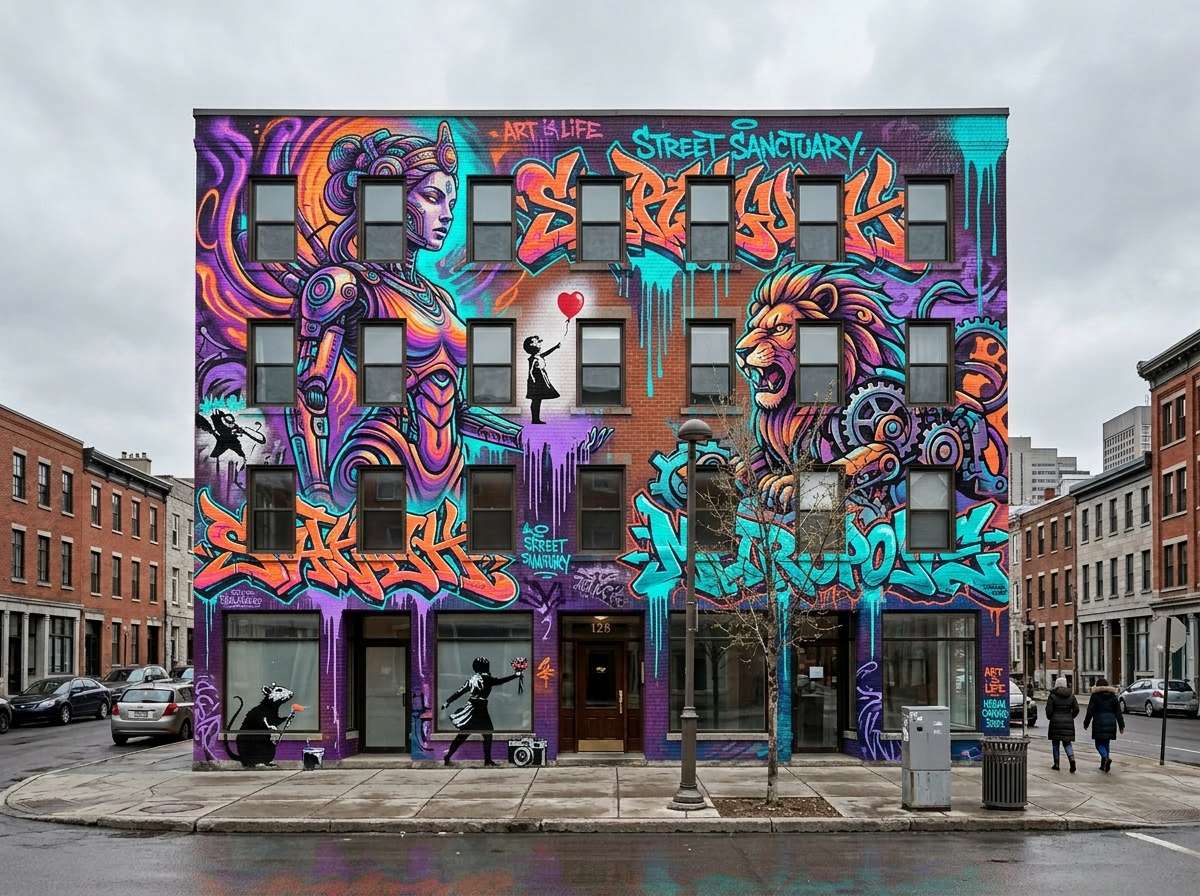
Transform this plain brick building wall into a massive photorealistic street art mural. Vibrant spray-painted wildstyle graffiti characters, large-scale mural with neon purple, orange, yellow and cyan, Banksy-inspired stencil art elements, dripping spray paint textures, ultra-detailed urban street art, same sidewalk and street completely unchanged, photorealistic graffiti mural photography








Why Use Media.io for AI Graffiti Photo Effects
Whether you're an artist previewing a mural design, a content creator building an urban aesthetic, a musician crafting hip-hop visuals, or just someone who wants an edgy new profile picture — your graffiti should look like it was actually spray-painted on the wall. With Media.io's AI Image-to-Image tool, you get surface-aware graffiti generation that follows real wall textures, depth, and perspective — all in seconds, online, and free to start.

Realistic Surface & Texture Integration
Our AI reads your photo's wall surfaces, brick texture, depth, and perspective to paint graffiti that wraps naturally around the environment — complete with authentic spray paint drips, fade effects, and texture blending. Not a flat overlay, but true photorealistic street art.

100% Free — No Skills, No Signup
No app installs, no spray cans, no design experience needed. Just upload, prompt, and generate — on phone or desktop. Media.io's AI runs securely in the cloud for instant, high-quality graffiti output with no sign-up and no watermark.

Every Style — Wildstyle, Stencil, Mural & More
Complex wildstyle lettering, bold bubble letter throw-ups, Banksy-inspired stencil art, 3D dimensional graffiti, large-scale murals, or your name in spray-painted tags — describe any graffiti style in your prompt and the AI delivers exactly what you envision.

Portraits, City Walls, Buildings & More
Perfect for urban portrait photography, TikTok and Instagram street art content, album covers, hip-hop music visuals, event posters, brand campaigns, personalized gifts, and any creative project that calls for bold, unapologetic urban energy.
FAQs About
AI Graffiti Photo Effect
1. Does the graffiti look realistic or like a flat overlay?


Completely realistic. Media.io's AI understands your photo's wall surfaces, brick texture, depth, and perspective to paint graffiti that wraps naturally around the environment — including authentic spray paint drips, fade effects, color blending with the underlying wall, and proper perspective following the surface angle. It's not a sticker or flat layer pasted on top; the result looks like it was genuinely spray-painted on location.
2. What types of photos work best for adding graffiti?
Photos with visible wall surfaces work best — urban portraits in front of concrete or brick walls, city street scenes with building facades, alleyways, subway stations, warehouse exteriors, and outdoor murals. The AI automatically identifies flat surfaces in the photo and applies graffiti naturally to them, keeping subjects in the foreground sharp and unchanged. Even simple indoor walls can be transformed into vibrant street art scenes.
3. What graffiti styles can I create?
You can create any graffiti style by describing it in your prompt. Popular styles include: Wildstyle (complex interlocking decorative letters), Throw-up (bold 2-color bubble letters, fast and expressive), Stencil / Banksy-style (clean cut-out silhouette art with political or social messages), 3D Graffiti (dimensional letters with depth and drop shadows), Tags (quick spray-painted signatures), Murals (large-scale photorealistic street paintings), and Bubble letters (rounded, inflated letterforms). Specify colors, scale, and placement in your prompt for full control.
4. Can I add my name or custom text as graffiti?
Yes! Just include the text you want in your prompt. For example: "add the word KING in large wildstyle graffiti letters on the wall", or "spray-painted bubble letters spelling LOVE in neon pink and gold on the brick wall behind the person", or "add a Banksy-style stencil tag reading FREE on the concrete wall". The AI renders your chosen text in the graffiti lettering style you describe.
5. Is adding graffiti to a photo free?
Yes — Media.io's AI graffiti photo effect is completely free to use online. No watermark, no subscription, and no app download required. Unlike FlexClip (which charges credits per generation) or Adobe Firefly (which requires a paid subscription), Media.io lets you add graffiti to photos for free, directly in your browser, with high-resolution results you can download and share instantly.



