Sky Replacement AI
Replace Any Dull Sky with Blue Sky, Sunset, or Dramatic Clouds — Free Online
Bad weather ruining your photos? Use Media.io's AI Sky Replacement tool to instantly swap any dull, gray, or overcast sky with a vivid blue sky, golden sunset, dramatic storm clouds, or starry night — no Photoshop, no app, no editing skills needed.
Whether you're enhancing a real estate listing, improving a landscape shot, or giving a portrait a stunning new backdrop, our AI detects sky edges precisely and adapts lighting across the whole photo for a completely natural result.
Try AI Sky Replacement Free Now →
How to Replace the Sky in Any Photo in Seconds
— Use Media.io AI & Prompts
Turn any overcast, dull, or gray sky into the perfect backdrop with just a few clicks. Follow these steps using Media.io's AI Image-to-Image tool, and use our curated prompts below to achieve anything from a crisp sunny blue sky to a dramatic sunset — perfect for real estate photography, landscapes, portraits, and social media.
Open the AI Sky Replacement Tool
Go to Media.io's AI Image-to-Image tool and get ready to transform your sky. No sign-up or download required — it runs entirely in your browser, with AI optimized for precise sky detection and natural light matching.
Upload & Describe Your Ideal Sky
Upload any photo (JPG or PNG — real estate, landscapes, portraits, or travel shots all work great). Then type a prompt like "replace sky with vivid blue sky and fluffy white clouds" or "dramatic golden sunset sky with warm light on the house". Not sure what to write? Try one of our ready-made prompts below — tested for realistic edge blending, lighting adaptation, and color consistency.
Generate & Download Your New Sky Photo
Click Generate, and in seconds your sky will be replaced with a stunning new backdrop that naturally matches the lighting and atmosphere of your original photo. Use the before/after slider to compare, then download your image — ready for MLS listings, Instagram, travel feeds, or client delivery.
Real Estate: Gray Sky → Blue Sky
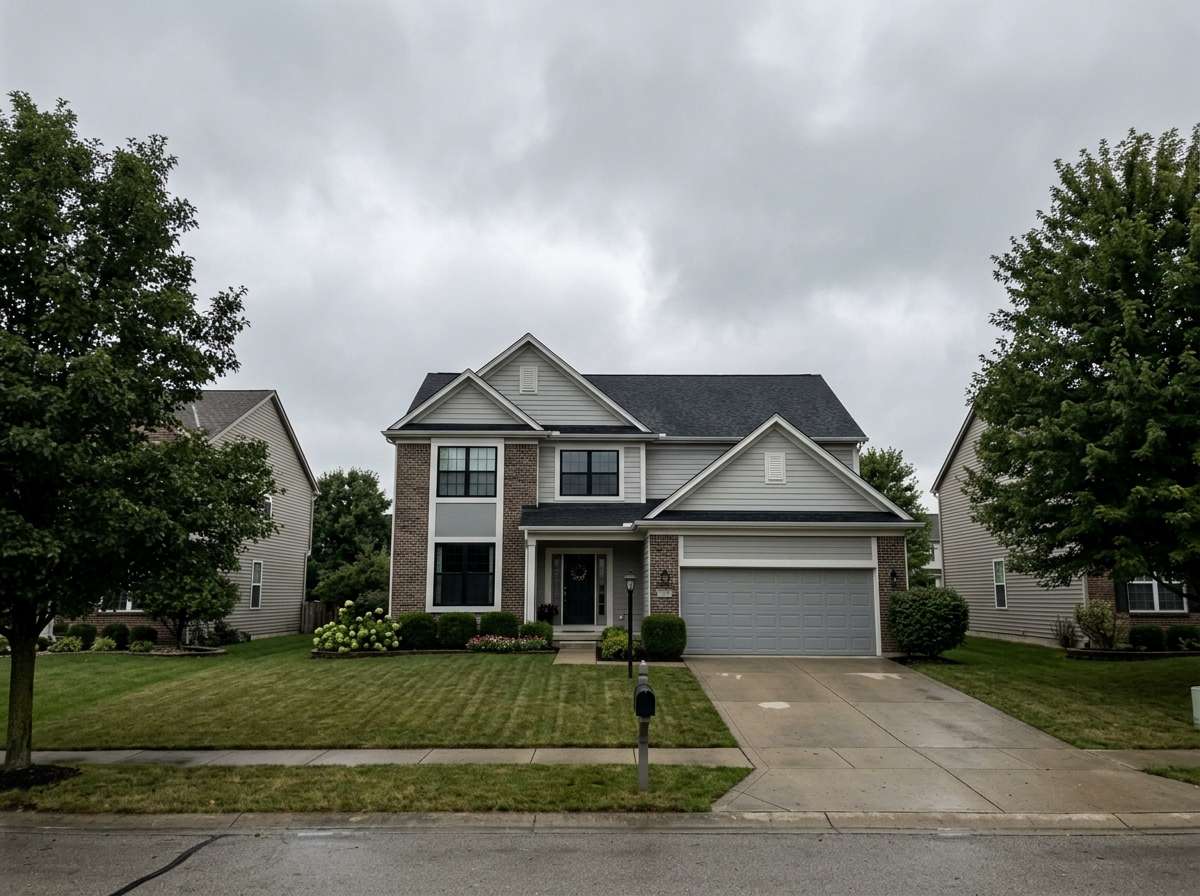

Replace the gray overcast sky with a vivid bright blue sky and fluffy white clouds, warm golden sunlight casting natural shadows on the house and lawn, realistic sky replacement with light adaptation, same house and ground unchanged, professional real estate photography quality
Landscape: Cloudy Sky → Golden Sunset
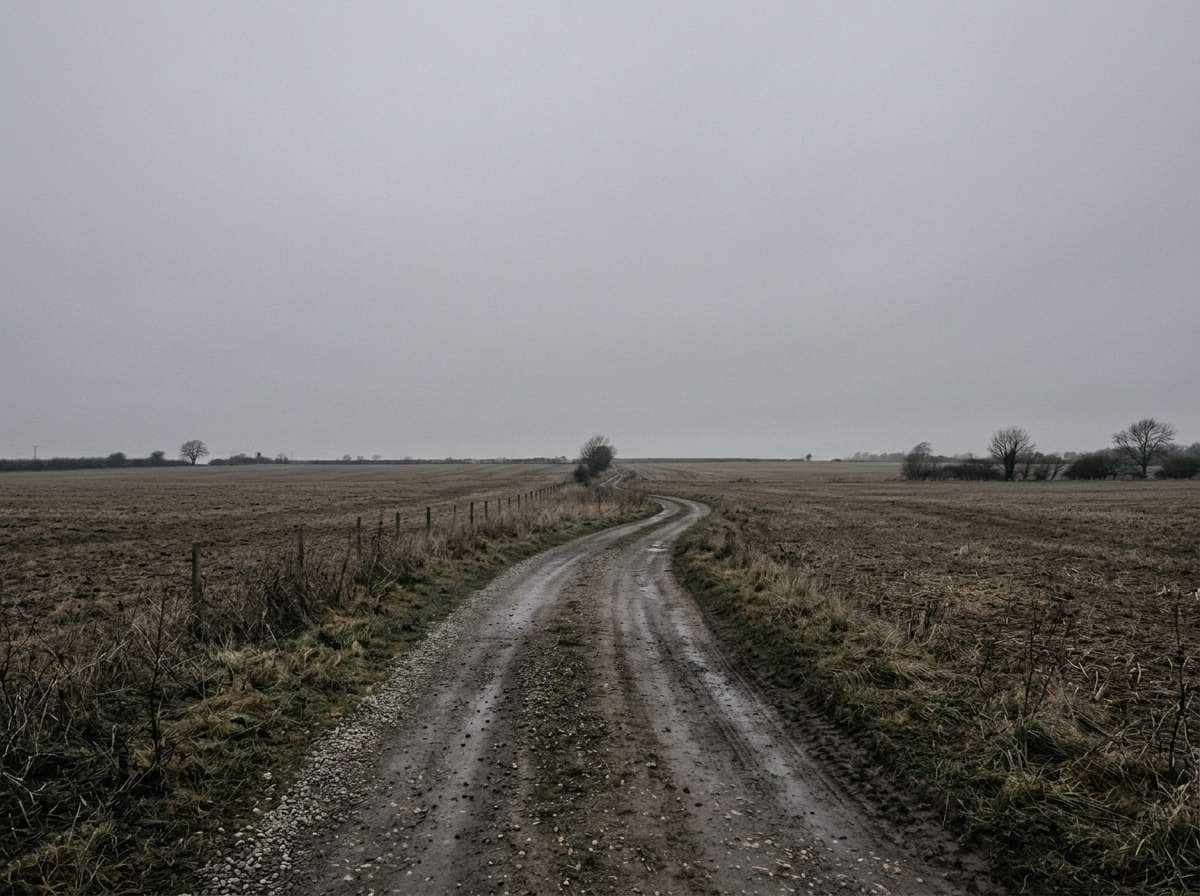
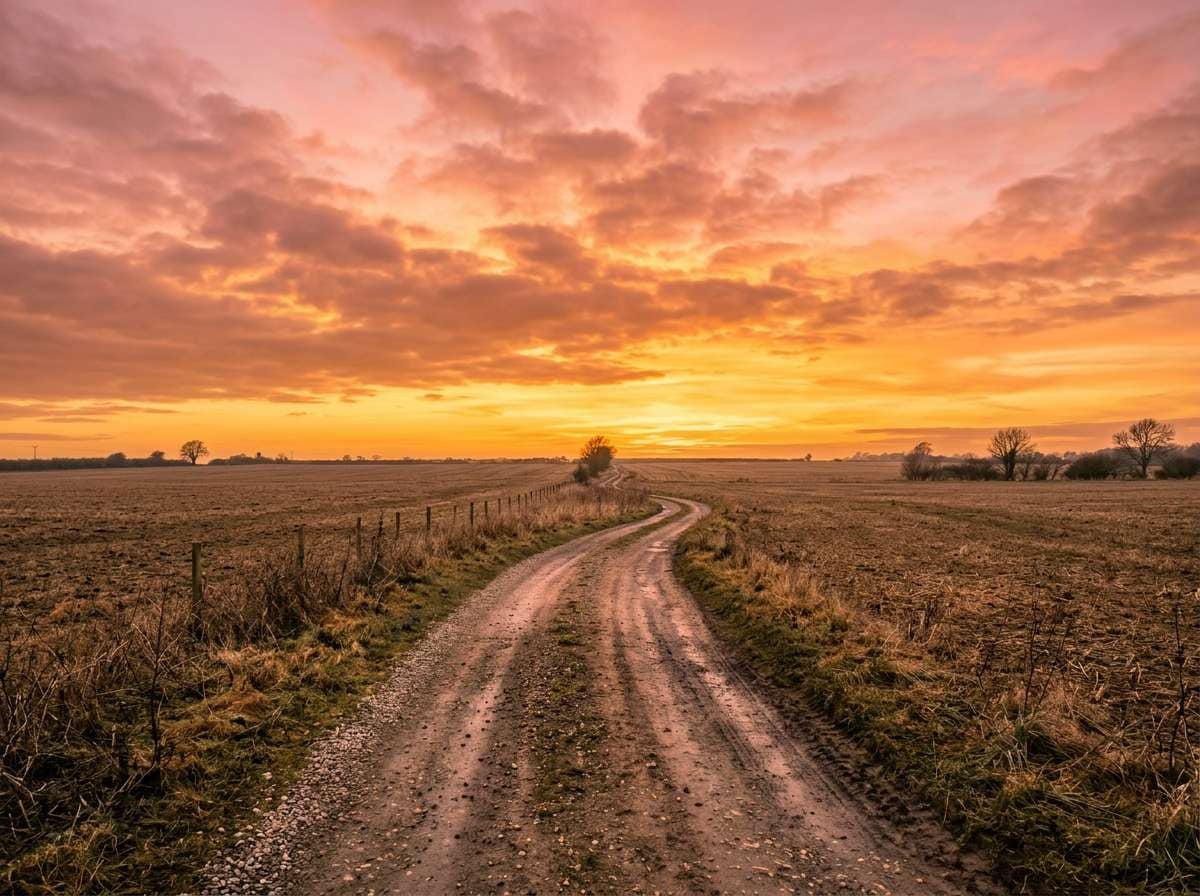
Replace the dull cloudy sky with a dramatic golden sunset sky, vivid orange and pink gradient clouds at golden hour, warm sunset light washing over the field and road, realistic sky replacement with natural lighting adaptation, same ground and landscape unchanged, cinematic landscape photography quality








Why Use Media.io for AI Sky Replacement
Whether you're shooting real estate, landscapes, or portraits — your sky should always be perfect. With Media.io's AI Image-to-Image tool, you get prompt-driven sky replacement that detects edges precisely and adapts lighting naturally across the whole photo — all in seconds, online, and free to start.

Precise Sky Edge Detection
Our AI accurately detects the sky boundary — including complex edges like tree branches, rooftops, and hair — for a seamless, natural-looking sky replacement with no jagged edges or halos.

Automatic Lighting Adaptation
When the sky changes, so does everything else. Media.io AI adapts the color temperature, shadows, and brightness across the entire photo to match your new sky — not just a texture swap.

Any Sky Style via Prompt
Blue sky with clouds, golden sunset, moody storm, pink dusk, starry night — just describe it in words. Unlike preset-only tools, Media.io's prompt-driven AI generates exactly the sky you have in mind.

Real Estate, Landscapes & More
Perfect for property listings, travel photography, outdoor portraits, social media content, and creative projects. Any photo with a visible sky instantly becomes more compelling and professional.
FAQs About
AI Sky Replacement
1. Does the sky replacement look realistic?


Yes. Media.io's AI automatically detects the sky boundary and adapts lighting, color temperature, and shadows across the entire photo to match the new sky — so the result looks like it was actually shot under those conditions, not digitally altered.
2. What types of photos work best for sky replacement?
Any photo with a visible sky works well — real estate exteriors, landscape photos, outdoor portraits, travel shots, and cityscapes. The AI precisely detects edges including trees, rooftops, and hair for a clean, seamless sky replacement result.
3. Can I choose what type of sky to replace with?
Yes — just describe it in your prompt. Try "bright blue sky with fluffy white clouds", "dramatic golden sunset sky", "moody overcast storm clouds", "soft pink and purple dusk sky", or "clear starry night sky". The AI generates a matching sky with adapted lighting for your entire scene.
4. Is this a good free alternative to Luminar AI sky replacement?
Absolutely. Media.io's AI sky changer is 100% free, works in any browser with no download required, and uses prompt-based AI generation — making it more flexible than preset-only tools like Luminar, while delivering equally realistic, professional-quality results.
5. Is the AI sky replacement tool free?
Yes — Media.io's AI sky replacement is completely free to use online. No watermark, no subscription, and no app install needed. Simply upload your photo, describe your ideal sky, and download the result instantly in high resolution.



