Add Fog to Photo
Instantly Add Realistic Fog, Mist & Atmospheric Haze — Free Online
Want a darker, moodier photo? Use Media.io's AI Fog Filter to instantly add dense rolling fog, soft forest mist, or cinematic atmospheric haze to any photo — no Photoshop, no app, no skills needed.
From haunting dark forests to ethereal portrait halos, our AI places volumetric fog that follows natural depth and lighting in your scene.
Try the AI Fog Effect Now →
How to Add Fog to Any Photo in Seconds
— Use Media.io AI & Prompts
Turn any clear photo into a moody, atmospheric masterpiece with just a few clicks. Follow these steps using Media.io's AI Image-to-Image tool, and use our curated prompts below to get anything from soft morning mist to dense cinematic fog — perfect for landscape photography, portraits, and dark aesthetic edits.
Open the AI Fog Generator
Go to Media.io's AI Image-to-Image tool and get ready to add atmospheric depth. No sign-up or download required — it runs entirely in your browser, optimized for landscape and portrait fog effects.
Upload & Describe Your Fog Style
Upload any photo (JPG or PNG — landscapes, portraits, or city shots all work great). Then type a prompt like "dense rolling fog in a dark forest" or "soft morning mist over mountains". Not sure what to write? Try one of our ready-made prompts below — tested for realistic depth, lighting integration, and atmospheric consistency.
Generate & Download Your Foggy Photo
Click Generate, and in seconds your photo will be wrapped in perfectly placed fog that follows depth and natural light. Use the before/after slider to compare, then download your image — ready for Instagram, dark aesthetic feeds, or professional portfolio use.
Moody Dark Forest Fog
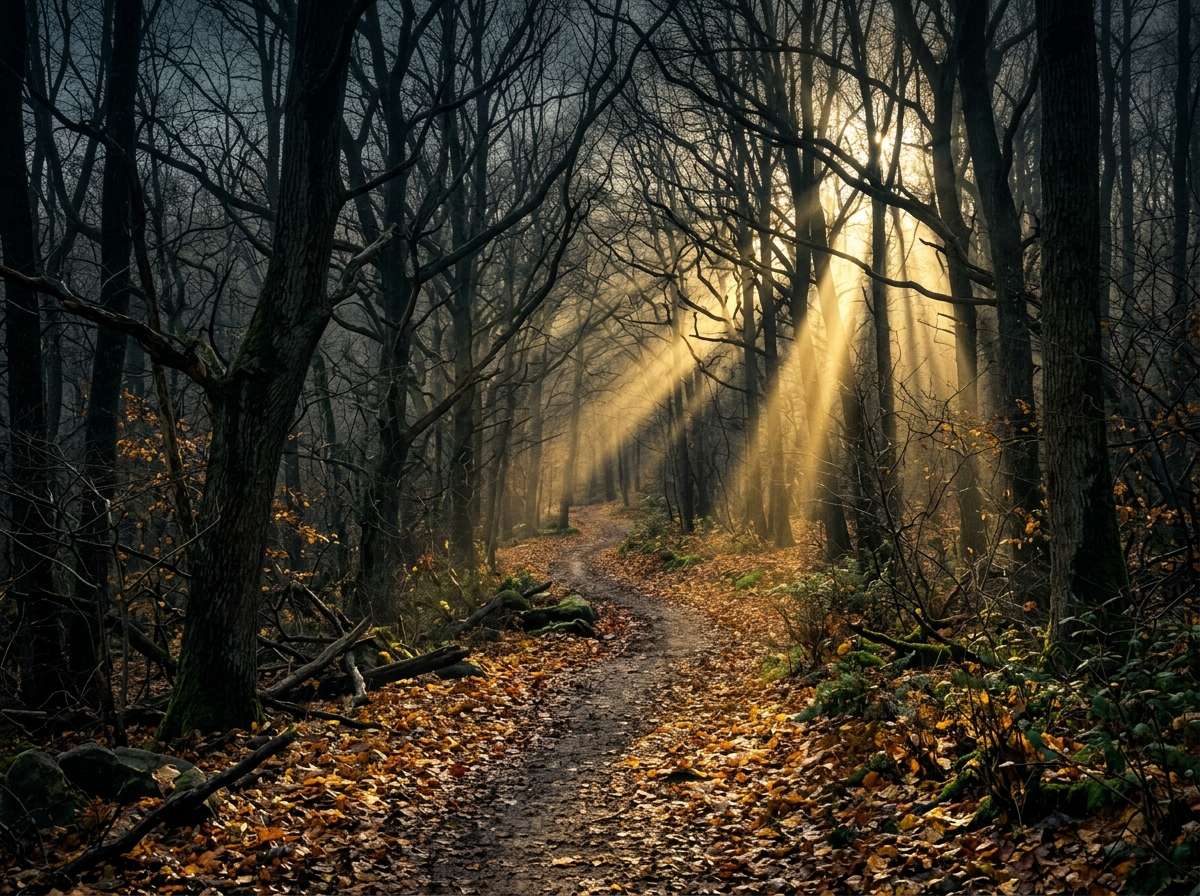
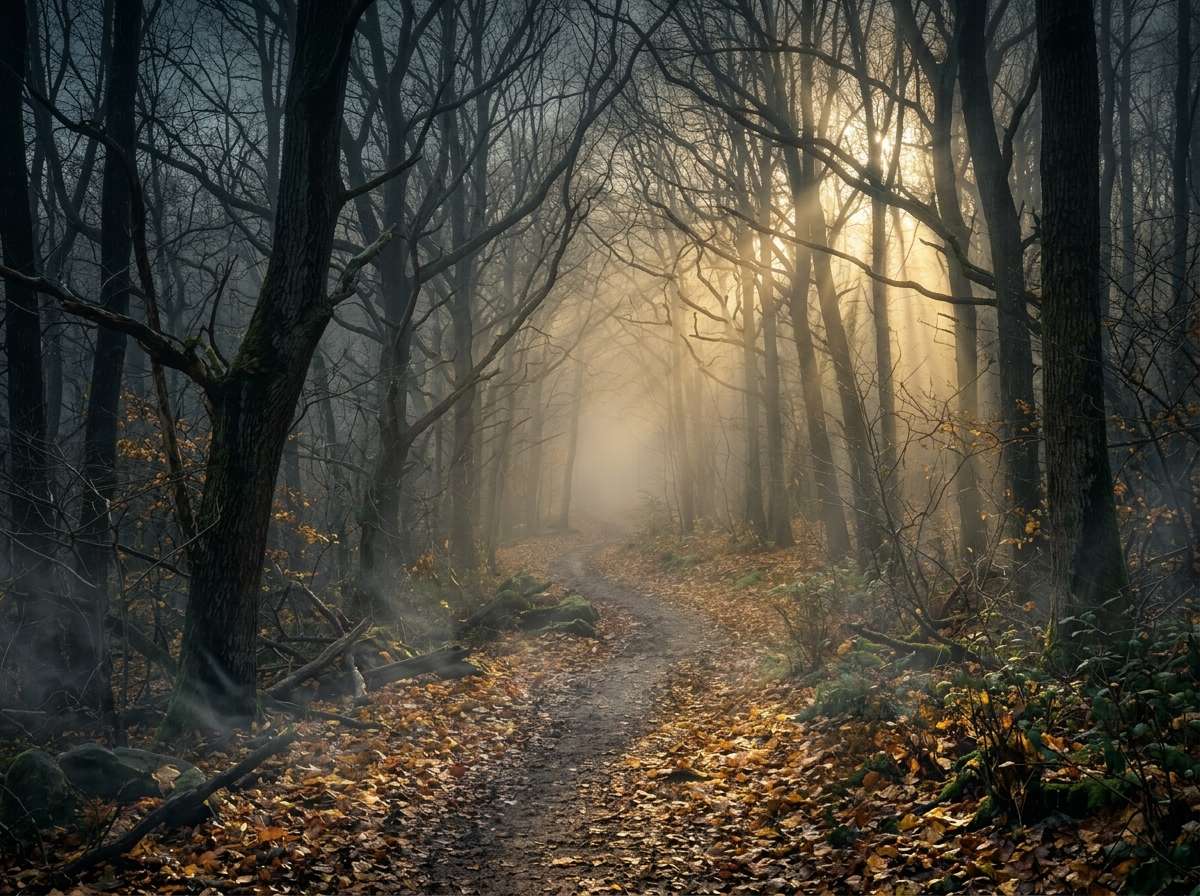
Add dense rolling fog and thick mist to this dark forest path, volumetric fog between the trees with atmospheric depth, light rays partially obscured, ethereal haunting feel, same composition and lighting direction, ultra-realistic fog effect, cinematic quality
Cinematic Portrait with Atmospheric Fog
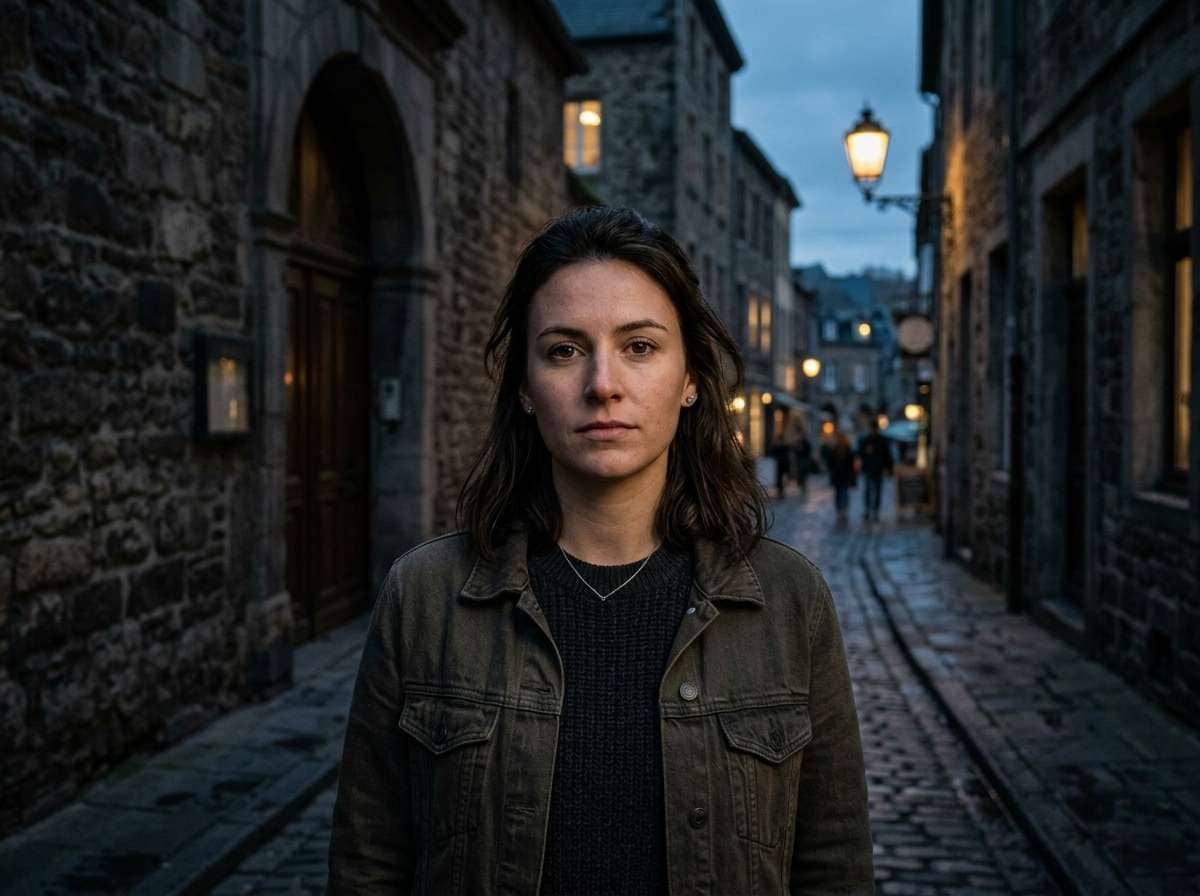
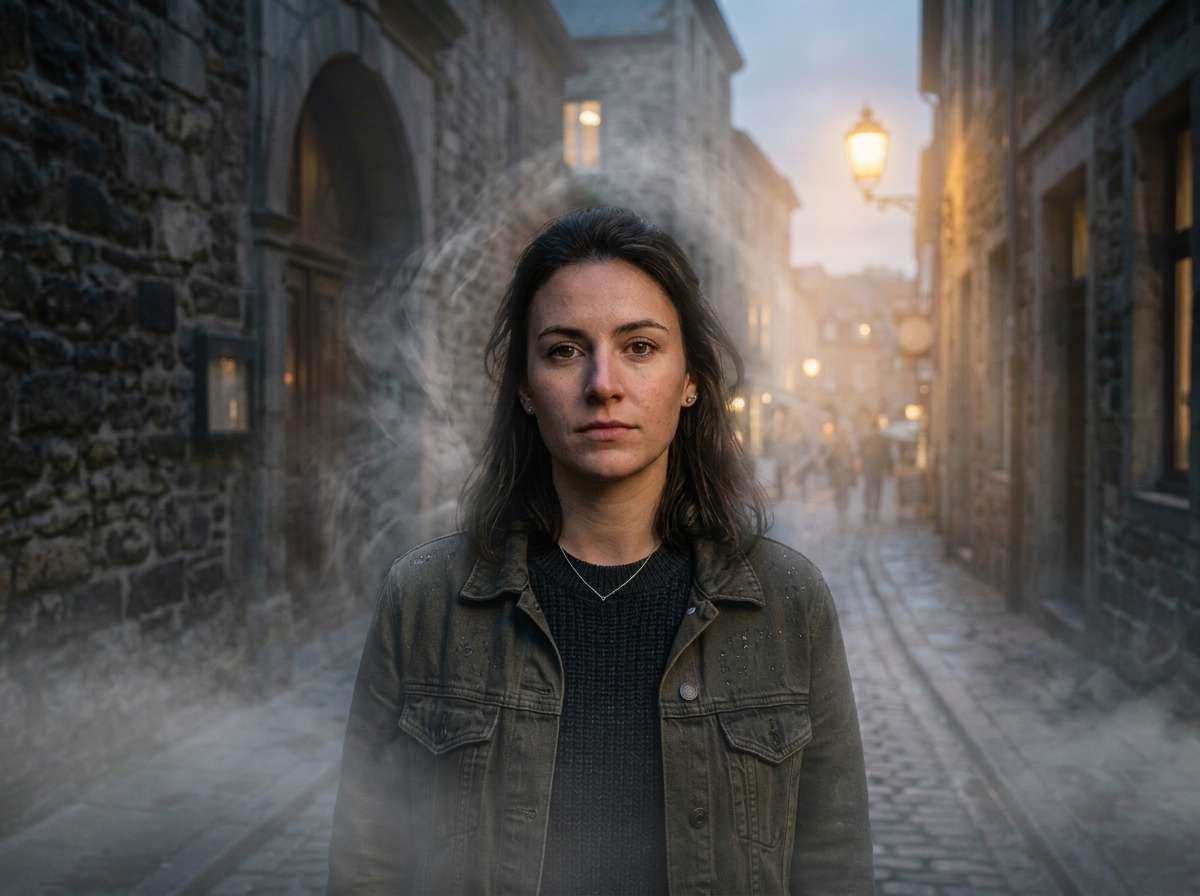
Add atmospheric fog and mist swirling around this person, low-lying ground fog and soft haze in background, moody cinematic atmosphere, ethereal mysterious look, same facial expression and pose unchanged, fog does not cover the face, dramatic and atmospheric, realistic AI photo effect








Why Use Media.io for AI Fog Effects
Whether you're after a haunting dark forest, a soft misty morning, or a cinematic haze — your fog should feel like it was always part of the scene. With Media.io's AI Image-to-Image tool, you get depth-aware fog generation that blends naturally with your photo's lighting and atmosphere — all in seconds, online, and free to start.

Depth-Aware Fog Placement
Our AI analyzes scene depth and lighting to place fog realistically — thicker in the distance, thinner in the foreground. No flat overlays — just natural, volumetric atmospheric depth that looks like real weather.

100% Online, Works in Browser
No app installs. No watermarks. Just upload, prompt, and generate — on phone or desktop. Our AI runs securely in the cloud for instant, high-quality fog output.

Any Scene, Any Fog Style
From soft morning mist in a meadow to thick horror-movie fog in a dark alley — describe any fog style in words. Our AI interprets everything from "subtle haze" to "apocalyptic smog" with precision.

Landscapes, Portraits & More
Perfect for landscape photographers, dark aesthetic creators, horror content, fantasy art, and cinematic portfolios. Works on forests, mountains, city streets, portraits, and architecture.
FAQs About
AI Fog Effect
1. Does the fog look realistic or like a flat overlay?


Realistic! Media.io's AI understands scene depth and perspective to add volumetric fog — meaning the fog thickens with distance, wraps around objects, and follows natural light direction. The result looks like real weather, not a screen overlay.
2. What types of photos work best for adding fog?
Forest and landscape photos work exceptionally well, as do dark portraits, city skylines, and architectural shots. Photos with depth — near and far elements — produce the most dramatic and realistic fog results.
3. Can I control how thick or dense the fog is?
Yes — through your text prompt. Use words like "light morning mist", "moderate haze", or "thick impenetrable fog" to control intensity. You can also specify type: "low-lying ground fog", "rolling fog banks", or "cinematic volumetric fog".
4. Will the fog cover faces in portrait photos?
You control this with your prompt. Specify "fog in background only, face stays clear" for a dramatic portrait effect, or "fog swirling around the person but not covering the face" for a mysterious halo look. The AI follows your description accurately.
5. How is this different from a fog overlay preset?
Traditional fog overlays are flat texture layers blended on top — they don't understand depth or scene content. Media.io uses true AI image-to-image generation, meaning fog adapts to the actual depth, objects, and lighting in your photo for a completely natural result.



