Memory Collage
Free AI Photo Collage Maker & Sentimental Layout Tool Online
Want to transform your cherished photos into stunning, cohesive memory collages — from travel adventures and wedding moments to family milestones and everyday joys? Use Media.io's AI Memory Collage Tool to instantly combine multiple photos with intelligent layouts, harmonious styling, and sentimental touches — free online, powered by Nano Banana Pro.
Whether you're creating anniversary gifts, preserving vacation memories, designing social media highlight reels, crafting memorial tributes, or simply organizing life's precious moments into beautiful visual stories, our AI analyzes your photos' colors, themes, and emotions to deliver cohesive, emotionally resonant collages that celebrate your unique memories.
Try the AI Memory Collage Tool Now →
How to Create a Memory Collage in Seconds
— Use Media.io AI & Prompts
Turn your favorite photos into stunning, cohesive memory collages with just a few clicks. Follow these steps using Media.io's AI Image-to-Image tool, and use our curated prompts below to achieve anything from minimalist travel grids to sentimental vintage-style layouts — perfect for gifts, social media, albums, wall art, and preserving life's precious moments.
Open the AI Memory Collage Tool
Go to Media.io's AI Image-to-Image tool — your free, browser-based memory collage maker and photo layout generator. No sign-up or app download required. Works on desktop and mobile, optimized for intelligent photo arrangement, harmonious color matching, and sentimental styling.
Upload & Describe Your Collage Style
Upload your favorite photos — travel snapshots, wedding moments, family portraits, or everyday memories. Then type a prompt describing the collage style you want, like "create a minimalist travel grid with warm tones" or "design a vintage-style family memory collage with handwritten notes". Not sure what to write? Try one of our ready-made prompts below — tested for cohesive layouts, emotional resonance, and beautiful visual storytelling.
Generate & Download Your Memory Collage
Click Generate, and in seconds your photos will be transformed into a beautiful, cohesive memory collage with intelligent layout, harmonious styling, and sentimental touches. Use the before/after slider to compare, then download your collage — ready for printing, gifting, social sharing, or preserving in your digital memory archive.
Travel → Minimalist Grid with Warm Tones


Same woman at the same desk, now transformed into a beautiful memory collage: layered polaroid photos, scrapbook paper textures, handwritten notes, pressed flowers, washi tape, torn paper edges, soft pastel stickers, tiny date stamps, overlapping snapshots of happy moments arranged around and partially over the scene, warm nostalgic tones, dreamy sentimental scrapbook aesthetic, photorealistic mixed-media collage, elegant and heartfelt, 4:3
Family → Vintage Scrapbook Style with Handwritten Notes

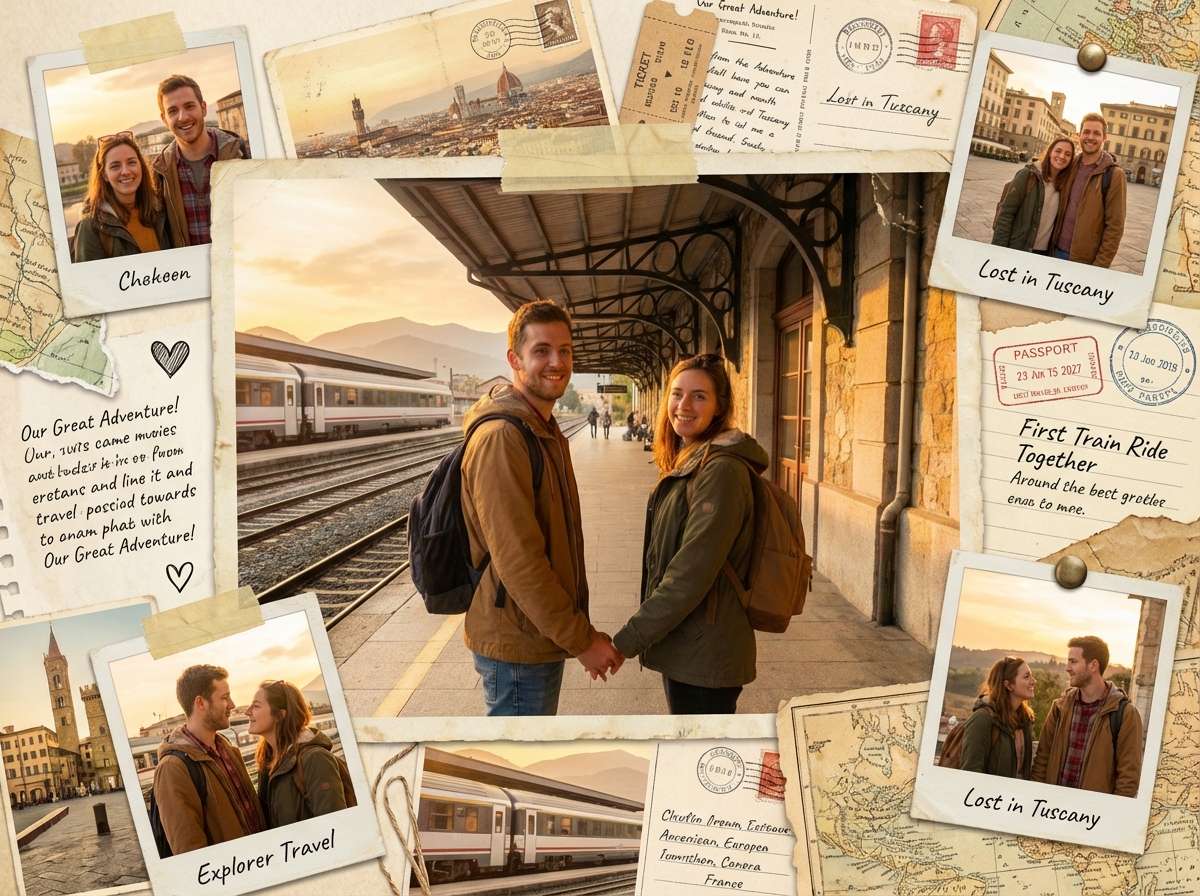
Same couple at the same train station, now transformed into a rich travel memory collage: layered polaroids, vintage postcards, ticket stubs, passport stamps, handwritten travel notes, taped snapshots, torn map pieces, little heart doodles, overlapping memory photos arranged around the couple, warm golden nostalgic color palette, romantic scrapbook travel journal aesthetic, photorealistic mixed-media collage, emotional and cinematic, 4:3








Why Use Media.io AI Memory Collage Tool
Whether you're preserving precious family moments, creating heartfelt gifts for loved ones, designing social media memory highlights, or simply organizing life's beautiful chaos into meaningful visual stories — your memory collage should feel personal, cohesive, and emotionally resonant. With Media.io's AI Image-to-Image tool, powered by Nano Banana Pro, you get intelligent photo arrangement with harmonious color matching, sentimental styling options, and beautiful layout suggestions — all in seconds, online, and free to start.

AI-Powered Intelligent Layout Suggestions
Our AI analyzes your photos' colors, subjects, and emotions to suggest cohesive layouts that tell your story beautifully — from minimalist grids to organic scrapbook styles. Not random arrangements, but thoughtful compositions that honor your memories.

100% Free — No Skills, No Signup
No app installs, no design skills, no complex software needed. Just upload, prompt, and generate — on phone or desktop. Media.io's AI runs securely in the cloud for instant, high-quality memory collages with no sign-up and no watermark.

Every Collage Style — Minimalist, Vintage, Modern & More
Clean minimalist grids, vintage scrapbook aesthetics, modern magazine layouts, romantic watercolor washes, playful polaroid clusters, elegant gallery walls — describe any collage style in your prompt and the AI delivers exactly what you envision, from subtle sophistication to bold creative expression.

Travel, Family, Weddings, Milestones & More
Perfect for travel adventure recaps, family milestone celebrations, wedding and engagement memories, graduation and achievement highlights, memorial tributes, anniversary gifts, social media story highlights, wall art prints, and any project that calls for beautiful, emotionally resonant visual storytelling.
FAQs About
AI Memory Collage Tool
1. How many photos can I include in a memory collage?


You can include anywhere from 3 to 12+ photos in a single memory collage, depending on your preferred layout style. Minimalist grids work beautifully with 4-6 photos, while organic scrapbook styles can elegantly accommodate 8-12+ images. Simply describe your preferred photo count in your prompt — for example: "create a collage with 6 travel photos" — and the AI will arrange them cohesively.
2. Can I customize colors, fonts, and decorative elements?
Absolutely! Just specify your preferences in the prompt. For example: "use warm golden tones with cream background", or "add handwritten captions in cursive script", or "include delicate washi tape accents and pressed flowers", or "apply minimalist black borders with elegant serif labels". The AI follows your instructions to customize colors, typography, and decorative elements for a truly personalized collage.
3. What collage styles can I create?
You can create multiple collage styles by describing them in your prompt. Popular options include: Minimalist Grid (clean layouts with subtle borders), Vintage Scrapbook (organic arrangements with handwritten notes), Modern Magazine (bold typography with dynamic layouts), Romantic Watercolor (soft washes with delicate accents), Polaroid Cluster (playful overlapping frames), and Elegant Gallery (sophisticated museum-style presentation). Specify your preferred aesthetic for tailored results.
4. Can I add text, dates, or captions to my collage?
Yes! Simply include your desired text in the prompt. For example: "add 'Summer 2024' in elegant script at top center", or "include handwritten date stamps on each photo", or "add short captions like 'Beach Day' and 'Sunset Dinner' in cursive", or "place a meaningful quote in delicate serif font at bottom". The AI integrates your text naturally into the collage design with appropriate typography and placement.
5. Is the AI Memory Collage Tool free and watermark-free?
Yes — Media.io's AI Memory Collage Tool is completely free to use online. No watermark, no subscription, and no app download required. Unlike apps that limit free collage templates or require premium upgrades, Media.io lets you create beautiful memory collages for free, directly in your browser, with high-resolution results you can download, print, and share instantly.



